
Loading...
Loading...
Loading...
Loading...
Loading...
Loading...
Loading...
Loading...
Loading...
Loading...
Loading...
Loading...
Loading...
Loading...
Loading...
Loading...
Loading...
Loading...
Loading...
Loading...
Loading...
Loading...
Loading...
Loading...
Loading...
Loading...
Loading...
Loading...
Loading...
Loading...
Loading...
Loading...
Loading...
Loading...
Loading...
Loading...
Loading...
Loading...
Loading...
Loading...
Loading...
Loading...
Loading...
Loading...
Loading...
Loading...
Loading...
Loading...
Loading...
Loading...
Loading...
Loading...
Loading...
Loading...
Loading...
Loading...
Loading...
Loading...
Loading...
Loading...
Loading...
Loading...
Loading...
Loading...
Loading...
Loading...
Loading...
Loading...
Loading...
Loading...
Loading...
Loading...
Loading...
Loading...
Loading...
Loading...
Loading...
Loading...
Loading...
Loading...
Loading...
Loading...
Loading...
Loading...
Loading...
Loading...
Loading...
Loading...
Loading...
Loading...
Loading...
Loading...
Loading...
Loading...
Loading...
The WEKA Data Platform is a software solution that enables the implementation of shareable, scalable, distributed filesystem storage.
The WEKA Data Platform redefines storage solutions with its software-only approach, compatible with standard AMD or Intel x86-based servers and NVMe SSDs. It eliminates the need for specialized hardware, allowing easy integration of technological advancements without disruptive upgrades. WEKA addresses common storage challenges by removing performance bottlenecks, making it suitable for environments requiring low latency, high performance, and cloud scalability.
Use cases span various sectors, including AI/ML, Life Sciences, Financial Trading, Engineering DevOps, EDA, Media Rendering, HPC, and GPU pipeline acceleration. Combining existing technologies and engineering innovations, WEKA delivers a powerful, unified solution that outperforms traditional storage systems, efficiently supporting various workloads.
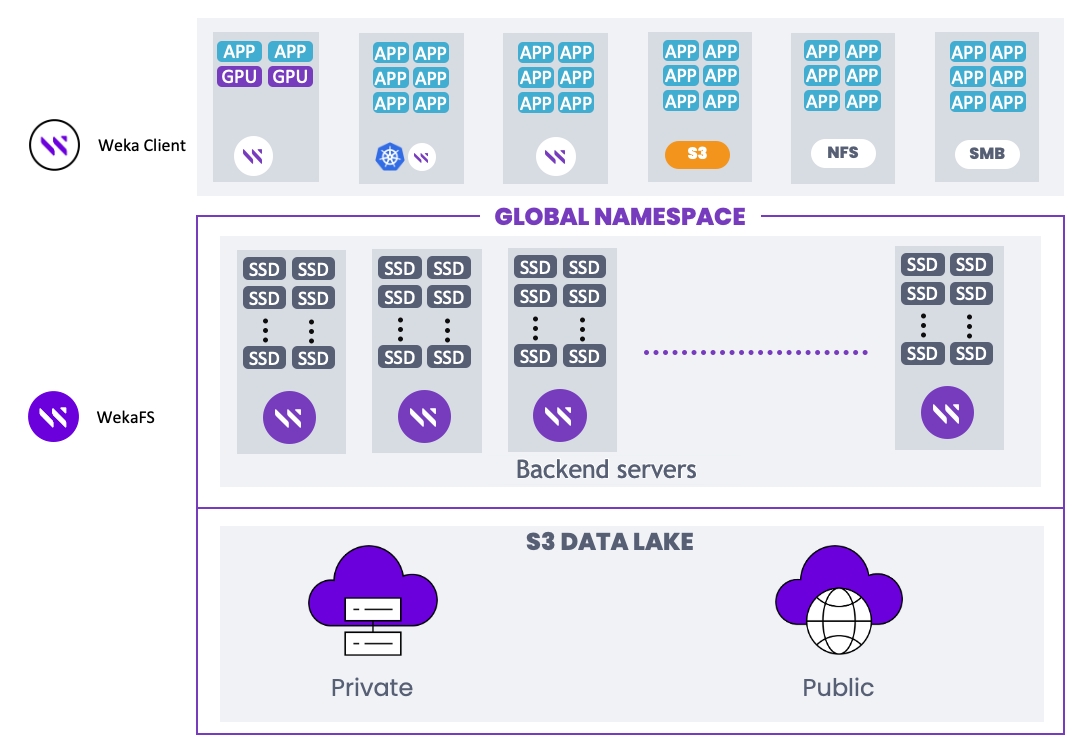
WEKA is a fully distributed parallel filesystem (WekaFS™) leveraging NVMe Flash for file services. Integrated tiering seamlessly expands the namespace to and from HDD object storage, simplifying data management. The intuitive GUI allows easy administration of exabytes of data without specialized storage training.
WekaFS stands out with its unique architecture, overcoming legacy systems’ scaling and file-sharing limitations. Supporting POSIX, NFS, SMB, S3, and GPUDirect Storage, it offers a rich enterprise feature set, including snapshots, clones, tiering, cloud-bursting, and more.
Benefits include high performance across all IO profiles, scalable capacity, robust security, hybrid cloud support, private/public cloud backup, and cost-effective flash-disk combination. WekaFS ensures a cloud-like experience, seamlessly transitioning between on-premises and cloud environments.
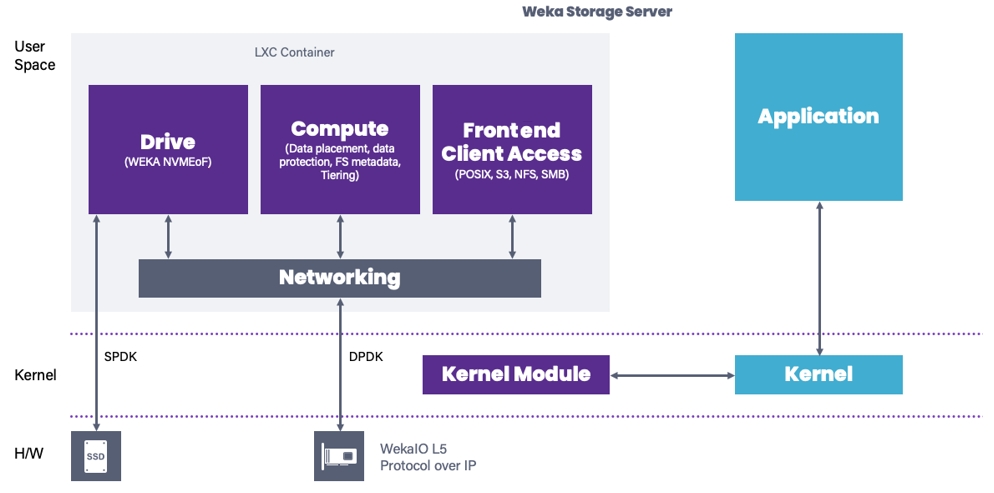
WekaFS functionality running in its RTOS within the Linux container (LXC) is comprised of the following software components:
File services (frontend client access): Manages multi-protocol connectivity.
File system computing and clustering (backend: compute): Manages data distribution, data protection, file system metadata services, and tiering.
SSD drive agent (backend: drive): Transforms the SSD into an efficient networked device.
By bypassing the kernel, WekaFS achieves faster, lower-latency performance, portable across bare-metal, VM, containerized, and cloud environments. Efficient resource consumption minimizes latency and optimizes CPU usage, offering flexibility in shared or dedicated environments.
WekaFS design departs from traditional NAS solutions, introducing multiple filesystems within a global namespace that share the same physical resources. Each filesystem has its unique identity, allowing customization of snapshot policies, tiering, role-based access control (RBAC), quota management, and more. Unlike other solutions, filesystem capacity adjustments are dynamic, enhancing scalability without disrupting I/O.
The WEKA system offers a robust, distributed, and highly scalable storage solution, allowing multiple application servers to access shared filesystems efficiently and with solid consistency and POSIX compliance.
Related information
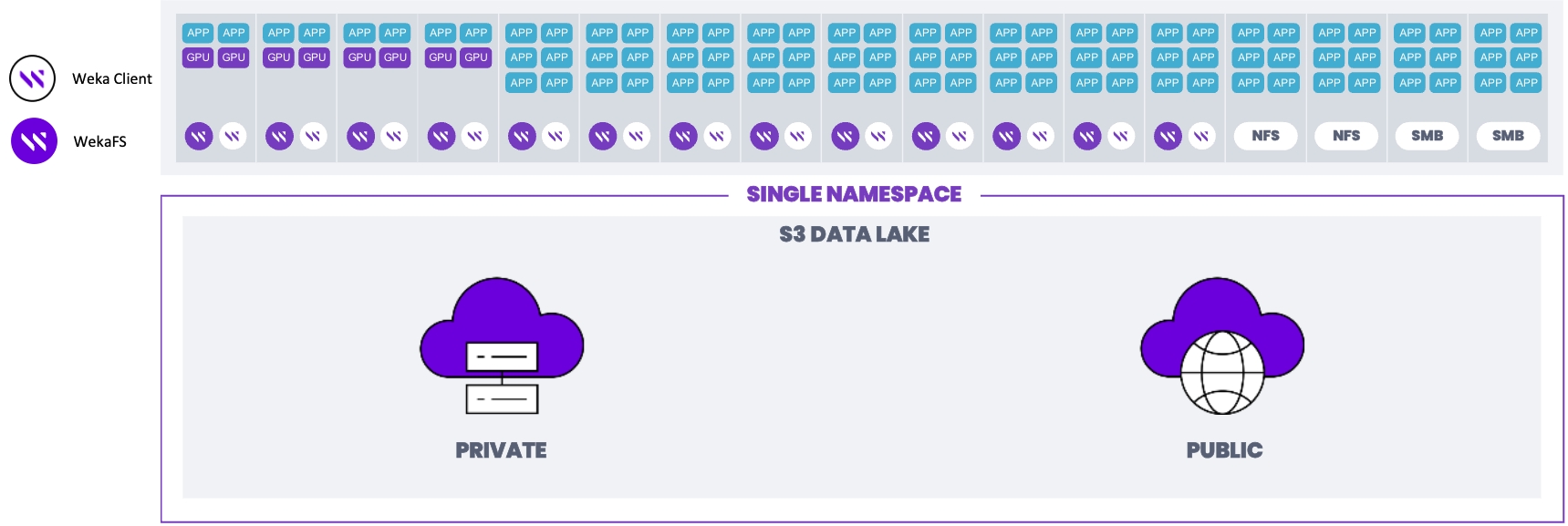
The WEKA system offers a converged deployment configuration as an alternative to the standard setup. In this configuration, hundreds of application servers running user applications are equipped with WEKA clients, allowing them to access the WEKA cluster.
Unlike the standard deployment that dedicates specific servers to WEKA backends, the converged setup involves installing a WEKA client on each application server. Additionally, one or more SSDs and backend processes (WekaFS) are integrated into the existing application servers.
The WEKA backend processes function collectively as a single, distributed, and scalable filesystem, leveraging the local SSDs. This filesystem is accessible to the application servers, much like in the standard WEKA system deployment. The critical distinction is that, in this configuration, WEKA backends share the same physical infrastructure as the application servers.
This blend of storage and computing capabilities enhances overall performance and resource usage. However, unlike the standard deployment, where an application server failure does not impact other backends, the converged setup is affected if an application server is rebooted or experiences a failure. The N+2 (or N+4) scheme still protects the cluster and can tolerate two concurrent failures. As a result, converged WEKA deployments require more careful integration and detailed coordination between computational and storage management practices.
Redundancy in WEKA system deployments can vary, ranging from 3+2 to 16+4. Choosing the most suitable configuration involves several key considerations, including redundancy levels, data stripe width, hot spare capacity, and the performance required during data rebuilds.
Redundancy can be configured as N+2 or N+4, directly impacting capacity and performance. A redundancy level of 2 is typically sufficient for most configurations, while redundancy levels of 4 are reserved for larger clusters with 100 or more backends or critical data scenarios.
Data stripe width, ranging from 3 to 16, is crucial in optimizing net capacity. Larger stripe widths offer more net capacity but may affect performance during data rebuilds, particularly for highly critical data. Consultation with the Customer Success Team is recommended in such cases.
The required hot spare capacity depends on how quickly faulty components can be replaced. Systems with faster response times or guaranteed 24/7 service require less hot spare capacity than systems with less frequent component replacement schedules.
The performance required during a data rebuild from a failure primarily relates to read rebuild operations. Unlike many other storage systems, write performance remains unaffected by failures and rebuilds in WEKA systems because they continue to write to functioning backends within the cluster. However, read performance can be impacted when reading data from a failed component, as this process requires retrieving data from the entire stripe. It requires simultaneous operations and immediate priority for data read operations. For instance, consider a scenario where a single failure occurs in a cluster of 100 backends. In this case, the overall performance is affected by a relatively modest 1%. However, in a cluster of 100 backends with a stripe width of 16, the initial phase of the rebuild can lead to a more significant reduction in performance, up to 16%. In large clusters, the cluster size may exceed the stripe width or the number of failure domains. To maintain optimal performance during rebuilds, it is advisable to ensure that the stripe width is carefully chosen relative to the cluster size.
As a general guideline for large clusters, it's recommended that the stripe width should not exceed 25% of the cluster size. For example, in a cluster composed of 40 backends, an 8+2 protection scheme is advisable. This configuration helps mitigate the impact on performance in case of a failure, ensuring that it does not exceed 25%.
Write performance in the WEKA system improves as the stripe width increases. This improvement is due to the system having to compute a smaller proportion of protected data than actual data. This effect is particularly notable in scenarios involving substantial write operations, such as systems accumulating data for the first time.
Object connector (not shown): Read and write to the object store.
Welcome to the WEKA Documentation Portal, your guide to the latest WEKA version. Whether you're a newcomer or a seasoned user, explore topics from system fundamentals to advanced optimization strategies. Choose your WEKA version from the top menu for version-specific documentation.
Important: This documentation applies to the WEKA system's latest minor version (4.3.X). For information on new features and supported prerequisites released with each minor version, refer to the relevant release notes available at get.weka.io.
Check the release notes for details about any updates or changes accompanying the latest releases.
Sevii AI quickly delivers answers from WEKA documentation. Type your question and click . For the best results, ask clear, context-rich questions.
This portal encompasses all documentation essential for comprehending and operating the WEKA system. It covers a range of topics:
WEKA system overview: Delve into the fundamental components, principles, and entities constituting the WEKA system.
Planning and installation: Discover prerequisites, compatibility details, and installation procedures for WEKA clusters on bare metal, AWS, GCP, and Azure environments.
Getting started with WEKA: Initiate your WEKA journey by learning the basics of managing a WEKA filesystem through the GUI and CLI, executing initial IOs, and exploring the WEKA REST API.
Performance: Explore the results of FIO performance tests on the WEKA filesystem, ensuring optimal system performance.
WEKA filesystems & object stores: Understand the role and management of filesystems, object stores, filesystem groups, and key-management systems within WEKA configurations.
Additional protocols: Learn about the supported protocols—NFS, SMB, and S3—for accessing data stored in a WEKA filesystem.
Operation guide: Navigate through various WEKA system operations, including events, statistics, user management, upgrades, expansion, and more.
Licensing: Gain insights into WEKA system licensing options. How to obtain a classic WEKA license and apply it to the WEKA cluster.
Monitor the WEKA cluster: Deploy the WEKA Management Server (WMS) alongside tools like Local WEKA Home, WEKAmon, and SnapTool to effectively monitor your WEKA cluster.
WEKA support: Find guidance on obtaining support for the WEKA system and effectively managing diagnostics.
Best practice guides: Explore our carefully selected guides, starting with WEKA and Slurm integration, to discover expert-recommended strategies and insights for optimizing your WEKA system and achieving peak performance in various scenarios.
WEKApod: Explore the WEKApod Data Platform Appliance Guide for step-by-step instructions on setting up and configuring the WEKApod™. This turnkey solution, designed for NVIDIA DGX SuperPOD, features pre-configured storage and software for quick deployment and faster value.
Appendices: Explore the Appendices for various topics, including the WEKA CSI Plugin, which connects Kubernetes worker nodes to the WEKA data platform, and other tools and procedures that can enhance your work with WEKA.
The documentation marks the CLI mandatory parameters with an asterisk (*).
New additions in V4.3 are marked with two asterisks (**) in the and topics.
We welcome your feedback to improve our documentation. Include the document version and topic title with your suggestions and email them to . For technical inquiries, contact our . Thank you for helping us maintain high-quality resources.
Added new topics:
Access S3 using AWS CLI: Configure and use the AWS CLI with WEKA’s S3 storage.
Install SMB on AWS: Set up SMB in AWS for secure file sharing and access control.
Removed Azure deployment sections due to a known network issue in Azure deployments that causes performance degradation in versions 4.1 to 4.4.0. This issue is resolved in version 4.4.1 and later.
For updated guidance, see the sections in the Version 4.4 documentation.
Updated the note to specify that only snapshots uploaded from version 4.3 or later can be downloaded using Synchronous Snap. Previously, the note indicated version 4.0 or later.
Added support for GCP regions asia-southeast2 and europe-central2 in Terraform configuration.
CDM Local version 1.2 updates: Supports automated Terraform deployment, removes the Windows installation package, updates the launch process, and enhances information gathering options.
4.3.5
This release aims to enhance usability, focusing on WEKA SMB-W. It also contains field fixes and support for new platforms and hardware.
SMB-W enhancements
Case sensitivity in SMB-W shares, beyond the case insensitive limits of the Microsoft implementation.
Symbolic link following in SMB-W shares.
4.3.4
This release contains an important enhancement for clusters under extreme memory pressure.
Introducing WEKA CSI Plugin version 2.5.0, which provides NFS transport support designed for non-performance-critical scenarios or environments where installing the WEKA client is not feasible.
Added the WEKApod Data Platform Appliance Guide, which provides comprehensive instructions for setting up and configuring the WEKApod™. The WEKApod is a turnkey data platform appliance designed as a high-performance datastore for NVIDIA DGX SuperPOD. Each appliance includes pre-configured storage servers and software, enabling simplified deployment and faster time to value. For details, see WEKApod.
Optional reduction of shared state between SMB-W containers for workloads that don't rely on it.
Zero copy support for MacOS clients is enabled by default, but can be disabled in share options.
Share updates support read-only and hidden properties.
S3 enhancements
Updated the s3 cluster status output to align with the style of weka cluster container, showing details like Hostname, Status, Uptime, Last Error, and Active Requests. Use weka s3 cluster status-old during upgrades, as initial output may be inaccurate until all frontend containers are updated.
Additional enhancements
The REST API for quota listing includes the full directory path, aligning with the CLI command output.
Extended support for operating systems:
Clients: RHEL/Rocky Linux 9.4, AlmaLinux 9.4, 8.10, Debian 12, Ubuntu 24.04.
Backends: RHEL/Rocky Linux 9.4.
Extended support for OFED 24.04-07.0.0.
Improved NFS read operation performance.
Added support for Broadcom P2200.
Added support for colored output in the weka status and other table-returning commands, configurable by the --color option or WEKA_CLI_COLOR environment variable. See .
Introduced the Data Services container for running resource-intensive background tasks, starting with the Quota Coloring task, with more tasks to be supported in future releases. See .
N/A
Added a new topic to WEKA and Slurm integration: Avoid conflicting CPU allocations.
4.3.3
NFS locking is fully supported for protocol versions 3 and 4, and configurable through global parameters.
Added support for additional QLC drives for higher density deployments while maintaining high performance and longevity standards.
SMB-W performance is optimized for macOS clients.
SMB-W share access now supports allow and deny statements based on IP address.
For Windows clients with many top-level entities, folder options appear without delay.
WEKA client support extended to Rocky/RHEL 8.9 and 9.3, and Oracle Linux 9.
4.3.2
Added graceful container management to ensure safe stopping or restarting of a container. See Graceful container management: ensuring safe actions.
Added the WEKA Cloud Deployment Manager (CDM) User Guide, simplifying the deployment of WEKA clusters in public cloud environments (including AWS, Azure, and GCP).
A new algorithm for multi-part uploads is now the default, decreasing resource overhead for most customers using WEKA S3.
WEKA S3 response codes are now in weka stats, with types and categories listed under Operation (Envoy).
WEKA S3 logs now report real remote client addresses via the X-Forwarded-For header.
The default memory limit for SMB-W containers has been raised to 32GB to accommodate trends in customer requirements related to SMB protocol performance.
Deprecation
RHEL 7 and CentOS 7 support have reached EOL status.
Deployment on Amazon EC2 instance families M4, R3, R4, and C4 are no longer supported.
4.3.1
Added a topic to restrict a stateless client’s operations to only the essential APIs for mounting and unmounting operations. See Isolated port for restricted stateless client operations.
Added the following instance types to the Client EC2 instances section: C7a, M7i, R7a, X2idn, X2iedn, R7iz, R7g, R7gd, R6g, R6gd, G6, GR6, F1, and Z1d.
4.3.0
Initial support for ARM, specifically for ARM-based EC2 instances in AWS. To reflect the instruction set architecture of hosts in a cluster, APIs, and commands like the Weka cluster server list now contain an architecture column.
Synchronized snapshots have been re-enabled.
A new --client-only flag in the weka version get and weka version set commands. When used, this flag ensures that only components necessary for stateless clients are considered for installation.
Discontinued support for Intel processor families SandyBridge (2011) and IvyBridge (2012).
Discontinued support for the legacy NFS stack in 4.3.0. If legacy NFS is enabled, upgrading to 4.3.0 will fail.
weka alerts command output update
The muted column is removed from the weka alerts command output unless --muted or -v is provided.
weka nfs interface-group add command update
The manage-gids parameter, which was always set to true, has been eliminated from the weka nfs interface-group add command and associated API.
weka fs tier s3 command output update
The following columns have been removed from the weka fs tier s3 command output: NODES UP, NODES DOWN, and NODES UNKNOWN. Instead, more detailed columns have been added in the verbose output (using -v).
WEKA provides a ready-to-deploy Terraform package for installing the WEKA cluster on AWS Virtual Private Cloud (VPC).
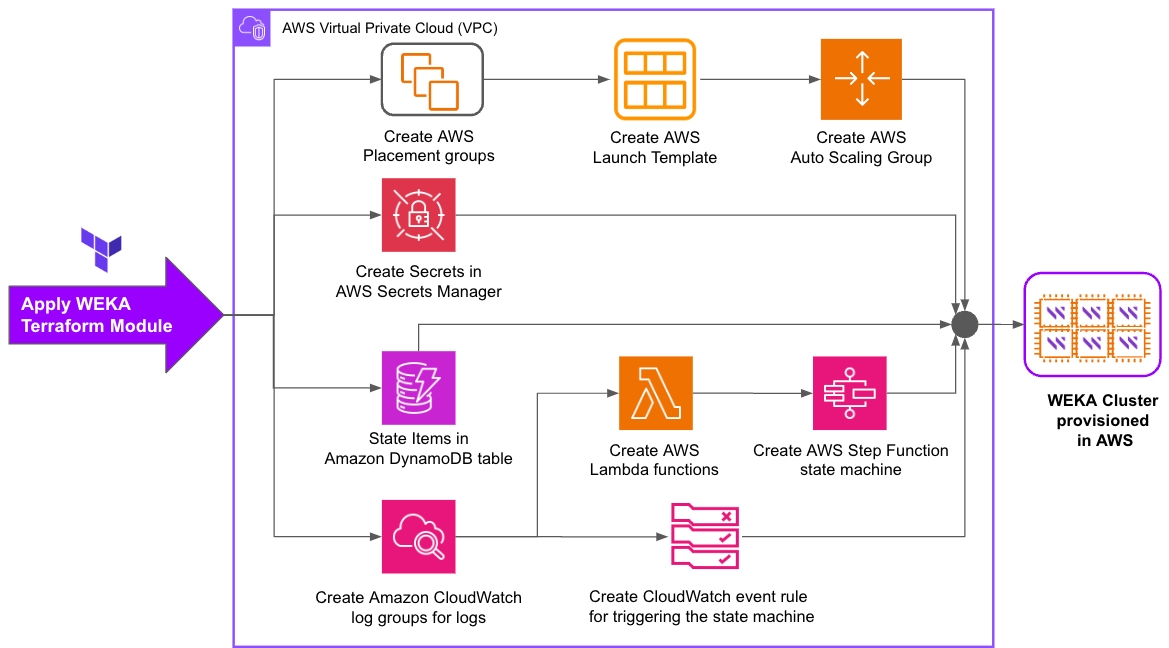
The following diagram provides an overview of the various steps automated with the Terraform-driven provisioning of the WEKA cluster backend servers on AWS EC2 instances.
Once the Terraform modules are applied, two workflows are running every minute. One for scale-up and the other for scale-down.
WEKA provides a cloud function for scale-up or scale-down of the number of compute engine instances (cluster size). Terraform automatically creates the cluster according to the specified target value in a few minutes.
To change the cluster size (up or down), specify the link to the resize cloud function on GCP and the resize target value for the number of compute engine instances in the following command and run it:
Example:
Related topics
Scale-out is the process of increasing the number of EC2 instances in the system to handle higher workloads or enhance redundancy.
Scale-out is essential to ensure a system can meet growing demands, maintain performance, and distribute workloads effectively. This proactive approach helps prevent overloads, reduce response times, and maintain high availability.
Action
Learn about the cluster deployment types in AWS, which are defined by the instance types and their configuration.
A known network issue in Azure deployments causes performance degradation in versions 4.1 to 4.4.0. This issue is resolved in version 4.4.1 and later.
New Azure deployments: Install version 4.4.1 or later.
Auto-scaling is useful to easily scale the number of EC2 instances up or down at need.
After deploying the WEKA cluster via CloudFormation, it is possible to create an auto-scaling group to ease the WEKA cluster size management.
You can create an auto-scaling group for your cluster by running the .
You can control the number of instances by either changing the desired capacity of instances from the AWS auto-scaling group console or defining your custom metrics and scaling policy in AWS. Once the desired capacity has changed, WEKA takes care of safely scaling the instances.
This page provides an overview about managing filesystem groups.
A filesystem group in the WEKA system is used specifically to manage tiering policies for filesystems. It defines key parameters, including the drive retention period and the tiering queue time, which determine how and when data is tiered.
When you add a filesystem, it must be associated with a filesystem group to apply these tiering behaviors. The WEKA system supports up to eight filesystem groups, allowing flexibility in managing tiering policies across different filesystems.
Related topics
This page describes how to transition from an SSD-only to a tiered filesystem, and vice versa.
An SSD-only filesystem can be reconfigured as a tiered filesystem by attaching an object store. In such a situation, the default is to maintain the filesystem size. In order to increase the filesystem size, the total capacity field can be modified, while the existing SSD capacity remains the same.
This page provides a detailed description of how data storage is managed in SSD-only and tiered WEKA system configurations.
This section explains how data lifecycle is maintained when working with a tiered WEKA system configuration, together with the options for control. The following subjects are covered:
Advanced explanation of .
System behavior when .
Increase the desired size of the Auto-Scaling Group (ASG) associated with your WEKA cluster. You can do this through the AWS Console or AWS CLI.
Result
AWS automatically launches the new EC2 instance.
AWS triggers the Lambda Function to create a join script that runs once as part of the instance user data and, subsequently, integrates the new EC2 instance into the existing WEKA cluster.
You can monitor the process in the AWS Step Function GUI.
Scale-in is the process of reducing the number of EC2 instances of a system to align with decreased workloads or to optimize resource utilization.
Scale-in is essential for efficient resource management, cost reduction, and ensuring the appropriate allocation of resources. It helps prevent over-provisioning, lowers operational expenses, and safeguards against unintentional removal of EC2 instances from the existing WEKA cluster in AWS.
The cluster is configured with scale-in protection and instance termination protection to enhance the safety of this process.
Action
Decrease the desired size of the Auto-Scaling Group (ASG) associated with your WEKA cluster. You can do this through the AWS Console, AWS CLI, or other compatible methods.
Result
After modifying the desired size, it doesn't immediately impact the Auto Scaling Group (ASG). Instead, a Step Function continuously monitors the configuration.
This Step Function runs every minute and identifies that the desired size is less than the current WEKA system's size.
When this condition is met, it initiates a scale-in process, but only if certain conditions are met, such as having enough capacity on the filesystem.
If the scale-down is successful, the Step Function subsequently removes the protection from the scaled-in instance, thereby allowing the Auto Scaling Group to proceed with removing it.
See the WEKA installation on Azure sections in the Version 4.4 documentation.
A tiered filesystem can be un-tiered (and only use SSDs) by detaching its object stores. This will copy the data back to the SSD.
For more information, refer to Attaching/Detaching Object Stores Overview.
When downscaling, ensure the minimum SSD capacity of the filesystems can fit into the lower capacity cluster or tiered to S3.
For more information and documentation on the utility, refer to the wekactl GitHub repository.
This page provides an overview about managing filesystems.
The management of filesystems is an integral part of the successful running and performance of the WEKA system and overall data lifecycle management.
Related topics
Filesystems, object stores, and filesystem groups
curl -m 70 -X POST https://<resize_cloud_function_name> \
-H "Authorization:bearer $(gcloud auth print-identity-token)" \
-H "Content-Type:application/json" \
-d '{"value":<Resize_target_value>}'curl -m 70 -X POST https://europe-west1-wekaio-qa.cloudfunctions.net/weka-test \
-H "Authorization:bearer $(gcloud auth print-identity-token)" \
-H "Content-Type:application/json" \
-d '{"value":7}'Create AWS Launch Template and Auto Scaling Group for WEKA cluster expansion: Create an AWS Launch Template and Auto Scaling Group to provision EC2 instances for the WEKA cluster.
The launch template automates the deployment script to install and configure WEKA software during initial cluster creation and expand the cluster with additional instances.
Configure AWS Secrets Manager for secure WEKA cluster operations: Create secrets in AWS Secrets Manager to facilitate secure communication between AWS Lambda functions and the WEKA cluster. This ensures smooth scale-out, scale-in, and auto-healing operations.
Configure DynamoDB for Terraform state: Create state items in an Amazon DynamoDB table to effectively manage Terraform's declarative state.
Create CloudWatch log groups for WEKA cluster logs: Create Amazon CloudWatch log groups to store logs generated by the WEKA cluster.
Deploy AWS Lambda functions for WEKA software configuration: Create AWS Lambda functions to run after CloudWatch log groups are created. These functions assist in installing and configuring WEKA software on EC2 instances.
Create AWS Step Function for WEKA cluster scaling: Create an AWS Step Function state machine to facilitate user-driven automated scale-out and scale-in operations for the WEKA cluster.
Create CloudWatch event rule for WEKA cluster monitoring: Create a CloudWatch event rule to periodically check the state of the WEKA cluster and trigger healing or scaling actions as necessary.
Ensure that WEKA has access to instance metadata. The system uses Instance Metadata Service Version 2 (IMDSv2) by default for enhanced security.
If you deploy in AWS without using the CloudFormation template, or if you add capabilities such as tiering after deployment, provide permissions to several AWS APIs. For details, refer to the .
Ensure the selected subnet has enough available IP addresses. Each core allocated to the WEKA system requires an Elastic Network Interface (ENI).
The selection and configuration of instance types determine the two deployment types:
A client backend deployment uses two different instance types:
Backend instances: Instances that contribute their drives and all possible CPU and network resources to the cluster.
Client instances: Instances that connect to the cluster created by the backend instances and run an application using one or more shared filesystems.
In client backend deployments, you can add or remove clients according to the application's resource requirements.
You can also add backend instances to increase cluster capacity or performance. To remove backend instances, you must first deactivate them to allow for safe data migration.
Stopping or terminating backend instances causes a loss of all data of the instance store. For more information, refer to Amazon EC2 Instance Store.
In a converged deployment, every instance contributes its resources, such as drives, CPUs, and network interfaces, to the cluster.
A converged deployment is suitable for the following scenarios:
Small applications: For applications with low resource requirements that need a high-performance filesystem. The application can run on the same instances that store the data.
Cloud-bursting: For cloud-bursting workloads where you need to maximize resource allocation to both the application and the WEKA cluster to achieve peak performance.
The WEKA system offers a range of powerful functionalities designed to enhance data protection, scalability, and efficiency, making it a versatile solution for various storage requirements.
The WEKA system employs N+2 or N+4 protection, ensuring data protection even in the face of concurrent drive or backend failures. This complex protection scheme is determined during cluster formation and can vary, offering configurations starting from 3+2 up to 16+2 for larger clusters.
The WEKA system incorporates an any-to-any protection scheme that ensures the rapid recovery of data in the event of a backend failure. Unlike traditional storage architectures, where redundancy is often established across backend servers (backends), WEKA's approach leverages groups of datasets to protect one another within the entire cluster of backends.
Here's how it works:
Data recovery process: If a backend within the cluster experiences a failure, the WEKA system initiates a rebuilding process using all the other operational backends. These healthy backends work collaboratively to recreate the data that originally resided on the failed backend. Importantly, all this occurs in parallel, with multiple backends simultaneously reading and writing data.
Speed of rebuild: This approach results in a speedy rebuild process. In a traditional storage setup, only a small subset of backends or drives actively participate in rebuilding, often leading to slow recovery. In contrast, in the WEKA system, all but the failed backend are actively involved, ensuring swift recovery and minimal downtime.
Scalability benefits: The advantages of this distributed network scheme become even more apparent as the cluster size grows. In larger clusters, the rebuild process is further accelerated, making the WEKA system an ideal choice for organizations that need to handle substantial data volumes without sacrificing data availability.
In summary, the WEKA system's distributed network scheme transforms data recovery by involving all available backends in the rebuild process, ensuring speedy and efficient recovery, and this efficiency scales with larger clusters, making it a robust and scalable solution for data storage and protection.
In the WEKA system, a hot spare is configured within the cluster to provide the additional capacity needed for a full recovery after a rebuild across the entire cluster. This differs from traditional approaches, where specific physical components are designated hot spares. For instance, in a 100-backend cluster, sufficient capacity is allocated to rebuild the data and restore full redundancy even after two failures. The system can withstand two additional failures depending on the protection policy and cluster size.
This strategy for replacing failed components does not compromise system reliability. In the event of a system failure, there's no immediate need to physically replace a failed component with a functional one to recreate the data. Instead, data is promptly regenerated, while replacing the failed component with a working one is a background process.
In the WEKA system, failure domains are groups of backends that could fail due to a single underlying issue. For instance, if all servers within a rack rely on a single power circuit or connect through a single ToR switch, that entire rack can be considered a failure domain. Imagine a scenario with ten racks, each containing five WEKA backends, resulting in a cluster of 50 backends.
To enhance fault tolerance, you can configure a protection scheme, such as 6+2 protection, during the cluster setup. This makes the WEKA system aware of these possible failure domains and creates a protection stripe across the racks. This means the 6+2 stripe is distributed across different racks, ensuring that the system remains operational even in case of a complete rack failure, preventing data loss.
It's important to note that the stripe width must be less than or equal to the count of failure domains. For instance, if there are ten racks, and one rack represents a single point of failure, having a 16+4 cluster protection is not feasible. Therefore, the level of protection and support for failure domains depends on the stripe width and the chosen protection scheme.
In the event of a failure in the WEKA system, the data recovery process begins by reading all affected data stripes, reconstructing the lost data, and restoring full protection. If multiple failures occur, the affected stripes can be categorized as follows:
Stripes unaffected by any of the failed components, requiring no action.
Stripes affected by one of the failed components.
Stripes affected by multiple failed components.
Typically, the number of stripes affected by multiple failed components is significantly smaller than those affected by a single failed component. However, if any of these multi-affected stripes remain unrecovered, additional failures could lead to data loss.
To mitigate this risk, the WEKA system employs a prioritized rebuild process. The system first restores stripes affected by the greatest number of failed components, depending on the data protection level, as these are fewer in number and can be recovered quickly. Once these high-risk stripes are rebuilt, the system proceeds with restoring stripes impacted by fewer failures. This structured approach ensures that the probability of data loss remains low while maintaining system performance and availability.
In the WEKA system, every client installed on an application server directly connects to the relevant WEKA backends that store the required data. There's no intermediary backend that forwards access requests. Each WEKA client maintains a synchronized map, specifying which backend holds specific data types, creating a unified configuration shared by all clients and backends.
When a WEKA client attempts to access a particular file or offset in a file, a cryptographic hash function guides it to the appropriate backend containing the needed data. This unique mechanism enables the WEKA system to achieve linear performance growth. It synchronizes scaling size with scaling performance, providing remarkable efficiency.
For instance, when new backends are added to double the cluster's size, the system instantly redistributes part of the filesystem data between the backends, resulting in an immediate double performance increase. Complete data redistribution is unnecessary even in modest cluster growths, such as moving from 100 to 110 backends. Only a fraction (10% in this example) of the existing data is copied to the new backends, ensuring a balanced distribution and active participation of all backends in read operations.
The speed of these seamless operations depends on the capacity of the backends and network bandwidth. Importantly, ongoing operations remain unaffected, and the system's performance improves as data redistribution occurs. The finalization of the redistribution process optimizes both capacity and performance, making the WEKA system an ideal choice for scalable and high-performance storage solutions.
WEKA offers a cluster-wide data reduction feature that can be activated for individual filesystems. This capability employs block-variable differential compression and advanced de-duplication techniques across all filesystems to significantly reduce the storage capacity required for user data, resulting in substantial cost savings for customers.
The effectiveness of the compression ratio depends on the specific workload. It is particularly efficient when applied to text-based data, large-scale unstructured datasets, log analysis, databases, code repositories, and sensor data. For more information, refer to the dedicated topic.
Many hardware vendors ship their products with the SR-IOV feature disabled. The feature must be enabled on such platforms before installing the Weka system. Enabling the SR-IOV applies to the server BIOS.
If the SR-IOV is already enabled, it is recommended to verify the current state before proceeding with the installation of the Weka system.
Verify that the NIC drivers are installed and loaded successfully. If it still needs to be done, perform the Install NIC drivers procedure.
The following procedure is a vendor-specific example and is provided as a courtesy. Depending on the vendor, the same settings may appear differently or be located elsewhere. Therefore, refer to your hardware platform and NIC vendor documentation for the latest information and updates.
Reboot the server and enter the BIOS Setup.
From the Advanced menu, select the PCIe Configuration to display its properties.
Select the SR-IOV support and enable it.
Save the configuration changes and exit.
The WEKA project uses internal GCP resources. A basic WEKA project includes a cluster with multiple virtual private clouds (VPCs), virtual machines (VMs), a load balancer, DNS, cloud storage, a secret manager, and other components for managing cluster resizing. Peering between all virtual networks enables functions to run across them, with each VPC connected to every other VPC in a full mesh.
A resize cloud function in vpc-0 and a workload listener are deployed for auto-scale instances in GCP. Once a user sends a request for resizing the number of instances in the cluster, the workload listener checks the cluster state file in the cloud storage and triggers the resize cloud function if a resize is required. The cluster state file is an essential part of the resizing decision. It indicates states such as:
Readiness of the cluster.
The number of existing instances.
The number of requested instances.
The secret manager retains the user name (usually admin) and the Terraform-generated password. The resize cloud function uses the user name and password to operate on the cluster instances.
During WEKA deployment, the instances require access to a YUM repository and the WEKA software. This can be achieved through one of the following methods:
External IPs: Allow an external IP address in VPC0 for each instance. This enables direct connection to public internet resources such as a YUM repository and get.weka.io.
NAT gateway: Add a NAT Gateway to VPC0 to allow the instances to connect to the public internet resources through the gateway.
Private YUM repository: If connecting to an external YUM repository and get.weka.io is impossible, specify an internal YUM repository and a private download link for the WEKA software.
This page describes how to install WEKA on AWS Outposts
AWS Outposts is a fully managed service that extends AWS infrastructure, AWS services, APIs, and tools to virtually any data center, co-location space, or on-premises facility for a consistent hybrid experience. AWS Outposts is ideal for workloads that require low latency access to on-premises systems, local data processing, or local data storage.
A WEKA cluster deployment in AWS Outposts follows the guidelines specified in the section.
To deploy a WEKA cluster in AWS Outposts, use a CloudFormation template, which can be obtained as specified in the section.
AWS Outposts do not currently support placement groups, so the placement group from the template should be removed.
This template can be customized. For further assistance, contact the .
This page provides an overview about managing object stores.
Object stores in WEKA are optional external storage media, complementing SSD storage with a more cost-effective solution. This allows for the strategic allocation of resources, with object stores accommodating warm data (infrequently accessed) and SSDs handling hot data (frequently accessed).
In WEKA, object store buckets can be distributed across different physical object stores. However, to ensure optimal Quality of Service (QoS), a crucial mapping between the bucket and the physical object store is required.
WEKA treats object stores as physical entities, either on-premises or in the cloud, grouping multiple object store buckets. These buckets can be categorized as either local (used for tiering and snapshots) or remote (exclusively for snapshots). An object-store bucket must be added to an object store with the same type and remain inaccessible to other applications.
While a single object store bucket can potentially serve different filesystems and multiple WEKA systems, it is advisable to dedicate each bucket to a specific filesystem. For instance, if managing three-tiered file systems, assigning a dedicated local object storage bucket to each file system is recommended.
For each filesystem, users can attach up to three object store buckets:
A local object store bucket for tiering and snapshots.
A second local object store bucket for additional tiering and snapshots. Note that adding a second local bucket renders the first local bucket read-only.
A remote object store bucket exclusively for snapshots.
Multiple object store buckets offer flexibility for various use cases, including:
Migrating to different local object stores when detaching a read-only bucket from a filesystem tiered to two local object store buckets.
Scaling object store capacity.
Increasing total tiering capacity for filesystems.
Backing up data in a remote site.
In cloud environments, users can employ cloud lifecycle policies to transition storage tiers or classes. For example, in AWS, users can move objects from the S3 standard storage class to the S3 intelligent tiering storage class for long-term retention using the AWS lifecycle policy.
Related topics
The GCP Console has a Logs Explorer interface in which you can view the cloud function logs related to the WEKA cluster activities, such as when scaling instances up or down. In addition, the cluster state file retained in the cloud storage provides you with the status of the operations in the WEKA project.
Typical troubleshooting flow if the resize cloud function does not resize the cluster
Open the cluster state file and check that the desired_size is as expected and the clusterized value is true. The cluster state file is in the cloud storage, and its name comprises the prefix and cluster_name provided in the .
Check the scale-up workflow (or scale-down workflow). Check the function that didn't work and its related logs in the Logs Explorer of the GCP Console.
WEKA supports client instances with at least two NICs, one for management and one for the frontend data. It is possible to add more NICs for redundancy and higher performance.
A client with the same VPC networks and subnets as the cluster can connect without additional configuration. If a client is on another VPC network, peering is required between the VPC networks.
The client instance must be in the same region as the WEKA cluster on GCP.
Snapshots enable the saving of a filesystem state to a directory and can be used for backup, archiving and testing purposes.
Snapshots allow the saving of a filesystem state to a .snapshots directory under the root filesystem. They can be used for:
Physical backup: The snapshots directory can be copied into a different storage system, possibly on another site, using either the WEKA system Snap-To-Object feature or third-party software.
Logical backup: Periodic snapshots enable filesystem restoration to a previous state if logical data corruption occurs.
Implement quota management to monitor and control usage of the WEKA filesystem effectively.
The WEKA system offers multiple layers where you can limit capacity usage:
Organization level: You can monitor an organization’s usage (SSD and total) and restrict usage with quotas per organization. This feature can be used for charge-backs based on the capacity used or allocated by SSD or object store data. For more details, see .
Overview of WEKA's container-based architecture, where interconnected processes within server-hosted containers provide scalable and resilient storage services in a cluster.
In the WEKA system, servers operate as members of a cluster, with each server hosting multiple containers. These containers run software instances, referred to as processes, that collaborate and communicate within the cluster to deliver robust and efficient storage services. This architecture ensures scalability and fault tolerance by distributing storage functionality across interconnected containers.
This section aims at a system engineer familiar with the GCP concepts and experienced in using Terraform to deploy a system on GCP.
Leveraging GCP's advantages, WEKA offers a customizable terraform-gcp-weka module for deploying the WEKA cluster on GCP. In GCP, WEKA operates on instances, each capable of using up to eight partitions of drives on the connected physical server (without direct drive usage). These drives can be shared among partitions for other clients on the same server.
WEKA requires either four or seven VPC networks, depending on which instance type is being used for the WEKA backends. This configuration aligns with the four key WEKA processes: Management, Drive, Compute and optionally Frontend, with each process requiring a dedicated network interface as follows:
Filesystem level: Allocate a unique filesystem for each department or project.
Directory level: Assign a unique quota for each project directory (beneficial when users are involved in multiple projects) or for each user’s home directory.
In the context of directory quotas, the organization admin can set a quota on a directory. This action initiates the calculation of the current directory usage, which is instantaneous for empty directories. The quota is considered once this calculation is complete.
In the context of directory quotas, the organization admin can set a quota on a directory. This action initiates calculating the current directory usage in a background task. Once this calculation is complete, the quota is considered.
The organization admin’s role in setting quotas is to inform and restrict users from overusing the filesystem capacity. In this regard, only data that the user controls is considered. Therefore, the quota does not include the overhead of protection bits and snapshots. However, it accounts for the data and metadata of files in the directory, irrespective of whether they are tiered.
When managing quotas, adhere to the following guidelines:
Setting quotas: To establish a quota, ensure the relevant filesystem is mounted on the server where the quota command is executed.
Quota coloring: During the procedure of setting or unsetting a directory quota, a background task referred to as QUOTA_COLORING is launched. This process scans the entire directory tree and assigns the quota ID to each file and directory within the tree. Set at least one Data Services container to run this task in the background to optimize system performance. For details, see Set up a Data Services container for background tasks.
Nested quotas: Quotas can be established within nested directories (supporting up to 4 levels of nested quotas) and over-provisioned under the same directory quota tree. For instance, a /home directory can have a 1TiB quota with 200 users, each having a user directory under it with a 10GiB quota. This scenario illustrates over-provisioning, where parent quotas are enforced on all subdirectories, irrespective of any remaining capacity in the child quotas.
File movement: The movement of files (or directories) between two directories with quotas, into a directory with a quota, or outside a directory with a quota is unsupported. In such instances, the WEKA filesystem returns an EXDEV error, typically converted by the operating system to a copy-and-delete operation, although this is OS-dependent.
Quotas and hard links: Once a directory has a quota, only newly created hard links within the quota limits are part of quota calculations.
Restoring filesystems: Restoring a filesystem from a snapshot reverts the quotas to the configuration at the time of the snapshot.
Creating new filesystems: Creating a new filesystem from a snap-to-object does not retain the original quotas.
Enforcing quotas: When enforcing quotas in conjunction with a writecache mount-mode, exceeding the quota might not sync all the cache writes to the backend servers, similar to other POSIX solutions. Use sync, syncfs, or fsync to commit the cached changes to the system (or fail due to exceeding the quota).
When a hard quota is set on a directory, running the df utility treats the hard quota as the total capacity of the directory. It displays the usage percentage (use%) relative to the quota. This feature aids users in comprehending their usage and how close they are to reaching the hard quota.
Create a mount point (only once):
Install the WEKA agent (only once):
Example:
Mount a stateless client on the filesystem. In the mount command, specify all the NICs of the client.
DPDK mount with four NICs:
Example:
UDP mount:
Example:
Related topics
mkdir /mnt/wekacurl <backend server http address>:14000/dist/v1/install | shcurl http://10.20.0.2:14000/dist/v1/install | shmount -t wekafs -o net=eth1/IP/NETMASK/GATEWAY -o net=eth2/IP/NETMASK/GATEWAY -o net=eth3/IP/NETMASK/GATEWAY -o mgmt_ip=<management IP (eth0)> -o num_cores=4 -o dpdk_base_memory_mb=32 <backend server IP address>/<filesystem name> /mnt/wekamount -t wekafs -o net=eth1/10.20.30.101/24/10.20.30.1 -o net=eth2/10.20.31.102/24/10.20.31.1 -o net=eth3/10.20.32.103/24/10.20.32.1 -o mgmt_ip=10.20.33.100 -o num_cores=4 -o dpdk_base_memory_mb=32 10.20.30.40/fs1 /mnt/wekamount -t wekafs -o net=udp -o num_cores=0 -o mgmt_ip=<management IP (eth0)> <backend server IP address>/<filesystem name> /mnt/wekamount -t wekafs -o net=udp -o num_cores=2 -o mgmt_ip=10.20.30.100 10.20.30.40/fs1 /mnt/wekaArchive: Periodic snapshots enable accessing a previous filesystem state for compliance or other needs.
DevOps environments: Writable snapshots enable the execution of software tests on copies of the data.
Snapshots do not impact system performance and can be taken for each filesystem while applications run. They consume minimal space, according to the differences between the filesystem and the snapshots, or between the snapshots, in 4K granularity.
By default, snapshots are read-only, and any attempt to change the content of a read-only snapshot returns an error message.
It is possible to create a writable snapshot. A writable snapshot cannot be changed to a read-only snapshot.
The WEKA system supports the following snapshot operations:
View snapshots.
Create a snapshot of an existing filesystem.
Delete a snapshot.
Access a snapshot under a dedicated directory name.
Restore a filesystem from a snapshot.
Create a snapshot of a snapshot (relevant for writable snapshots or read-only snapshots before being made writable).
List the snapshots and obtain their metadata.
Schedule automatic snapshots. For details, see .
Do not move a file within a snapshot directory or between snapshots: Moving a file within a snapshot directory or between snapshots is implemented as a copy operation by the kernel, similar to moving between different filesystems. However, such operations for directories will fail.
Working with symlinks (symbolic links):
When accessing symlinks through the .snapshots directory, symlinks with absolute paths can lead to the current filesystem. Depending on your needs, consider either not following symlinks or using relative paths.
The maximum number of snapshots in a system depends on whether they are read-only or writeable.
If all snapshots are read-only, the maximum is 24K (24,576).
If all snapshots are writable, the maximum is 14K (14,336).
A system can have a mix of read-only and writable snapshots, given that a writable snapshot consumes about twice the internal resources of a read-only snapshot.
Some examples of mixing maximum read-only and writable snapshots that a system can have:
20K read-only and 4K writable snapshots.
12K read-only and 8K writable snapshots.
Related topics
The WEKA system uses different types of processes, each dedicated to specific functions:
Drive processes: Manage SSD drives and handle IO operations to drives. These processes are fundamental to storage operations and each requires a dedicated core to ensure optimal performance.
Compute processes: Handle filesystems, cluster-level functions, and IO from clients. The dedicated core requirement for each compute process ensures consistent processing power for these critical operations.
Frontend processes: Also known as client processes, manage POSIX client access and coordinate IO operations with compute and drive processes. Each frontend process needs a dedicated core to maintain responsive client interactions.
Management processes: Oversee the overall cluster operations. Unlike other process types, management processes can share cores as they have lower resource demands.
In the WEKA cluster, each server implements a multi-container backend architecture where containers are specialized by process type (drive, compute, or frontend).
Non-Disruptive Upgrade (NDU) capabilities:
Enables true non-disruptive upgrades where containers can run different software versions independently without system interruption
Supports individual container rollback without impacting cluster operations
Maintains continuous network control plane access throughout the upgrade process, ensuring uninterrupted client service
Optimized hardware utilization:
Supports up to 64 WEKA cores per server
Multiple containers per process type
Flexible core allocation across containers
Improved maintenance operations:
Selective process management
Ability to maintain drive processes while stopping compute and frontend processes
Process limits
Total processes per cluster: 40,000 (includes all process types: management, drive, compute, and frontend)
Maximum backend processes: 4096 (excludes frontend processes)
Maximum management processes: 20,000
Maximum drive processes: 38,000
Server and container limits
Maximum WEKA cores per server: 64
Maximum cores per container: 19
eth0: Management vpc-0
eth1: Drive vpc-1
eth2: Compute vpc-2
eth3: Frontend vpc-3
For a WEKA instance using seven NICs, the alignment is as follows:
eth0: Management vpc-0
eth1: Drive vpc-1
eth2: Compute vpc-2
eth3: Compute vpc-3
eth4: Compute vpc-4
eth5: Compute vpc-5
eth6: Frontend vpc-6
If the frontend container is not deployed, then its core is instead used by the compute process.
VPC peering facilitates communication between the WEKA processes, each using its NIC. The maximum allowable number of peers within a VPC is limited to 25 by GCP (you can request GCP to increase the quota, but it depends on the GCP resources availability).
This page describes how to attach or detach object stores buckets to or from filesystems using the GUI.
Using the GUI, you can:
Before you begin
Verify that an object store bucket is available.
Procedure
From the menu, select Manage > Filesystems.
On the Filesystem page, select the three dots on the right of the filesystem that you want to attach to the object store bucket. Then, from the menu, select Attach Object Store Bucket.
On the Attach Object Store Bucket dialog, select the relevant object store bucket.
Detaching a local object store bucket from a filesystem migrates the filesystem data residing in the object store bucket either to the writable object store bucket (if one exists) or to the SSD.
Procedure
From the menu, select Manage > Filesystems.
On the Filesystem page, select the filesystem from which you want to detach the object store bucket.
From the Detach Object Store Bucket dialog, select Detach. If the filesystem is attached to two object store buckets (one is read-only, and the other is writable), you can detach only the read-only one. The data of the detached object store bucket is migrated to the writable object store bucket.
If the filesystem is tiered and only one object store is attached, detaching the object store bucket opens the following message:
Object store buckets usually expand the filesystem capacity. Un-tiering of a filesystem requires adjustment of its total capacity. Select one of the following options:
Increase the SSD capacity to match the current total capacity.
Reduce the total filesystem capacity to match the SSD or used capacity (the decrease option depends on the used capacity).
Select the option that best meets your needs, and select Continue.
In the message that appears, select Detach to confirm the action.
The Terraform-AWS-WEKA module is an open-source repository. It contains modules to customize the WEKA cluster installation on AWS. The default protocol deployed using the module is POSIX.
The Terraform-AWS-WEKA module supports public and private cloud deployments. All deployment types require passing the get.weka.io token to Terraform to download the WEKA release from the public get.weka.io service.
The Terraform-AWS-WEKA module consists of the following components:
Required module:
WEKA Root Module is located in the main Terraform module.
Optional sub-modules:
The following is a basic example in which you provide the minimum detail of your cluster, and the Terraform module completes the remaining required resources, such as VPC, subnets, security group, placement group, DNS zone, and IAM roles.
You can use this example as a reference to create the main.tf file.
This page describes how to attach or detach object store buckets to or from filesystems using the CLI.
Using the CLI, you can:
Command: weka fs tier s3 attach
To attach an object store to a filesystem, use the following command:
weka fs tier s3 attach <fs-name> <obs-name> [--mode mode]
Parameters
Command: weka fs tier s3 detach
To detach an object store from a filesystem, use the following command:
weka fs tier s3 detach <fs-name> <obs-name>
Parameters
This topic provides an overview of the automated tools and workflow paths for installing and configuring the WEKA software on a group of bare metal servers (on-premises environment).
WEKA provides a variety of tools for automating the WEKA software installation process. These include:
WEKA Management Station (WMS)
WEKA Software Appliance (WSA)
WEKA Configurator
This page details common errors that can occur when deploying WEKA in AWS using CloudFormation and what can be done to resolve them.
Using CloudFormation deployment saves a lot of potential errors that may occur during installation, especially in the configuration of security groups and other connectivity-related issues. However, the following errors related to the following subjects may occur during installation:
Installation logs
AWS account limits
Before a WEKA system can use a Broadcom adapters, the server must have the necessary drivers and firmware from Broadcom's download center.
Procedure:
Download software bundle: Access Broadcom's download center and download the software bundle onto the target server. Carefully review the instructions included in the bundle.
This page describes how to attach or detach object stores buckets to or from filesystems.
Two local object store buckets can be attached to a filesystem, but only one of the buckets is writable. A local object store bucket is used for both tiering and snapshots. When attaching a new local object store bucket to an already tiered filesystem, the existing local object store bucket becomes read-only, and the new object store bucket is read/write. Multiple local object stores allow a range of use cases, including migration to different object stores, scaling of object store capacity, and increasing the total tiering capacity of filesystems.
When attaching a local object store bucket to a non-tiered filesystem, the filesystem becomes tiered.
This page describes registering to get.weka.io and obtaining the WEKA installation packages: WMS, WSA, and WEKA software release.
Understanding the WEKA system client and possible mount modes of operation in relation to the page cache.
The WEKA client is a standard POSIX-compliant filesystem driver installed on application servers, facilitating file access to WEKA filesystems. Acting as a conventional filesystem driver, it intercepts and executes all filesystem operations, providing applications with local filesystem semantics and performance—distinct from NFS mounts. This approach ensures centrally managed, shareable, and resilient storage for WEKA.
Tightly integrated with the Linux Page Cache, the WEKA client leverages this transparent caching mechanism to store portions of filesystem content in the client's RAM. The Linux operating system maintains a page cache in the unused RAM, allowing rapid access to cached pages and yielding overall performance enhancements.
The Linux Page Cache, implemented in the Linux kernel, operates transparently to applications. Utilizing unused RAM capacity, it incurs minimal performance penalties, often appearing as "free" or "available" memory.
Launch in placement group error
Instance type not supported in AZ
ClusterBootCondition timeout
Clients failed to join cluster
As explained in Self-Service Installation, each instance launched in a WEKA CloudFormation template starts by installing WEKA on itself. This is performed using a script named wekaio-instance-boot.sh and launched by cloud-init. All logs generated by this script are written to the instance’s Syslog.
Additionally, the CloudWatch Logs Agent is installed on each instance, dumping Syslog to CloudWatch under a log-group named/wekaio/<stack-name>. For example, if the stack is namedcluster1, a log-group named /wekaio/cluster1 should appear in CloudWatch a few moments after the template shows the instances have reached CREATE_COMPLETE state.
Under the log-group, there should be a log-stream for each instance Syslog matching the instance name in the CloudFormation template. For example, in a cluster with 6 backend instances, log-streams named Backend0-syslog through Backend5-syslog should be observed.
When deploying the stack, this error may be received in the description of a CREATE_FAILED event for one or more instances, indicating that more instances (N) have been requested than that permitted by the current instance limit of L for the specified instance type. To request an adjustment to this limit, go to aws.amazon.com to open a support case with AWS.
If the error Instance i-0a41ba7327062338e failed to stabilize. Current state: shutting-down. Reason: Server.InternalError: Internal error on launch is received, one of the instances was unable to start. This is an internal AWS error and it is necessary to try to deploy the stack again.
If the error We currently do not have sufficient capacity to launch all of the additional requested instances into Placement Group 'PG' is received, it was not possible to place all the requested instances in one placement-group.
The CloudFormation template creates all instances in one placement-group to guarantee best performance. Consequently, if the deployment fails with this error, try to deploy in another AZ.
If the error The requested configuration is currently not supported. Please check the documentation for supported configurations or Your requested instance type (T) is not supported in your requested Availability Zone (AZ). Please retry your request by not specifying an Availability Zone or choosing az1, az2, az3 is received, the instance type that you tried to provision is not supported in the specified AZ. Try selecting another subnet to deploy the cluster in, which will implicitly select another AZ.
When a ClusterBootCondition timeout occurs, there was a problem creating the initial WEKA system cluster. To debug this error, look in the Backend0-syslog log-stream (as described above). The first backend instance is responsible for creating the cluster and therefore, its log should provide the information necessary to debug this error.
When the message Clients failed to join for uniqueId: ClientN is received while in the WaitCondition, one of the clients was unable to join the cluster. Look at the Syslog of the client specified in uniqueId as described above.
Example: If the error message specifies that client 3 failed to join, a message ending with uniqueId: Client3 should be displayed. Look at the log-stream named Client3-syslog.
You can monitor the cluster instances by checking the cluster EC2 instances in the AWS EC2 service. You can set up Cloud Watch as external monitoring to the cluster.
Connecting to the WEKA cluster GUI provides a system dashboard where you can see if any component is not properly functioning and view system alerts, events, and statistics.
Detaching a local object store bucket from a filesystem migrates the filesystem data residing in the object store bucket to the writable object store bucket (if one exists) or to the SSD.
When detaching, the background task of detaching the object store bucket begins. Detaching can be a long process, depending on the amount of data and the load on the object stores.
Detaching an object store bucket is irreversible. Attaching the same bucket again is considered as re-attaching a new bucket regardless of the data stored in the bucket.
Migration to a different object store: When detaching from a filesystem tiered to two local object store buckets, only the read-only object store bucket can be detached. In such cases, the background task copies the relevant data to the writable object store. In addition, the allocated SSD capacity only requires enough SSD capacity for the metadata.
Un-tiering a filesystem: Detaching from a filesystem tiered to one object store bucket un-tiers the filesystem and copies the data back to the SSD. The allocated SSD capacity must be at least the total capacity the filesystem uses.
On completion of detaching, the object store bucket does not appear under the filesystem when using the weka fs command. However, it still appears under the object store and can be removed if any other filesystem does not use it. The data in the read-only object store bucket remains in the object store bucket for backup purposes. If this is unnecessary or the reclamation of object store space is required, it is possible to delete the object store bucket.
Once the migration process is completed, while relevant data is migrated, old snapshots (and old locators) reside on the old object store bucket. To recreate snapshot locators on the new object store bucket, snapshots should be re-uploaded to the (new) bucket.
When migrating data (using the detach operation), copy only the necessary data (to reduce migration time and capacity). However, you may want to keep snapshots in the old object store bucket.
Migration workflow
The order of the following steps is important.
Attach a new object store bucket (the old object store bucket becomes read-only).
Delete any snapshot that does not need to be migrated. This action keeps the snapshot on the old bucket but does not migrate its data to the new bucket.
Detach the old object store bucket.
One remote object store bucket can be attached to a filesystem. A remote object store bucket is used for backup. Only snapshots are uploaded using Snap-To-Object. The snapshot uploads are incremental to the previous one.
Detaching a remote object store bucket from a filesystem keeps the backup data within the bucket intact. It is still possible to use these snapshots for recovery.
Related topics
Stripe Size: 4+2
8 backend servers instances of i3en.12xlarge
Amazon Linux AMI 2017.09.0.20170930 x86_64 HVM
Backend servers are placed in the same placement group
7 dedicated cores for WEKA
4 compute
2 drives
1 frontend
c5n.18xlarge instances
For the aggregated results 8 clients have been used
Amazon Linux AMI 2017.09.0.20170930 x86_64 HVM
4 frontend cores
DPDK networking
Mount options: using system defaults
Stripe Size: 4+2
8 backend servers (SYS-2029BT-HNR / X11DPT-B), each:
OS: CentOS Linux release 7.8.2003 (3.10.0-1127.el7.x86_64)
Memory: 384 GB Memory
Drives: 6 Micron 9300 drives (MTFDHAL3T8TDP)
Network: Dual 100 Gbps Ethernet
Cpu/Threads: 24/48 (Intel(R) Xeon(R) Gold 6126 CPU @ 2.60GHz)
19 dedicated cores for WEKA
12 compute
6 drives
1 frontend
SYS-2029BT-HNR / X11DPT-B servers
For the aggregated results 8 clients have been used
OS: CentOS Linux release 7.8.2003 (3.10.0-1127.el7.x86_64)
Memory: 192 GB Memory
Network: Dual 100 Gbps Ethernet
Cpu/Threads: 24/48 (Intel(R) Xeon(R) Gold 6126 CPU @ 2.60GHz)
6 frontend cores
DPDK networking
Mount options: using system defaults
fs-name*
Name of the filesystem to attach with the object store.
obs-name*
Name of the object store to attach.
mode
The operational mode for the object store bucket. The possible values are:
writable: Local access for read/write operations.
remote: Read-only access for remote object stores.
writable
fs-name*
Name of the filesystem to be detached from the object store
obs-name*
Name of the object store to be detached
Up to 19 cores per container

clients: Enables creating stateless WEKA clients that automatically join the WEKA cluster during cluster creation. The WEKA clients host applications or workloads.
endpoints: Creates private network VPC endpoints, including EC2 VPC endpoints, S3 gateway, Lambda VPC endpoint, WEKA proxy VPC endpoint, and a security group to open port 1080 for the WEKA proxy VPC endpoint.
IAM: Creates IAM roles for EC2 instances, CloudWatch events, WEKA Lambda functions, and Step Function. IAM roles can be created in advance, or if module variables are unspecified, WEKA automatically creates them.
network: Creates VPC, Internet Gateway/NAT, public/private subnets, and so on if pre-existing network variables are not supplied in advance.
security_group: Automatically creates the required security group if not provided in advance.
Compile and install: Follow the provided instructions to compile and install the following components:
bnxt_en driver.
sliff driver.
niccli command line utility.
Post-installation steps: After installation, run one of the following commands based on the Linux distribution:
dracut -f
update-initramfs -u
Reboot the server: Reboot the server to apply the changes.
After installing Broadcom drivers and software, install the firmware included in the download bundle. Firmware files are typically named after the adapter they are intended for, such as BCM957508-P2100G.pkg.
Procedure:
Identify the target adapter: Use the command niccli --list to list Broadcom adapters and identify the target adapter by its decimal device number:
Identify the device: From the niccli --list output, choose the device identifier (for example, 1 for BCM57508).
Confirm and complete the installation: Follow the prompts to confirm and complete the firmware update.
Reboot the server: Reboot the server to apply the firmware update.
To enable WEKA system compatibility, configure certain NVM options to increase the number of Virtual Functions (VFs) and enable TruFlow.
Procedure:
Increase the number of VFs to 64: Run the following commands:
Enable TruFlow: Run the following commands:
Additional configuration for BCM57508-P2100G: Run the following command:
Reboot the server: Reboot the server to apply the changes.
The adapter is ready for use by the WEKA system.
The Terraform must be installed on the workstation used for the deployment. Check the minimum required Terraform version specified in the Requirements section of the Terraform-AWS-WEKA module.
Review the Terraform-AWS-WEKA example and use it as a reference for creating the main.tf according to your deployment specifics on AWS.
Tailor the main.tf file to create SMB-W or NFS protocol clusters by adding the relevant code snippet. Adjust parameters like the number of gateways, instance types, domain name, and share naming:
SMB-W
NFS
Add WEKA POSIX clients (optional): If needed, add WEKA POSIX clients to support your workload by incorporating the specified variables into the main.tf file:
Once you complete the main.tf settings, apply it: Run terraform apply
When deploying a WEKA cluster on the cloud using Terraform, a default username (admin) is automatically generated, and Terraform creates the password. Both the username and password are stored in the AWS Secrets Manager. This user facilitates communication between the cloud and the WEKA cluster, particularly during scale-up and scale-down operations.
As a best practice, it’s recommended to create a dedicated local user in the WEKA cluster with the Cluster Admin role. This user will serve as a service account for cloud-cluster communications.
Procedure
Create a local user with the Cluster Admin role in the WEKA cluster.
In the AWS Secrets Manager, navigate to Secrets.
Update the weka_username and weka_password services with the username and password of the newly created local user.
Validate the changes by checking the AWS Step Functions execution results and ensuring they pass successfully.
To run IOs against the cluster, a valid license must be applied. Obtain a valid license and apply it to the WEKA cluster. For details, see License overview.
Related topic
terraform {
required_version = ">= 1.4.6"
required_providers {
aws = {
source = "hashicorp/aws"
version = ">= 5.5.0"
}
}
}
provider "aws" {
}
module "weka_deployment" {
source = "weka/weka/aws"
version = "1.0.1"
prefix = "weka-tf"
cluster_name = "poc"
availability_zones = ["eu-west-1c"]
allow_ssh_cidrs = ["0.0.0.0/0"]
get_weka_io_token = "Your get.weka.io token"
}
output "weka_deployment_output" {
value = module.weka_deployment
}niccli --dev 1 nvm --setoption enable_sriov --value 1
niccli --dev 1 nvm --setoption number_of_vfs_per_pf --scope 0 --value 0x40
niccli --dev 1 nvm --setoption number_of_vfs_per_pf --scope 1 --value 0x40niccli --dev 1 nvm --setoption enable_truflow --scope 0 --value 1
niccli --dev 1 nvm --setoption enable_truflow --scope 1 --value 1niccli --dev 1 nvm --setoption afm_rm_resc_strategy --value 1# niccli --list
----------------------------------------------------------------------------
Scrutiny NIC CLI v227.0.130.0 - Broadcom Inc. (c) 2023 (Bld-61.52.25.90.16.0)
----------------------------------------------------------------------------
BoardId MAC Address FwVersion PCIAddr Type Mode
1) BCM57508 84:16:0A:3E:0E:20 224.1.102.0 00:0d:00:00 NIC PCI
2) BCM57508 84:16:0A:3E:0E:21 224.1.102.0 00:0d:00:01 NIC PCI# niccli --dev 1 install BCM957508-P2100G.pkgBroadcom NetXtreme-C/E/S firmware update and configuration utility version v227.0.120.0
NetXtreme-E Controller #1 at PCI Domain:0000 Bus:3b Dev:00 Firmware on NVM - v224.1.102.0
NetXtreme-E Controller #1 will be updated to firmware version v227.1.111.0
Do you want to continue (Y/N)?y
NetXtreme-C/E/S Controller #1 is being updated....................................................
Firmware update is completed.
A system reboot is needed for the firmware update to take effect.smb_protocol_gateways_number = 3
smb_protocol_gateway_instance_type = "c5.2xlarge"
smbw_enabled = true
smb_domain_name = "CUSTOMER_DOMAIN"
smb_share_name = "SPECIFY_SMB_SHARE_NAMING"
smb_setup_protocol = truenfs_protocol_gateways_number = 1
nfs_protocol_gateway_instance_type = "c5.2xlarge"
nfs_setup_protocol = trueclients_number = 2
client_instance_type = "c5.2xlarge"In the message that appears, to confirm the detachment, select Yes.
WMS can be used to speed the WEKA Software Appliance (WSA) deployment on the supported bare metal servers: HPe, Dell, and Supermicro.
This is the preferred installation method, the simplest and fastest method to get from bare metal to a working WEKA cluster. If you cannot meet the prerequisites for deploying WMS, use the WSA package.
WSA is a WEKA server image deployed with a preconfigured operating system. This method significantly speeds up the OS and WEKA cluster installation and provides a WEKA-supported operating environment.
After installation, the server is in STEM mode, which is the initial state before the configuration.
If you cannot use the WSA for WEKA cluster installation, review the requirements and follow the instructions for deploying WEKA using the WEKA Configurator.
The WEKA Configurator automatically generates the WEKA Cluster configurations (config.sh) to apply on the cluster servers.
The following illustrates a high-level deployment workflow on a group of bare metal servers.
The following summarizes the three workflow paths to install and configure the WEKA cluster.
Path A: Automated with WMS and WSA
Path B: Automated with WSA only
Path C: Manual installation and configuration
Select the path applicable to your needs.
This method is the most preferable option to install the WEKA cluster assuming the prerequisites are met. For example, the bare metal servers are HPe, Dell, or Supermicro, the OS (Rocky 8.6) meets your needs, and a physical server is available for installing the WMS.
If the OS (Rocky 8.6) meets your needs but the bare-metal servers are not HPe, Dell, or Supermicro, this is the second preferred option to install and configure the WEKA cluster.
Manually install and configure the WEKA cluster if:
The bare metal servers are not HPe, Dell, or Supermicro, or
You want to use a different OS than Rocky 8.6, or
You need special customization, where you cannot use the WEKA Configurator.
Plan the WEKA system hardware requirements (all paths)
AWS Step Functions
AWS CloudWatch event rule
AWS S3 (required for snap/tiering to object)
us-east-1
US East (N. Virginia)
us-east-2
US East (Ohio)
us-west-1
US West (N. California)
us-west-2
US West (Oregon)
ap-south-1
Asia Pacific (Mumbai)
Related topic
Related information
The Send Registration Email page opens.
2. Fill in your organization's email address (private mail is prohibited). Select I’m not a robot, and then select Send Registration Email.
3. Check your inbox for a registration email from Weka.io. To confirm your registration, select the link. The Create Your Account page opens.
4. Fill in your email address, full name, and password. Then, select Create Account.
Your request for access to get.weka.io is sent to WEKA for review. Wait for a validation email. Once your registration is approved, you can sign in to get.weka.io.
Download the required WEKA installation packages according to the workflow path.
Path A (automated with WMS and WSA): Download the WMS and WSA ISOs from get.weka.io. The WMS is downloaded from a dedicated dropdown. The WSA is found in the relevant release page.
Path B (automated with WSA): Download the WSA package from get.weka.io The WSA is found in the relevant release page.
Path C (manual installation and configuration): Download the WEKA software tarball from get.weka.io. The tarball is found in the relevant release page.
You can only sign in and download the packages if you are a registered user.
Procedure: Download from get.weka.io
Go to the get.weka.io download site, and sign in with your registered account.
get.weka.io page opens.
Do one of the following:
Select the required package from the dashboard.
Select the Releases tab, select the required release, and follow the download instructions. (The token in the download link is purposely blurred.)
Depending on the workflow path you follow, go to one of the following:
The WEKA client retains control over the Linux Page Cache, enabling cache information management and invalidation when necessary. Consequently, WEKA leverages the Linux Page Cache for high-performance data access, ensuring data consistency across multiple servers.
A filesystem can be mounted in one of two modes with the Linux Page Cache:
Read cache mount mode: Only read operations use Linux Page Cache to sustain RAM-level performance for the frequently accessed data. WEKA ensures that the view of the data is coherent across various applications and clients.
Write cache mount mode (default): Both read and write operations use the Linux Page Cache, maintaining data coherency across servers and providing optimal data performance.
In Read Cache mode, the Linux Page Cache operates in write-through mode, meaning that write operations are acknowledged only after being securely stored on resilient storage. This applies to both data and metadata.
By default, data read or written by customer applications is stored in the local server's Linux Page Cache. The WEKA system monitors access to this data and invalidates the cache if another server attempts to read or write the same data. Cache invalidation occurs in the following scenarios:
When one client writes to a file that another client is reading or writing.
When one server writes to a file that another server is reading.
This approach ensures data coherence. The Linux Page Cache is fully used when a file is accessed by a single server or multiple servers in read-only mode. However, if multiple servers access a file and at least one server writes to it, the system bypasses the Linux Page Cache, and all I/O operations are handled by the backend servers.
In Write Cache mode, the Linux Page Cache operates in write-back mode rather than write-through. When a write operation occurs, it is immediately acknowledged by the WEKA client and temporarily stored in the kernel memory cache. The data is then written to resilient storage in the background.
This mode improves performance by reducing write latency while maintaining data coherence. If the same file is accessed by another server, the local cache is invalidated, ensuring a consistent view of the data.
To ensure all changes in the write cache are committed to storage, particularly before taking a snapshot, you can use system calls like sync, syncfs, and fsync. These commands force the filesystem to flush the write cache and synchronize data to resilient storage.
The WEKA client allows multiple mount points for the same filesystem on a single server, supporting different mount modes. This is useful in containerized environments where various server processes require distinct read/write access or caching schemes.
Each mount point on the same server is treated independently for cache consistency. For example, two mounts with write cache mode on the same server may have different data simultaneously, accommodating diverse requirements for applications or workflows on that server.
Unlike file data, file metadata is managed in the Linux operating system through the directory entry (Dentry) cache. While maximizing efficiency in handling directory entries, the Dentry cache is not strongly consistent across WEKA clients. For applications prioritizing metadata consistency, it is possible to configure metadata for strong consistency by mounting without a Dentry cache.
Related topic
Understand the key terms of WEKA system capacity management and the formula for calculating the net data storage capacity.
Raw capacity is the total capacity of all SSDs assigned to a WEKA system cluster. For example, 10 SSDs of one terabyte each provide a total raw capacity of 10 terabytes. This represents the total capacity available for the WEKA system. This capacity automatically adjusts when more servers or SSDs are added.
Net capacity is the space available for user data on the SSDs in a configured WEKA system. It is derived from the raw capacity minus the WEKA filesystem overheads for redundancy protection and other requirements. This capacity automatically adjusts when more servers or SSDs are added.
The stripe width is the number of blocks within a common protection set, ranging from 3 to 16. The WEKA system employs distributed any-to-any protection. In a system with a stripe width of 8, many groups of 8 data units spread across various servers protect each other, rather than a fixed group of 8 servers forming a protection group.
The stripe width is set during cluster formation and cannot be changed. The choice of stripe width impacts performance and net capacity.
If not configured, the stripe width is automatically set to: #Failure Domains - Protection Level -1.
Protection level refers to the number of extra protection blocks added to each data stripe in your storage system. These blocks help protect your data against hardware failures. The protection levels available are:
Protection level 2: Can survive 2 concurrent disk or server failures.
Protection level 4: Can survive 4 concurrent disk failures or 2 concurrent server failures.
A higher protection level means better data durability and availability but requires more storage space and can affect performance.
Key points:
Durability:
Higher protection levels offer better data protection.
Level 4 is more durable than level 2.
Availability:
Beyond the +2 or +4 concurrent failure protection, a WEKA cluster is also resilient to serial failures of additional failure domains. Providing that each data rebuild completes successfully, and there is sufficient free NVMe capacity in the cluster. A cluster is resilient to an additional server failure, even if the failure would reduce the number of available servers beyond what is expected by the concurrent protection level.
Consider a cluster of 20 servers with a stripe width of 18 (16+2). After rebuilding from a concurrent failure of 2 servers, the cluster still resilient to two additional concurrent server failures.
In the event of subsequent server failures, the cluster rebuilds with the remaining healthy servers to support a stripe width of 18. If further serial server failures occur, the system rebuilds its data stripes as those individual servers fail, subject to sufficient NVMe space, until the lower limit of 9 servers is reached (in this case). Failures beyond this point result in the filesystem going offline.
In the event of serial server failures and insufficient NVMe capacity, the cluster attempts to tier data that currently resides in NVMe out to its object stores if configured. In contrast to the usual age-related orderly tiering that occurs in normal usage, this backpressure mode does not consider data's age when making tiering decisions, and instead will tier data in an approximately random fashion. This is not the desired mode of operation, but it ensures data integrity in the event of continually-decreasing NVMe capacity by offloading data to an object store.
The stripe width and protection level determine the minimum number of required healthy servers. This can be represented by the following formula:
Where:
D is the data blocks in the stripe.
P is the protection blocks in the stripe.
H is the minimum number of healthy servers.
The following are a few examples:
A failure domain is a set of WEKA servers susceptible to simultaneous failure due to a single root cause, such as a power circuit or network switch malfunction.
A cluster can be configured with either explicit or implicit failure domains:
Explicit failure domains: In this setup, blocks that offer mutual protection are distributed across distinct failure domains.
Implicit failure domains: Here, blocks are distributed across multiple servers, with each server considered a separate failure domain. Additional failure domains and servers can be integrated into existing or new failure domains.
A hot spare is reserved capacity designed to handle data rebuilds while maintaining the system’s net capacity, even in the event of failure domains being lost. It represents the number of failure domains the system can afford to lose and still perform a complete data rebuild successfully.
All failure domains actively contribute to data storage, and the hot spare capacity is evenly distributed among them. While a higher hot spare count requires additional hardware to maintain the same net capacity, it provides greater flexibility for IT maintenance and hardware replacements.
After accounting for protection and hot spare capacity, only 90% of the remaining capacity is available as net user capacity, with the other 10% reserved for the WEKA filesystems. This is a fixed formula and cannot be configured.
Provisioned capacity is the total capacity assigned to filesystems, including both SSD and object store capacity.
Available capacity is the total capacity used to allocate new filesystems, calculated as net capacity minus provisioned capacity.
The net capacity of the WEKA system is determined by making the following three deductions during configuration:
Protection level: Storage capacity dedicated to system protection.
Hot spare(s): Storage capacity reserved for redundancy and rebuilding following component failures.
WEKA filesystem overhead: Storage capacity allocated to enhance overall performance.
Examples:
Scenario 1: A homogeneous system of 10 servers, each with one terabyte of Raw SSD Capacity, one hot spare, and a protection scheme of 6+2.
Scenario 2: A homogeneous system of 20 servers, each with one terabyte of Raw SSD Capacity, two hot spares, and a protection scheme of 16+2.
The WEKA system provides a RESTful API, enabling you to automate interactions with the WEKA system and integrate them into your workflows or monitoring systems.
You can access the REST API using one of the following methods:
Using port 14000 and the URL /api/v2.
By browsing to: https://<cluster name>:14000/api/v2/docs
Select the three dots on the upper right menu and select REST API.
Browse to and select the REST API version from the definition selector.
To use the WEKA REST API, provide an access or refresh token.
You can generate an access or refresh for the REST API usage through the CLI or the GUI. See .
You can also call the login API to obtain access or refresh tokens through the API, providing it with a username and password.
If you already obtained a refresh token, you can use the login/refresh API to refresh the access token.
The response includes the access token (valid for 5 minutes) to use in the other APIs requiring token authentication, along with the refresh token (valid for 1 year), for getting additional access tokens without using the username/password.
Once you obtain an access token, you can call WEKA REST API commands with it. For example, you can query the cluster status:
Related topics
This pages describes how to view and manage filesystem groups using the CLI.
Using the CLI, you can perform the following actions:
Command: weka fs group
Use this command to view information on the filesystem groups in the WEKA system.
Command: weka fs group create
Use the following command to add a filesystem group:
weka fs group create <name> [--target-ssd-retention=<target-ssd-retention>] [--start-demote=<start-demote>]
Parameters
Command: weka fs group update
Use the following command to edit a filesystem group:
weka fs group update <name> [--new-name=<new-name>] [--target-ssd-retention=<target-ssd-retention>] [--start-demote=<start-demote>]
Parameters
Command: weka fs group delete
Use the following command line to delete a filesystem group:
weka fs group delete <name>
Parameters
Related topics
To learn about the tiring policy, see:
The following table provides the supported machine types (VM instance) for backends (and clients) applied by the Terraform package:
C2
Explore the two key technologies in network virtualization: VirtIO in DPDK mode and gVNIC in UDP mode. VirtIO in DPDK mode offers high-performance network interfaces in virtual machines, while gVNIC in UDP mode provides reliable, high-speed network connectivity.
Related information
This page describes how to manage quotas using the GUI.
Directory quotas monitor a directory's filesystem capacity usage and allow restricting the amount of space used by the directory.
Using the GUI, you can:
The organization admin can set a quota on a directory. This action initiates calculating the current directory usage in a background task. Once this calculation is complete, the quota is considered.
Before you begin
To set a quota on a directory, a mount point to the relevant filesystem is necessary. The quota set command mustn’t be interrupted until the quota accounting process is finished.
Procedure
From the menu, select Manage > Directory Quotas.
Select Directory Quotas.
Select the filesystem in which you want to set the directory quotas.
In the Create Quota dialog, set the following:
You can view existing directory quotas and the default quota that are already set.
Procedure
From the menu, select Manage > Directory Quotas.
Select the relevant tab: Directory Quotas or Default Directories Quota.
Select the filesystem in which the directory quotas are already set.
You can update an existing directory quota or the default quota for directories. Updating the default quota only applies to new directories.
Procedure
From the menu, select Manage > Directory Quotas.
Select the relevant tab: Directory Quotas or Default Directories Quota.
Select the filesystem in which the directory quotas are set (through the CLI).
In the Quota Settings Update dialog, modify the following settings according to your needs:
Hard Quota Limit: The hard quota limit defines the maximum used capacity above the soft quota limit, which prevents writing to the directory.
Soft Quota Limit: The soft quota limit defines the maximum used capacity that triggers a grace period timer. Data can be written to the directory until the grace period ends or the hard quota limit is reached.
You can remove (unset) a directory quota if it is no longer required.
Procedure
From the menu, select Manage > Directory Quotas.
Select the Directory Quotas tab.
Select the filesystem in which the directory quota is set.
Select the three dots on the right of the required default quota. From the menu, select Remove.
You can remove (unset) the default quota settings for new directories created in a specific filesystem. The quota of existing directories is not affected.
Procedure
From the menu, select Manage > Directory Quotas.
Select the Default Directories Quota tab.
Select the filesystem in which the default quotas are already set (through the CLI).
Select the three dots on the right of the required default quota. From the menu, select Remove.
Mount a single WEKA client to multiple clusters simultaneously, optimizing data access and workload distribution.
Mounting filesystems from a single WEKA client to multiple clusters provides several advantages:
Expanded cluster connectivity: A single client can connect to up to seven clusters simultaneously, increasing storage capacity and computational capabilities.
Unified data access: Provides a consolidated view of data across multiple clusters, simplifying access and management while improving data availability, flexibility, and resource efficiency.
Optimized workload distribution: Enables efficient workload distribution across clusters, supporting scalable applications and enhancing overall performance.
Seamless integration: WEKA’s SCMC feature ensures smooth and efficient integration for clients accessing multiple clusters.
The bandwidth division in SCMC is a universal consideration based on the specific NIC's bandwidth. It applies across various NIC types, including those using DPDK or specific models like the X500-T1.
During SCMC mounts, each active connection can use the bandwidth available on its associated NIC port. This is true during peak usage and idle cases. In scenarios where NICs are dual-ported, each connection operates independently, leveraging its dedicated port.
When working with low-bandwidth NICs such as the X500-T1, a 10Gb/s NIC, consider bandwidth calculations. In the context of SCMC, each container (representing connectivity to a different cluster) uses half of the available bandwidth (5Gb/s) for a shared port. Note that a dual-port NIC has a dedicated port for each container, optimizing bandwidth distribution. Keep these factors in mind for an optimal SCMC setup.
When a stateless client mounts a filesystem in a cluster, it creates a client container with the same version as provided by the cluster. Because there may be situations where some of the clusters run a different WEKA version than the others, such as during an upgrade, it is required to set the same client target version on all clusters. The client target version is retained regardless of the cluster upgrade.
The client target version must be consistent across all clusters. It can match the cluster version or be one major version earlier (regardless the minor), provided that version is available in the cluster for client download.
To upgrade the cluster to a version higher than the first major release above the client version, see .
Connect to each cluster and run the following command to set the client target version.
Where: <version> is the designated client target version, which will be installed on the client container upon the mount command. Ensure this version is installed on the backend servers.
To display the existing client target version in the cluster, run the following command:
To reset the client target version to the cluster version, run the following command:
Use the same commands as with a single client.
To mount a stateless client using UDP mode, add -o net=udp -o core=<core-id> to the command line. For example:
For persistent client containers, the client-target-version parameter is not relevant. The version of the client container is determined when creating the container in the WEKA client using the weka local setup container command. Therefore, ensure that all client containers in the WEKA client have the same minor version as in the clusters.
To mount a persistent client container to a cluster, specify the container name for that mount.
When running WEKA CLI commands from a server hosting multiple client containers, each connected to a different WEKA cluster, it’s required to specify the client container port or the backend IP address/name of the cluster (linked to that client) in the command.
Consider a server with two client containers:
To run a WEKA CLI command on the second cluster (associated with client2), use either of the following methods:
By specifying the backend IP address or name linked to that client container (assuming the backend name is DataSphere2-1):
By specifying the client container port:
This approach ensures that your WEKA CLI command targets the correct WEKA cluster associated with the specified client container.
This section provides detailed instructions on installing a WEKA system on AWS.
The WEKA® Data Platform on AWS provides a fast and scalable platform for running performance-intensive applications and hybrid cloud workflows.
WEKA provides a ready-to-deploy Terraform package that you can customize for installing the WEKA cluster on AWS. Optionally, you can install the WEKA cluster using the AWS CloudFormation.
Ensure you are familiar with the following concepts and services that are used for the WEKA installation on AWS:
WEKA provides a ready-to-deploy you can customize to install the WEKA cluster on GCP.
The Terraform package contains the following modules:
setup_network: includes vpcs, subnets, peering, firewall, and health check.
service_account: includes the service account used for deployment with all necessary permissions.
During the deployment of the WEKA system, the EC2 instances require access to the internet to download the WEKA software. For this reason, you need to deploy the WEKA system in one of the following deployment types in AWS:
Public subnet: Use a public subnet within your VPC with an internet gateway, and allow public IP addresses for your instances.
Private subnet with NAT Gateway: Create a private subnet with a route to a NAT gateway with an elastic IP in the public subnet.
Explore the principles for data lifecycle management and how data storage is managed in SSD-only and tiered WEKA system configurations.
This requirement only applies when manually preparing and installing the WEKA cluster on bare metal servers.
If you are not using the WMS or WSA automated tools for installing a WEKA cluster, manually install a supported OS and the WEKA software on the bare metal server.
For optimal server performance and configuration, it is recommended to use the bios_tool to set BIOS settings on your servers.
Refer to the Appendix: for detailed instructions on using bios_tool to ensure that your servers meet the recommended BIOS configurations. Using this tool can significantly streamline the setup process and save time.
This is a quick reference guide using the CLI to perform the first IO in the WEKA filesystem.
Once the system is installed and you are familiar with the CLI and GUI, you can connect to one of the servers and try it out.
To perform a sanity check that the WEKA cluster is configured and IOs can be performed on it, do the following procedures:
.
.
This page describes how to view and manage filesystem groups using the GUI.
Using the GUI, you can perform the following actions:
ap-northeast-1
Asia Pacific (Tokyo)
ap-northeast-2
Asia Pacific (Seoul)
ap-southeast-1
Asia Pacific (Singapore)
ap-southeast-2
Asia Pacific (Sydney)
ca-central-1
Canada (Central)
eu-central-1
Europe (Frankfurt)
eu-north-1
Europe (Stockholm)
eu-west-1
Europe (Ireland)
eu-west-2
Europe (London)
sa-east-1
South America (São Paulo)
name*
Set a meaningful name for the filesystem group.
target-ssd-retention
The time for keeping data on the SSD after it is copied to the object store. After this period, the copy of the data is deleted from the SSD. Format: 3s, 2h, 4m, 1d, 1d5h, 1w.
1d
start-demote
The time to wait after the last update before the data is copied from the SSD and sent to the object store. Format: 3s, 2h, 4m, 1d, 1d5h, 1w.
10s
name*
Name of the filesystem group to edit. It must be a valid name.
new-name
New name for the filesystem group.
target-ssd-retention
The time for keeping data on the SSD after it is copied to the object store. After this period, the copy of the data is deleted from the SSD. Format: 3s, 2h, 4m, 1d, 1d5h, 1w.
start-demote
The time to wait after the last update before the data is copied from the SSD and sent to the object store. Format: 3s, 2h, 4m, 1d, 1d5h, 1w.
name*
Name of the filesystem group to delete
N2D
n2d-standard-32, n2d-standard-64, n2d-highmem-32, n2d-highmem-64
C4
c4-standard-4, c4-standard-8, c4-standard-16, c4-standard-32, c4-standard-48, c4-standard-96, c4-standard-192, c4-highcpu-4, c4-highcpu-8, c4-highcpu-16, c4-highcpu-32, c4-highcpu-48, c4-highcpu-96, c4-highcpu-192, c4-highmem-4, c4-highmem-8, c4-highmem-16, c4-highmem-32, c4-highmem-48, c4-highmem-96, c4-highmem-192
G2
g2-standard-4, g2-standard-8, g2-standard-12, g2-standard-16, g2-standard-24, g2-standard-32, g2-standard-48, g2-standard-96
M3
m3-ultramem-32, m3-ultramem-64, m3-ultramem-128, m3-megamem-64, m3-megamem-128
N2
n2-standard-4, n2-standard-8, n2-standard-16, n2-standard-32, n2-standard-48, n2-standard-64, n2-standard-80, n2-standard-96, n2-standard-128, n2-highmem-4, n2-highmem-8, n2-highmem-16, n2-highmem-32, n2-highmem-48, n2-highmem-64, n2-highmem-80, n2-highmem-96, n2-highmem-128, n2-highcpu-8, n2-highcpu-16, n2-highcpu-32, n2-highcpu-48, n2-highcpu-64, n2-highcpu-80, n2-highcpu-96
N2D
n2d-standard-4, n2d-standard-8, n2d-standard-16, n2d-standard-32, n2d-standard-48, n2d-standard-64, n2d-standard-80, n2d-standard-96, n2d-standard-224, n2d-highmem-4, n2d-highmem-8, n2d-highmem-16, n2d-highmem-32, n2d-highmem-48, n2d-highmem-64, n2d-highmem-80, n2d-highmem-96, n2d-highcpu-8, n2d-highcpu-16, n2d-highcpu-32, n2d-highcpu-48, n2d-highcpu-64, n2d-highcpu-80, n2d-highcpu-96, n2d-highcpu-128, n2d-highcpu-224
N4
n4-standard-4, n4-standard-8, n4-standard-16, n4-standard-32, n4-standard-48, n4-standard-64, n4-standard-80, n4-highcpu-4, n4-highcpu-8, n4-highcpu-16, n4-highcpu-32, n4-highcpu-48, n4-highcpu-64, n4-highcpu-80, n4-highmem-4, n4-highmem-8, n4-highmem-16, n4-highmem-32, n4-highmem-48, n4-highmem-64, n4-highmem-80
c2-standard-8, c2-standard-16
N2
n2-standard-8, n2-standard-16
A2
a2-highgpu-1g, a2-highgpu-2g, a2-highgpu-4g, a2-highgpu-8g, a2-megagpu-16g, a2-ultragpu-1g
C2
c2-standard-8, c2-standard-16
C2D
c2d-standard-4, c2d-standard-8, c2d-standard-16, c2d-standard-32, c2d-standard-56, c2d-standard-112, c2d-highmem-56
E2
e2-standard-4, e2-standard-8, e2-standard-16, e2-highmem-4, e2-highcpu-8
N2
n2-standard-4, n2-standard-8, n2-standard-16, n2-standard-32, n2-standard-48, n2-standard-96, n2-standard-128, n2-highmem-32
A2
a2-highgpu-1g, a2-highgpu-2g, a2-highgpu-4g, a2-highgpu-8g,
a2-megagpu-16g, a2-ultragpu-1g
A3
a3-highgpu-8g
C2
c2-standard-8, c2-standard-16, c2-standard-30, c2-standard-60
C2D
c2d-standard-4, c2d-standard-8, c2d-standard-16, c2d-standard-32, c2d-standard-56, c2d-standard-112, c2d-highmem-56
C3
c3-standard-4, c3-standard-8, c3-standard-22, c3-standard-44, c3-standard-88, c3-standard-176, c3-highcpu-4, c3-highcpu-8, c3-highcpu-22, c3-highcpu-44, c3-highcpu-88, c3-highcpu-176, c3-highmem-4, c3-highmem-8, c3-highmem-22, c3-highmem-44, c3-highmem-88, c3-highmem-176, c3-standard-4-lssd, c3-standard-8-lssd, c3-standard-22-lssd, c3-standard-44-lssd, c3-standard-88-lssd, c3-standard-176-lssd
C3D
c3d-standard-4, c3d-standard-8, c3d-standard-16, c3d-standard-30, c3d-standard-60, c3d-standard-90, c3d-standard-180, c3d-standard-360, c3d-highcpu-4, c3d-highcpu-8, c3d-highcpu-16, c3d-highcpu-30, c3d-highcpu-60, c3d-highcpu-90, c3d-highcpu-180, c3d-highcpu-360, c3d-highmem-4, c3d-highmem-8, c3d-highmem-16, c3d-highmem-30, c3d-highmem-60, c3d-highmem-90, c3d-highmem-180, c3d-highmem-360, c3d-standard-8-lssd, c3d-standard-16-lssd, c3d-standard-30-lssd, c3d-standard-60-lssd, c3d-standard-90-lssd, c3d-standard-180-lssd, c3d-standard-360-lssd, c3d-highmem-8-lssd, c3d-highmem-16-lssd, c3d-highmem-30-lssd, c3d-highmem-60-lssd, c3d-highmem-90-lssd, c3d-highmem-180-lssd, c3d-highmem-360-lssd
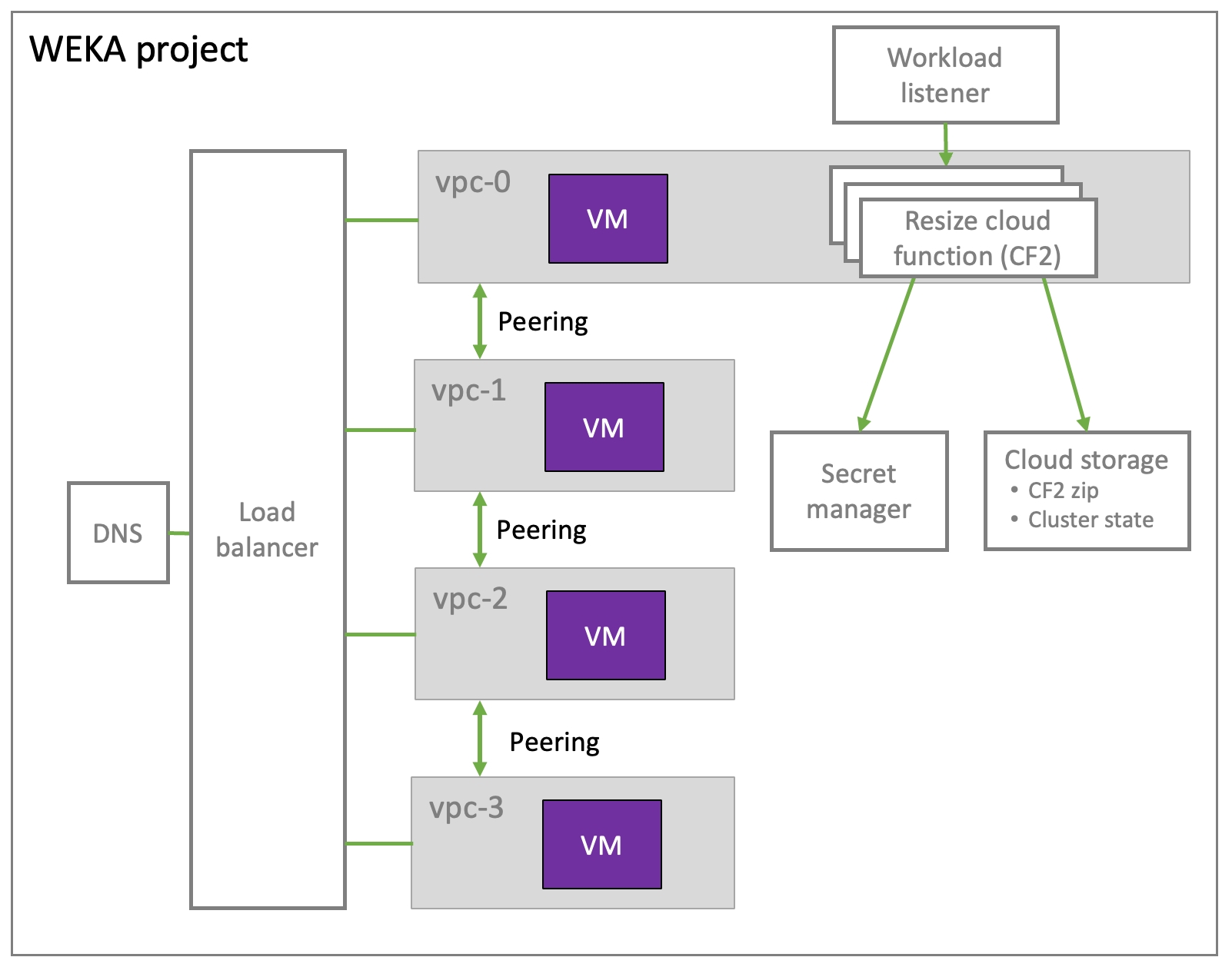

To validate that the WEKA cluster and IT environment are best configured to benefit from the WEKA filesystem, do the following procedure:
A filesystem must reside in a filesystem group. Create a filesystem group:
2. Create a filesystem within that group:
For more information about filesystems and filesystem groups, see Filesystems, object stores, and filesystem groups.
To mount a filesystem, create a mount point and call the mount command:
2. Check that the filesystem is mounted:
For more information about mounting filesystems and mount options, refer to Mount filesystems.
Write data to the filesystem:
This has completed the sanity check that the WEKA cluster is configured and IOs can be performed on it.
To ensure that the WEKA cluster and the IT environment are well configured, more complex IO patterns and benchmark tests should be conducted using the FIO utility.
Although results can vary using different servers and networking, it is not expected to be very different than what many other customers and we achieved. A properly configured WEKA cluster and IT environment should yield similar results described in the WEKA performance tests section.
Related topic
weka cluster client-target-version set <version>weka cluster client-target-version showweka cluster client-target-version resetmount -t wekafs <backend-name> <fs-name> <mount-point> -o container_name=<container-name>mount -t wekafs backend-server-0/my_fs /mnt/weka -o net=udp -o core=2 -o container_name=frontend0mount -t wekafs <fs-name> <mount-point> -o container_name=<container-name>weka local ps
CONTAINER STATE DISABLED UPTIME MONITORING PERSISTENT PORT PID STATUS VERSION LAST FAILURE
client1 Running False 3:15:57h True False 14000 58318 Ready 4.3.0
client2 Running False 3:14:35h True False 14101 59529 Ready 4.3.0weka status -H DataSphere2-1weka status -P 14101# to reduce the size of the default filesystem
$ weka fs update default --total-capacity 1GiB
# to create a new filesystem in the default group
$ weka fs create new_fs default 1GiB
# to view existing filesystems details in the WEKA system
$ weka fs
Filesystem ID | Filesystem Name | Group | Used SSD (Data) | Used SSD (Meta) | Used SSD | Free SSD | Available SSD (Meta) | Available SSD | Used Total (Data) | Used Total | Free Total | Available Total | Max Files | Status | Encrypted | Object Storages | Auth Required
--------------+-----------------+---------+-----------------+-----------------+----------+----------+----------------------+---------------+-------------------+------------+------------+-----------------+-----------+--------+-----------+-----------------+--------------
0 | default | default | 0 B | 4.09 KB | 4.09 KB | 1.07 GB | 268.43 MB | 1.07 GB | 0 B | 4.09 KB | 1.07 GB | 1.07 GB | 21589 | READY | False | | False
1 | new_fs | default | 0 B | 4.09 KB | 4.09 KB | 1.09 TB | 274.87 GB | 1.09 TB | 0 B | 4.09 KB | 1.09 TB | 1.09 TB | 22107463 | READY | False | | False# to create a new filesystem group
$ weka fs group create my_fs_group
FSGroupId: 0
# to view existing filesystem groups details in the WEKA system
$weka fs group
FileSystem Group ID | Name | target-ssd-retention | start-demote
--------------------+-------------+----------------------+-------------
FSGroupId: 0 | my_fs_group | 1d 0:00:00h | 0:15:00h# to create a new filesystem
$ weka fs create new_fs my_fs_group 1TiB
FSId: 0
# to view existing filesystems details in the WEKA system
$ weka fs
Filesystem ID | Filesystem Name | Group | Used SSD (Data) | Used SSD (Meta) | Used SSD | Free SSD | Available SSD (Meta) | Available SSD | Used Total (Data) | Used Total | Free Total | Available Total | Max Files | Status | Encrypted | Object Storages | Auth Required
--------------+-----------------+-------------+-----------------+-----------------+----------+----------+----------------------+---------------+-------------------+------------+------------+-----------------+-----------+--------+-----------+-----------------+--------------
0 | new_fs | my_fs_group | 0 B | 4.09 KB | 4.09 KB | 1.09 TB | 274.87 GB | 1.09 TB | 0 B | 4.09 KB | 1.09 TB | 1.09 TB | 22107463 | READY | False | | False$ sudo mkdir -p /mnt/weka
$ sudo mount -t wekafs new_fs /mnt/weka
# using the mount command
$ mount | grep new_fs
new_fs on /mnt/weka type wekafs (rw,relatime,writecache,inode_bits=64,dentry_max_age_positive=1000,dentry_max_age_negative=0)# to perform random writes
$ sudo dd if=/dev/urandom of=/mnt/weka/my_first_data bs=4096 count=10000
10000+0 records in
10000+0 records out
40960000 bytes (41 MB) copied, 4.02885 s, 10.2 MB/s
# to see the new file creted
$ ll /mnt/weka
total 40000
-rw-r--r-- 1 root root 40960000 Oct 30 11:58 my_first_data
# to check the WekaFS filesystems via the CLI shows the used SSD capacity:
$ weka fs
Filesystem ID | Filesystem Name | Group | Used SSD (Data) | Used SSD (Meta) | Used SSD | Free SSD | Available SSD (Meta) | Available SSD | Used Total (Data) | Used Total | Free Total | Available Total | Max Files | Status | Encrypted | Object Storages | Auth Required
--------------+-----------------+---------+-----------------+-----------------+----------+----------+----------------------+---------------+-------------------+------------+------------+-----------------+-----------+--------+-----------+-----------------+--------------
0 | default | default | 40.95 MB | 180.22 KB | 41.14 MB | 1.03 GB | 268.43 MB | 1.07 GB | 40.95 MB | 41.14 MB | 1.03 GB | 1.07 GB | 21589 | READY | False | | FalseEnsures system availability during hardware failures.
Level 4 maintains availability through more extensive failures compared to level 2.
Space and performance:
Higher protection levels use more storage space.
They can also slow down the system due to additional processing.
Configuration:
The protection level is set during cluster formation and cannot be changed later.
If not configured, the system defaults to protection level 2.
5+2
4
16+2
9
5+4
3
16+4
5
.json file.Directory Path: The full path to the directory quota to be set on.
Hard Quota Limit: The hard quota limit defines the maximum used capacity above the soft quota limit, which prevents writing to the directory.
Soft Quota Limit: The soft quota limit defines the maximum used capacity that triggers a grace period timer. Data can be written to the directory until the grace period ends or the hard quota limit is reached.
Owner: The directory’s owner, such as user name, email, or slack ID (up to 48 characters).
Grace Period: When the soft quota limit is reached, a grace period starts. After this period, data cannot be written to the directory. The system sets the directory quota in the background.
To monitor the directory quota setting background task, select Monitor > Background Tasks.
Owner: The directory’s owner, such as user name, email, or slack ID (up to 48 characters).
Grace Period: When the soft quota limit is reached, a grace period starts. After this period, data cannot be written to the directory.
Click Save.
In the Quota Deletion message, select Yes.
In the Default Quota Deletion message, select Yes.


Related information
To install WEKA on AWS, an AWS account is required. Visit the AWS site to create an AWS account.
Related topics
shared_vpcs (optional): includes VPC sharing the WEKA deployment network with another hosting project. For example, when deploying a private network.
Refer to the terraform-gcp-weka module for more details.
The Terraform package supports the following deployment types:
Public cloud deployments: Require passing the get.weka.io token to Terraform to download the WEKA release from the public get.weka.io service. The following examples are provided:
Public VPC
Public VPC with creating a worker pool
Public VPC with an existing public network
Public VPC with multiple clusters
Public VPC with a shared VPC
Public VPC with an existing worker pool and VPC
Private cloud deployments: Require placing the WEKA release tar file in a URL-accessible location for internal access (instances can download the WEKA release from this location). The following examples are provided:
Private VPC with creating a worker pool
Private VPC with an existing network
The following is a basic example where you provide minimal details about your cluster, and the Terraform module completes the remaining required resources, such as cluster size, machine type, and networking parameters.
This example can be used as a reference when creating the main.tf file for a c2-standard-8 with 4 VPCs.
This example can be used as a reference when creating the main.tf file for a c2-standard-16 with 7 VPCs.
To deploy a private network, the parameter private_network = true on the setup_network and deploy_weka modules level.
Depending on the required network topology, the following parameters are optional for private networking:
To download the WEKA release from a local bucket, set the local bucket location in the install_weka_url parameter on the deploy_weka module level.
For Centos7 only, a distributive repository is required to download kernel headers and additional build software. To auto-configure yum to use a distributive repository, run yum_repo_server.
If a custom image is required, use source_image_id.
The Terraform package can automate the addition of a Google Cloud Storage bucket for use as object storage.
Procedure
In the main.tf file, add the following fields:
tiering_enable_obs_integration: Set the value to true.
tiering_obs_name: Match the value to an existing bucket in Google Cloud Storage.
tiering_enable_ssd_percent: Set the percentage to your desired value.
Example:
Private subnet using custom proxy: Requires the creation of a Cluster CloudFormation stack (once per VPC) that creates the necessary resources.
The following diagrams illustrate the components of the public subnet and private subnet with NAT gateway deployment types in AWS.
By default, AWS does not provide enough vCPUs to install a WEKA system. Use the Limits Calculator for your region from the AWS EC2 dashboard.
Procedure
On the AWS EC2 dashboard, select the Limits option from the left menu.
2. In the Limits Calculator, do the following:
In the Current Limit, set the number of vCPUs you currently have for a region.
In the vCPUs needed, set the required number of vCPUs for your specific deployment.
Select the Request on-demand limit increase link to get more vCPUs.
The following example shows the required vCPUs for a six servers cluster with two clients of type i3en.2xlarge. This example is the smallest type of instance for a WEKA system deployment.
The Weka system is a distributed cluster protected from 2 or 4 failure domain failures, providing fast rebuild times. For details, see the About the WEKA system section.
If an instance failure occurs, the Weka system rebuilds the data. Add a new instance to the cluster to regain the reduced compute and storage due to the instance failure.
It is advisable to use periodic (incremental) snapshots to back up the data and protect it from multiple EC2 instances failures.
The recovery point objective (RPO) is determined by the cadence in which the snapshots are taken and uploaded to S3. The RPO changes between the type of data, regulations, and company policies, but it is advisable to upload at least daily snapshots of the critical filesystems. For details, see the Snap-To-Object section.
If a failure occurs and it is required to recover from a backup, spin up a cluster using the Self-Service Portal or CloudFormation, and create filesystems from those snapshots. You do not need to wait for the data to reach the EC2 volumes. It is instantly accessible through S3. The recovery time objective (RTO) for this operation mainly depends on the time it takes to deploy the Cluster CloudFormation stack and is typically below 30 min.
See the Data protection against cloud availability zone failures section.
Using Weka snapshots uploaded to S3 combined with S3 cross-region replication enables protection from an AWS region failure.
For security reasons, it is advisable to rotate the SSH keys used for the EC2 instances.
To rotate the SSH keys, follow these steps:
Related topic
On optional object-store systems external to the WEKA system. Object stores are provided either as cloud services or as part of an on-premises installation using a number of third-party solutions.
The WEKA system can be configured as an SSD-only or data management system consisting of SSDs and object stores. By nature, SSDs provide high performance and low latency storage, while object stores compromise performance and latency but are the most cost-effective solution available for storage.
Consequently, users focused on high performance only must consider using an SSD-only WEKA system configuration, while users seeking to balance performance and cost must consider a tiered data management system, with the assurance that the WEKA system features control the allocation of hot data on SSDs and warm data on object stores, thereby optimizing the overall user experience and budget.
In tiered WEKA system configurations, there are various locations for data storage as follows:
Metadata is stored only on SSDs.
Writing new files, adding data to existing files, or modifying the content of files is performed on the SSDs, irrespective of whether the file is stored on the SSD or tiered to an object store.
When reading the content of a file, data can be accessed from either the SSD (if it is available on the SSD) or promoted from the object store (if it is not available on the SSD).
This data management approach to data storage on one of two possible media requires system planning to ensure that the most commonly used data (hot data) resides on the SSD to ensure high performance. In contrast, less-used data (warm data) is stored on the object store.
In the WEKA system, this determination of the data storage media is an entirely seamless, automatic, and transparent process, with users and applications unaware of the transfer of data from SSDs to object stores or from object stores to SSDs.
The data is always accessible through the same strongly-consistent POSIX filesystem API, irrespective of where it is stored. The actual storage media affects only latency, throughput, and IOPS.
Furthermore, the WEKA system tiers data into chunks rather than complete files. This enables the intelligent tiering of subsets of a file (and not only complete files) between SSDs and object stores.
The network resources allocated to the object store connections can be controlled. This enables cost control when using cloud-based object storage services since the cost of data stored in the cloud depends on the quantity stored and the number of requests for access made.
Data management represents the media being used for the storage of data. In tiered WEKA system configurations, data can exist in one of three possible states:
SSD-only: When data is created, it exists only on the SSDs.
SSD-cached: A tiered copy of the data exists on both the SSD and the object store.
Object store only: Data resides only on the object store.
The data lifecycle flow diagram delineates the progression of data through various stages:
Tiering: This process involves data migration from the SSD to the object store, creating a duplicate copy. The criteria for this transition are governed by a user-specified, temporal policy known as the Tiering Cue.
Releasing: This stage entails removing data from the SSD and retaining only the copy in the object store. The need for additional SSD storage space typically triggers this action. The guidelines for this data release are dictated by a user-defined time-based policy referred to as the Retention Period.
Promoting: This final stage involves transferring data from the object store to the SSD to facilitate data access.
When accessing data which is solely on the object store, the data must first be promoted back to the SSD.
Within the WEKA system, file modifications are not executed as in-place writes. Instead, they are written to a new area on the SSD, and the corresponding metadata is updated accordingly. As a result, write operations are never linked with operations on the object store. This approach ensures data integrity and efficient use of storage resources.
All writing in the WEKA system is performed on SSDs. The data residing on SSDs is hot (meaning it is currently in use). In tiered WEKA configurations, SSDs have three primary roles in accelerating performance: metadata processing, a staging area for writing, and a cache for reading performance.
Since filesystem metadata is, by nature, a large number of update operations, each with a small number of bytes, the embedding of metadata on SSDs accelerates file operations in the WEKA system.
Direct writing to an object store involves high latency. To mitigate this, the WEKA system avoids direct writes to object stores. Instead, all data is initially written to SSDs, which offer low latency and high performance. In this setup, SSDs act as a staging area, temporarily holding data until it is later tiered to the object store. Once the writing process is complete, the WEKA system manages the tiering of data to the object store and subsequently frees up space on the SSD.
Recently accessed or modified data is stored on SSDs, and most read operations are of such data and served from SSDs. This is based on a single, significant LRU clearing policy for the cache that ensures optimal read performance.
In a tiered filesystem, the total capacity refers to the maximum amount of data that can be stored. However, the way data is managed across different storage tiers (such as SSDs and object storage) can affect how this capacity is used.
For example, consider a filesystem with a total capacity of 100 TB, where 10 TB is allocated to SSD storage. In this scenario, it’s possible that all data resides in the object store, especially if SSD space is prioritized for metadata and caching. This situation could arise due to policies that manage data placement over time or based on SSD usage patterns. As a result, even though the SSD space isn't fully used for data storage, it remains reserved for essential functions like metadata management and caching. New data writes may be restricted until either some files are deleted or the filesystem’s total capacity is increased.
The WEKA system includes user-defined policies that serve as guidelines to control data storage management. They are derived from several factors:
The rate at which data is written to the system and the quantity of data.
The capacity of the SSDs configured to the WEKA system.
The network speed between the WEKA system and the object store and its performance capabilities, e.g., how much the object store can contain.
Filesystem groups are used to define these policies, while a filesystem is placed in a filesystem group according to the desired policy if the filesystem is tiered.
For tiered filesystems, define the following parameters per filesystem:
The size of the filesystem.
The amount of filesystem data to be stored on the SSD.
Define the following parameters per filesystem group:
The Drive Retention Period Policy is a time-based policy which is the target time for data to be stored on an SSD after creation, modification, or access, and before release from the SSD, even if it is already tiered to the object store, for metadata processing and SSD caching purposes (this is only a target; the actual release schedule depends on the amount of available space).
The Tiering Cue Policy is a time-based policy that determines the minimum time that data remains on an SSD before it is considered for release to the object store. As a rule of thumb, this must be configured to a third of the Retention Period, and in most cases, this works well. The Tiering Cue is important because it is pointless to tier a file about to be modified or deleted from the object store.
Example
When writing log files that are processed every month but retained forever, it is recommended to define a Retention Period of one month, a Tiering Cue of one day, and ensure sufficient SSD capacity to hold one month of log files.
When storing genomic data, which is frequently accessed during the first three months after creation, requires a scratch space for six hours of processing, and requires output to be retained forever, it is recommended to define a Retention Period of three months and to allocate an SSD capacity that is sufficient for three months of output data and the scratch space. The Tiering Cue must be defined as one day to avoid a situation where the scratch space data is tiered to an object store and released from the SSD immediately afterward.
Even when time-based policies are in place, you can override them using a unique mount option called obs_direct. When this option is used, any files created or written from the associated mount point are prioritized for release immediately without first considering other file retention policies.
For a more in-depth explanation, refer to Advanced Data Lifecycle Management.
i3en.2xlarge, i3en.3xlarge, i3en.6xlarge, i3en.12xlarge, i3en.24xlarge
The following EC2 instance types can operate as client instances.
C5
c5.2xlarge, c5.4xlarge, c5.9xlarge, c5.12xlarge, c5.18xlarge, c5.24xlarge
C5n
c5n.2xlarge, c5n.4xlarge, c5n.9xlarge, c5n.18xlarge
C6a
c6a.2xlarge, c6a.4xlarge, c6a.8xlarge, c6a.12xlarge, c6a.16xlarge, c6a.32xlarge, c6a.48xlarge
C6in
c6in.2xlarge, c6in.4xlarge, c6in.8xlarge, c6in.12xlarge, c6in.16xlarge, c6in.24xlarge, c6in.32xlarge
C7i
c7i.2xlarge, c7i.4xlarge, c7i.8xlarge, c7i.12xlarge, c7i.16xlarge, c7i.24xlarge, cC7i.48xlarge
Related topics
Related information
I3en
Procedure
Follow the relevant Linux documentation to install the operating system, including the required packages.
Required packages
Install the WEKA software.
Once the WEKA software tarball is downloaded from get.weka.io, run the untar command.
Run the install.sh command on each server, following the instructions in the Install tab of get.weka.io.
Once completed, the WEKA software is installed on all the allocated servers and runs in stem mode (no cluster is attached).
Related topic
(on the Prerequisites and compatibility topic)
The filesystem groups are displayed on the Filesystems page. Each filesystem group indicates the number of filesystems that use it.
Procedure
From the menu, select Manage > Filesystems.
A filesystem group is required when adding a filesystem. You can create more filesystem groups if you want to apply a different tiering policy on specific filesystems.
Procedure
From the menu, select Manage > Filesystems.
Select the + sign right to the Filesystem Groups title.
In the Create Filesystem Group dialog, set the following:
Name: Enter a meaningful name for the filesystem group.
Drive Retention Period: Set the period for keeping data on the SSD after it is copied to the object store. After this period, the copy of the data is deleted from the SSD.
Tiering Cue: Set the time to wait after the last update before the data is copied from the SSD and sent to the object store.
Select Create.
Related topics
To learn more about the drive retention period and tiering cue, see:
You can edit the filesystem group policy according to your system requirements.
Procedure
From the menu, select Manage > Filesystems.
Select the filesystem group you want to edit.
Select the pencil sign right to the filesystem group name.
In the Edit Filesystem Group dialog, update the settings as you need. (See the parameter descriptions in the topic.)
Select Update.
You can delete a filesystem group no longer used by any filesystem.
Procedure
From the menu, select Manage > Filesystems.
Select the filesystem group you want to delete.
Verify that the filesystem group is not used by any filesystems (indicates 0 filesystems).
Select the Remove icon. In the pop-up message, select Yes to delete the filesystem group.
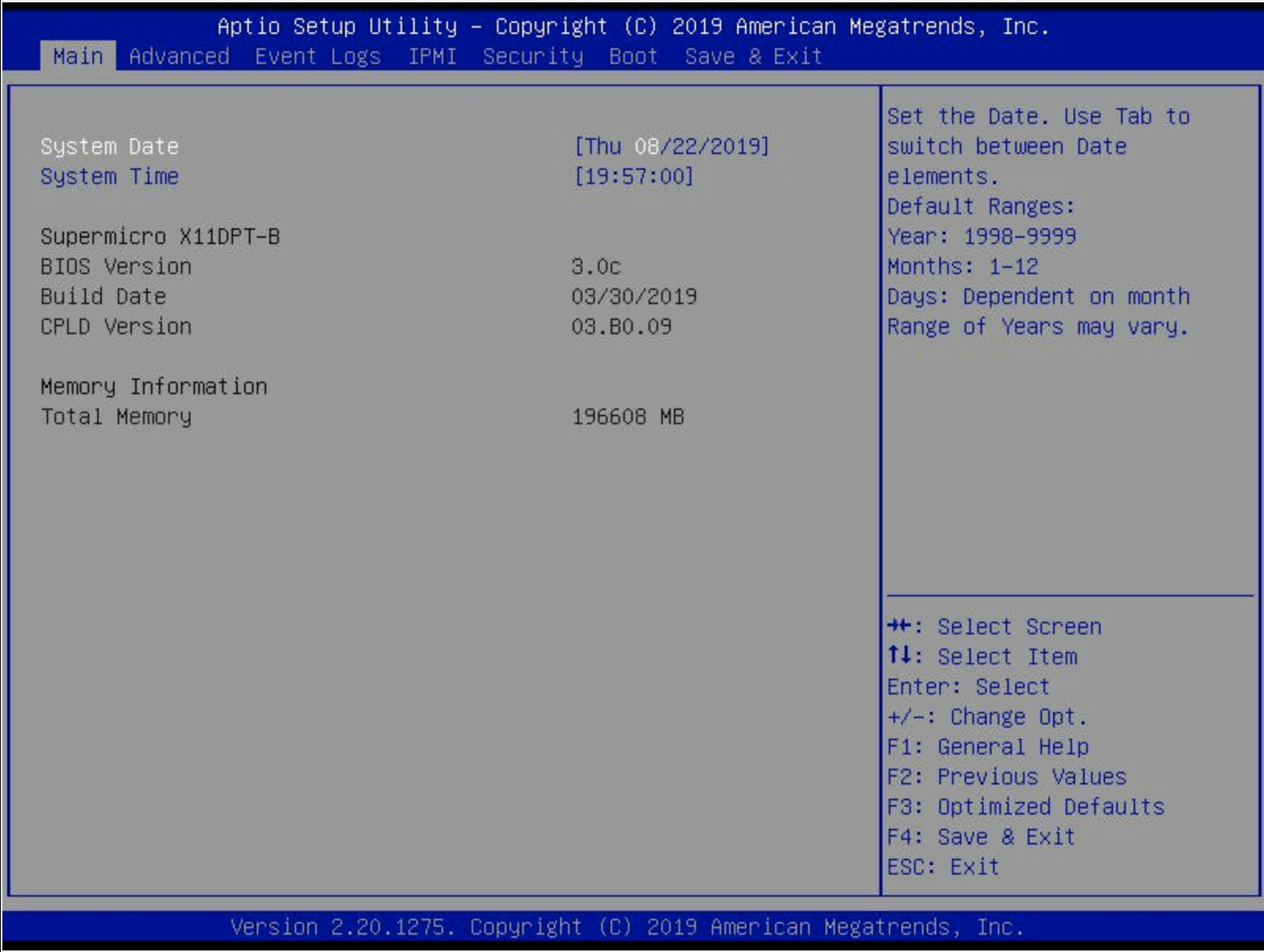
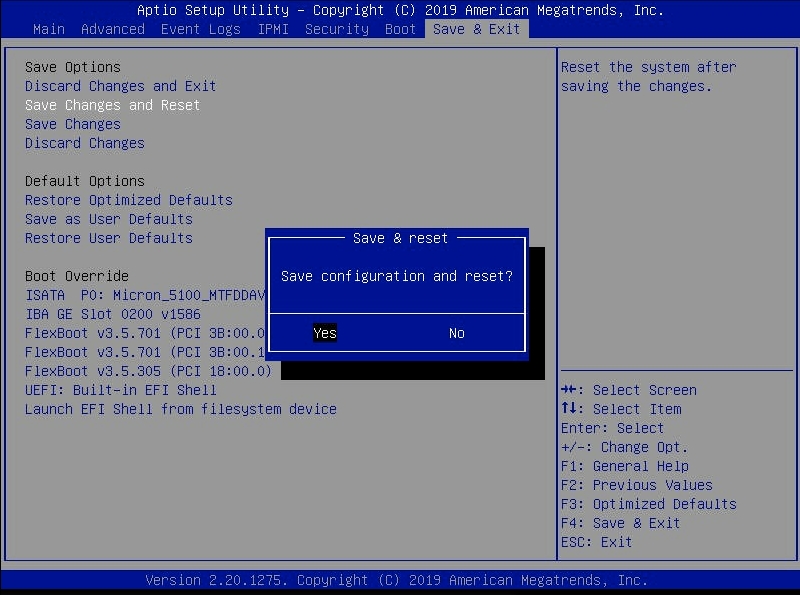
The WSA (WEKA Software Appliance) is an alternative method to install WEKA software on bare-metal servers. The WSA simplifies and accelerates the installation.
WSA is a package consisting of a base version of Linux (based on Rocky 8.6), network drivers and other required packages, WEKA software, and various diagnostic and configuration tools. Using the WSA facilitates the post-installation administration, security, and other KB updates controlled and distributed by WEKA, following a Long Term Support (LTS) plan.
The WSA generally works like any OS install disk (Linux/Windows).
Do not attempt to install the WSA using PXE boot. The WSA has a specific kickstart methodology only compatible with WMS or manual boot from ISO.
A physical server that meets the following requirements:
Boot drives: One or two identical boot drives as an installation target.
A system with two identical boot drives has the OS installed on mirrored partitions (LVM).
A system with one drive has a simple partition.
Before deploying the WSA, adhere to the following:
Download the latest release of the WSA package from dashboard.
The root password is WekaService
The WEKA user password is weka.io123
Boot the server from the WSA image. The following are some options to do that:
Copy the WSA image to an appropriate location so that the server’s BMC can mount it to a virtual CDROM/DVD.
Depending on the server manufacturer, consult the documentation for the server’s BMC (for example, iLO, iDRAC, and IPMI) for detailed instructions on mounting and booting from a bootable WSA image, such as:
A workstation or laptop sent to the BMC through the web browser.
An SMB share in a Windows server or a Samba server.
Once you boot the server, the WSA installs the WEKA OS, drivers, WEKA software. and other packages automatically and unattended (no human interaction required).
Depending on network speed, this can take about 10-60 mins (or more) per server.
Once the WSA installation is complete and the server is rebooted, configure the WSA.
Log-in to the server using one of the following methods:
BMC's Console
Cockpit web interface on port 9090
Username/password: root/WekaService.
Run the OS through the BMC’s Console. See the specific manufacturer’s BMC documentation.
Run the OS through the Cockpit Web Interface on port 9090 of the OS management network.
If you don’t know the WSA hostname or IP address, go to the console and press the Return key a couple of times until it prompts the URL of the WSA OS Web Console (Cockpit) on port 9090.
When the server boots for the first time, the WSA automatically installs the WEKA software on the bare metal servers unattended.
Then the server reboots, it runs with WEKA in STEM mode.
Set the following networking details:
Hostname
IP addresses for network interfaces, including:
Each server has the WEKA Tools pre-installed in /opt/tools, including:
wekanetperf: This tool runs iperf between the servers to ensure line rate can be achieved.
wekachecker: This tool checks a variety of network settings and more. For details, see .
bios_tool
Verify that the WEKA software is installed and running on the server.
Log-in to the server and run the command weka status.
The server provides a status report indicating the system is in STEM mode, and is ready for the cluster configuration.
When launching a WEKA cluster, either through the Self-service portal or via a CloudFormation template, it is also possible to launch client instances. However, sometimes it may be required to add more clients after the cluster has been installed. To add more clients as separate instances, follow the instructions below.
When launching new clients, ensure the following concerning networking and root volume:
For best performance, it is recommended that the new clients will be in the same subnet as the backend instances. Alternatively, they can be in a routable subnet to the backend instances in the same AZ (note that cross-AZ traffic also incurs expensive network charges).
They must use the same security group as the backends they will connect to, or alternatively, use a security group that allows them to connect to the backend instances.
Enhanced networking is enabled as specified in .
When adding a client, it is required to provide permissions to several AWS APIs, as described in .
These permissions are automatically created in an instance profile as part of the CloudFormation stack. It is possible to use the same instance profile as one of the backend instances to ensure the same credentials are given to the new client.
The network interface permissions are required to create and attach a network interface to the new client. A separate NIC is required to allow the WEKA client to preallocate the network resource for the fastest performance.
If the client is not provided with these permissions, it can only provide ec2:* and create an additional NIC in the same security group and subnet described above when mounting a second cluster from a single client (see ).
The client's root volume must be at least 48 GiB in size and either GP2 or IO1 type.
The WEKA software is installed under /opt/weka. If it is not possible to change the size of the root volume, an additional EBS volume can be created, formatted, and mounted under /opt/weka. Make sure that the new volume is either GP2 or IO1 type.
To mount a filesystem in this manner, first install the WEKA agent from one of the backend instances and then mount the filesystem. For example:
For the first mount, this will install the WEKA software and automatically configure the client. For more information on mount and configuration options, see the section.
It is possible to configure the client OS to mount the filesystem at boot time automatically. For more information, see the or sections.
This is the same step as in the previous method of adding a client.
To download the WEKA software, go to and select the software version. After selecting the version, select the operating system to install and run the download command line as root on all the new client instances.
When the download is complete, untar the downloaded package and run the install.sh command in the package directory.
Example:
If you downloaded version 3.6.1, run cd weka-3.6.1 and then run ./install.sh.
Once the WEKA software is installed, the clients are ready to join the cluster. To add the clients, run the following command line on each of the client instances:
where <backend-ip> is the IP address or hostname of one of the backend instances.
On most shells the following would get the client instance ID and add it to the cluster:
If successful, running theaws-add-client command will display the following line:
It is now possible to mount the filesystems on the client instances.
Example:
Using the mkdir -p /mnt/weka && mount -t wekafs default /mnt/weka command will mount the default filesystem under /mnt/weka.
The WEKA Cloud Deployment Manager Web (CDM Web) simplifies the deployment of WEKA clusters in the AWS, Azure, and GCP public cloud environments. Leveraging WEKA’s validated Terraform deployment modules, the CDM provides a user-friendly interface to guide users through the initial configuration process.
Key features of the CDM Web:
Streamlined deployment: The CDM streamlines the deployment of WEKA clusters, making it easier for users to set up their infrastructure.
Web-hosted solution: The CDM is fully web-hosted, eliminating the need for downloads or installations. Users can quickly begin configuring their WEKA clusters.
Terraform configuration file: The CDM process results in the main Terraform configuration file (main.tf), which can be directly applied when deploying WEKA.
To access the CDM Web, follow these steps:
Navigate to .
On the welcome page, select the cloud environment (AWS, Azure, or GCP) for your WEKA cluster deployment.
After selecting a public cloud, you are redirected to a login screen. Log in using your credentials. Internal WEKA users can use their Google SSO login to access CDM. Adhere to the following guidelines:
Ensure you have a get.weka.io token provisioned and available for a successful deployment.
If you are an internal WEKA user deploying a WEKA cluster for a customer, log in using the customer’s get.weka.io credentials. The signed-in user’s get.weka.io token automatically populates into the CDM configuration workflow.
Once logged in, you are presented with the main configuration dashboard of the Cloud Deployment Manager.
The CDM Web features a simple and clean configuration interface, offering the power and flexibility of our Terraform deployment modules. Below, each part of the interface is detailed for better understanding and usage.
The CDM dashboard consists of three main components:
The workflow navigation panel (outlined in green)
The configuration input panel (outlined in orange)
The dynamic content sidebar (outlined in teal)
The workflow navigation panel provides convenient access to various WEKA cluster configuration variables. You can switch between different aspects of cluster configuration and adjust settings according to their deployment needs.
The tabs within the panel correspond to primary configurable aspects for a WEKA cluster:
Basic WEKA cluster configuration
Cloud networking configuration
Cloud security configuration
Optional object storage (OBS) configuration
To ensure completeness from a basic requirements perspective, specific fields within the configuration input panel are marked as mandatory based on the selected configuration options.
The workflow navigation panel visually indicates the completeness of the configuration. A green check or a red x appears next to each tab, helping users identify areas that require additional attention. For example, if both Basic Configuration and Security Configuration have fields that need attention, the panel reflects this.
You can navigate between different workflow pages and view associated configuration input panels by clicking the Next button or selecting the desired tab from the workflow navigation panel.
The configuration input panel provides a user-friendly interface for customizing input fields related to the WEKA cluster deployment. These fields correspond to variables in WEKA Terraform modules, which traditionally require manual formatting and entry into a main.tf file. With CDM, these variables are presented visually, streamlining the configuration process.
You can tailor the input fields to match their needs and deployment objectives.
Required fields are marked with a red asterisk.
The following example illustrates the Basic Configuration workflow tab, where some required fields are populated, while others remain empty. Fields lacking input are highlighted in bright red, and the red outline disappears once the user provides the necessary information.
Certain fields within the configuration input panel require manual user input. Other fields, such as Instance Type, WEKA Version, and Region, are provided as selectable dropdown menus.
The WEKA software release dropdown menu is designed to auto-populate with the most recent Long-Term Support (LTS) version by default. You can select the previous software release by opening the dropdown menu and choosing from the list. The top two entries in the dropdown are always LTS releases, while the bottom two are innovation releases.
To enter a WEKA software release that is not listed in the dropdown, click directly in the WEKA Version input field and type the desired release. This feature is particularly useful when deploying a WEKA cluster with a customer-specific software release.
The dynamic content sidebar enhances user experience by displaying contextually relevant information during various activities within CDM. Its primary functions include:
Purpose: Assists users in understanding the role of specific variables or input fields in the configuration input panel.
Functionality: Automatically displays pertinent information when an input field, such as the Terraform Module Release Version, is selected. This feature covers every input field for AWS, Azure, and GCP configurations.
Purpose: Provides a preview of the file that will be generated for download once all configuration inputs are completed.
Functionality: Next to the configuration guidance tab, a new tab labeled “tf file preview” showcases the file in real-time.
Purpose: Allows flexibility in file format based on deployment requirements.
Functionality: Includes a toggle switch to change the main.tf file format between JSON and HCL.
Purpose: Enables users to download the completed configuration file for local use.
Functionality: A Download button allows you to save the file locally, manually execute the relevant Terraform plan, and apply commands for WEKA cluster deployment.
All tabs in the workflow navigation panel display green status bubbles with check marks, indicating the configuration is complete and ready for a minimally viable WEKA deployment based on the user's selected parameters. Once all status bubbles are green, the dynamic content sidebar will only show the TF File Preview tab, File Format toggle, and Download button.
Once you download the CDM-generated Terraform file, manually execute the relevant Terraform commands to deploy their generated WEKA cluster configuration into the cloud of choice.
This means that Terraform, all its dependencies, relevant public cloud CLIs, and SDKs must exist, and the login uses an adequately privileged account before applying the Terraform file.
Related topics
This page describes the system behavior when tiering, accessing or deleting data in tiered filesystems.
In tiered filesystems, the WEKA system optimizes storage efficiency and manages storage resources effectively by:
Tiering only infrequently accessed portions of files (warm data), keeping hot data on SSDs.
Efficiently bundling subsets of different files (to 64 MB objects) and tiering them to object stores, resulting in significant performance enhancements.
Retrieving only the necessary data from the object store when accessing it, regardless of the entire object it was originally tiered with.
Reclaiming logically freed data occurs when data is modified or deleted and is not used by any snapshots. Reclamation is a process of freeing up storage space that was previously allocated to data that is no longer needed.
For logically freed data that resides on the SSD, the WEKA system immediately deletes the data from the SSD, leaving the physical space reclamation for the SSD erasure technique.
Object store space reclamation is an important process that efficiently manages data stored on object storage.
WEKA organizes sections of files into objects for tiering, with the default maximum object size capped at 64 MB. Each object can contain data from multiple files. Files smaller than 1 MB are consolidated into a single object, while larger files are distributed across multiple objects. When a file is deleted (or updated and is not used by any snapshots), the space within one or more objects is marked as available for reclamation. However, these objects are only deleted under specific conditions.
Deleting related objects happens when all associated files are deleted, allowing for complete space reclamation within the object or during the reclamation process. Reclamation entails reading an eligible object from object storage and packing the active portions (representing data from undeleted files) with sections from other files that must be written to the object store. The resulting object is then written back to the object store, freeing up reclaimed space.
WEKA automates the reclamation process by monitoring the filesystems. When the reclaimable space within a filesystem exceeds 13%, the reclamation process begins. It continues until the total reclaimable space drops below 7%. This mechanism prevents write amplifications, allows time for higher portions of eligible 64 MB objects to become logically free, and prevents unnecessary object storage workload for small space reclamation. It's important to note that reclamation is only executed for objects with reclaimable space exceeding 5% within that object.
To calculate the amount of space that can be reclaimed, consider the following examples:
If we write 1 TB of data, and 15% of that space can be reclaimed, we have 150 GB of reclaimable space.
If we write 10 TB of data, and 5% of that space can be reclaimed, we have 500 GB of reclaimable space.
For regular filesystems where files are frequently deleted or updated, this behavior can result in the consumption of 7% to 13% more object store space than initially expected based on the total size of all files written to that filesystem. When planning object storage capacity or configuring usage alerts, it's essential to account for this additional space. Remember that this percentage may increase during periods of high object store usage or when data/snapshots are frequently deleted. Over time, it will return to the normal threshold as the load/burst is reduced.
If the filesystem was created from a snapshot, only the data uploaded to the object store after the new filesystem was created can be reclaimed. Pre-existing data from the original snapshot is unreclaimable. To ensure all data is reclaimable, migrate the restored filesystem to a new bucket. For details, see .
Run the weka fs tier capacity command to retrieve a comprehensive listing of data capacities associated with object store buckets per filesystem.
If the filesystem was created from an uploaded snapshot, data from the original filesystem is not accounted for in the displayed capacity.
Example:
To list the data capacities of a specific filesystem, add the option --filesystem <filesystem name>.
Example:
When WEKA uploads objects to the object store, it assigns tags to categorize them. These tags are crucial because they enable the customer to implement specific lifecycle management rules in the object store based on the assigned tags.
For example, you can transfer objects of a specific filesystem when interacting with the .
To enable upload tags, set it when adding or updating the object store bucket. For details, see the following:
Using the GUI:
, or
by selecting Enable Upload Tags in the Advanced section.
Using the CLI:
The following table indicates the additional tags WEKA adds to the object when using object tagging:
The object store must support S3 object-tagging and might require additional permissions to use object tagging.
For example, the following extra permissions are required in AWS S3:
s3:PutObjectTagging
s3:DeleteObjectTagging
How to manually force fetching tiered data back to the SSDs, and force releasing SSD data to object-store regardless of the retention policy. Also, how to find the location of the data.
Tiered files are always accessible and are generally treated like regular files. Moreover, while files may be tiered, their metadata is always maintained on the SSDs. This allows traversing files and directories without worrying about how such operations may affect performance.
Sometimes, it's necessary to access previously-tiered files quickly. In such situations, you can request the WEKA system to fetch the files back to the SSD without accessing them directly.
Command: weka fs tier fetch
Use the following command to fetch files:
weka fs tier fetch <path> [-v]
Parameters
To fetch a directory that contains a large number of files, it is recommended to use the xargs command in a similar manner as follows:
To ensure effective fetch, adhere to the following:
Free SSD capacity: The SSD has sufficient free capacity to retain the fetched filesystems.
Tiering policy: The tiering policy may release some of the files back to the object store after they have been fetched, or during the fetch if it takes longer than expected. The tiering policy must be long enough to allow for the fetch to complete and the data to be accessed before it is released again.
Using the manual release command, it is possible to clear SSD space in advance (e.g., for shrinking one filesystem SSD capacity for a different filesystem without releasing important data, or for a job that needs more SSDs space from different files). The metadata will still remain on SSD for fast traversal over files and directories but the data will be marked for release and will be released to the object store as soon as possible, and before any other files are scheduled to release due to other lifecycle policies.
Command: weka fs tier release [-v]
Use the following command to release files:
weka fs tier release <path>
Parameters
To release a directory that contains a large number of files, it is recommended to use the xargs command in a similar manner, as follows:
Depending on the retention period in the tiering policy, files can be found on the object store or the SSD or both locations as follows:
Before the file is tiered to the object store, it is found in the SSD.
During data tiering, the tiered data is on the SSD (read cache) and the object store.
Once the entire file data is tiered and the retention period has past, the complete file is found in the object store only.
Use this command to find the file location during the data lifecycle operations.
Command: weka fs tier location
Use the following command to find files:
weka fs tier location <path>
For multiple paths, use the following command:
weka fs tier location <paths>
To find all files in a single directory, use the following command:
weka fs tier location *
Parameters
Before the file named image is tiered to the object store, it is found in the SSD (WRITE-CACHE).
The file is tiered and the retention period has not past yet, so the file is found in the SSD (READ-CACHE) and the object store.
The file is tiered and the retention period past, so the file is found in the object store only.
Access time, often called "atime," is a file system metadata attribute that tracks the most recent instance when a file was accessed or read. This attribute is essential for monitoring and managing file usage, as it records when a file was last opened or viewed by a user or an application.
This page describes the three entity types relevant to data storage in the WEKA system.
A WEKA filesystem operates much like a conventional on-disk filesystem but distributes the data across all servers in the cluster. Unlike traditional filesystems, it is not tied to any specific physical object within the WEKA system and serves as a root directory with space limitations.
The WEKA system supports up to 1024 filesystems, distributing them equally across all SSDs and CPU cores assigned to the cluster. This ensures that tasks like allocating new filesystems or resizing existing ones are immediate, without operational constraints.
Each filesystem is linked to a predefined filesystem group, each with a specified capacity limit. For those belonging to tiered filesystem groups, additional constraints, including a total capacity limit and an SSD capacity cap, apply.
This page describes how to view and manage filesystems using the GUI.
Using the GUI, you can perform the following actions:
This page describes how to manage snapshots using the GUI.
Using the GUI, you can:
This page describes the Snap-To-Object feature, which enables the committing of all the data of a specific snapshot to an object store.
Using the GUI, you can:
import requests
url = "https://weka01:14000/api/v2/login"
payload="{\n \"username\": \"admin\",\n \"password\": \"admin\"\n}"
headers = {
'Content-Type': 'application/json'
}
response = requests.request("POST", url, headers=headers, data=payload)
print(response.text)
import requests
url = "https://weka01:14000/api/v2/login/refresh"
payload="{\n \"refresh_token\": \"REPLACE-WITH-REFRESH-TOKEN\"\n}"
headers = {
'Content-Type': 'application/json'
}
response = requests.request("POST", url, headers=headers, data=payload)
print(response.text)
{
"data": [
{
"access_token": "ACCESS-TOKEN",
"token_type": "Bearer",
"expires_in": 300,
"refresh_token": "REFRESH-TOKEN"
}
]
}import requests
url = "https://weka01:14000/api/v2/cluster"
payload={}
headers = {
'Authorization': 'Bearer REPLACE-WITH-ACCESS-TOKEN'
}
response = requests.request("GET", url, headers=headers, data=payload)
print(response.text)
provider "google" {
region = "europe-west1"
project = "PROJECT_ID"
}
module "weka_deployment" {
source = "weka/weka/gcp"
version = "4.0.9"
cluster_name = "my_cluster_name"
project_id = "PROJECT_ID"
prefix = "my_prefix"
region = "europe-west1"
zone = "europe-west1-b"
cluster_size = 7
nvmes_number = 2
get_weka_io_token = "getwekatoken"
machine_type = "c2-standard-8"
subnets_range = ["10.222.0.0/24", "10.223.0.0/24", "10.224.0.0/24", "10.225.0.0/24"]
allow_ssh_cidrs = ["0.0.0.0/0"]
allow_weka_api_cidrs = ["0.0.0.0/0"]
}
output "weka_cluster" {
value = module.weka_deployment
}provider "google" {
region = "europe-west1"
project = "PROJECT_ID"
}
module "weka_deployment" {
source = "weka/weka/gcp"
version = "4.0.9"
cluster_name = "my_cluster_name"
project_id = "PROJECT_ID"
prefix = "my_prefix"
region = "europe-west1"
zone = "europe-west1-b"
cluster_size = 7
nvmes_number = 2
get_weka_io_token = "getwekatoken"
machine_type = "c2-standard-16"
subnets_range = ["10.222.0.0/24", "10.223.0.0/24", "10.224.0.0/24", "10.225.0.0/24", "10.226.0.0/24", "10.227.0.0/24", "10.228.0.0/24"]
allow_ssh_cidrs = ["0.0.0.0/0"]
allow_weka_api_cidrs = ["0.0.0.0/0"]
}
output "weka_cluster" {
value = module.weka_deployment
}tiering_enable_obs_integration=true
tiering_obs_name="myBucketName"
tiering_enable_ssd_percent=20Private VPC with multiple clusters
Private VPC with a shared VPC
In the WEKA filesystem, the atime is updated locally on the container where the read operation took place, and this update is subsequently propagated to the cluster after the user closes the file. This update process doesn't occur immediately and may take up to 60 minutes to reflect the actual access time.
POSIX mount options that affect atime behavior, such as relatime, are supported. However, this updated atime still takes time to propagate, even if mounted with strictatime.
Directory atimes are currently not supported, therefore, listing a directory's contents does not update its atime.
The WEKA agent is software installed on user application servers that need access to the WEKA file services. When using the Stateless Client feature, the agent ensures that the correct client software version is installed (depending on the cluster version) and that the client connects to the correct cluster.
A backend server in the context of WEKA is a server equipped with SSD drives and running the WEKA software. These servers are dedicated to the WEKA system, offering services to clients. A storage cluster is formed by a group of such backend servers, collectively providing storage and processing capabilities within the WEKA infrastructure.
The WEKA client is software installed on user application servers that need access to WEKA file services. The WEKA client implements a kernel-based filesystem driver and the logic and networking stack to connect to the WEKA backend servers and be part of a cluster. In general industry terms, "client" may also refer to an NFS, SMB, or S3 client that uses those protocols to access the WEKA filesystem. For NFS, SMB, and S3, the WEKA client is not required to be installed in conjunction with those protocols.
A collection of WEKA backend servers, together with WEKA clients installed on the application servers, forming one shareable, distributed, and scalable file storage system.
WEKA uses Linux containers (LXC) as the mechanism for holding one process or keeping multiple processes together. Containers can have different processes within them. They can have frontend processes and associated DPDK libraries within the container, compute processes, drive processes, a management process, and DPDK libraries, or NFS, SMB, or S3 services running within them. A server can have multiple containers running on it at any time.
A WEKA configuration in which WEKA backend containers run on the same server with applications.
The target period of time for tiered data to be retained on an SSD.
The number of data blocks in each logical data protection group.
A WEKA configuration that dedicates complete servers and all of their allocated resources to WEKA backends, as opposed to a converged deployment.
A collection of hardware components that can fail together due to a single root cause.
A collection of filesystems that share a common tiering policy to object-store.
It is the collection of WEKA software that runs on a client and accesses storage services and IO from the WEKA storage cluster. The frontend consists of a process that delivers IO to the WEKA driver, a DPDK library, and the WEKA POSIX driver.
The term "host" is deprecated. See Container.
Frequently used data (as opposed to warm data), usually residing on SSDs.
In distributed systems, a leader is a process that assumes a special role, often responsible for coordination, synchronization, and making decisions on behalf of the cluster. The leader plays a crucial role in maintaining consistency and order among the distributed processes or nodes in the system. If the leader fails or is replaced, a new leader is typically elected to ensure the continued operation of the distributed system.
Within the context of WEKA, at the cluster's core resides the cluster leader, serving as the singular WEKA management process within the cluster. This unique role grants the cluster leader the exclusive capability to initiate and disseminate configuration changes throughout the entire cluster.
The term "machine" is deprecated. See Server.
Amount of space available for user data on SSDs in a configured WEKA system.
The term "node" is deprecated. See Process.
Object Storage. WEKA uses object storage buckets to extend the WEKA filesystem and to store uploaded file system snapshots.
POSIX (Portable Operating System Interface) is a set of standards established by the IEEE Computer Society to ensure compatibility across diverse operating systems. The WEKA client adheres to the POSIX specifications, ensuring that it interacts with the underlying operating system following the defined POSIX standard. This compliance ensures seamless interoperability and consistent behavior, making the WEKA client often referred to as the POSIX client or POSIX driver when discussing the broader storage system architecture.
A software instance that WEKA uses to run and manage the filesystem. Processes are dedicated to managing different functions such as (1) NVMe Drives and IO to the drives, (2) compute processes for filesystems and cluster-level functions and IO from clients, (3) frontend processes for POSIX client access and sending IO to the compute process and (4) management processes for managing the overall cluster.
The total capacity that is assigned to filesystems. This includes both SSD and object store capacity.
Prefetch in WEKA involves proactively promoting data from an object store to an SSD based on predictions of future data access. This process anticipates and preloads data onto faster storage, optimizing performance by ensuring that relevant information is readily available when needed.
Promoting refers to the action of moving data from a lower-tier storage, typically an object store, to a more accessible storage medium, such as an SSD, when the data is required for active use. This process aims to enhance performance by ensuring that frequently accessed or critical data is readily available on a faster storage tier.
Total SSD capacity owned by the user.
See Promoting.
The designated time duration for data to be stored on SSDs before releasing from the SSDs to an object store.
Releasing, in the context of data tiering, refers to deleting the SSD copy of data that has been migrated to the object store.
A physical or virtual server that has hardware resources allocated to it and software running on it that provides compute or storage services. WEKA uses backend servers in conjunction with clients to deliver storage services. In general industry terms, in a cluster of servers, sometimes the term node is used instead.
SR-IOV (Single Root I/O Virtualization) is a technology that enables a single physical resource to be leveraged as multiple virtual resources. In essence, SR-IOV facilitates the partitioning of a single hardware component into distinct virtual functions, each operating independently. Correspondingly, the term Virtual Function (VF) aligns with SR-IOV, referring to these individualized virtualized entities. This technology is particularly valuable in optimizing resource utilization and enhancing the efficiency of virtualized environments.
Stem Mode in WEKA refers to the installed and running software that has not yet been attached to a cluster.
Snap-To-Object is a WEKA feature facilitating the uploading of snapshots to object stores.
A tiered WEKA configuration combines SSDs and object stores for data storage.
Tiering is the dynamic process of copying data from an SSD to an object store while retaining the original copy on the SSD. This optimization strategy balances performance and cost considerations by keeping frequently accessed data on the high-performance SSD and moving less accessed data to a more economical object store.
Tiering Cue refers to the minimum duration that must elapse before considering data migration from an SSD to an object store. This time threshold is crucial in the context of data tiering strategies, where the decision to move data between different storage tiers is based on factors such as access frequency, performance requirements, and cost considerations. The Tiering Cue helps establish a timeframe for evaluating whether data should be transitioned from the faster but potentially more expensive SSD storage to the object store, which may offer more cost-effective, albeit slower, storage.
Unprovisioned capacity refers to the storage space that is currently unused and available for the creation of new filesystems or data storage allocations. This term indicates the portion of storage resources that have not been assigned or allocated to any specific purpose, making it ready and waiting to be provisioned for new file systems or data storage needs.
Virtual Function (VF) in the context of WEKA typically denotes the creation of multiple virtual instances of a physical network adapter. This involves leveraging SR-IOV (Single Root I/O Virtualization) technology, where a single physical resource can be partitioned into distinct virtual functions, each capable of independent operation. In essence, both Virtual Function and SR-IOV are terms integral to WEKA's approach to optimizing resource allocation and enhancing the efficiency of virtualized network environments by enabling the creation of multiple independent virtual instances from a single physical network adapter.
Warm data is less frequently accessed or utilized data, unlike hot data, and is typically stored in an object store. This term is used to describe information that is accessed less regularly but remains relevant for specific use cases. Storing warm data on an object store allows for efficient management of data resources, providing a balance between accessibility and storage costs.
G3
g3.4xlarge, g3.8xlarge, g3.16xlarge
G4
g4dn.2xlarge, g4dn.4xlarge, g4dn.8xlarge, g4dn.12xlarge, g4dn.16xlarge
G5
g5.xlarge, g5.2xlarge, g5.4xlarge, g5.8xlarge, g5.12xlarge, g5.16xlarge
HPc7a
hpc7a.2xlarge, hpc7a.48xlarge, hpc7a.96xlarge
I3
i3.xlarge, i3.2xlarge, i3.4xlarge, i3.8xlarge, i3.16xlarge
I3en
i3en.xlarge, i3en.2xlarge, i3en.3xlarge, i3en.6xlarge, i3en.12xlarge, i3en.24xlarge
Inf1
inf1.2xlarge, inf1.6xlarge, inf1.24xlarge
Inf2
inf2.xlarge, inf2.8xlarge, inf2.24xlarge, inf2.48xlarge
M5
m5.xlarge, m5.2xlarge, m5.4xlarge, m5.8xlarge, m5.12xlarge, m5.16xlarge, m5.24xlarge
M5n
m5n.xlarge, m5n.2xlarge, m5n.4xlarge, m5n.8xlarge, m5n.12xlarge, m5n.16xlarge, m5n.24xlarge, m5dn.xlarge, m5dn.2xlarge, m5dn.4xlarge, m5dn.8xlarge, m5dn.12xlarge, m5dn.16xlarge, m5dn.24xlarge
M6a
m6a.xlarge, m6a.2xlarge, m6a.4xlarge, m6a.8xlarge, m6a.12xlarge, m6a.16xlarge, m6a24xlarge, m6a.32xlarge, m6a.48xlarge
M6i
m6i.xlarge, m6i.2xlarge, m6i.4xlarge, m6i.8xlarge, m6i.12xlarge, m6i.16xlarge, m6i.24xlarge, m6i.32xlarge
M6id
m6id.xlarge, m6id.2xlarge, m6id.4xlarge, m6id.8xlarge, m6id.12xlarge, m6id.16xlarge, m6id.24xlarge, m6id.32xlarge
M6idn
m6idn.xlarge, m6idn.2xlarge, m6idn.4xlarge, m6idn.8xlarge, m6idn.12xlarge, m6idn.16xlarge, m6idn.24xlarge, m6idn.32xlarge
P2
p2.xlarge, p2.8xlarge, p2.16xlarge
P3
p3.2xlarge, p3.8xlarge, p3.16xlarge
P4
p4d.24xlarge, p4de.24xlarge
R5
r5.xlarge, r5.2xlarge, r5.4xlarge, r5.8xlarge, r5.12xlarge, r5.16xlarge, r5.24xlarge
R5n
r5n.xlarge, r5n.2xlarge, r5n.4xlarge, r5n.8xlarge, r5n.12xlarge, r5n.16xlarge, r5n.24xlarge
R6a
r6a.xlarge, r6a.2xlarge, r6a.4xlarge, r6a.8xlarge, r6a.12xlarge, r6a.16xlarge, r6a.32xlarge, r6a.48xlarge
R6i
r6i.xlarge, r6i.2xlarge, r6i.4xlarge, r6i.8xlarge, r6i.12xlarge, r6i.16xlarge, r6i.24xlarge, r6i.32xlarge
R6id
r6id.xlarge, r6id.2xlarge, r6id.4xlarge, r6id.8xlarge, r6id.12xlarge, r6id.16xlarge, r6id.24xlarge, r6id.32xlarge
R6idn
r6idn.xlarge, r6idn.2xlarge, r6idn.4xlarge, r6idn.8xlarge, r6idn.12xlarge, r6idn.16xlarge, r6idn.24xlarge, r6idn.32xlarge
R6in
r6in.xlarge, r6in.2xlarge, r6in.4xlarge, r6in.8xlarge, r6in.12xlarge, r6in.16xlarge, r6in.24xlarge, r6in.32xlarge
X1
x1.16xlarge, x1.32xlarge
X1e
x1e.16xlarge, x1e.32xlarge
Optional deployment of SMB protocol gateways
Optional deployment of WEKA clients
Optional advanced configuration (granular cluster-level adjustments)


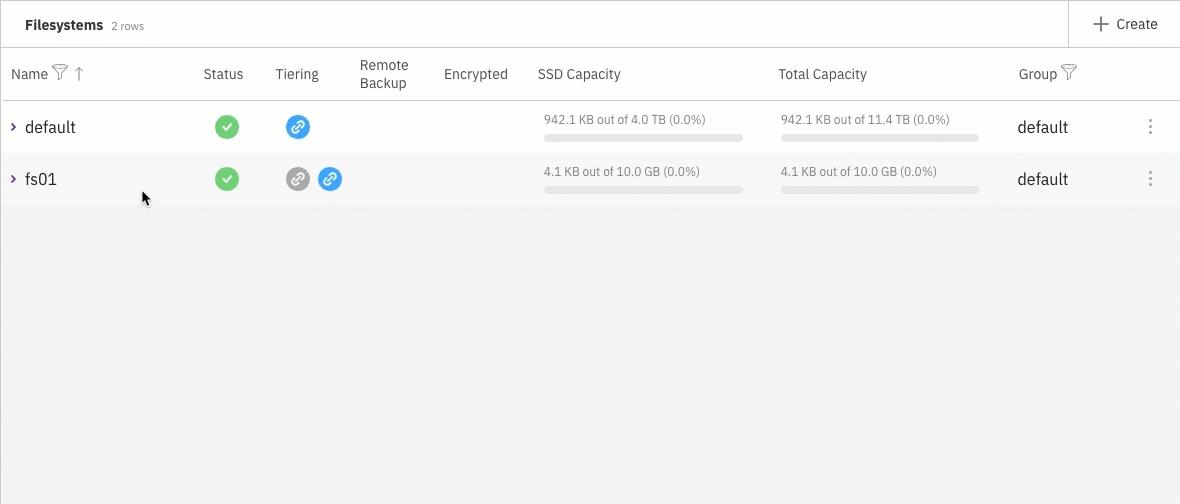
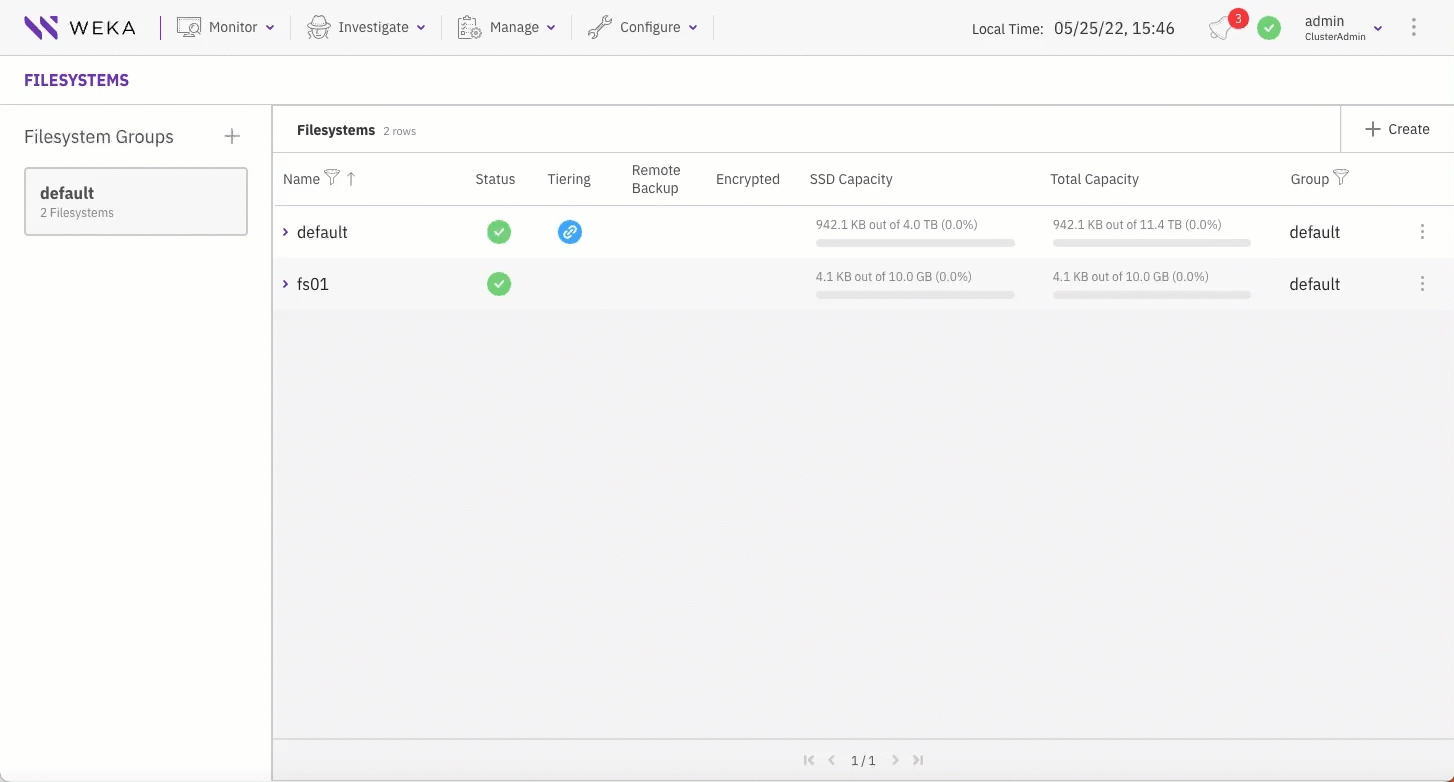
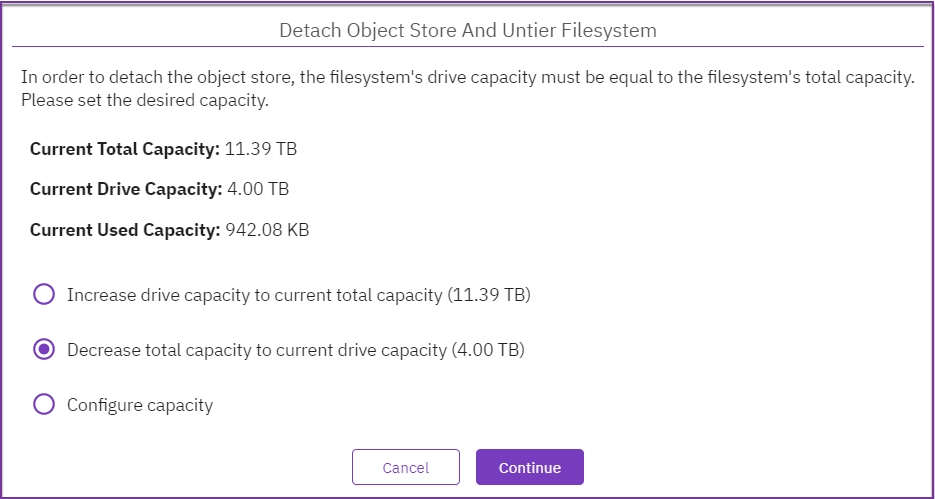
path*
A comma-separated list of file paths.
-v, --verbose
Showing fetch requests as they are submitted.
Off
path*
A comma-separated list of file paths.
-v, --verbose
Showing release requests as they are submitted
Off
path*
A path to get information about.
paths
Space-separated list of paths to get information about.
# Agent Installation (one time)
curl http://Backend-1:14000/dist/v1/install | sh
# Creating a mount point (one time)
mkdir -p /mnt/weka
# Mounting a filesystem
mount -t wekafs Backend-1/my_fs /mnt/wekaweka local run -e WEKA_HOST=<backend-ip> aws-add-client <client-instance-id>
weka local run -e WEKA_HOST=<backend-ip> aws-add-client $(curl -s http://169.254.169.254/latest/meta-data/instance-id)
Client has joined the cluster
find -L <directory path> -type f | xargs -r -n512 -P64 weka fs tier fetch -v# directory
find -L <directory path> -type f | xargs -r -n512 -P64 weka fs tier release
# similarly, a file containing a list of paths can be used
cat file-list | xargs -P32 -n200 weka fs tier release[root@kenny-0 weka] 2023-07-13 14:57:11 $ weka fs tier location image
PATH FILE TYPE FILE SIZE CAPACITY IN SSD (WRITE-CACHE) CAPACITY IN SSD (READ-CACHE) CAPACITY IN OBJECT STORAGE CAPACITY IN REMOTE STORAGE
image regular 102.39 MB 102.39 MB 0 B 0 B 0 B
[root@kenny-0 weka] 2023-07-13 14:58:14 $ weka fs tier location image
PATH FILE TYPE FILE SIZE CAPACITY IN SSD (WRITE-CACHE) CAPACITY IN SSD (READ-CACHE) CAPACITY IN OBJECT STORAGE CAPACITY IN REMOTE STORAGE
image regular 102.39 MB 0 B 102.39 MB 102.39 MB 0 B
[root@kenny-0 weka] 2023-07-13 14:59:14 $ weka fs tier location image
PATH FILE TYPE FILE SIZE CAPACITY IN SSD (WRITE-CACHE) CAPACITY IN SSD (READ-CACHE) CAPACITY IN OBJECT STORAGE CAPACITY IN REMOTE STORAGE
image regular 102.39 MB 0 B 0 B 102.39 MB 0 B
Boot type: UEFI.
If errors occur during installation and the installation halts (no error messages appear), use the system console to review the logs in /tmp. The primary log is /tmp/ks-pre.log.
To get a command prompt from the Installation GUI, do one of the following:
On macOS, type ctrl+option+f2
On Windows, type ctrl+alt+f2.
Burn the WSA image to a DVD or USB stick and boot the server from this physical media.
Dataplane network interfaces (typically 1 or 2. Can be several up to 8).
DNS settings and/or an /etc/hosts file.
Network gateways and routing table adjustments as necessary.
Timeserver configuration.
The starting point for the reclamation process differs in each example. In example 1, reclamation begins at 130 GB (13%), while in example 2, it doesn't start. This is important to note because even though there is more total reclaimable space in example 2, the process starts later.
, or
by setting the enable-upload-tags parameter in weka fs tier s3 add/update commands.
wekaBlobType
The WEKA-internal type representation of the object.
Possible values:
DATA, METADATA, METAMETADATA, LOCATOR, RELOCATIONS
wekaFsId
A unique filesystem ID (a combination of the filesystem ID and the cluster GUID).
wekaGuid
The cluster GUID.
wekaFsName
The filesystem name that uploaded this object.
elfutils
fio
git
hwloc
iperf
ipmitool
kexec-tools
jq
ldap-client
libaio-dev
lldpd
nfs-client
nload
nmap
numactl
nvme-cli
pdsh
python3
sshpass
sysstat
tmateThe available SSD capacity of individual filesystems cannot exceed the total SSD net capacity allocated to all filesystems. This structured approach ensures effective resource management and optimal performance within the WEKA system.
Thin provisioning, a dynamic SSD capacity allocation method, addresses user needs on demand. In this approach, the filesystem's capacity is defined by a minimum guaranteed capacity and a maximum capacity, which can virtually exceed the available SSD capacity.
The system optimally allocates more capacity, up to the total available SSD capacity, for users who use their allocated minimum capacity. Conversely, as users free up space by deleting files or transferring data, the idle space undergoes reclamation, repurposing it for other workloads that require SSD capacity.
Thin provisioning proves beneficial in diverse scenarios:
Tiered filesystems: On tiered filesystems, available SSD capacity is used for enhanced performance and can be released to the object store when needed by other filesystems.
Auto-scaling groups: Thin provisioning facilitates automatic expansion and reduction (shrinking) of the filesystem's SSD capacity when using auto-scaling groups, ensuring optimal performance.
Filesystems separation per project: Thin provisioning makes creating separate filesystems for each project efficient, especially when administrators don't anticipate full simultaneous usage of all filesystems. Each filesystem is allocated a minimum capacity but can consume more based on the actual available SSD capacity, offering flexibility and resource optimization.
Number of filesystems: up to 1024
Number of files or directories: Up to 6.4 trillion (6.4 * 10^12)
Number of files in a single directory: Up to 6.4 billion (6.4 * 10^9)
Total capacity with object store: Up to 14 EB
Total SSD capacity: Up to 512 PB
File size: Up to 4 PB
WEKA introduces a cluster-wide data reduction feature that can be activated for individual filesystems. This capability incorporates block-variable differential compression and advanced de-duplication techniques across all filesystems, significantly reducing the required storage capacity for user data and delivering substantial cost savings.
The effectiveness of the compression ratio hinges on the specific workload. It is particularly efficient for text-based data, large-scale unstructured datasets, log analysis, databases, code repositories, and sensor data.
The data reduction applies exclusively to user data (not metadata) per filesystem. The data reduction can be enabled only on thin-provision, non-tiered, and unencrypted filesystems within a cluster holding a valid Data Efficiency Option (DEO) license.
Data reduction is a post-process activity. New data written to the cluster is uncompressed. The data reduction process runs as a background task with lower priority than tasks serving user IO requests. It starts when enough data is written to the filesystems.
Data reduction tasks:
Ingestion:
Clusterization: This technique is applied to data blocks at the 4K block level. The system identifies similarity across uncompressed data in all filesystems enabled for data reduction.
Compression: The system reads similar and unique blocks, compressing each type separately. Compressed data is then written to the filesystem.
Defragmentation:
Uncompressed data related to successful compression is marked for deletion.
The defrag process waits for sufficient blocks to be invalidated and then permanently deletes them.
WEKA ensures security by offering encryption for data at rest (residing on SSD and object store) and data in transit. This security feature is activated by enabling the filesystem encryption option. The decision on whether a filesystem should be encrypted is crucial during the filesystem creation process.
To create encrypted filesystems, deploying a Key Management System (KMS) is imperative, reinforcing the protection of sensitive data.
Related topics
In addition to the capacity constraints, each filesystem in WEKA has specific limitations on metadata. The overall system-wide metadata cap depends on the SSD capacity allocated to the WEKA system and the RAM resources allocated to the WEKA system processes.
WEKA carefully tracks metadata units in RAM. If the metadata units approach the RAM limit, they are intelligently paged to the SSD, triggering alerts. This proactive measure allows administrators sufficient time to increase system resources while sustaining IO operations with minimal performance impact.
By default, the metadata limit linked to a filesystem correlates with the filesystem's SSD size. However, users have the flexibility to override this default by defining a filesystem-specific max-files parameter. This logical limit empowers administrators to regulate filesystem usage, providing the flexibility to update it as needed.
The cumulative metadata memory requirements across all filesystems can surpass the server’s RAM capacity. In potential impact scenarios, the system optimizes by paging the least recently used units to disk, ensuring operational continuity with minimal disruption.
Every metadata unit within the WEKA system demands 4 KB of SSD space (excluding tiered storage) and occupies 20 bytes of RAM.
Throughout this documentation, the restriction on metadata per filesystem is denoted as the max-files parameter. This parameter includes the files' count and respective sizes.
The following table outlines the requisite metadata units based on file size. These specifications apply to files stored on SSDs or tiered to object stores.
< 0.5 MB
1
A filesystem containing 1 billion files, each sized at 64 KB, requires 1 billion metadata units.
0.5 MB - 1 MB
2
A filesystem containing 1 billion files, each sized at 750 KB, requires 2 billion metadata units.
> 1 MB
2 for the first 1 MB plus 1 per MB for the rest MBs
A filesystem containing 1 million files, each sized at 129 MB, requires 130 million metadata units. This calculation includes 2 units for the first 1 MB and an additional unit per MB for the subsequent 128 MB.
A filesystem containing 10 million files, each sized at 1.5 MB, requires 30 million metadata units.
A filesystem containing 10 million files, each sized at 3 MB, requires 40 million metadata units.
Related topics
The maximum size for extended attributes (xattr) of a file or directory is 1024 bytes. This attribute space is used by Access Control Lists (ACLs) and Alternate Data Streams (ADS) within an SMB cluster and when configuring SELinux. When using Windows clients, named streams in smb-w are saved in the file’s xattr.
Given its finite capacity, exercise caution when using lengthy or complex ACLs and ADS on a WEKA filesystem.
When encountering a message indicating the file size exceeds the limit allowed and cannot be saved, carefully decide which data to retain. Strategic planning and selective use of ACLs and ADS contribute to optimizing performance and stability.
Within the WEKA system, object stores are an optional external storage medium strategically designed to store warm data. These object stores, employed in tiered WEKA system configurations, can be cloud-based, located in the same location as the WEKA cluster, or at a remote location.
WEKA extends support for object stores, leveraging their capabilities for tiering (both tiering and local snapshots) and backup (snapshots only). Both tiering and backup functionalities can be concurrently used for the same filesystem, enhancing flexibility.
The optimal usage of object store buckets comes into play when a cost-effective data storage tier is imperative and traditional server-based SSDs prove insufficient in meeting the required price point.
An object store bucket definition comprises crucial components: the object store DNS name, bucket identifier, and access credentials. The bucket must remain dedicated to the WEKA system, ensuring exclusivity and security by prohibiting access from other applications.
Moreover, the connectivity between filesystems and object store buckets extends beyond essential storage. This connection proves invaluable in data lifecycle management and facilitates the innovative Snap-to-Object features, offering a holistic approach to efficient data handling within the WEKA system.
Related topics
Within the WEKA system, the organization of filesystems takes place through the creation of filesystem groups, with a maximum limit set at eight groups.
Each of these filesystem groups comes equipped with tiering control parameters. When filesystems are tiered and have associated object stores, the tiering policy remains consistent for all tiered filesystems residing within the same filesystem group. This unification ensures streamlined management and unified control over tiering strategies within the WEKA system.
Related topics
Cloud Deployment Manager V2 API
Cloud DNS API
Cloud Functions API
Cloud Logging API
Cloud Resource Manager API
Cloud Scheduler API
Compute Engine API
Secret Manager API
Serverless VPC Access API
Service Usage API
Workflow Executions API
Workflows API
Other services used or enabled:
App Engine
IAM
Google Cloud Storage
To ensure support for a specific region, it must meet the requirements listed above.
northamerica-northeast1
Montréal, Canada
southamerica-east1
São Paulo, Brazil
southamerica-west1
Santiago, Chile
us-central1
Iowa, United States
us-east1
South Carolina, United States
asia-east1
Changhua County, Taiwan
asia-east2
Hong Kong
asia-northeast1
Tokyo, Japan
asia-northeast2
Osaka, Japan
asia-northeast3
Seoul, South Korea
europe-north1
Hamina, Finland
europe-west1
St. Ghislain, Belgium
europe-west2
London, England
europe-west3
Frankfurt, Germany
europe-west4
Eemshaven, Netherlands
Related information
The filesystems are displayed on the Filesystems page. Each filesystem indicates the status, tiering, remote backup, encryption, SDD capacity, total capacity, filesystem group, and data reduction details.
Before you begin
Ensure a filesystem group is set with the required tiering policy. See Add a filesystem group.
Procedure
From the menu, select Manage > Filesystems.
When deploying a WEKA system on-premises, no filesystem is initially provided. You must create the filesystem and configure its properties, including capacity, group, tiering, thin provisioning, encryption, and required authentication during mounting.
When deploying a WEKA system on a cloud platform (AWS, Azure, or GCP) using Terraform or AWS CloudFormation, the WEKA system includes a default filesystem configured to maximum capacity. If your deployment necessitates additional filesystems with varied settings, reduce the provisioned capacity of the default filesystem and create a new filesystem with the desired properties to meet your specific requirements.
Before you begin
Verify that the system has free capacity.
Verify that a filesystem group is already set.
If tiering is required, verify that an object store bucket is set.
If encryption is required, verify that a KMS is configured.
Procedure
From the menu, select Manage > Filesystems.
Select the +Create button.
In the Create Filesystem dialog, set the following:
Name: Enter a descriptive label for the filesystem, limited to 32 characters and excluding slashes (/) or backslashes (\).
Group: Select the filesystem group that fits your filesystem.
Capacity: Enter the storage size to provision, or select Use All to provision all the free capacity.
Optional: Tiering. If tiering is required, an object store bucket is already defined, and data reduction is not enabled, select the toggle button and set the details of the object store bucket:
Object Store Bucket: Select a predefined object store bucket from the list.
Drive Capacity: Enter the capacity to provision on the SSD, or select Use All to use all free capacity.
Total Capacity: Enter the total capacity of the object store bucket, including the drive capacity.
When you set tiering, you can create the filesystem from an uploaded snapshot. See the related topics below.
Optional: Thin Provision. If Thin Provision is required, select the toggle button, and set the minimum (guaranteed) and the maximum capacity for the thin provisioned filesystem. The minimum capacity must be less or equal to the available SSD capacity. You can set any maximum capacity, but the available capacity depends on the actual free space of the SSD capacity. Thin provisioning is mandatory when enabling data reduction.
Optional: Data Reduction. Data reduction can be enabled only on thin provision, non-tiered, and unencrypted filesystems on a cluster with a valid data reduction license (you can verify the data reduction license in the cluster settings). For more details, see the related topics below. To enable the Data Reduction, select the toggle button.
Optional: If Encryption is required and your WEKA system is deployed with a KMS, select the toggle button.
Optional: Required Authentication.
When ON, user authentication is required when mounting to the filesystem. This option is only relevant to a filesystem created in the root organization.
Enabling authentication is not allowed for a filesystem hosting NFS client permissions or SMB shares.
To authenticate during mount, the user must run the weka user login command or use the auth_token_path parameter.
Select Save.
Related topics
You can modify the filesystem parameters according to your demand changes over time. The parameters you can modify include filesystem name, capacity, tiering, thin provisioning, and required authentication (but not encryption).
Procedure
From the menu, select Manage > Filesystems.
Select the three dots on the right of the filesystem you want to modify, and select Edit.
In the Edit Filesystem dialog, modify the parameters according to your requirements. (See the parameter descriptions in the Add a filesystem topic.)
Select Save.
You can delete a filesystem if its data is no longer required. Deleting a filesystem does not delete the data in the tiered object store bucket.
Procedure
From the menu, select Manage > Filesystems.
Select the three dots on the right of the filesystem you want to delete, and select Remove.
To confirm the filesystem deletion, enter the filesystem name and select Confirm.
Procedure
To display all snapshots, select Manage > Snapshots from the menu. The Snapshots page opens.
2. To display a snapshot of a selected filesystem, do one of the following:
Select the Filesystem filter. Then, select the filesystem from the list.
From the menu, select Manage > Filesystems. From the filesystem, select the three dots, and from the menu, select Go To Snapshot.
You can create a snapshot from the Snapshots page or directly from the Filesystems page.
Before you begin
Create a directory for filesystem-level snapshots that serves as the access point for snapshots.
Procedure:
Do one of the following:
From the menu, select Manage > Snapshots. From the Snapshots page, select +Create. The Create Snapshot dialog opens.
From the menu, select Manage > Filesystems. From the Filesystems page, select the three dots, and from the menu, select Create Snapshot (the source filesystem is automatically set).
On the Create Snapshot dialog set the following properties:
Name: A unique name for the filesystem snapshot.
Access Point: A name of the newly-created directory for filesystem-level snapshots that serves as the snapshot's access point. If you do not specify the access point, the system sets it automatically (in GMT format).
Writable: Determines whether to set the snapshot to be writable.
Source Filesystem: The source filesystem from which to create the snapshot.
Upload to local object store: Determines whether to upload the snapshot to a local object store. You can also upload the snapshot later (see ).
Upload to remote object store: Determines whether to upload the snapshot to a remote object store. You can also upload the snapshot later.
Select Create.
You can duplicate a snapshot (clone), which enables creating a writable snapshot from a read-only snapshot.
Procedure
From the menu, select Manage > Snapshots.
From the Snapshots page, select the three dots of the snapshot you want to duplicate, and from the menu, select Duplicate Snapshot.
In the Duplicate Snapshot dialog, set the properties like you create a snapshot. The source filesystem and source snapshot are already set.
Select Duplicate.
When deleting a snapshot, consider the following guidelines:
Deleting a snapshot parallel to a snapshot upload to the same filesystem is impossible. Uploading a snapshot to a remote object store can take time. Therefore, it is advisable to delete the desired snapshot before uploading it to the remote object store.
When uploading snapshots to both local and remote object stores. While the local and remote uploads can progress in parallel, consider the case of a remote upload in progress. A snapshot is deleted, and later a snapshot is uploaded to the local object store. In this scenario, the local snapshot upload waits for the pending deletion of the snapshot (which happens only once the remote snapshot upload is done).
Procedure
From the menu, select Manage > Snapshots.
From the Snapshots page, select the three dots of the snapshot you want to delete, and from the menu, select Remove.
In the Deletion Of Snapshot message, select Yes to delete the snapshot.
Restoring a snapshot to a filesystem or another snapshot (target) modifies the data and metadata of the target.
Before you begin
If you restore the snapshot to a filesystem, make sure to stop the IO services of the filesystem during the restore operation.
Procedure
From the menu, select Manage > Snapshots.
From the Snapshots page, select the three dots of the snapshot you want to restore, and from the menu, select Restore To.
In the Restore To dialog, select the destination: Filesystem or Snapshot.
Select Save.
You can update the snapshot name and access point properties.
Procedure
From the menu, select Manage > Snapshots.
From the Snapshots page, select the three dots of the snapshot you want to update, and from the menu, select Edit.
Modify the Name and Access Point properties as required.
Select Save.
To learn about how to view, create, update, delete, and restore snapshots, see Manage snapshots using the GUI.
You can upload a snapshot to a local, remote, or both object store buckets.
Procedure
From the menu, select Manage > Snapshots.
Select the three dots on the right of the required snapshot. From the menu, select Upload To Object Store.
A relevant message appears if a local or remote object store bucket is not attached to the filesystem. It enables opening a dialog to select an object store bucket and attach it to the filesystem. To add an object store, select Yes.
In the Attach Object Store to Filesystem dialog, select the object store bucket to attach the snapshot.
Select Save. The snapshot is uploaded to the target object store bucket.
Copy the snapshot locator:
Select the three dots on the right of the required snapshot, and select Copy Locator to Clipboard.
Save the locator in a dedicated file so later you can use it for creating a filesystem from the uploaded snapshot.
Related topics
You can create (or recreate) a filesystem from an uploaded snapshot, for example, when you need to migrate the filesystem data from one cluster to another.
When recreating a filesystem from a snapshot, adhere to the following guidelines:
Pay attention to upload and download costs: Due to the bandwidth characteristics and potential costs when interacting with remote object stores, it is not allowed to download a filesystem from a remote object store bucket. If a snapshot on a local object store bucket exists, it is advisable to use that one. Otherwise, follow the procedure in the Recover from a remote snapshot topic using the CLI.
Use the same KMS master key: For an encrypted filesystem, to decrypt the snapshot data, use the same KMS master key as used in the encrypted filesystem. See the KMS Management Overview topic.
Before you begin
Verify that the locator of the required snapshot (from the source cluster) is available (see the last step in the Upload a snapshot procedure).
Ensure the object store is attached to the destination cluster.
Procedure
Connect to the destination cluster where you want to create the filesystem.
From the menu, select Manage > Filesystems, and select +Create.
In the Create Filesystem, do the following:
Set the filesystem name, group, and tiering properties.
Select Create From Uploaded Snapshot (it only appears when you select Tiering). Paste the copied snapshot locator in the Object Store Bucket Locator (from the source cluster). In the Snapshot Name, set a meaningful snapshot name to override the default (uploaded snapshot name). In the Access Point, set a meaningful access point name to override the default (uploaded access point name) for the directory that serves as the snapshot's access point.
Select Save.
You can synchronize a filesystem from a snapshot using the Synchronous Snap feature (incremental snapshot). Synchronous Snap only downloads changes since the last snapshot from the object store bucket.
Before you begin
Copy the locator of the snapshot you want to sync with the filesystem.
Procedure
From the menu, select Manage > Filesystems.
From the Filesystems page, select the three dots of the filesystem you want to sync, and from the menu, select Synchronous Snap.
Paste the snapshot object locator in the Run Synchronous Snap to Existing Filesystem dialog.
Select Start. The filesystem starts syncing with the snapshot.
Once the sync is completed, restore the snapshot to update the production filesystem.
Related topics
The Terraform package includes a main.tf file you create according to your deployment needs.
Applying the created main.tf file performs the following:
Creates VPC networks and subnets on the GCP project.
Deploys GCP instances.
Installs the WEKA software.
Configures the WEKA cluster.
Additional GCP objects.
Before installing the WEKA software on GCP, the following prerequisites must be met:
: It is pre-installed if you use the Cloud Shell.
: It is pre-installed if you use the Cloud Shell. Ensure the Terraform version meets the minimum required version specified in the section of the GCP-WEKA deployment Terraform package.
Initialize the Terraform module using terraform init from the local directory. This command initializes a new or existing Terraform working directory by creating initial files, loading any remote state, downloading modules, and more.
The main Terraform configuration settings are included in the main.tf file. You can create it by following this procedure or using the WEKA Cloud Deployment Manager. See .
Procedure
Review the and use it as a reference for creating the main.tf according to your deployment specifics on GCP.
Tailor the main.tf file to create SMB-W or NFS protocol clusters by adding the relevant code snippet. Adjust parameters like the number of gateways, instance types, domain name, and share naming:
SMB-W
NFS
Add WEKA POSIX clients (optional): If needed, add to support your workload by incorporating the specified variables into the main.tf file:
Once you complete the main.tf settings, apply it: Run terraform apply.
After applying the main.tf, the Terraform module updates the configuration as follows:
Service account creation:
Format of the service account name: <prefix>-deployment@<project name>.iam.gserviceaccount.com
Assigned roles:
Additional roles can be assigned to the created service account (if working with relevant resources):
To create a worker pool:
To create a new bucket (for Terraform state and WEKA OBS):
To use an existing bucket (for Terraform state and WEKA OBS):
To run IOs against the cluster, a valid license must be applied. Obtain a valid license and apply it to the WEKA cluster. For details, see .
Upgrading the WEKA version on the cloud is similar to the standard WEKA upgrade process. However, in a cloud configured with auto-scaling, the new instances created by the scale-up must be configured with the new WEKA version.
Before you begin
Ensure the cluster does not undergo a scale-up or scale-down process before and during the WEKA version upgrade.
Procedure
Perform the upgrade process. See .
Update the weka_version parameter in the main.tf file.
Run terraform apply.
If a rollback is required or the WEKA cluster is no longer required on GCP, first terminate the WEKA cluster and then use the terraform destroy action.
The termination of the WEKA cluster can also be used if you need to retain the GCP resources (such as VPCs and cloud functions to save time on the next deployment) and then deploy a new WEKA cluster when you are ready.
To terminate the WEKA cluster, run the following command (replace the trigger_url with the actual trigger URL and Cluster_Name with the actual cluster name):
If you do not know the trigger URL or cluster name, run the terraform outputcommand to display them.
Once the WEKA cluster is terminated, you can deploy a new WEKA cluster or run the terraform destroy action.
This page shows how to create CloudFormation templates using an API call. The same API calls are used by the Self-Service Portal to generate the CloudFormation template before redirecting to AWS.
The APIs described here require an API token which can be obtained at https://get.weka.io/ui/account/api-tokens. Obtaining this token requires registration if you do not have an account.
To generate a CloudFormation template, it is first necessary to decide which WEKA system version is to be installed. This is performed using the https://<token>@get.weka.io/dist/v1/release API which provides a list of all available versions:
This list of releases available for installation is sorted backward from the most recent release. By default, 50 results are provided per page. To receive more results, use the page=N query parameter to receive the Nth page.
Each release contains an ID field that identifies the release. In the examples below, version 3.6.1 has been used.
To generate a CloudFormation template, make a POST request to the https://<token>@get.weka.io/dist/v1/aws/cfn/<version>API:
In the example above, a template is generated for a cluster with 10 i3en.2xlarge backend instances and 2 r3.xlarge client instances. For details, see the and sections.
The https://<token>@get.weka.io/dist/v1/aws/cfn/<version> API provides a JSON object with a cluster property. cluster is a list of instance types, roles, and counts:
It is possible to specify multiple groups of instances by adding more role/instance_type/count objects to the clusterarray, as long as there are at least 6 backend instances (the minimum number of backend instances required to deploy a cluster).
When specifying an ami_id in client groups, the specified AMI will be used when launching the client instances. The Weka system will be installed on top of this AMI in a separate EBS volume.
When ami_id is not specified, the client instances are launched with the latest Amazon Linux supported by the Weka system version selected to be installed.
Note the following when using a custom AMI-ID:
AMIs are stored per region. Make sure to specify an AMI-ID that matches the region in which the CloudFormation template is deployed.
The AMI operating system must be one of the supported operating systems listed in the section of the version installed. If the AMI defined is not supported or has an unsupported operating system, the installation may fail, and the CloudFormation stack will not be created successfully.
By default, both client and backend instances are launched in the dedicated networking mode. Although this cannot be changed for backends, it can be controlled for client instances.
Dedicated networking means an ENI is created for internal cluster traffic in the client instances. This allows the WEKA system to bypass the kernel and provide throughput only limited by the instance network.
In shared networking, the client shares the instance’s network interface with all traffic passing through the kernel. Although slower, this mode is sometimes desirable when an ENI cannot be allocated or if the operating system does not allow more than one NIC.
The returned result is a JSON object with two properties: url and quick_create_stack.
The url property is a URL to an S3 object containing the generated template.
To deploy the CloudFormation template through the AWS console, a quick_create_stack property contains links to the console for each public AWS region. These links are pre-filled with your API token as a parameter to the template.
It is also possible to receive the template directly from the API call without saving it in a bucket. To do this, use a ?type=templatequery parameter:
The CloudFormation stack parameters are described in the section.
The CloudFormation template contains an instance role that allows the WEKA cluster instances to call the following AWS APIs:
ec2:DescribeInstances
ec2:DescribeNetworkInterfaces
ec2:AttachNetworkInterface
In case tiering is configured, additional AWS APIs permissions are given:
s3:DeleteObject
s3:GetObject
s3:PutObject
Once a CloudFormation template has been generated, it is possible to create a stack using the AWS console or the AWS CLI.
When the deployment is complete, the stack status updates to CREATE_COMPLETE, and it is possible to access the WEKA cluster GUI by going to the Outputs tab of the CloudFormation stack and clicking the GUI link.
If the deployment is unsuccessful, see for the resolution of common deployment issues.
This page provides a detailed description of how data storage is managed in tiered WEKA system configurations.
This page provides an in-depth explanation for the Data Lifecycle Management overview section.
The Drive Retention Period policy refers to the amount of time you want to keep a copy of the data on SSD that you previously offloaded/copied to the object storage via the Tiering Cue Policy described further below.
Consider a scenario of a 100 TB filesystem (total capacity), with 100 TB of SSD space (as explained in The role of SSDs in tiered configurations section). If the data Drive Retention Period policy is defined as 1 month and only 10 TB of data are written per month, it will probably be possible to maintain data from the last 10 months on the SSDs. On the other hand, if 200 TB of data is written per month, it will only be possible to maintain data from half of the month on the SSDs. Additionally, there is no guarantee that the data on the SSDs is the data written in the last 2 weeks of the month, which also depends on the Tiering Cue.
To further help describe this section, let us use an example where the described below is set to 1 day, and the Drive Retention Period is set to 3 days. After one day, the WEKA system offloads period 0’s data to the object store. Setting the Drive Retention Period to 3 days means leaving a copy of that data in WEKA Cache for three days, and after three days, it is removed from the WEKA Cache. The data is not gone, it is on the object store, and if an application or a user accesses that data, it is pulled back from the object store and placed back on the WEKA SSD tier where it is tagged again with a new Tiering Cue Policy Period.
Consequently, the drive Retention Period policy determines the resolution of the WEKA system release decisions. If it is set to 1 month and the SSD capacity is sufficient for 10 months of writing, then the first month will be kept on the SSDs.
The Tiering Cue policy defines the period of time to wait before the data is copied from the SSD and sent to the object store. It is typically used when it is expected that some of the data being written will be rewritten/modified/deleted in the short term.
The WEKA system integrates a rolling progress control with three rotating periods of 0, 1, and 2.
Period 0: All data written is tagged as written in the current period.
Period 1: The switch from 0 to 1 is according to the Tiering Cue policy.
Period 2: Starts after the period of time defined in the Tiering Cue, triggering the transfer of data written in period 0 from the SSD to the object store.
Example:
If the Tiering Cue Policy is set to 1 day, all data written within the first day is tagged for Period 0. After one day, and for the next day, the next set of data is tagged for Period 1, and the data written the next day is tagged for Period 2.
As Period 0 rolls around to be next, the data marked for Period 0 is offloaded to the object store, and new data is then tagged for Period 0. When Period 1 rolls around to be next, it is time to offload the data tagged for Period 1 to the object store and so on.
One important caveat to mention is that in the above example, if none of the data is touched or modified during the time set for the Tiering Cue Policy, then all the data as described will offload to the object store as planned. But let’s say there is some data in Period 0 that was updated/modified, that data is pulled out of Period 0 and is then tagged with the current Period of data being written at the moment, let’s say that is Period 2. So now, that newly modified data will not get offloaded to the object store until it is Period 2’s time. This is true for any data modified residing in one of the 3 Period cycles. It will be removed from its original Period and placed into the current Period marking the active writes.
Since the WEKA system is a highly scalable data storage system, data storage policies in tiered WEKA configurations cannot be based on cluster-wide FIFO methodology, because clusters can contain billions of files. Instead, drive retention is managed by time-stamping every piece of data, where the timestamp is based on a resolution of intervals that may extend from minutes to weeks. The WEKA system maintains the interval in which each piece of data was created, accessed, or last modified.
Users only specify the Drive Retention Period and based on this, each interval is one-quarter of the Drive Retention Period. Data written, modified, or accessed prior to the last interval is always released, even if SSD space is available.
Example:
In a WEKA system configured with a Drive Retention Period of 20 days, data is split into 7 interval groups, each spanning 5 days in this scenario (5 is 25% of 20, the Drive Retention Period).
If the system starts operating on January 1, data written, accessed, or modified between January 1-5 are classified as belonging to interval 0, data written, accessed, or modified between January 6-10 belongs to interval 1, and so on. In such a case, the 7 intervals will be timestamped and divided as follows:
In the above scenario, there are seven data intervals on the SSDs (the last one is accumulating new/modified data). In addition, another interval is currently being released to the object-store. Yes, the retention period is almost twice as long as the user specifies, as long as there is sufficient space on the SSD. Why? If possible, it provides better performance and reduces unnecessary release/promotion of data to/from the object-store if data is modified.
At any given moment, the WEKA system releases the filesystem data of a single interval, transferring it from the SSD to the object-store. The release process is based on data aging characteristics (as implemented through the intervals system and revolving tags). Consequently, if there is sufficient SSD capacity, only data modified or written before seven intervals will be released. The release process also considers the amount of available SSD capacity through the mechanism of Backpressure. Backpressure works against two watermarks - 90% and 95%. It kicks in when SSD utilization per file system crosses above 95% and stops when it crosses below 90%. It's also important to understand that Backpressure works in parallel and independently of the Tiering Policy. If the SSD utilization crosses the 95% watermark, then data will be released from SSD and sent to the object-store sooner than was configured.
Example:
If 3 TB of data is produced every day, i.e., 15 TB of data in each interval, the division of data will be as follows:
Now consider a situation where the total capacity of the SSD is 100 TB. The situation in the example above will be as follows:
Since the resolution in the WEKA system is the interval, in the example above the SSD capacity of 100 TB is insufficient for all data written over the defined 35-day Retention Period. Consequently, the oldest, most non-accessed, or modified data, has to be released to the object store. In this example, this release operation will have to be performed in the middle of interval 6 and will involve the release of data from interval 0.
This counting of the age of the data in resolutions of 5 days is performed according to 8 different categories. A constantly rolling calculation, the following will occur in the example above:
Data from days 1-30 (January 1-30) will all be on the SSD. Some of it may be tiered to the object store, depending on the defined Tiering Cue.
Data from more than 35 days will be released to the object store.
Data from days 31-35 (January 31-February 4) will be partially on the SSD and partially tiered to the object store. However, there is no control over the order in which data from days 31-35 is released to the object store.
Example: If no data has been accessed or modified since creation, then the data from interval 0 will be released and the data from intervals 1-6 will remain on the SSDs. If, on the other hand, 8 TB of data is written every day, meaning that 40 TB of data is written in each interval (as shown below), then the last two intervals, i.e., data written, accessed, or modified in a total of 10 days will be kept on the SSD, while other data will be released to the object-store.
Now consider the following filesystem scenario, where the whole SSD storage capacity of 100 TB is utilized in the first 3 intervals:
When much more data is written and there is insufficient SSD capacity for storage, the data from interval 0 will be released when the 100 TB capacity is reached. This represents a violation of the Retention Period. In such a situation, it is also possible to either increase the SSD capacity or reduce the Retention Period.
The tiering process (the tiering of data from the SSDs to the object stores) is based on when data is created or modified. It is managed similar to the Drive Retention Period, with the data timestamped in intervals. The length of each interval is the size of the user-defined Tiering Cue. The WEKA system maintains 3 such intervals at any given time, and always tiers the data in the third interval. Refer to the example provided in the "Tiering Cue Policy" section above for further clarity.
Example: If the Tiering Cue is 1 day, then the data will be classified according to the following timeline for a system that starts working on January 1:
Since the tiering process applies to data in the first interval in this example, the data written or modified on January 1 will be tiered to the object store on January 3. Consequently, data will never be tiered before it is at least 1 day old (which is the user-defined Tiering Cue), with the worst case being the tiering of data written at the end of January 1 at the beginning of January 3.
If it is impossible to maintain the defined Retention Period or Tiering Cue policies, a TieredFilesystemBreakingPolicy event will occur, and old data will be released to free space on the SSDs. Users are alerted to such a situation through an ObjectStoragePossibleBottleneck event, enabling them to consider either raising the bandwidth or upgrading the object store performance.
Regardless of the time-based policies, it is possible to use a special mount option to bypass the time-based policies. Any creation or writing of files from a mount point with this option marks it to release as soon as possible before considering other file retention policies. The data extents of the files are still first written to the SSD but get precedence on releasing to the object store.
In addition, any read done through such a mount point reads the extent from the object store and is not kept persistently on the SSD (it still goes through the SSD but is released immediately before any other interval).
In AWS, this mode should only be used for importing data. It should not be used for general access to the filesystem as any data read via this mount point would be immediately released from the SSD tier again. This can lead to excessive S3 charges.
Explore the Snap-To-Object feature, a capability facilitating the seamless data transfer from a designated snapshot to an object store.
The Snap-To-Object feature enables the consolidation of all data from a specific snapshot, including filesystem metadata, every file, and all associated data, into an object store. The complete snapshot data can be used to restore the data on the WEKA cluster or another cluster running the same or a higher WEKA version.
The Snap-To-Object feature is helpful for a range of use cases, as follows:
On-premises and cloud use cases
Cloud-only use cases
Hybrid cloud use case
Suppose it is required to recover data stored on a WEKA filesystem due to a complete or partial loss of the data within it. You can use a data snapshot saved to an object store to recreate the same data in the snapshot on the same or another WEKA cluster.
This use case supports backup in any of the following WEKA system deployment modes:
Local object store: The WEKA cluster and object store are close to each other and will be highly performant during data recovery operations. The WEKA cluster can recover a filesystem from any snapshot on the object store for which it has a reference locator.
Remote object store: The WEKA cluster and object store are located in different geographic locations, typically with longer latencies between them. In such a deployment, you can send snapshots to local and remote object stores.
Local object store replicating to a remote object store: A local object store in one data center replicates data to another object store using the object store system features, such as . This deployment provides both integrated tiering and Snap-To-Object local high performance between the WEKA object store and the additional object store. The object store manages the data replication, enabling data survival in multiple regions.
The periodic creation and uploading of snapshots to an object store generate an archive, allowing access to past copies of data.
When any compliance or application requirement occurs, it is possible to make the relevant snapshot available on a WEKA cluster and view the content of past versions of data.
Combining a local cluster with a replicated object store in another data center allows for the following use cases:
Disaster recovery: where you can take the replicated data and make it available to applications in the destination location.
Backup: where you can take multiple snapshots and create point-in-time images of the data that can be mounted, and specific files may be restored.
In a public cloud, with a WEKA cluster running on compute instances with local SSDs, sometimes the data needs to be retained, even though ongoing access to the WEKA cluster is unnecessary. In such cases, using Snap-To-Object can save the costs of compute instances running the WEKA system.
To pause a cluster, you need to take a snapshot of the data and then use Snap-To-Object to upload the snapshot to an S3-compliant object store. When the upload process is complete, the WEKA cluster instances can be stopped, and the data is safe on the object store.
To re-enable access to the data, you need to form a new cluster or use an existing one and download the snapshot from the object store.
This use case ensures data protection against cloud availability zone failures in the various clouds: AWS Availability Zones, Google Cloud Platform (GCP) Zones, and Oracle Cloud Infrastructure (OCI) Availability Domains.
In AWS, for example, the WEKA cluster can run on a single availability zone, providing the best performance and no cross-AZ bandwidth charges. Using Snap-To-Object, you can take and upload snapshots of the cluster to S3 (which is a cross-AZ service). If an AZ failure occurs, a new WEKA cluster can be created on another AZ, and the last snapshot uploaded to S3 can be downloaded to this new cluster.
Using WEKA snapshots uploaded to S3 combined with S3 cross-region replication enables the migration of a filesystem from one region to another.
On-premises WEKA deployments can often benefit from cloud elasticity to consume large quantities of computation power for short periods.
Cloud bursting requires the following steps:
Take a snapshot of an on-premises WEKA filesystem.
Upload the data snapshot to S3 at AWS using Snap-To-Object.
Create a WEKA cluster in AWS and make the data uploaded to S3 available to the newly formed cluster at AWS.
Process the data in-cloud using cloud compute resources.
Optionally, you may also promote data back to on-premises by doing the following:
Take a snapshot of the WEKA filesystem in the cloud on completion of cloud processing.
Upload the cloud snapshot to the on-premises WEKA cluster.
When uploading a snapshot to an object store or downloading snapshots to filesystems, adhere to the following considerations:
Simultaneous snapshot uploads: WEKA supports simultaneous uploading multiple snapshots from different filesystems to remote and local object stores.
A writeable snapshot cannot be uploaded: A writeable snapshot is a clone of the live filesystem or other snapshots at a specific time, and its data keeps changing. Therefore, its data is tiered according to the tiering policies but cannot be uploaded to the object store as a read-only snapshot.
Upload in chronological order to the remote object store: Uploading all snapshots or the same snapshots to a local object store is not required. However, once a snapshot is uploaded to the remote object store (a monthly snapshot), uploading a previous snapshot (for example, the daily snapshot before it) to the remote object store could be more efficient.
Synchronous snapshots are point-in-time backups for filesystems. When taken, they consist only of the changes since the last snapshot (incremental snapshots). When you download and restore a snapshot to a live filesystem, the system reconstructs the filesystem on the fly with the changes since the previous snapshot.
This capability for filesystem snapshots makes them more cost-effective because you do not have to update the entire filesystem with each snapshot. You only update the changes since the last snapshot.
It is recommended that the synchronous snapshots be applied in chronological order.
Deleting a snapshot uploaded from a filesystem removes all its data from the local object store bucket. It does not remove any data from a remote object store bucket.
If the snapshot has been (or is) downloaded and used by a different filesystem, that filesystem stops functioning correctly, data can be unavailable, and errors can occur when accessing the data.
Before deleting the downloaded snapshot, it is recommended to either un-tier or migrate the filesystem to a different object store bucket.
Snap-To-Object and tiering use SSDs and object stores for data storage. The WEKA system uses the same paradigm for holding SSD and object store data for both Snap-To-Object and tiering to save storage and performance resources.
You can implement this paradigm for each filesystem using one of the following use cases:
Data resides on the SSDs only, and the object store is used only for the various Snap-To-Object use cases, such as backup, archiving, and bursting: The allocated SSD capacity must be identical to the filesystem size (total capacity) for each filesystem. The drive retention period must be defined as the longest time possible (which is 60 months). The Tiering Cue must be defined using the same considerations based on IO patterns. In this case, the applications always work with a high-performance SSD storage system and use the object store only as a backup device.
Snap-To-Object on filesystems is used with active tiering between the SSDs and the object store: Objects in the object store are used to tier all data and back up using Snap-To-Object. If possible, the WEKA system uses the same object for both purposes, eliminating the unnecessary need to acquire additional storage and copy data.
Related topics
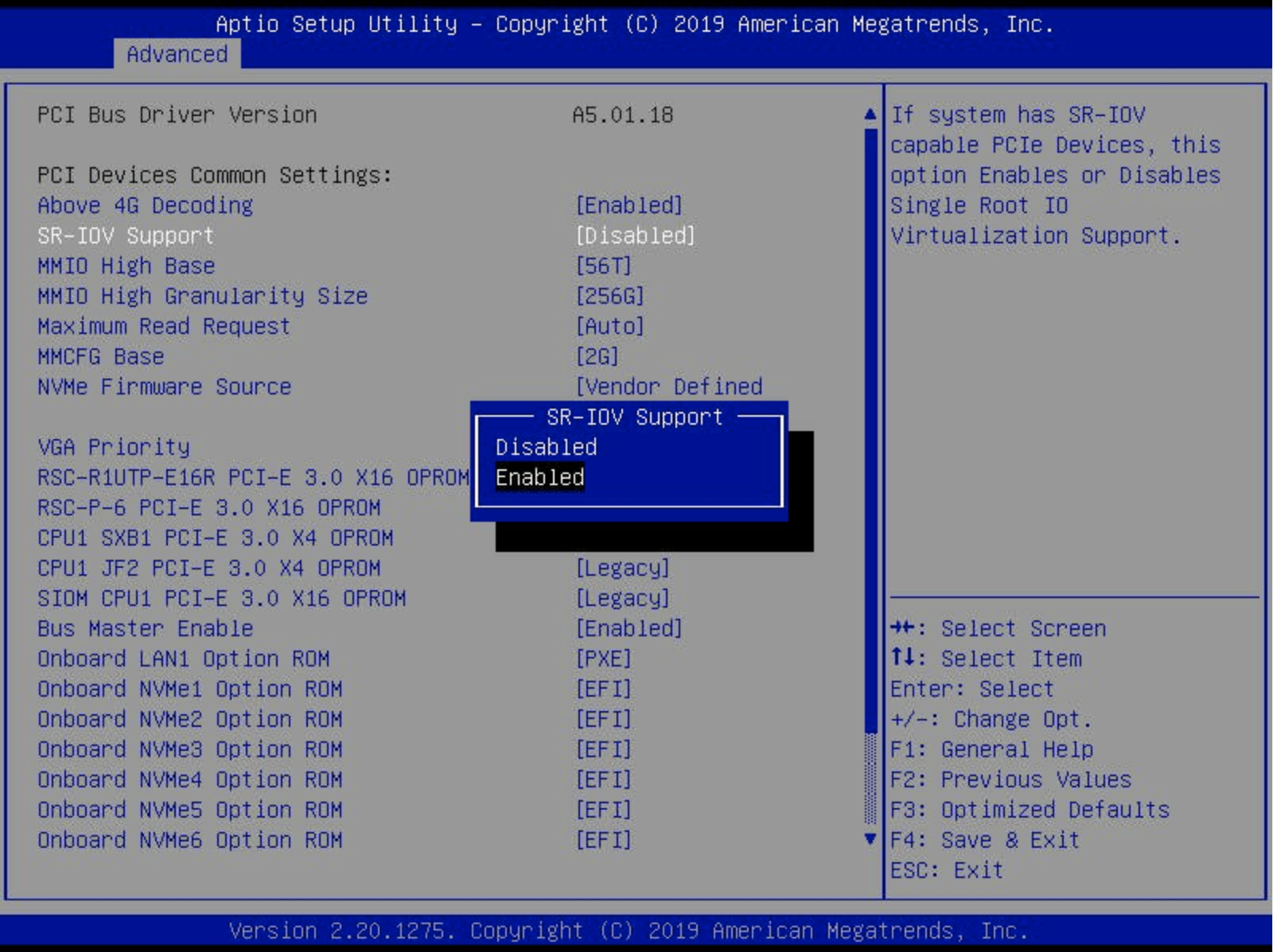
This page describes how to view and manage filesystems using the CLI.
Using the CLI, you can perform the following actions:
$ weka fs tier capacity
FILESYSTEM BUCKET TOTAL CONSUMED CAPACITY USED CAPACITY RECLAIMABLE% RECLAIMABLE THRESHOLD%
bmrb wekalow-bmrb 0 B 0 B 0.00 10.00
cam_archive wekalow-archive 20.39 TB 18.80 TB 7.79 10.00
nmr_backup wekalow-nmrbackup 519.07 GB 518.05 GB 0.19 10.00
$ weka fs tier capacity --filesystem cam_archive
FILESYSTEM BUCKET TOTAL CONSUMED CAPACITY USED CAPACITY RECLAIMABLE% RECLAIMABLE THRESHOLD%
cam_archive wekalow-archive 20.39 TB 18.80 TB 7.79 10.00
elfutils-libelf-devel
gcc
glibc-headers
glibc-devel
make
perl
rpcbind
xfsprogs
kernel-devel
sssdlibelf-dev
linux-headers-$(uname -r)
gcc
make
perl
python2-minimal
rpcbind
xfsprogs
sssd
us-east4
Virginia, United States
us-east5
Columbus, United States
us-west1
Oregon, United States
us-west2
Los Angeles, United States
us-west3
Salt Lake City, United States
us-west4
Las Vegas, United States
asia-south1
Mumbai, India
asia-south2
Delhi, India
asia-southeast1
Jurong West, Singapore
asia-southeast2
Jakarta, Indonesia
australia-southeast1
Sydney, Australia
europe-west6
Zurich, Switzerland
europe-central2
Warsaw, Poland
No deletion in parallel to snapshot upload: This requirement is critical when uploading snapshots to the local and remote object stores in parallel. In this scenario, the local snapshot upload waits for the pending deletion of the snapshot, which occurs only once the remote snapshot upload is done.
Pause or abort a snapshot upload: You can pause or abort a snapshot upload using the commands described in the background tasks section if required.
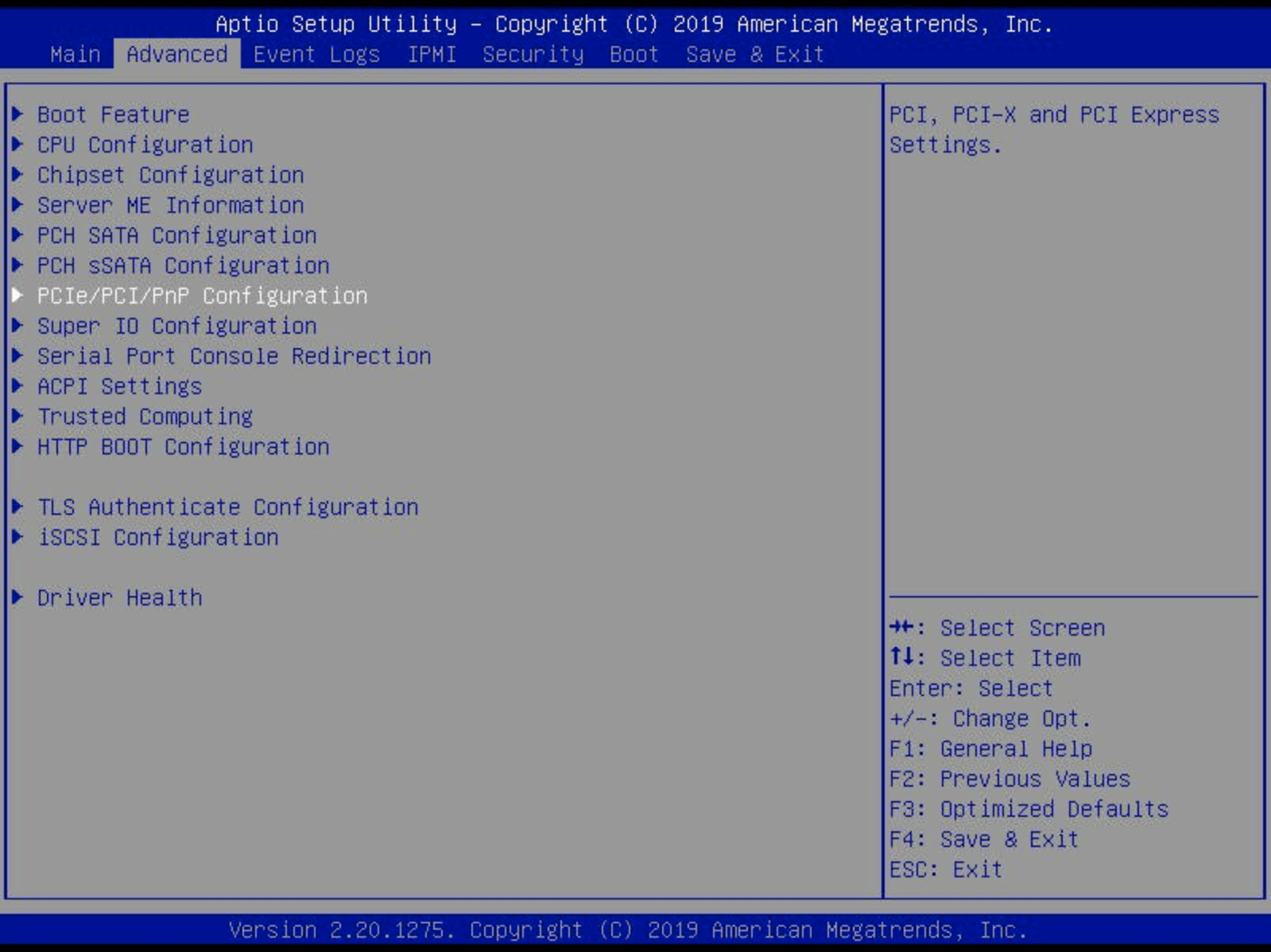


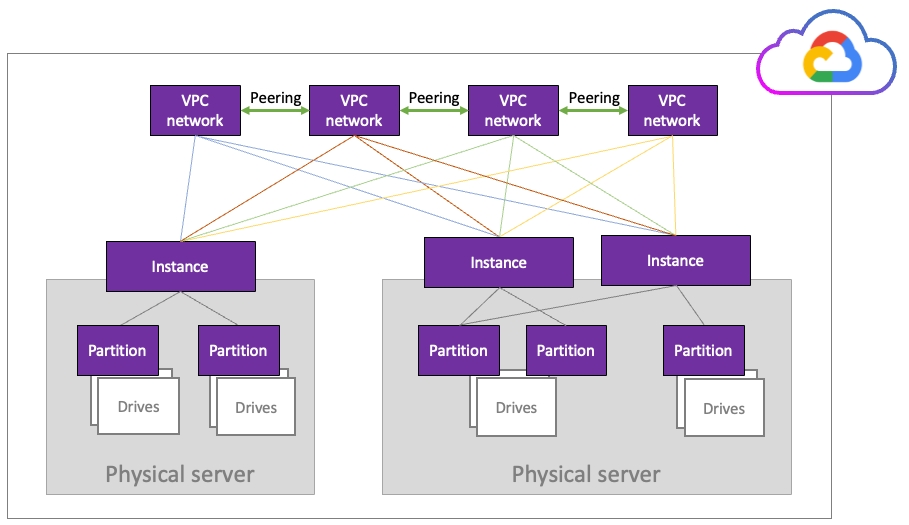
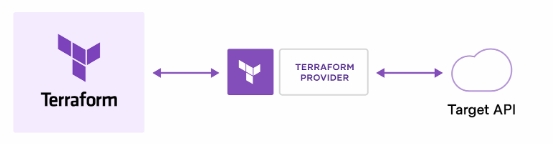
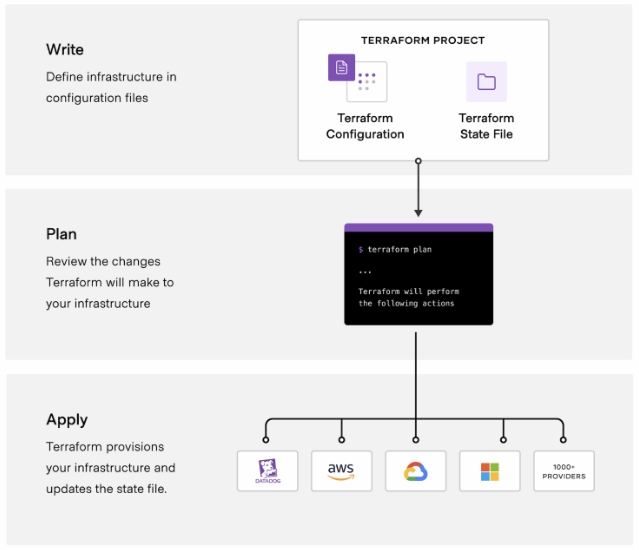
The Compute Engine and Workflows API services must be enabled to allow the following services:
The user running the Terraform module requires the following roles to run the terraform apply:
ec2:CreateNetworkInterface
ec2:ModifyNetworkInterfaceAttribute
ec2:DeleteNetworkInterface
s3:ListBucketProperty
Description
role
Either backend or client.
See the Deployment Types section.
instance_type
One of the supported instance types, according to the role and supported instances.
See the Supported EC2 Instance Types section.
count
The number of instances of this type to include in the template.
ami_id
When role is client, it is possible to specify a custom AMI-ID.
For details, see the Custom Client AMI section.
net
Either dedicated or shared, in client role only.
For details, see the Dedicated vs. shared client networking section.
artifactregistry.googleapis.com
cloudbuild.googleapis.com
cloudfunctions.googleapis.com
cloudresourcemanager.googleapis.com
cloudscheduler.googleapis.com
compute.googleapis.com
dns.googleapis.com
eventarc.googleapis.com
iam.googleapis.com
secretmanager.googleapis.com
servicenetworking.googleapis.com
serviceusage.googleapis.com
vpcaccess.googleapis.com
workflows.googleapis.comroles/cloudfunctions.admin
roles/cloudscheduler.admin
roles/compute.admin
roles/compute.networkAdmin
roles/compute.serviceAgent
roles/dns.admin
roles/iam.serviceAccountAdmin
roles/iam.serviceAccountUser
roles/pubsub.editor
roles/resourcemanager.projectIamAdmin
roles/secretmanager.admin
roles/servicenetworking.networksAdmin
roles/storage.admin
roles/vpcaccess.admin
roles/workflows.adminsmb_protocol_gateways_number = 3
smb_protocol_gateway_instance_type = "c2-standard-8"
smbw_enabled = true
smb_domain_name = "CUSTOMER_DOMAIN"
smb_share_name = "SPECIFY_SMB_SHARE_NAMING"
smb_setup_protocol = truenfs_protocol_gateways_number = 2
nfs_protocol_gateway_instance_type = "c2-standard-8"
nfs_setup_protocol = trueclients_number = 2
client_instance_type = "c2-standard-8"roles/cloudfunctions.developer
roles/compute.serviceAgent
roles/compute.loadBalancerServiceUser
roles/pubsub.subscriber
roles/secretmanager.secretAccessor
roles/vpcaccess.serviceAgent
roles/workflows.invokerroles/compute.networkAdmin
roles/servicenetworking.networksAdmin
roles/cloudbuild.workerPoolOwnerroles/storage.adminroles/storage.objectAdmincurl -m 70 -X POST ${google_cloudfunctions_function.terminate_cluster_function.https_trigger_url} \
-H "Authorization:bearer $(gcloud auth print-identity-token)" \
-H "Content-Type:application/json" \
-d '{"name":"Cluster_Name"}'$ curl https://<token>@get.weka.io/dist/v1/release
{
"num_results" : 8,
"page" : 1,
"page_size" : 50,
"num_pages" : 1,
"objects" : [
{
"id" : "3.6.1",
"public" : true,
"final" : true,
"trunk_id" : "",
"s3_path" : "releases/3.6.1"
.
.
.
},
...
]
}$ spec='
{
"cluster": [
{
"role": "backend",
"instance_type": "i3en.2xlarge",
"count": 10
},
{
"role": "client",
"instance_type": "r3.xlarge",
"count": 2
}
]
}
'
$ curl -X POST -H 'Content-Type: application/json' -d "$spec" https://<token>@get.weka.io/dist/v1/aws/cfn/3.6.1
{
"url" : "https://wekaio-cfn-templates-prod.s3.amazonaws.com/cjibjp7ps000001o9pncqywv6.json",
"quick_create_stack" : {
"ap-southeast-2" : "...",
...
}
}$ spec='...' # same as above
$ curl -X POST -H 'Content-Type: application/json' -d "$spec" https://<token>@get.weka.io/dist/v1/aws/cfn/3.6.1?type=template
{"AWSTemplateFormatVersion": "2010-09-09", ...Command: weka fs
Use this command to view information on the filesystems in the WEKA system.
Command: weka fs create
Use the following command line to create a filesystem:
weka fs create <name> <group-name> <total-capacity> [--ssd-capacity <ssd-capacity>] [--thin-provision-min-ssd <thin-provision-min-ssd>] [--thin-provision-max-ssd <thin-provision-max-ssd>] [--encrypted] [--obs-name <obs-name>] [--auth-required <auth-required>] [--data-reduction]
Parameters
name*
Descriptive label for the filesystem, limited to 32 characters and excluding slashes (/) or backslashes (\).
group-name*
Name of the filesystem group to which the new filesystem is to be connected.
total-capacity*
Total capacity of the new filesystem. Minimum value: 1GiB.
To create a new filesystem, the SSD space for the filesystem must be free and unprovisioned. When using thin-provisioned filesystems, that might not be the case. SSD space can be occupied for the thin-provisioned portion of other filesystems. Even if those are tiered, and data can be released (to object-store) or deleted, the SSD space can still get filled when data keeps being written or promoted from the object-store.
To create a new filesystem, in this case, use the weka fs reserve CLI command. Once enough space is cleared from the SSD (either by releasing to object-store or explicitly deleting data), it is possible to create the new filesystem using the reserved space.
Command: weka fs update
Use the following command line to edit an existing filesystem:
weka fs update <name> [--new-name=<new-name>] [--total-capacity=<total-capacity>] [--ssd-capacity=<ssd-capacity>] [--thin-provision-min-ssd <thin-provision-min-ssd>] [--thin-provision-max-ssd <thin-provision-max-ssd>] [--max-files=<max-files>] [--auth-required=<auth-required>]
Parameters
name*
Name of the filesystem to edit.
new-name
New name for the filesystem.
total-capacity
Total capacity of the edited filesystem.
ssd-capacity
SSD capacity of the edited filesystem. Minimum value: 1GiB.
thin-provision-min-ssd
For filesystems, this is the minimum SSD capacity that is ensured to be always available to this filesystem. Minimum value: 1GiB.
Command: weka fs delete
Use the following command line to delete a filesystem:
weka fs delete <name> [--purge-from-obs]
Parameters
name*
Name of the filesystem to delete.
purge-from-obs
For a tiered filesystem, if set, all filesystem data is deleted from the object store bucket.
False
Using purge-from-obs removes all data from the object-store. This includes any backup data or snapshots created from this filesystem (if this filesystem has been downloaded from a snapshot of a different filesystem, it will leave the original snapshot data intact).
If any of the removed snapshots have been (or are) downloaded and used by a different filesystem, that filesystem will stop functioning correctly, data might be unavailable and errors might occur when accessing the data.
It is possible to either un-tier or migrate such a filesystem to a different object store bucket before deleting the snapshots it has downloaded.
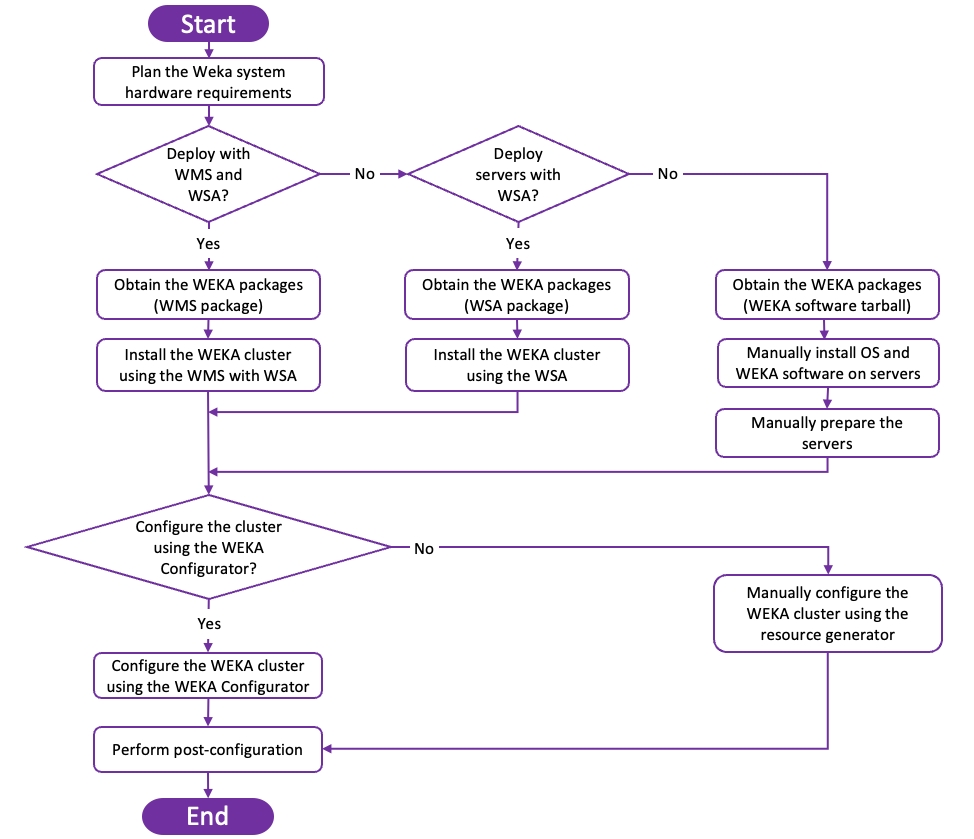
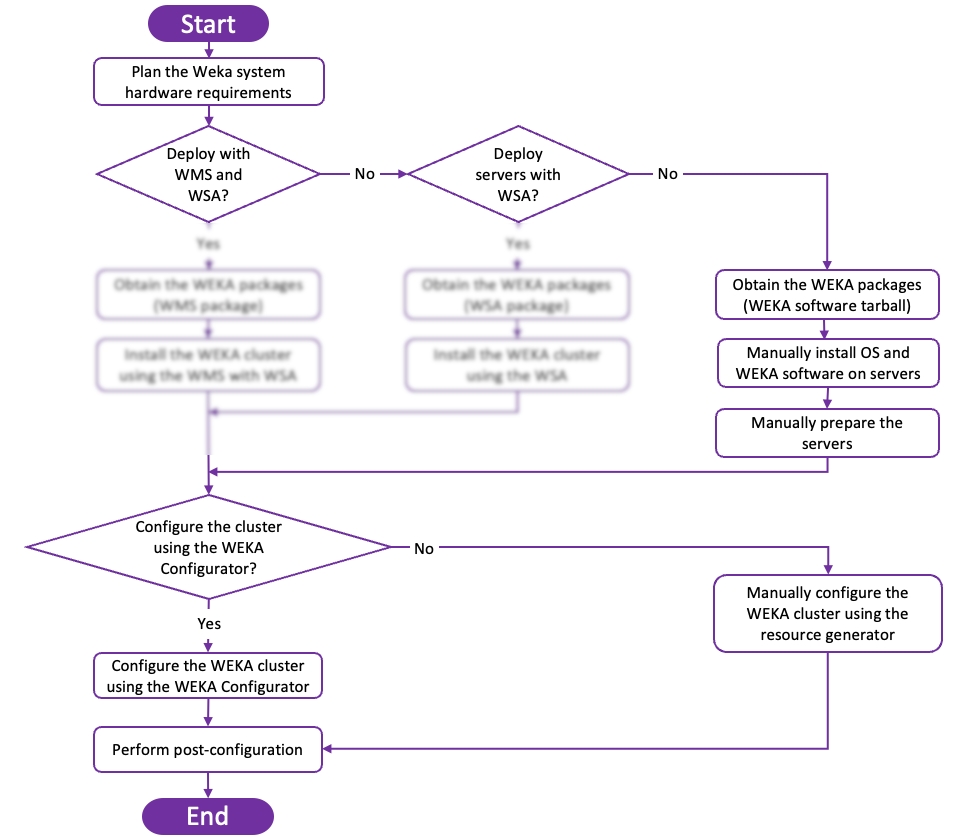
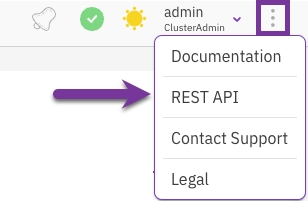
This page presents working with the WEKA Self-Service Portal when installing the WEKA system in AWS.
The WEKA Self-Service Portal is a planning tool for WEKA clusters to meet storage requirements when installing in AWS.
It is possible to start by just entering the capacity required, configuring advanced parameters such as required performance and even provision of a multi-AZ cluster for added reliability.
Each configuration can be immediately deployed as a CloudFormation stack by redirecting to the AWS console.
Once the cluster is deployed:
Refer to Getting Started with WEKA section. See or .
Refer to to quickly get familiar with creating, mounting, and writing to a WEKA filesystem.
The Self-Service Portal is available at . Its main screen is divided into two panes: the left pane, which is used for input requirements, and the right pane which displays possible configurations for the defined requirements.
As shown in the screen above, configuration options include the total capacity, the desired deployment model, and additional performance requirements. For more information about deployment types, refer to .
Once the configuration to be deployed has been found, click the Deploy to AWS button next to the desired configuration. At this point, it is possible to specify additional options for the deployment, such as adding client instances or selecting the WEKA system version to be deployed.
Once everything is ready to deploy the cluster, click the Deploy to AWS button. This will display the AWS CloudFormation screen with a template containing the configured cluster.
After clicking the Deploy to AWS button, the AWS CloudFormation screen is displayed, requiring the creation of stacks.
In the Create Stack screen, define the parameters which are specific to your AWS account.
Define the parameters for WEKA cluster configuration:
Define the following optional parameters if tiering to S3 is desired:
Once all required parameters have been filled, make sure to check the "I acknowledge that AWS CloudFormation might create IAM resources” checkbox at the bottom and click the Create Stack button:
When deploying in a private network, without a NAT (using a WEKA proxy or a custom proxy), some resources should be created (once) per VPC (such as the WEKA VPC endpoint, S3 gateway, or EC2 endpoint).
Copy the link under the Network Topology parameter, and run it in a new browser tab. The AWS CloudFormation screen is displayed, requiring the creation of the prerequisites stack.
In the Create Stack screen, define the parameters specific to your AWS account.
The cluster deployment process takes about 10 minutes. During this time, the following occurs:
The AWS resources required for the cluster are provisioned.
The WEKA system is installed on each instance provisioned for the cluster.
A cluster is created using all backend instances.
All client instances are created.
Once the deployment is complete, the CloudFormation stack status will be updated to CREATE_COMPLETE. At this point, it is possible to access the WEKA system cluster GUI by going to the Outputs tab of the CloudFormation stack and clicking the GUI link (or by http://<backend server name or IP address>:14000).
Related topics
The planning of a WEKA system is essential before the actual installation process. It involves the planning of the following:
Total SSD net capacity and performance requirements
SSD resources
Memory resources
CPU resources
Network
A WEKA system cluster runs on a group of servers with local SSDs. To plan these servers, the following information must be clarified and defined:
Capacity: Plan your net SSD capacity. The data management to object stores can be added after the installation. In the context of the planning stage, only the SSD capacity is required.
Redundancy scheme: Define the optimal redundancy scheme required for the WEKA system, as explained in .
Failure domains: Determine whether to use failure domains (optional), and if yes, determine the number of failure domains and the potential number of servers in each failure domain, as described in , and plan accordingly.
Once all this data is clarified, you can plan the SSD net storage capacity accordingly, as defined in the . Adhere to the following information, which is required during the installation process:
Cluster size (number of servers).
SSD capacity for each server, for example, 12 servers with a capacity of 6 TB each.
Planned protection scheme, for example, 6+2.
Planned failure domains (optional).
SSD resource planning involves how the defined capacity is implemented for the SSDs. For each server, the following has to be determined:
The number of SSDs and capacity for each SSD (where the multiplication of the two should satisfy the required capacity per server).
The selected technology, NVME, SAS, or SATA, and the specific SSD models have implications on SSD endurance and performance.
The total per server memory requirements is the sum of the following requirements:
Contact the Customer Success Team to explore options for configurations requiring more than 384 GB of memory per server.
A system with 16 servers with the following details:
Number of Frontend processes: 1
Number of Compute processes: 13
Number of Drive processes: 6
Total raw capacity: 983,000 GB
Calculations:
Fixed: 2.8 GB
Frontend processes: 1 x 2.2 = 2.2 GB
Compute processes: 13 x 3.9 = 50.7 GB
Drive processes: 6 x 2 = 12 GB
Total memory requirement per server= 2.8 + 2.2 + 50.7 + 12 + 90.7 + 16 + 2 + 1.9 = ~178.3 GB
For the same system as in example 1, but with smaller files, the required memory for metadata would be larger.
For an average file size of 64 KB, the number of files is potentially up to:
~12 billion files for all servers.
~980 million files per server.
Required memory for metadata: 20 Bytes x 980 million files x 1 unit = ~19.6 GB
Total memory requirement per server = 2.8 + 2.2 + 50.7 + 12 + 90.7 + 16 + 2 + 19.6 = ~196 GB
The WEKA software on a client requires 5 GB minimum additional memory.
The WEKA system implements a Non-Uniform Memory Access (NUMA) aware CPU allocation strategy to maximize the overall performance of the system. The cores allocation uses all NUMAs equally to balance memory usage from all NUMAs.
Consider the following regarding the CPU allocation strategy:
The code allocates CPU resources by assigning individual cores to tasks in a cgroup.
Cores in a cgroup are not available to run any other user processes.
On systems with Intel hyper-threading enabled, the corresponding sibling cores are placed into a cgroup along with the physical ones.
Plan the number of physical cores dedicated to the WEKA software according to the following guidelines and limitations:
Dedicate at least one physical core to the operating system; the rest can be allocated to the WEKA software.
Generally, it is recommended to allocate as many cores as possible to the WEKA system.
A backend server can have as many cores as possible. However, a container within a backend server can have a maximum of 19 physical cores.
On the client side, the WEKA software consumes a single physical core by default. The WEKA software consumes two logical cores if the client is configured with hyper-threading.
If the client networking is defined as UDP, dedicated CPU core resources are not allocated to WEKA. Instead, the operating system allocates CPU resources to the WEKA processes like any other.
WEKA backend servers support connections to both InfiniBand and Ethernet networks, using (NICs). When deploying backend servers, ensure that all servers in the WEKA system are connected using the same network technology for each type of network.
InfiniBand connections are prioritized over Ethernet links for data traffic. Both network types must be operational to ensure system availability, so consider adding redundant ports for each network type.
Clients can connect to the WEKA system over either InfiniBand or Ethernet.
A network port can be dedicated exclusively to the WEKA system or shared between the WEKA system and other applications.
Clients can be configured with networking as described above to achieve the highest performance and lowest latency; however, this setup requires compatible hardware and dedicated CPU core resources. If compatible hardware is not available or a dedicated CPU core cannot be allocated to the WEKA system, client networking can instead be configured to use the kernel’s UDP service. This configuration results in reduced performance and increased latency.
(all paths)
The Snap-To-Object feature enables the committing of all the data of a specific snapshot to an object store.
Using the CLI, you can:
Command: weka fs snapshot upload
Use the following command line to upload an existing snapshot:
weka fs snapshot upload <file-system> <snapshot> [--site site]
Parameters
Command: weka fs download
Use the following command line to create (or recreate) a filesystem from an existing snapshot:
weka fs download <name> <group-name> <total-capacity> <ssd-capacity> <obs-bucket> <locator> [--additional-obs additional-obs] [--snapshot-name snapshot-name] [--access-point access-point]
When creating a filesystem from a snapshot, a background cluster task automatically prefetches its metadata, providing better latency for metadata queries.
Parameters
The locator can be a previously saved locator for disaster scenarios, or you can obtain the locator using the weka fs snapshot command on a system with a live filesystem with snapshots.
If you need to pause and resume the download process, use the command: weka cluster task pause / resume. To abort the download process, delete the downloaded filesystem directly. For details, see .
The workflow to manage the synchronous snapshots includes:
Upload snapshots using, for example, the snapshots scheduler. See .
Download the synchronous snapshot (described below).
Restore a specific snapshot to a filesystem. See .
Command: weka fs snapshot download
Use the following command line to download a synchronous snapshot. This command is only relevant for snapshots uploaded from a system of version 4.3 and later:
weka fs snapshot download <file-system> <locator>
Make sure to download synchronous snapshots in chronological order. Non-chronological snapshots are inefficient and are not synchronous.
If you need to download a snapshot earlier than the latest downloaded one, for example, when you need one of the daily synchronous snapshots after the weekly synchronous snapshot was downloaded, add the --allow-non-chronological flag to download it anyway.
Parameters
If you need to pause and resume the download process, use the command: weka cluster task pause / resume. To abort the download process, delete the downloaded snapshot directly. For details, see .
Related topics
When recovering a snapshot residing on a remote object store, it is required to define the object store bucket containing the snapshot as a local bucket.
A remote object store has restrictions over the download, and we want to use a different local object store due to the QoS reasons explained in .
To recover a snapshot residing on a remote object store, create a new filesystem from this snapshot as follows:
Add a new local object-store, using weka fs tier obs add CLI command.
Add a local object-store bucket, referring to the bucket containing the snapshot to recover, using weka fs tier s3 add.
Download the filesystem, using weka fs download.
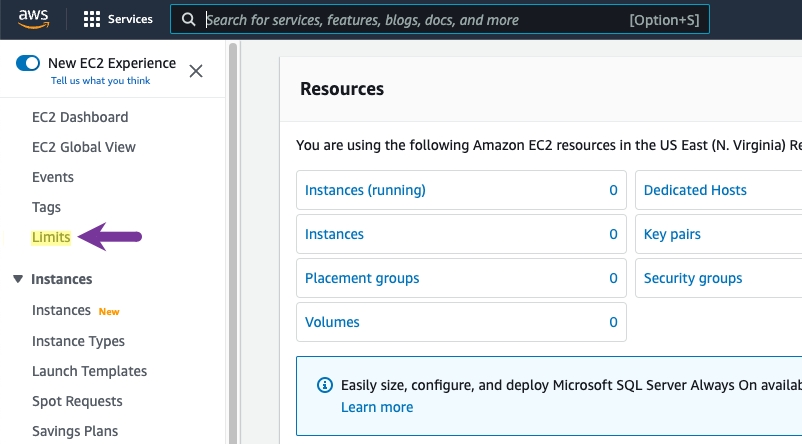
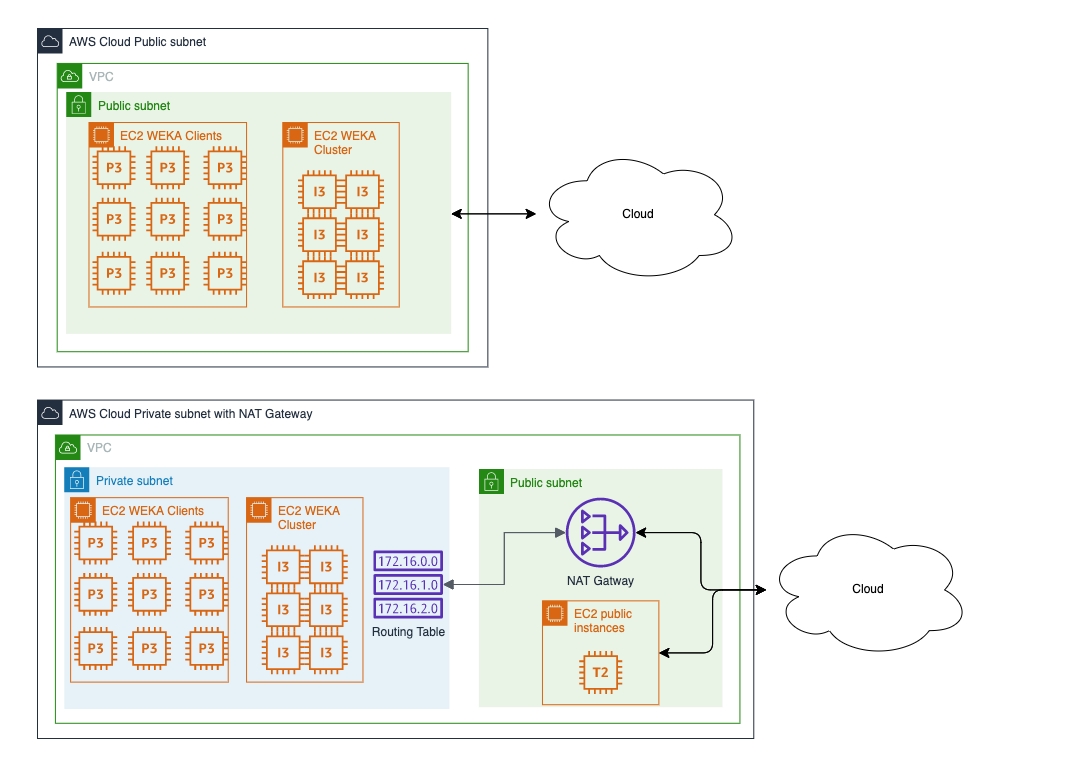
This page describes how to add clients to a bare-metal cluster.
Clients run applications that access the WEKA filesystem but do not contribute CPUs or drives to the cluster. They connect solely to use the filesystems.
By default, WEKA uses Cgroups to limit or isolate resources for its exclusive use, such as assigning specific CPUs.
Cgroups (Control Groups) is a Linux kernel feature that allows you to limit, prioritize, and isolate the resource usage (CPU, memory, disk I/O, network) of a collection of processes. It helps allocate resources among user-defined groups of tasks and manage their performance effectively.
Versions of Cgroups:
WEKA GUI application enables you to configure, administer, and monitor the WEKA system. This page provides an overview of the primary operations, access to the GUI, and system dashboard.
A step-by-step guide to setting up Google Kubernetes Engine (GKE) with WEKA on Google Cloud Platform (GCP), enhancing storage and scalability for demanding Kubernetes workloads.
Google Kubernetes Engine (GKE) is a managed Kubernetes service for deploying, managing, and scaling containerized applications. WEKA is a high-performance, scalable storage platform that integrates seamlessly with Kubernetes clusters to provide persistent storage for demanding containerized applications and workflows.
Combining GKE and WEKA results in an easily automated and managed Kubernetes environment, delivering best-in-class performance at scale.
The overview of the WEKA CLI includes top-level commands, command hierarchy, how to connect to another server, auto-completion, and how to check the status of the cluster.
This page describes how to manage snapshots using the CLI.
Using the CLI, you can:
ssd-capacity
For tiered filesystems, this is the SSD capacity. If not specified, the filesystem is pinned to SSD.
To set a thin provisioned filesystem, the thin-provision-min-ssd attribute must be used instead.
SSD capacity is set to total capacity
thin-provision-min-ssd
For thin-provisioned filesystems, this is the minimum SSD capacity that is ensured to be always available to this filesystem. Must be set when defining a thin-provisioned filesystem. Minimum value: 1GiB.
thin-provision-max-ssd
For thin-provisioned filesystem, this is the maximum SSD capacity the filesystem can consume.
The value cannot exceed the total-capacity.
encrypted
Encryption of filesystem.
No
obs-name*
Object store name for tiering. Mandatory for tiered filesystems.
auth-required
Determines if mounting the filesystem requires to be authenticated to WEKA (see User management).
No
data-reduction
Enable data reduction. The filesystem must be non-tired and thin-provisioned. A license with data reduction is required.
No
thin-provision-max-ssd
For thin-proviosined filesystem, this is the maximum SSD capacity the filesystem can consume.
The value must not exceed the total-capacity.
max-files
Metadata limit for the filesystem
auth-required
Determines if mounting the filesystem requires being authenticated to Weka (weka user login).
Possible values: yes or no.
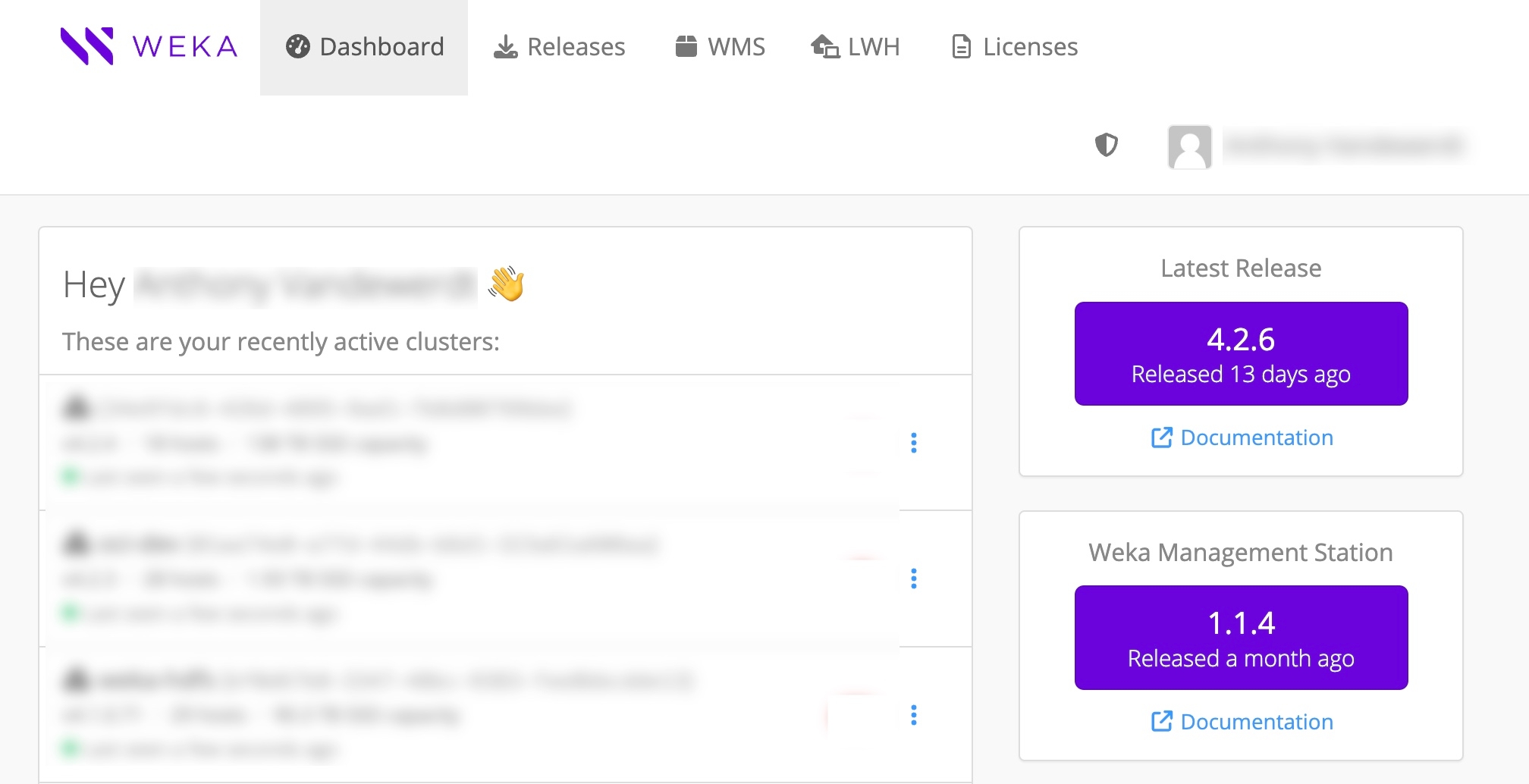
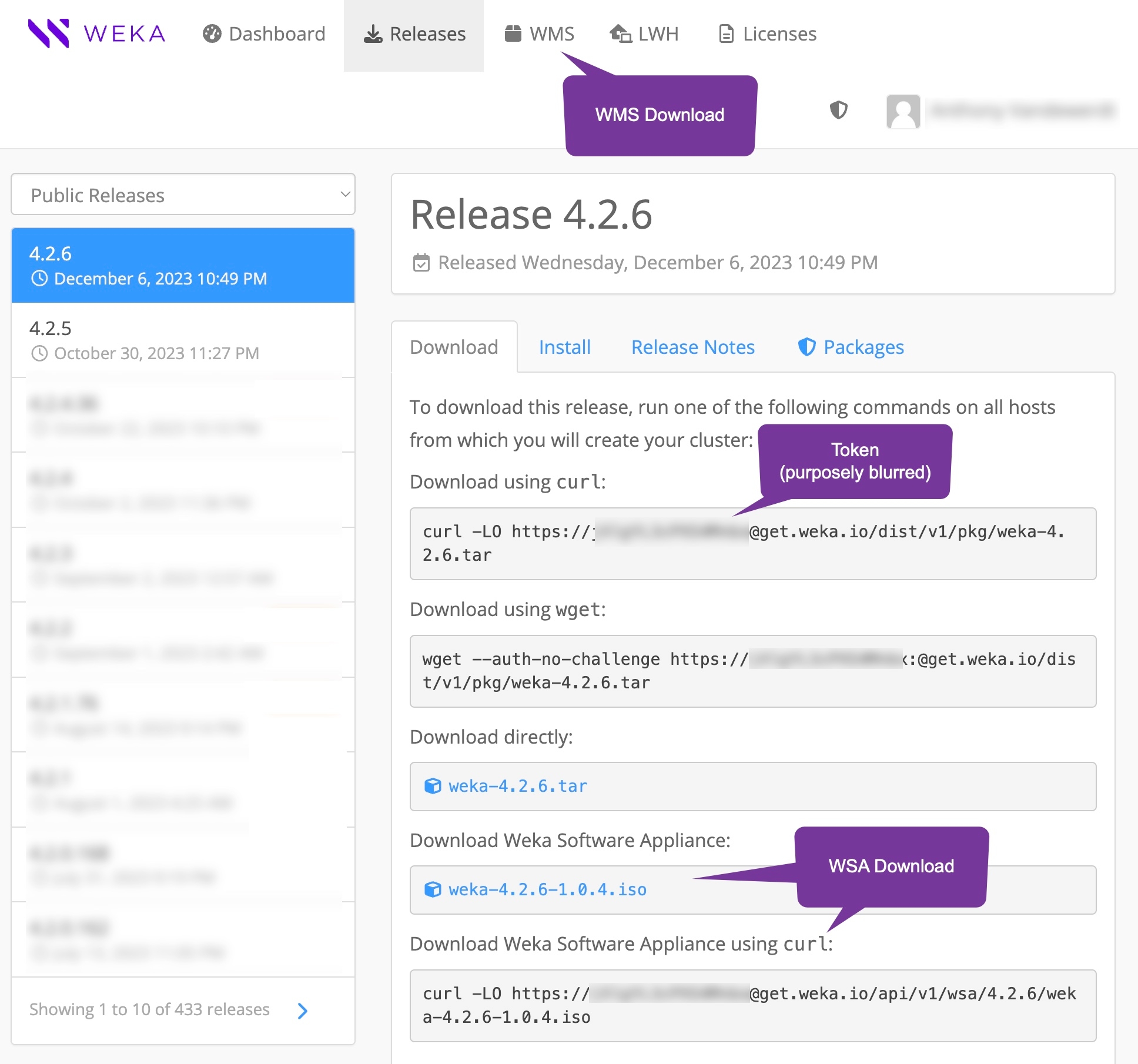
SSD capacity of the downloaded filesystem.
obs-bucket*
Object store name for tiering.
locator*
Object store locator obtained from a previously successful snapshot upload.
additional-obs
An additional object-store name.
If the data to recover reside in two object stores (a second object store attached to the filesystem, and the filesystem has not undergone full migration), this object store is attached in a read-only mode.
The snapshot locator must be in the primary object store specified in the obs parameter.
snapshot-name
The downloaded snapshot name.
The uploaded snapshot name.
access-point
The downloaded snapshot access point.
The uploaded access point.
If the recovered filesystem should also be tiered, add a local object store bucket for tiering using weka fs tier s3 add.
Detach the initial object store bucket from the filesystem.
Assuming you want a remote backup to this filesystem, attach a remote bucket to the filesystem.
Remove the local object store bucket and local object store created for this procedure.
file-system*
Name of the filesystem
snapshot*
Name of the snapshot of the <file-system> filesystem to upload.
site*
Location for the snapshot upload.
Mandatory only if both local and remote buckets are attached.
Possible values: local or remote
Auto-selected if only one bucket for upload is attached.
name*
Name of the filesystem to create.
group-name*
Name of the filesystem group in which the new filesystem is placed.
total-capacity*
The total capacity of the downloaded filesystem.
file-system*
Name of the filesystem.
locator*
Object store locator obtained from a previously successful snapshot upload.
ssd-capacity*
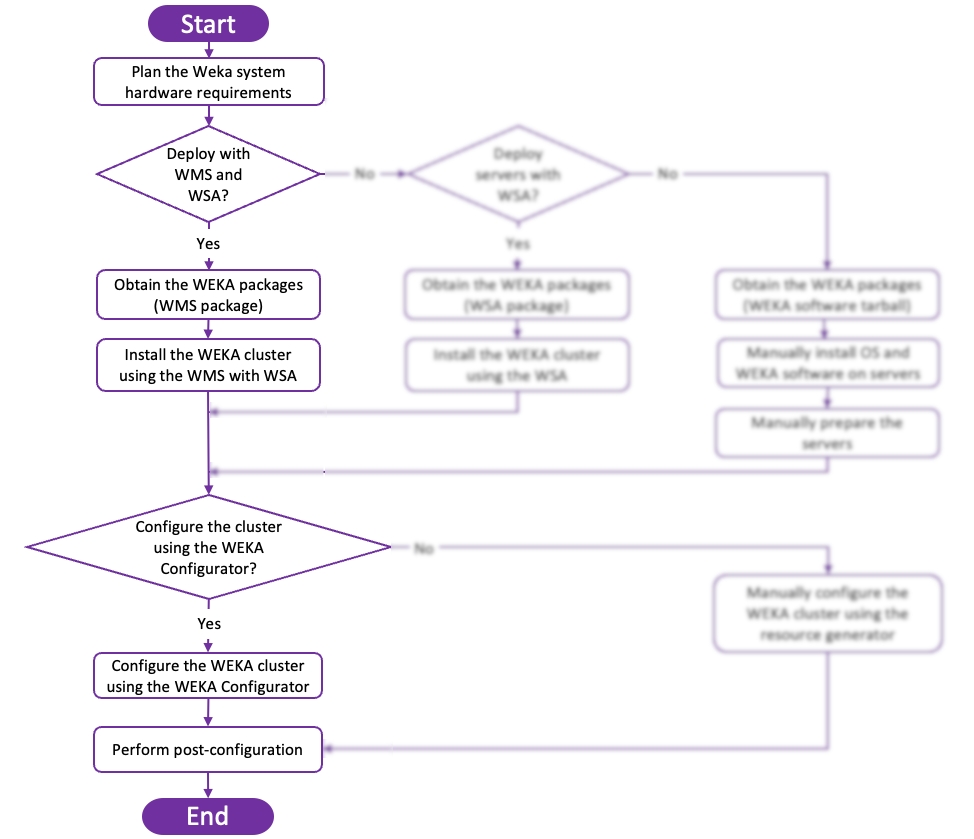
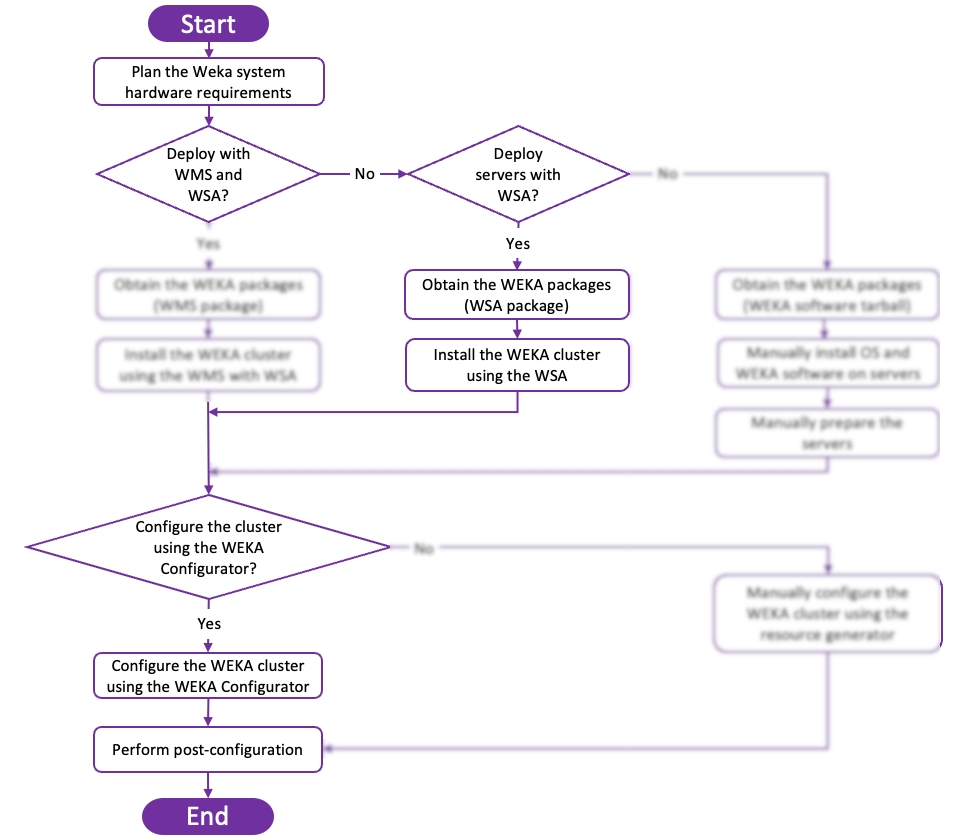
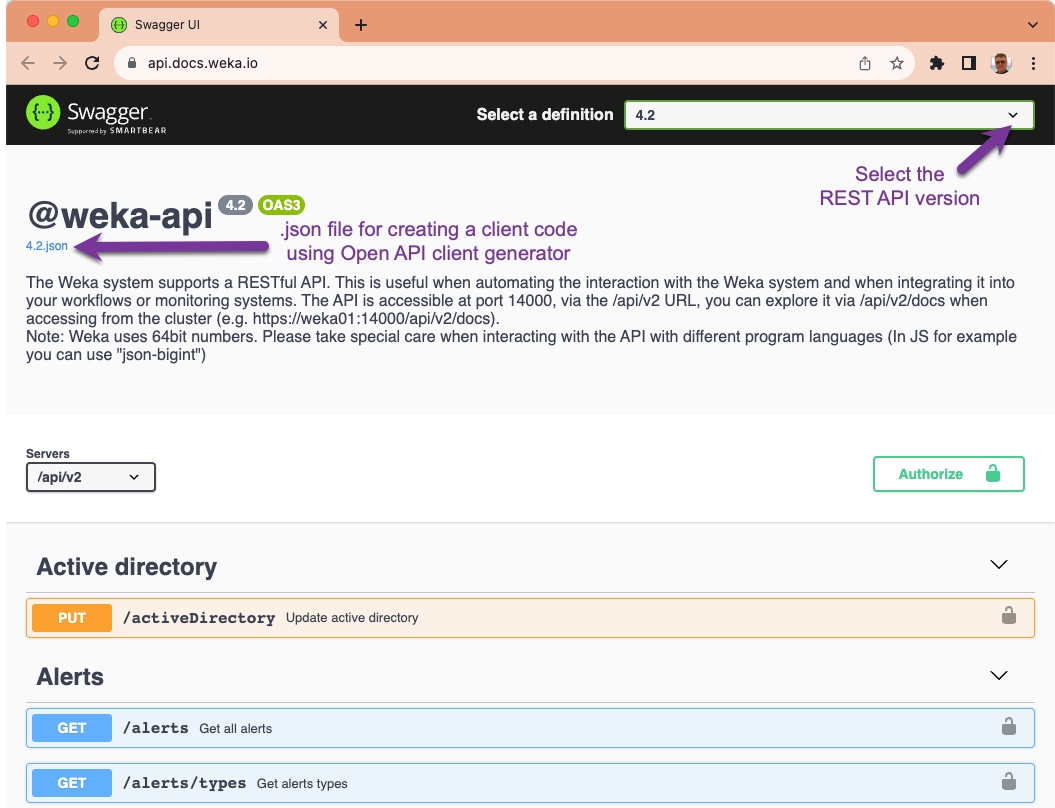
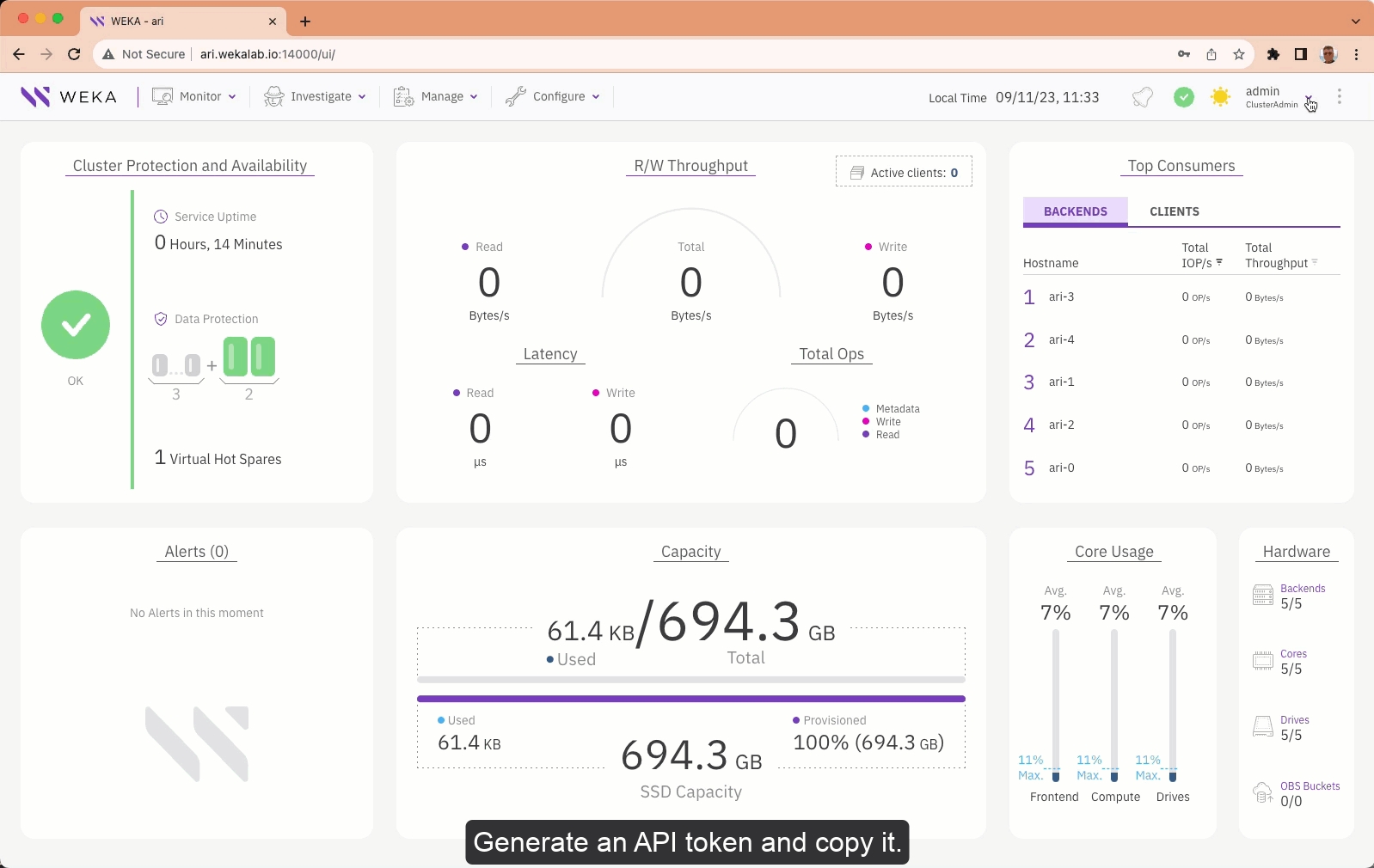
CgroupsV1: Uses multiple hierarchies for different resource controllers, offering fine-grained control but with increased complexity.
CgroupsV2: Combines all resource controllers into a single unified hierarchy, simplifying management and providing better resource isolation and a more consistent interface.
WEKA requirements:
Backends and clients serving protocols: Must run on an OS with CgroupsV1 support. CgroupsV2 is supported on backends and clients but is incompatible with protocol cluster deployments.
Cgroups mode compatibility: When setting up Cgroups on clients or backends, ensure that the Cgroups configuration (whether using CgroupsV1 or CgroupsV2) aligns with the operating system's capabilities and configuration.
The configuration of Cgroups depends on the installed operating system, and it is important that the cluster server settings match the OS configuration to ensure proper resource management and compatibility.
Customers using a supported OS with CgroupsV2 or wanting to modify the Cgroups usage can set the cgroups usage during the agent installation or by editing the service configuration file. The specified mode must match the existing Cgroups configuration in the OS.
The Cgroups setting includes the following modes:
auto: WEKA tries using CgroupsV1 (default). If it fails, the Cgroups is set to none automatically.
force: WEKA uses CgroupsV1. If the OS does not support it, WEKA fails.
force_v2: WEKA uses CgroupsV2. If the OS does not support it, WEKA fails. This mode is not supported in protocol cluster deployments.
none: WEKA never uses Cgroups, even if it runs on an OS with CgroupsV1.
In the installation command line, specify the required Cgroups mode (WEKA_CGROUPS_MODE).
Example:
You can set the Cgroups mode in the service configuration file for clients and backends.
Open the service configuration file /etc/wekaio/service.conf and add one of the following:
cgroups_mode=auto
cgroups_mode=force
cgroups_mode=force_v2
cgroups_mode=none
Restart the WEKA agent service.
Restart the containers to apply the Cgroups settings:
Run weka local restart to restart all containers, or specify a container, for example, weka local restart client for the client container. If WEKA is mounted, unmount it before restarting.
Verify the Cgroups settings by running the weka local status command.
Example:
To use the WEKA filesystems from a client, just call the mount command. The mount command automatically installs the software version, and there is no need to join the client to the cluster.
To mount a filesystem in this method, first, install the WEKA agent from one of the backend instances and then mount the filesystem.
Example:
For the first mount, this installs the WEKA software and automatically configures the client. For more information on mount and configuration options, refer to Mount a filesystem using the stateless clients feature.
Configuring the client OS to mount the filesystem at boot time automatically is possible. For more information, refer to Mount a filesystem using the traditional method or Mount filesystems using autofs.
Install the WEKA software.
Once the WEKA software tarball is downloaded from get.weka.io, run the untar command.
Run the install.sh command on each server, according to the instructions in the Install tab.
Command: weka cluster container add
Once the client is in the stem mode (this is the mode defined immediately after running the install.sh command), use the following command line on the client to add it to the cluster:
Parameters in the command line
backend-hostname*
An existing hostname (IP or FQDN) of one of the existing backend instances in the cluster.
client-hostname*
A unique hostname (IP or FQDN) of the client to add.
Command: weka cluster container cores
To configure the new container as a client, run the following command:
Parameters in the command line
Name
Value
container-id*
A valid identifier of the container to add to the cluster.
cores*
The number of physical cores to allocate to the WEKA client.
frontend-dedicated-cores*
The number of physical cores to be dedicated to frontend processes.
Mandatory to configure a container as a client.
Maximum 19 cores.
For clients, the number of total cores and frontend-dedicated-cores must be equal.
Command: weka cluster container net add
If a high-performance client is required and the appropriate network NIC is available, use the following command to configure the networking interface used by the client to communicate with the WEKA cluster:
Parameters
container-id*
A valid identifier of the container to add to the cluster.
device*
A valid network interface device name (for example, eth1).
ips*
A valid IP address of the new interface.
gateway
The IP address of the default routing gateway.
The gateway must reside within the same IP network of ips (as described by netmask).
Not relevant for IB / L2 non-routable networks.
netmask
The number of bits that identify a network ID (also known as CIDR). For example, the netmask of 255.255.0.0 has 16 netmask bits.
Command: weka cluster container apply
After successfully configuring the container and its network device, run the following command to finalize the configuration by activating the container:
Parameters
container-id*
A comma-separated string of valid identifiers of the containers to add to the cluster.
force
A boolean indicates not to prompt for confirmation. The default is not to force a prompt.
curl http://Backend-1:14000/dist/v1/install | WEKA_CGROUPS_MODE=none sh[root@weka-cluster] #weka local status
Weka v4.2.0 (CLI build 4.2.0)
Cgroups: mode=auto, enabled=true
Containers: 1/1 running (1 weka)
Nodes: 2/2 running (2 READY)
Mounts: 1# Agent Installation (one time)
curl http://Backend-1:14000/dist/v1/install | sh
# Creating a mount point (one time)
mkdir -p /mnt/weka
# Mounting a filesystem
mount -t wekafs -o net=eth0 backend-1/my_fs /mnt/wekaweka -H <backend-hostname> cluster container add <client-hostname>weka cluster container cores <container-id> <cores> --frontend-dedicated-cores=<frontend-dedicated-cores>weka cluster container net add <container-id> <device> --ips=<ips> --netmask=<netmask> --gateway=<gateway>weka cluster container apply <container-id> [--force]weka agent
|install-agent
|update-containers **
|uninstall
|autocomplete
|install
|uninstall
|exportweka alerts
|types
|mute
|unmute
|describeweka audit **
|viewweka cloud
|status
|enable
|disable
|proxy
|update
|upload-rate
|status
|enable
|disable
|proxy
|upload-rateweka cluster
|create
|update
|process
|bucket
|failure-domain
|hot-spare
|start-io
|stop-io
|drive
|scan
|activate
|deactivate
|add
|remove
|mount-defaults
|set
|show
|reset
|servers
|list
|show
|container
|info-hw
|failure-domain
|dedicate
|bandwidth
|cores
|memory
|auto-remove-timeout
|management-ips
|resources
|restore
|apply
|activate
|deactivate
|clear-failure
|add
|remove
|net
|add
|remove
|default-net
|license
|task
|pause
|resume
|abort
|limits
|client-target-versionweka diags
|collect
|list
|rm
|uploadweka events
|list-local
|list-types
|trigger-eventweka fs
|create
|download
|update
|delete
|restore
|quota
|set
|set-default
|unset
|unset-default
|list
|list-default
|group
|create
|update
|delete
|snapshot
|create
|copy
|update
|access-point-naming-convention
|status
|update
|upload
|download
|delete
|tier
|location
|fetch
|release
|capacity
|s3
|add
|update
|delete
|attach
|detach
|snapshot
|list
|ops
|obs
|update
|reserve
|status
|set
|unsetweka interface-group **
|assignment
|update
|delete
|ip-range
|add
|delete
|port
|add
|deleteweka local
|install-agent
|diags
|events
|ps
|rm
|start
|stop
|restart
|status
|enable
|disable
|monitoring
|run
|reset-data
|resources
|import
|export
|restore
|apply
|cores
|base-port
|memory
|dedicate
|bandwidth
|management-ips
|join-ips
|failure-domain
|net
|add
|remove
|setup
|weka
|container
|upgradeweka nfs
|rules
|add
|delete
|client-group
|add
|delete
|permission
|add
|update
|delete
|interface-group
|add
|update
|delete
|ip-range
|add
|delete
|port
|add
|delete
|debug-level
|show
|set
|global-config
|set
|show
|kerberos **
|service
|setup
|show
|registration
|setup-ad
|setup-mit
|show
|reset
|ldap **
|setup-ad
|setup-openldap
|show
|resetweka org
|create
|rename
|set-quota
|deleteweka security
|kms
|set
|unset
|rewrap
|tls
|status
|download
|set
|unset
|lockout-config
|set
|reset
|show
|login-banner
|set
|reset
|enable
|disable
|show
|ca-cert
|set
|status
|download
|unset
|cors-trusted-sites
|list
|add
|remove
|remove-allweka smb
|cluster
|containers
|add
|remove
|wait
|update
|create
|debug
|destroy
|trusted-domains
|add
|remove
|status
|host-access
|list
|reset
|add
|remove
|share
|update
|lists
|show
|reset
|add
|remove
|add
|remove
|host-access
|list
|reset
|add
|remove
|domain
|join
|cluster
|share
|domain
|leave
|cluster
|share
|domainweka stats
|realtime
|list-types
|retention
|set
|status
|restore-defaultweka status
|rebuildweka user
|login
|logout
|whoami
|passwd
|change-role
|update
|add
|delete
|revoke-tokens
|generate-token
|ldap
|setup
|setup-ad
|update
|enable
|disable
|resetweka version
|get
|set
|unset
|current
|rm
|prepareweka s3
|cluster
|create
|update
|destroy
|status
|audit-webhook
|containers
|bucket
|create
|list
|destroy
|lifecycle-rule
|policy
|set
|unset
|get-json
|set-custom
|quota
|set
|unset
|policy
|list
|show
|add
|remove
|attach
|detach
|service-account
|list
|show
|add
|remove
|sts
|assume-role
|log-level
|getOnly choose to create an S3 Gateway if non already exist for the VPC
Ec2 Endpoint
Only choose to create an EC2 Endpoint if non already exist for the VPC
A filesystem is created using all the available capacity and is mounted on all client instances. This shared filesystem is mounted on /mnt/weka in each cluster instance.
Parameter
Description
Stack name
The name that will be given to the stack in CloudFormation. This name has to be unique in the account.
SSH Key
The SSH-key for the ec2-user that will be used to connect to the instances.
VPC
The VPC in which the WEKA cluster will be deployed.
Subnet
The subnet in which the WEKA cluster will be deployed.
Parameter
Description
Network Topology
Network topology of the environment:
Public Subnet
Private subnet with NAT internet routing
Private subnet using Weka VPC endpoint - requires to create a CloudFormation stack (once per VPC) that creates the required resources.
Private subnet using custom proxy - requires to create a CloudFormation stack (once per VPC) that creates the required resources.
Related topic:
Custom Proxy
A custom proxy for private network internet access. Only relevant when Private network using custom proxy is selected as the Network Topology parameter.
WekaVolumeType
Volume type for the WEKA partition. GP3 is not yet available in all zones/regions (e.g., not available in local zones). In such a case, you must select the GP2 volume type. When available, using GP3 is preferred.
API Token
The API token for WEKA's distribution site. This can be obtained at https://get.weka.io/ui/account/api-tokens.
Admin Password
Sets the admin password after the cluster has been created. If no value is provided, the password is set to admin.
Parameter
Description
New S3 Bucket
The new S3 bucket name to create and attach to the filesystem created by the template. The bucket will not be deleted when the stack is destroyed.
Existing S3 Bucket
The existing S3 bucket name to attach to the filesystem created by the template. The bucket has to be in the same region where the cluster is deployed. If this parameter is provided, the New S3 Bucket parameter is ignored.
Tiering SSD Percent
Sets how much of the filesystem capacity (in percent) should reside on SSD. This parameter is applicable only if New S3 Bucket or Existing S3 Bucket parameters have been defined.
Parameter
Description
Stack name
The name that will be given to the stack in CloudFormation. This name has to be unique in the account.
VPC
The VPC in which the prerequisites resources (and WEKA cluster) will be deployed.
Subnet
The subnet in which the prerequisites resources (and WEKA cluster) will be deployed.
RouteTable
Route table ID of the chosen subnet for S3 gateway creation.
Network Topology
Network topology of the environment:
Private subnet using Weka VPC endpoint
Private subnet using custom proxy
S3 Gateway
Hot spare: Define the required hot spare count described in Hot Spare.
Planned hot spare.
Operating System
The maximum between 8 GB and 2% from the total RAM
Additional protocols (NFS/SMB/S3)
16 GB
RDMA
2 GB
Metadata (pointers)
20 Bytes x # Metadata units per server See .
Dedicated Data Services container
If you intend to add a Data Services container for background tasks, it requires additional memory of 5.5 GB.
Total net capacity: 725,000 GB
NFS/SMB services
RDMA
Average file size: 1 MB (potentially up to 755 million files for all servers; ~47 million files per server)
Additional protocols = 16 GB
RDMA = 2 GB
Metadata: 20 Bytes x 47 million files x 2 units = ~1.9 GB
Allocate enough cores to support performance targets.
Generally, use 1 drive process per SSD for up to 6 SSDs and 1 drive process per 2 SSDs for more, with a ratio of 2 compute processes per drive process.
For finer tuning, please contact the Customer Success Team.
Allocate enough memory to match core allocation, as discussed above.
Running other applications on the same server (converged WEKA system deployment) is supported. For details, contact the Customer Success Team.
Fixed
2.8 GB
Frontend processes
2.2 GB x # of Frontend processes
Compute processes
3.9 GB x # of Compute processes
Drive processes
2 GB x # of Drive processes
SSD capacity management
(Total SSD Raw Capacity / Number of Servers / 2,000) + (Number of Cores x 3 GB)
Ethernet
The networking infrastructure dictates the choice between the two. If a WEKA cluster is connected to both infrastructures, it is possible to connect WEKA clients from both networks to the same cluster.
The WEKA system networking can be configured as performance-optimized or CPU-optimized. In performance-optimized networking, the CPU cores are dedicated to WEKA, and the networking uses DPDK. In CPU-optimized networking, the CPU cores are not dedicated to WEKA, and the networking uses DPDK (when supported by the NIC drivers) or in-kernel (UDP mode).
For performance-optimized networking, the WEKA system does not use standard kernel-based TCP/IP services but a proprietary infrastructure based on the following:
Use DPDK to map the network device in the user space and use it without any context switches and with zero-copy access. This bypassing of the kernel stack eliminates the consumption of kernel resources for networking operations. It applies to backends and clients and lets the WEKA system saturate network links (including, for example, 200 Gbps or 400 Gbps).
Implementing a proprietary WEKA protocol over UDP, i.e., the underlying network, may involve routing between subnets or any other networking infrastructure that supports UDP.
The use of DPDK delivers operations with extremely low latency and high throughput. Low latency is achieved by bypassing the kernel and sending and receiving packages directly from the NIC. High throughput is achieved because multiple cores in the same server can work in parallel without a common bottleneck.
Before proceeding, it is important to understand several key terms used in this section, namely DPDK and SR-IOV.
Data Plane Development Kit (DPDK) is a set of libraries and network drivers for highly efficient, low-latency packet processing. This is achieved through several techniques, such as kernel TCP/IP bypass, NUMA locality, multi-core processing, and device access via polling to eliminate the performance overhead of interrupt processing. In addition, DPDK ensures transmission reliability, handles retransmission, and controls congestion.
DPDK implementations are available from several sources. OS vendors like Red Hat and Ubuntu provide DPDK implementations through distribution channels. Mellanox OpenFabrics Enterprise Distribution for Linux (Mellanox OFED), a suite of libraries, tools, and drivers supporting Mellanox NICs, offers its own DPDK implementation.
The WEKA system relies on the DPDK implementation provided by Mellanox OFED on servers equipped with Mellanox NICs. For servers equipped with Intel NICs, DPDK support is through the Intel driver for the card.
Single Root I/O Virtualization (SR-IOV) extends the PCI Express (PCIe) specification that enables PCIe virtualization. It allows a PCIe device, such as a network adapter, to appear as multiple PCIe devices or functions.
There are two function categories:
Physical Function (PF): PF is a full-fledged PCIe function that can also be configured.
Virtual Function (VF): VF is a virtualized instance of the same PCIe device created by sending appropriate commands to the device PF.
Typically, there are many VFs, but only one PF per physical PCIe device. Once a new VF is created, it can be mapped by an object such as a virtual machine, container, or, in the WEKA system, by a 'compute' process.
To take advantage of SR-IOV technology, the software and hardware must be supported. The Linux kernel provides SR-IOV software support. The computer BIOS and the network adapter provide hardware support (by default, SR-IOV is disabled and must be enabled before installing WEKA).
For CPU-optimized networking, WEKA can yield CPU resources to other applications. That is useful when the extra CPU cores are needed for other purposes. However, the lack of CPU resources dedicated to the WEKA system comes with the expense of reduced overall performance.
For CPU-optimized networking, when mounting filesystems using stateless clients, it is possible to use DPDK networking without dedicating cores. This mode is recommended when available and supported by the NIC drivers. The DPDK networking uses RX interrupts instead of dedicating the cores in this mode.
WEKA can also use in-kernel processing and UDP as the transport protocol. This operation mode is commonly referred to as UDP mode.
UDP mode is compatible with older platforms that lack support for kernel offloading technologies (DPDK) or virtualization (SR-IOV) due to its use of in-kernel processing. This includes legacy hardware, such as the Mellanox CX3 family of NICs.
In a typical WEKA system configuration, the WEKA backend servers access the network function in two different methods:
Standard TCP/UDP network for management and control operations.
High-performance network for data-path traffic.
The high-performance network used to connect all the backend servers must be DPDK-based. This internal WEKA network also requires a separate IP address space. For details, see Network planning and Configure the networking.
The WEKA system maintains a separate ARP database for its IP addresses and virtual functions and does not use the kernel or operating system ARP services.
While WEKA backend servers must include DPDK and SR-IOV, WEKA clients in application servers have the flexibility to use either DPDK or UDP modes. DPDK mode is the preferred choice for newer, high-performing platforms that support it. UDP mode is available for clients without SR-IOV or DPDK support or when there is no need for low-latency and high-throughput I/O.
DPDK backends and clients using NICs supporting shared networking:
Require one IP address per client for both management and data plane.
SR-IOV enabled is not required.
DPDK backends and clients using NICs supporting dedicated networking:
IP address for management: One per NIC (configured before WEKA installation).
IP address for data plane: One per in each server (applied during cluster initialization).
(VFs):
UDP clients:
Use a shared networking IP address for all purposes.
To support HA, the WEKA system must be configured with no single component representing a single point of failure. Multiple switches are required, and servers must have one leg on each.
HA for servers is achieved either through implementing two network interfaces on the same server or by LACP (ethernet only, mode 4). A non-LACP approach sets a redundancy that enables the WEKA software to use two interfaces for HA and bandwidth.
HA performs failover and failback for reliability and load balancing on both interfaces and is operational for Ethernet and InfiniBand. Not using LACP requires doubling the number of IPs on both the backend containers and the IO processes.
When working with HA networking, labeling the system to send data between servers through the same switch is helpful rather than using the ISL or other paths in the fabric. This can reduce the overall traffic in the network. To label the system for identifying the switch and network port, use the label parameter in the weka cluster container net add command.
GPUDirect Storage establishes a direct data path between storage and GPU memory, bypassing unnecessary data copies through the CPU's memory. This approach allows a Direct Memory Access (DMA) engine near the NIC or storage to transfer data directly to or from GPU memory without involving the CPU or GPU.
When RDMA and GPUDirect Storage are enabled, the WEKA system automatically uses the RDMA data path and GPUDirect Storage in supported environments. The system dynamically detects when RDMA is available, both in UDP and DPDK modes, and applies it to workloads that can benefit from RDMA (typically for I/O sizes of 32KB or larger for reads and 256KB or larger for writes).
By leveraging RDMA and GPUDirect Storage, you can achieve enhanced performance. A UDP client, which doesn't require dedicating a core to the WEKA system, can deliver significantly higher performance. Additionally, a DPDK client can experience an extra performance boost, or you can assign fewer cores to the WEKA system while maintaining the same level of performance in DPDK mode.
To enable RDMA and GPUDirect Storage technology, ensure the following requirements are met:
Cluster requirements
RDMA networking: All servers in the cluster must support RDMA networking.
Client requirements
GPUDirect Storage: The InfiniBand (IB) interfaces added to the NVIDIA GPUDirect configuration must support RDMA.
RDMA: All InfiniBand Host Channel Adapters (HCAs) used by WEKA must support RDMA networking.
Encrypted filesystems
RDMA and GPUDirect Storage are not utilized for encrypted filesystems. In these cases, the system reverts to standard I/O operations without RDMA or GPUDirect Storage.
HCA requirements for RDMA networking An HCA is considered to support RDMA networking if the following conditions are met:
For GPUDirect Storage: The network must be InfiniBand. While using an Ethernet network may be possible, this configuration is not supported.
NIC compatibility: The Network Interface Card (NIC) must support RDMA. Ensure the appropriate OFED version is installed. For more information, see .
GPUDirect Storage: Install the OFED with the --upstream-libs and --dpdk options.
Kernel bypass: GPUDirect Storage bypasses the kernel and does not use the page cache. However, standard RDMA clients still use the page cache.
Mixed networking clusters: RDMA and GPUDirect Storage are not supported in clusters using a mix of InfiniBand and Ethernet networking.
To verify if RDMA is used, run the weka cluster processes command.
Example:
I3en
i3en.2xlarge, i3en.3xlarge, i3en.6xlarge, i3en.12xlarge, i3en.24xlarge
The following EC2 instance models can operate as client instances. The default EC2 instance model for clients is c5.2xlarge.
M5
m5.xlarge, m5.2xlarge, m5.4xlarge, m5.8xlarge, m5.12xlarge, m5.16xlarge, m5.24xlarge
M5n
m5n.xlarge, m5n.2xlarge, m5n.4xlarge, m5n.8xlarge, m5n.12xlarge, m5n.16xlarge, m5n.24xlarge, m5dn.xlarge, m5dn.2xlarge, m5dn.4xlarge, m5dn.8xlarge, m5dn.12xlarge, m5dn.16xlarge, m5dn.24xlarge
M6a
m6a.xlarge, m6a.2xlarge, m6a.4xlarge, m6a.8xlarge, m6a.12xlarge, m6a.16xlarge, m6a24xlarge, m6a.32xlarge, m6a.48xlarge
M6g
m6g.xlarge, m6g.2xlarge, m6g.4xlarge, m6g.8xlarge, m6g.12xlarge, m6g.16xlarge
M6gd
m6gd.xlarge, m6gd.2xlarge, m6gd.4xlarge, m6gd.8xlarge, 1m6gd.2xlarge, m6gd.16xlarge
C5
c5.2xlarge, c5.4xlarge, c5.9xlarge, c5.12xlarge, c5.18xlarge, c5.24xlarge
C5a
c5a.2xlarge , c5a.4xlarge, c5a.8xlarge, c5a.12xlarge, c5a.16xlarge, c5a.24xlarge
C5ad
c5ad.2xlarge , c5ad.4xlarge, c5ad.8xlarge, c5ad.12xlarge, c5ad.16xlarge, c5ad.24xlarge
C5n
c5n.2xlarge, c5n.4xlarge, c5n.9xlarge, c5n.18xlarge
C6a
c6a.2xlarge, c6a.4xlarge, c6a.8xlarge, c6a.12xlarge, c6a.16xlarge, c6a.32xlarge, c6a.48xlarge
R5
r5.xlarge, r5.2xlarge, r5.4xlarge, r5.8xlarge, r5.12xlarge, r5.16xlarge, r5.24xlarge
R5n
r5n.xlarge, r5n.2xlarge, r5n.4xlarge, r5n.8xlarge, r5n.12xlarge, r5n.16xlarge, r5n.24xlarge
R6a
r6a.xlarge, r6a.2xlarge, r6a.4xlarge, r6a.8xlarge, r6a.12xlarge, r6a.16xlarge, r6a.32xlarge, r6a.48xlarge
R6i
r6i.xlarge, r6i.2xlarge, r6i.4xlarge, r6i.8xlarge, r6i.12xlarge, r6i.16xlarge, r6i.24xlarge, r6i.32xlarge
R6id
r6id.xlarge, r6id.2xlarge, r6id.4xlarge, r6id.8xlarge, r6id.12xlarge, r6id.16xlarge, r6id.24xlarge, r6id.32xlarge
F1
f1.2xlarge, f1.4xlarge, f1.16xlarge
G3
g3.4xlarge, g3.8xlarge, g3.16xlarge
G4dn
g4dn.2xlarge, g4dn.4xlarge, g4dn.8xlarge, g4dn.12xlarge, g4dn.16xlarge
G5
g5.xlarge, g5.2xlarge, g5.4xlarge, g5.8xlarge, g5.12xlarge, g5.16xlarge
G5g
g5g.2xlarge, g5g.4xlarge, g5g.8xlarge, g5g.16xlarge
I3en
i3en.xlarge, i3en.2xlarge, i3en.3xlarge, i3en.6xlarge, i3en.12xlarge, i3en.24xlarge
HPc7a
hpc7a.12xlarge, hpc7a.48xlarge, hpc7a.96xlarge
Related information
Configure the cluster, such as data availability, license, security, and central monitoring.
Configure the backend containers and expose the data in different protocols.
Manage local users and set up the user directory.
Create and manage organizations and their quotas.
Management:
Manage the filesystems, including tiering, thin provisioning, and encryption.
Manage snapshots.
Manage the object store buckets.
Manage the filesystem protocols: SMB, S3, and NFS.
Manage directory quotas.
Investigation:
Investigate events.
Investigate overtime statistics, such as total operations, R/W throughput, CPU usage, and read or write latency.
Monitoring:
View the cluster protection and availability.
View the R/W throughput.
View the backend and client top consumers.
View alarms.
View the used, provisioned, and total capacity.
View the frontend, compute, and drive cores usage.
View the hardware components (active/total).
WEKA GUI is a web application you can access using an already configured account and has the appropriate rights to configure, administer, or view.
You can access the WEKA GUI with any standard browser using the address:
https://<weka system or server name>:14000
For example: https://WekaProd:14000 or https://weka01:14000.
Before you begin
Make sure that port 14000 is open in the firewall of your organization.
Procedure
In your browser, go to https://<weka system or server name>:14000.
The sign-in page opens.
Sign in with the username and password of an account with cluster administration or organization administration privileges. For details about the account types, see User management in the related topics.
The system dashboard opens.
Related topics
The system dashboard contains widgets that provide an overview of the WEKA system, including an overall status, R/W throughput, top consumers, alerts, capacity, core usage, and hardware.
The system dashboard opens by default when you sign in. If you select another menu and want to display the dashboard again, select Monitor > System Dashboard, or click the WEKA logo.
This widget shows the overall status of the system's health and protection state.
The overall status widget includes the following indications:
Protection state: The possible protection states include:
OK: The system operates properly.
UNKNOWN: The protection state is unknown.
UNINITIALIZED: The system still needs to complete the cluster configuration and run the first IOs.
REBUILDING: When a failure occurs, the data rebuild process reads all the stripes where the failure occurred, rebuilds the data, and returns the system to full protection.
PARTIALLY_PROTECTED: Some or all of the data is not fully protected. The reported number of protections indicates the cluster's failure resilience.
UNPROTECTED: The data is not protected against any failure.
UNAVAILABLE: Too many parallel failures occur in the system that can cause system unavailability.
REDISTRIBUTING: The system redistributes the data between servers and drives due to scale-up or scale-down.
Service Uptime: The elapsed time since the I/O services started.
Data Protection: The number of data drives and protection parity drives. The color of the protection parity drives indicates their status.
Virtual (Hot) Spares: The number of failure domains the system can lose and still complete the data rebuild while maintaining the same net capacity.
This widget shows the current performance statistics aggregated across the cluster.
The R/W Throughput widget includes the following indications:
Throughput: The total throughput.
Total Ops: The number of cluster operations.
Latency: The average latency of R/W operations.
Active clients: The number of clients connected to the cluster.
This widget shows the top 5 backend servers and clients in the system. You can sort the list of servers by total IO operations per second or total throughput.
This widget shows the alerts that are not muted.
This widget shows an overview of the managed capacity.
The top bar indicates the total capacity provisioned for all filesystems and the used capacity. For tiered filesystems, the total capacity also includes the Object Store part.
The bottom bar indicates the total SSD capacity available in the system, the provisioned capacity, and the used capacity.
This widget shows the average usage and the maximum load level of the Frontend, Compute, and Drive cores. Hovering the maximum value displays the most active server and the NodeID number.
This widget shows an overview of the hardware components (active/total).
The hardware components include:
Backends: The number of backend servers.
Cores: The number of cores configured for running processes in the backend servers.
Drives: The number of drives.
OBS Buckets: The number of the object store buckets.
Timestamps in events and statistics are logged internally in UTC. Weka GUI displays the timestamps in local or system time. You can switch between the local and system time.
Switching the display time may be required when the customer, Weka support, and the Weka system are in different time zones. In this situation, the customer and Weka support can switch the display to system time instead of local time so both view the identical timestamps.
Procedure
On the top bar, point to the timestamp.
Depending on the displayed time, select Switch to System Time or Switch to Local Time.
You can switch the GUI between light and dark modes according to your preferences. The dark mode is a user interface for content that displays light text on a dark background. The dark mode is beneficial for viewing screens at night. The reduced brightness can reduce eye strain in low-light conditions.
Procedure
Depending on the current display mode, point to the sun or moon symbol on the top bar.
Select Switch to the light mode or Switch to dark mode.
You can switch the view of the servers to 3D for the backend servers, NFS servers, S3 servers, and SMB servers.
The 3D view provides the server components' status at a glance, including the drives, cores, protocols, and load. The colors indicate, for example, if the drives or processes failed or the container is down.
When managing filesystems, snapshots, and object stores, the displayed tables listing the rows have two behaviors in common.
The table title also specifies the table's number of rows and the maximum number of rows the table can display.
You can customize the columns displayed on the table using the column selector.
GKE must be deployed in Standard mode.
GKE Worker nodes must be configured with Ubuntu OS.
Deploy GKE in Standard mode with Ubuntu OS.
Set up WEKA client on existing GKE worker nodes.
Configure automated WEKA setup client on worker nodes.
Install and configure the WEKA CSI plugin.
Set up WEKA storage for GKE pods.
Follow these steps to deploy GKE in Standard mode with Ubuntu OS for the worker nodes. For complete GKE documentation, visit the GCP documentation.
Procedure:
Go to the GCP menu, select Kubernetes Engine, and then Clusters.
Click CREATE to create a new cluster.
If prompted, click SWITCH TO STANDARD CLUSTER. This mode also enables SSH access to worker nodes, which is necessary for installing the WEKA POSIX clients.
Change from a regional to a zonal setup. Select the zone where the WEKA Cluster management IPs are located to ensure optimal communication and performance. This step ensures seamless communication between GKE and the WEKA cluster.
Adjust the node pool settings: Go to Nodes within the default-pool under NODE POOLS in the GKE console, and change the Image type to Ubuntu with containerd (ubuntu_containerd).
Ensure worker nodes meet a minimum configuration of 8 vCPUs and 32 GB RAM. The WEKA client requires a minimum of 2 vCPUs and 5 GB of RAM.
If the GKE cluster was set up in advance, deploy the WEKA cluster to the same networking VPC and subnet. Otherwise, ensure that the GKE cluster networking is configured within the same VPC and subnet as the WEKA management IPs. Aligning networking elements per the recommendation will ensure optimal performance.
Click CREATE to create the cluster.
Wait for the cluster status to indicate Ready or Green before proceeding with further configuration or deployment tasks.
Perform this procedure for each GKE worker node individually.
Before You Begin
Ensure SSH access to the GKE worker nodes is available to install the WEKA client.
Procedure:
Identify the names of the GKE worker nodes where the WEKA client will be installed.
Go to Google Cloud Platform > Compute Engine > VM Instance console. Locate the identified GKE worker node, select SSH connect from the dropdown menu, and choose Open in browser window to initiate the SSH connection.
To avoid CPU pinning conflicts with GKE, start the WEKA client using a stateless client mount. Authorize the SSH connection, then add the WEKA client from the existing WEKA cluster. For details, see the Add clients to an on-premises WEKA cluster procedure.
Google Cloud Platform (GCP) allows the addition of startup scripts at the project level, ensuring each new instance runs the script. By using metadata lookups, the WEKA client installation you can restrict to GKE cluster systems.
With auto-scaling enabled, GKE automatically adds and sets up the WEKA client on each new worker node.
Procedure:
In the GCP Compute Engine console, scroll to the bottom of the left-side menu.
Select Metadata under the Settings section.
Click EDIT, then select + ADD ITEM.
Set the key name to startup-script (no spaces), and paste the following GKE WEKA client install script into the Value field. Replace the following input values according to your environment:
WEKA_FS (line 11)
WEKA_HOSTS (line 17)
GKE_CLUSTER_NAME (line 99)
After adding the startup script, click SAVE at the bottom of the page.
Test the script:
Increase the Node Pools node count.
Check the client list in WEKA UI to verify that the new clients have been added.
To install and configure the WEKA CSI plugin, follow the procedures in the WEKA CSI Plugin section.
To set up WEKA storage for use by GKE pods, follow the procedures in theDynamic and static provisioning section, in the CSI Plugin section.
weka command. Running this command displays a list of all top-level commands:The options that are common to many commands include:
-J|--json
Prints the raw JSON value returned by the cluster.
-H|--hostname
Directs the CLI to communicate with the cluster through the specified hostname or IP.
--raw-units
Sets the units such as capacity and bytes to be printed in their raw format, as returned by the cluster.
--UTC
Sets the timestamps to be printed in UTC timezone, instead of the local time of the server running the CLI command.
-f|--format
Specifies the format to output the result (view, csv, markdown, or JSON).
Most WEKA system top-level commands are the default list command for their own collection. Additional sub-commands may be available under them.
Example: The weka fs command displays a list of all filesystems and is also the top-level command for all filesystems, filesystem groups, and snapshot-related operations. It is possible to use the -h/--help flags or the help command to display a list of available commands at each level, as shown below:
Most WEKA system commands deliver the same result on all cluster servers. However, it is sometimes necessary to run a command on a specific server. To do this, use the -H/--hostname option and specify the hostname or IP address of the target server.
Using bash you can use auto-completion for CLI commands and parameters. The auto-completion script is automatically installed.
To disable the auto-completion script, run weka agent autocomplete uninstall
To (re-)install the script on a server, run weka agent autocomplete install and re-enter your shell session.
You can also use weka agent autocomplete export to get the bash completions script and write it to any desired location.
The weka status command and various commands that return tables, such as weka cluster buckets, support colored output by default when executed in a terminal (tty). You can control the use of colors with the --color option or the WEKA_CLI_COLOR environment variable.
Colors are used sparingly and consistently to indicate status:
Green: Indicates that the status is OK.
Yellow: Represents a warning or a transient state, such as initializing or rebuilding.
Red: Indicates an error or an issue that needs attention.
The --color option controls the usage of color in the outputs. It expects one of the following values:
enabled: Forces color output to be enabled, regardless of the output destination.
disabled: Disables color output entirely.
auto: Automatically determines whether to enable color based on the output destination. If the output is a terminal that supports color, it is enabled; otherwise, it is disabled. The Default: auto
When the auto value is selected, the NO_COLOR environment variable is also respected. If NO_COLOR is set in the environment, color output is disabled, regardless of the output destination.
This environment variable can set the color output with the same possible values as the --color parameter (enabled, disabled, auto). However, if the --color parameter is specified, it overrides the WEKA_CLI_COLOR environment variable.
The weka status command displays the overall status of the WEKA cluster.
Examples:
Command: weka fs snapshot create
Use the following command line to create a snapshot:
weka fs snapshot create <file-system> <name> [--access-point access-point] [--source-snap=<source-snap>] [--is-writable]
Parameters
Name
Type
Value
Limitations
Mandatory
Default
file-system
String
A valid filesystem identifier
Must be a valid name
Yes
name
String
Command: weka fs snapshot delete
Use the following command line to delete a snapshot:
weka fs snapshot delete <file-system> <name>
Parameters
Name
Type
Value
Limitations
Mandatory
Default
file-system
String
A valid filesystem identifier
Must be a valid name
Yes
name
String
A snapshot deletion cannot happen parallel to a snapshot upload to the same filesystem. Since uploading a snapshot to a remote object store might take a while, it is advisable to delete the desired snapshots before uploading to the remote object store.
This becomes more important when uploading snapshots to local and remote object stores. While local and remote uploads can progress in parallel, consider the case of a remote upload in progress, then a snapshot is deleted, and later a snapshot is uploaded to the local object store. In this scenario, the local snapshot upload waits for the pending deletion of the snapshot (which happens only once the remote snapshot upload is done).
Commands: weka fs restore or weka fs snapshot copy
Use the following command line to restore a filesystem from a snapshot:
weka fs restore <file-system> <source-name> [--preserved-overwritten-snapshot-name=preserved-overwritten-snapshot-name] [--preserved-overwritten-snapshot-access-point=preserved-overwritten-snapshot-access-point]
Use the following command line to restore a snapshot to another snapshot:
weka fs snapshot copy <file-system> <source-name> <destination-name> [--preserved-overwritten-snapshot-name=preserved-overwritten-snapshot-name] [--preserved-overwritten-snapshot-access-point=preserved-overwritten-snapshot-access-point]
Parameters
file-system*
A valid filesystem identifier
source-name*
Unique name for the source of the snapshot
destination-*name
Destination name to which the existing snapshot should be copied to.
When restoring a filesystem from a snapshot (or copying over an existing snapshot), the filesystem data and metadata are changed. If you do not specify the preserved-overwritten-snapshot-name parameter, ensure IOs to the filesystem are stopped during this time.
Command: weka fs snapshot update
This command changes the snapshot attributes. Use the following command line to update an existing snapshot:
weka fs snapshot update <file-system> <name> [--new-name=<new-name>] [--access-point=<access-point>]
Parameters
file-system*
A valid filesystem identifier
name*
Unique name for the updated snapshot
new-name
New name for the updated snapshot
access-point
Name of a directory for the snapshot that serves as the access point for the snapshot
The .snapshots directory is located in the root directory of each mounted filesystem. It is not displayed with the ls -la command. You can access this directory using the cd .snapshots command from the root directory.
The following example shows a filesystem named default mounted to /mnt/weka.
To confirm you are in the root directory of the mounted filesystem, change into the .snapshots directory, and then display any snapshots in that directory:
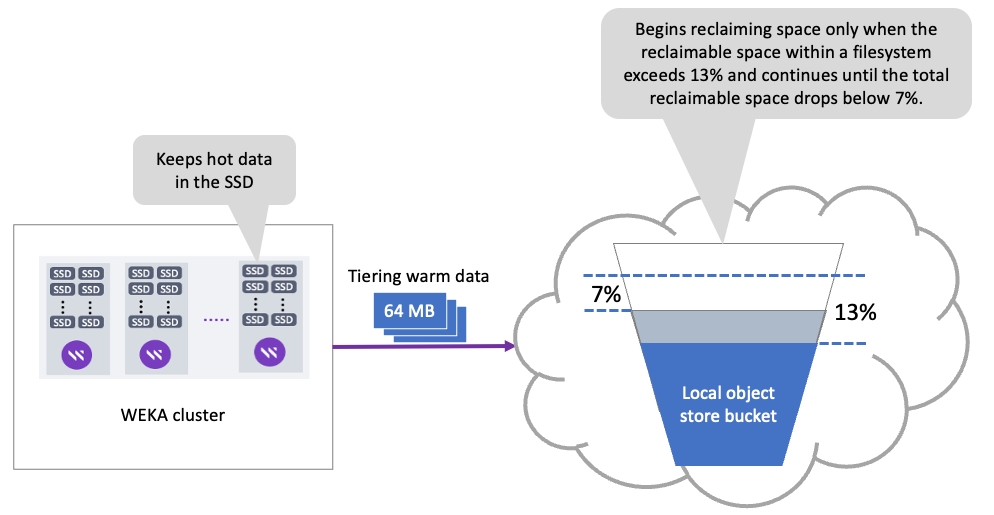

This page describes how to view and manage object stores using the GUI.
Using the GUI, you can perform the following actions:
Object store buckets can reside in different physical object stores. To achieve good QoS between the buckets, WEKA requires mapping the buckets to the physical object store.
You can edit the default local and remote object stores to meet your connection demands. When you add an object store bucket, you apply the relevant object store to it.
Editing the default object store provides you with the following additional advantages:
Set restrictions on downloads from a remote object store. For on-premises systems where the remote bucket is in the cloud, to reduce the cost, you set a very low bandwidth for downloading from a remote bucket.
Ease of adding new buckets. You can set the connection parameters on the object store level and, if not specified differently, automatically use the default settings for the buckets you add.
Procedure
From the menu, select Manage > Object Stores.
On the left, select the pencil icon near the default object store you want to edit.
On the Edit Object Store dialog, select the type of object store, and update the relevant parameters. Select one of the following tabs according to the object store type you choose. For details, see the parameter descriptions in the topic.
It is not mandatory to set the Access Key and Secret Key in the Edit Object Store dialog in AWS. The AWS object store type is accessed from the WEKA EC2 instances to the object store and granted by the IAM roles assigned to the instances.
If you select Enable AssumeRole API, set also the Role ARN and Role Session Name. For details, see the topic.
It is not mandatory to set the Access Key and Secret Key in the Edit Object Store dialog in GCP. Google Cloud Storage is accessed using a service account attached to each Compute Engine Instance that is running WEKA software, provided that the service account has the required permissions granted by the IAM role (storage.admin for creating buckets. storage.objectAdmin for using an existing bucket ).
Add object store buckets to be used for tiering or snapshots.
Procedure
From the menu, select Manage > Object Stores.
Select the +Create button.
In the Create Object Store Bucket dialog, set the following:
Name: Enter a meaningful name for the bucket.
Object Store: Select the location of the object store. For tiering and snapshots, select the local object store. For snapshots only, select the remote object store.
WEKA supports the following options for creating AWS S3 buckets:
AWS S3 bucket creation for WEKA cluster on EC2.
AWS S3 bucket creation for WEKA cluster not on EC2 using STS.
Set the following:
Optional: If your deployment requires a specific upload and download configuration, select Advanced, and set the parameters:
Download Bandwidth: Object store download bandwidth limitation per core (Mbps).
Upload Bandwidth: Object store upload bandwidth limitation per core (Mbps).
To validate the connection to the object store bucket, select Validate.
Select Create.
The object store buckets are displayed on the Object Stores page. Each object store indicates the status, bucket name, protocol (HTTP/HTTPS), port, region, object store location (local or remote), authentication method, and error information (if it exists).
Procedure
From the menu, select Manage > Object Stores.
The following example shows two object store buckets.
You can modify the object store bucket parameters according to your demand changes.
Procedure
From the menu, select Manage > Object Stores.
Select the three dots on the right of the object store you want to modify and select Edit.
In the Edit Object Store Bucket dialog, modify the details, and select Update.
For active object store buckets connected to filesystems, the system tracks this activity and provides details about each activity on the Bucket Operations page.
The details include the operation type (download or upload), start time, execution time, previous attempts results, cURL errors, and more.
Procedure
From the menu, select Manage > Object Stores.
Select the three dots on the right of the object store bucket you want to show its recent operation, and select Show Recent Operations.
The recent operations page for the selected object store bucket appears. To focus on specific operations, you can sort the columns and use the filters that appear on the top of the columns.
You can delete an object store bucket if it is no longer required. The data in the object store remains intact.
Procedure
From the menu, select Manage > Object Stores.
Select the three dots on the right of the object store bucket you want to delete, and select Remove.
To confirm the object store bucket deletion, select Yes.

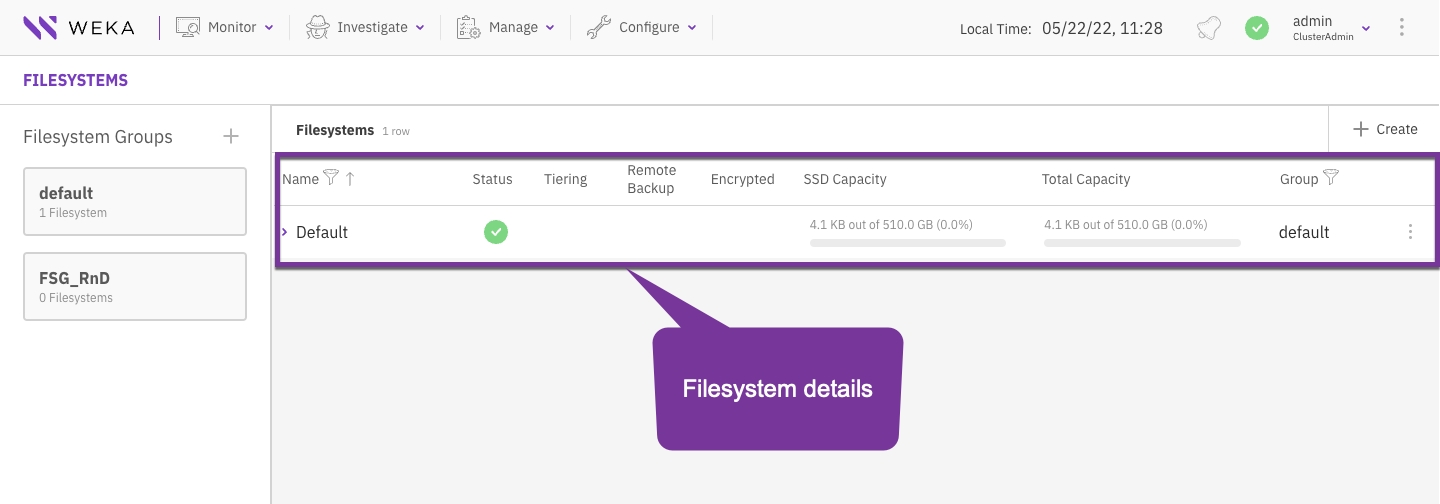
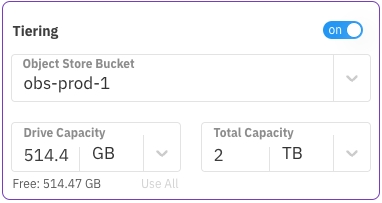
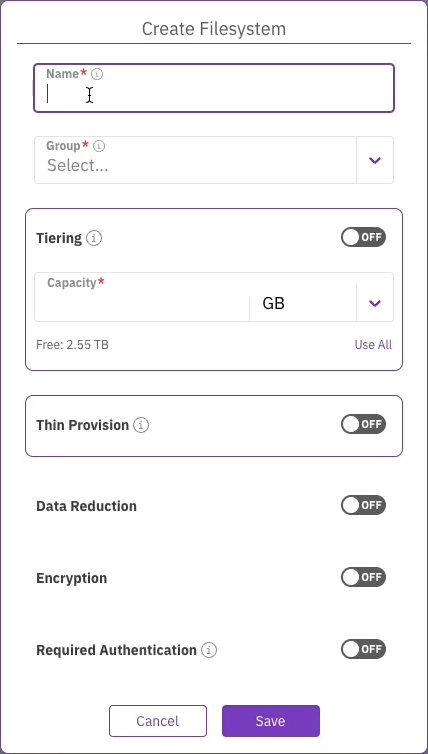
The WEKA Cloud Deployment Manager Local (CDM Local) offers a locally installed solution for deploying WEKA clusters in AWS, Azure, and GCP public cloud environments. Like CDM Web, it leverages WEKA’s validated Terraform deployment modules and provides a user-friendly interface to guide users through the configuration process. However, CDM Local adds new features tailored for users who prefer a local installation, including public cloud environment configuration polling, validation, and deployment execution, which is not available in CDM Web.
Key features of CDM Local:
# weka cluster processes
PROCESS ID HOSTNAME CONTAINER IPS STATUS ROLES NETWORK CPU MEMORY UPTIME
0 weka146 default 10.0.1.146 UP MANAGEMENT UDP 16d 20:07:42h
1 weka146 default 10.0.1.146 UP FRONTEND DPDK / RDMA 1 1.47 GB 16d 23:29:00h
2 weka146 default 10.0.3.146 UP COMPUTE DPDK / RDMA 12 6.45 GB 16d 23:29:00h
3 weka146 default 10.0.1.146 UP COMPUTE DPDK / RDMA 2 6.45 GB 16d 23:29:00h
4 weka146 default 10.0.3.146 UP COMPUTE DPDK / RDMA 13 6.45 GB 16d 23:29:00h
5 weka146 default 10.0.1.146 UP COMPUTE DPDK / RDMA 3 6.45 GB 16d 22:28:58h
6 weka146 default 10.0.3.146 UP COMPUTE DPDK / RDMA 14 6.45 GB 16d 23:29:00h
7 weka146 default 10.0.3.146 UP DRIVES DPDK / RDMA 18 1.49 GB 16d 23:29:00h
8 weka146 default 10.0.1.146 UP DRIVES DPDK / RDMA 8 1.49 GB 16d 23:29:00h
9 weka146 default 10.0.3.146 UP DRIVES DPDK / RDMA 19 1.49 GB 16d 23:29:00h
10 weka146 default 10.0.1.146 UP DRIVES DPDK / RDMA 9 1.49 GB 16d 23:29:00h
11 weka146 default 10.0.3.146 UP DRIVES DPDK / RDMA 20 1.49 GB 16d 23:29:07h
12 weka147 default 10.0.1.147 UP MANAGEMENT UDP 16d 22:29:02h
13 weka147 default 10.0.1.147 UP FRONTEND DPDK / RDMA 1 1.47 GB 16d 23:29:00h
14 weka147 default 10.0.3.147 UP COMPUTE DPDK / RDMA 12 6.45 GB 16d 23:29:00h
15 weka147 default 10.0.1.147 UP COMPUTE DPDK / RDMA 2 6.45 GB 16d 23:29:00h
16 weka147 default 10.0.3.147 UP COMPUTE DPDK / RDMA 13 6.45 GB 16d 23:29:00h
17 weka147 default 10.0.1.147 UP COMPUTE DPDK / RDMA 3 6.45 GB 16d 23:29:00h
18 weka147 default 10.0.3.147 UP COMPUTE DPDK / RDMA 14 6.45 GB 16d 23:29:00h
19 weka147 default 10.0.3.147 UP DRIVES DPDK / RDMA 18 1.49 GB 16d 23:29:00h
20 weka147 default 10.0.1.147 UP DRIVES DPDK / RDMA 8 1.49 GB 16d 23:29:00h
21 weka147 default 10.0.3.147 UP DRIVES DPDK / RDMA 19 1.49 GB 16d 23:29:07h
22 weka147 default 10.0.1.147 UP DRIVES DPDK / RDMA 9 1.49 GB 16d 23:29:00h
23 weka147 default 10.0.3.147 UP DRIVES DPDK / RDMA 20 1.49 GB 16d 23:29:07h
. . .curl -sS -H 'Metadata-Flavor: Google' 'http://metadata.google.internal/computeMetadata/v1/instance/?recursive=true&alt=json' | jq '.attributes."cluster-name"' -r
(
#!/usr/bin/env bash
set -euo pipefail
DEBIAN_FRONTEND=noninteractive
ROOT_MOUNT_DIR="${ROOT_MOUNT_DIR:-/root}"
export WEKA_FS="default"
# Mount point for weka filesystem
export WEKA_MOUNT="/mnt/gkeclient"
# Its good to add 2-3 servers in case one is not available
export WEKA_HOSTS="10.0.0.8,10.0.0.9,10.0.0.10"
# Timeout for how long the client is inaccessible before being removed from the cluster
# Default is 86400 (24hrs) in a more dynamic environment it can be lower.
export WEKA_CLIENTTIMEOUNT="3600"
# Number of cores to add to WEKA FrontEnd.
export WEKA_FRONTENDCORES=2
# First IP taken from WEKA_HOSTS list to download the client from.
export WEKA_DOWNLOADIP=$(echo "$WEKA_HOSTS" | cut -d',' -f1)
echo "Installing dependencies"
apt-get update
apt-get install -y apt-transport-https curl gnupg lsb-release jq
echo "Installing gcloud SDK"
snap install google-cloud-sdk --classic
echo "Getting node metadata"
ALL_METADATA="$(curl -sS -H 'Metadata-Flavor: Google' 'http://metadata.google.internal/computeMetadata/v1/instance/?recursive=true&alt=json')"
NODE_NAME="$(curl -sS http://metadata.google.internal/computeMetadata/v1/instance/name -H 'Metadata-Flavor: Google')"
ZONE="$(curl -sS http://metadata.google.internal/computeMetadata/v1/instance/zone -H 'Metadata-Flavor: Google' | awk -F "/" '{print $4}')"
echo "Setting up disks"
DISK_NAME="$NODE_NAME-wekadir"
if ! gcloud compute disks list --filter="name:$DISK_NAME" | grep "$DISK_NAME" > /dev/null; then
echo "Creating $DISK_NAME"
gcloud compute disks create "$DISK_NAME" --size=$(( 1024*20 )) --zone="$ZONE"
else
echo "$DISK_NAME already exists"
fi
if ! gcloud compute instances describe "$NODE_NAME" --zone "$ZONE" --format '(disks[].source)' | grep "$DISK_NAME" > /dev/null; then
echo "Attaching $DISK_NAME to $NODE_NAME"
gcloud compute instances attach-disk "$NODE_NAME" --device-name=sdb --disk "$DISK_NAME" --zone "$ZONE"
else
echo "$DISK_NAME is already attached to $NODE_NAME"
fi
function create_wekaio_partition() {
echo "--------------------------------------------"
echo " Creating local filesystem on WekaIO volume "
echo "--------------------------------------------"
wekaiosw_device="/dev/sdb"
if mount | grep -w $wekaiosw_device | grep -w /opt/weka; then
echo "Weka volume is already mounted"
else
echo "Formatting and mounting Weka trace volume"
mkfs.ext4 -L wekaiosw ${wekaiosw_device} || return 1
mkdir -p /opt/weka || return 1
mount $wekaiosw_device /opt/weka || return 1
echo "LABEL=wekaiosw /opt/weka ext4 defaults 0 2" >>/etc/fstab
fi
}
function prepare_weka_env() {
echo "--------------- ENV ---------------"
env
echo "--------------- ENV ---------------"
create_wekaio_partition || logger -s -t weka.install "Failed creating wekaio partition"
}
function start_weka_client() {
prepare_weka_env
if ! which weka; then
echo "Installing agent from ${WEKA_DOWNLOADIP}"
curl --fail --max-time 10 "http://${WEKA_DOWNLOADIP}:14000/dist/v1/install" | sh || logger -s -t weka.install "Failed installing agent from the first backend"
else
echo "Weka seems already installed, skipping agent install"
fi
mkdir -p ${WEKA_MOUNT}
if mount | grep -w ${WEKA_MOUNT}; then
echo "Weka filesystem seems already mounted on endpoint, skipping mount"
else
mount -t wekafs ${WEKA_HOSTS}/${WEKA_FS} ${WEKA_MOUNT} -o remove_after_secs=${WEKA_CLIENTTIMEOUNT},num_cores=${WEKA_FRONTENDCORES},net=udp || logger -s -t weka.install "Error mounting filesystem"
fi
}
## Update to the name of the GKE cluster
GKE_CLUSTER_NAME=my-gke-cloud-name
GKE_METADATA_CLUSTER_NAME=$(curl -sS -H 'Metadata-Flavor: Google' 'http://metadata.google.internal/computeMetadata/v1/instance/?recursive=true&alt=json' | jq '.attributes."cluster-name"' -r)
if [ "$GKE_CLUSTER_NAME" != "GKE_METADATA_CLUSTER_NAME" ]; then
echo "Instance does not belong to GKE cluster $GKE_CLUSTER_NAME. Skipping installation"
else
echo "Instance belongs to GKE cluster, initializing Weka client installation"
start_weka_client
fi
) >/root/startup.out 2>/root/startup.err$ weka -h
Usage:
weka [--color color] [--help] [--build] [--version] [--legal]
Description:
The base command for all weka related CLIs
Subcommands:
access-group Commands that manage the cluster access-groups
agent Commands that control the weka agent (outside the weka containers)
alerts List alerts in the Weka cluster
cloud Cloud commands. List the cluster's cloud status if no subcommand is supplied.
cluster Commands that manage the cluster
diags Diagnostics commands to help understand the status of the cluster and its environment
events List all events that conform to the filter criteria
fs List filesystems defined in this Weka cluster
interface-group List interface groups
local Commands that control Weka and its containers on the local machine
mount Mounts a wekafs filesystem. This is the helper utility installed at /sbin/mount.wekafs.
nfs Commands that manage client groups, permissions, and interface groups
org List organizations defined in the Weka cluster
s3 Commands that manage Weka's S3 container
security Security commands.
smb Commands that manage Weka's SMB container
stats List all statistics that conform to the filter criteria
status Get an overall status of the Weka cluster
umount Unmounts wekafs filesystems. This is the helper utility installed at /sbin/umount.wekafs.
upgrade Commands that control the upgrade procedure of Weka
user List users defined in the Weka cluster
version When run without arguments, lists the versions available on this machine. Subcommands allow for
downloading versions, setting the current version, and other actions to manage versions.
Options:
--agent Start the agent service
--color Specify whether to use color in output (format: 'auto', 'disabled' or 'enabled')
-h, --help Show help message
--build Prints the CLI build number and exits
-v, --version Prints the CLI version and exits
--legal Prints software license information and exits
$ weka fs
| FileSystem | Name | Group | SSD Bu | Total | Is re | Is creat | Is remov
| ID | | | dget | Budget | ady | ing | ing
+------------+---------+---------+--------+--------+-------+----------+----------
| FSId: 0 | default | default | 57 GiB | 57 GiB | True | False | False$ weka fs -h
Usage:
weka fs [--name name]
[--HOST HOST]
[--PORT PORT]
[--CONNECT-TIMEOUT CONNECT-TIMEOUT]
[--TIMEOUT TIMEOUT]
[--format format]
[--output output]...
[--sort sort]...
[--filter filter]...
[--capacities]
[--force-fresh]
[--help]
[--raw-units]
[--UTC]
[--no-header]
[--verbose]
Description:
List filesystems defined in this Weka cluster
Subcommands:
create Create a filesystem
download Download a filesystem from object store
update Update a filesystem
delete Delete a filesystem
restore Restore filesystem content from a snapshot
quota Commands used to control directory quotas
group List filesystem groups
snapshot List snapshots
tier Show object store connectivity for each node in the cluster
reserve Thin provisioning reserve for organizations
Options:
--name Filesystem name
-H, --HOST Specify the host. Alternatively, use the WEKA_HOST env variable
-P, --PORT Specify the port. Alternatively, use the WEKA_PORT env variable
-C, --CONNECT-TIMEOUT Timeout for connecting to cluster, default: 10 secs (format: 3s, 2h, 4m, 1d, 1d5h, 1w,
infinite/unlimited)
-T, --TIMEOUT Timeout to wait for response, default: 1 minute (format: 3s, 2h, 4m, 1d, 1d5h, 1w,
infinite/unlimited)
-f, --format Specify in what format to output the result. Available options are:
view|csv|markdown|json|oldview (format: 'view', 'csv', 'markdown', 'json' or 'oldview')
-o, --output Specify which columns to output. May include any of the following:
uid, id, name, group, usedSSD, usedSSDD, usedSSDM, freeSSD, availableSSDM, availableSSD, usedTotal, usedTotalD, freeTotal, availableTotal, maxFiles, status, encrypted, stores, auth, thinProvisioned, thinProvisioningMinSSDBugdet, thinProvisioningMaxSSDBugdet, usedSSDWD, usedSSDRD
-s, --sort Specify which column(s) to consider when sorting the output. May include a '+' or
'-' before the column name to sort in ascending or descending order respectively. Usage:
[+|-]column1[,[+|-]column2[,..]]
-F, --filter Specify what values to filter by in a specific column. Usage:
column1=val1[,column2=val2[,..]]
--capacities Display all capacity columns
--force-fresh Refresh the capacities to make sure they are the most updated
-h, --help Show help message
-R, --raw-units Print values in raw units (bytes, seconds, etc.). When not set, sizes are printed in
human-readable format, e.g. 1KiB 234MiB 2GiB.
-U, --UTC Print times in UTC. When not set, times are converted to the local time of this host.
--no-header Don't show column headers when printing the output
-v, --verbose Show all columns in the output
[root@ip-172-31-23-177 weka]# pwd
/mnt/weka
[root@ip-172-31-23-177 weka]# ls -la
total 0
drwxrwxr-x 1 root root 0 Sep 19 04:56 .
drwxr-xr-x 4 root root 33 Sep 20 06:48 ..
drwx------ 1 user1 user1 0 Sep 20 09:26 user1
[root@ip-172-31-23-177 weka]# cd .snapshots
[root@ip-172-31-23-177 .snapshots]# ls -l
total 0
drwxrwxr-x 1 root root 0 Sep 21 02:44 @GMT-2023.09.21-02.44.38
[root@ip-172-31-23-177 .snapshots]#M6i
m6i.xlarge, m6i.2xlarge, m6i.4xlarge, m6i.8xlarge, m6i.12xlarge, m6i.16xlarge, m6i.24xlarge, m6i.32xlarge
M6id
m6id.xlarge, m6id.2xlarge, m6id.4xlarge, m6id.8xlarge, m6id.12xlarge, m6id.16xlarge, m6id.24xlarge, m6id.32xlarge
M6idn
m6idn.xlarge, m6idn.2xlarge, m6idn.4xlarge, m6idn.8xlarge, m6idn.12xlarge, m6idn.16xlarge, m6idn.24xlarge, m6idn.32xlarge
M6in
m6in.xlarge , m6in.2xlarge , m6in.4xlarge , m6in.8xlarge, m6in.12xlarge , m6in.16xlarge , m6in.24xlarge
M7a
m7a.xlarge , m7a.2xlarge, m7a.4xlarge, m7a.8xlarge, m7a.12xlarge, m7a.16xlarge, m7a.24xlarge, m7a.32xlarge, m7a.48xlarge
M7i
m7i.xlarge, m7i.2xlarge, m7i.4xlarge, m7i.8xlarge, m7i.12xlarge, m7i.16xlarge, m7i.24xlarge, m7i.48xlarge
M7g
m7g.xlarge, m7g.2xlarge, m7g.4xlarge, m7g.8xlarge, m7g.12xlarge, m7g.16xlarge
M7gd
m7gd.xlarge, m7gd.2xlarge, m7gd.4xlarge, m7gd.8xlarge, m7gd.12xlarge, m7gd.16xlarge
C6g
c6g.2xlarge, c6g.4xlarge, c6g.8xlarge, c6g.12xlarge, c6g.16xlarge
C6gd
c6gd.2xlarge, c6gd.4xlarge, c6gd.8xlarge, c6gd.12xlarge, c6gd.16xlarge
C6gn
c6gn.2xlarge, c6gn.4xlarge, c6gn.8xlarge, c6gn.12xlarge, c6gn.16xlarge
C6in
c6in.2xlarge, c6in.4xlarge, c6in.8xlarge, c6in.12xlarge, c6in.16xlarge, c6in.24xlarge, c6in.32xlarge
C7a
c7a.2xlarge, c7a.4xlarge, c7a.8xlarge, c7a.12xlarge, c7a.16xlarge, c7a.24xlarge, c7a.32xlarge, c7a.48xlarge
C7g
c7g.2xlarge, c7g.4xlarge, c7g.8xlarge, c7g.12xlarge, c7g.16xlarge
C7gd
c7gd.2xlarge, c7gd.4xlarge, c7gd.8xlarge, c7gd.12xlarge, c7gd.16xlarge
C7i
c7i.2xlarge, c7i.4xlarge, c7i.8xlarge, c7i.12xlarge, c7i.16xlarge, c7i.24xlarge, cC7i.48xlarge
R6idn
r6idn.xlarge, r6idn.2xlarge, r6idn.4xlarge, r6idn.8xlarge, r6idn.12xlarge, r6idn.16xlarge, r6idn.24xlarge, r6idn.32xlarge
R6in
r6in.xlarge, r6in.2xlarge, r6in.4xlarge, r6in.8xlarge, r6in.12xlarge, r6in.16xlarge, r6in.24xlarge, r6in.32xlarge
R6g
r6g.xlarge, r6g.2xlarge, r6g.4xlarge, r6g.8xlarge, r6g.12xlarge, r6g.16xlarge
R6gd
r6gd.xlarge, r6gd.2xlarge, r6gd.4xlarge, r6gd.8xlarge, r6gd.12xlarge, r6gd.16xlarge
R7a
r7a.xlarge, r7a.2xlarge, r7a.4xlarge, r7a.8xlarge, r7a.12xlarge, r7a.16xlarge, r7a.24xlarge, r7a.32xlarge, r7a.48xlarge
R7iz
r7iz.xlarge, r7iz.2xlarge, r7iz.4xlarge, r7iz.8xlarge, r7iz.12xlarge, r7iz.16xlarge, r7iz.32xlarge
R7g
r7g.xlarge, r7g.2xlarge, r7g.4xlarge, r7g.8xlarge, r7g.12xlarge, r7g.16xlarge
R7gd
r7gd.xlarge, r7gd.2xlarge, r7gd.4xlarge, r7gd.8xlarge, r7gd.12xlarge, r7gd.16xlarge
X1
x1.16xlarge, x1.32xlarge
X1e
x1e.16xlarge, x1e.32xlarge
X2idn
x2idn.16xlarge, x2idn.24xlarge, x2idn.32xlarge
X2iedn
x2iedn.xlarge, x2iedn.2xlarge, x2iedn.4xlarge, x2iedn.8xlarge, x2iedn.16xlarge, x2iedn.24xlarge
Z1d
z1d.xlarge, z1d.2xlarge, z1d.3xlarge, z1d.6xlarge, z1d.12xlarge
G6
g6.xlarge, g6.2xlarge, g6.4xlarge, g6.8xlarge, g6.12xlarge, g6.16xlarge, g6.24xlarge, g6.48xlarge
GR6
gr6.4xlarge, gr6.8xlarge
Inf1
inf1.2xlarge, inf1.6xlarge, inf1.24xlarge
Inf2
inf2.xlarge, inf2.8xlarge, inf2.24xlarge, inf2.48xlarge
P2
p2.xlarge, p2.8xlarge, p2.16xlarge
P3
p3.2xlarge, p3.8xlarge, p3.16xlarge
P4
p4d.24xlarge, p4de.24xlarge
P5
p5.48xlarge
Trn1
trn1.2xlarge, trn1.32xlarge , trn1n.32xlarge
Unique name for filesystem snapshot
Must be a valid name
Yes
access-point
String
Name of the newly-created directory for filesystem-level snapshots, which serves as the access point for the snapshots
Must be a valid name
No
Controlled by weka fs snapshot access-point-naming-convention update <date/name>. By default it is <date> format: @GMT_%Y.%m.%d-%H.%M.%S which is compatible with windows previous versions format for SMB.
source-snap
String
Must be an existing snapshot
Must be a valid name
No
The snapshot name of the specified filesystem.
is-writable
Boolean
Sets the created snapshot to be writable
No
False
Unique name for filesystem snapshot
Must be a valid name
Yes
preserved-overwritten-snapshot-name
A new name for the overwritten snapshot to preserve, thus allowing the IO operations continuity to the filesystem. If not specified, the original snapshot or active filesystem is overwritten, and IO operations to an existing filesystem might fail.
preserved-overwritten-snapshot-access-point
A directory that serves as the access point for the preserved overwritten snapshot.
If the preserved-overwritten-snapshot-name parameter is specified, but the preserved-overwritten-snapshot-access-pointparameter is not, it is created automatically based on the snapshot name.
-o|--output
Specifies the columns to include in the output.
-s|--sort
Specifies the order to sort the output. May include a '+' or '-' before the column name to sort by ascending or descending order.
-F| --filter
Specifies the filter values for a member (without forcing it to be in the output).
--no-header
Indicates that the column header should not be shown when printing the output.
-C|--CONNECT-TIMEOUT
Modifies the default timeout used for connecting to the system via the JRPC protocol.
-T|--TIMEOUT
Modifies the default timeout for which the commands wait for a response before giving up.
--color
Controls the usage of color in the outputs. Possible values: enabled, disabled, or auto.
Default: auto. It automatically determines whether to enable color based on the output destination. If the output is a terminal that supports color, it is enabled; otherwise, it is disabled.


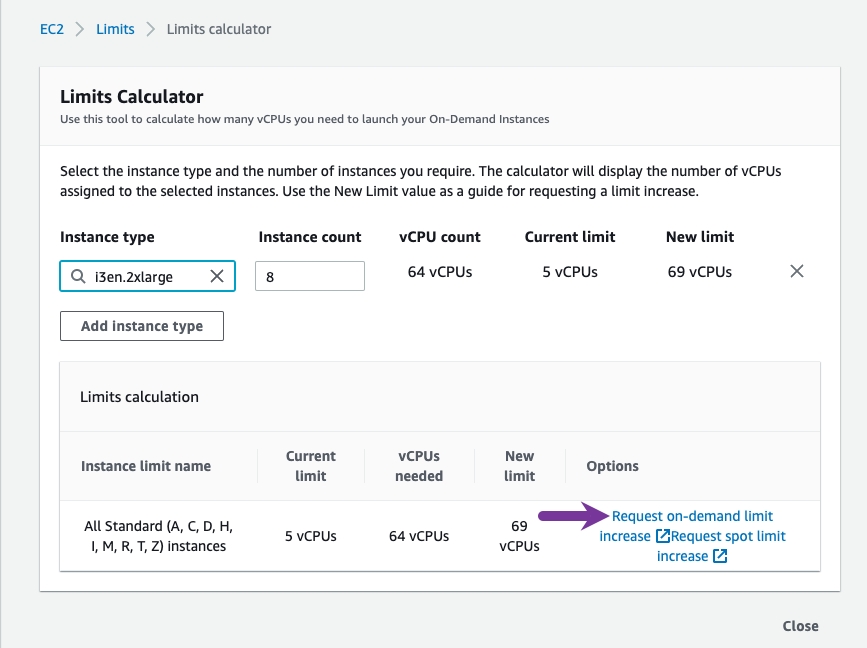
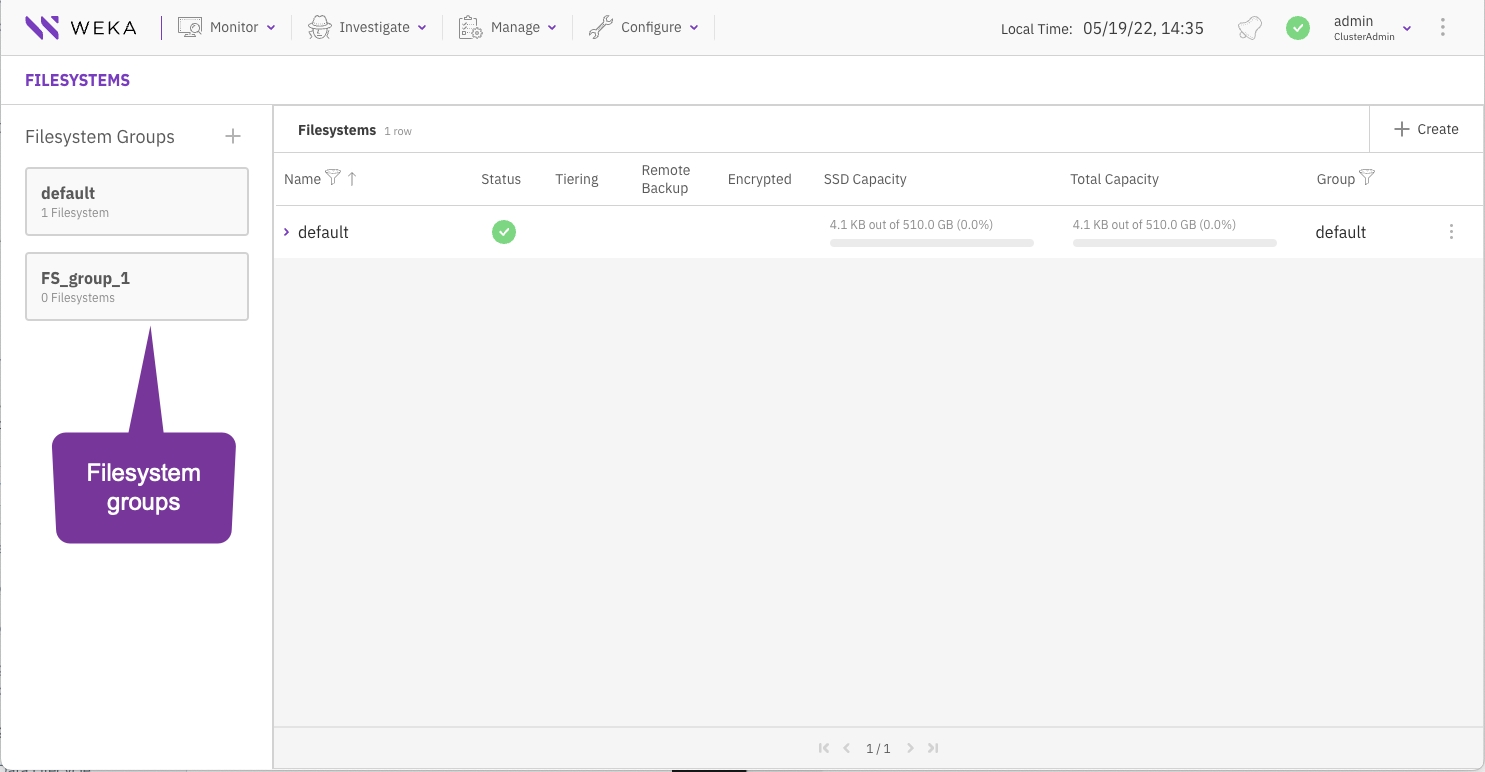
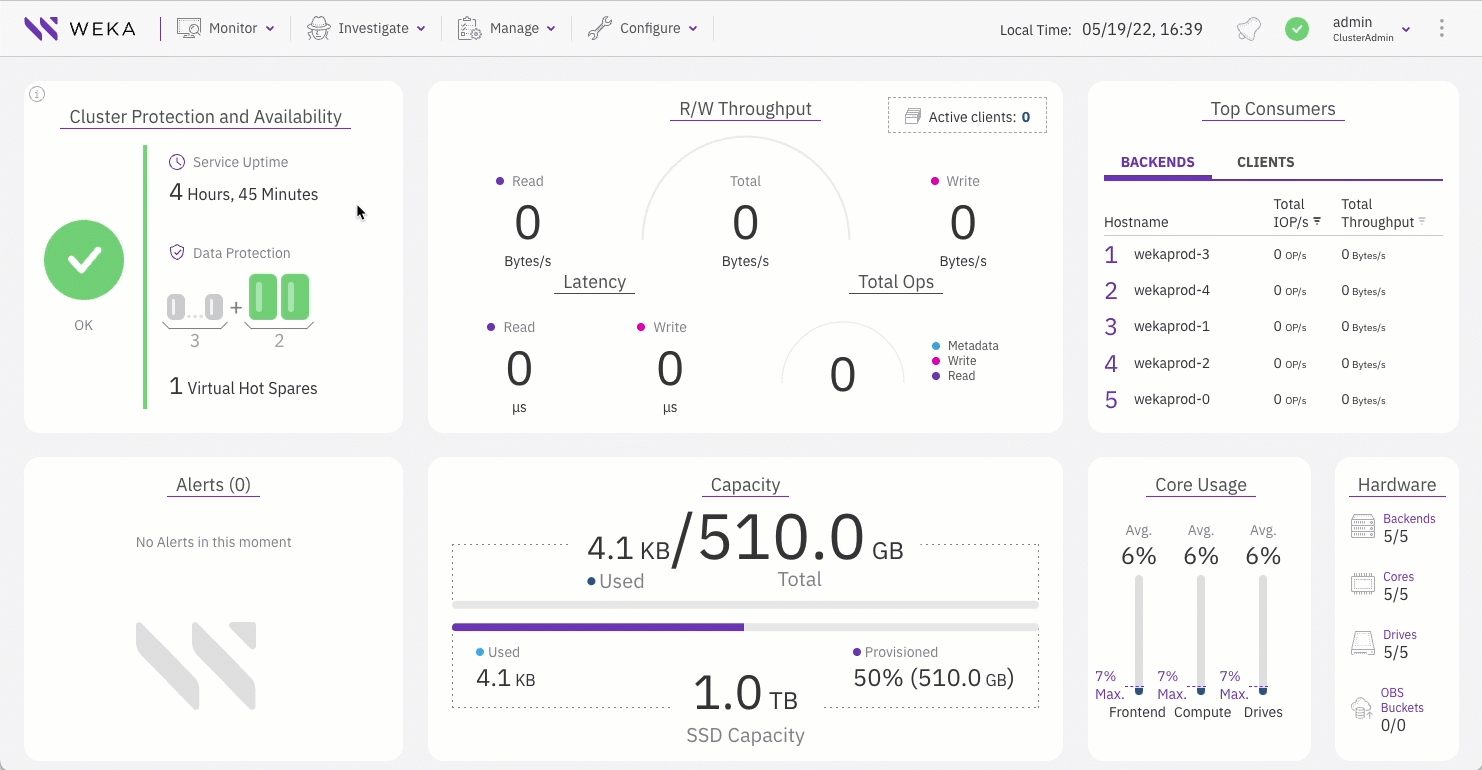
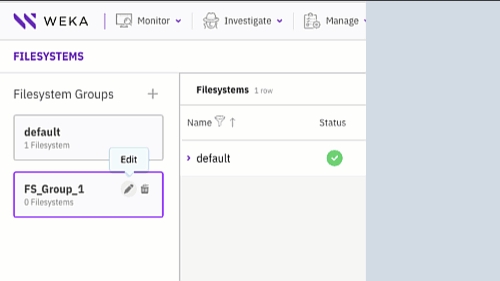
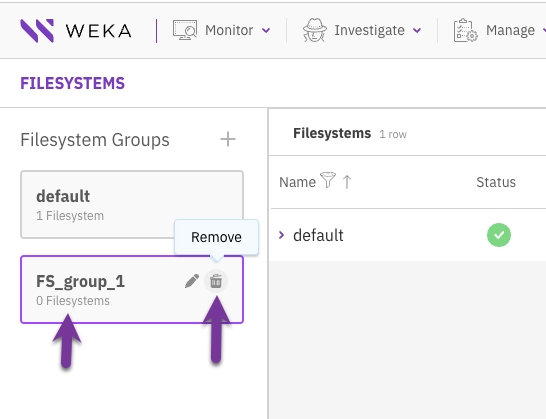

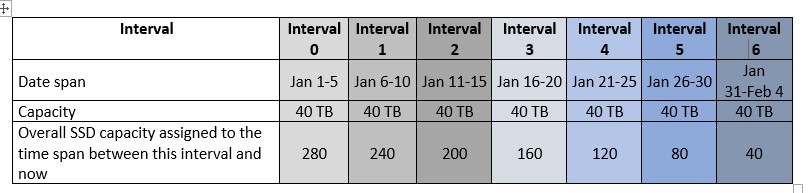

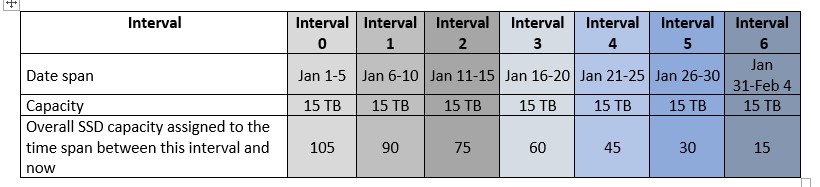


Set the number of VFs to match the cores you intend to dedicate to WEKA.
Note that some BIOS configurations may be necessary.
SR-IOV: Enabled in BIOS.
Type: Select the type of object store: AWS, AZURE, or OTHER (for GCP and others).
Buckets Default Parameters: Select one of the following tabs according to the object store type you choose.
Protocol and Port: Select the protocol to use when connecting to the bucket.
Bucket: Set the name of the bucket to store and access data.
Region: Set the region assigned to work with.
For AWS S3 bucket creation for WEKA cluster on EC2: If the WEKA EC2 instances have the required permissions granted by the IAM role, then it is not required to provide the Access Key and Secret Key. Otherwise, set the Access Key and Secret Key of the user granted with read/write access to the bucket.
For AWS S3 bucket creation for WEKA cluster not on EC2 using STS:
Select Enable AssumeRole API.
Role ARN: Set the Amazon Resource Name (ARN) to assume. The ARN must have the equivalent permissions defined in the IAM role for S3 access. See .
When creating the object store bucket in AWS, to use the storage classes: S3 Intelligent-Tiering, S3 Standard-IA, S3 One Zone-IA, and S3 Glacier Instant Retrieval, do the following:
Create the bucket in S3 Standard.
Create an AWS lifecycle policy to transition objects to these storage classes.
Make the relevant changes and click Update to update the object store bucket.
Set the following:
Protocol and Port: Select the protocol and port to use when connecting to the bucket.
Hostname: Set the DNS name (or IP address) of the bucket entry point.
Bucket: Set the name of the bucket to store and access data.
Auth Method: Select the authentication method to connect to the bucket.
Region: Set the region assigned to work with (usually you can leave it empty).
Access Key and Secret Key: If the service account has the required permissions granted by the IAM role, then it is not required to provide the Access Key and Secret Key. If the WEKA cluster is not running on GCP instances then the Access Key and Secret Key are required.
Set the following:
Protocol and Port: Select the protocol and port to use when connecting to the bucket.
Hostname: Set the DNS name (or IP address) of the bucket entry point.
Bucket: Set the name of the bucket to store and access data.
Auth Method: Select the authentication method to connect to the bucket.
Access Key and Secret Key: Set the the Access Key and Secret Key of the user granted with read/write access to the bucket.
Max concurrent Downloads: Maximum number of downloads concurrently performed on this object store in a single IO node.
Max concurrent Uploads: Maximum number of uploads concurrently performed on this object store in a single IO node.
Max concurrent Removals: Maximum number of removals concurrently performed on this object store in a single IO node.
Enable Upload Tags: Whether to enable object-tagging or not.
Cross-platform compatibility: CDM Local provides individually downloadable binaries for different platforms, including Apple MacOS (Intel and Apple Silicon) Linux (Intel and ARM).
Configuration polling and validation: CDM Local includes a unique feature that automatically polls the public cloud environment to populate key variables like VPC and Subnet details. Additionally, it validates the cluster configuration to detect conflicts before deployment.
Automated Terraform deployment: CDM Local generates a Terraform configuration file and state, which are stored in a user-defined cloud object bucket. Additionally, if Terraform is in the user's execution path, CDM Local uses it to automate the execution of the configuration file. If Terraform is not present, CDM Local installs it to execute the configuration file automatically, eliminating the need for manual Terraform commands.
Before deploying CDM Local, ensure the following components are installed on the system:
Required permissions:
AWS: To run cluster validation in CDM Local, the user logged into the AWS CLI must have the permission iam:SimulatePrincipalPolicy. Ensure this permission is granted by attaching an AWS IAM policy that includes the action to the user's account.
Go to get.weka.io and select the CDM tab.
CDM Local is available as a platform-specific binary. Choose the binary that matches your target host platform for installation:
MacOS (darwin):
Intel-based: cdm-darwin-amd64
Apple Silicon-based: cdm-darwin-arm64
linux:
Intel-based: cdm-linux-amd64
ARM-based: cdm-linux-arm64
CDM Local uses Terraform to finalize the deployment of WEKA cluster resources and execute post-installation scripts, similar to CDM Web. However, CDM Local is run locally through a binary and launched through a browser-based UI.
Before you begin
Ensure you are authenticated to the relevant Cloud CLI (AWS, Azure, GCP) to grant the necessary permissions for the deployment.
A valid get.weka.io token is required to complete the deployment. Ensure you have this token available before proceeding.
Choose the cloud where you will store the CDM Local configuration state. For all cloud providers except GCP, CDM Local can create the bucket for you. For GCP, you must use an existing bucket.
Procedure
Navigate to the CDM Local binary: Open a terminal and navigate to the directory where the downloaded CDM Local binary is located.
Make the binary executable: Change the file permissions to allow execution. Example on an Apple Silicon system:
Run the CDM Local binary to launch CDM Local: Define the state-backend parameter based on your selected cloud provider:
AWS: --state-backend=aws
Azure: --state-backend=azure --azure-subscription-id=[$YOUR_AZURE_SUBSCRIPTION_ID] --azure-resource-group=[$YOUR_AZURE_RESOURCE_GROUP]
GCP: --state-backend=gcp --gcp-project-id=[$YOUR_GCP_PROJECT_ID] --gcp-region=[$YOUR_GCP_REGION] --gcp-bucket=[$YOUR_GCP_BUCKET]
Example (on an Apple Silicon system with AWS for state backup):
./cdm-darwin-arm64-v1.2.0-tech-preview --state-backend=aws
Access the CDM Local UI: After running the binary, a browser window with the CDM Local interface opens automatically.
Accept Statistic Gathering: Select Accept to allow WEKA to collect statistics to enhance the system.
Deploy a Cluster: Click DEPLOY CLUSTER to start deploying your first WEKA cluster.
Select Cloud Provider: Choose your deployment cloud (AWS, Azure, or GCP) and select Deploy. The CDM Local dashboard appears.
The CDM Local dashboard provides a streamlined way to configure WEKA clusters, leveraging the power of Terraform modules with a graphical UI.
The CDM dashboard consists of three main sections:
The workflow navigation panel (outlined in green)
The configuration input panel (outlined in orange)
The dynamic content sidebar (outlined in teal)
The workflow navigation panel provides convenient access to various WEKA cluster configuration variables. You can switch between different aspects of cluster configuration and adjust settings according to their deployment needs.
The tabs within the panel correspond to primary configurable aspects for a WEKA cluster:
Basic Configuration
Networking Configuration
Security Configuration
OBS: Optional object storage configuration
NFS Protocol Gateways: Optional deployment of NFS protocol servers.
SMB Protocol Gateways: Optional deployment of SMB protocol servers.
Clients: Optional deployment of WEKA clients
Advanced Configuration: Optional, granular cluster-level adjustments
To ensure completeness from a basic requirements perspective, specific fields within the configuration input panel are marked as mandatory based on the selected configuration options.
The workflow navigation panel visually indicates the completeness of the configuration. A green check or a red x appears next to each tab, helping users identify areas that require additional attention. For example, if both Basic Configuration and Security Configuration have fields that need attention, the panel reflects this.
You can navigate between different workflow pages and view associated configuration input panels by clicking the Next button or selecting the desired tab from the workflow navigation panel.
The configuration input panel enables customizing input fields related to the WEKA cluster deployment. These fields correspond to variables in WEKA Terraform modules, which traditionally require manual formatting and entry into a main.tf file. With CDM, these variables are presented visually, streamlining the configuration process.
You can tailor the input fields to match their needs and deployment objectives.
Required fields are marked with a red asterisk.
The following example illustrates the Basic Configuration tab, where some required fields are populated, while others remain empty. Fields lacking input are highlighted in bright red, and the red outline disappears once the user provides the necessary information.
Certain fields within the configuration input panel require manual user input. Other fields, such as Instance Type, WEKA Version, and Region, are provided as selectable dropdown menus.
The WEKA software release dropdown menu is designed to auto-populate with the most recent Long-Term Support (LTS) version by default. You can select the previous software release by opening the dropdown menu and choosing from the list. The top two entries in the dropdown are always LTS releases, while the bottom two are innovation releases.
To enter a WEKA software release that is not listed in the dropdown, click directly in the WEKA Version input field and type the desired release. This feature is particularly useful when deploying a WEKA cluster with a customer-specific software release.
The dynamic content sidebar enhances user experience by displaying contextually relevant information during various activities within CDM. Its primary functions include:
Purpose: Assists users in understanding the role of specific variables or input fields in the configuration input panel.
Functionality: Automatically displays pertinent information when an input field, such as the Terraform Module Release Version, is selected. This feature covers every input field for AWS, Azure, and GCP configurations.
Purpose: Provides a preview of the file that will be generated for download once all configuration inputs are completed.
Functionality: Next to the configuration guidance tab, a new tab labeled “tf file preview” showcases the file in real-time.
Purpose: Allows flexibility in file format based on deployment requirements.
Functionality: Includes a toggle switch to change the main.tf file format between JSON and HCL.
Purpose: The validation process ensures that the completed Terraform configuration is accurate and ready for local deployment. This step helps identify and resolve any issues before proceeding with the deployment.
Functionality: Before copying or downloading the generated main.tf file, it is highly recommended to validate the configuration using the VALIDATE WEKA CLUSTER button. The CDM Local performs the following checks during validation:
Permissions: Ensures that the user has the necessary permissions to deploy and run the WEKA cluster.
Subnet IP addresses: Confirms that the specified subnet has enough available IP addresses to accommodate the WEKA resources to be deployed.
Compute resource quota: Verifies that the chosen machine type for WEKA components meets the required compute resource quotas for the deployment.
If any errors occur during the validation, a popup window appears with details about the encountered issues. Users can then correct these errors and revalidate the configuration before continuing. Once validation is successful, the file can be copied or downloaded for use in the deployment process.
Purpose: Enables users to download or copy the completed configuration file for local use.
Functionality: The Download and Copy buttons allow you to save the file locally or copy it, to manually execute the relevant Terraform plan, and apply commands for WEKA cluster deployment.
Purpose: Executes the deployment of the configured WEKA cluster.
Functionality: The CREATE button initiates the execution of a Terraform apply action. If Terraform is not present on the client system, it installs in the user's home directory.
After selecting CREATE or when connecting to CDM Local with at least one WEKA cluster deployed, the screen displays a list of deployed clusters.
Clicking a cluster opens its configuration, allowing you to make changes. Use the UPDATE button, which replaces CREATE, to rerun the deployment configuration.
Purpose: Applies updates to the configuration of the deployed WEKA cluster.
Functionality: The UPDATE button initiates a Terraform apply action, enabling post-deployment changes to the cluster configuration, such as adding Protocol Servers.
When clusters appear in the CDM Local inventory list, you can gather the following information about the deployments:
During the initial build of the WEKA cluster, various cloud services collect progress information. You can retrieve the clusterization progress from the Get Clusterization Progress menu option.
You can retrieve the status of the WEKA cluster at any time using the Get WEKA Status menu option.
You can retrieve the output information from running Terraform using the Get Terraform Output menu option.
When the WEKA clusterization process finishes, a random password is generated for the 'admin' account. You can retrieve this password using the Get Password menu option.
You can retrieve the IP addresses for backend access using the Get Backend IPs menu option in CDM Local.
Related topics



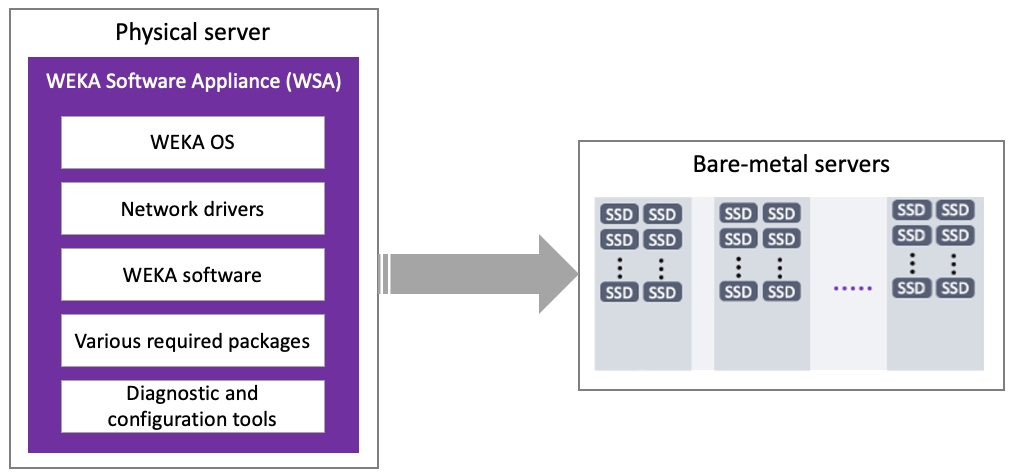
Once the WEKA cluster is installed and configured, perform the following:
.
.
.
Enable event notifications to the cloud for support purposes using one of the following options:
Enable support through Weka Home
Enable support through a private instance of Weka Home
Command: weka cloud enable
This command enables cloud event notification (via Weka Home), which allows the WEKA Customer Success Team to resolve any issues that may occur.
To learn more about this and how to enable cloud event notification, see .
In closed environments, such as dark sites and private VPCs, it is possible to install Local WEKA Home, which is a private instance of WEKA Home.
Command: weka cloud enable --cloud-url=http://<weka-home-ip>:<weka-home-port>
This command enables the WEKA cluster to send event notifications to the Local WEKA Home.
Command: weka cluster license set
To run IOs against the cluster, a valid license must be applied. Obtain a valid license and apply it to the WEKA cluster. For details, see .
Command: weka cluster start-io
To start the system IO and exit from the initialization state, use the following command line:
weka cluster start-io
Command: weka cluster container
Use this command to display the list of containers and their details.
Command: weka cluster container resources
Use this command to check the resources of each container in the cluster.
weka cluster container resources <container-id>
Command: weka cluster drive
Use this command to check all drives in the cluster.
Command: weka status
The weka status command displays the overall status of the WEKA cluster.
For details, see .
If the WEKA cluster is deployed in an environment with a proxy server, a WEKA client trying to mount or download the client installation from the WEKA cluster may be blocked by the proxy server. You can disable the proxy for specific URLs using the shell no_proxy environment variable.
Connect to one of the WEKA backend servers (configuration changes made on this server are synchronized with all other servers in the cluster).
Open the /etc/wekaio/service.conf file.
In the [downloads_proxy] section, add to the no_proxy parameter a comma-separated list of IP addresses or qualified domain names of your WEKA clients and cluster backend servers. Do not use wildcards (*).
Command: weka cluster default-net set
Instead of individually configuring IP addresses for each network device, WEKA supports dynamic IP address allocation. Users can define a range of IP addresses to create a dynamic pool, and these addresses can be automatically allocated on demand.
Use the following command to configure default data networking:
weka cluster default-net set --range <range> [--gateway=<gateway>] [--netmask-bits=<netmask-bits>]
Parameters
View current settings: To view the current default data networking settings, use the command:
weka cluster default-net
Remove default data networking: If a default data networking configuration was previously set up on a cluster and is no longer needed, you can remove it using the command:
weka cluster default-net reset
End of the installation and configuration for all workflow paths
chmod +x cdm-darwin-arm64-v1.2.0-tech-preview


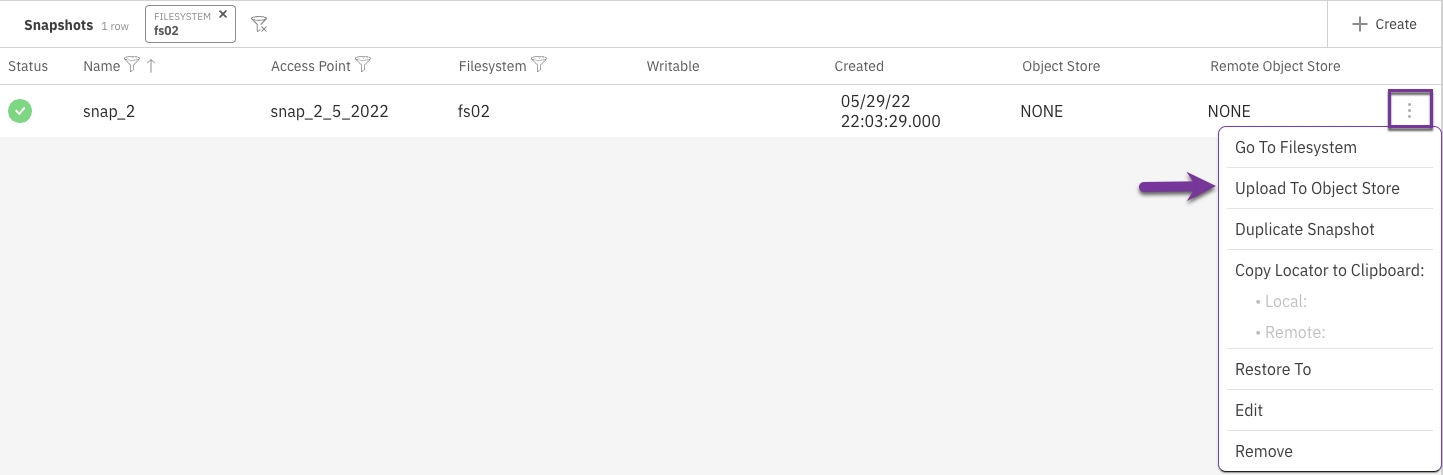
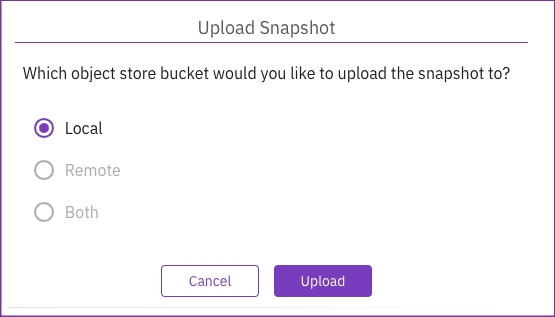
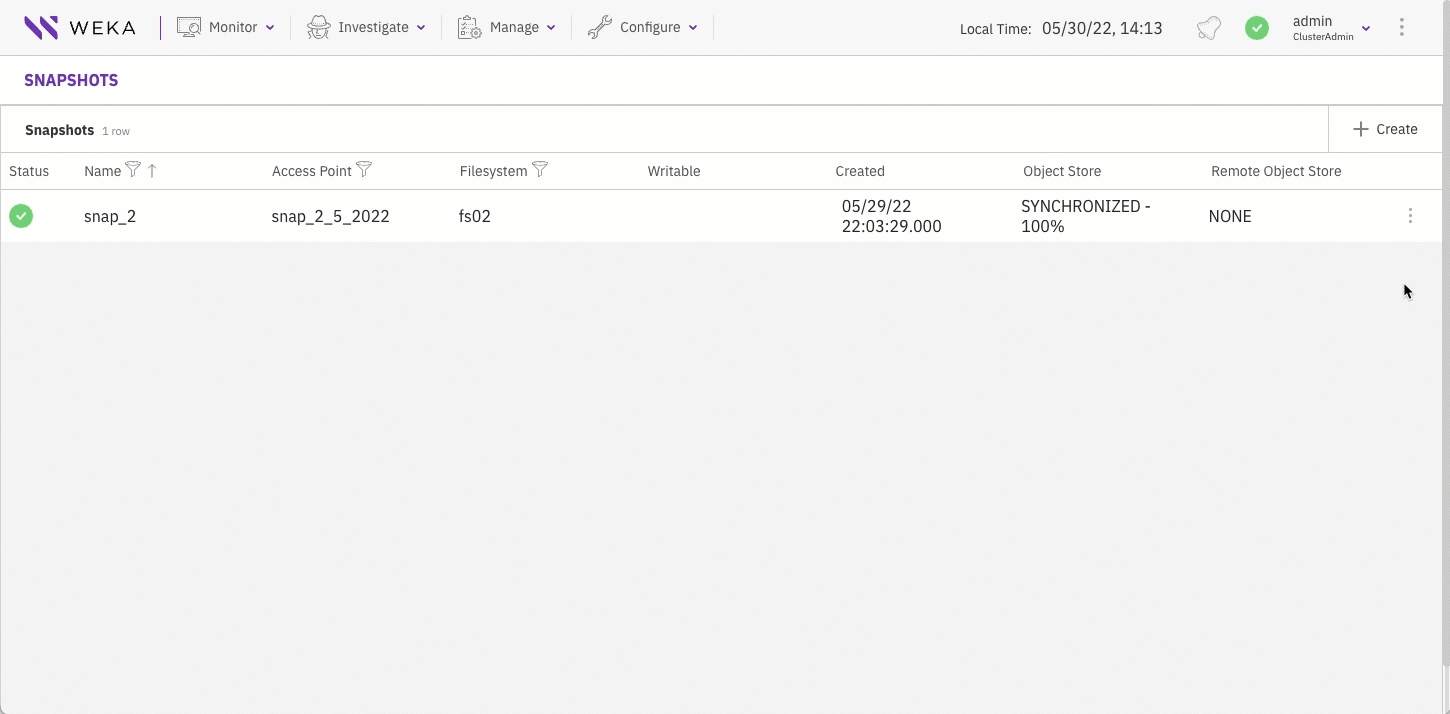
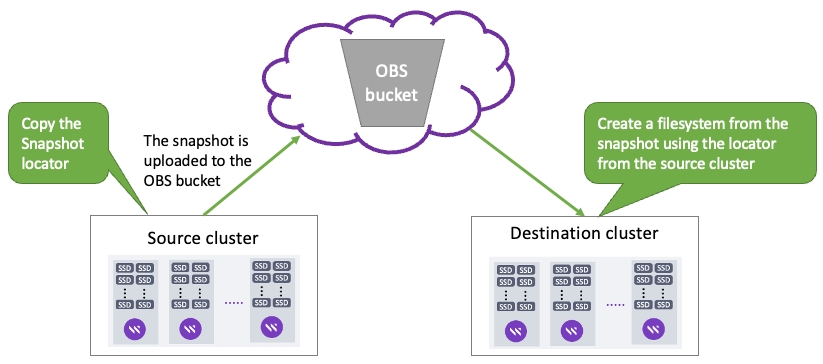
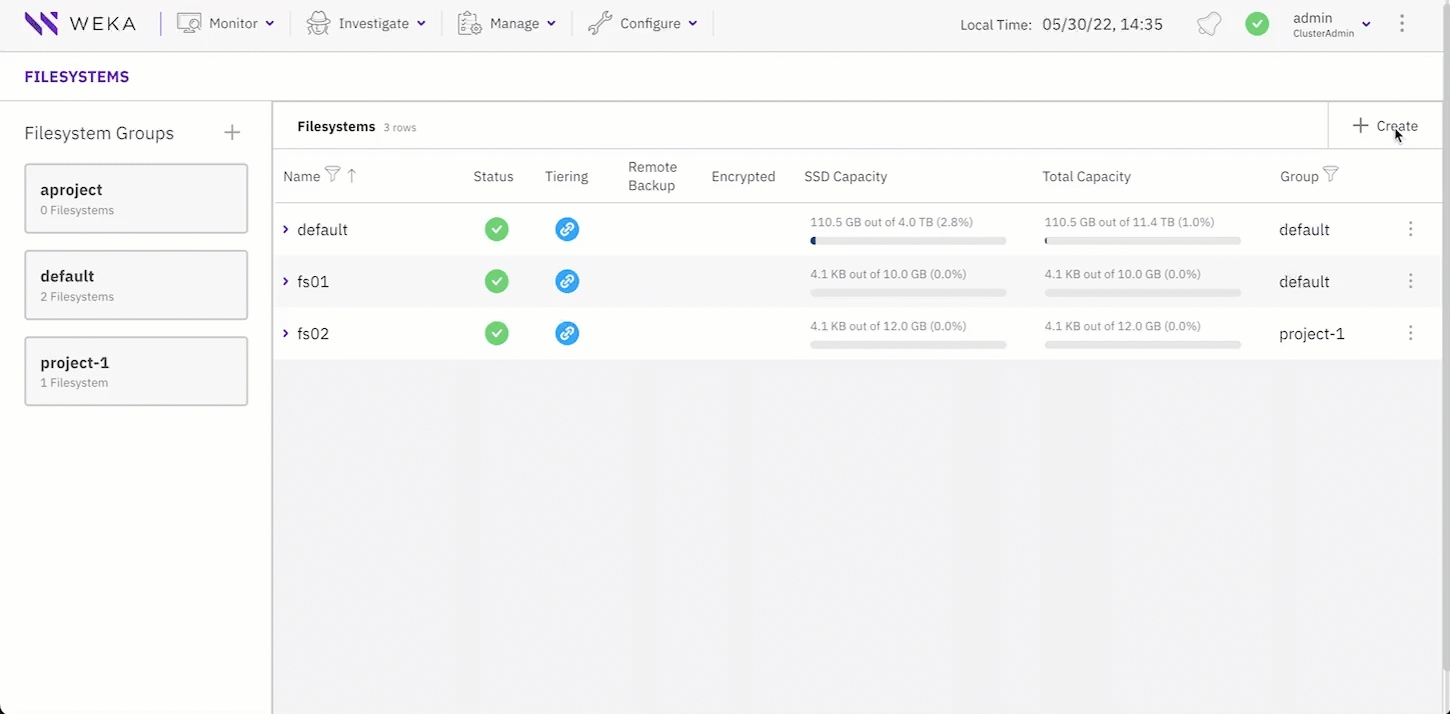
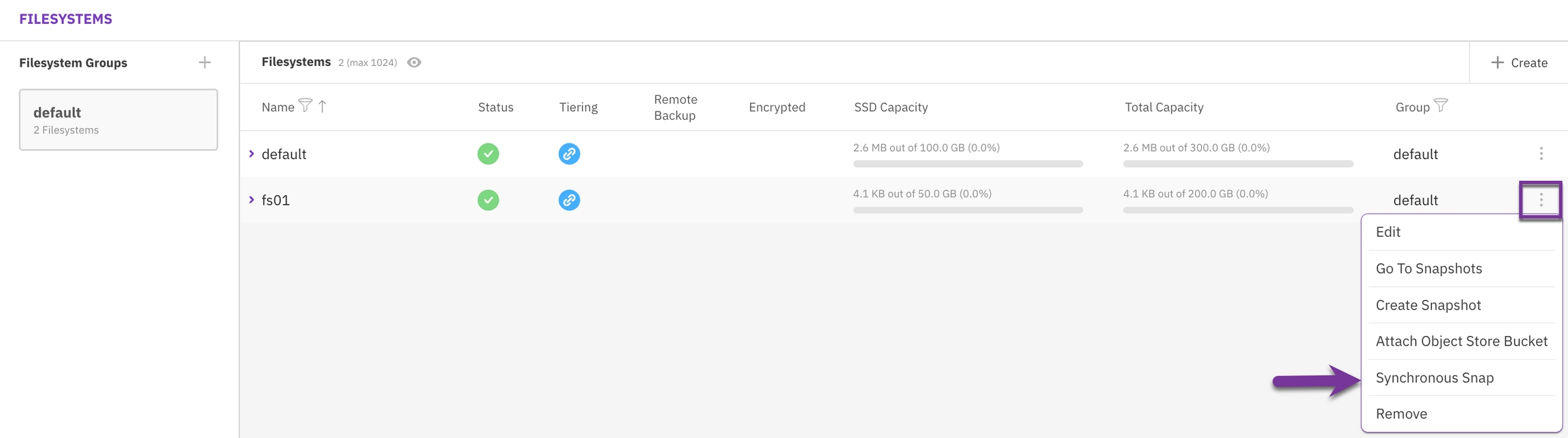
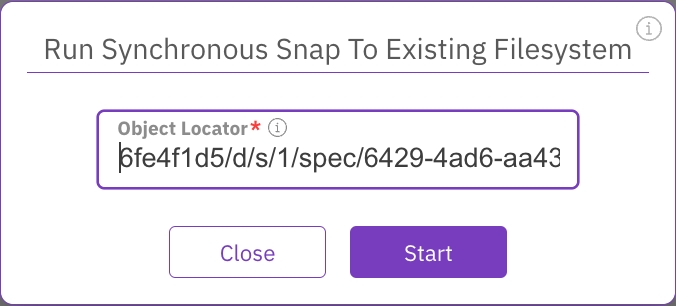
Restart the agent service using the command:
range*
A range of IP addresses reserved for dynamic allocation across the entire cluster..
Format: A.B.C.D-E
Example: 10.10.0.1-100
netmask-bits*
Number of bits in the netmask that define a network ID in CIDR notation.
gateway
The IP address assigned to the default routing gateway. It is imperative that the gateway resides within the same IP network as defined by the specified range and netmask-bits. This parameter is not applicable to InfiniBand (IB) or Layer 2 (L2) non-routable networks.
service weka-agent restart$ weka cluster container
HOST ID HOSTNAME CONTAINER IPS STATUS RELEASE FAILURE DOMAIN CORES MEMORY LAST FAILURE UPTIME
0 av299-0 drives0 10.108.79.121 UP 4.3.0 DOM-000 7 10.45 GB 1:08:30h
1 av299-1 drives0 10.108.115.194 UP 4.3.0 DOM-001 7 10.45 GB 1:08:30h
2 av299-2 drives0 10.108.2.136 UP 4.3.0 DOM-002 7 10.45 GB 1:08:29h
3 av299-3 drives0 10.108.165.185 UP 4.3.0 DOM-003 7 10.45 GB 1:08:30h
4 av299-4 drives0 10.108.116.49 UP 4.3.0 DOM-004 7 10.45 GB 1:08:29h
5 av299-5 drives0 10.108.7.63 UP 4.3.0 DOM-005 7 10.45 GB 1:08:30h
6 av299-6 drives0 10.108.80.75 UP 4.3.0 DOM-006 7 10.45 GB 1:08:29h
7 av299-7 drives0 10.108.173.56 UP 4.3.0 DOM-007 7 10.45 GB 1:08:30h
8 av299-8 drives0 10.108.253.194 UP 4.3.0 DOM-008 7 10.45 GB 1:08:29h
9 av299-9 drives0 10.108.220.115 UP 4.3.0 DOM-009 7 10.45 GB 1:08:29h
10 av299-0 compute0 10.108.79.121 UP 4.3.0 DOM-000 6 20.22 GB 1:08:08h
11 av299-1 compute0 10.108.115.194 UP 4.3.0 DOM-001 6 20.22 GB 1:08:08h
12 av299-2 compute0 10.108.2.136 UP 4.3.0 DOM-002 6 20.22 GB 1:08:09h
13 av299-3 compute0 10.108.165.185 UP 4.3.0 DOM-003 6 20.22 GB 1:08:09h
14 av299-4 compute0 10.108.116.49 UP 4.3.0 DOM-004 6 20.22 GB 1:08:09h
15 av299-5 compute0 10.108.7.63 UP 4.3.0 DOM-005 6 20.22 GB 1:08:08h
16 av299-6 compute0 10.108.80.75 UP 4.3.0 DOM-006 6 20.22 GB 1:08:09h
17 av299-7 compute0 10.108.173.56 UP 4.3.0 DOM-007 6 20.22 GB 1:08:08h
18 av299-8 compute0 10.108.253.194 UP 4.3.0 DOM-008 6 20.22 GB 1:08:09h
19 av299-9 compute0 10.108.220.115 UP 4.3.0 DOM-009 6 20.22 GB 1:08:08h
20 av299-0 frontend0 10.108.79.121 UP 4.3.0 DOM-000 1 1.47 GB 1:06:57h
21 av299-1 frontend0 10.108.115.194 UP 4.3.0 DOM-001 1 1.47 GB 1:06:57h
22 av299-2 frontend0 10.108.2.136 UP 4.3.0 DOM-002 1 1.47 GB 1:06:57h
23 av299-3 frontend0 10.108.165.185 UP 4.3.0 DOM-003 1 1.47 GB 1:06:56h
24 av299-4 frontend0 10.108.116.49 UP 4.3.0 DOM-004 1 1.47 GB 1:06:57h
25 av299-5 frontend0 10.108.7.63 UP 4.3.0 DOM-005 1 1.47 GB 1:06:56h
26 av299-6 frontend0 10.108.80.75 UP 4.3.0 DOM-006 1 1.47 GB 1:06:57h
27 av299-7 frontend0 10.108.173.56 UP 4.3.0 DOM-007 1 1.47 GB 1:06:56h
28 av299-8 frontend0 10.108.253.194 UP 4.3.0 DOM-008 1 1.47 GB 1:06:57h
29 av299-9 frontend0 10.108.220.115 UP 4.3.0 DOM-009 1 1.47 GB 1:06:56h$ weka cluster container resources 1
ROLES NODE ID CORE ID
MANAGEMENT 0 <auto>
DRIVES 1 4
NET DEVICE IDENTIFIER DEFAULT GATEWAY IPS NETMASK NETWORK LABEL
0000:00:06.0 0000:00:06.0 10.108.0.1 10.108.115.194 UP 16
Allow Protocols false
Bandwidth <auto>
Base Port 14000
Dedicate Memory true
Disable NUMA Balancing true
Failure Domain DOM-001
Hardware Watchdog false
Management IPs 10.108.238.217
Mask Interrupts true
Memory <dedicated>
Mode BACKEND
Non-Weka Reserved Memory 20
Set CPU Governors PERFORMANCE$ weka cluster container resources 10
ROLES NODE ID CORE ID
MANAGEMENT 0 <auto>
COMPUTE 1 16
COMPUTE 2 4
COMPUTE 3 18
COMPUTE 4 26
COMPUTE 5 28
COMPUTE 6 10
NET DEVICE IDENTIFIER DEFAULT GATEWAY IPS NETMASK NETWORK LABEL
0000:00:04.0 0000:00:04.0 10.108.0.1 10.108.145.137 16
0000:00:05.0 0000:00:05.0 10.108.0.1 10.108.212.87 16
0000:00:06.0 0000:00:06.0 10.108.0.1 10.108.199.231 16
0000:00:07.0 0000:00:07.0 10.108.0.1 10.108.86.172 16
0000:00:08.0 0000:00:08.0 10.108.0.1 10.108.190.88 16
0000:00:09.0 0000:00:09.0 10.108.0.1 10.108.77.31 16
Allow Protocols false
Bandwidth <auto>
Base Port 14300
Dedicate Memory true
Disable NUMA Balancing true
Failure Domain DOM-000
Hardware Watchdog false
Management IPs 10.108.79.121
Mask Interrupts true
Memory 20224982280
Mode BACKEND
Set CPU Governors PERFORMANCE$ weka cluster container resources 20
ROLES NODE ID CORE ID
MANAGEMENT 0 <auto>
FRONTEND 1 24
NET DEVICE IDENTIFIER DEFAULT GATEWAY IPS NETMASK NETWORK LABEL
0000:00:13.0 0000:00:13.0 10.108.0.1 10.108.217.249 16
Allow Protocols true
Bandwidth <auto>
Base Port 14200
Dedicate Memory true
Disable NUMA Balancing true
Failure Domain DOM-000
Hardware Watchdog false
Management IPs 10.108.79.121
Mask Interrupts true
Memory <dedicated>
Mode BACKEND
Set CPU Governors PERFORMANCE$ weka cluster drive
DISK ID UUID HOSTNAME NODE ID SIZE STATUS LIFETIME % USED ATTACHMENT DRIVE STATUS
0 d3d000d4-a76b-405d-a226-c40dcd8d622c av299-4 87 399.99 GiB ACTIVE 0 OK OK
1 c68cf47a-f91d-499f-83c8-69aa06ed37d4 av299-7 143 399.99 GiB ACTIVE 0 OK OK
2 c97f83b5-b9e3-4ccd-bfb8-d78537fa8a6f av299-1 23 399.99 GiB ACTIVE 0 OK OK
3 908dadc5-740c-4e08-9cc2-290b4b311f81 av299-0 7 399.99 GiB ACTIVE 0 OK OK
.
.
.
68 1c4c4d54-6553-44b2-bc61-0f0e946919fb av299-4 84 399.99 GiB ACTIVE 0 OK OK
69 969d3521-9057-4db9-8304-157f50719683 av299-3 62 399.99 GiB ACTIVE 0 OK OK[downloads_proxy]
force_no_proxy=true
proxy=
no_proxy=<comma-separated list of IPs or domains>Session Duration: Set the duration of the temporary security credentials in seconds.
Possible values: 900 - 43200 (default 3600).
Access Key and Secret Key: Set the keys of the user granted with the AssumeRole permissions.


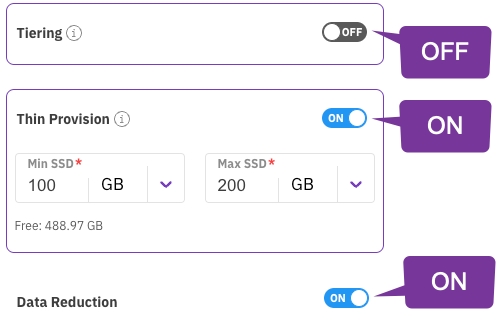
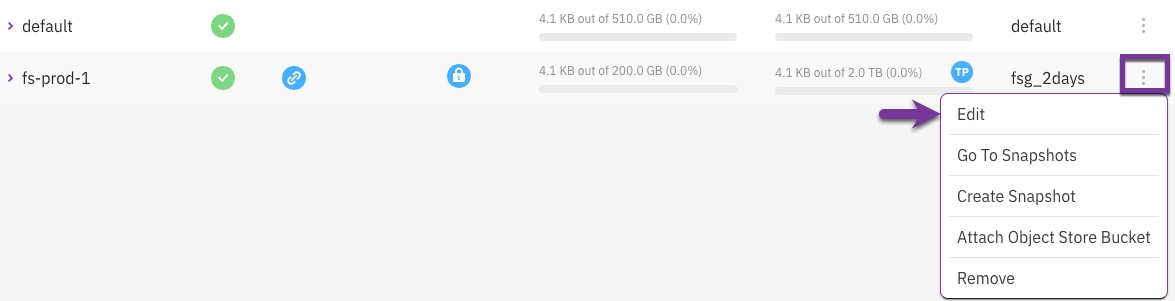
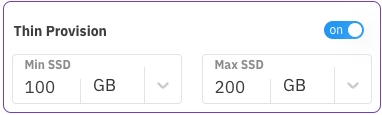
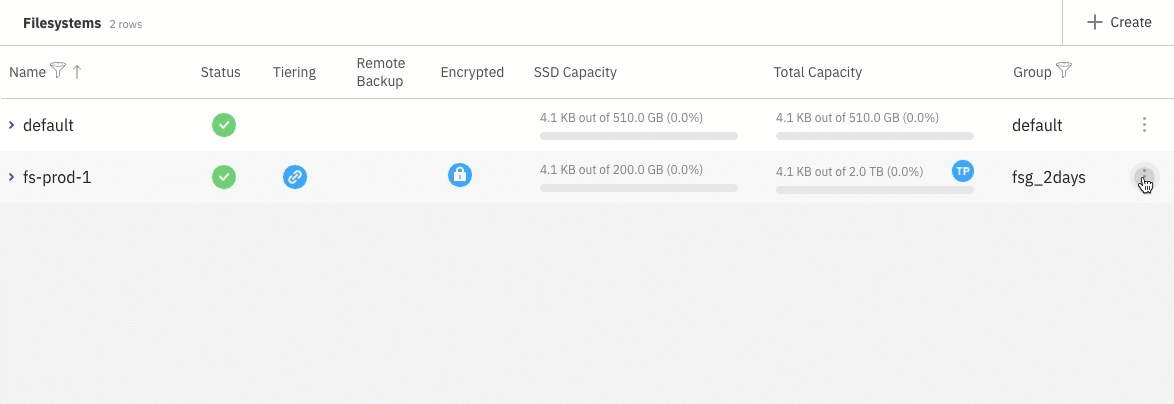
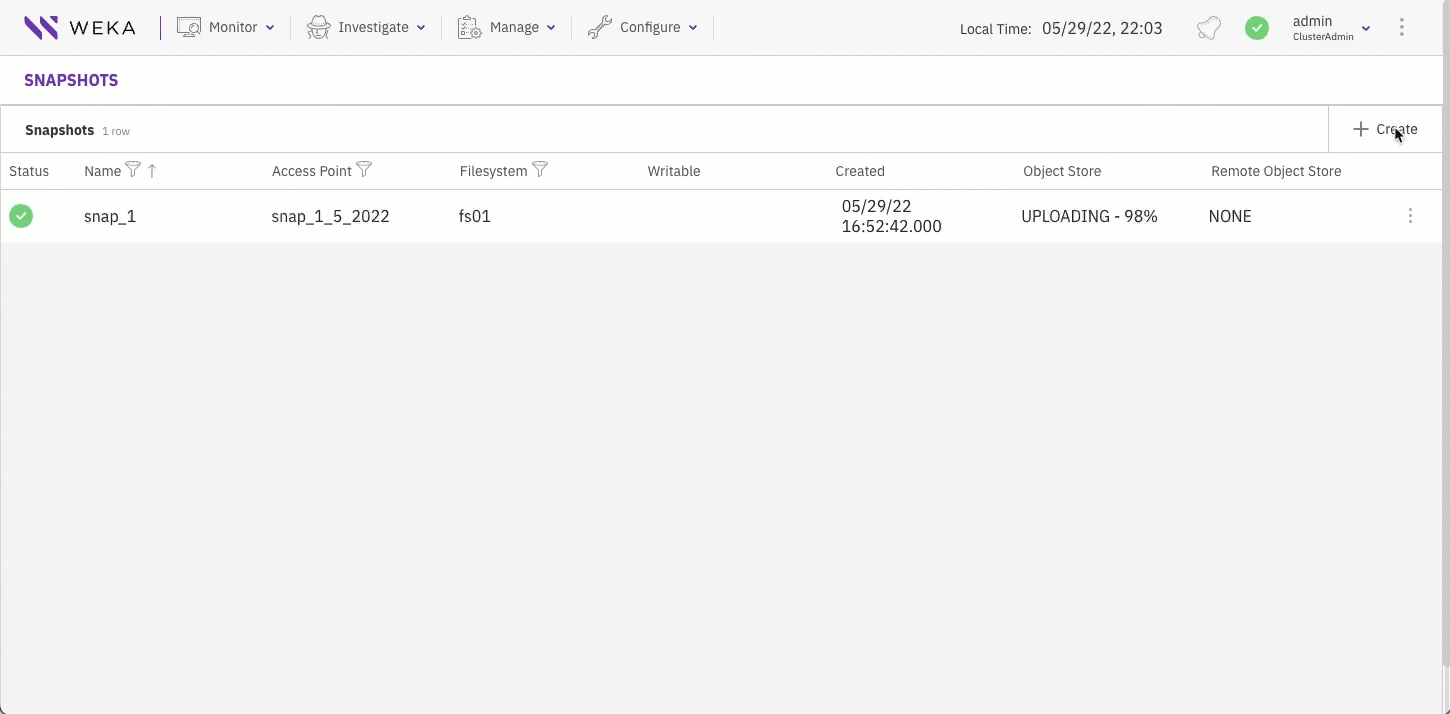
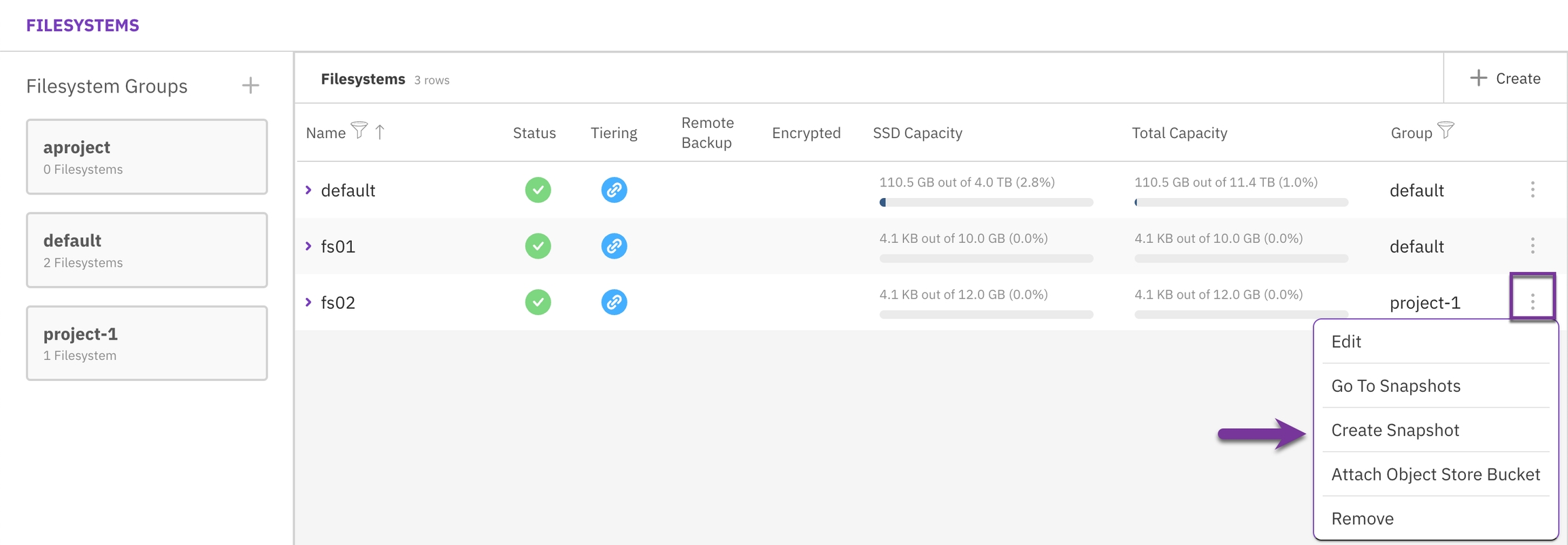
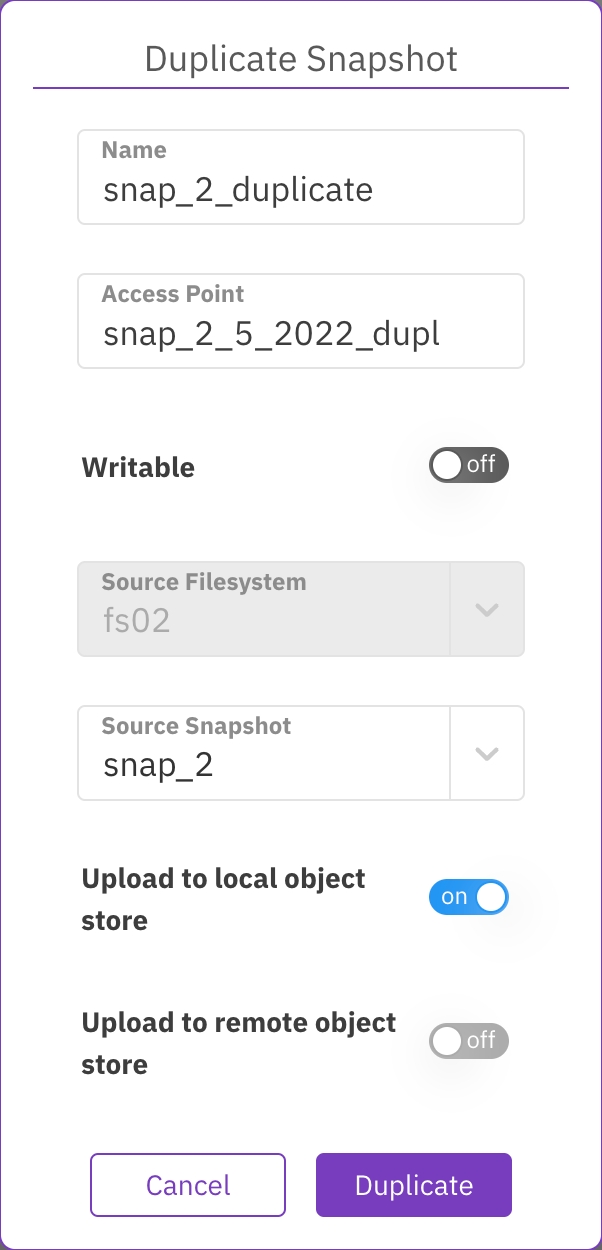
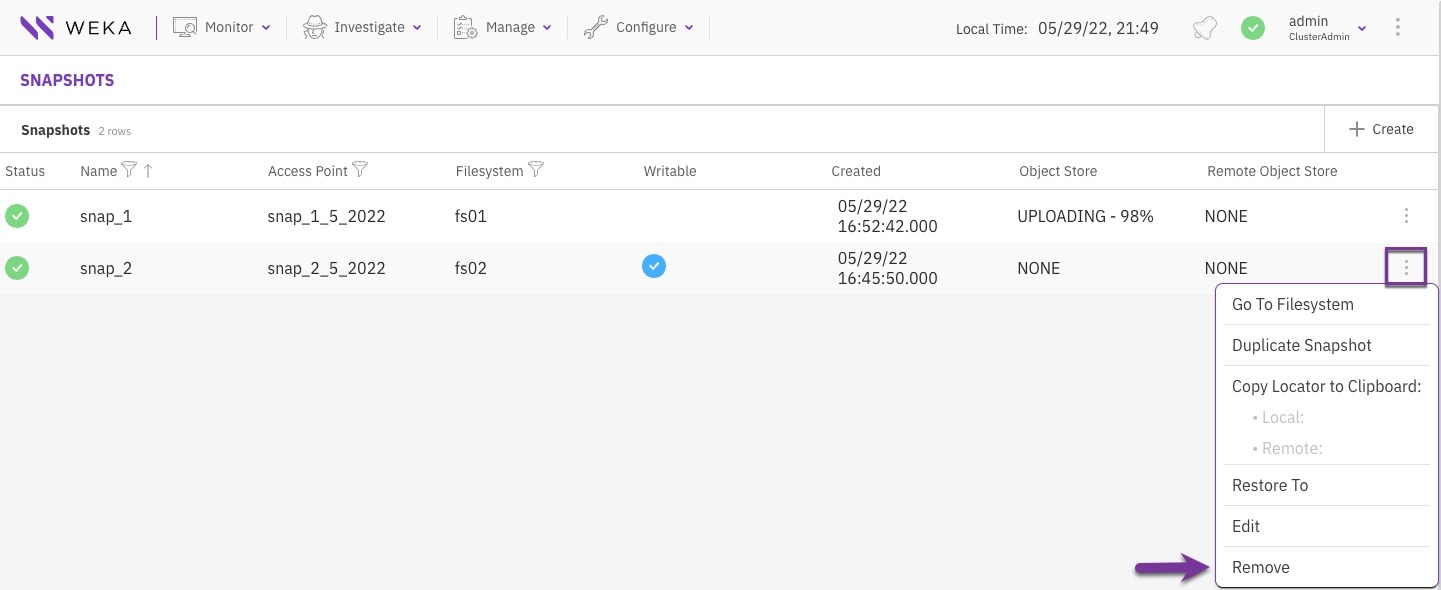
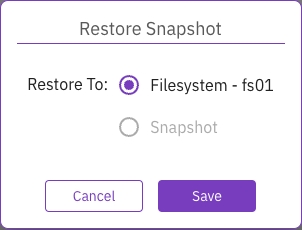
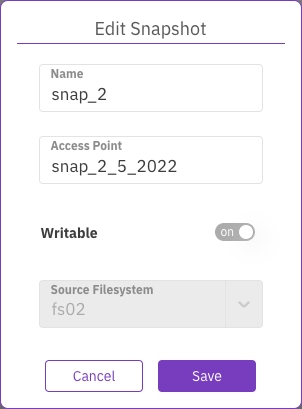
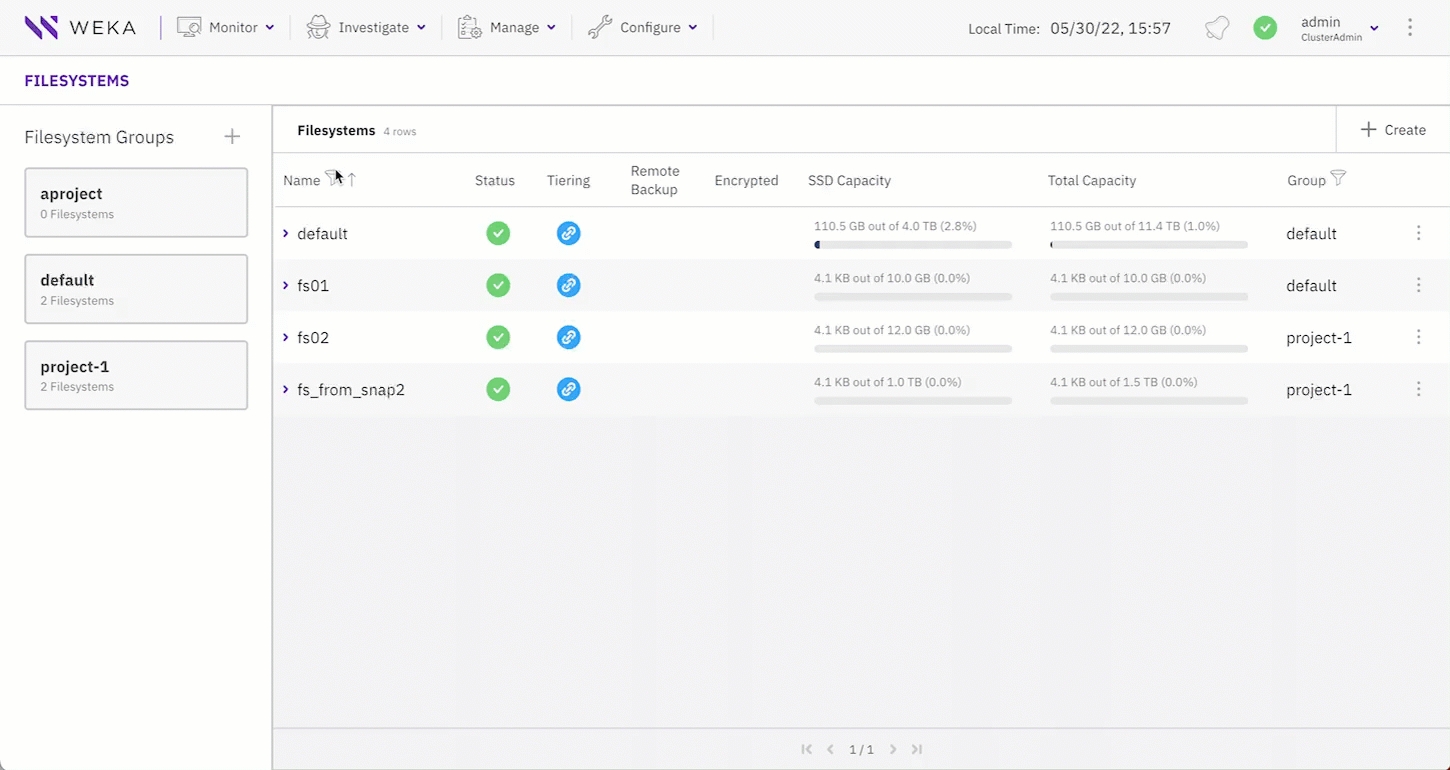
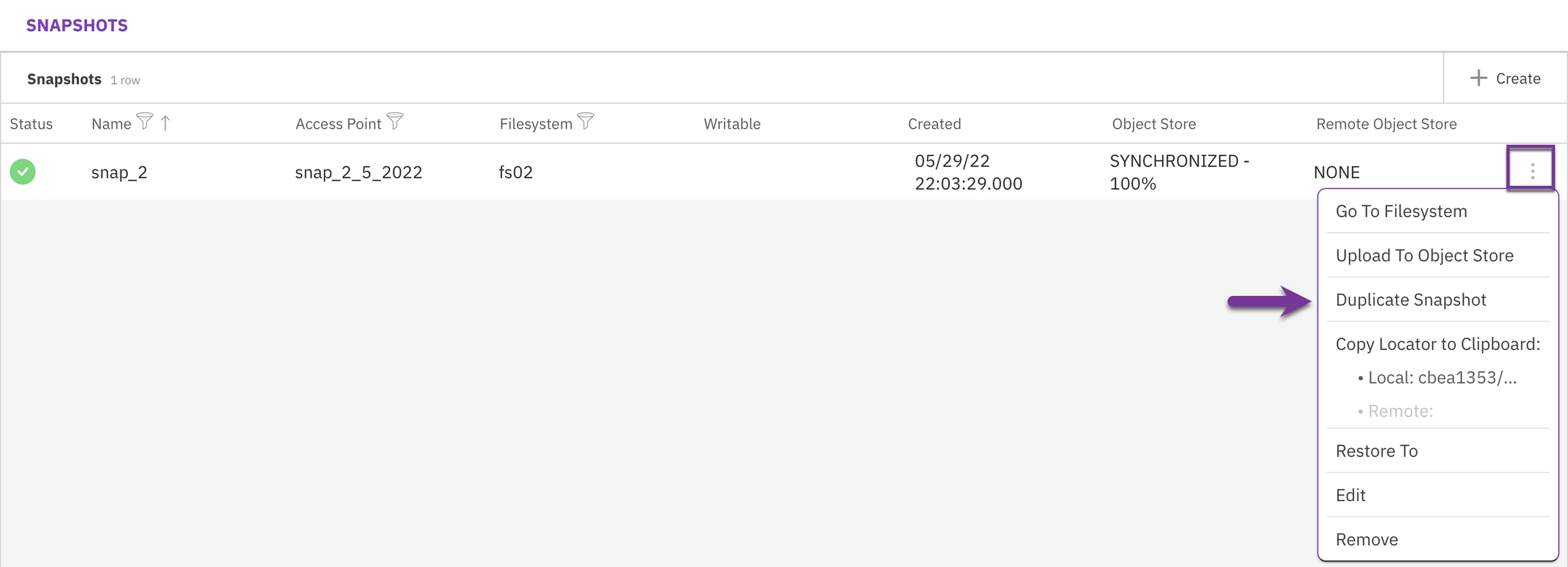
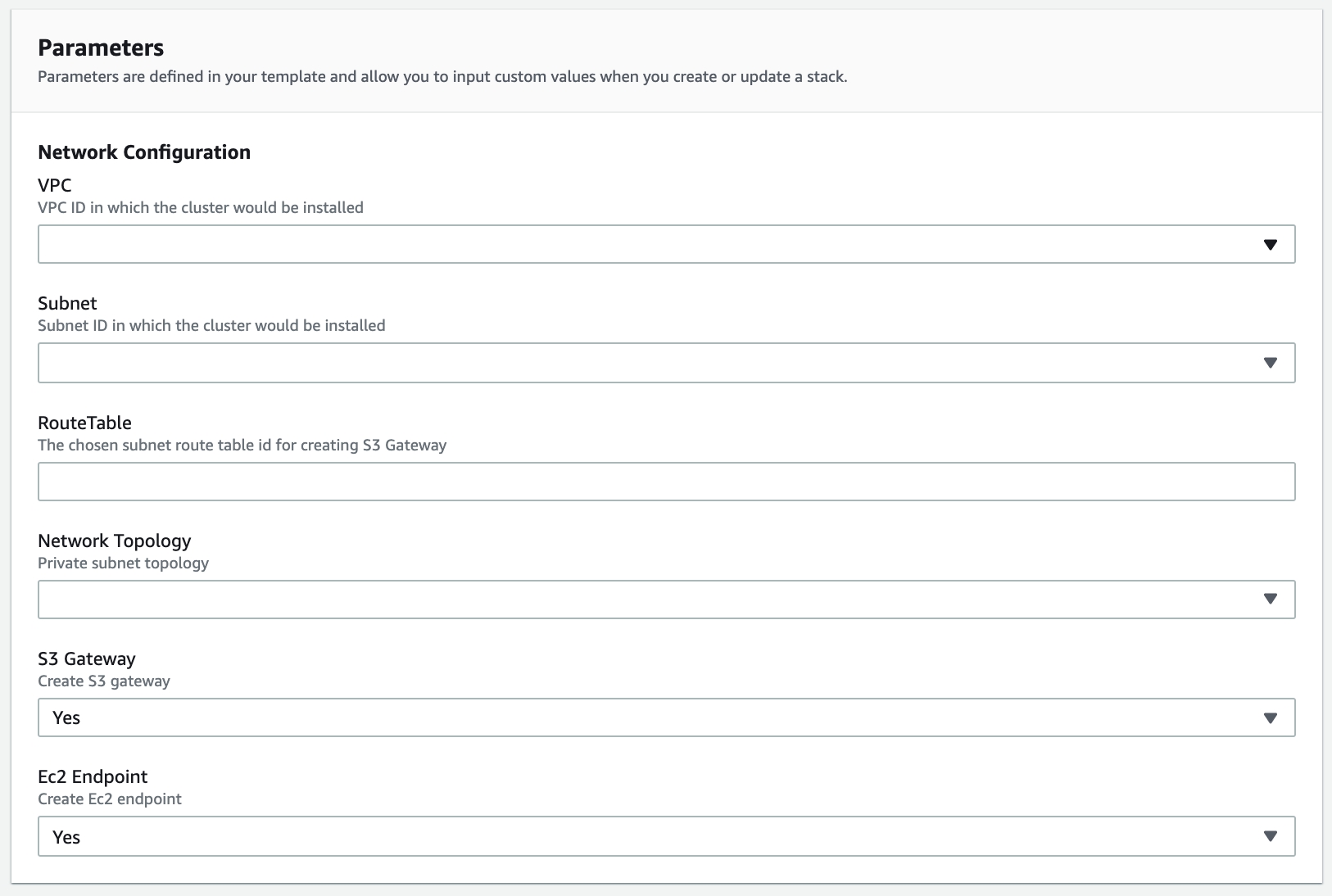
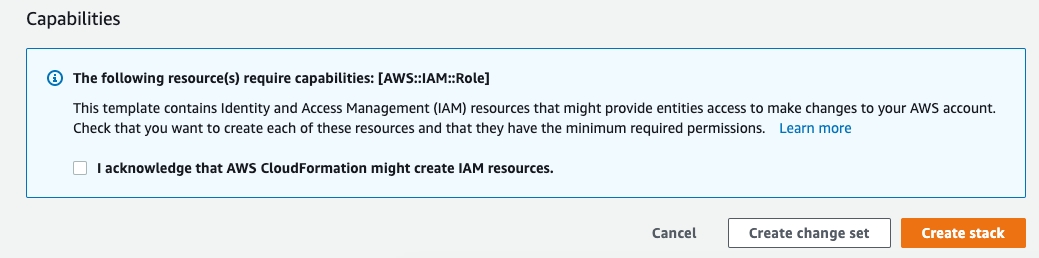
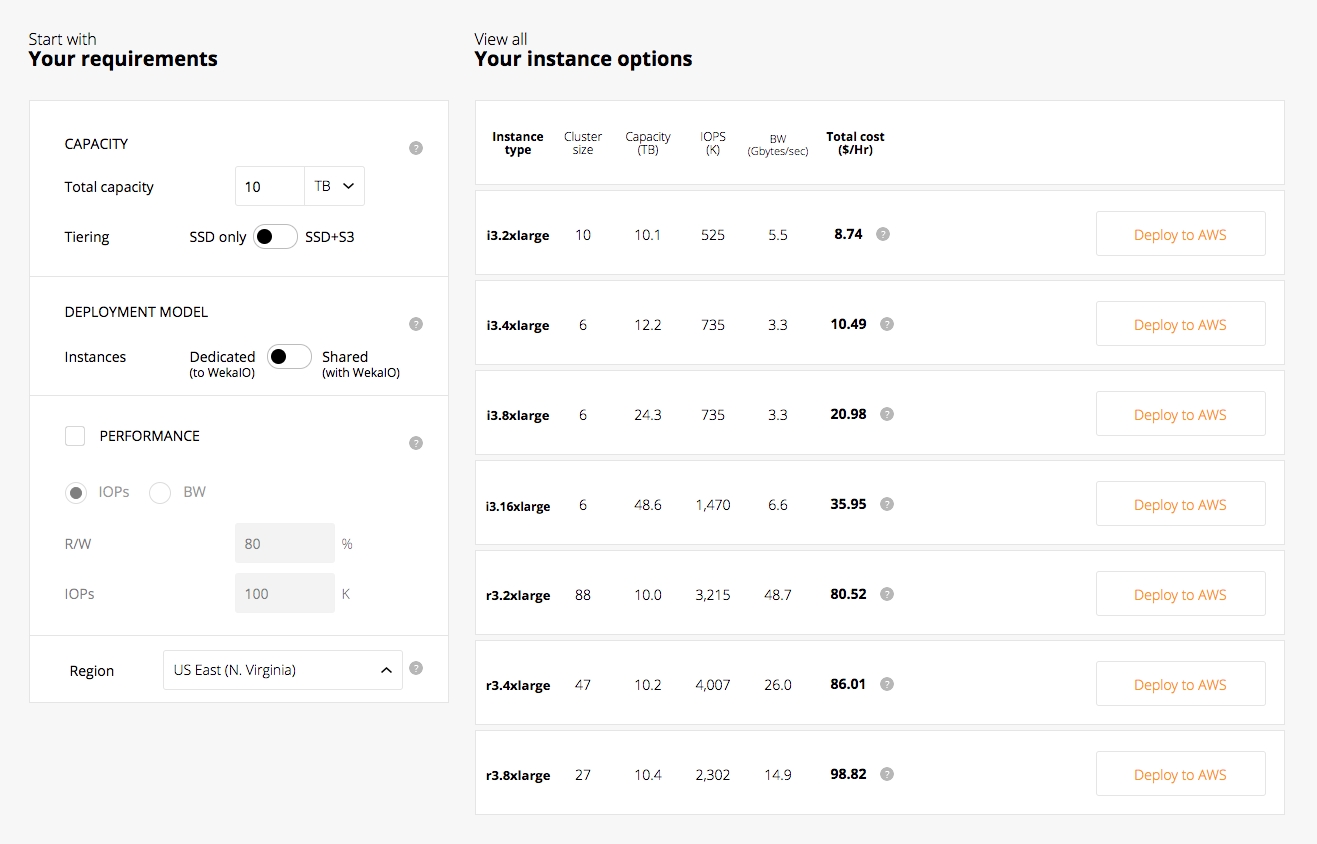
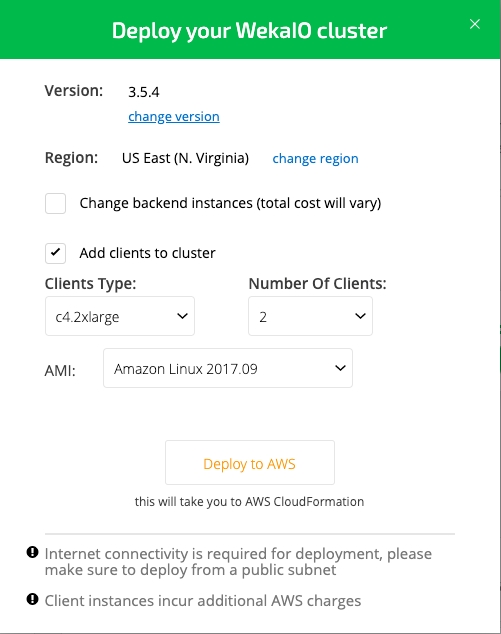
Detailed workflow for manually configuring the WEKA cluster using the resource generator in a multi-container backend architecture.
Perform this workflow using the resource generator only if you are not using the automated WMS, WSA, or WEKA Configurator.
The resource generator generates three resource files on each server in the /tmp directory: drives0.json, compute0.json, and frontend0.json. Then, you create the containers using these generated files of the cluster servers.
Download the resource generator from the GitHub repository to your local server: .
Example:
Copy the resource generator from your local server to all servers in the cluster.
Example for a cluster with 8 servers:
To enable execution, change the mode of the resource generator on all servers in the cluster.
Example for a cluster with 8 servers:
Command: weka local stop default && weka local rm -f default
Stop and remove the auto-created default container created on each server.
Command: resources_generator.py
To generate the resource files for the drive, compute, and frontend processes, run the following command on each backend server:
./resources_generator.py --net <net-devices> [options]
The resource generator allocates the number of cores, memory, and other resources according to the values specified in the parameters.
The best practice for resources allocation is as follows:
1 drive core per NVMe device (SSD).
2-3 compute cores per drive core.
1-2 frontend cores if deploying a protocol container. If there is a spare core, it is used for a frontend container.
Minimum of 1 core for the OS.
For a server with 24 cores and 6 SSDs, allocate 6 drive cores and 12 compute cores, and optionally you can use 2 cores of the remaining cores for the frontend container. The OS uses the remaining 4 cores.
Run the following command line:
./resources_generator.py --net eth1 eth2 --drive-dedicated-cores 6 --compute-dedicated-cores 12 --frontend-dedicated-cores 2
For a server with 14 cores and 6 SSDs, allocate 6 drive cores and 6 compute cores, and optionally you can use 1 core of the remaining cores for the frontend container. The OS uses the remaining 1 core.
Run the following command line:
./resources_generator.py --net eth1 eth2 --drive-dedicated-cores 6 --compute-dedicated-cores 6 --frontend-dedicated-cores 1
Parameters
Command: weka local setup container
For each server in the cluster, create the drive containers using the resource generator output file drives0.json.
The drives JSON file includes all the required values for creating the drive containers. Only the path to the JSON resource file is required (before cluster creation, the optional parameter join-ips is not relevant).
Parameters
Command: weka cluster create
To create a cluster of the allocated containers, use the following command:
Parameters
Command: weka cluster drive add
To configure the SSD drives on each server in the cluster, or add multiple drive paths, use the following command:
Parameters
Command: weka local setup container
For each server in the cluster, create the compute containers using the resource generator output file compute0.json.
Parameters
Command: weka local setup container
For each server in the cluster, create the frontend containers using the resource generator output file frontend0.json.
Command example for installing a stateful client with restricted privileges
Parameters
Command: weka cluster update --cluster-name=<cluster name>
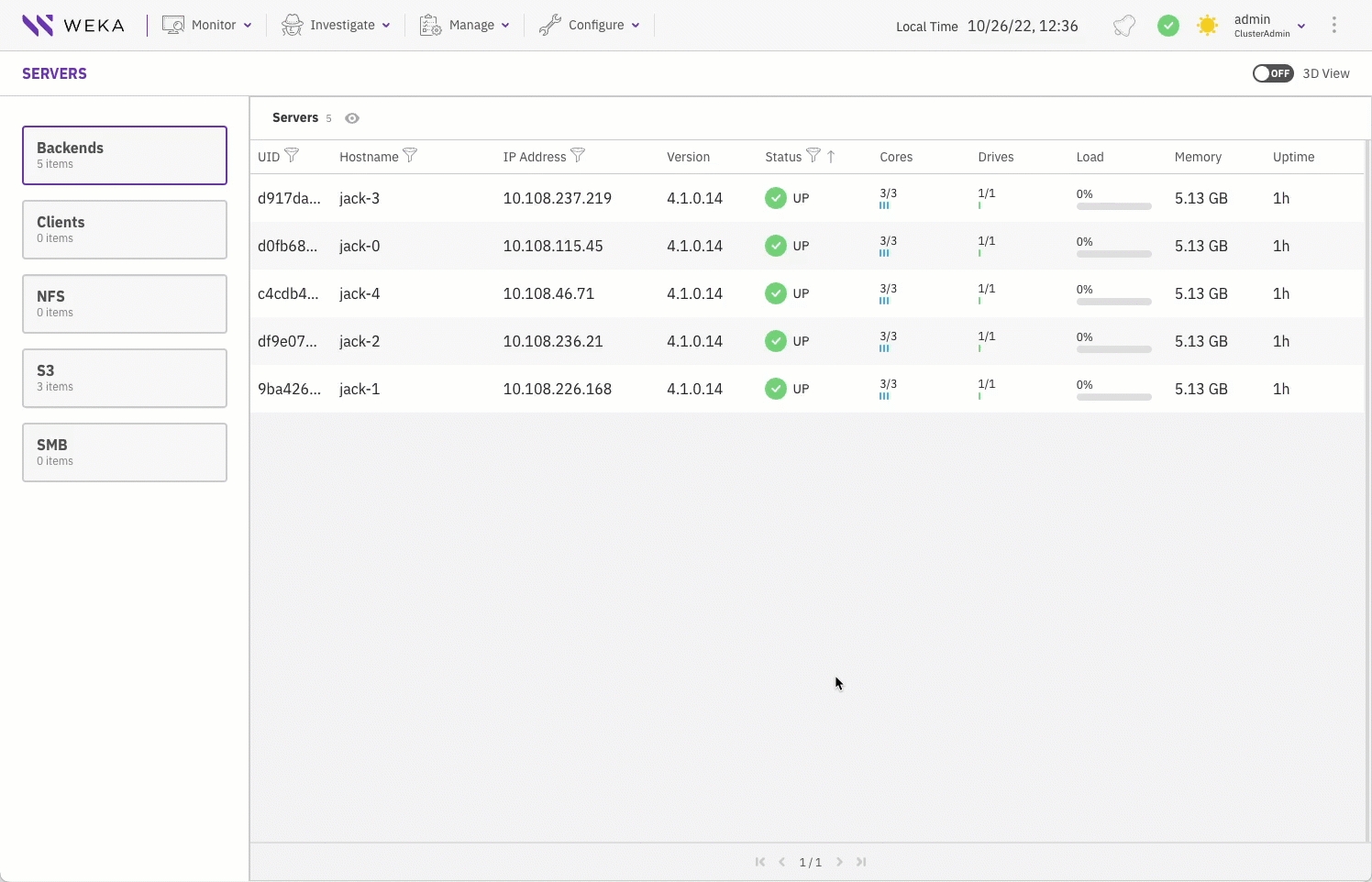
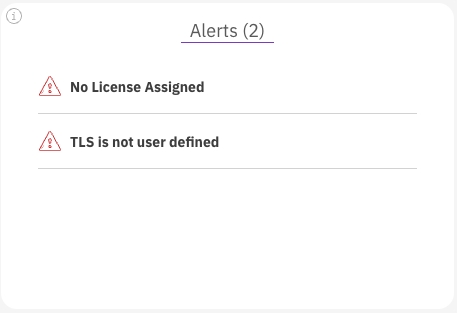
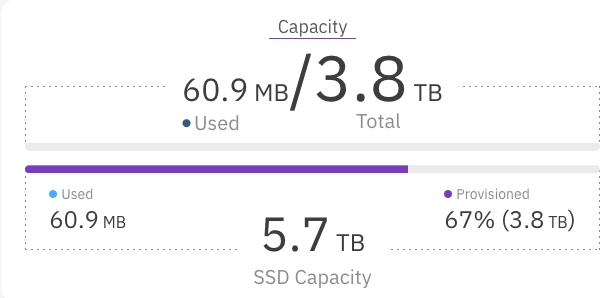
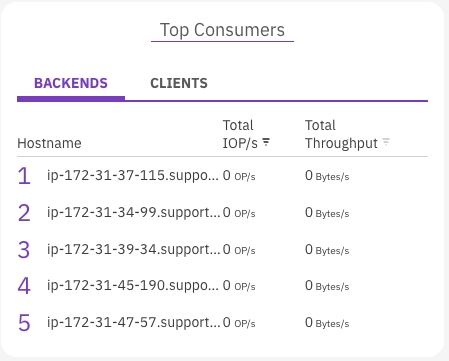
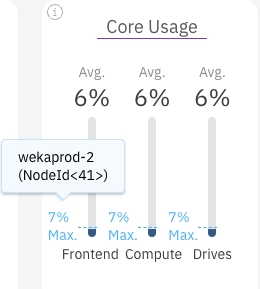
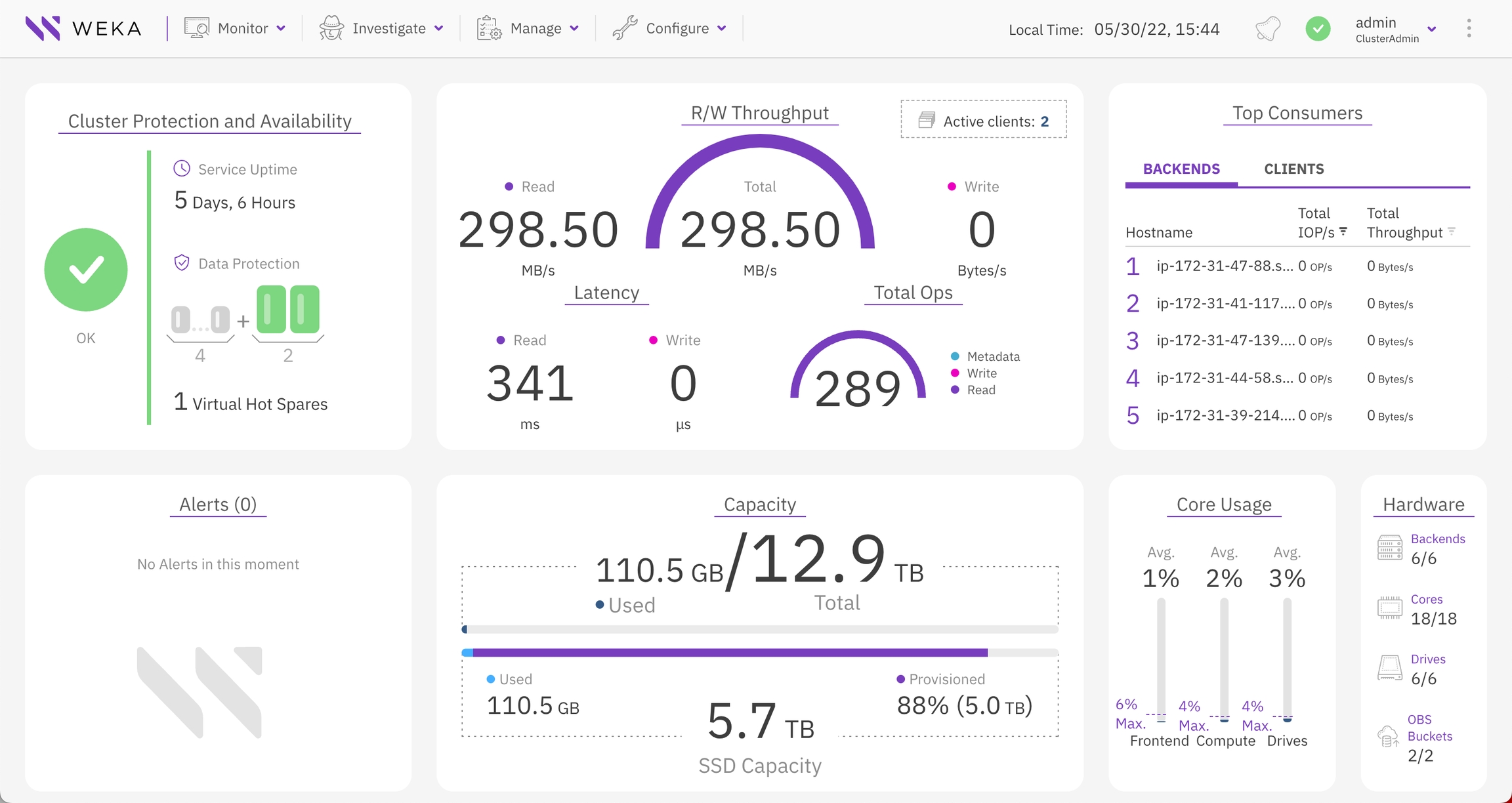
Set up SMB in AWS for secure and efficient file sharing and access control, integrating seamlessly with your cloud resources.
Detailed workflow for WEKA cluster installation in a multi-container backend architecture using the WEKA Configurator.
The WEKA Configurator tool facilitates cluster configuration. It performs the following:
Scans your environment to detect the network, verifies various attributes such as hostnames, and discovers components such as gateway routers.
Selects the servers that can be included in the cluster and verifies that all servers run the same WEKA version.
The WEKA Management Station (WMS) is an install kit similar to an OS install disk that simplifies the installation and configuration of the WEKA cluster in an on-premises environment by deploying the WEKA Software Appliance (WSA) package on bare metal servers. The WMS installs the WEKA OS, drivers, and WEKA software automatically and unattended.
The WMS is also used for installing the monitoring tools: Local WEKA Home (LWH), WEKAmon, and SnapTool (for details, see .
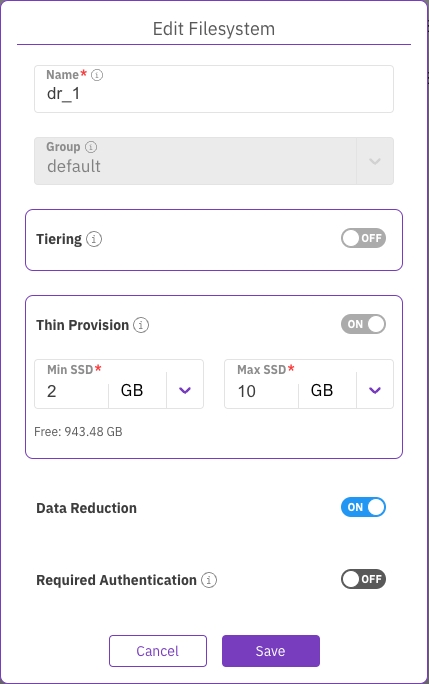
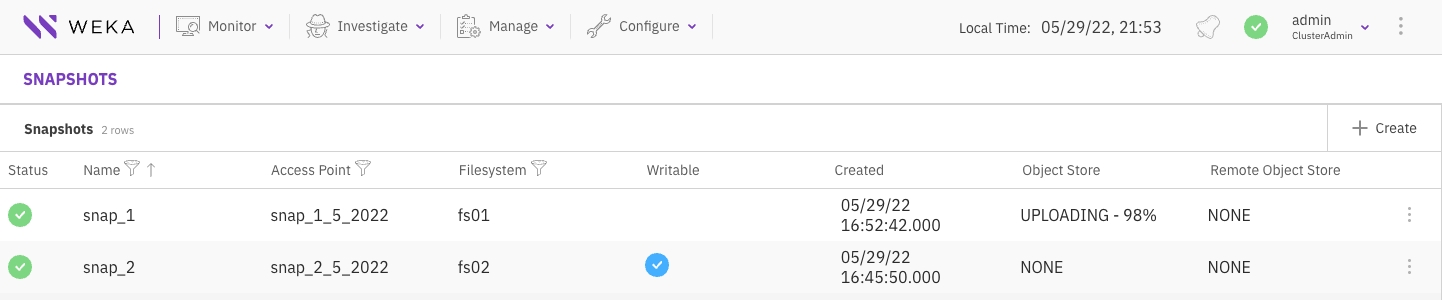
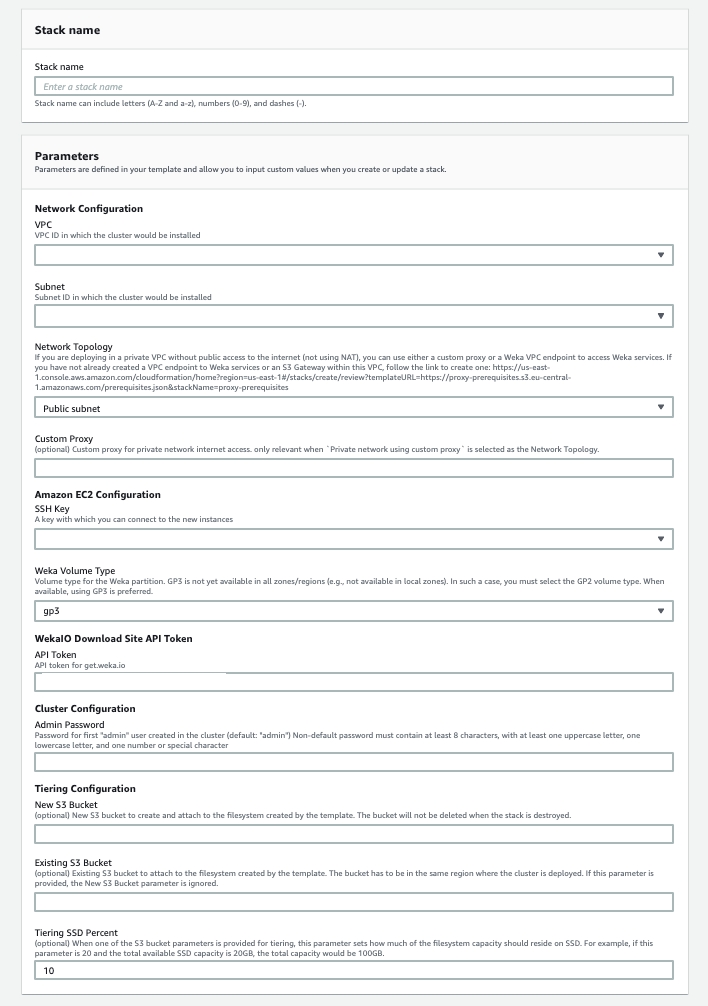
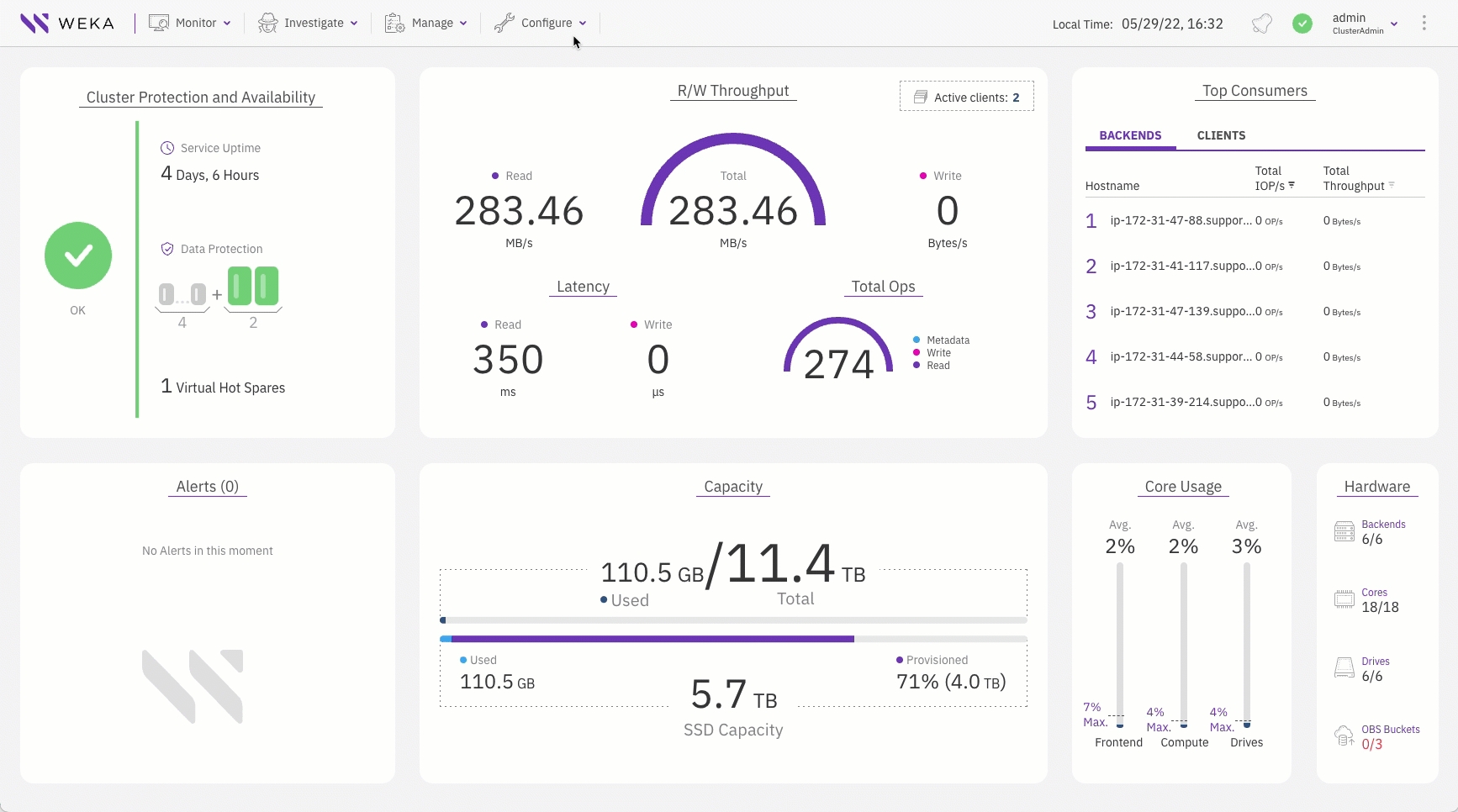
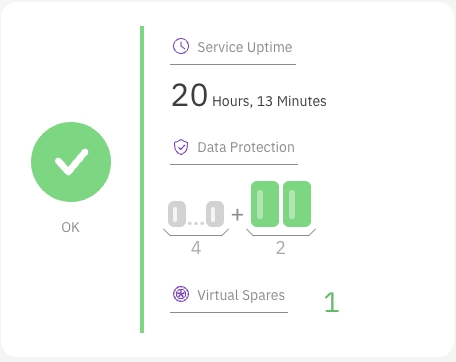
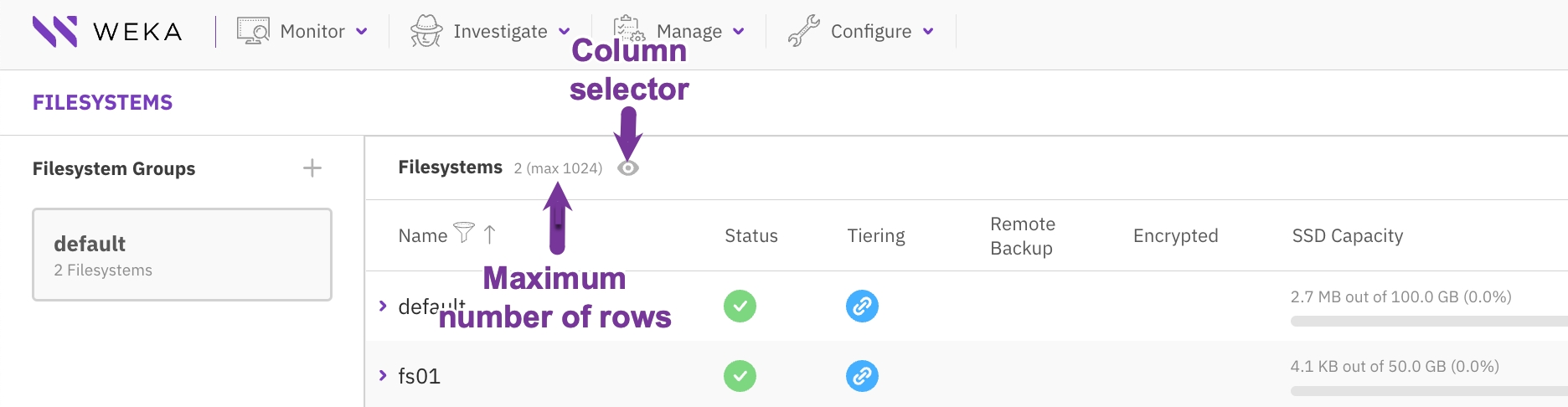
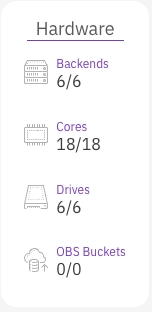
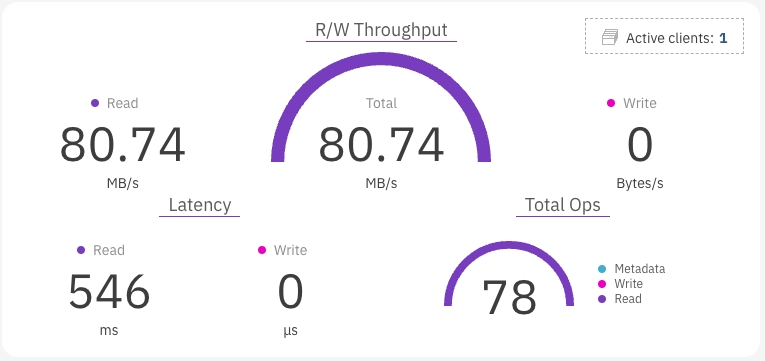


Specify the CPUs to allocate for the WEKA processes. Format: space-separated numbers.
drive-core-ids
Specify the CPUs to allocate for the drive processes. Format: space-separated numbers.
drive-dedicated-cores
Specify the number of cores to dedicate for the drive processes.
1 core per each detected drive
drives
Specify the drives to use.
This option overrides automatic detection. Format: space-separated strings.
All unmounted NVME devices
frontend-core-ids
Specify the CPUs to allocate for the frontend processes. Format: space-separated numbers.
-
frontend-dedicated-cores
Specify the number of cores to dedicate for the frontend processes.
1
max-cores-per-container
Override the default maximum number of cores per container for IO processes (19). If provided, the new value must be lower.
19
minimal-memory
Set each container's hugepages memory to 1.4 GiB * number of IO processes on the container.
net*
Specify the network devices to use. Format: space-separated strings.
no-rdma
Don't take RDMA support into account when computing memory requirements.
False
num-cores
Override the auto-deduction of the number of cores.
All available cores
path
Specify the path to write the resource files.
'.'
spare-cores
Specify the number of cores to leave for OS and non-WEKA processes.
1
spare-memory
Specify the memory to reserve for non-WEKA requirements.
Argument format: a value and unit without a space.
Examples: 10GiB, 1024B, 5TiB.
The maximum between 8 GiB and 2% of the total RAM
weka-hugepages-memory
Specify the memory to allocate for compute, frontend, and drive processes.
Argument format: a value and unit without a space.
Examples: 10GiB, 1024B, 5TiB.
The maximum available memory
Once the cluster creation is successfully completed, the cluster is in the initialization phase, and some commands can only run in this phase.
To configure high availability (HA), at least two cards must be defined for each container.
On successful completion of the formation of the cluster, every container receives a container-ID. To display the list of the containers and IDs, run weka cluster container.
In IB installations the --containers-ips parameter must specify the IP addresses of the IPoIB interfaces.
compute-core-ids
Specify the CPUs to allocate for the compute processes. Format: space-separated numbers
compute-dedicated-cores
Specify the number of cores to dedicate for the compute processes.
The maximum available cores
compute-memory
Specify the total memory to allocate for the compute processes.
Format: value and unit without a space.
Examples: 1024B, 10GiB, 5TiB.
The maximum available memory
resources-path*
A valid path to the resource file.
hostnames*
Hostnames or IP addresses. If port 14000 is not the default for the drives, you can specify hostnames:port or ips:port. Minimum cluster size: 6 Format: space-separated strings
host-ips
IP addresses of the management interfaces. Use a list of ip+ip addresses pairs of two cards for HA configuration. In case the cluster is connected to both IB and Ethernet, it is possible to set up to 4 management IPs for redundancy of both the IB and Ethernet networks using a list of ip+ip+ip+ip addresses.
The same number of values as in hostnames.
Format: comma-separated IP addresses.
IP of the first network device of the container
container-id*
The Identifier of the drive container to add the local SSD drives.
device-paths*
List of block devices that identify local SSDs.
It must be a valid Unix network device name.
Format: Space-separated strings.
Example, /dev/nvme0n1 /dev/nvme1n1
resources-path*
A valid path to the resource file.
join-ips
IP:port pairs for the management processes to join the cluster. In the absence of a specified port, the command defaults to using the standard WEKA port 14000. Set the values, only if you want to customize the port.
To restrict the client’s operations to only the essential APIs for mounting and unmounting operations, connect to WEKA clusters through TCP base port + 3 (for example, 14003).
The IP:port value must match the value used to create the container.
Format: comma-separated IP addresses.
Example: --join-ips 10.10.10.1,10.10.10.2,10.10.10.3:15000
resources-path*
A valid path to the resource file.
join-ips
IP:port pairs for the management processes to join the cluster. In the absence of a specified port, the command defaults to using the standard WEKA port 14000. Set the values, only if you want to customize the port.
Format: comma-separated IP addresses.
Example: --join-ips 10.10.10.1,10.10.10.2,10.10.10.3:15000
client
Set the container as a client.
restricted
Set a client container with restricted privileges as a regular user regardless of the logged-in role.
core-ids
wget https://raw.githubusercontent.com/weka/tools/master/install/resources_generator.py
for i in {0..7}; do scp resources_generator.py weka0-$i:/tmp/resources_generator.py; done
pdsh -R ssh -w "weka0-[0-7]" 'chmod +x /tmp/resources_generator.py'
weka local setup container --resources-path <resources-path>/drives0.jsonweka cluster create <hostnames> [--host-ips <ips | ip+ip+ip+ip>]weka cluster drive add <container-id> <device-paths>weka local setup container --join-ips <IP addresses> --resources-path <resources-path>/compute0.jsonweka local setup container --join-ips <IP addresses> --resources-path <resources-path>/frontend0.jsonweka local setup container --client --restricted --join-ips <IP addresses> --resources-path <resources-path>/frontend0.jsonGo to the Directory Service page.
Click Set up directory.
Select directory type:
Ensure AWS Managed Microsoft AD is selected.
Click Next.
Configure directory:
Select Standard Edition.
Enter the Directory DNS Name and Admin password.
Click Next.
Select VPC and subnets:
Select the appropriate VPC and Subnets.
Click Next.
Create directory:
Click Create directory. The AD environment creation process takes approximately 20 to 40 minutes.
Record the IP addresses:
After creating the directory, select the Directory ID, select the Networking & security tab, and note the IP addresses under DNS address. (You'll need these for configuring the Amazon Route 53 Resolver in the next section.)
Configure Amazon Route 53 Resolver.
Deploy WEKA cluster using Terraform.
Deploy Windows client on EC2.
Configure SMB.
Amazon Route 53 Resolver responds recursively to DNS queries from AWS resources for public records, Amazon VPC-specific DNS names, and Amazon Route 53 private hosted zones, and is available by default in all VPCs.
Procedure
Create a security group:
In the AWS Console and go to the VPC service page.
Select Security Groups and click Create security group.
Provide a Security group name and description. Select the appropriate VPC.
Create two inbound rules:
Rule 1: Allow DNS (TCP) traffic.
Rule 2: Allow DNS (UDP) traffic.
Set the CIDR of the VPC as the custom source for both rules.
Click Create security group.
Access Route 53 Resolver:
In the AWS Console, go to the Route 53 Resolver page.
Click Configure endpoints.
Set up outbound endpoint:
Select Outbound only.
Click Next.
Enter an Endpoint name
Create forwarding rule:
Enter a Name for the rule.
Set Rule type to forward.
Input the Domain name of the Active Directory.
Review and submit:
Review the entries.
Click Submit to finalize the configuration.
Related information (AWS documentation)
Automating the deployment with Terraform ensures consistent and efficient setup, allowing you to quickly provision and manage your WEKA infrastructure within AWS.
Procedure
Deploy WEKA using Terraform. For details, see WEKA installation on AWS using Terraform.
This template deploys a cluster with SMB gateways. Customize the AWS account-specific fields to suit your environment.
Note the cluster's placement group name from the Terraform output.
By setting up a Windows client in your AWS environment, you can manage and interact with your domain services directly within the cloud, streamlining administration and enhancing your infrastructure's flexibility.
Procedure
Launch the Windows instance:
Go to the EC2 service page in the AWS Management Console.
Click Launch Instances.
Configure the following:
Name: Enter a descriptive name for the instance.
AMI: Select Microsoft Windows Server 2019 Base.
Instance type: Select an appropriate instance type. Example: c5n.9xlarge.
Key pair: Select an existing key pair or create a new one.
Network settings:
Click Edit.
Select the appropriate VPC, Subnet, and Security Group. Ensure the instance is accessible through RDP.
Select the same Availability Zone
Expand Advanced Details and select the Placement Group that matches the WEKA cluster.
Click Launch Instance.
Connect to the Windows instance:
On the Instances page, click on the link for your newly created instance.
Select the checkbox next to the instance and click Connect.
Log in to the Windows client:
Use the RDP client to log into the Windows instance using the RPD credentials.
Install required features:
Open Windows PowerShell and execute the following commands to install necessary features:
Join the domain:
Select the Start menu and open Control Panel.
Select System and Security > System > See the name of this computer.
Restart the instance:
Go to the Start menu and select Restart to apply the changes.
Configure a WEKA SMB cluster to enable file sharing between WEKA and Windows clients, ensuring proper integration and secure access.
You can configure the SMB cluster using one of the following approaches according to your preferences:
Configure SMB using RFC2307: Use this approach when you need consistent UID/GID mappings across UNIX/Linux and Windows systems, managed through Active Directory.
Configure SMB using RID mapping: Use this approach for automatic UID/GID generation in simpler environments with minimal UNIX/Linux integration.
Create DNS records:
Log in to the Windows client: Use RDP to connect, logging in with [email protected] and the corresponding password.
Open DNS management: Go to Start → Windows Administrative Tools → DNS.
Connect to the Domain Controller: Select The following computer, enter the IP address of the domain controller, and click OK.
Configure DNS:
In the weka.local Forward Lookup Zone, click View → Advanced.
Select Action → New Host (A or AAAA).
Enter the name (matching the WEKA SMB Cluster name), IP address, and set TTL to 0. Click Add Host. Ensure the hostname is 15 characters or fewer.
Add DNS records: Repeat the process for all three SMB protocol gateways.
Validate DNS configuration:
Ping smbtest.weka.local to confirm connectivity.
If ping fails, verify the security group configuration:
Ensure the Windows client and WEKA backend are in the same security group or have appropriate inbound rules for ping and SMB protocols.
Join the WEKA SMB cluster to Active Directory:
Retrieve the WEKA password from Secrets Manager using the AWS CLI command listed in the Terraform output, or access it through the AWS Console.
In the WEKA GUI, select Manage > Protocols.
Select SMB from the left menu.
Create an SMB share in WEKA:
In the WEKA GUI, go to the Shares tab, then click Create.
Set Name to test, Filesystem to default, Path to /, and enable ACLs
Set UID and GID for the Admin user:
In the Windows Client RDP session:
Select Start → Windows Administrative Tools → Active Directory Users and Computers.
Click View → Advanced Features.
Connect and configure the SMB share:
Connect to the SMB share: Use File Explorer to connect to smb://weka.local/.
Configure share permissions:
Right-click the Test share, select Properties, then go to the Security tab.
Click Edit to modify permissions. In this example, give Everyone full control by checking Allow for Full Control. Click OK, then Yes on the confirmation prompt.
Test the share:
Access the share and create a new folder or copy a file to verify functionality.
Configure WEKA SMB Cluster:
Log in via SSH to a protocol gateway.
Run weka user login.
Identify the container IDs of the protocol gateway frontend containers using weka cluster container -F container=frontend0.
Execute the following command, replacing placeholders with your environment specifics:
Wait until the status indicators turn green.
Create DNS Records:
Log in to the Windows Client via RDP using [email protected] and the corresponding password.
Go to Start → Windows Administrative Tools → DNS.
Join WEKA SMB Cluster to Active Directory:
In the WEKA GUI, click Join.
Enter Admin as the username and the AD password, then click Join.
Create an SMB Share in the WEKA Cluster:
In the WEKA GUI, go to the Shares tab and click Create.
Set Name to test, Filesystem to default, Path to /, and enable ACLs
Set Initial SMB Share Permissions
SSH to one of the protocol gateways.
Mount the default filesystem:
Connect and Configure SMB Share
Use File Explorer to connect to smb://weka.local/.
Right-click the Test share, select Properties, and go to the Security tab.
Generates a valid configuration file that you can apply to form a WEKA cluster from a group of servers.
Adhere to the following concepts:
STEM mode: STEM mode is the initial state before configuration. The term STEM comes from the concept of stem cells in biology, which are undifferentiated. In WEKA clusters, STEM mode carries the same connotation of being an undifferentiated state.
Reference host: The wekaconfig normally runs on one of the servers designated as part of the final cluster. The server that wekaconfig runs on is called the reference host. When wekaconfig runs, it expects to find a group of servers in STEM mode. If the reference host is not in STEM mode, an error message is issued, and the program terminates.
Same networks: It is assumed that all other servers forming the cluster are connected to the same networks as the reference host and have the same configuration (all servers have a homogeneous hardware configuration).
Homogeneous configuration: Two or more servers with the same core count, RAM size, number and size of drives, and network configurations are considered homogeneous.
It is best practice to create the WEKA cluster from a group of homogeneous servers (it is typically the case because the hardware is typically purchased all at the same time). wekaconfig checks if the servers are homogeneous; if they are not, it points out the discrepancies (such as varying numbers of drives, RAM, or cores).
wekaconfig allows the configuration of heterogeneous clusters. However, because most times, the servers are supposed to be homogeneous, it can be an error that they are not. For example, if one of the drives is defective (DOA) from the factory or a memory stick is defective. These hardware issues are uncommon and can be difficult to discover in large clusters.
Passwordless ssh connection: Enabling passwordless ssh between all the servers is very convenient and makes most tools work more smoothly. At a minimum, a regular user with passwordless sudo privileges and passwordless ssh is required for configuration. However, it is most convenient to have the root user has passwordless ssh, even if only temporarily during configuration.
Ensure you can ssh without a password by doing an ssh to each server.
Stripe width: A RAID-like concept refers to the total width of the data stripe for data protection mechanisms. Typically, the DATA and PARITY combined are the stripe width. In WEKA terms, the stripe width must be less than the total number of servers in the cluster. For example, in a 10-server cluster, the stripe width can be 9 (7 data + 2 parity) plus 1 spare.
System preparation is validated: Ensure the system preparation is validated using the wekachecker (on WSA installations this is already installed under /opt/tools/install). See .
The WEKA software is installed on all cluster servers: If not installed using the WSA, follow the instructions in the Install tab of get.weka.io. Once completed, the WEKA software is installed on all the allocated servers and runs in STEM mode.
Configure a WEKA cluster with the WEKA Configurator.
Apply the configuration (config.sh).
Download the WEKA’s tools repository to one of the servers by running the following:
git clone https://github.com/weka/tools
Connect to the server using ssh, change the directory to tools/install, and run ./wekaconfig.
The wekaconfig scans the environment, detects the servers, and determines if the group of servers is homogeneous. The following example shows the servers do not have a homogeneous number of cores.
wekaconfig detection resultsReview the detection results. If the configuration meets your requirements, press Enter. Select each of the following tabs to set the WEKA configuration.
The wekaconfig displays the data plane networks (DP Networks) detected previously. The list under Select DP Networks reflects the high-speed (100Gb+) networks used for the WEKA storage traffic.
Verify that the list of networks, speed, and number of detected hosts are correct.
If the values are not as expected, such as an incorrect number of servers, incorrect or missing networks, investigate it and check the messages. Typically, network configuration issues are the source of the problem.
Select the required networks to configure WEKA POSIX protocol to run on.
Use the arrow and Tab keys to move between the fields and sections, and the space-bar to select the value.
Note: The green labels have entry fields. The yellow labels have read-only fields.
Press Tab to move to the Hosts section.
wekaconfig pre-populated the hostnames of the servers that are on this network and running the same version of WEKA and are in STEM mode.
Use the arrow keys to move between the servers, and space bar to select or deselect specific servers. Press Tab to accept values and move to the next field: High Availability.
High Availability (HA) is used for networks with more than one network interface.
In this example, only one network is selected, so the HA default is No. When there are two or more networks selected, you can change the the HA option to suit your needs. Consult the WEKA Customer Success Team before changing this default value.
Press Tab to accept value and move to the next field: Multicontainer. The default is Yes and it is mandatory from WEKA version 4.1.
Press Tab to move to the lower-right. Use the arrow to move to Next. Then, press the space-bar.
This page shows the following sections:
Host Configuration Reference
Bias
Cores details
Move to the Cluster Name field and set a unique name for your WEKA cluster.
The stripe and other settings include:
Data Drives: The number of data members in the Stripe Width.
Parity Drives: The number of parity members.
Hot Spares: The number of Hot Spare members.
Once you have set the WEKA configuration, using the arrows, select Done and press Enter. The wekaconfig creates the config.sh file.
From the install directory, run ./config.sh.
The configuration takes a few minutes and possibly longer for large clusters. See some examples of the configuration process and WEKA status.
Using the WMS with WSA to install a WEKA cluster requires a physical server (or VM) that meets the following requirements:
Boot drives: One or two identical boot drives as an installation target.
A system with two identical boot drives has the OS installed on mirrored partitions (LVM).
A system with one drive has a simple partition.
Minimum boot drive capacity:
If not configuring LWH: SSD 141 GB (131 GiB).
If configuring LWH: See the SSD-backed storage requirements section in .
Boot type: UEFI boot.
Cores and RAM:
If not configuring LWH: minimum 4 cores and 16 GiB.
If configuring LWH, see the Server minimum CPU and RAM requirements section in .
Network interface: 1 Gbps.
Target servers must be Dell, HPE, Supermicro, or Lenovo. Other servers are not supported.
The RedFish interface must be installed, enabled, and licensed for all target servers.
The WMS must be able to connect over Ethernet to the following servers’ interfaces:
OS management interface, typically 1 Gbps. It must be connected to a switch.
Base Management Controller (BMC), such as IPMI, iDRAC, or
All the servers' dataplane interfaces must be connected to the switches.
The bare metal servers must conform to the .
The bare metal servers must have an OS management network interface for administering the servers.
The boot type must be set to UEFI boot.
For cluster configurations exceeding 25 servers, it’s advisable to equip the WMS with an ETH interface of superior speed, such as 10/25/50 Gbps, during the installation phase. As an alternative, you could bond two or more 1 Gbps interfaces to increase the bandwidth. Once the installation phase is completed, a bandwidth of 1 Gbps is sufficient.
Before deploying the WMS, adhere to the following:
Obtain the WMS package. For details, see Obtain the WEKA installation packages.
The root password is WekaService
The WEKA user password is weka.io123
If errors occur during installation and the installation halts (no error messages appear), use the system console to review the logs in /tmp. The primary log is /tmp/ks-pre.log.
To get a command prompt from the Installation GUI, do one of the following:
On macOS, type ctrl+option+f2
On Windows, type ctrl+alt+f2.
Boot the server from the WMS image. The following are some options to do that:
Copy the WEKA Management Station ISO image to an appropriate location so the server’s BMC (Baseboard Management Controller) can mount it or be served through a PXE (Preboot Execution Environment).
Depending on the server manufacturer, consult the documentation for the server’s BMC (for example, iLO, iDRAC, and IPMI) for detailed instructions on mounting and booting from a bootable ISO image, such as:
A workstation or laptop sent to the BMC through the web browser.
An SMB share in a Windows server or a Samba server.
An NFS share.
To use PXE boot, use the WEKA Management Station as any other Operating System ISO image and configure accordingly.
Burn the WMS image to a DVD and boot it from the physical DVD. However, most modern servers do not have DVD readers anymore.
A bootable USB drive should work (follow online directions for creating a bootable USB drive) but has not been tested yet.
Once you boot the server, the WEKA Management Station installs the WEKA OS (Rocky Linux), drivers, and WEKA software automatically and unattended (no human interaction required).
Depending on network speed, this can take about 10-60 mins (or more) per server.
Once the WMS installation is complete and rebooted, configure the WMS.
Run the OS using one of the following options:
Run the OS through the BMC’s Console. See the specific manufacturer’s BMC documentation.
Run the OS through the Cockpit Web Interface on port 9090 of the OS management network.
If you don’t know the WMS hostname or IP address, go to the console and press the Return key a couple of times until it prompts the URL of the WMS OS Web Console (Cockpit) on port 9090.
Change the port from 9090 to 8051, which is the WMS Admin port.
Browse to the WMS Admin UI using the following URL:
http://<WMS-hostname-or-ip>:8501
Enter username and password (default: admin/admin), and select Login. The Landing Page appears.
Download the latest release of the WSA package from get.weka.io dashboard.
Copy the WSA package to /home/weka .
For example: scp <wsa.iso> weka@<wms-server>:
Go to the WMS Admin UI (landing page) and select Deploy a WEKA Custer.
The WSA setup page opens.
Open Step 1 - Choose source ISO, select the WSA package (ISO) you intend to deploy, and click Next.
In Step 2 - Load values from, select one of the following options:
Option 1: Enter environment data: Click Go directly to forms to enter data.
Option 2: Import CSV file: If you have the environment data in a CSV file, click Upload a CSV file to pre-populate data. Step 3 - CSV File Upload section opens.
Drag or click to upload the CSV file, and click Next.
CSV template example
You can prepare a CSV file with the columns as specified in the following example:
In Step 4 - Number of servers to deploy, enter a Server Count (default is 8), and click Next.
In the following steps, if you uploaded a CSV file, the data is pre-populated. You can review the data and if no editing is necessary, select Next.
In the IPMI First IP, enter the IPMI IP address of the first server. It requires a consecutive set of IP addresses for the servers (typical).
In the IPMI user and IPMI password, modify the login credentials for the IPMI, iLO, or iDRAC according to your choice.
Click Fill IPMI IPs to calculate the IP addresses for the number of servers specified in Step 4.
You can edit the IP addresses, Usernames, and Passwords as needed if the servers aren’t consecutive or require different credentials.
If you edited the table, click Verify IPMI IPs to verify that the WMS can log into the BMCs and detect the manufacturer (Brand column).
Verify that all is correct, and then click Next.
In Step 6 - Operating System network information, do the following:
In the OS First IP, enter the IP address of the OS 1 Gbit management interface. It requires a consecutive set of IP addresses for the servers (typical).
In the remaining networking fields, fill in the networking details.
Click Fill OS Table to populate the table. The WMS automatically generates names and IPs.
Verify that the OS IP settings are correct. You can repeatedly click Fill OS Table to make adjustments.
Verify that all is correct, and then click Next.
In Step 7 - Dataplane settings, do the following:
Set the number of interfaces in the Dataplane Interface Count slider.
In the remaining dataplane fields, fill in the details.
Click Update Dataplanes. The WMS automatically populates the data.
You can repeatedly click Update Dataplanes to make adjustments.
Verify that all is correct, and then click Next.
In Step 8 - Save configuration files and inventory, click Save Files to save the configuration files, and then click Next.
In Step 9 - Prepare ISO for installation, click Prepare ISO for install. The WMS updates the kickstart on the ISO to match the WMS deployment data (it takes about 30 seconds).
When the ISO preparation is completed, the output is displayed. Verify that no errors appear. Then, click Next.
In Step 10 - Start Installation, click Install OS on Servers. The WMS loads the WSA on the servers previously defined and starts the installation. The installation can take several minutes and displays output when complete. Verify that no errors appear.
The installation process takes about 30 minutes, depending on several factors, such as network speed. Verify that the server’s BMC completed the restart.
In Step 11 - Run OS and Dataplane Configuration Scripts, click Run post-install scripts. This action runs scripts to configure the servers with the specified dataplane IPs and perform additional tasks, such as populating /etc/hosts.
Alternative OS and dataplane configuration
These commands only need to be run if you did not follow step 11 above.
Connect to one of the cluster servers to run the post-install scripts. The tools are in the same location: /opt/tools/install on the WSA as they are on the WMS.
When prompted, enter the password WekaService
Change the directory to /opt/ansible-install by running the following command:
Run the post-install script:
Example:
Ensure the DNS is operational, or copy the /etc/hosts entries from one of the cluster servers to the WMS.

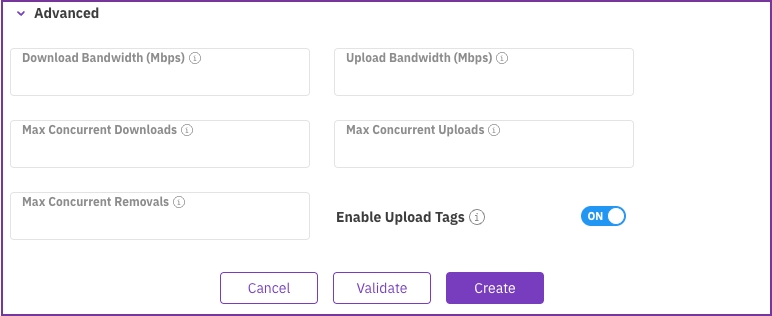
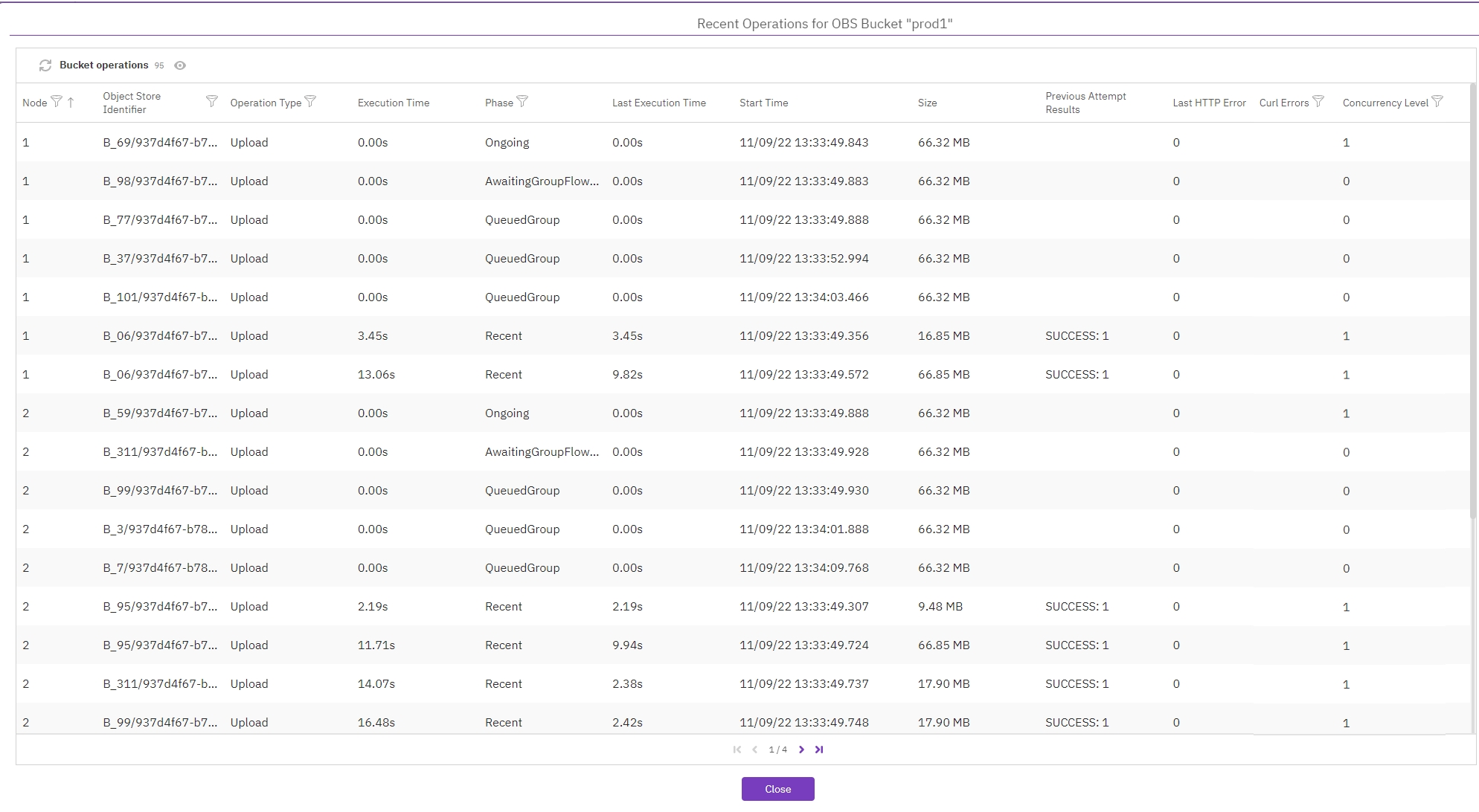
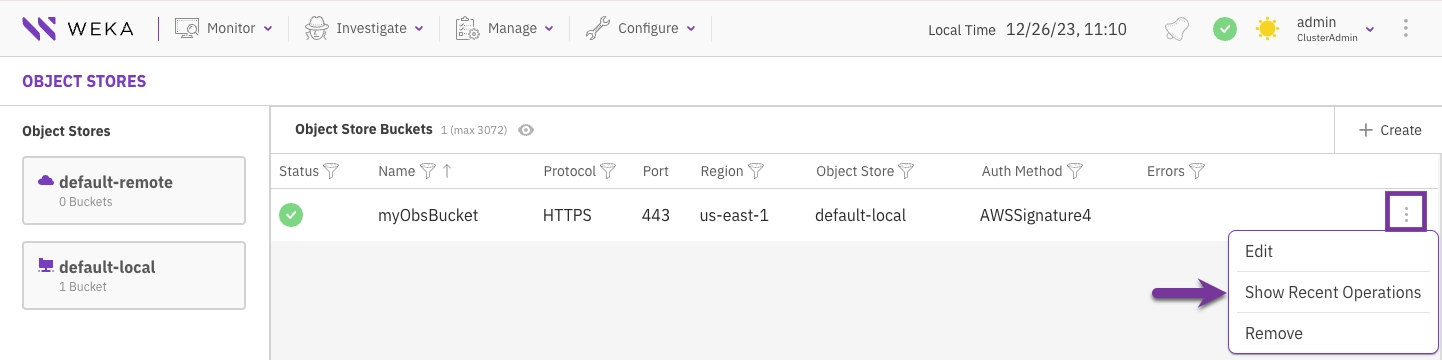
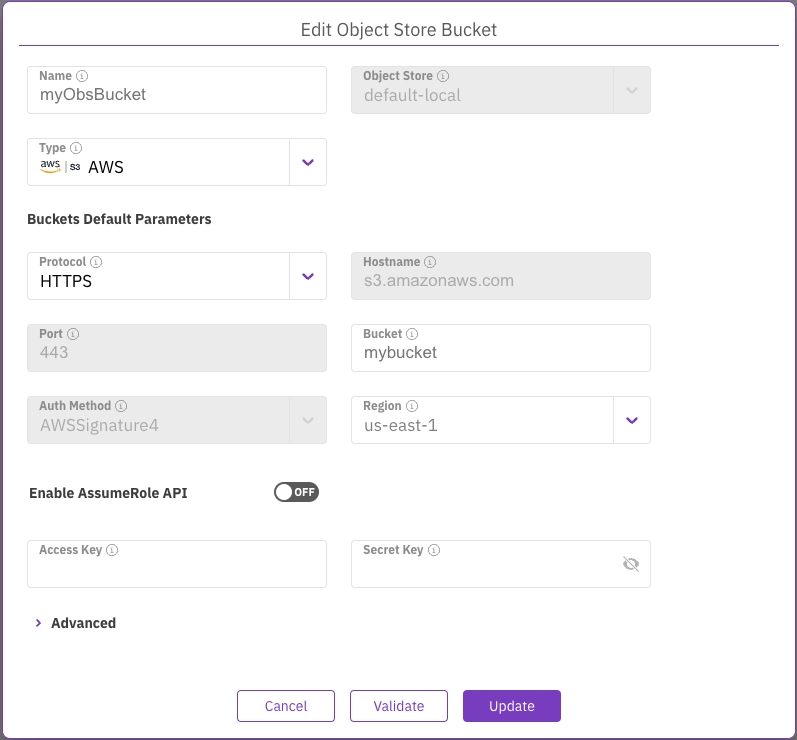
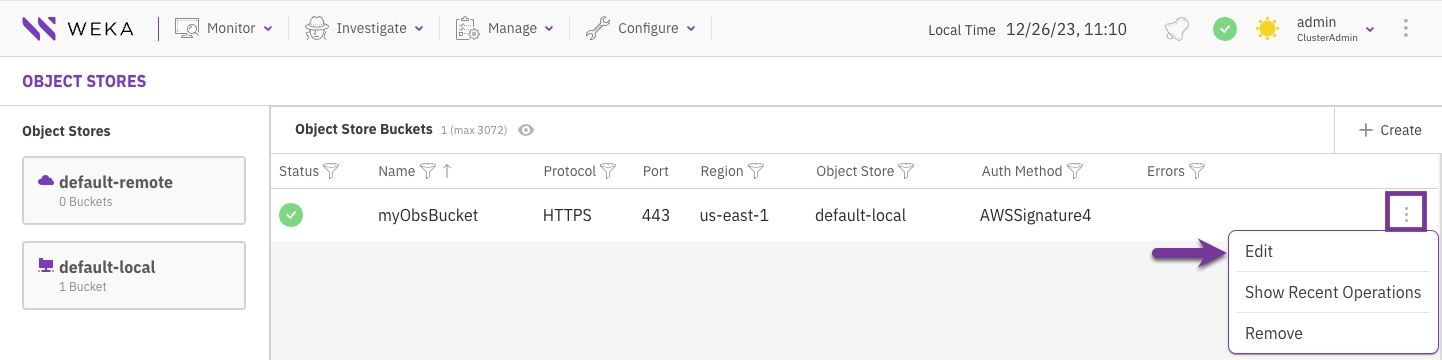
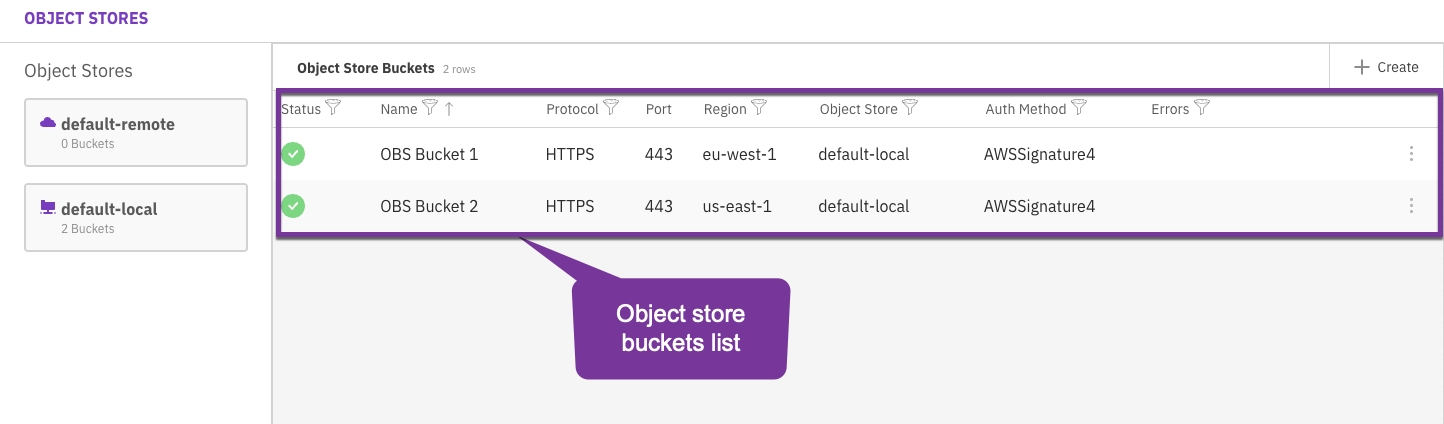
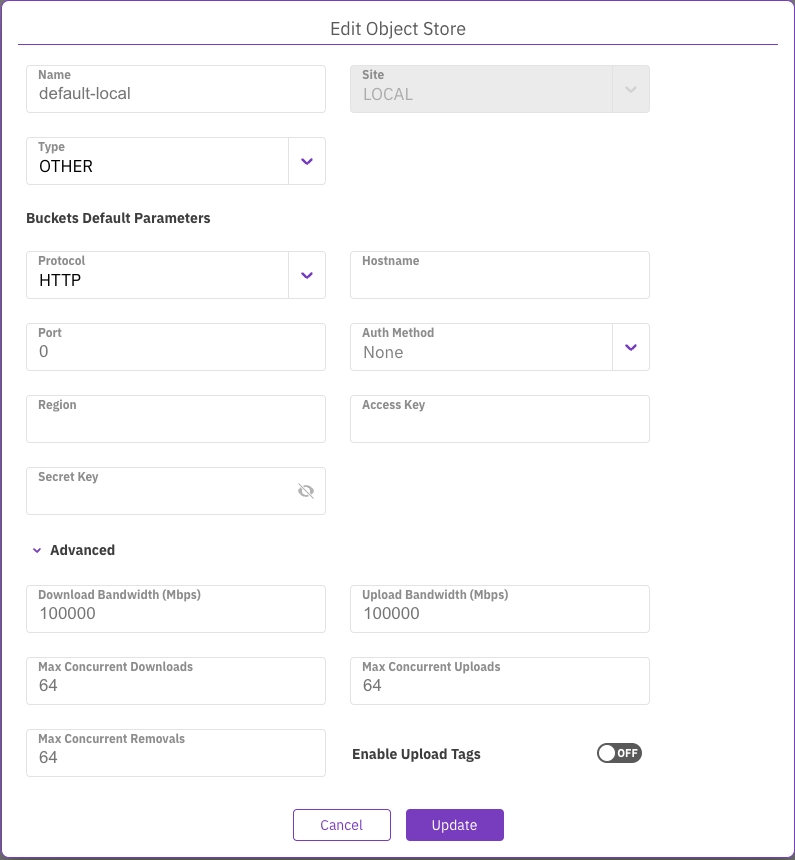
provider "aws" {
}
module "deploy_weka" {
source = "weka/weka/aws"
get_weka_io_token = "<redacted>"
key_pair_name = "support_id_rsa"
prefix = "weka"
cluster_name = "smb"
cluster_size = 6
instance_type = "i3en.3xlarge"
sg_ids = ["sg-08dc1e5a81c60cc91"]
subnet_ids = ["subnet-039f34922f4c68144"]
vpc_id = "vpc-070a0caa470a438bd"
alb_additional_subnet_id = "subnet-0000ec8d70e9582d0"
assign_public_ip = true
set_dedicated_fe_container = false
secretmanager_create_vpc_endpoint = true
tiering_obs_name = false
smb_protocol_gateway_fe_cores_num = 2
smb_protocol_gateway_instance_type = "c5n.9xlarge"
smb_protocol_gateway_secondary_ips_per_nic = 1
smb_protocol_gateways_number = 3
smb_setup_protocol = true
smb_domain_name = "weka.local"
smb_cluster_name = "smb"
}
output "deploy_weka_output" {
value = module.deploy_weka
}#!/bin/bash
usage() {
echo "Usage: $0 [--no-parallel]"
echo " Use --no-parallel to prevent parallel execution"
exit 1
}
para() {
TF=$1; shift
echo $*
$* &
#[ !$TF ] && { echo para waiting; wait; }
[ $TF == "FALSE" ] && { echo para waiting; wait; }
}
PARA="TRUE"
# parse args
if [ $# != 0 ]; then
if [ $# != 1 ]; then
usage
elif [ $1 == "--no-parallel" ]; then
PARA="FALSE"
else
echo "Error: unknown command line switch - $1"
usage
fi
fi
echo starting - PARA is $PARA
# ------------------ custom script below --------------
echo Stopping weka on weka63
para ${PARA} scp -p ./resources_generator.py weka63:/tmp/
para ${PARA} ssh weka63 "sudo weka local stop; sudo weka local rm -f default"
echo Stopping weka on weka64
para ${PARA} scp -p ./resources_generator.py weka64:/tmp/
para ${PARA} ssh weka64 "sudo weka local stop; sudo weka local rm -f default"
echo Stopping weka on weka65
para ${PARA} scp -p ./resources_generator.py weka65:/tmp/
para ${PARA} ssh weka65 "sudo weka local stop; sudo weka local rm -f default"
echo Stopping weka on weka66
para ${PARA} scp -p ./resources_generator.py weka66:/tmp/
para ${PARA} ssh weka66 "sudo weka local stop; sudo weka local rm -f default"
echo Stopping weka on weka67
para ${PARA} scp -p ./resources_generator.py weka67:/tmp/
para ${PARA} ssh weka67 "sudo weka local stop; sudo weka local rm -f default"
echo Stopping weka on weka68
para ${PARA} scp -p ./resources_generator.py weka68:/tmp/
para ${PARA} ssh weka68 "sudo weka local stop; sudo weka local rm -f default"
echo Stopping weka on weka69
para ${PARA} scp -p ./resources_generator.py weka69:/tmp/
para ${PARA} ssh weka69 "sudo weka local stop; sudo weka local rm -f default"
wait
echo Running Resources generator on host weka63
para ${PARA} ssh weka63 sudo /tmp/resources_generator.py -f --path /tmp --net ib0/10.1.1.63/16 --compute-dedicated-cores 15 --drive-dedicated-cores 6 --frontend-dedicated-cores 1
echo Running Resources generator on host weka64
para ${PARA} ssh weka64 sudo /tmp/resources_generator.py -f --path /tmp --net ib0/10.1.1.64/16 --compute-dedicated-cores 15 --drive-dedicated-cores 6 --frontend-dedicated-cores 1
echo Running Resources generator on host weka65
para ${PARA} ssh weka65 sudo /tmp/resources_generator.py -f --path /tmp --net ib0/10.1.1.65/16 --compute-dedicated-cores 15 --drive-dedicated-cores 6 --frontend-dedicated-cores 1
echo Running Resources generator on host weka66
para ${PARA} ssh weka66 sudo /tmp/resources_generator.py -f --path /tmp --net ib0/10.1.1.66/16 --compute-dedicated-cores 15 --drive-dedicated-cores 6 --frontend-dedicated-cores 1
echo Running Resources generator on host weka67
para ${PARA} ssh weka67 sudo /tmp/resources_generator.py -f --path /tmp --net ib0/10.1.1.67/16 --compute-dedicated-cores 15 --drive-dedicated-cores 6 --frontend-dedicated-cores 1
echo Running Resources generator on host weka68
para ${PARA} ssh weka68 sudo /tmp/resources_generator.py -f --path /tmp --net ib0/10.1.1.68/16 --compute-dedicated-cores 15 --drive-dedicated-cores 6 --frontend-dedicated-cores 1
echo Running Resources generator on host weka69
para ${PARA} ssh weka69 sudo /tmp/resources_generator.py -f --path /tmp --net ib0/10.1.1.69/16 --compute-dedicated-cores 15 --drive-dedicated-cores 6 --frontend-dedicated-cores 1
wait
echo Starting Drives container on server weka63
para ${PARA} ssh weka63 "sudo weka local setup container --name drives0 --resources-path /tmp/drives0.json"
echo Starting Drives container on server weka64
para ${PARA} ssh weka64 "sudo weka local setup container --name drives0 --resources-path /tmp/drives0.json"
echo Starting Drives container on server weka65
para ${PARA} ssh weka65 "sudo weka local setup container --name drives0 --resources-path /tmp/drives0.json"
echo Starting Drives container on server weka66
para ${PARA} ssh weka66 "sudo weka local setup container --name drives0 --resources-path /tmp/drives0.json"
echo Starting Drives container on server weka67
para ${PARA} ssh weka67 "sudo weka local setup container --name drives0 --resources-path /tmp/drives0.json"
echo Starting Drives container on server weka68
para ${PARA} ssh weka68 "sudo weka local setup container --name drives0 --resources-path /tmp/drives0.json"
echo Starting Drives container on server weka69
para ${PARA} ssh weka69 "sudo weka local setup container --name drives0 --resources-path /tmp/drives0.json"
wait
sudo weka cluster create weka63 weka64 weka65 weka66 weka67 weka68 weka69 --host-ips=10.1.1.63,10.1.1.64,10.1.1.65,10.1.1.66,10.1.1.67,10.1.1.68,10.1.1.69 -T infinite
echo Starting Compute container 0 on host weka63
para ${PARA} ssh weka63 sudo weka local setup container --name compute0 --resources-path /tmp/compute0.json --join-ips=10.1.1.63,10.1.1.64,10.1.1.65,10.1.1.66,10.1.1.67,10.1.1.68,10.1.1.69 --management-ips=10.1.1.63
echo Starting Compute container 0 on host weka64
para ${PARA} ssh weka64 sudo weka local setup container --name compute0 --resources-path /tmp/compute0.json --join-ips=10.1.1.63,10.1.1.64,10.1.1.65,10.1.1.66,10.1.1.67,10.1.1.68,10.1.1.69 --management-ips=10.1.1.64
echo Starting Compute container 0 on host weka65
para ${PARA} ssh weka65 sudo weka local setup container --name compute0 --resources-path /tmp/compute0.json --join-ips=10.1.1.63,10.1.1.64,10.1.1.65,10.1.1.66,10.1.1.67,10.1.1.68,10.1.1.69 --management-ips=10.1.1.65
echo Starting Compute container 0 on host weka66
para ${PARA} ssh weka66 sudo weka local setup container --name compute0 --resources-path /tmp/compute0.json --join-ips=10.1.1.63,10.1.1.64,10.1.1.65,10.1.1.66,10.1.1.67,10.1.1.68,10.1.1.69 --management-ips=10.1.1.66
echo Starting Compute container 0 on host weka67
para ${PARA} ssh weka67 sudo weka local setup container --name compute0 --resources-path /tmp/compute0.json --join-ips=10.1.1.63,10.1.1.64,10.1.1.65,10.1.1.66,10.1.1.67,10.1.1.68,10.1.1.69 --management-ips=10.1.1.67
echo Starting Compute container 0 on host weka68
para ${PARA} ssh weka68 sudo weka local setup container --name compute0 --resources-path /tmp/compute0.json --join-ips=10.1.1.63,10.1.1.64,10.1.1.65,10.1.1.66,10.1.1.67,10.1.1.68,10.1.1.69 --management-ips=10.1.1.68
echo Starting Compute container 0 on host weka69
para ${PARA} ssh weka69 sudo weka local setup container --name compute0 --resources-path /tmp/compute0.json --join-ips=10.1.1.63,10.1.1.64,10.1.1.65,10.1.1.66,10.1.1.67,10.1.1.68,10.1.1.69 --management-ips=10.1.1.69
wait
para ${PARA} sudo weka cluster drive add 0 /dev/nvme0n1 /dev/nvme1n1 /dev/nvme2n1 /dev/nvme3n1 /dev/nvme4n1 /dev/nvme5n1
para ${PARA} sudo weka cluster drive add 1 /dev/nvme0n1 /dev/nvme1n1 /dev/nvme2n1 /dev/nvme3n1 /dev/nvme4n1 /dev/nvme5n1
para ${PARA} sudo weka cluster drive add 2 /dev/nvme0n1 /dev/nvme1n1 /dev/nvme2n1 /dev/nvme3n1 /dev/nvme4n1 /dev/nvme5n1
para ${PARA} sudo weka cluster drive add 3 /dev/nvme0n1 /dev/nvme1n1 /dev/nvme2n1 /dev/nvme3n1 /dev/nvme4n1 /dev/nvme5n1
para ${PARA} sudo weka cluster drive add 4 /dev/nvme0n1 /dev/nvme1n1 /dev/nvme2n1 /dev/nvme3n1 /dev/nvme4n1 /dev/nvme5n1
para ${PARA} sudo weka cluster drive add 5 /dev/nvme0n1 /dev/nvme1n1 /dev/nvme2n1 /dev/nvme3n1 /dev/nvme4n1 /dev/nvme5n1
para ${PARA} sudo weka cluster drive add 6 /dev/nvme0n1 /dev/nvme1n1 /dev/nvme2n1 /dev/nvme3n1 /dev/nvme4n1 /dev/nvme5n1
wait
sudo weka cluster update --data-drives=4 --parity-drives=2
sudo weka cluster hot-spare 1
sudo weka cluster update --cluster-name=fred
echo Starting Front container on host weka63
para ${PARA} ssh weka63 sudo weka local setup container --name frontend0 --resources-path /tmp/frontend0.json --join-ips=10.1.1.63,10.1.1.64,10.1.1.65,10.1.1.66,10.1.1.67,10.1.1.68,10.1.1.69 --management-ips=10.1.1.63
echo Starting Front container on host weka64
para ${PARA} ssh weka64 sudo weka local setup container --name frontend0 --resources-path /tmp/frontend0.json --join-ips=10.1.1.63,10.1.1.64,10.1.1.65,10.1.1.66,10.1.1.67,10.1.1.68,10.1.1.69 --management-ips=10.1.1.64
echo Starting Front container on host weka65
para ${PARA} ssh weka65 sudo weka local setup container --name frontend0 --resources-path /tmp/frontend0.json --join-ips=10.1.1.63,10.1.1.64,10.1.1.65,10.1.1.66,10.1.1.67,10.1.1.68,10.1.1.69 --management-ips=10.1.1.65
echo Starting Front container on host weka66
para ${PARA} ssh weka66 sudo weka local setup container --name frontend0 --resources-path /tmp/frontend0.json --join-ips=10.1.1.63,10.1.1.64,10.1.1.65,10.1.1.66,10.1.1.67,10.1.1.68,10.1.1.69 --management-ips=10.1.1.66
echo Starting Front container on host weka67
para ${PARA} ssh weka67 sudo weka local setup container --name frontend0 --resources-path /tmp/frontend0.json --join-ips=10.1.1.63,10.1.1.64,10.1.1.65,10.1.1.66,10.1.1.67,10.1.1.68,10.1.1.69 --management-ips=10.1.1.67
echo Starting Front container on host weka68
para ${PARA} ssh weka68 sudo weka local setup container --name frontend0 --resources-path /tmp/frontend0.json --join-ips=10.1.1.63,10.1.1.64,10.1.1.65,10.1.1.66,10.1.1.67,10.1.1.68,10.1.1.69 --management-ips=10.1.1.68
echo Starting Front container on host weka69
para ${PARA} ssh weka69 sudo weka local setup container --name frontend0 --resources-path /tmp/frontend0.json --join-ips=10.1.1.63,10.1.1.64,10.1.1.65,10.1.1.66,10.1.1.67,10.1.1.68,10.1.1.69 --management-ips=10.1.1.69
wait
echo Configuration process complete
IPMI_IP,Username,Password,OS_Mgmt_IP,Hostname,OS_Netmask,OS_Gateway,MTU,DNS,Hostname_Pattern,Hostname_Startnum,Server_Count,Data1_IP,Data1_Type,Data1_Netmask,Data1_MTU,Data1_Gateway,Data2_IP,Data2_Type,Data2_Netmask,Data2_MTU,Data2_Gateway
172.29.1.63,ADMIN,ADMIN,10.10.20.11,weka01,24,10.10.20.1,1500,8.8.8.8,weka%02d,1,7,10.100.10.11,Ethernet,16,9000,,10.100.20.11,Ethernet,16,9000,
172.29.1.64,ADMIN,ADMIN,10.10.20.12,weka02,24,10.10.20.1,1500,8.8.8.8,weka%02d,1,7,10.100.10.12,Ethernet,16,9000,,10.100.20.12,Ethernet,16,9000,
172.29.1.65,ADMIN,ADMIN,10.10.20.13,weka03,24,10.10.20.1,1500,8.8.8.8,weka%02d,1,7,10.100.10.13,Ethernet,16,9000,,10.100.20.13,Ethernet,16,9000,
172.29.1.66,ADMIN,ADMIN,10.10.20.14,weka04,24,10.10.20.1,1500,8.8.8.8,weka%02d,1,7,10.100.10.14,Ethernet,16,9000,,10.100.20.14,Ethernet,16,9000,
172.29.1.67,ADMIN,ADMIN,10.10.20.15,weka05,24,10.10.20.1,1500,8.8.8.8,weka%02d,1,7,10.100.10.15,Ethernet,16,9000,,10.100.20.15,Ethernet,16,9000,
172.29.1.68,ADMIN,ADMIN,10.10.20.16,weka06,24,10.10.20.1,1500,8.8.8.8,weka%02d,1,7,10.100.10.16,Ethernet,16,9000,,10.100.20.16,Ethernet,16,9000,
172.29.1.69,ADMIN,ADMIN,10.10.20.17,weka07,24,10.10.20.1,1500,8.8.8.8,weka%02d,1,7,10.100.10.17,Ethernet,16,9000,,10.100.20.17,Ethernet,16,9000,
ssh root@<wms ip>cd /opt/ansible-install
# ./install_after_wsa_iso.sh./install_after_wsa_iso.sh$ ssh [email protected]
[email protected]'s password:
X11 forwarding request failed on channel 0
Welcome to the Weka Management Station!
Web console: <https://WekaMgmtServer:9090/> or <https://172.29.5.172:9090/>
Last login: Sat Jun 3 10:31:28 2023 from ::ffff:10.41.193.86
[root@WekaMgmtServer ~]# cd /opt/ansible-install/
[root@WekaMgmtServer ansible-install]#
# ./install_after_wsa_iso.shSelect the appropriate VPC and Security group (click the arrow to refresh if needed).
Set Endpoint Type to IPv4 and Protocols to Do53.
Select the Availability Zone and Subnet. Opt for Use an IPv4 address that is selected automatically.
Click Next.
Select the VPC and specify the Target IP addresses for both domain controllers that you noted from the Domain controller creation in step 6 Record the IP addresses, of Install SMB on AWS.
Click Next.
Upload or paste your private key into the provided text box, then click Decrypt Password. The instance password will be displayed.
In the Computer Name tab, click Change….
In the Member of section, select Domain and and enter your domain name. Example: weka.local.
Click OK and enter the domain credentials:
Username: The user name defined during the creation of the AWS Managed Active Directory service.
Password: The password used during the creation of the AWS Managed AD.
Click OK to join the domain.
Simplify by adding an All Traffic rule from the security group containing the Windows client to the WEKA backend security group.
Select the Configurations tab. The SMB Cluster configuration dialog opens. It includes the details about the AD Domain you have just set up.
Click Join.
Enter the username and password used when you created the AD Domain.
Click Join.
Select the Users folder under the weka OU. Right-click the Admin user and select Properties.
On the Attribute Editor tab, set uidNumber and gidNumber to 0, then click OK.
In weka.local Forward Lookup Zone, click View → Advanced.
Select Action → New Host (A or AAAA).
Enter the name (matching the WEKA SMB cluster name), IP address, and set TTL to 0. Click Add Host (hostname must be 15 characters or fewer).
Repeat for all three SMB protocol gateways.
Validate by pinging smbtest.weka.local. If ping fails, check the security group configuration to allow ping and SMB protocols.
Access the share and create a new folder or copy a file to verify the configuration.


This section shows the reference host cores and drives configuration, and the total number of hosts (servers).
The Bias options determine the optimal CPU core and memory allocation scheme.
Enable Protocols: If you intend to use the cluster for NFS, SMB, or S3 protocols, select this option. This option reserves some CPU and memory for the protocols.
Protocols are Primary: If you intend to use the cluster primarily or heavily with NFS, SMB, or S3 protocols, select this option. It reserves more CPU and memory (then in the first option) for the protocols .
DRIVES over COMPUTE: In high-core-count configurations (48+ cores), the standard algorithm for determining optimal core allocations may reduce the drive:core ratio in favor of additional COMPUTE cores. This bias setting favors a DRIVE core allocation of 1:1 (if possible) over additional COMPUTE cores. For advice on core allocations, consult with the Customer Success Team if you are configuring high-core-count systems.
wekaconfig suggests a reasonable set of core allocations (FE/COMPUTE/DRIVES) depending on your selections. You may override these values as needed.
Cores for OS: The number of cores reserved for the OS (fixed at 2).
Cores for Protocols: The number of cores reserved for protocols. It depends on the selected Bias option.
Usable Weka Cores: The number of cores can be used for FE, COMPTE, and DRIVES processes.
Used Weka Cores: The number of cores selected for use as FE, COMPUTE, or DRIVES cores.
The Usable Weka Cores and Available Weka Cores read-only fields are updated as you make changes so you can ensure you are not exceeding the number of available cores as you change any values. This is an advanced feature, and core allocation must not be changed without consulting the Customer Success Team.
Reserved RAM per Host: Extra RAM in GB reserved on each host for various purposes, like supporting Protocols or Applications.
These settings are in terms of servers, not SSDs. WEKA stripes over the entire servers, not over individual drives. For more details, see Manually configure the WEKA cluster using the resource generator.
The following example shows a stripe width of 6 (4+2) on 7 servers, and one hot spare.
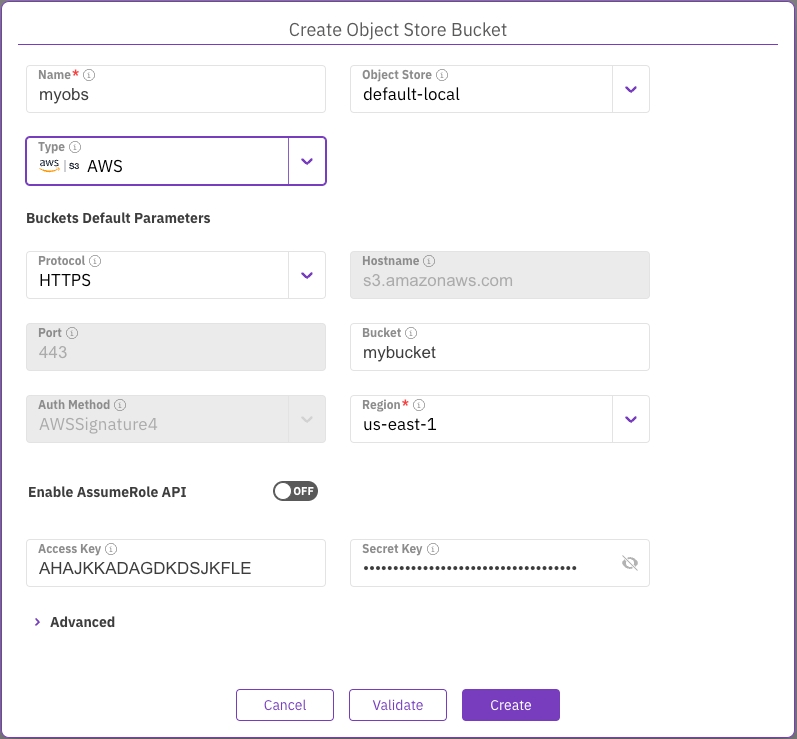
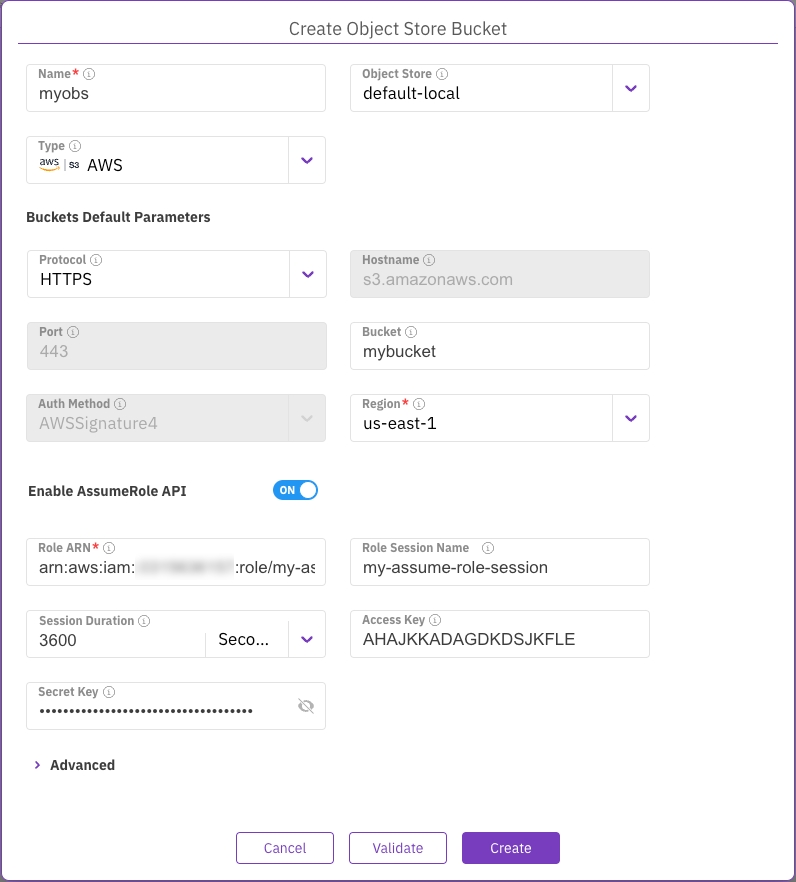
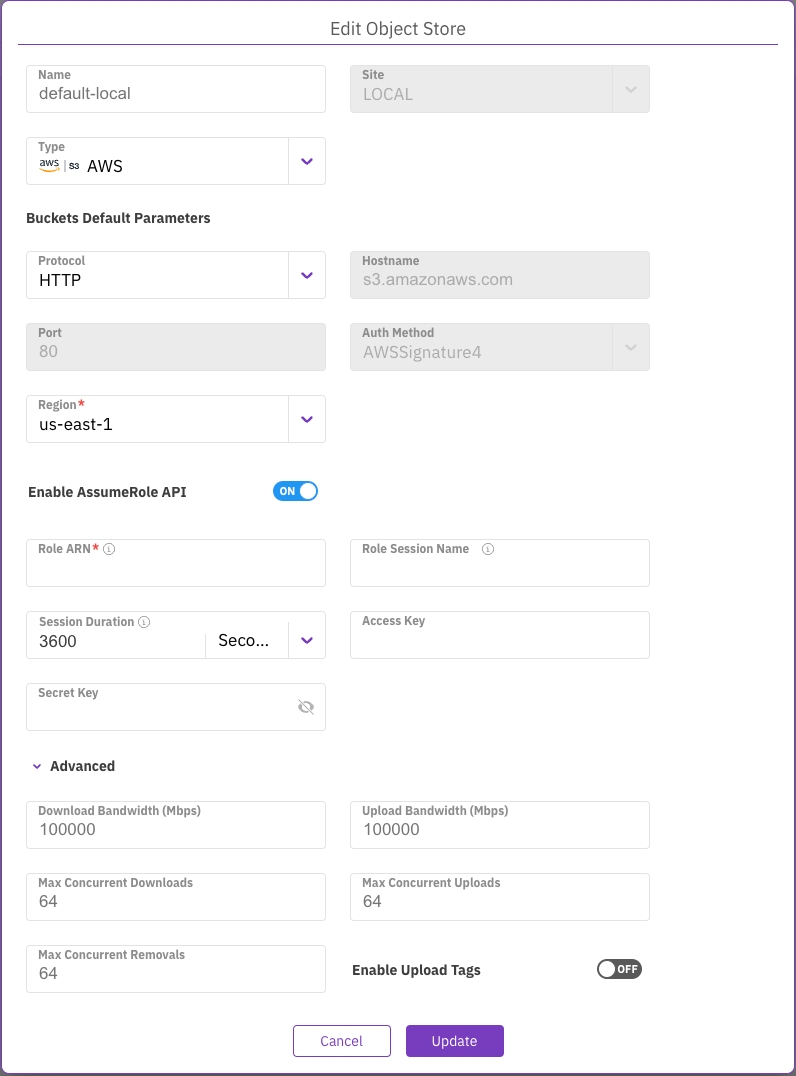
Install-WindowsFeature RSAT-ADDS
Install-WindowsFeature RSAT-DNS-Serverweka smb cluster create wekasmb weka.local .config_fs --encryption enabled --container-ids 12,13,14 --idmap-backend ridsudo mkdir -p /mnt/weka
sudo mount -t wekafs default /mnt/weka
sudo chmod 777 /mnt/weka


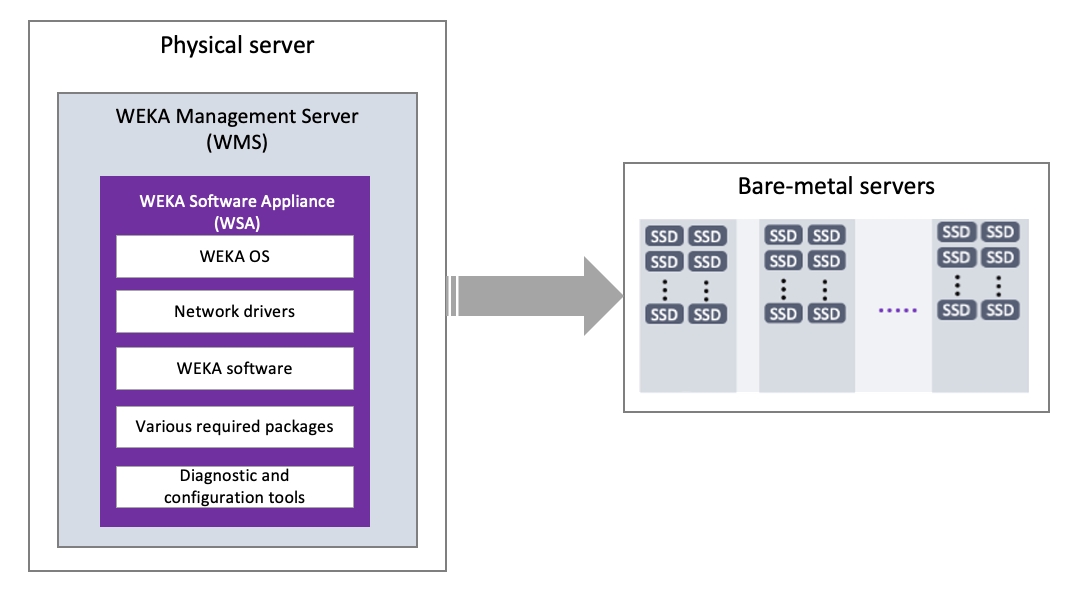
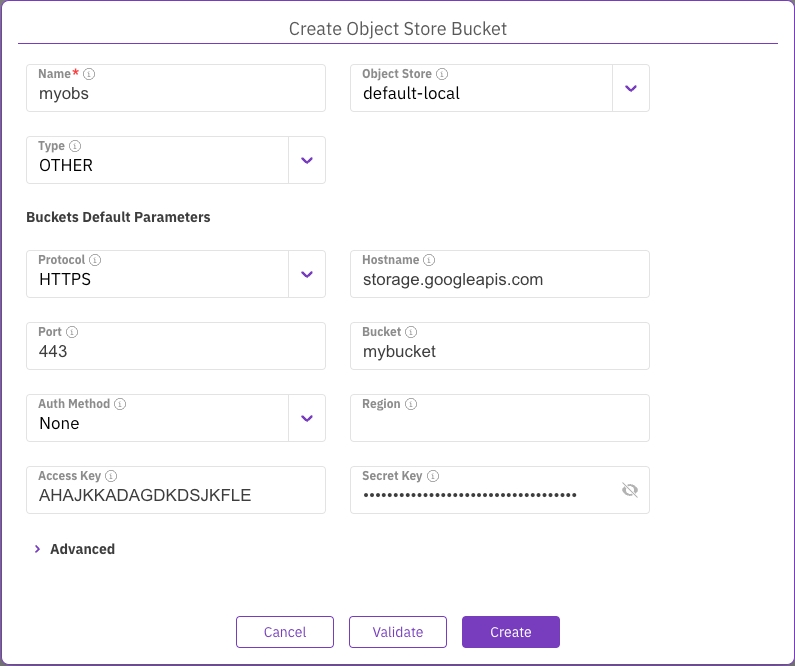
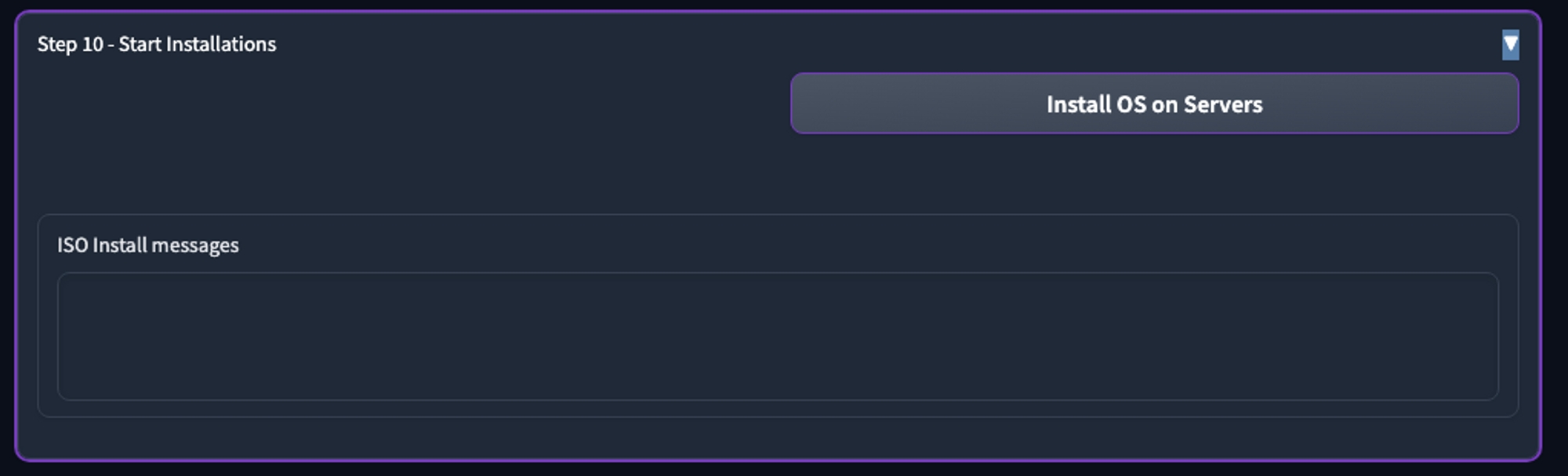
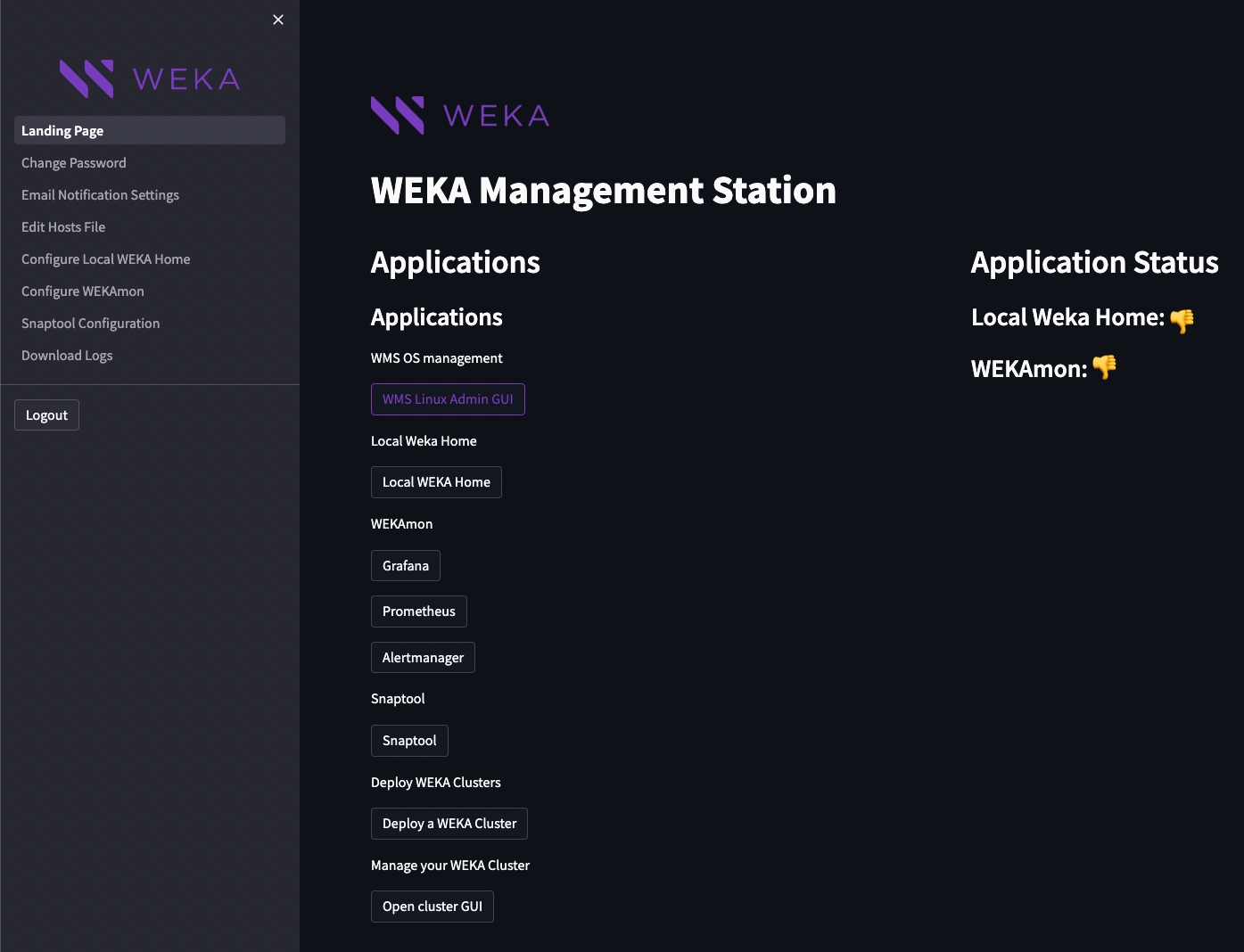
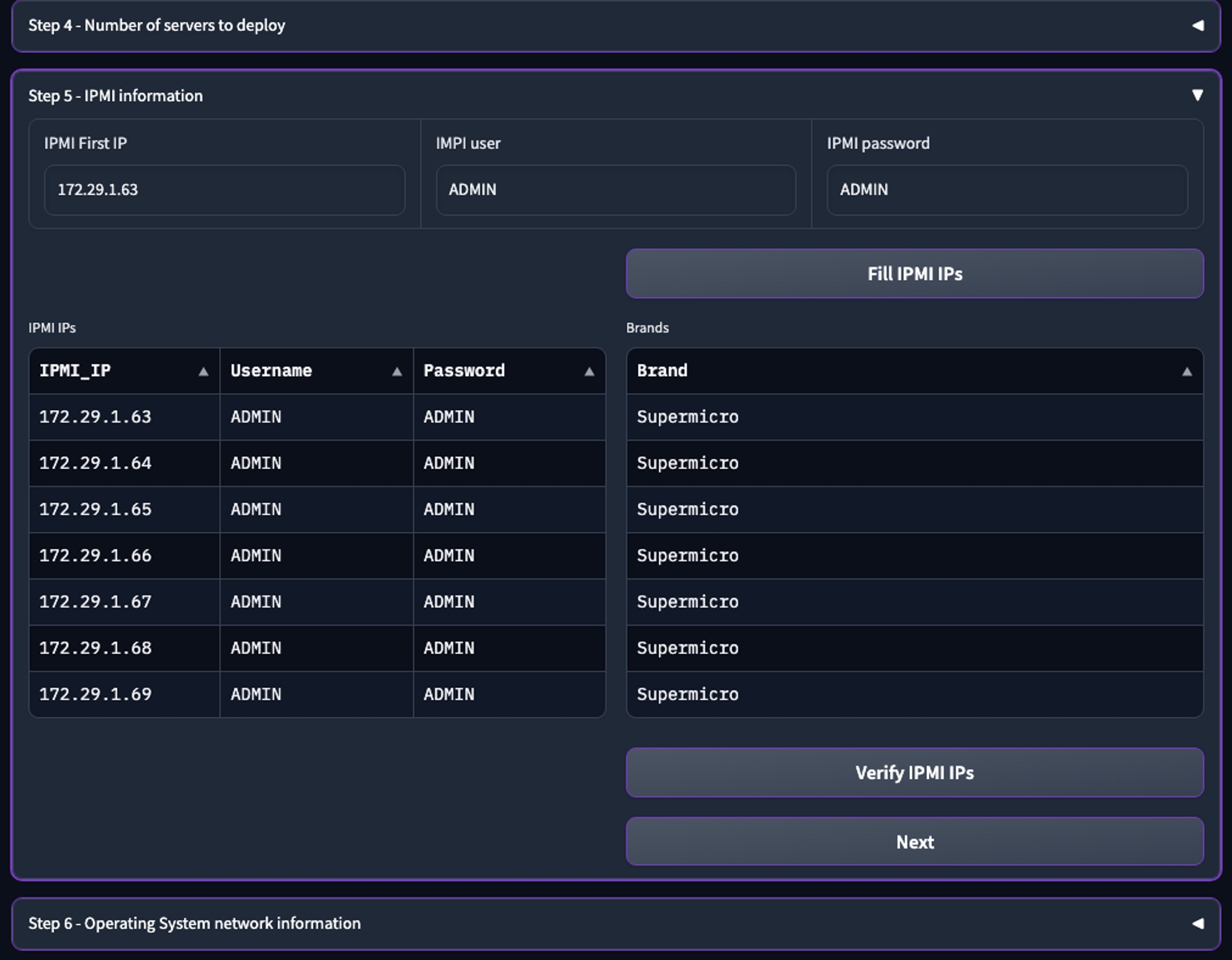

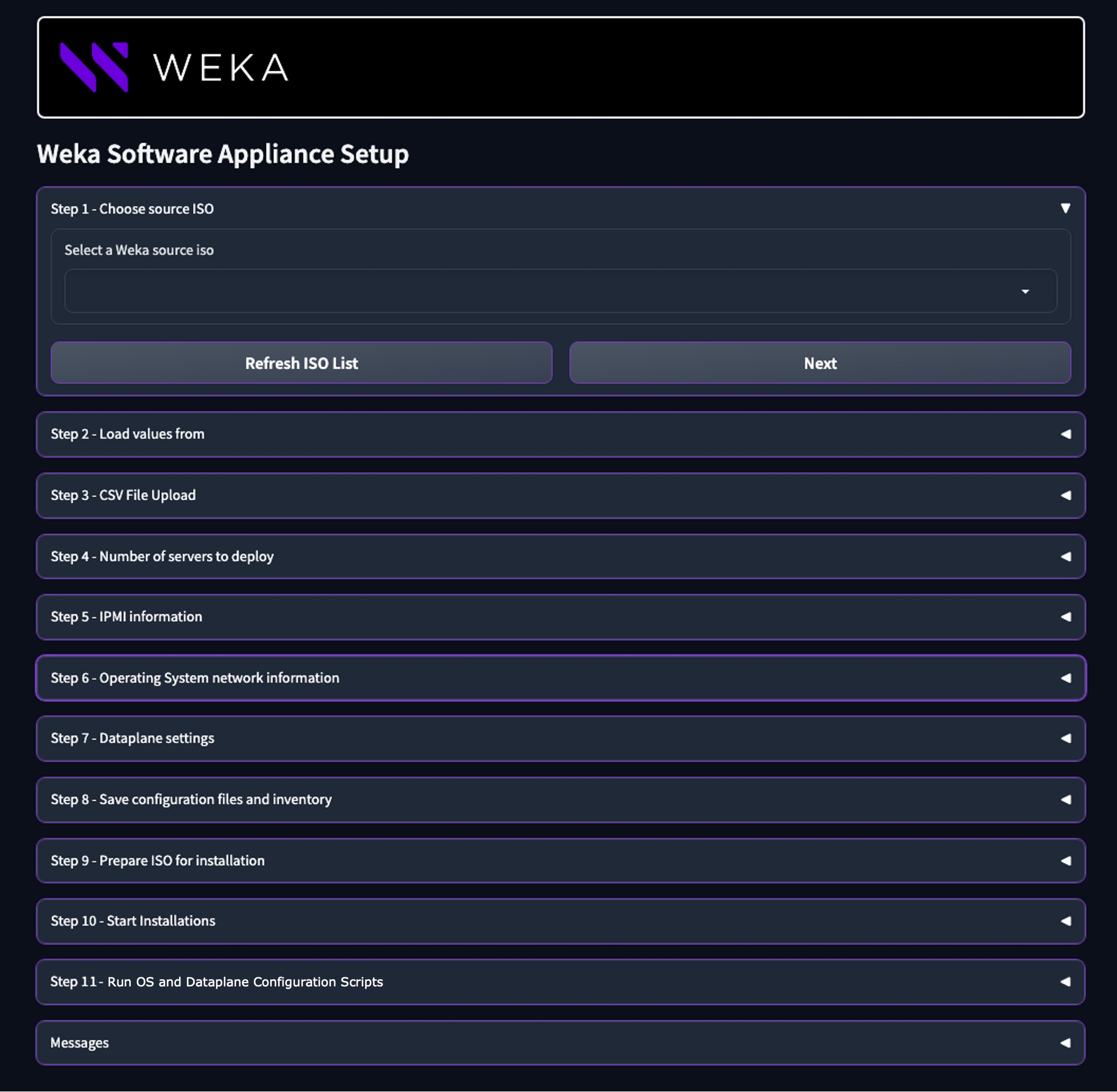
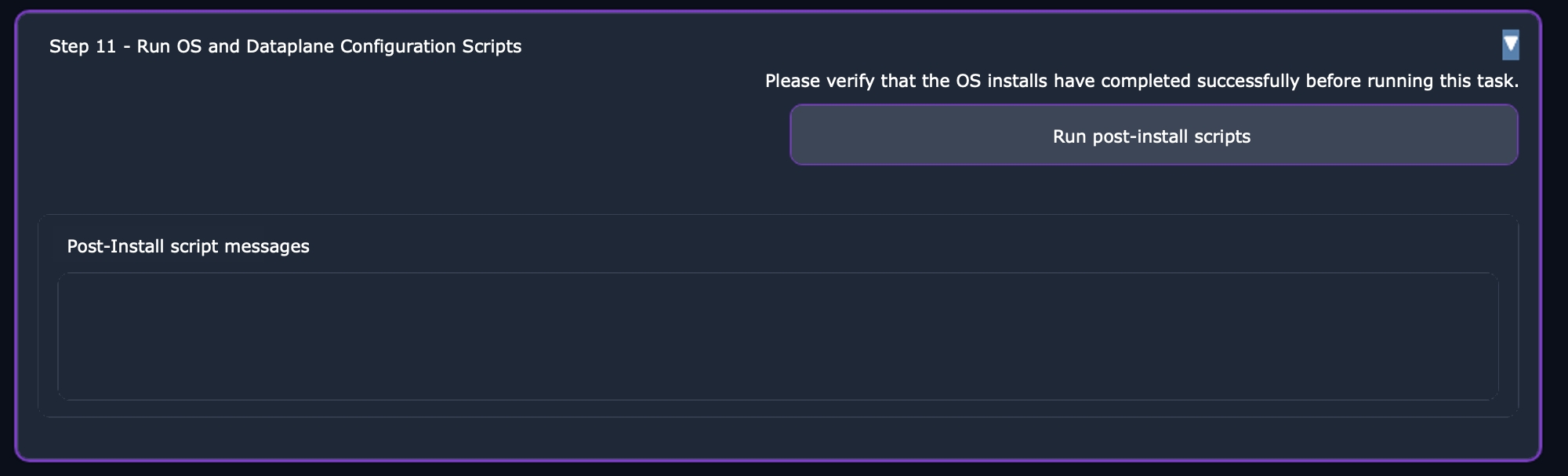
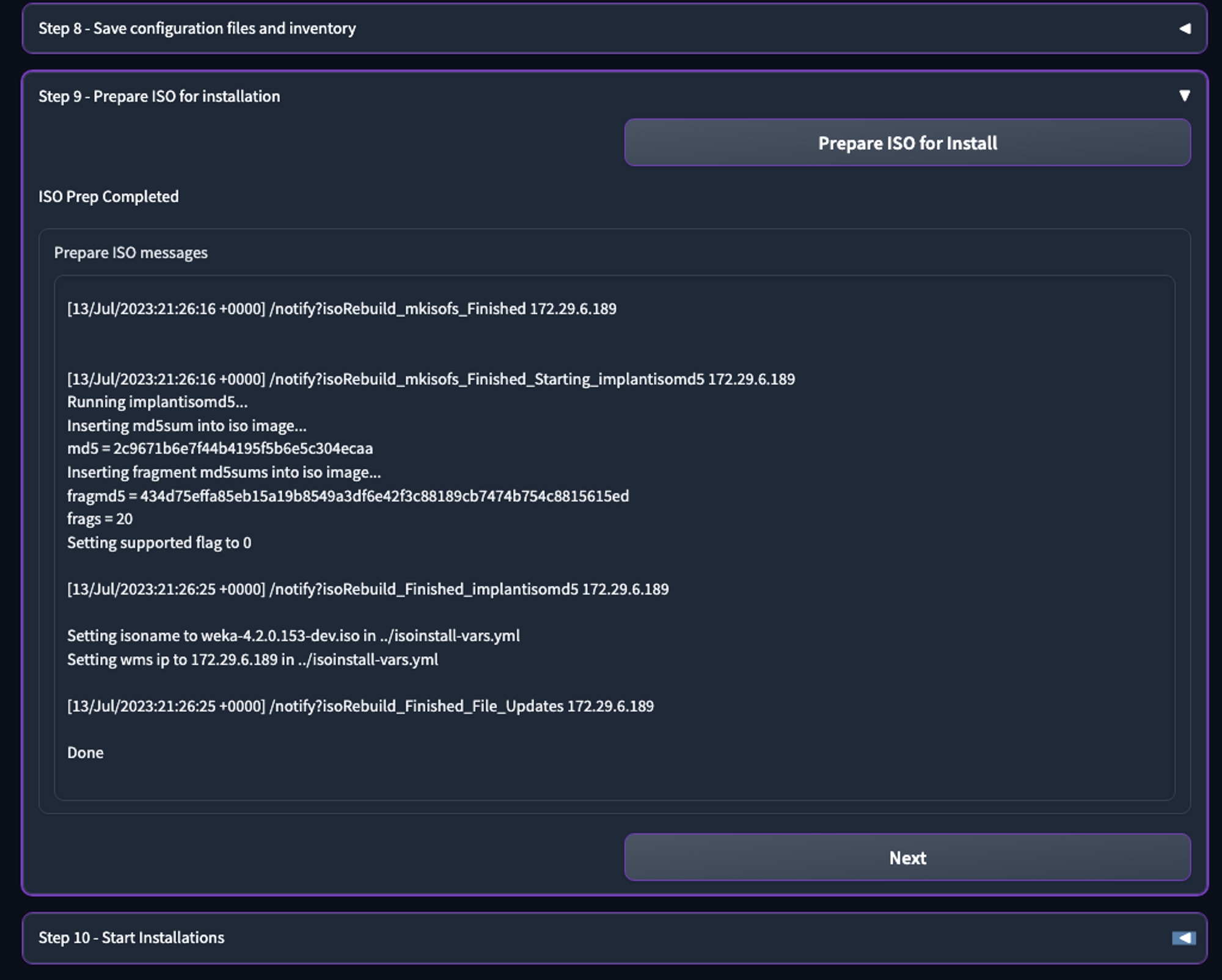
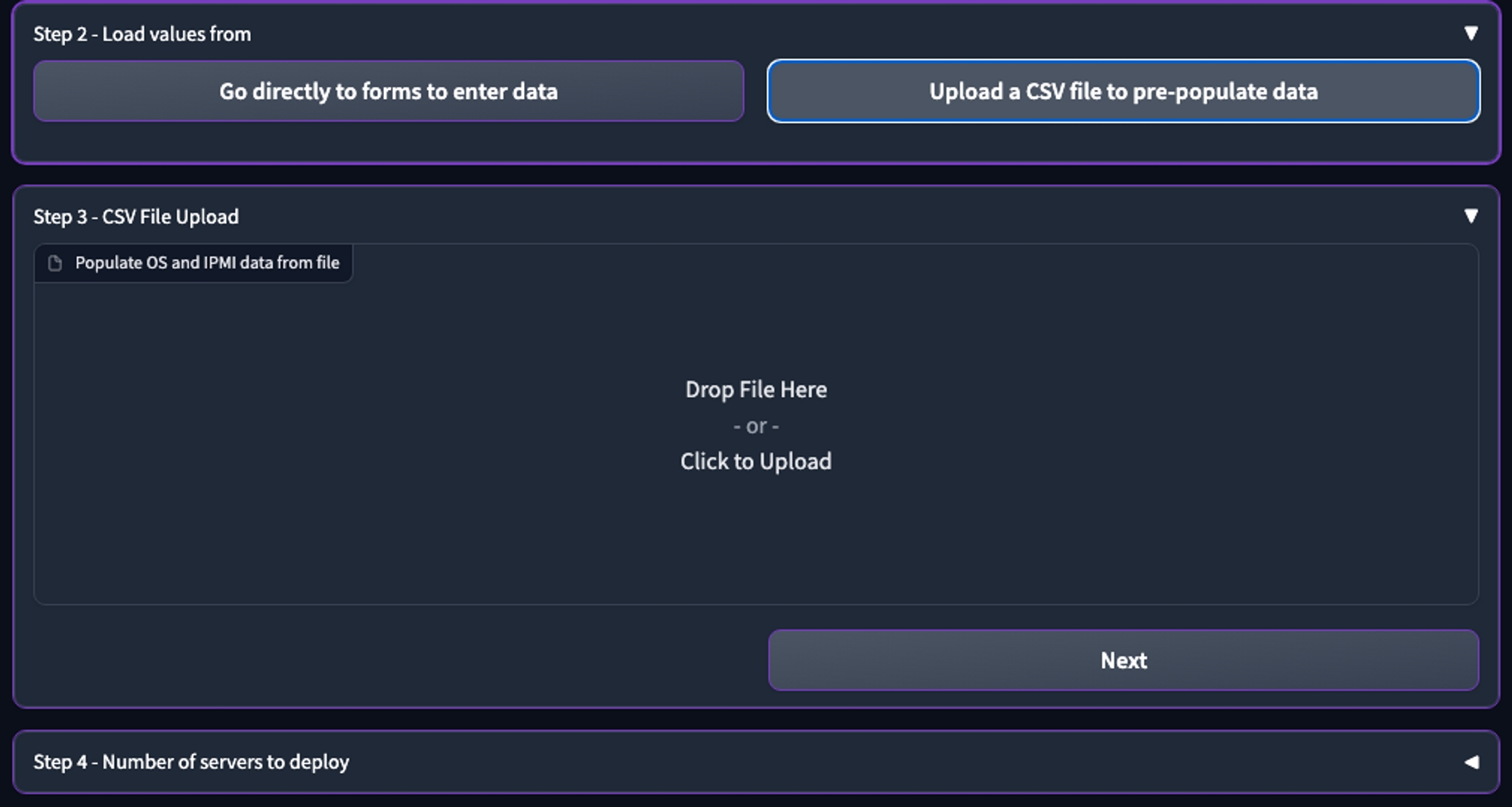
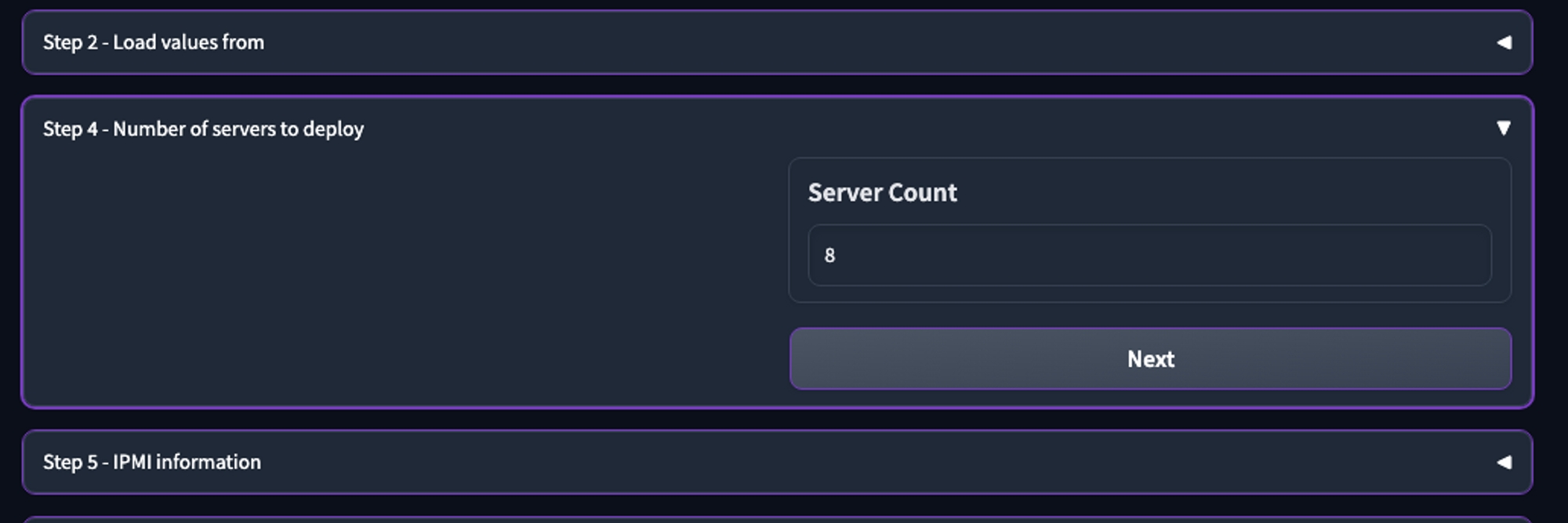
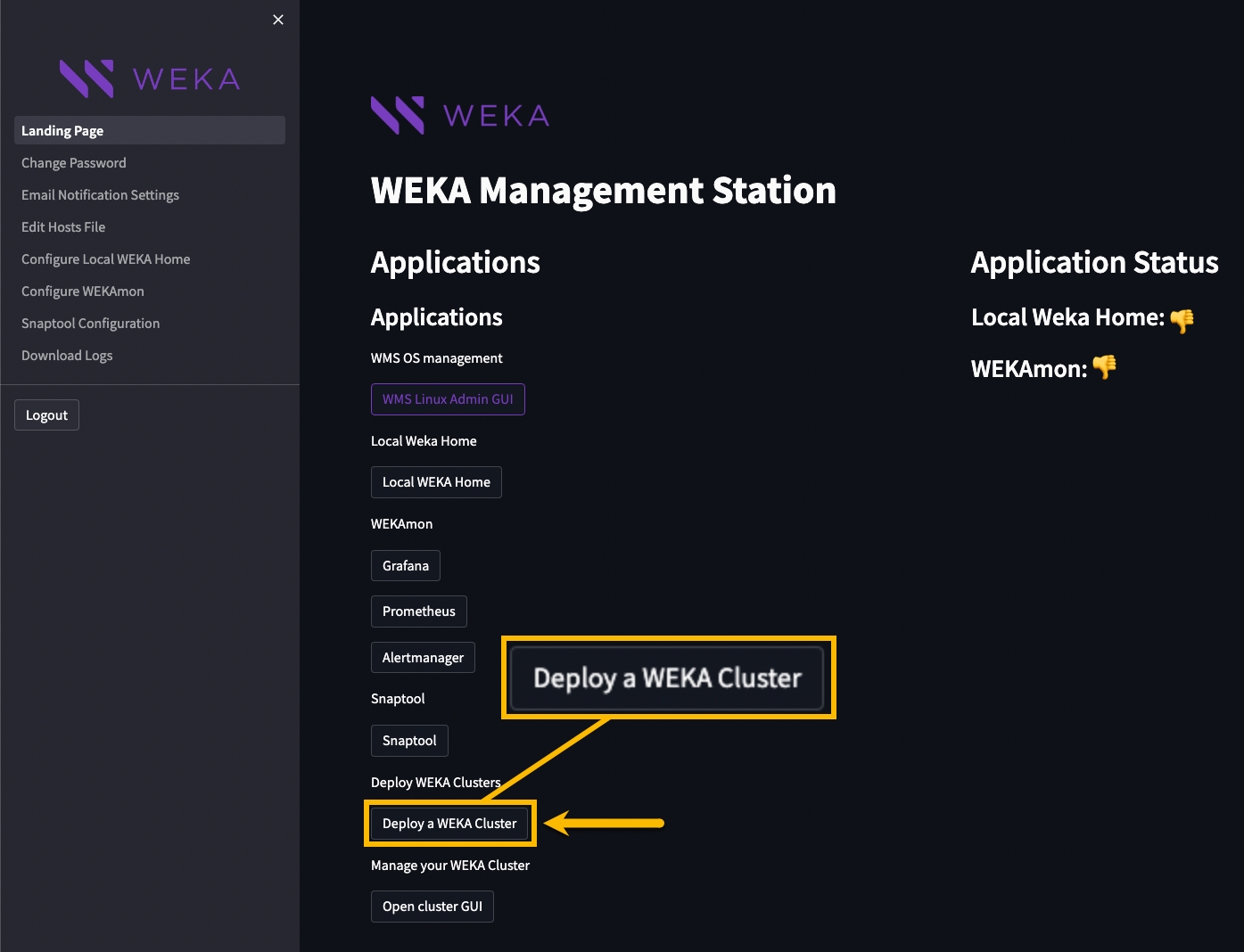
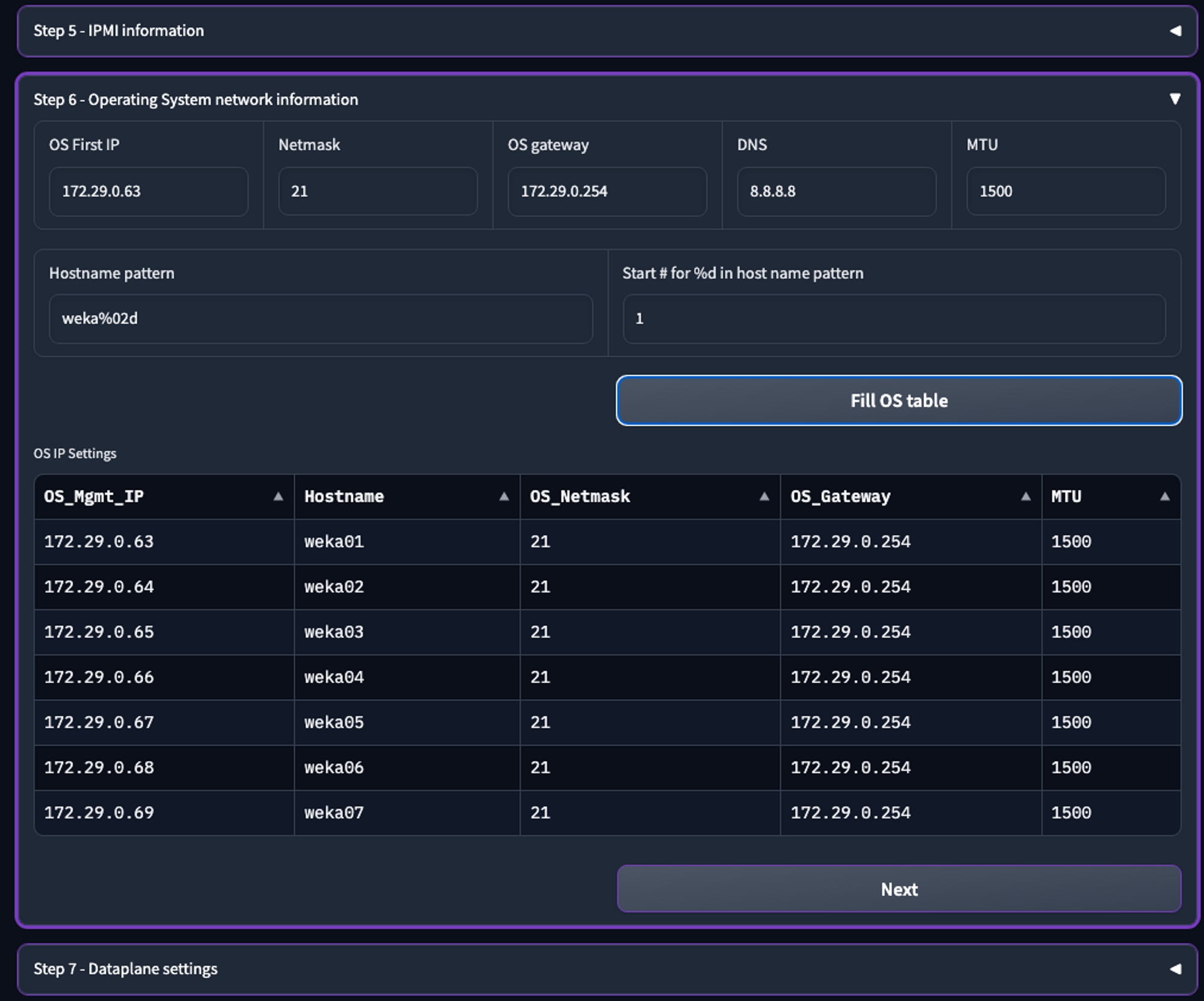
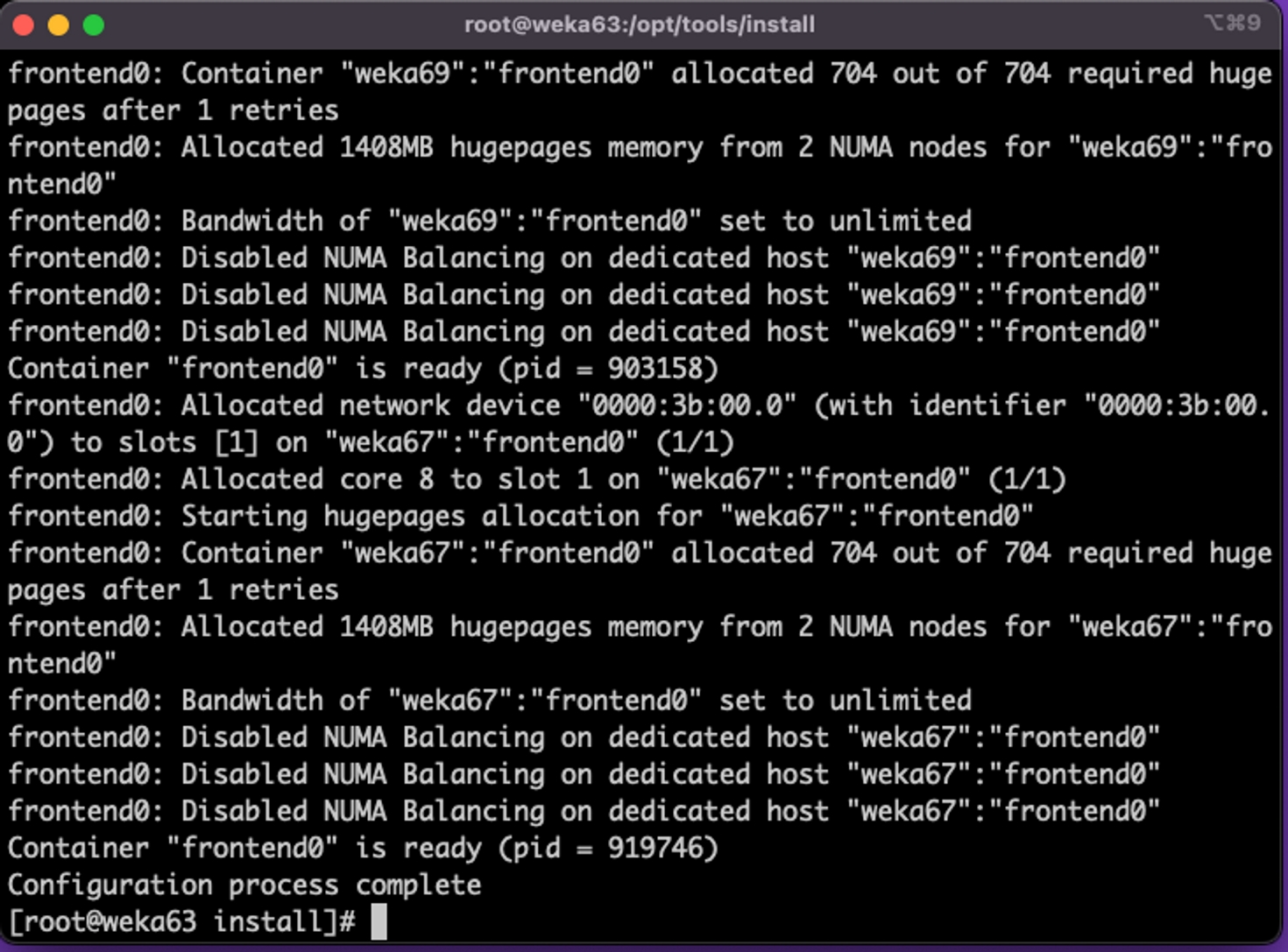
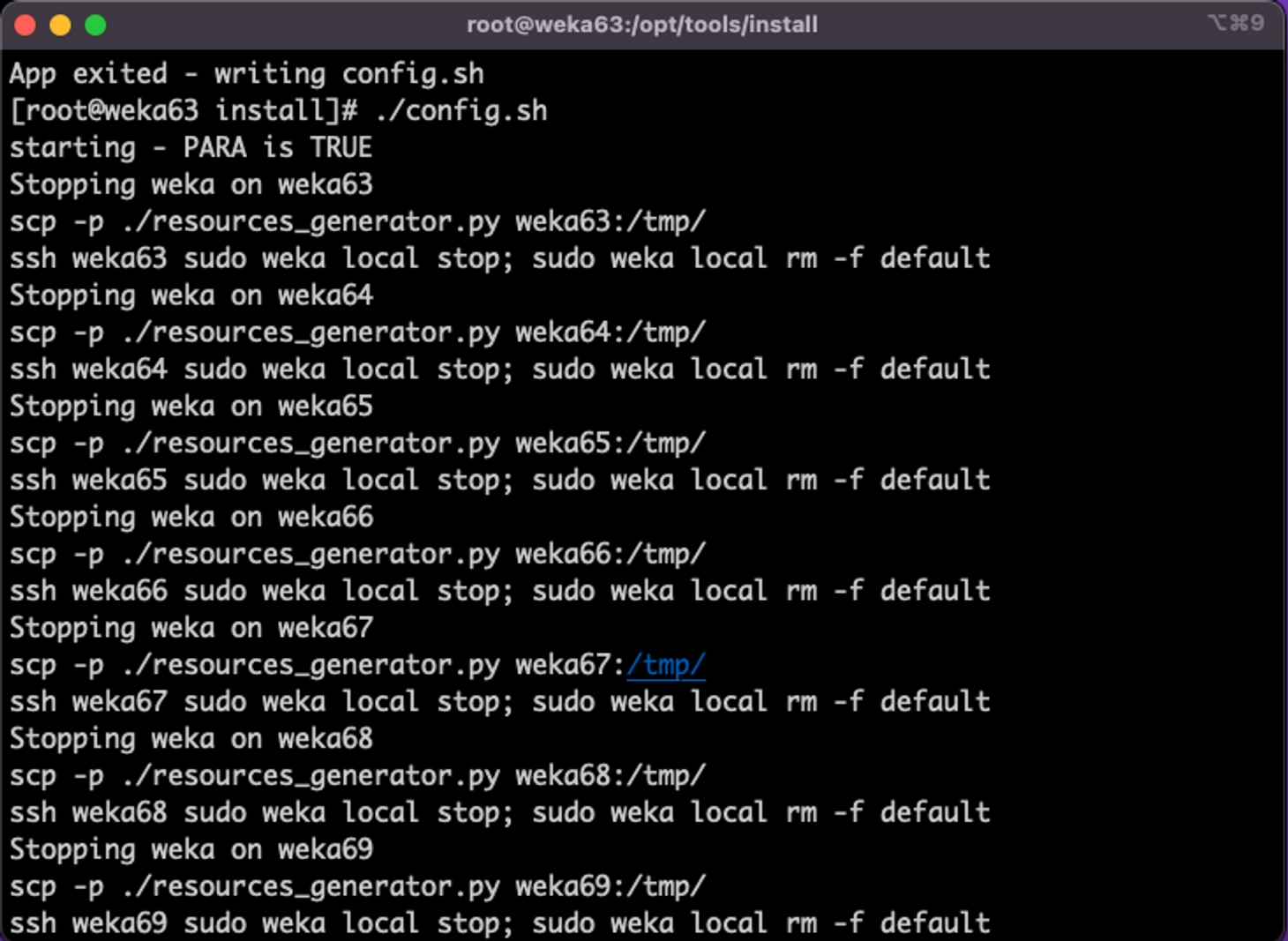
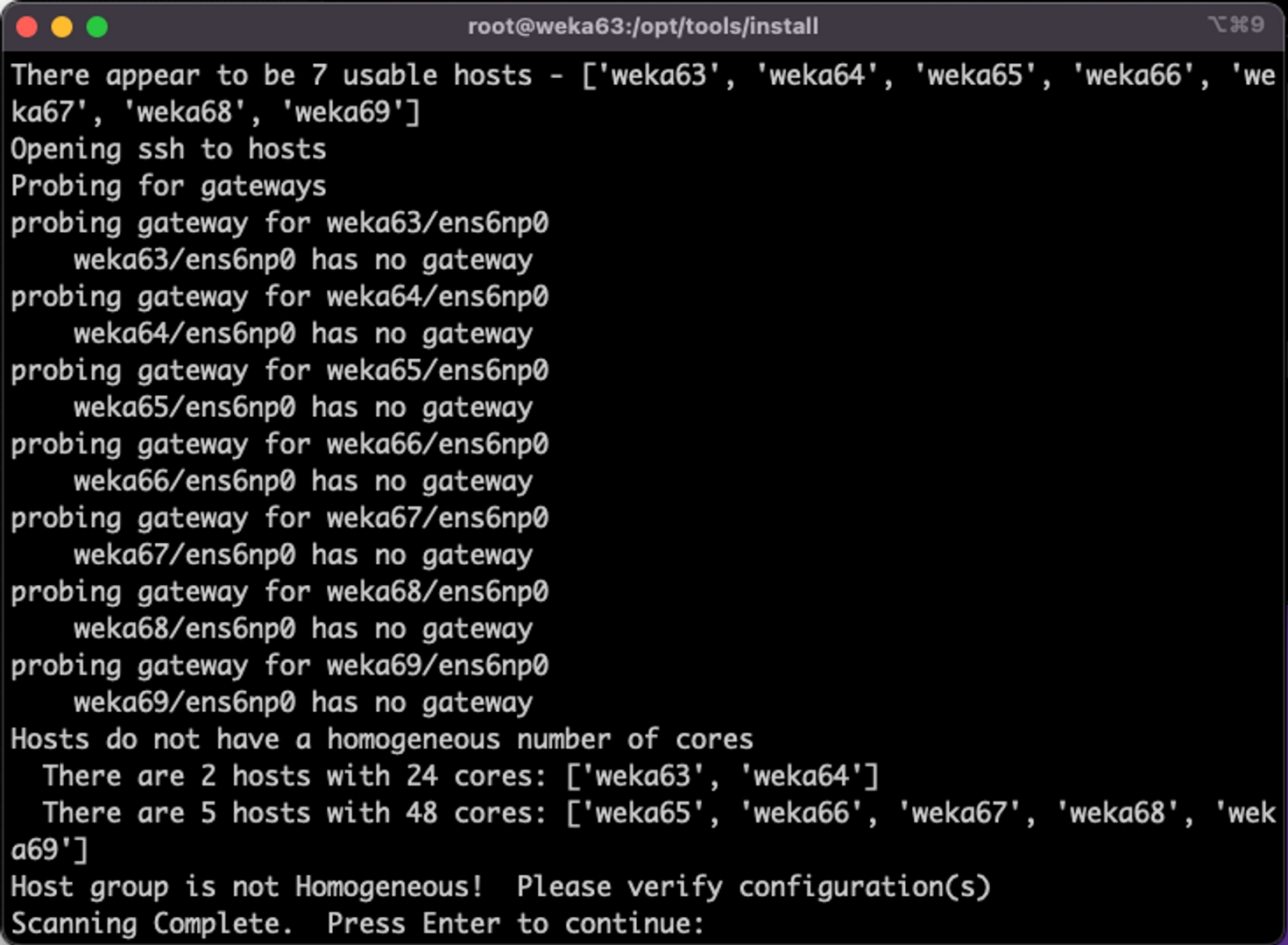
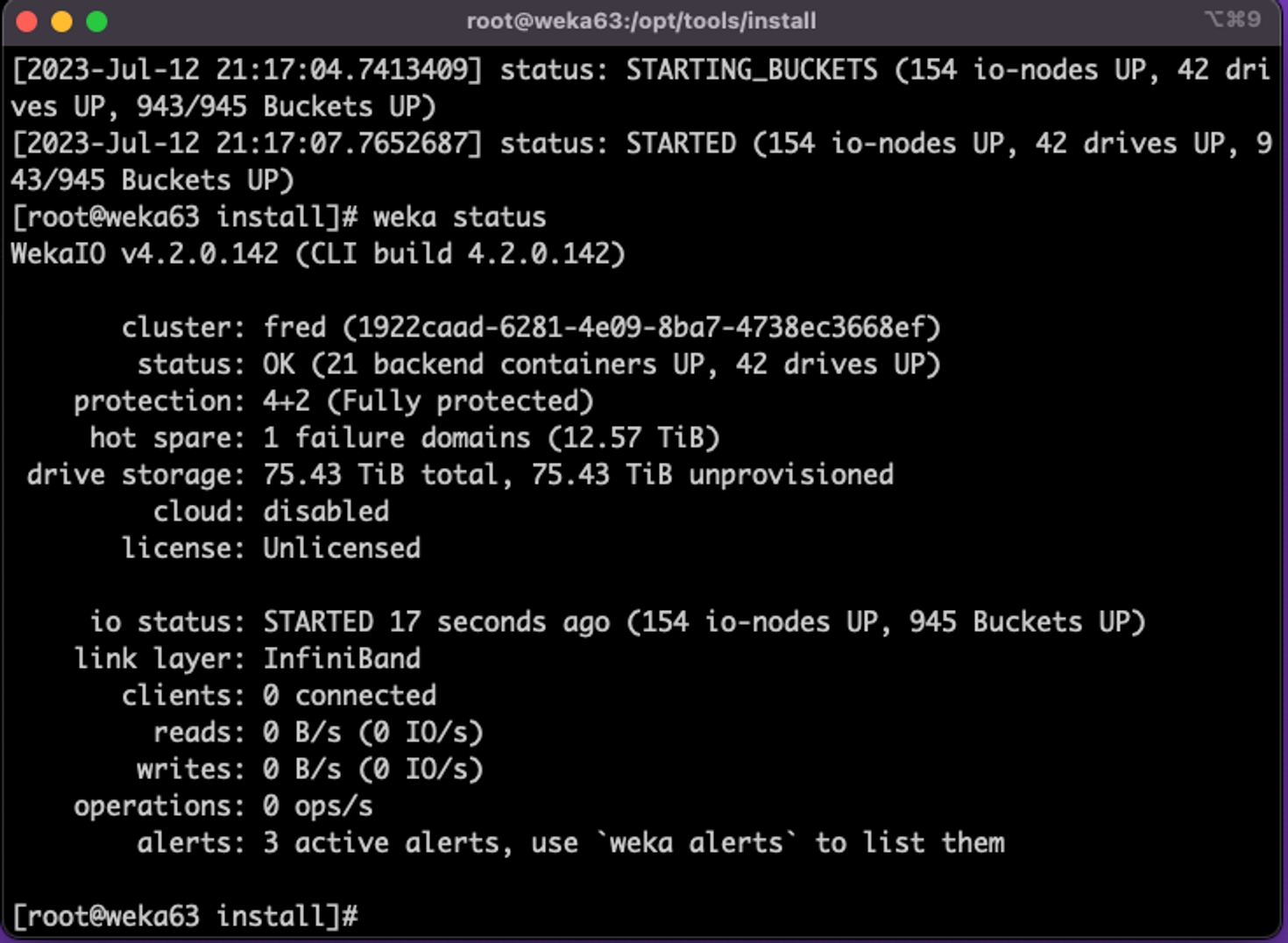
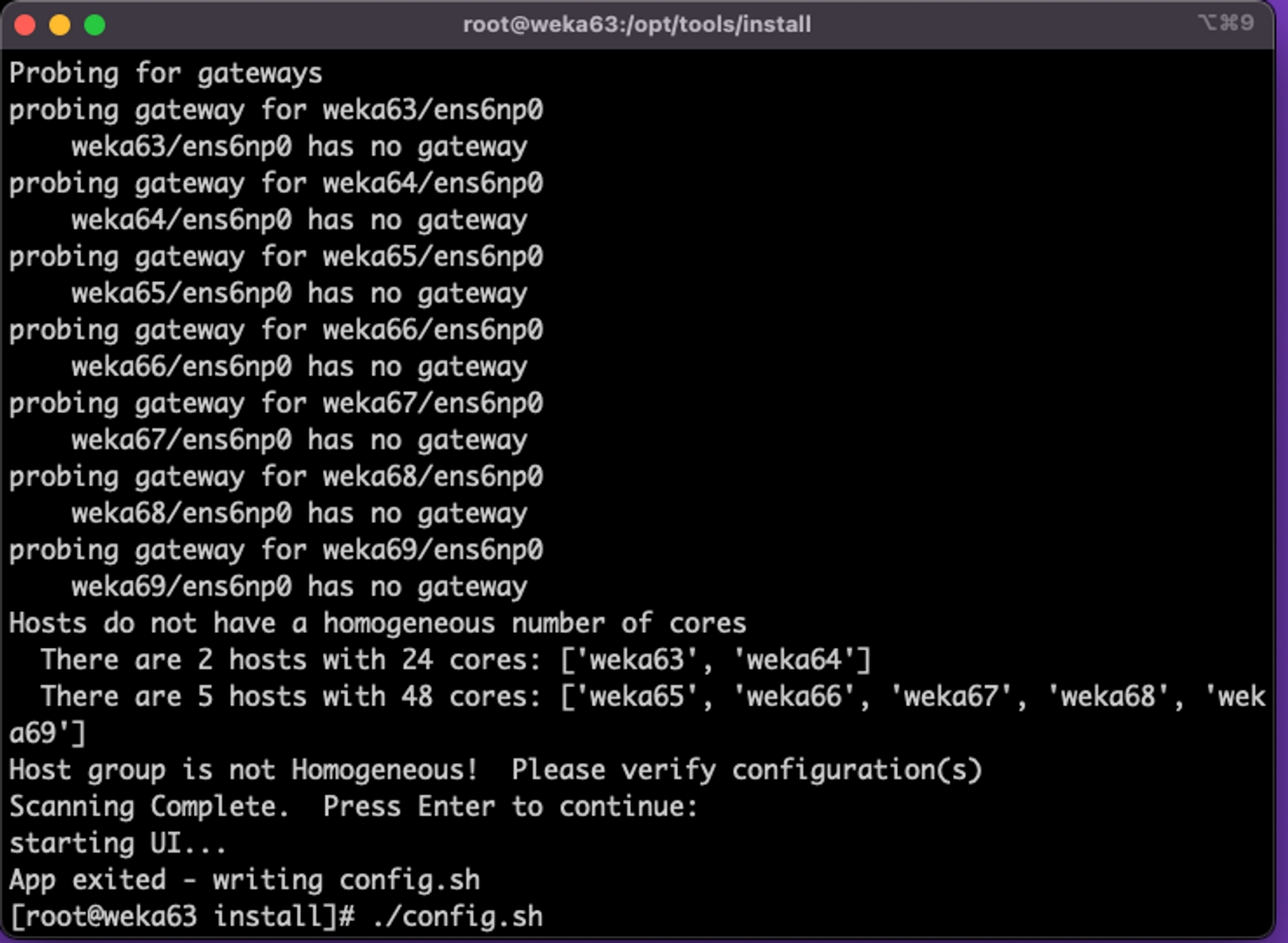
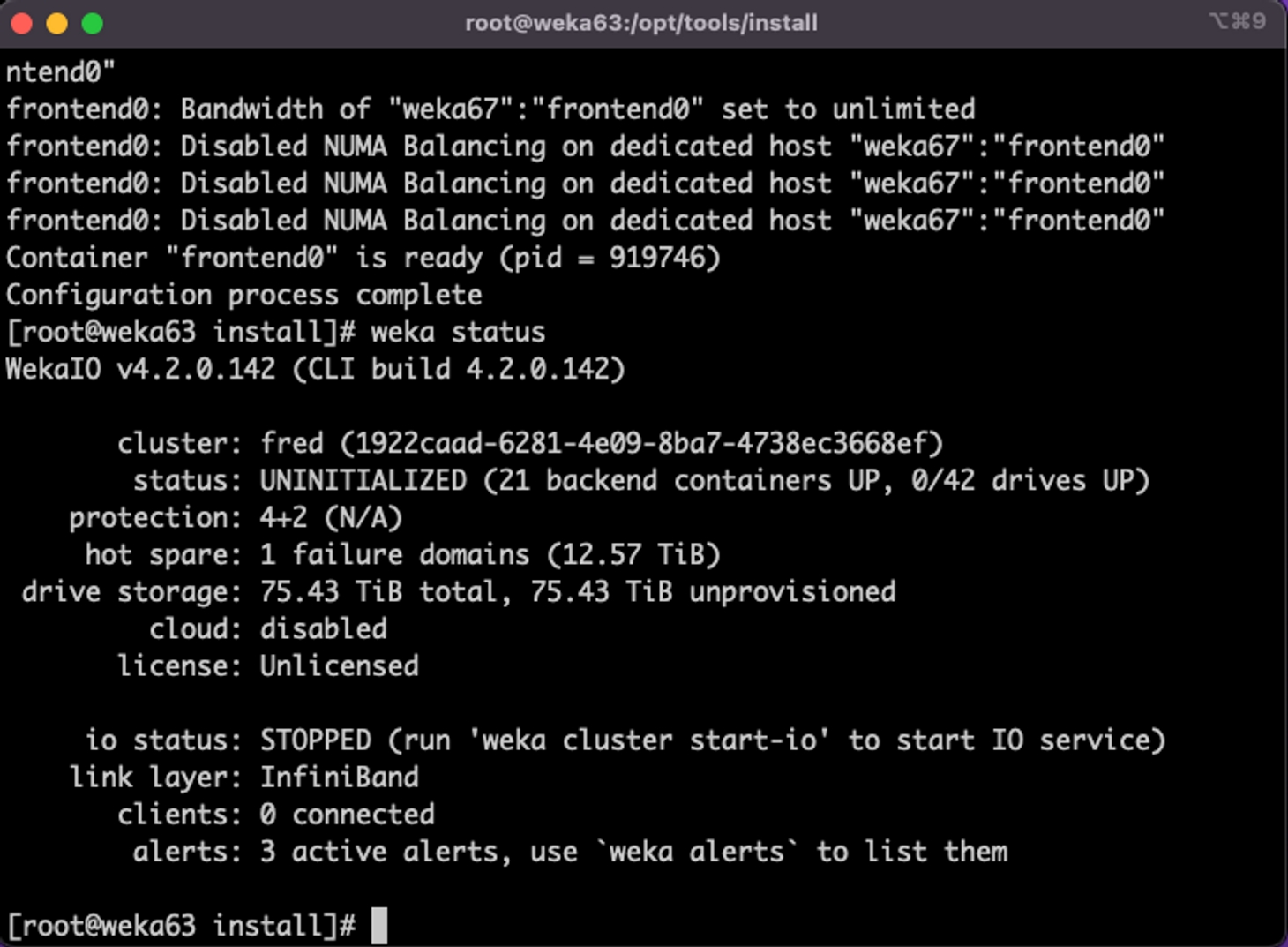
Deploying WEKA on GCP requires proficiency in several technologies, including GCP, Terraform, basic Linux operations, and the WEKA software itself. Recognizing that not all individuals responsible for this deployment are experts in each of these areas, this document aims to provide comprehensive, end-to-end instructions. This ensures that readers with minimal prior knowledge can successfully deploy a functional WEKA cluster on GCP.
This document specifically addresses the deployment of WEKA in a GCP environment using Terraform, applicable for both proof-of-concept (POC) and production settings. While no pre-existing GCP elements are necessary beyond an appropriate user account, the guide demonstrates the use of some pre-existing components, as many environments already have these in place.
The reader is guided through:
General GCP requirements.
Networking requirements to support WEKA.
Deployment of WEKA using Terraform.
Verification of a successful WEKA deployment.
HashiCorp Terraform is a powerful tool that allows you to define, provision, and manage infrastructure as code. You can specify your infrastructure setup in a configuration file using a declarative configuration language, HashiCorp Configuration Language (HCL), or JSON. Terraform then uses this file to automatically create, modify, or delete resources, ensuring consistent and predictable deployment of your infrastructure components such as servers, databases, and networks.
This document outlines the process for automating the deployment of the WEKA Data Platform on Google Cloud Platform (GCP) using Terraform. Terraform's widespread adoption and prominence in the Infrastructure as Code (IaC) domain drive its choice. Organizations of all sizes globally leverage Terraform to deploy persistent infrastructure both on-premises and across public clouds like AWS, Azure, and Google Cloud Platform.
To install Terraform, we recommend following the provided by HashiCorp. Additionally, Terraform can be run directly from the GCP Cloud Terminal, which comes with Terraform pre-installed, as illustrated in this guide.
It is essential for the customer to understand their subscription structure for deployments within a WEKA customer environment. If you are deploying internally at WEKA and cannot locate an Account ID or have not been added to the appropriate account, contact the relevant cloud team for assistance.
Ensure that the GCP IAM user has the permissions outlined in to perform the necessary operations for a successful WEKA deployment on GCP using Terraform. The IAM user must be able to create, modify, and delete GCP resources as specified by the Terraform configuration files used in the WEKA deployment.
If the current IAM user lacks the permissions detailed in , either update the user's permissions or create a new IAM user with the required privileges.
Verify GCP IAM user permissions
Navigate to the GCP Management Console.
Log in using the account intended for the WEKA deployment.
In the GCP Console, go to the Services menu and select IAM to access the Identity and Access Management dashboard.
Within the IAM dashboard, locate the relevant IAM user by searching for their account.
Click on the user's Security insights to review their permissions.
Ensure that the user possesses the permissions listed in , which are necessary for managing GCP resources through Terraform.
For a successful WEKA deployment on GCP using Terraform, ensure your GCP project has the necessary quotas for the required resources. When setting up compute instances, such as the c2 type for the WEKA backend cluster, manage quotas based on the CPU count for each compute instance type or family.
Before deploying WEKA, confirm that your compute instance's CPU sizing requirements (determined in partnership with WEKA) can be met within the existing quota limits. If not, increase the quotas in your GCP project before executing the Terraform commands detailed later in this document.
The required minimum quota is the total CPU count for all instances (for example, deploying 10 c2.standard-8 instances requires 80 CPUs just for the cluster). Ensuring sufficient quotas prevents failures during the execution of Terraform commands, as discussed in subsequent sections.
Navigate to the and search for the service Quotas & System Limits.
On the Quotas page, search for CPU and select the compute instance type family, in this case, c2.
Locate the region where you intend to deploy WEKA and confirm that there are sufficient available CPUs of the specified family type. If not, adjust the quota accordingly.
The WEKA deployment incorporates several GCP components, including VPCs, Subnets, Security Groups, Endpoints, and others. These elements can be either generated by the WEKA Terraform modules or exist beforehand if manually creating components to use.
Four VPCs (Virtual Private Clouds), each with at least one Subnet and a Security Group, are required at minimum. This guide assumes that Terraform generates these items for WEKA within the environment.
The Terraform deployment can automatically establish VPC peering connections from the new VPCs to your current VPC, which is utilized by the application servers consuming WEKA storage. Considering how GCP handles compute instances with multiple vNICs, it is advisable to allow Terraform to create the required networking for WEKA.
This guide assumes an already deployed VPC and the necessity of adding four WEKA-specific VPCs. This requirement arises from GCP networking constraints, where each VM instance can only have one vNIC per VPC. However, WEKA mandates a minimum of four vNICs per instance. Ensure that you have the CIDR information for the four subnets created in the new VPCs to prevent conflicts.
The WEKA Terraform modules establish peering connections between the newly created VPCs for WEKA and an existing VPC within the environment. Therefore, the initial networking step involves identifying the VPC to peer with.
VPC
Subnet (in VPC)
The WEKA user token provides access to the WEKA binaries and is used to access get.weka.io during installation.
In a web browser, navigate to .
Select the user's name located in the upper right-hand corner of the page.
From the column on the left-hand side of the page, select API Tokens. The user’s API token is displayed. Note it for using it later in the installation process.
The following demonstrates deploying WEKA into Virtual Private Clouds (VPCs) and Subnets without exposing the instances to Internet access.
The is designed for deploying various GCP resources essential for WEKA deployment on GCP, including Compute instances, cloud functions, and VPCs.
IAM roles, networks, and security groups: These modules create the necessary IAM roles, networks, and security groups for WEKA deployment. If specific IDs for security groups or subnets are not provided, the modules generate them automatically.
Service account: This module automatically creates a service account that the WEKA deployment functions and services use.
Network: To deploy a private network with Network Address Translation (NAT), certain variables need to be set, such as create_nat_gateway to true and providing a private CIDR range. To prevent instances from obtaining public IPs, set assign_public_ip to false.
Sign in to Google Cloud Platform and access the Cloud Shell.
If the Terminal is not associated with the project intended for WEKA deployment, close it, switch to the correct project, and reopen it.
Create a directory specifically for the Terraform configuration files. To maintain state information, it's essential to keep each Terraform deployment separate. Other deployments can be executed by duplicating these instructions and naming the directory appropriately, such as deploy1 or another unique identifier.
Navigate to the created directory.
To display accessible output data on the screen during the process, create an output.tf file in the deploy directory, and insert the following content:
Save the output.tf file.
Define the Terraform options by creating the main.tf file using your preferred text editor. Use the following template and replace the placeholders < > with the values specific to your deployment environment:
After creating and saving the main.tf file, execute the following command in the same directory. This ensures that the required Terraform resource files from GCP are downloaded and accessible to the system.
Before applying or destroying a Terraform configuration file, it's recommended to run the following:
If GCP requires authentication, grant permission accordingly.
To initiate the deployment of WEKA in GCP, run the following command:
This command initiates the creation of GCP resources essential for WEKA. When prompted, confirm the deployment of resources by typing yes.
Upon completing the Terraform GCP resource deployment process, a summary of the outcome is displayed. In the event of an unsuccessful deployment, an error message indicating failure is shown instead.
The output includes several other commands to allow you to view information or modify the deployment, in addition to a command to look up the WEKA admin password.
Get cluster status
Resize cluster command
Pre-terraform destroy, cluster terminate function
Get backend ips
Run the get cluster status command to verify the state of the WEKA deployment.
Here is the output from the example
The section "io_status":"STARTED" shows that the cluster is fully up and running and ready for access.
The Terraform deployment simplifies the process of deploying additional compute instances to serve as protocol servers (protocol gateways) for NFS or SMB. These protocol gateways are separate from the instances designated for the WEKA backend cluster.
To deploy protocol gateways, add more information to the main.tf file.
The simplest approach is to specify the number of protocol gateways for each type (NFS and SMB) and use default settings for the other parameters. If you plan to distribute your NFS or SMB connections across multiple protocol servers manually, you can adjust these numbers according to your needs. For instance, if you have three projects, each requiring its own bandwidth for NFS, you can deploy three protocol gateways. Assign each project the IP address or DNS entry of its respective gateway to use as the NFS server.
Add the following before the last ‘}’ of the main.tf file.
To obtain the IP addresses of your WEKA cluster, follow these steps:
Visit the GCP Compute Engine VM instances dashboard.
Identify the WEKA backend servers. The instance names follow the format: <cluster_name>-<Timestamp>, where <cluster_name> corresponds to the value specified in the main.tf file.
Select any WEKA backend instance and note the IP address of nic0.
This IP address is used if your subnet assigns a public IP address to the instance (that is if the VM instance is configured accordingly). WEKA uses only private IPv4 addresses for all interface IP addresses for communication.
The WEKA cluster password is securely stored in the Google Cloud Platform (GCP) Secret Manager. You can retrieve it using the gcloud command from the Terraform output or through the GCP console. Follow these steps to access the password through the GCP console:
Open the GCP console and search for Secret Manager.
Navigate to the Secrets section within the Secret Manager.
Locate and select the secret named weka_<cluster_name>_password corresponding to your deployment.
Select the Actions option and select View secret value.
The system displays the randomly generated password assigned to the WEKA user admin.
You can access the WEKA cluster backend instances through SSH directly from the GCP browser window. This method allows you to run WEKA CLI commands and gather logs as needed.
Follow these steps to connect to the backend instances:
Open the GCP console.
Navigate to the Compute Engine section.
Select the instance you wish to access.
Select the SSH button to open a browser-based SSH session.
To access the WEKA GUI, use a jump host with a GUI deployed within the same VPC and subnet as the WEKA cluster.
In the following examples, a Windows 10 instance with a public IP address is deployed in the same VPC, subnet, and security group as the WEKA cluster. The network security group rules are added to allow RDP explicit access to the Windows 10 system.
Open a browser in the Windows 10 jump box.
Visit https://<cluster-backend-ip>:14000. The WEKA GUI sign-in screen appears.
Sign in as user admin and use the password retrieved earlier ( see ).
View the cluster GUI home screen.
Review the cluster backends. Check the status and details of the backend instances.
Review the clients, if any, attached to the cluster.
Review the filesystems.
The WEKA backend cluster can be scaled out and scaled in using an API call through the GCP Cloud terminal.
The WEKA backend cluster can be dynamically scaled out and scaled in using API calls through the GCP Cloud terminal. The process is managed by Terraform-created functions that automatically trigger when a new instance is initiated or retired. These functions execute the necessary automation processes to adjust the cluster's computing resources.
To scale out from the initial deployment, use the CLI command provided in the Terraform output.
Replace unhealthy instances:
Auto Scaling automatically initiates the replacement of instances that fail health checks. It launches new instances and incorporates them into the WEKA cluster, ensuring continuous availability and responsiveness.
This process mitigates the impact of instance failures by promptly integrating the new instance into the cluster and service.
To validate the self-healing functionality of the WEKA cluster, you can decommission an old instance and allow the Auto Heal feature to launch a new one. Follow this brief guide:
Identify the old instance: Locate the GCP VM instance you want to decommission. This can be based on factors such as age, outdated configurations, or other criteria.
Terminate the old instance: Manually terminate the identified GCP VM instance using the GCP Management Console, gcloud CLI, or SDKs. This action triggers the Auto Heal process.
Verify the new instance: Ensure the new instance is successfully launched, passes the health checks, and joins the cluster. Confirm that the cluster's overall capacity remains unchanged.
The Compute Engine and Workflows API services must be enabled to allow the following services:
artifactregistry.googleapis.com
cloudbuild.googleapis.com
cloudfunctions.googleapis.com
cloudresourcemanager.googleapis.com
The user running the Terraform module requires the following roles to run the terraform apply:
roles/cloudfunctions.admin
roles/cloudscheduler.admin
roles/compute.admin
roles/compute.networkAdmin
Clients (optional): This module automatically mounts clients to the WEKA cluster. Users can specify the number of clients to create along with optional variables such as instance type, number of network interfaces (NICs), and AMI ID.
Protocol_Gateways NFS/SMB (optional): Similar to the client's module, this module allows users to specify the number of protocol gateways per protocol. Additional configuration details, such as instance type and disk size, can also be provided.
Worker_Pool: This module creates a private pool to build GCP cloud functions.
Auto-scaling configurations can be adjusted to perform scaling actions gradually. This prevents sudden spikes in traffic and minimizes application disruptions.
This measured approach maintains a balanced and stable environment, effectively adapting to changes in demand without causing abrupt changes.
compute.googleapis.com
dns.googleapis.com
eventarc.googleapis.com
iam.googleapis.com
secretmanager.googleapis.com
servicenetworking.googleapis.com
serviceusage.googleapis.com
vpcaccess.googleapis.com
workflows.googleapis.com
roles/dns.admin
roles/iam.serviceAccountAdmin
roles/iam.serviceAccountUser
roles/pubsub.editor
roles/resourcemanager.projectIamAdmin
roles/secretmanager.admin
roles/servicenetworking.networksAdmin
roles/storage.admin
roles/vpcaccess.adminroles/workflows.admin
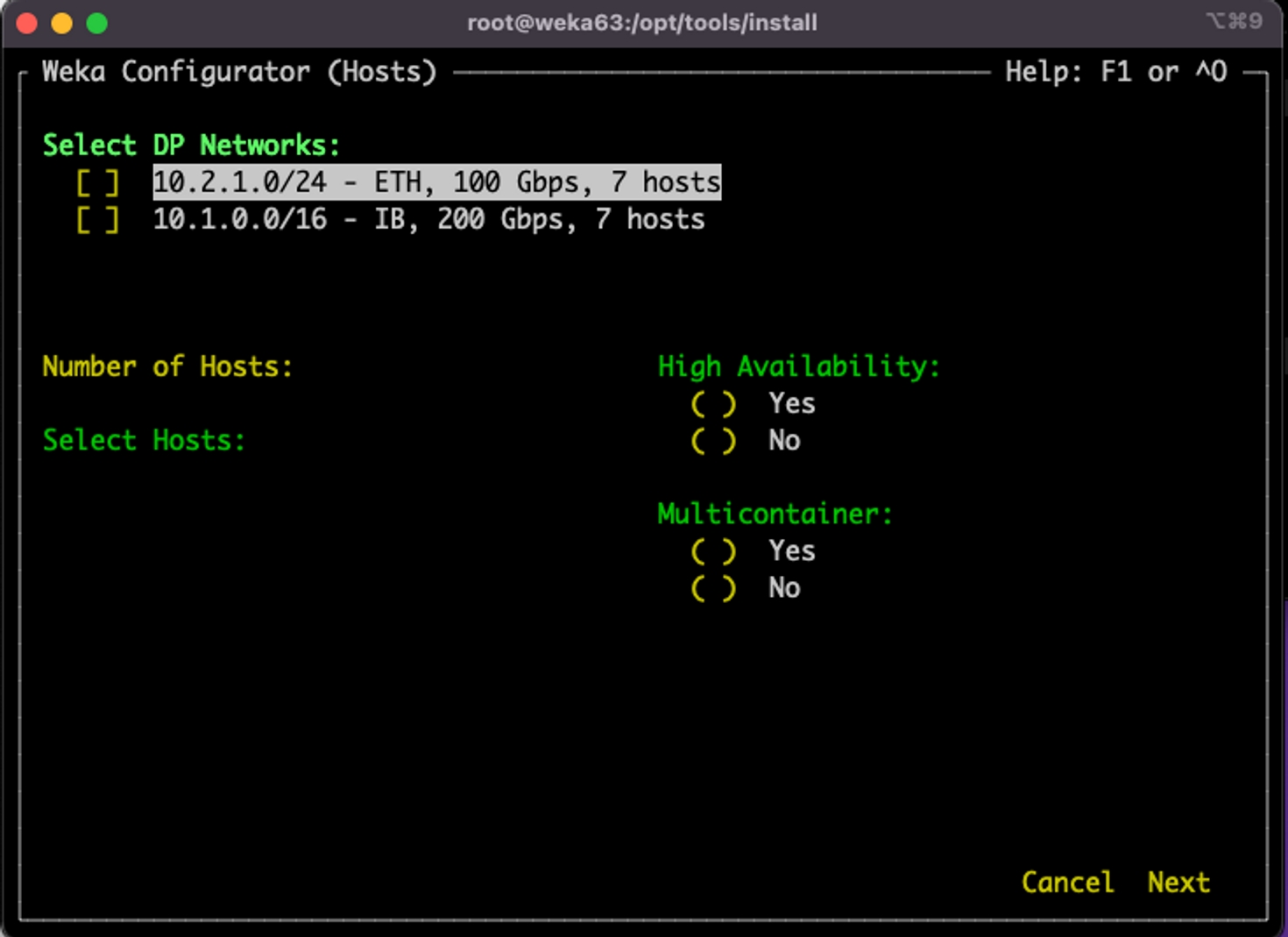
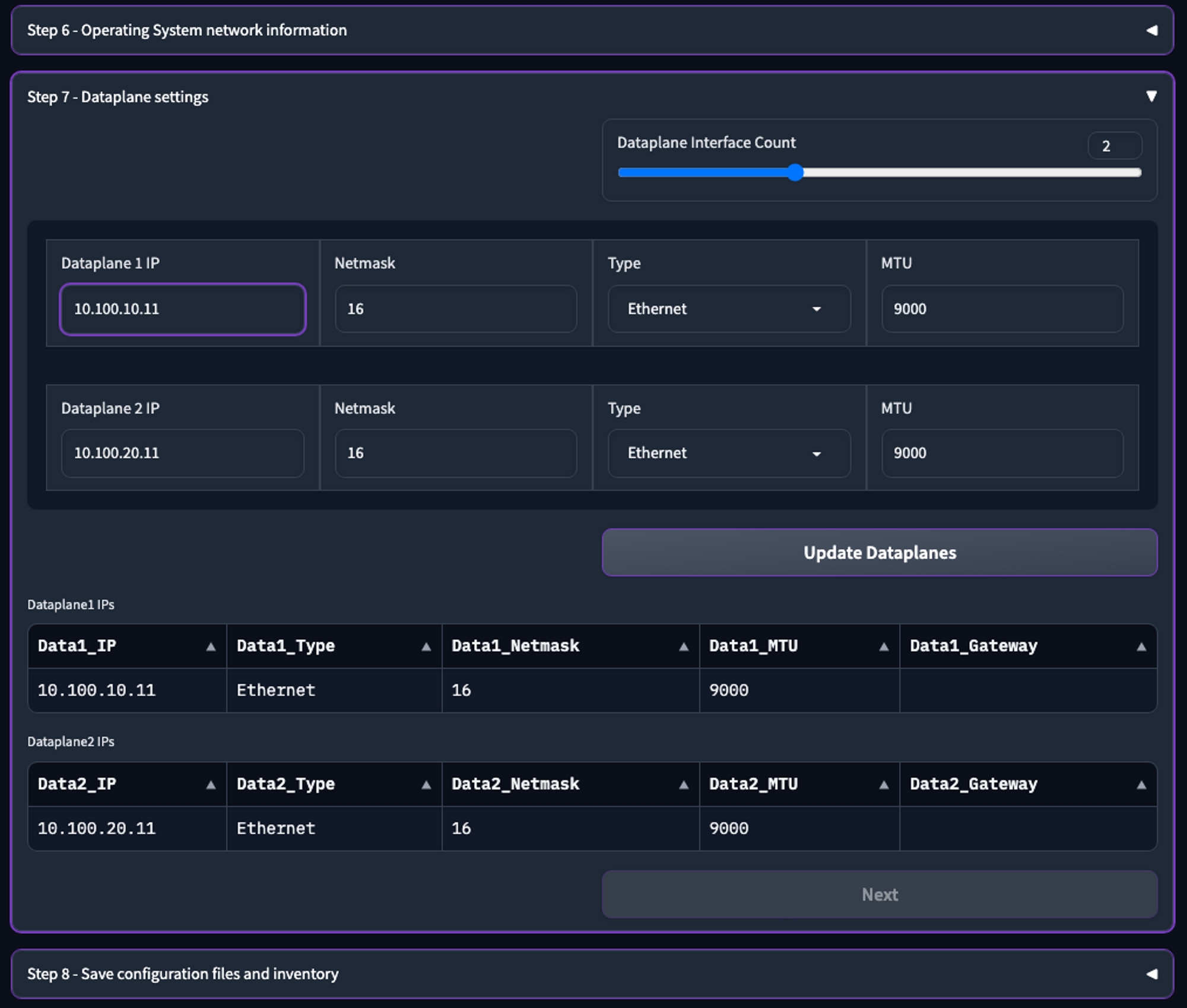
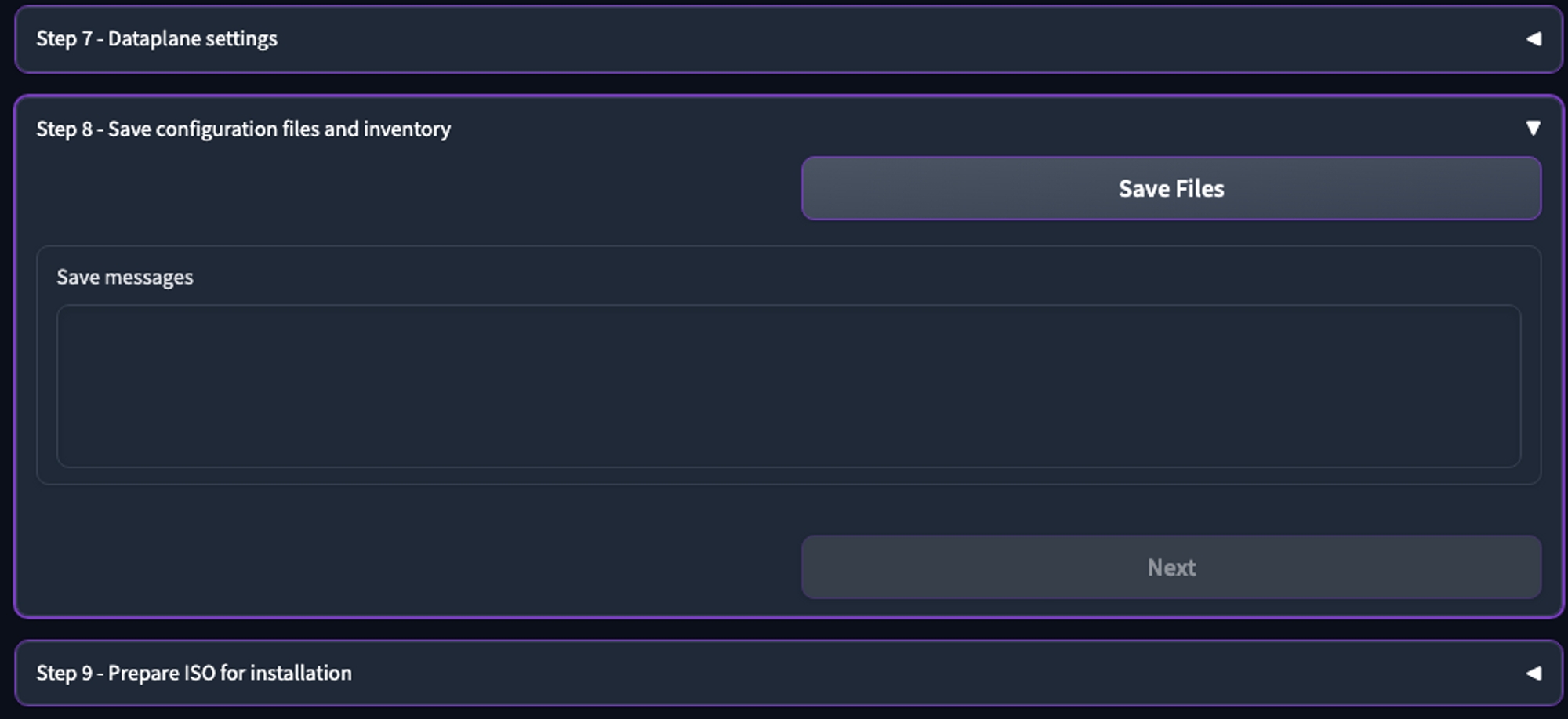
mkdir deploycd deployoutput "weka_deployment_output" {
value = module.weka_deployment
}provider "google" {
project = "<your_project>"
region = "<your_region>"
zone = "<your_zone>"
}
module "weka_deployment" {
source = "weka/weka/gcp"
version = "4.0.6"
cluster_name = "<name_for_the_cluster>"
project_id = "<your_project_id>"
region = "<your_region>"
zone = "<your_zone>"
cluster_size = 7
nvmes_number = 2
get_weka_io_token = "<your_wekaio_token>"
private_dns_name = "weka.private.net."
tiering_enable_obs_integration = true
assign_public_ip = false
create_nat_gateway = true
vpcs_to_peer_to_deployment_vpc = ["<your_existing_vpc"]
subnets_range = ["<CIDR_for_subnet_for_wekavpc1>", "<CIDR_for_subnet_for_wekavpc2>", "<CIDR_for_subnet_for_wekavpc3>", "<CIDR_for_subnet_for_wekavpc4>"]provider "google" {
project = "wekaio-public"
region = "us-east1"
zone = "us-east1-b"
}
module "weka_deployment" {
source = "weka/weka/gcp"
version = "4.0.6"
cluster_name = "gcp-weka"
project_id = "wekaio-public"
region = "us-east1"
zone = "us-east1-b"
cluster_size = 7
nvmes_number = 2
weka_version = "4.3.0"
get_weka_io_token = "LB9ciQ7aDpHihJXc"
private_dns_name = "weka.private.net."
tiering_enable_obs_integration = true
assign_public_ip = false
create_nat_gateway = true
vpcs_to_peer_to_deployment_vpc = ["default-POC"]
subnets_range = ["10.100.0.0/24", "10.101.0.0/24", "10.102.0.0/24", "10.103.0.0/24"]terraform initterraform planterraform applyOutputs:
weka_deployment_output = {
"client_ips" = []
"cluster_helper_commands" = <<-EOT
########################################## get cluster status ##########################################
curl -m 70 -X POST "https://weka-gcp-weka-status-t6p6clcama-ue.a.run.app" \
-H "Authorization:bearer $(gcloud auth print-identity-token)" \
-H "Content-Type:application/json" -d '{"type":"progress"}'
# for fetching cluster status pass: -d '{"type":"status"}'
########################################## resize cluster command ##########################################
curl -m 70 -X POST "https://weka-gcp-weka-weka-functions-t6p6clcama-ue.a.run.app?action=resize" \
-H "Authorization:bearer $(gcloud auth print-identity-token)" \
-H "Content-Type:application/json" \
-d '{"value":ENTER_NEW_VALUE_HERE}'
########################################## pre-terraform destroy, cluster terminate function ################
# replace CLUSTER_NAME with the actual cluster name, as a confirmation of the destructive action
# this function needs to be executed before terraform destroy
curl -m 70 -X POST "https://weka-gcp-weka-weka-functions-t6p6clcama-ue.a.run.app?action=terminate_cluster" \
-H "Authorization:bearer $(gcloud auth print-identity-token)" \
-H "Content-Type:application/json" \
-d '{"name":"CLUSTER_NAME"}'
################################# get weka password secret login ############################################
gcloud secrets versions access 1 --secret=weka-gcp-weka-password --project wekaio-public --format='get(payload.data)' | base64 -d
############################################## get backend ips ##############################################
gcloud compute instances list --filter="labels.weka_cluster_name=gcp-weka" --format "get(networkInterfaces[0].networkIP)" --project wekaio-public
EOT
"cluster_name" = "gcp-weka"
"functions_url" = {
"destroy" = {
"body" = {
"name" = "gcp-weka"
}
"url" = "https://weka-gcp-weka-weka-functions-t6p6clcama-ue.a.run.app?action=terminate_cluster"
}
"progressing_status" = {
"body" = {
"type" = "progress"
}
"url" = "https://weka-gcp-weka-status-t6p6clcama-ue.a.run.app"
}
"resize" = {
"body" = {
"value" = 7
}
"url" = "https://weka-gcp-weka-weka-functions-t6p6clcama-ue.a.run.app?action=resize"
}
"status" = {
"body" = {
"type" = "status"
}
"url" = "https://weka-gcp-weka-status-t6p6clcama-ue.a.run.app"
}
}
"get_cluster_status_uri" = "https://weka-gcp-weka-status-t6p6clcama-ue.a.run.app"
"lb_url" = "gcp-weka.weka.private.net"
"nfs_protocol_gateways_ips" = tostring(null)
"private_ssh_key" = "/tmp/weka-gcp-weka-private-key.pem"
"project_id" = "wekaio-public"
"resize_cluster_uri" = "https://weka-gcp-weka-weka-functions-t6p6clcama-ue.a.run.app?action=resize"
"smb_protocol_gateways_ips" = tostring(null)
"terminate_cluster_uri" = "https://weka-gcp-weka-weka-functions-t6p6clcama-ue.a.run.app?action=terminate_cluster"
"vm_username" = "weka"
"weka_cluster_password_secret_id" = "weka-gcp-weka-password"
} curl -m 70 -X POST "https://weka-gcp-weka-status-t6p6clcama-ue.a.run.app" \
-H "Authorization:bearer $(gcloud auth print-identity-token)" \
-H "Content-Type:application/json" -d '{"type":"status"}'
{"initial_size":7,"desired_size":8,"clusterized":true,"weka_status":{"hot_spare":1,**"io_status":"STARTED"**,"drives":{"active":16,"total":16},"name":"gcp-weka","io_status_changed_time":"2024-05-13T13:43:50.740546Z","io_nodes":{"active":24,"total":24},"cloud":{"enabled":true,"healthy":true,"proxy":"","url":"https://api.home.weka.io"},"release_hash":"f94d361cf0e465a4f04214064b5f019b9149baf3","hosts":{"active_count":24,"backends":{"active":24,"total":24},"clients":{"active":0,"total":0},"total_count":24},"stripe_data_drives":4,"release":"4.3.0","active_alerts_count":2,"capacity":{"total_bytes":3376488600000,"hot_spare_bytes":482217460000,"unprovisioned_bytes":482217460000},"is_cluster":true,"status":"OK","stripe_protection_drives":2,"guid":"603d3b67-03ce-49af-8833-4f2e6a985b1e","nodes":{"black_listed":0,"total":48},"licensing":{"io_start_eligibility":true,"usage":{"drive_capacity_gb":6442,"usable_capacity_gb":3376,"obs_capacity_gb":0},"mode":"Unlicensed"}}}## Protocol gateways ##
## For deploying NFS protocol gateways ##
nfs_protocol_gateways_number = 2 # A minimum of two is required
## For deploying SMB protocol gateways ##
smb_protocol_gateways_number = 3 # A minimum of three is required 


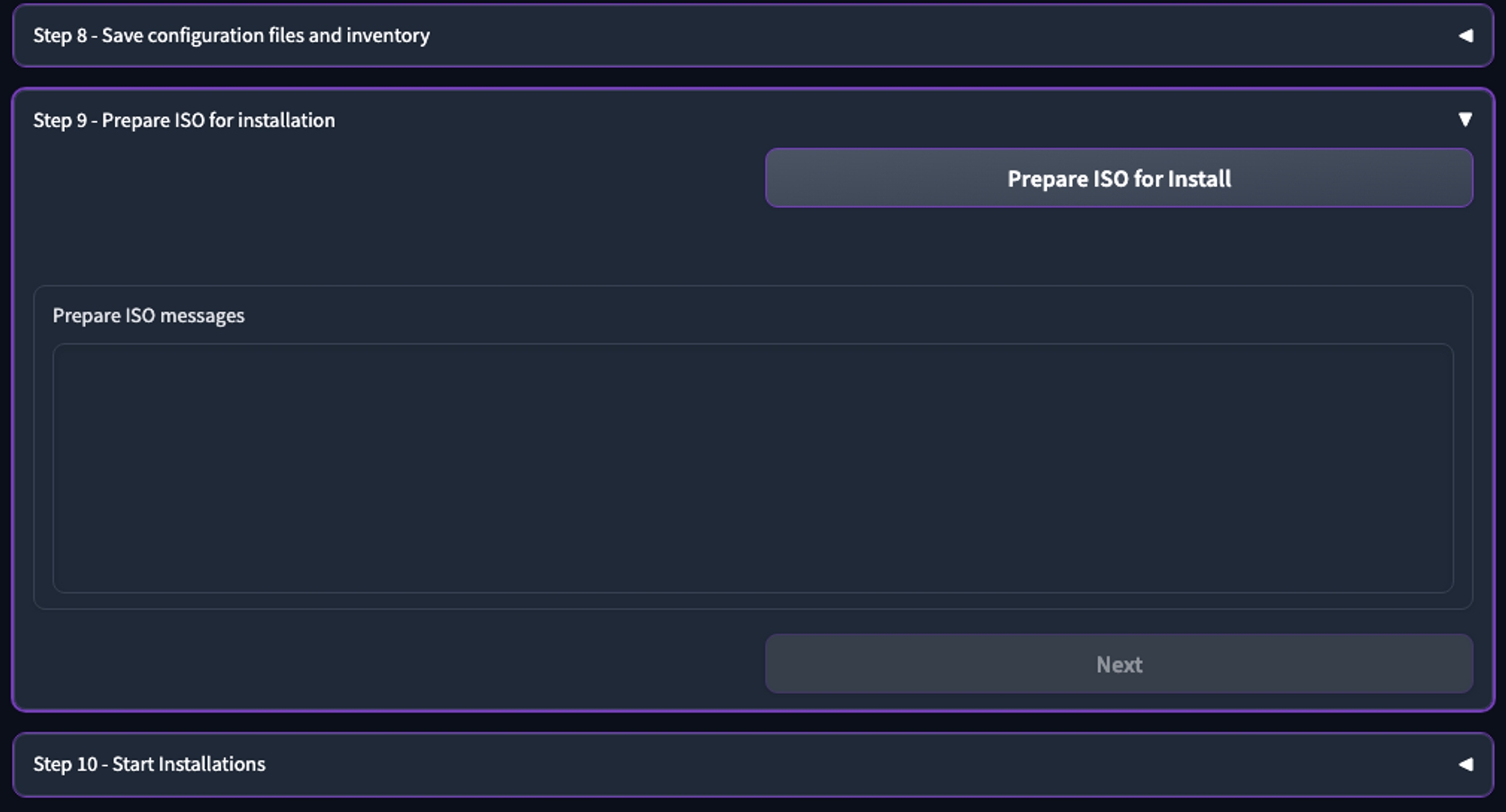
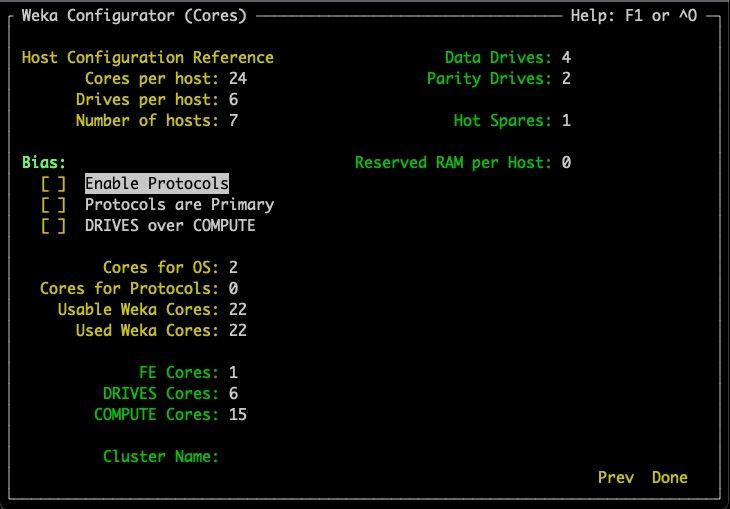
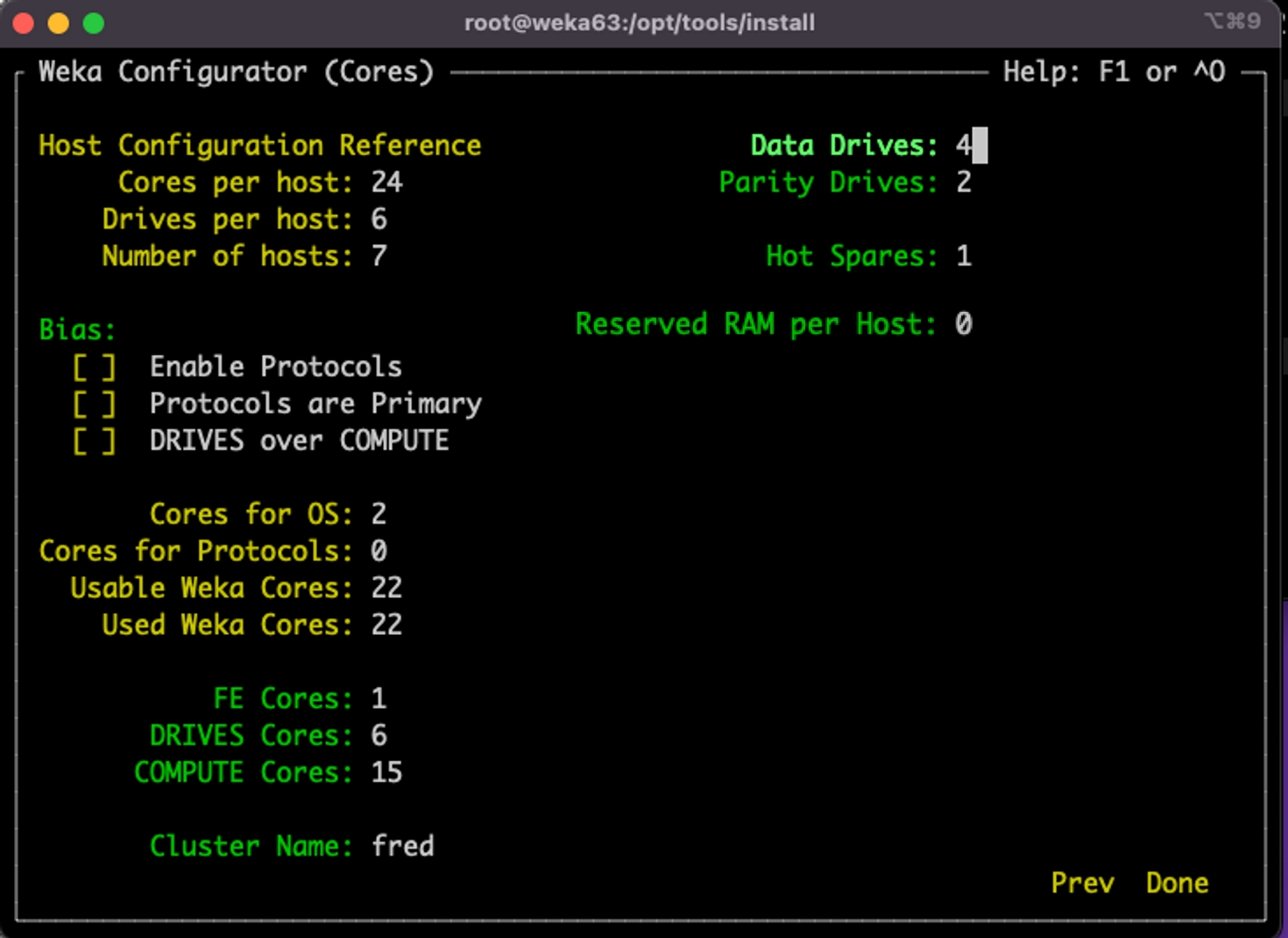
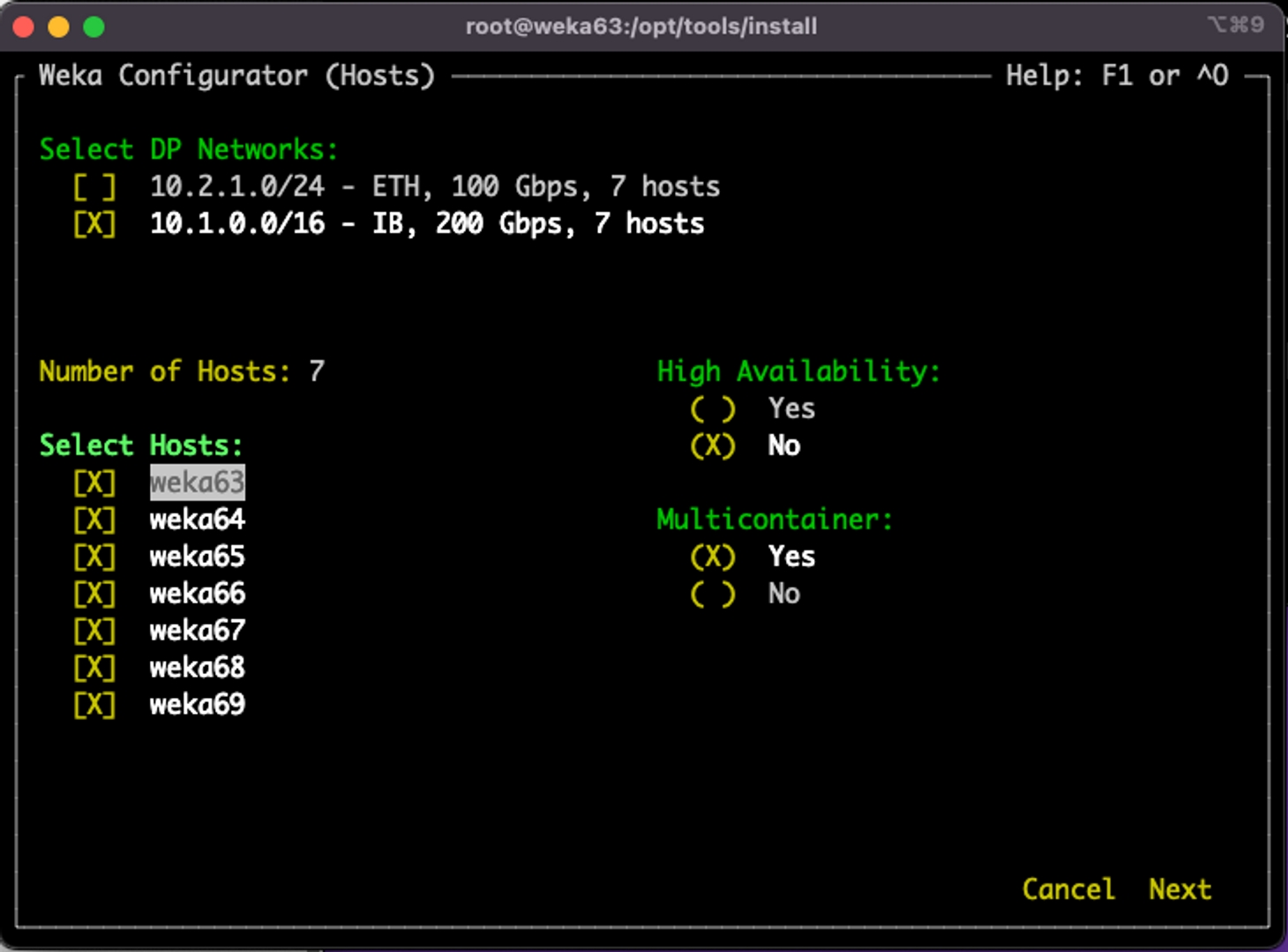
If the system is not prepared using the WMS, perform this procedure to set the networking and other tasks before configuring the WEKA cluster.
Once the hardware and software prerequisites are met, prepare the backend servers and clients for the WEKA system configuration.
This preparation consists of the following steps:
Install NIC drivers
Enable SR-IOV (when required)
Set up ConnectX cards
Configure the networking
Configure the HA networking
Verify the network configuration
Configure the clock synchronization
Disable the NUMA balancing
Enable kdump and set kernel panic reboot timer
Disable swap (if any)
Validate the system preparation
Related topics
To install Mellanox OFED, see .
To install Broadcom driver, see .
To install Intel driver, see .
Single Root I/O Virtualization (SR-IOV) enablement is mandatory in the following cases:
The servers are equipped with Intel NICs.
When working with client VMs, a physical NIC's virtual functions (VFs) must be exposed to the virtual NICs.
Related topic
Configure firmware parameters: All ConnectX ports used directly with WEKA servers and clients require specific firmware settings for optimal performance. Set the following non-default parameters:
ADVANCED_PCI_SETTINGS=1
PCI_WR_ORDERING=1
Use the following command to apply these settings to all MLX devices:
Related information
For additional details, refer to the NVIDIA ConnectX documentation.
The following example of the ifcfg script is a reference for configuring the Ethernet interface.
MTU 9000 (jumbo frame) is recommended for the best performance. Refer to your switch vendor documentation for jumbo frame configuration.
Bring the interface up using the following command:
InfiniBand network configuration normally includes Subnet Manager (SM), but the procedure involved is beyond the scope of this document. However, it is important to be aware of the specifics of your SM configuration, such as partitioning and MTU, because they can affect the configuration of the endpoint ports in Linux. For best performance, MTU of 4092 is recommended.
Refer to the following ifcfg script when the IB network only has the default partition, i.e., "no pkey":
Bring the interface up using the following command:
Verify that the “default partition” connection is up, with all the attributes set:
On an InfiniBand network with a non-default partition number, p-key must be configured on the interface if the InfiniBand ports on your network are members of an InfiniBand partition other than the default (
ignore-carrierignore-carrier is a NetworkManager configuration option. When set, it keeps the network interface up even if the physical link is down. It’s useful when services need to bind to the interface address at boot.
Open the /etc/NetworkManager/NetworkManager.conf file to edit it.
Under the [main] section, add one of the following lines depending on the operating system:
For some versions of Rocky Linux, RHEL, and CentOS: ignore-carrier=*
Example for RockyLinux and RHEL 8.7:
Example for some other versions:
Restart the NetworkManager service for the changes to take effect.
The following steps provide guidance for configuring dual-network links with policy-based routing on Linux systems. Adjust IP addresses and interface names according to your environment.
/etc/sysctl.confOpen the /etc/sysctl.conf file using a text editor.
Add the following lines at the end of the file to set minimal configurations per InfiniBand (IB) or Ethernet (Eth) interface:
Save the file.
Navigate to /etc/sysconfig/network-scripts/.
Create the file /etc/sysconfig/network-scripts/route-mlnx0 with the following content:
Create the file /etc/sysconfig/network-scripts/route-mlnx1 with the following content:
For Ethernet (ETH): To set up routing for Ethernet connections, use the following commands:
The route's first IP address in the provided commands represents the network's subnet to which the NIC is connected. The last address in the routing rules corresponds to the IP address of the NIC being configured, where eth1 is set to 10.10.10.1.
For InfiniBand (IB): To configure routing for InfiniBand connections, use the following commands:
The route's first IP address in the above commands signifies the network's subnet associated with the respective NIC. The last address in the routing rules corresponds to the IP address of the NIC being configured, where ib0 is set to 10.10.10.1.
Open the Netplan configuration file /etc/netplan/01-netcfg.yaml and adjust it:
After adjusting the Netplan configuration file, run the following commands:
Create /etc/sysconfig/network/ifrule-eth2 with:
Create /etc/sysconfig/network/ifrule-eth4 with:
Create /etc/sysconfig/network/scripts/ifup-route.eth2 with:
Create /etc/sysconfig/network/scripts/ifup-route.eth4 with:
Add the weka lines to /etc/iproute2/rt_tables:
Restart the interfaces or reboot the machine:
Related topic
Use a large-size ICMP ping to check the basic TCP/IP connectivity between the interfaces of the servers:
The-M do flag prohibits packet fragmentation, which allows verification of correct MTU configuration between the two endpoints.
-s 8972 is the maximum ICMP packet size that can be transferred with MTU 9000, due to the overhead of ICMP and IP protocols.
The synchronization of time on computers and networks is considered good practice and is vitally important for the stability of the WEKA system. Proper timestamp alignment in packets and logs is very helpful for the efficient and quick resolution of issues.
Configure the clock synchronization software on the backends and clients according to the specific vendor instructions (see your OS documentation), before installing the WEKA software.
The WEKA system autonomously manages NUMA balancing, making optimal decisions. Therefore, turning off the Linux kernel’s NUMA balancing feature is a mandatory requirement to prevent extra latencies in operations. It’s crucial that the disabled NUMA balancing remains consistent and isn’t altered by a server reboot.
To persistently disable NUMA balancing, follow these steps:
Open the file located at: /etc/sysctl.conf
Append the following line: kernel.numa_balancing=0
Enabling kdump and configuring the kernel panic reboot timer ensures system crashes leave log files for analysis and automate system reboot after a kernel panic to minimize downtime.
WEKA highly recommends that any servers used as backends have no swap configured. This is distribution-dependent but is often a case of commenting out any swap entries in /etc/fstab and rebooting.
The wekachecker is a tool that validates the readiness of the servers in the cluster before installing the WEKA software.
The wekachecker performs the following validations:
Dataplane IP, jumbo frames, and routing
ssh connection to all servers
Timesync
OS release
Procedure
Download the wekachecker tarball from and extract it.
From the install directory, run ./wekachecker <hostnames/IPs>
Where:
The hostnames/IPs is a space-separated list of all the cluster hostnames or IP addresses connected to the high-speed networking.
Example:
./wekachecker 10.1.1.11 10.1.1.12 10.1.1.4 10.1.1.5 10.1.1.6 10.1.1.7 10.1.1.8
Once the report has no failures or warnings that must be fixed, you can install the WEKA software.
If you can use the WEKA Configurator, go to:
Otherwise, go to:
This page describes a series of tests for measuring performance after the installation of the WEKA system. The same tests can be used to test the performance of any other storage solution.
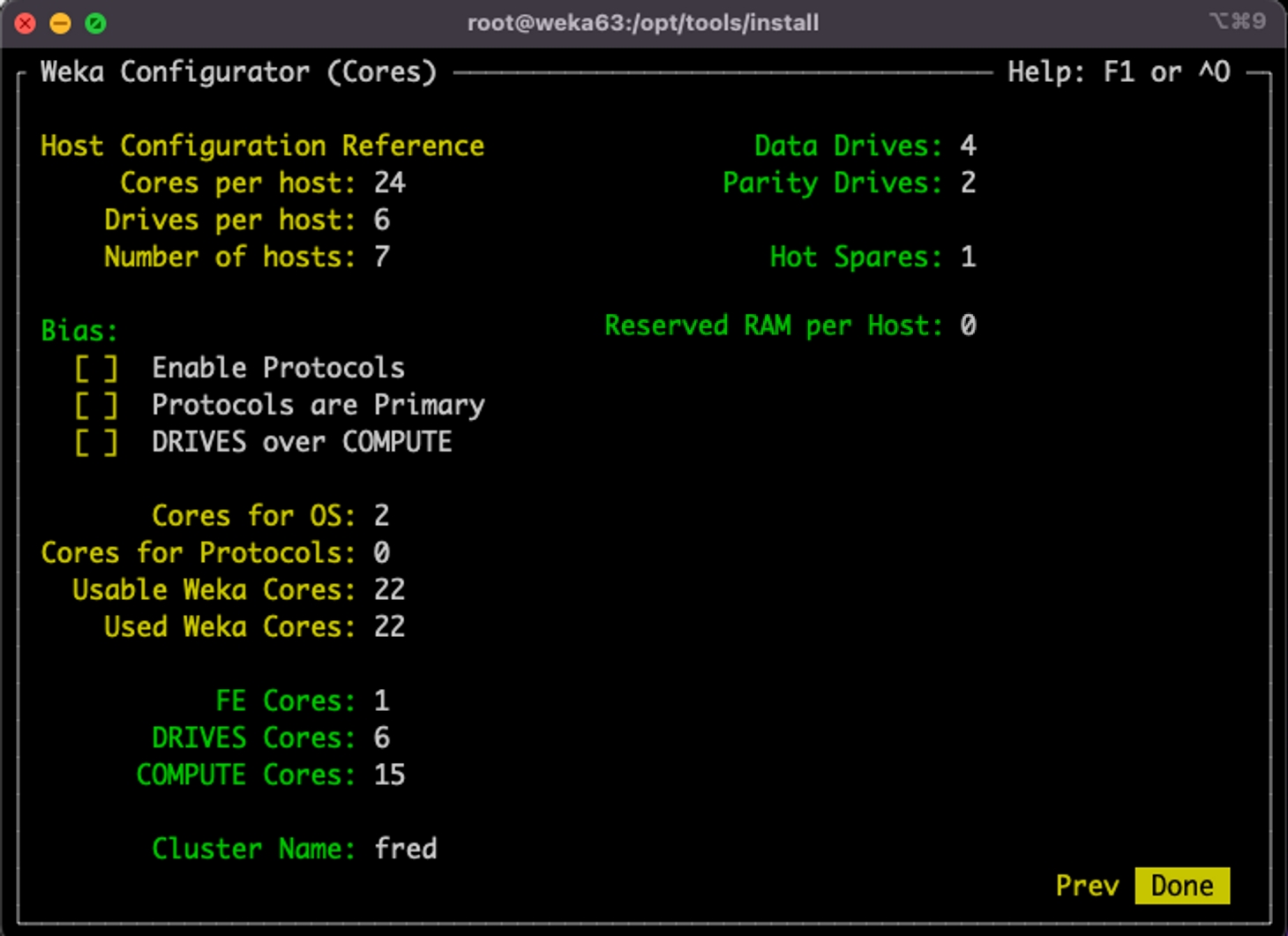
Set link type: Certain ConnectX VPI cards require modification of the link type, to specifically set the port to use InfiniBand or Ethernet networking.
If applicable, set the port mode with the following command, where 1=InfiniBand and 2=Ethernet:
mlxconfig -y -d /dev/mst/<dev> set LINK_TYPE_P<1,2>=<1,2>
For example, the following command sets port 2 to InfiniBand:
mlxconfig -y -d /dev/mst/<dev> set LINK_TYPE_P2=1
Reboot the system: A reboot is required after applying the firmware settings to ensure the changes take effect.
0x7FFFExample: If the partition number is 0x2, the limited member p-key will equal the p-key itself, i.e.,0x2. The full member p-key will be calculated as the logical OR of 0x8000 and the p-key (0x2) and therefore will be equal to 0x8002.
For each pkey-ed IPoIB interface, it's necessary to create two ifcfg scripts. To configure your own pkey-ed IPoIB interface, refer to the following examples, where a pkey of 0x8002 is used. You may need to manually create the child device.
Bring the interface up using the following command:
Verify the connection is up with all the non-default partition attributes set:
For some other versions: ignore-carrier=<device-name1>,<device-name2>.
Replace <device-name1>,<device-name2> with the actual device names you want to apply this setting to.
Create the files /etc/sysconfig/network-scripts/rule-mlnx0 and /etc/sysconfig/network-scripts/rule-mlnx1 with the following content:
Open /etc/iproute2/rt_tables and add the following lines:
Save the changes.
Open the file located at: /etc/kdump.conf.
Set the crash dump path and size. Example:
kernel.panic = 300Apply changes: sudo sysctl -p
Sufficient capacity in /opt/weka
Available RAM
Internet connection availability
NTP
DNS configuration
Firewall rules
WEKA required packages
OFED required packages
Recommended packages
HT/AMT is disabled
The kernel is supported
CPU has a supported AES, and it is enabled
Numa balancing is enabled
RAM state
XFS FS type installed
Mellanox OFED is installed
IOMMU mode for SSD drives is disabled
rpcbind utility is enabled
SquashFS is enabled
noexec mount option on /tmp
wekachecker writes any failures or warnings to the file: test_results.txt.table weka1 from 10.90.0.1
table weka2 from 10.90.1.1100 weka1
101 weka2mst start && for MLXDEV in /dev/mst/* ; do mlxconfig -d ${MLXDEV} -y set ADVANCED_PCI_SETTINGS=1 PCI_WR_ORDERING=1; doneTYPE="Ethernet"
PROXY_METHOD="none"
BROWSER_ONLY="no"
BOOTPROTO="none"
DEFROUTE="no"
IPV4_FAILURE_FATAL="no"
IPV6INIT="no"
IPV6_AUTOCONF="no"
IPV6_DEFROUTE="no"
IPV6_FAILURE_FATAL="no"
IPV6_ADDR_GEN_MODE="stable-privacy"
NAME="enp24s0"
DEVICE="enp24s0"
ONBOOT="yes"
NM_CONTROLLED=no
IPADDR=192.168.1.1
NETMASK=255.255.0.0
MTU=9000# ifup enp24s0TYPE=Infiniband
ONBOOT=yes
BOOTPROTO=static
STARTMODE=auto
USERCTL=no
NM_CONTROLLED=no
DEVICE=ib1
IPADDR=192.168.1.1
NETMASK=255.255.0.0
MTU=4092# ifup ib1# ip a s ib1
4: ib1: <BROADCAST,MULTICAST,UP,LOWER_UP> mtu 4092 qdisc mq state UP group default qlen 256
link/infiniband 00:00:03:72:fe:80:00:00:00:00:00:00:24:8a:07:03:00:a8:09:48
brd 00:ff:ff:ff:ff:12:40:1b:ff:ff:00:00:00:00:00:00:ff:ff:ff:ff
inet 10.0.20.84/24 brd 10.0.20.255 scope global noprefixroute ib0
valid_lft forever preferred_lft forever[main]
ignore-carrier=*[main]
ignore-carrier=ib0,ib1# Minimal configuration, set per IB/Eth interface
net.ipv4.conf.ib0.arp_announce = 2
net.ipv4.conf.ib1.arp_announce = 2
net.ipv4.conf.ib0.arp_filter = 1
net.ipv4.conf.ib1.arp_filter = 1
net.ipv4.conf.ib0.arp_ignore = 1
net.ipv4.conf.ib1.arp_ignore = 1
# As an alternative set for all interfaces by default
net.ipv4.conf.all.arp_filter = 1
net.ipv4.conf.default.arp_filter = 1
net.ipv4.conf.all.arp_announce = 2
net.ipv4.conf.default.arp_announce = 2
net.ipv4.conf.all.arp_ignore = 1
net.ipv4.conf.default.arp_ignore = 110.90.0.0/16 dev mlnx0 src 10.90.0.1 table weka1
default via 10.90.2.1 dev mlnx0 table weka110.90.0.0/16 dev mlnx1 src 10.90.1.1 table weka2
default via 10.90.2.1 dev mlnx1 table weka2nmcli connection modify eth1 ipv4.routes "10.10.10.0/24 src=10.10.10.1 table=100" ipv4.routing-rules "priority 101 from 10.10.10.1 table 100"
nmcli connection modify eth2 ipv4.routes "10.10.10.0/24 src=10.10.10.101 table=200" ipv4.routing-rules "priority 102 from 10.10.10.101 table 200"nmcli connection modify ib0 ipv4.route-metric 100
nmcli connection modify ib1 ipv4.route-metric 101
nmcli connection modify ib0 ipv4.routes "10.10.10.0/24 src=10.10.10.1 table=100"
nmcli connection modify ib0 ipv4.routing-rules "priority 101 from 10.10.10.1 table 100"
nmcli connection modify ib1 ipv4.routes "10.10.10.0/24 src=10.10.10.101 table=200"
nmcli connection modify ib1 ipv4.routing-rules "priority 102 from 10.10.10.101 table 200"network:
version: 2
renderer: networkd
ethernets:
enp2s0:
dhcp4: true
nameservers:
addresses: [8.8.8.8]
ib1:
addresses:
[10.222.0.10/24]
routes:
- to: 10.222.0.0/24
via: 10.222.0.10
table: 100
routing-policy:
- from: 10.222.0.10
table: 100
priority: 32764
ignore-carrier: true
ib2:
addresses:
[10.222.0.20/24]
routes:
- to: 10.222.0.0/24
via: 10.222.0.20
table: 101
routing-policy:
- from: 10.222.0.20
table: 101
priority: 32765
ignore-carrier: trueip route add 10.222.0.0/24 via 10.222.0.10 dev ib1 table 100
ip route add 10.222.0.0/24 via 10.222.0.20 dev ib2 table 101ipv4 from 192.168.11.21 table 100ipv4 from 192.168.11.31 table 101ip route add 192.168.11.0/24 dev eth2 src 192.168.11.21 table weka1ip route add 192.168.11.0/24 dev eth4 src 192.168.11.31 table weka2100 weka1
101 weka2ifdown eth2; ifdown eth4; ifup eth2; ifup eth4# ping -M do -s 8972 -c 3 192.168.1.2
PING 192.168.1.2 (192.168.1.2) 8972(9000) bytes of data.
8980 bytes from 192.168.1.2: icmp_seq=1 ttl=64 time=0.063 ms
8980 bytes from 192.168.1.2: icmp_seq=2 ttl=64 time=0.087 ms
8980 bytes from 192.168.1.2: icmp_seq=3 ttl=64 time=0.075 ms
--- 192.168.2.0 ping statistics ---
3 packets transmitted, 3 received, 0% packet loss, time 1999ms
rtt min/avg/max/mdev = 0.063/0.075/0.087/0.009 msDataplane IP Jumbo Frames/Routing test [PASS]
Check ssh to all hosts [PASS]
Verify timesync [PASS]
Check if OS has SELinux disabled or in permissive mode [PASS]
Check OS Release... [PASS]
Check /opt/weka for sufficient capacity... [WARN]
Check available RAM... [PASS]
Check if internet connection available... [PASS]
Check for NTP... [PASS]
Check DNS configuration... [PASS]
Check Firewall rules... [PASS]
Check for WEKA Required Packages... [PASS]
Check for OFED Required Packages... [PASS]
Check for Recommended Packages... [WARN]
Check if HT/AMT is disabled [WARN]
Check if kernel is supported... [PASS]
Check if CPU has AES enabled and supported [PASS]
Check if Network Manager is disabled [WARN]
Checking if Numa balancing is enabled [WARN]
Checking RAM state for errors [PASS]
Check for XFS FS type installed [PASS]
Check if Mellanox OFED is installed [PASS]
Check for IOMMU disabled [PASS]
Check for rpcbind enabled [PASS]
Check for squashfs enabled [PASS]
Check for /tmp noexec mount [PASS]
RESULTS: 21 Tests Passed, 0 Failed, 5 WarningsTYPE=Infiniband
ONBOOT=yes
MTU=4092
BOOTPROTO=static
STARTMODE=auto
USERCTL=no
NM_CONTROLLED=no
DEVICE=ib1TYPE=Infiniband
BOOTPROTO=none
CONNECTED_MODE=yes
DEVICE=ib1.8002
IPV4_FAILURE_FATAL=yes
IPV6INIT=no
MTU=4092
NAME=ib1.8002
NM_CONTROLLED=no
ONBOOT=yes
PHYSDEV=ib1
PKEY_ID=2
PKEY=yes
BROADCAST=192.168.255.255
NETMASK=255.255.0.0
IPADDR=192.168.1.1# ifup ib1.8002# ip a s ib1.8002
5: ib1.8002@ib0: <BROADCAST,MULTICAST,UP,LOWER_UP> mtu 4092 qdisc mq state UP qlen 256
link/infiniband 00:00:11:03:fe:80:00:00:00:00:00:00:24:8a:07:03:00:a8:09:48 brd 00:ff:ff:ff:ff:12:40:1b:80:02:00:00:00:00:00:00:ff:ff:ff:ff
inet 192.168.1.1/16 brd 192.168.255.255 scope global noprefixroute ib1.8002
valid_lft forever preferred_lft foreversysctl -p /etc/sysctl.confpath /var/crash
core_collector makedumpfile -c --message-level 1 -d 31The number of different IO operations (read/write/metadata) that the system can process concurrently
The bandwidth of data that the system can process concurrently
Each performance metric applies to read operations, write operations, or a mixture of read and write operations.
When measuring the WEKA system performance, different mount modes produce different performance characteristics. Additionally, client network configuration (using user-space DPDK networking or kernel UDP) significantly affects performance.
The FIO tool is a generic open-source storage performance testing tool that can be defined as described here. In this documentation, the usage of FIO version 3.20 is assumed.
All FIO testing is done using the client/server capabilities of FIO. This makes multiple-client testing easier since FIO reports aggregated results for all clients under the test. Single-client tests are run the same way to keep the results consistent.
Start the FIO server on every one of the clients:
Run the test command from one of the clients, note, the clients need to be mounted to a WEKA filesystem.
An example of launching a test (sometest) on all clients in a file (clients.txt) using the server/client model:
An example for the clients' file, when running multiple clients:
An example of aggregated test results:
The single-client or aggregated tests differ in the clients participating in the test, as defined in the clients.txt.
MDTest is a generic open-source metadata performance testing tool. In this documentation, the usage of version 1.9.3 is assumed.
MDTest uses an MPI framework to coordinate the job across multiple nodes. The results presented here were generated using the MPICH version 3.3.2 and can be defined as described here. While it's possible to have variations with different MPI versions, most are based on the same ROMIO and will perform similarly.
Overall, the tests contained on this page are designed to show off the sustainable peak performance of the filesystem. Care has been taken to make sure they are realistic and reproducible.
Where possible, the benchmarks try to negate the effects of caching. For file testing, o_direct calls are used to bypass the client's cache. In the case of metadata testing, each phase of testing uses different clients. Also, between each test, the Linux caches are flushed to ensure all data being accessed is not present in the cache. While applications will often take advantage of cached data and metadata, this testing focuses on the filesystem's ability to deliver data independent of caching on the client.
While we provide below the output of one iteration, we ran each test several times and provided the average results in the following results summary.
Read Throughput
8.9 GiB/s
21.4 GiB/s
Write Throughput
9.4 GiB/s
17.2 GiB/s
Read IOPS
393,333 ops/s
563,667 ops/s
Benchmark
Read Throughput
36.2 GiB/s
123 GiB/s
Write Throughput
11.6 GiB/s
37.6 GiB/s
Read IOPS
1,978,330 ops/s
4,346,330 ops/s
Write IOPS
This test measures the client throughput for large (1MB) reads. The job below tries to maximize the read throughput from a single client. The test utilizes multiple threads, each one performing 1 MB reads.
In this test output example, results show a bandwidth of 8.95 GiB/s from a single client.
This test measures the client throughput for large (1MB) writes. The job below tries to maximize the write throughput from a single client. The test utilizes multiple threads, each one performing 1MB writes.
In this test output example, results show a bandwidth of 6.87 GiB/s.
This test measures the ability of the client to deliver concurrent 4KB reads. The job below tries to maximize the system read IOPS from a single client. The test utilizes multiple threads, each one performing 4KB reads.
In this test output example, results show 390,494 IOPS from a single client.
This test measures the ability of the client to deliver concurrent 4KB writes. The job below tries to maximize the system write IOPS from a single client. The test utilizes multiple threads, each one performing 4KB writes.
In this test output example, results show 288,215 IOPS from a single client.
This test measures the minimal achievable read latency under a light load. The test measures the latency over a single-threaded sequence of 4KB reads across multiple files. Each read is executed only after the previous read has been served.
In this test output example, results show an average latency of 229 microseconds, where 99.5% of the writes terminated in 334 microseconds or less.
This test measures the minimal achievable write latency under a light load. The test measures the latency over a single-threaded sequence of 4KB writes across multiple files. Each write is executed only after the previous write has been served.
In this test output example, results show an average latency of 226 microseconds, where 99.5% of the writes terminated in 293 microseconds or less.
The test measures the rate of metadata operations (such as create, stat, delete) across the cluster. The test uses 20 million files: it uses 8 clients, and multiple threads per client are utilized (136), where each thread handles 18382 files. It is invoked 3 times and provides a summary of the iterations.
If it is preferred to run all the tests sequentially and review the results afterward, follow the instructions below.
From each client, create a mount point in /mnt/weka to a Weka filesystem and create there the following directories:
Copy the FIOmaster.txt file to your server and create the clients.txt file with your clients' hostnames.
Run the benchmarks using the following commands:
This page describes how to view and manage object stores using the CLI.
Using the CLI, you can perform the following actions:
Command: weka fs tier obs
Use this command to view information on all the object stores configured to the WEKA system.
Command: weka fs tier obs update
Use the following command line to edit an object store:
weka fs tier obs update <name> [--new-name new-name] [--site site] [--hostname=<hostname>] [--port=<port>] [--auth-method=<auth-method>] [--region=<region>] [--access-key-id=<access-key-id>] [--secret-key=<secret-key>] [--protocol=<protocol>] [--bandwidth=<bandwidth>] [--download-bandwidth=<download-bandwidth>] [--upload-bandwidth=<upload-bandwidth>] [--remove-bandwidth=<remove-bandwidth>] [--max-concurrent-downloads=<max-concurrent-downloads>] [--max-concurrent-uploads=<max-concurrent-uploads>] [--max-concurrent-removals=<max-concurrent-removals>] [--enable-upload-tags=<enable-upload-tags>]
Parameters
Command: weka fs tier s3
Use this command to view information on all the object store buckets configured to the WEKA system.
Command: weka fs tier s3 add
Use the following command line to add an S3 object store:
weka fs tier s3 add <name> [--site site] [--obs-name obs-name] [--hostname=<hostname>] [--port=<port> [--bucket=<bucket>] [--auth-method=<auth-method>] [--region=<region>] [--access-key-id=<access-key-id>] [--secret-key=<secret-key>] [--protocol=<protocol>] [--bandwidth=<bandwidth>] [--download-bandwidth=<download-bandwidth>] [--remove-bandwidth=<remove-bandwidth>] [--upload-bandwidth=<upload-bandwidth>] [--errors-timeout=<errors-timeout>] [--prefetch-mib=<prefetch-mib>] [--enable-upload-tags=<enable-upload-tags>] [--max-concurrent-downloads=<max-concurrent-downloads>] [--max-concurrent-uploads=<max-concurrent-uploads>] [--max-concurrent-removals=<max-concurrent-removals>] [--max-extents-in-data-blob=<max-extents-in-data-blob>] [--max-data-blob-size=<max-data-blob-size>] [--sts-operation-type=<sts-operation-type>] [--sts-role-arn=<sts-role-arn>] [--sts-role-session-name=<sts-role-session-name>] [--sts-session-duration=<sts-session-duration>]
Parameters
The max-concurrent settings are applied per WEKA compute process and the minimum setting of all object stores is applied.
When you create the object store bucket in AWS, to use the storage classes: S3 Intelligent-Tiering, S3 Standard-IA, S3 One Zone-IA, and S3 Glacier Instant Retrieval, do the following:
Create the bucket in S3 Standard.
Create an AWS lifecycle policy to transition objects to these storage classes.
Command: weka fs tier s3 update
Use the following command line to edit an object store bucket:
weka fs tier s3 update <name> [--new-name=<new-name>] [--new-obs-name new-obs-name] [--hostname=<hostname>] [--port=<port> [--bucket=<bucket>] [--auth-method=<auth-method>] [--region=<region>] [--access-key-id=<access-key-id>] [--secret-key=<secret-key>] [--protocol=<protocol>] [--bandwidth=<bandwidth>] [--download-bandwidth=<download-bandwidth>] [--upload-bandwidth=<upload-bandwidth>] [--remove-bandwidth=<remove-bandwidth>] [--errors-timeout=<errors-timeout>] [--prefetch-mib=<prefetch-mib>] [--enable-upload-tags=<enable-upload-tags>] [--max-concurrent-downloads=<max-concurrent-downloads>] [--max-concurrent-uploads=<max-concurrent-uploads>] [--max-concurrent-removals=<max-concurrent-removals>] [--max-extents-in-data-blob=<max-extents-in-data-blob>] [--max-data-blob-size=<max-data-blob-size>] [--sts-operation-type=<sts-operation-type>] [--sts-role-arn=<sts-role-arn>] [--sts-role-session-name=<sts-role-session-name>] [--sts-session-duration=<sts-session-duration>]
Parameters
Command: weka fs tier ops
Use the following command line to list the recent operations running on an object store:
weka fs tier ops <name> [--format format] [--output output]...[--sort sort]...[--filter filter]...[--raw-units] [--UTC] [--no-header] [--verbose]
Parameters
Command: weka fs tier s3 delete
Use the following command line to delete an object store bucket:
weka fs tier s3 delete <name>
Parameters
fio --server --daemonize=/tmp/fio.pidfio --client=clients.txt sometest.txtweka-client-01
weka-client-02
weka-client-03
weka-client-04
weka-client-05
weka-client-06
weka-client-07
weka-client-08All clients: (groupid=0, jobs=16): err= 0: pid=0: Wed Jun 3 22:10:46 2020
read: IOPS=30.1k, BW=29.4Gi (31.6G)(8822GiB/300044msec)
slat (nsec): min=0, max=228000, avg=6308.42, stdev=4988.75
clat (usec): min=1132, max=406048, avg=16982.89, stdev=27664.80
lat (usec): min=1147, max=406051, avg=16989.20, stdev=27664.25
bw ( MiB/s): min= 3576, max=123124, per=93.95%, avg=28284.95, stdev=42.13, samples=287520
iops : min= 3576, max=123124, avg=28284.82, stdev=42.13, samples=287520
lat (msec) : 2=6.64%, 4=56.55%, 10=8.14%, 20=4.42%, 50=13.81%
lat (msec) : 100=7.01%, 250=3.44%, 500=0.01%
cpu : usr=0.11%, sys=0.09%, ctx=9039177, majf=0, minf=8088
IO depths : 1=100.0%, 2=0.0%, 4=0.0%, 8=0.0%, 16=0.0%, 32=0.0%, >=64=0.0%
submit : 0=0.0%, 4=100.0%, 8=0.0%, 16=0.0%, 32=0.0%, 64=0.0%, >=64=0.0%
complete : 0=0.0%, 4=100.0%, 8=0.0%, 16=0.0%, 32=0.0%, 64=0.0%, >=64=0.0%
issued rwts: total=9033447,0,0,0 short=0,0,0,0 dropped=0,0,0,0[global]
filesize=128G
time_based=1
numjobs=32
startdelay=5
exitall_on_error=1
create_serialize=0
filename_format=$jobnum/$filenum/bw.$jobnum.$filenum
directory=/mnt/weka/fio
group_reporting=1
clocksource=gettimeofday
runtime=300
ioengine=posixaio
disk_util=0
iodepth=1
[read_throughput]
bs=1m
rw=read
direct=1
new_groupread_throughput: (groupid=0, jobs=32): err= 0: pid=70956: Wed Jul 8 13:27:48 2020
read: IOPS=9167, BW=9167MiB/s (9613MB/s)(2686GiB/300004msec)
slat (nsec): min=0, max=409000, avg=3882.55, stdev=3631.79
clat (usec): min=999, max=14947, avg=3482.93, stdev=991.25
lat (usec): min=1002, max=14949, avg=3486.81, stdev=991.16
clat percentiles (usec):
| 1.00th=[ 1795], 5.00th=[ 2147], 10.00th=[ 2376], 20.00th=[ 2671],
| 30.00th=[ 2900], 40.00th=[ 3130], 50.00th=[ 3359], 60.00th=[ 3589],
| 70.00th=[ 3851], 80.00th=[ 4178], 90.00th=[ 4752], 95.00th=[ 5342],
| 99.00th=[ 6521], 99.50th=[ 7046], 99.90th=[ 8160], 99.95th=[ 8717],
| 99.99th=[ 9896]
bw ( MiB/s): min= 7942, max=10412, per=100.00%, avg=9179.14, stdev=12.41, samples=19168
iops : min= 7942, max=10412, avg=9179.14, stdev=12.41, samples=19168
lat (usec) : 1000=0.01%
lat (msec) : 2=2.76%, 4=72.16%, 10=25.07%, 20=0.01%
cpu : usr=0.55%, sys=0.34%, ctx=2751410, majf=0, minf=490
IO depths : 1=100.0%, 2=0.0%, 4=0.0%, 8=0.0%, 16=0.0%, 32=0.0%, >=64=0.0%
submit : 0=0.0%, 4=100.0%, 8=0.0%, 16=0.0%, 32=0.0%, 64=0.0%, >=64=0.0%
complete : 0=0.0%, 4=100.0%, 8=0.0%, 16=0.0%, 32=0.0%, 64=0.0%, >=64=0.0%
issued rwts: total=2750270,0,0,0 short=0,0,0,0 dropped=0,0,0,0
latency : target=0, window=0, percentile=100.00%, depth=1[global]
filesize=128G
time_based=1
numjobs=32
startdelay=5
exitall_on_error=1
create_serialize=0
filename_format=$jobnum/$filenum/bw.$jobnum.$filenum
directory=/mnt/weka/fio
group_reporting=1
clocksource=gettimeofday
runtime=300
ioengine=posixaio
disk_util=0
iodepth=1
[write_throughput]
bs=1m
rw=write
direct=1
new_groupwrite_throughput: (groupid=0, jobs=32): err= 0: pid=71903: Wed Jul 8 13:43:15 2020
write: IOPS=7034, BW=7035MiB/s (7377MB/s)(2061GiB/300005msec); 0 zone resets
slat (usec): min=12, max=261, avg=39.22, stdev=12.92
clat (usec): min=2248, max=20882, avg=4505.62, stdev=1181.45
lat (usec): min=2318, max=20951, avg=4544.84, stdev=1184.64
clat percentiles (usec):
| 1.00th=[ 2769], 5.00th=[ 2999], 10.00th=[ 3163], 20.00th=[ 3458],
| 30.00th=[ 3752], 40.00th=[ 4047], 50.00th=[ 4359], 60.00th=[ 4686],
| 70.00th=[ 5014], 80.00th=[ 5407], 90.00th=[ 5997], 95.00th=[ 6587],
| 99.00th=[ 8160], 99.50th=[ 8979], 99.90th=[10945], 99.95th=[12125],
| 99.99th=[14746]
bw ( MiB/s): min= 5908, max= 7858, per=100.00%, avg=7043.58, stdev= 9.37, samples=19168
iops : min= 5908, max= 7858, avg=7043.58, stdev= 9.37, samples=19168
lat (msec) : 4=38.87%, 10=60.90%, 20=0.22%, 50=0.01%
cpu : usr=1.34%, sys=0.15%, ctx=2114914, majf=0, minf=473
IO depths : 1=100.0%, 2=0.0%, 4=0.0%, 8=0.0%, 16=0.0%, 32=0.0%, >=64=0.0%
submit : 0=0.0%, 4=100.0%, 8=0.0%, 16=0.0%, 32=0.0%, 64=0.0%, >=64=0.0%
complete : 0=0.0%, 4=100.0%, 8=0.0%, 16=0.0%, 32=0.0%, 64=0.0%, >=64=0.0%
issued rwts: total=0,2110493,0,0 short=0,0,0,0 dropped=0,0,0,0
latency : target=0, window=0, percentile=100.00%, depth=1[global]
filesize=4G
time_based=1
numjobs=192
startdelay=5
exitall_on_error=1
create_serialize=0
filename_format=$jobnum/$filenum/iops.$jobnum.$filenum
directory=/mnt/weka/fio
group_reporting=1
clocksource=gettimeofday
runtime=300
ioengine=posixaio
disk_util=0
iodepth=1
[read_iops]
bs=4k
rw=randread
direct=1
new_groupread_iops: (groupid=0, jobs=192): err= 0: pid=66528: Wed Jul 8 12:30:38 2020
read: IOPS=390k, BW=1525MiB/s (1599MB/s)(447GiB/300002msec)
slat (nsec): min=0, max=392000, avg=3512.56, stdev=2950.62
clat (usec): min=213, max=15496, avg=486.61, stdev=80.30
lat (usec): min=215, max=15505, avg=490.12, stdev=80.47
clat percentiles (usec):
| 1.00th=[ 338], 5.00th=[ 375], 10.00th=[ 400], 20.00th=[ 424],
| 30.00th=[ 445], 40.00th=[ 465], 50.00th=[ 482], 60.00th=[ 498],
| 70.00th=[ 519], 80.00th=[ 545], 90.00th=[ 586], 95.00th=[ 619],
| 99.00th=[ 685], 99.50th=[ 717], 99.90th=[ 783], 99.95th=[ 816],
| 99.99th=[ 1106]
bw ( MiB/s): min= 1458, max= 1641, per=100.00%, avg=1525.52, stdev= 0.16, samples=114816
iops : min=373471, max=420192, avg=390494.54, stdev=40.47, samples=114816
lat (usec) : 250=0.01%, 500=60.20%, 750=39.60%, 1000=0.19%
lat (msec) : 2=0.01%, 4=0.01%, 10=0.01%, 20=0.01%
cpu : usr=1.24%, sys=1.52%, ctx=117366459, majf=0, minf=3051
IO depths : 1=100.0%, 2=0.0%, 4=0.0%, 8=0.0%, 16=0.0%, 32=0.0%, >=64=0.0%
submit : 0=0.0%, 4=100.0%, 8=0.0%, 16=0.0%, 32=0.0%, 64=0.0%, >=64=0.0%
complete : 0=0.0%, 4=100.0%, 8=0.0%, 16=0.0%, 32=0.0%, 64=0.0%, >=64=0.0%
issued rwts: total=117088775,0,0,0 short=0,0,0,0 dropped=0,0,0,0
latency : target=0, window=0, percentile=100.00%, depth=1[global]
filesize=4G
time_based=1
numjobs=192
startdelay=5
exitall_on_error=1
create_serialize=0
filename_format=$jobnum/$filenum/iops.$jobnum.$filenum
directory=/mnt/weka/fio
group_reporting=1
clocksource=gettimeofday
runtime=300
ioengine=posixaio
disk_util=0
iodepth=1
[write_iops]
bs=4k
rw=randwrite
direct=1
new_groupwrite_iops: (groupid=0, jobs=192): err= 0: pid=72163: Wed Jul 8 13:48:24 2020
write: IOPS=288k, BW=1125MiB/s (1180MB/s)(330GiB/300003msec); 0 zone resets
slat (nsec): min=0, max=2591.0k, avg=5030.10, stdev=4141.48
clat (usec): min=219, max=17801, avg=659.20, stdev=213.57
lat (usec): min=220, max=17803, avg=664.23, stdev=213.72
clat percentiles (usec):
| 1.00th=[ 396], 5.00th=[ 441], 10.00th=[ 474], 20.00th=[ 515],
| 30.00th=[ 553], 40.00th=[ 594], 50.00th=[ 627], 60.00th=[ 668],
| 70.00th=[ 701], 80.00th=[ 750], 90.00th=[ 840], 95.00th=[ 971],
| 99.00th=[ 1450], 99.50th=[ 1614], 99.90th=[ 2409], 99.95th=[ 3490],
| 99.99th=[ 4359]
bw ( MiB/s): min= 1056, max= 1224, per=100.00%, avg=1125.96, stdev= 0.16, samples=114816
iops : min=270390, max=313477, avg=288215.11, stdev=40.70, samples=114816
lat (usec) : 250=0.01%, 500=15.96%, 750=63.43%, 1000=16.05%
lat (msec) : 2=4.41%, 4=0.14%, 10=0.02%, 20=0.01%
cpu : usr=1.21%, sys=1.49%, ctx=86954124, majf=0, minf=3055
IO depths : 1=100.0%, 2=0.0%, 4=0.0%, 8=0.0%, 16=0.0%, 32=0.0%, >=64=0.0%
submit : 0=0.0%, 4=100.0%, 8=0.0%, 16=0.0%, 32=0.0%, 64=0.0%, >=64=0.0%
complete : 0=0.0%, 4=100.0%, 8=0.0%, 16=0.0%, 32=0.0%, 64=0.0%, >=64=0.0%
issued rwts: total=0,86398871,0,0 short=0,0,0,0 dropped=0,0,0,0
latency : target=0, window=0, percentile=100.00%, depth=1[global]
filesize=4G
time_based=1
startdelay=5
exitall_on_error=1
create_serialize=0
filename_format=$jobnum/$filenum/iops.$jobnum.$filenum
directory=/mnt/weka/fio
group_reporting=1
clocksource=gettimeofday
runtime=300
ioengine=posixaio
disk_util=0
iodepth=1
[read_latency]
numjobs=1
bs=4k
rw=randread
direct=1
new_groupread_latency: (groupid=0, jobs=1): err= 0: pid=71741: Wed Jul 8 13:38:06 2020
read: IOPS=4318, BW=16.9MiB/s (17.7MB/s)(5061MiB/300001msec)
slat (nsec): min=0, max=53000, avg=1923.23, stdev=539.64
clat (usec): min=160, max=1743, avg=229.09, stdev=44.80
lat (usec): min=162, max=1746, avg=231.01, stdev=44.80
clat percentiles (usec):
| 1.00th=[ 174], 5.00th=[ 180], 10.00th=[ 182], 20.00th=[ 188],
| 30.00th=[ 190], 40.00th=[ 196], 50.00th=[ 233], 60.00th=[ 245],
| 70.00th=[ 255], 80.00th=[ 269], 90.00th=[ 289], 95.00th=[ 318],
| 99.00th=[ 330], 99.50th=[ 334], 99.90th=[ 355], 99.95th=[ 437],
| 99.99th=[ 529]
bw ( KiB/s): min=16280, max=17672, per=100.00%, avg=17299.11, stdev=195.37, samples=599
iops : min= 4070, max= 4418, avg=4324.78, stdev=48.84, samples=599
lat (usec) : 250=66.18%, 500=33.80%, 750=0.02%, 1000=0.01%
lat (msec) : 2=0.01%
cpu : usr=0.95%, sys=1.44%, ctx=1295670, majf=0, minf=13
IO depths : 1=100.0%, 2=0.0%, 4=0.0%, 8=0.0%, 16=0.0%, 32=0.0%, >=64=0.0%
submit : 0=0.0%, 4=100.0%, 8=0.0%, 16=0.0%, 32=0.0%, 64=0.0%, >=64=0.0%
complete : 0=0.0%, 4=100.0%, 8=0.0%, 16=0.0%, 32=0.0%, 64=0.0%, >=64=0.0%
issued rwts: total=1295643,0,0,0 short=0,0,0,0 dropped=0,0,0,0
latency : target=0, window=0, percentile=100.00%, depth=1[global]
filesize=4G
time_based=1
startdelay=5
exitall_on_error=1
create_serialize=0
filename_format=$jobnum/$filenum/iops.$jobnum.$filenum
directory=/mnt/weka/fio
group_reporting=1
clocksource=gettimeofday
runtime=300
ioengine=posixaio
disk_util=0
iodepth=1
[write_latency]
numjobs=1
bs=4k
rw=randwrite
direct=1
new_groupwrite_latency: (groupid=0, jobs=1): err= 0: pid=72709: Wed Jul 8 13:53:33 2020
write: IOPS=4383, BW=17.1MiB/s (17.0MB/s)(5136MiB/300001msec); 0 zone resets
slat (nsec): min=0, max=56000, avg=1382.96, stdev=653.78
clat (usec): min=195, max=9765, avg=226.21, stdev=109.45
lat (usec): min=197, max=9766, avg=227.59, stdev=109.46
clat percentiles (usec):
| 1.00th=[ 208], 5.00th=[ 212], 10.00th=[ 215], 20.00th=[ 217],
| 30.00th=[ 219], 40.00th=[ 219], 50.00th=[ 221], 60.00th=[ 223],
| 70.00th=[ 225], 80.00th=[ 229], 90.00th=[ 233], 95.00th=[ 243],
| 99.00th=[ 269], 99.50th=[ 293], 99.90th=[ 725], 99.95th=[ 2540],
| 99.99th=[ 6063]
bw ( KiB/s): min=16680, max=18000, per=100.00%, avg=17555.48, stdev=279.31, samples=599
iops : min= 4170, max= 4500, avg=4388.87, stdev=69.83, samples=599
lat (usec) : 250=96.27%, 500=3.61%, 750=0.03%, 1000=0.01%
lat (msec) : 2=0.03%, 4=0.03%, 10=0.03%
cpu : usr=0.93%, sys=1.52%, ctx=1315723, majf=0, minf=14
IO depths : 1=100.0%, 2=0.0%, 4=0.0%, 8=0.0%, 16=0.0%, 32=0.0%, >=64=0.0%
submit : 0=0.0%, 4=100.0%, 8=0.0%, 16=0.0%, 32=0.0%, 64=0.0%, >=64=0.0%
complete : 0=0.0%, 4=100.0%, 8=0.0%, 16=0.0%, 32=0.0%, 64=0.0%, >=64=0.0%
issued rwts: total=0,1314929,0,0 short=0,0,0,0 dropped=0,0,0,0
latency : target=0, window=0, percentile=100.00%, depth=1mpiexec -f <hostfile> -np 1088 mdtest -v -N 136 -i 3 -n 18382 -F -u -d /mnt/weka/mdtestSUMMARY rate: (of 3 iterations)
Operation Max Min Mean Std Dev
--------- --- --- ---- -------
File creation : 40784.448 40784.447 40784.448 0.001
File stat : 2352915.997 2352902.666 2352911.311 6.121
File read : 217236.252 217236.114 217236.162 0.064
File removal : 44101.905 44101.896 44101.902 0.004
Tree creation : 3.788 3.097 3.342 0.316
Tree removal : 1.192 1.142 1.172 0.022# create directories in the weka filesystem
mkdir /mnt/weka/fio
mkdir /mnt/weka/mdtest# single client
fio FIOmaster.txt
# multiple clients
fio --client=clients.txt FIOmaster.txt
# mdtest
mpiexec -f clients.txt -np 1088 mdtest -v -N 136 -i 3 -n 18382 -F -u -d /mnt/weka/mdtestWrite IOPS
302,333 ops/s
378,667 ops/s
Read Latency
272 µs avg.
99.5% completed under 459 µs
144.76 µs avg.
99.5% completed under 260 µs
Write Latency
298 µs avg.
99.5% completed under 432 µs
107.12 µs avg.
99.5% completed under 142 µs
404,670 ops/s
1,317,000 ops/s
Creates
79,599 ops/s
234,472 ops/s
Stats
1,930,721 ops/s
3,257,394 ops/s
Deletes
117,644 ops/s
361,755 ops/s
auth-method
Authentication method to use as a default for added buckets.
Possible values: None,AWSSignature2,AWSSignature4
region
Region name to use as a default for added buckets.
access-key-id
Object store access key ID to use as a default for added buckets.
secret-key
Object store secret key to use as a default for added buckets.
protocol
Protocol type to use as a default for added buckets.
Possible values: HTTP,HTTPS,HTTPS_UNVERIFIED
bandwidth
Bandwidth limitation per core (Mbps).
download-bandwidth
Object store download bandwidth limitation per core (Mbps).
upload-bandwidth
Object store upload bandwidth limitation per core (Mbps).
remove-bandwidth
A bandwidth (Mbps) to limit the throughput of delete requests sent to the object store. Setting a bandwidth equal to or lower than the object store deletion throughput prevents an increase in the object store deletions queue.
max-concurrent-downloads
Maximum number of downloads concurrently performed on this object store in a single IO node.
Possible values: 1-64
max-concurrent-uploads
Maximum number of uploads concurrently performed on this object store in a single IO node.
Possible values: 1-64
max-concurrent-removals
Maximum number of removals concurrently performed on this object store in a single IO node.
Possible values: 1-64
enable-upload-tags
Determines whether to enable or not. To use as a default for added buckets.
Possible values: true,false
Object store host identifier or IP. Mandatory, if not specified at the object store level.
The hostname specified in obs-name if present
port
A valid object store port.
The port specified in obs-name if present, otherwise 80
bucket
A valid object store bucket name.
auth-method *
Authentication method.
Possible values: None, AWSSignature2, AWSSignature4.
Mandatory, if not specified in the object store level .
The auth-method specified in obs-name if present
region *
Region name. Mandatory, if not specified in the object store level .
The region specified in obs-name if present
access-key-id *
Object store bucket access key ID. Mandatory, if not specified in the object store level (can be left empty when using IAM role in AWS or GCP).
The access-key-id specified in obs-name if present
secret-key *
Object store bucket secret key. Mandatory, if not specified in the object store level (can be left empty when using IAM role in AWS or GCP).
The secret-key specified in obs-name if present
protocol
Protocol type to be used.
Possible values: HTTP, HTTPS or HTTPS_UNVERIFIED.
The protocol specified in obs-name if present, otherwiseHTTP
bandwidth
Bucket bandwidth limitation per core (Mbps).
download-bandwidth
Bucket download bandwidth limitation per core (Mbps)
upload-bandwidth
Bucket upload bandwidth limitation per core (Mbps)
remove-bandwidth
A bandwidth (Mbps) to limit the throughput of delete requests sent to the object store. Setting a bandwidth equal to or lower than the object store deletion throughput prevents an increase in the object store deletions queue.
errors-timeout
If the object store link is down longer than this timeout period, all IOs that need data return an error.
Possible values: 1m-15m, or 60s-900s.
For example, 300s.
300s
prefetch-mib
The data size (MiB) to prefetch when reading a whole MiB on the object store.
128
enable-upload-tags
Whether to enable or not.
Possible values: true or false
false
max-concurrent-downloads
Maximum number of downloads we concurrently perform on this object store in a single IO node.
Possible values: 1-64
max-concurrent-uploads
Maximum number of uploads we concurrently perform on this object store in a single IO node.
Possible values: 1-64
max-concurrent-removals
Maximum number of removals we concurrently perform on this object store in a single IO node.
Possible values: 1-64
max-extents-in-data-blob
Maximum number of extents' data to upload to an object store data blob.
max-data-blob-size
Maximum size to upload to an object store data blob.
Format: capacity in decimal or binary units: 1B, 1KB, 1MB, 1GB, 1TB, 1PB, 1EB, 1KiB, 1MiB, 1GiB, 1TiB, 1PiB, 1EiB.
sts-operation-type
AWS STS operation type to use.
Possible values: assume_role or none
none
sts-role-arn
The Amazon Resource Name (ARN) of the role to assume. Mandatory when setting sts-operation to assume_role.
sts-role-session
A unique identifier for the assumed role session. The length must be between 2 and 64 characters. Allowed characters include alphanumeric characters (upper and lower case), underscore (_), equal sign (=), comma (,), period (.), at symbol (@), and hyphen (-). Space is not allowed.
sts-session-duration
The duration of the temporary security credentials in seconds.
Possible values: 900 - 43200.
3600
Make the relevant changes and click Update to update the object store bucket.
A valid object store bucket name
auth-method
Authentication method.
Possible values: None, AWSSignature2 or AWSSignature4
region
Region name
access-key-id
Object store bucket access key ID
secret-key
Object store bucket secret key
protocol
Protocol type to be used.
Possible values: HTTP, HTTPS or HTTPS_UNVERIFIED
bandwidth
Bandwidth limitation per core (Mbps)
download-bandwidth
Bucket download bandwidth limitation per core (Mbps)
upload-bandwidth
Bucket upload bandwidth limitation per core (Mbps)
remove-bandwidth
A bandwidth (Mbps) to limit the throughput of delete requests sent to the object store. Setting a bandwidth equal to or lower than the object store deletion throughput prevents an increase in the object store deletions queue.
errors-timeout
If the object store link is down longer than this timeout period, all IOs that need data return an error.
Possible values: 1m-15m, or 60s-900s.
For example, 300s.
prefetch-mib
The data size in MiB to prefetch when reading a whole MiB on the object store
enable-upload-tags
Whether to enable or not.
Possible values: true, false
max-concurrent-downloads
Maximum number of downloads we concurrently perform on this object store in a single IO node.
Possible values: 1-64
max-concurrent-uploads
Maximum number of uploads we concurrently perform on this object store in a single IO node.
Possible values: 1-64
max-concurrent-removals
Maximum number of removals we concurrently perform on this object store in a single IO node.
Possible values: 1-64
max-extents-in-data-blob
Maximum number of extents' data to upload to an object store data blob.
max-data-blob-size
Maximum size to upload to an object store data blob.
Format: capacity in decimal or binary units: 1B, 1KB, 1MB, 1GB, 1TB, 1PB, 1EB, 1KiB, 1MiB, 1GiB, 1TiB, 1PiB, 1EiB.
sts-operation-type
AWS STS operation type to use.
Possible values: assume_role or none
sts-role-arn
The Amazon Resource Name (ARN) of the role to assume. Mandatory when setting sts-operation to assume_role.
sts-role-session
A unique identifier for the assumed role session. The length must be between 2 and 64 characters. Allowed characters include alphanumeric characters (upper and lower case), underscore (_), equal sign (=), comma (,), period (.), at symbol (@), and hyphen (-). Space is not allowed.
sts-session-duration
The duration of the temporary security credentials in seconds.
Possible values: 900 - 43200.
Specify the column(s) to consider when sorting the output. For the sorting order, ascending or descending, add - or + signs respectively before the column name.
filter
Specify the values to filter by in a specific column. Usage: column1=val1[,column2=val2[,..]]
raw-units
Print values in a readable format of raw units such as bytes and seconds.
Possible value examples: 1KiB 234MiB 2GiB.
no-header
Don't show column headers in the output,
verbose
Show all columns in the output.
name *
Name of the object store to create.
new-name
New name for the object store.
site
Site location of the object store.
Possible values:
local - for tiering+snapshots
remote - for snapshots only
hostname
Object store host identifier (hostname or IP address) to use as a default for added buckets.
port
Object store port, to be used as a default for added buckets.
name*
Name of the object store to edit.
site
local - for tiering+snapshots,
remote - for snapshots only.
It must be the same as the object store site it is added to (obs-name).
local
obs-name
Name of the existing object store to add this object store bucket to.
If there is only one object store of type mentioned in site it is chosen automatically
name*
A valid name of the object store bucket to edit.
new-name
New name for the object store bucket
new-obs-name
A new object store name to add this object store bucket to. It must be an existing object store with the same site value.
hostname
Object store host identifier or IP.
port
A valid object store port
name*
A valid object store bucket name to show its recent operations.
format
Specify the output format.
Possible values: view, csv, markdown, json, or oldview
view
output
Specify the columns in the output.
Possible values:
node, obsBucket, key, type, execution, phase, previous, start, size, results, errors, lastHTTP, concurrency, inode
All columns
name*
A valid name of the object store bucket to delete.
hostname *
bucket
sort
Discover the two modes for mounting a filesystem on a cluster server: persistent mount mode (stateful) and stateless mount mode. You can also use fstab or autofs for mounting.
There are two modes available for mounting a filesystem in a cluster server:
Persistent mount mode (stateful): This mode involves configuring a client to join the cluster before running the mount command.
Stateless mount mode: This mode simplifies and improves client management by eliminating the need for the Adding Clients process.
If you need to mount filesystems from multiple clusters on a single client, refer to the relevant topic for detailed instructions.
In addition, you can mount a filesystem using fstab or autofs.
Related topics
To mount a WEKA filesystem persistently, follow these steps:
Install the WEKA client: Ensure the WEKA client is installed, configured, and connected to your WEKA cluster. See .
Identify the filesystem: Determine the name of the filesystem you want to mount. For this example, we use a filesystem named demo.
Create a mount point: SSH into one of your cluster servers and create a directory to serve as the mount point for the filesystem:
General command structure: The general syntax for mounting a WEKA filesystem is:
Replace <fs-name> with the name of your filesystem and <mount-point> with the directory you created for mounting.
Read and write cache modes: When mounting a filesystem, you can choose between two cache modes: read cache and write cache. Each mode offers distinct advantages depending on your use case. For detailed descriptions of these modes, refer to the following links:
The stateless mount mode simplifies client management by deferring the joining of the cluster until the mount operation is performed. This approach is particularly beneficial in environments like AWS, where clients frequently join and leave the cluster.
Key benefits
Simplified client management: Eliminates the need for tedious client management procedures.
Unified security: Consolidates all security aspects within the mount command, removing the need to manage separate credentials for cluster join and mount.
Prerequisites
WEKA Agent: Ensure the WEKA agent is installed on your client to utilize the stateless mount mode. See .
Mount a filesystem
Once the WEKA agent is installed, you can create and configure mounts using the mount command. To mount a filesystem:
Create and configure mounts: Use the mount command to create and configure the mounts. See .
Unmounting: Remove existing mounts from the cluster using the unmount command.
Authentication
To restrict mounting to only WEKA authenticated users, set the --auth-required flag to yes for the filesystem. For more information, refer to .
To restrict a stateless client's operations to only the essential APIs for mounting and unmounting, connect to WEKA clusters through TCP base port + 3 (for example, 14003). This configuration enables operational segregation between client and backend control plane requests.
When mounting with the restricted option, the logged-in user's privileges are set to regular user privileges, regardless of the user's role.
To install a WEKA agent on a client, run one of the following commands as root on the client:
For a non-restricted client:
For a restricted client:
After running the appropriate command, the agent is installed on the client.
Command: mount -t wekafs
Use one of the following command lines to invoke the mount command. The delimiter between the server and filesystem can be either :/ or /:
This setup ensures that the stateless client operates with restricted privileges, maintaining a secure and controlled environment for mounting and unmounting operations on an isolated port.
Parameters
Each mount option can be passed by an individual -o flag to mount.
You can remount using the mount options marked as Remount Supported in the above table (mount -o remount).
When a mount option has been explicitly changed, you must set it again in the remount operation to ensure it retains its value. For example, if you mount with ro, a remount without it changes the mount option to the default rw. If you mount with rw, it is not required to re-specify the mount option because this is the default.
Example: On-Premise Installations
mount -t wekafs -o num_cores=1 -o net=ib0 backend-server-0/my_fs /mnt/weka
Running this command on a server installed with the Weka agent downloads the appropriate WEKA version from the backend-server-0and creates a WEKA container that allocates a single core and a named network interface (ib0). Then it joins the cluster that backend-server-0
Example: AWS Installations
mount -t wekafs -o num_cores=2 backend1,backend2,backend3/my_fs /mnt/weka
Running this command on an AWS EC2 instance allocates two cores (multiple-frontends), attaches and configures two ENIs on the new client. The client attempts to rejoin the cluster through all three backends specified in the command line.
For stateless clients, the first mount command installs the weka client software and joins the cluster). Any subsequent mount command, can either use the same syntax or just the persistent/per-mount parameters as defined in since it is not necessary to join a cluster.
It is now possible to access Weka filesystems via the mount-point, e.g., by cd /mnt/weka/ command.
After the execution of anumount command, which unmounts the last Weka filesystem, the client is disconnected from the cluster and will be uninstalled by the agent. Consequently, executing a new mount command requires the specification of the cluster, cores, and networking parameters again.
Mount options marked as Remount Supported in the above table can be remounted (using mount -o remount). When a mount option is not set in the remount operation, it will retain its current value. To set a mount option back to its default value, use the default modifier (e.g., memory_mb=default).
The defaults of the mount options qos_max_throughput_mbps and qos_preferred_throughput_mbps have no limit.
The cluster admin can set these default values to meet the organization's requirements, reset them to the initial default values (no limit), or show the existing values.
The mount option defaults are only relevant for new mounts performed and do not influence the existing ones.
Commands:
weka cluster mount-defaults set
weka cluster mount-defaults reset
weka cluster mount-defaults show
To set the mount option default values, run the following command:
Parameters
When using a stateless client, it is possible to alter and control many different networking options, such as:
Virtual functions
IPs
Gateway (in case the client is on a different subnet)
Physical network devices (for performance and HA)
Use -o net=<netdev> mount option with the various modifiers as described below.
<netdev> is either the name, MAC address, or PCI address of the physical network device (can be a bond device) to allocate for the client.
When using wekafs mounts, both clients and backends should use the same type of networking technology (either IB or Ethernet).
For higher performance, the usage of multiple Frontends may be required. When using a NIC other than Mellanox or Intel E810 or mounting a DPDK client on a VM, it is required to use to expose a VF of the physical device to the client. Once exposed, it can be configured via the mount command.
To assign the VF IP addresses or when the client resides in a different subnet and routing is needed in the data network, usenet=<netdev>/[ip]/[bits]/[gateway].
ip, bits, gateway are optional. If these options are not provided, the WEKA system performs one of the following depending on the environment:
Cloud environment: The WEKA system deduces the values of the ip, bits, gateway options.
On-premises environment: The WEKA system allocates values to the ip, bits, gateway options based on the cluster default network. Failure to set the default network may result in the WEKA cluster failing to allocate an IP address for the client.
Ensure that the WEKA cluster default data networking is configured prior to running the mount command. For details, see .
The following command configures two VFs for the device and assign each one of them to one of the frontend processes. The first container receives a 192.168.1.100 IP address, and the second uses a 192.168.1.101 IP address. Both IPs have 24 network mask bits and a default gateway of 192.168.1.254.
For performance or high availability, it is possible to use more than one physical network device.
It's easy to saturate the bandwidth of a single network interface when using WekaFS. For higher throughput, it is possible to leverage multiple network interface cards (NICs). The -o net notation shown in the examples above can be used to pass the names of specific NICs to the WekaFS server driver.
For example, the following command will allocate two cores and two physical network devices for increased throughput:
Multiple NICs can also be configured to achieve redundancy (for details, see the section) and higher throughput for a complete, highly available solution. For that, use more than one physical device as previously described, and also, specify the client management IPs using -o mgmt_ip=<ip>+<ip2> command-line option.
For example, the following command will use two network devices for HA networking and allocate both devices to four Frontend processes on the client. The modifier ha is used here, which stands for using the device on all processes.
Advanced mounting options for multiple physical network devices
With multiple Frontend processes (as expressed by -o num_cores), it is possible to control what processes use what NICs. This can be accomplished through the use of special command line modifiers called slots. In WekaFS, slot is synonymous with a process number. Typically, the first WekaFS Frontend process will occupy slot 1, then the second - slot 2 and so on.
Examples of slot notation include s1, s2, s2+1, s1-2, slots1+3, slot1, slots1-4 , where - specifies a range of devices, while + specifies a list. For example, s1-4 implies slots 1, 2, 3, and 4, while s1+4 specifies slots 1 and 4.
For example, in the following command, mlnx0 is bound to the second Frontend process whilemlnx1 to the first one for improved performance.
For example, in the following HA mounting command, two cores (two Frontend processes) and two physical network devices (mlnx0, mlnx1) are allocated. By explicitly specifying s2+1, s1-2 modifiers for network devices, both devices will be used by both Frontend processes. Notation s2+1 stands for the first and second processes, while s1-2 stands for the range of 1 to 2, and are effectively the same.
If DPDK cannot be used, you can use the WEKA filesystem UDP networking mode through the kernel (for details about UDP mode. see the section). Use net=udp in the mount command to set the UDP networking mode, for example:
Using the fstab (filesystem table) enables automatic remount after a reboot. This applies to stateless clients running on an OS that supports systemd, such as RHEL/CentOS 7.2 and up, Ubuntu 16.04 and up, and Amazon Linux 2 LTS.
If the mount point you want to set in the fstab is already mounted, unmount it before setting the fstab file.
Create a mount point: Run the following command to create a mount point:
Edit the /etc/fstab file: Add the entry for the WEKA filesystem.
fstab structure
Example
fstab configuration parameters
Mount the filesystem: Test the fstab setting by running:
Reboot the server: Reboot the server to apply the fstab settings. The filesystem is automatically mounted after the reboot.
Autofs allows filesystems to be mounted dynamically when accessed and unmounted after a period of inactivity. This approach reduces system overhead and ensures efficient resource utilization. Follow these steps to configure autofs for mounting Weka filesystems.
Install autofs on the server: Install the autofs package based on your operating system:
For Red Hat or CentOS:
For Debian or Ubuntu:
Configure autofs for WEKA filesystems: Set up the autofs configuration files according to the client type:
No
Yes
dentry_max_age_positive
The time in milliseconds after which the system refreshes the metadata cached entry. This refresh informs the WEKA client about metadata changes performed by other clients.
1000
Yes
dentry_max_age_negative
Each time a file or directory lookup fails, the local entry cache creates an entry specifying that the file or directory does not exist. This entry is refreshed after the specified time (number in milliseconds), allowing the WEKA client to use files or directories created by other clients.
0
Yes
ro
Mount filesystem as read-only.
No
Yes
rw
Mount filesystem as read-write.
Yes
Yes
inode_bits
The inode size in bits may be required for 32-bit applications.
Possible values: 32, 64, or auto
Auto
No
verbose
Write debug logs to the console.
No
Yes
quiet
Don't show any logs to console.
No
Yes
acl
Can be defined per mount.
Setting POSIX ACLs can change the effective group permissions (via the mask permissions). When ACLs are defined but the mount has no ACL, the effective group permissions are granted.
No
No
obs_direct
See .
No
Yes
noatime
Do not update inode access times.
No
Yes
strictatime
Always update inode access times.
No
Yes
relatime
Update inode access times only on modification or change, or if inode has been accessed and relatime_threshold has passed.
Yes
Yes
relatime_threshold
The time (number in seconds) to wait since an inode has been accessed (not modified) before updating the access time.
0 means never update the access time on access only.
This option is relevant only if the relatime is on.
0 (infinite)
Yes
nosuid
Do not take suid/sgid bits into effect.
No
Yes
nodev
Do not interpret character or block special devices.
No
Yes
noexec
Do not allow direct execution of any binaries.
No
Yes
file_create_mask
File creation mask. A numeric (octal) notation of POSIX permissions.
Newly created file permissions are masked with the creation mask. For example, if a user creates a file with permissions=777 but the file_create_mask is 770, the file is created with 770 permissions.
First, the umask is taken into account, followed by the file_create_mask and then the force_file_mode.
0777
Yes
directory_create_mask
Directory creation mask. A numeric (octal) notation of POSIX permissions.
Newly created directory permissions are masked with the creation mask. For example, if a user creates a directory with permissions=777 but the directory_create_mask is 770, the directory will be created with 770 permissions.
First, the umask is taken into account, followed by the directory_create_mask and then the force_directory_mode.
0777
Yes
force_file_mode
Force file mode. A numeric (octal) notation of POSIX permissions.
Newly created file permissions are logically OR'ed with the mode.
For example, if a user creates a file with permissions 770 but the force_file_mode is 775, the resulting file is created with mode 775.
First, the umask is taken into account, followed by the file_create_mask and then the force_file_mode.
0
Yes
force_directory_mode
Force directory mode. A numeric (octal) notation of POSIX permissions.
Newly created directory permissions are logically OR'ed with the mode. For example, if a user creates a directory with permissions 770 but the force_directory_mode is 775, the resulting directory will be created with mode 775.
First, the umask is taken into account, followed by the directory_create_mask and then the force_directory_mode.
0
Yes
sync_on_close
This option ensures that all data for a file is written to the server when the file is closed. This means that changes made to the file by the client are immediately written to the server's disk upon close, which can provide greater data consistency and reliability.
It simulates the open-to-close semantics of NFS when working with writecache mount mode and directory quotas.
Enabling this option is essential when applications expect returned write errors at syscall close if the quota is exceeded.
No
Yes
nosync_on_close
This option disables the sync_on_close behavior of file writes. When nosync_on_close is enabled, the client does not wait for the server to confirm that all file data has been written to disk before closing the file.
This means that any changes made to the file by the client may not be immediately written to the server's disk when the file is closed. Instead, the changes are buffered in memory and written to disk asynchronously later.
No
Yes
No
net=<netdev>[/<ip>/<bits>[/<gateway>]]
This option must be specified for on-premises installation and must not be specified for AWS installations.
For more details, see .
No
remove_after_secs=<secs>
The time in seconds without connectivity, after which the client is removed from the cluster.
Minimum value: 60 seconds.
3600 seconds = 1 hour.
3600
Yes
traces_capacity_mb=<size-in-mb>
Traces capacity limit in MB.
Minimum value: 512 MB.
No
reserve_1g_hugepages=<true or false>
Controls the page allocation algorithm to reserve hugepages.
Possible values:
true: reserves 1 GB
false: reserves 2 MB
true
Yes
readahead_kb=<readahead>
The readahead size in KB per mount. A higher readahead is better for sequential reads of large files.
32768
Yes
auth_token_path
The path to the mount authentication token (per mount).
~/.weka/auth-token.json
No
dedicated_mode
Determine whether DPDK networking dedicates a core (full) or not (none). none can only be set when the NIC driver supports it. See .
This option is relevant when using DPDK networking (net=udp is not set).
Possible values: full or none
full
No
qos_preferred_throughput_mbps
Preferred requests rate for QoS in megabytes per second.
0 (unlimited)
Yes
qos_max_throughput_mbps
Maximum requests rate for QoS in megabytes per second. This option allows bursting above the specified limit but aims to keep this limit on average. The cluster admin can set the default value. See .
0 (unlimited)
Yes
qos_max_ops
Maximum number of IO operations a client can perform per second. Set a limit to a client or clients to prevent starvation from the rest of the clients. (Do not set this option for mounting from a backend.)
0 (unlimited)
Yes
connect_timeout_secs
The timeout, in seconds, for establishing a connection to a single server.
10
Yes
response_timeout_secs
The timeout, in seconds, waiting for the response from a single server.
60
Yes
join_timeout_secs
The timeout, in seconds, for the client container to join the Weka cluster.
360
Yes
dpdk_base_memory_mb
The base memory in MB to allocate for DPDK. Set this option when mounting to a WEKA cluster on GCP.
Example: -o dpdk_base_memory_mb=16
0
Yes
weka_version
The WEKA client version to run.
The cluster version
No
restricted
Restricts a stateless client’s operations to only the essential APIs for mounting and unmounting operations.
No
my_fs/mnt/weka.mount -t wekafs -o num_cores=0 -o net=udp backend-server-0/my_fs /mnt/weka
Running this command uses UDP mode (usually selected when the use of DPDK is not available).
UDP mode
Stateless client: Run the following commands, replacing <backend-1>, <backend-2>, and <netdevice> with appropriate values:
Persistent client: Run the following commands:
Restart the autofs service: Apply the changes by restarting the autofs service:
Ensure autofs starts automatically on reboot: Verify that autofs is configured to start on reboot:
If the output is enabled, no further action is required.
For Amazon Linux: Use chkconfig to confirm autofs is enabled for the current runlevel:
Ensure the output indicates on for the active runlevel.
Example output:
Access the WEKA filesystem: Navigate to the mount point to access the WEKA filesystem. Replace <fs-name> with the desired filesystem name:
options
See Additional Mount Options below.
backend
IP/hostname of a backend container. Mandatory.
fs
Filesystem name. Mandatory.
mount-point
Path to mount on the local server. Mandatory.
readcache
Set the mount mode to read from the cache. This action automatically turns off the writecache.
Note: The SMB share mount mode is always readcache. Set this option to Yes.
No
Yes
writecache
Set the mount mode to write to the cache.
Yes
Yes
forcedirect
memory_mb=<memory_mb>
The memory size in MiB the client can use for hugepages.
1400
Yes
num_cores=<frontend-cores>
The number of frontend cores to allocate for the client.
You can specify <num_cores> or<core> but not both.
If none are specified, the client is configured with 1 core.
If you specify 0 then you must use net=udp.
1
No
core=<core-id>
qos_max_throughput
Sets the default value for the qos_max_throughput_mbps option, which is the max requests rate for QoS in megabytes per second.
qos_preferred_throughput
Sets the default value for the qos_preferred_throughput_mbps option, which is the preferred requests rate for QoS in megabytes per second.
Backend servers/my_fs
Comma-separated list of backend servers with the filesystem name.
Mount point
If mounting multiple clusters, specify a unique name.
For two client containers, set container_name=client1 and container_name=client2.
Filesystem type
Must be wekafs.
Systemd mount options
x-systemd.after=weka-agent.service
x-systemd.mount-timeout=infinity
_netdev
Adjust the mount-timeout to your preference, for example, 180 seconds.
Mount options
Set the mount mode to directly read from and write to storage, avoiding the cache. This action automatically turns off both the writecache and readcache.
Note: Enabling this option could impact performance. Use it carefully. If you’re unsure, contact the . Do not use this option for SMB shares.
Specify explicit cores to be used by the WekaFS client. Multiple cores can be specified. Core 0 is not allowed.
echo "/mnt/weka /etc/auto.wekafs -fstype=wekafs,num_cores=1,net=<netdevice>" > /etc/auto.master.d/wekafs.autofs
echo "* <backend-1>,<backend-2>/&" > /etc/auto.wekafsecho "/mnt/weka /etc/auto.wekafs -fstype=wekafs" > /etc/auto.master.d/wekafs.autofs
echo "* &" > /etc/auto.wekafsservice autofs restartsystemctl is-enabled autofschkconfig | grep autofsautofs 0:off 1:off 2:off 3:on 4:on 5:on 6:offcd /mnt/weka/<fs-name>mkdir -p /mnt/weka/demomount -t wekafs [-o option[,option]...] <fs-name> <mount-point>curl -k https://hostname:14000/dist/v1/install | shcurl -k https://hostname:14003/dist/v1/install | shmount -t wekafs -o <options> <backend0>[,<backend1>,...,<backendN>]/<fs> <mount-point>
mount -t wekafs -o <options> <backend0>[,<backend1>,...,<backendN>]:/<fs> <mount-point>mount -t wekafs -o restricted -o <options> <backend0>[,<backend1>,...,<backendN>]/<fs> <mount-point>weka cluster mount-defaults set [--qos-max-throughput qos-max-throughput] [--qos-preferred-throughput qos-preferred-throughput]mount -t wekafs -o num_cores=2 -o net=intel0/192.168.1.100+192.168.1.101/24/192.168.1.254 backend1/my_fs /mnt/wekamount -t wekafs -o num_cores=2 -o net=mlnx0 -o net=mlnx1 backend1/my_fs /mnt/wekamount -t wekafs -o num_cores=4 -o net:ha=mlnx0,net:ha=mlnx1 backend1/my_fs -o mgmt_ip=10.0.0.1+10.0.0.2 /mnt/wekamount -t wekafs -o num_cores=2 -o net:s2=mlnx0,net:s1=mlnx1 backend1/my_fs /mnt/wekamount -t wekafs -o num_cores=2 -o net:s2+1=mlnx0,net:s1-2=mlnx1 backend1/my_fs -o mgmt_ip=10.0.0.1+10.0.0.2 /mnt/wekamount -t wekafs -o net=udp backend-server-0/my_fs /mnt/wekamkdir -p /mnt/weka/my_fs <backend servers/my_fs> <mount point> <filesystem type> <mount options> <systemd mount options> 0 0 backend-0,backend-1,backend-3/my_fs /mnt/weka/my_fs wekafs num_cores=1,net=eth1,x-systemd.after=weka-agent.service,x-systemd.mount-timeout=infinity,_netdev 0 0 mount /mnt/weka/my_fs yum install -y autofsapt-get install -y autofsmount -t wekafs demo /mnt/weka/demoThis page describes the prerequisites and compatibility for the installation of the WEKA system.
Important: The versions mentioned on the prerequisites and compatibility page apply to the WEKA system's latest minor version (4.3.X). For information on new features and supported prerequisites released with each minor version, refer to the relevant release notes available at get.weka.io.
Check the release notes for details about any updates or changes accompanying the latest releases.
Sufficient memory to support the WEKA system needs as described in .
More memory support for the OS kernel or any other application.
RHEL:
9.4, 9.3, 9.2, 9.1, 9.0
8.10, 8.9, 8.8, 8.7, 8.6, 8.5, 8.4, 8.3, 8.2, 8.1, 8.0
WEKA installation directory: /opt/weka
/opt/weka must be a direct path. Do not use a symbolic link (symlink).
Boot drive minimum requirements:
Adhere to the following considerations when choosing the adapters:
LACP: LACP is supported when bonding ports from dual-port Mellanox NICs into a single Mellanox device but is not compatible when using Virtual Functions (VFs).
Intel E810:
Related topic
The WEKA system is compatible with various network adapters for both backend servers and clients. The following table lists these adapters, detailing their protocol type and a breakdown of both supported and unsupported features. Use this information to verify hardware compatibility and understand the specific capabilities of each adapter within a WEKA environment.
The following network adapters support Ethernet and SR-IOV VF for clients only:
Intel X540
Intel X550-T1 (avoid using this adapter in a single client connected to multiple clusters)
Intel X710
Intel X710-DA2
Supported Mellanox OFED versions for the Ethernet NICs:
24.04-0.7.0.0
23.10-0.5.5.0
WEKA supports the following Mellanox OFED versions for the InfiniBand adapters:
24.04-0.7.0.0
23.10-0.5.5.0
23.04-1.1.3.0
When configuring firewall ingress and egress rules the following access must be allowed.
See .
The SSDs must support PLP (Power Loss Protection).
WEKA system storage must be dedicated, and partitioning is not supported.
The supported drive capacity is up to 30 TB.
IOMMU mode is not supported for SSD drives. If you need to configure IOMMU on WEKA cluster servers, for instance, due to specific applications when running the WEKA cluster in converged mode, contact our
API must be S3 compatible:
GET
Including byte-range support with expected performance gain when fetching partial objects
Amazon S3
S3 Standard
S3 Intelligent-Tiering
These storage classes are ideal for remote buckets where data is written once and accessed in critical situations, such as during disaster recovery:
This section outlines the use of virtual machines (VMs) with WEKA, covering backends, clients, VMware platforms, and cloud environments. While VMs can be used in certain configurations, there are specific limitations and best practices to follow.
Virtual machines may be used as backends for internal training purposes only and are not recommended for production environments.
WEKA provides best-effort support for backends deployed on virtual machines, but full support is not guaranteed. Additionally, WEKA does not guarantee support for components or configurations outside of our documented and supported cloud environments, and performance may vary.
Virtual Machines (VMs) can be used as clients. Ensure the following prerequisites are met for each client type:
UDP clients:
Reserve CPU resources and dedicate a core to the client to prevent CPU starvation of the WEKA process.
Ensure the root filesystem supports a 3K IOPS load for the WEKA client.
DPDK clients:
When using vmxnet3 devices, do not enable the SR-IOV feature, because it disables the vMotion functionality. Each frontend process requires a dedicated vmxnet3 device and IP address, with an additional device and IP for each client VM to support the management process.
Core dedication is required when using vmxnet3 devices.
Refer to the cloud deployment sections for the most up-to-date list of supported virtual machines and instances in various cloud environments.
Related topics
AWS:
GCP:
Related information
For additional information and how-to articles, search the WEKA Knowledge Base in the or contact the .
(version 1.1.5 up to 1.14.x)
-compliant KMS (protocol version 1.2 and higher)
The KMS must support encryption-as-a-service (KMIP encrypt/decrypt APIs)
AVX2 is enabled.
9.4, 9.3, 9.2, 9.1, 9.0
8.9, 8.8, 8.7, 8.6
CentOS:
8.5, 8.4, 8.3, 8.2, 8.1, 8.0
Ubuntu:
24.04
22.04
20.04
18.04
Amazon Linux:
AMI 2018.03
AMI 2017.09
Amazon Linux 2 LTS (formerly Amazon Linux 2 LTS 17.12)
Latest update package that was tested: 5.10.176-157.645.amzn2.x86_64
RHEL:
9.4, 9.3, 9.2, 9.1, 9.0
8.10, 8.9, 8.8, 8.7, 8.6, 8.5, 8.4, 8.3, 8.2, 8.1, 8.0
Rocky Linux:
9.4, 9.3, 9.2, 9.1, 9.0
8.9, 8.8, 8.7, 8.6
CentOS:
8.5, 8.4, 8.3, 8.2, 8.1, 8.0
Ubuntu:
24.04
22.04
20.04
Amazon Linux:
AMI 2018.03
AMI 2017.09
Amazon Linux 2 LTS (formerly Amazon Linux 2 LTS 17.12)
Latest update package that was tested: 5.10.176-157.645.amzn2.x86_64
SLES:
15 SP4
15 SP2
12 SP5
Oracle Linux:
9
8.9
Debian:
12
AlmaLinux OS:
9.4
8.10
The following kernel versions are supported:
6.8
6.0 to 6.2
5.3 to 5.19
4.4.0-1106 to 4.19
3.10
All WEKA servers must be synchronized in date/time (NTP recommended)
A watchdog driver should be installed in /dev/watchdog (hardware watchdog recommended); search the WEKA knowledge base in the WEKA support portal for more information and how-to articles.
If using mlocate or alike, it's advisable to exclude wekafs from updatedb filesystems lists; search the WEKA knowledge base in the for more information and how-to articles.
SELinux is supported in both permissive and enforcing modes.
The targeted policy is supported.
The mls
WEKA backends and clients that serve protocols must be deployed on a supported OS with CgroupsV1.
CgroupsV2 is supported on backends and clients, but not in deployments with protocol clusters.
Capacity: NVMe SSD with 960 GB capacity
Durability: 1 DWPD (Drive Writes Per Day)
Write throughput: 1 GB/s
Boot drive considerations:
Do not share the boot drive.
Do not mount using NFS.
Do not use a RAM drive remotely.
If two boot drives are available:
It is recommended to dedicate one boot drive for the OS and the other for the /opt/weka directory.
Do not use software RAID to have two boot drives.
Software required space:
Ensure that at least 26 GB is available for the WEKA system installation.
Allocate an additional 10 GB per core used by WEKA.
Filesystem requirement:
Set a separate filesystem on a separate partition for /opt/weka.
The ice Linux Base Driver version 1.9.11 and firmware version 4.0.0 are required.
MTU It is recommended to set the MTU to at least 4k on the NICs of WEKA cluster servers and the connected switches.
Jumbo Frames If any network connection, irrespective of whether it’s InfiniBand or Ethernet, on a given backend possess the capability to transmit frames exceeding 4 KB in size, it is mandatory for all network connections used directly by WEKA on that same backend to have the ability to transmit frames of at least 4 KB.
IOMMU support WEKA automatically detects and enables IOMMU for the server and PCI devices. Manual enablement is not required.
Single IP Single IP (also known as shared networking) allows a single IP address to be assigned to the Physical Function (PF) and shared across multiple Virtual Functions (VFs). This means that a single IP can be shared by every WEKA process on that server, while still being available to the host operating system.
Mixed networks A mixed network configuration refers to a setup where a WEKA cluster connects to both InfiniBand and Ethernet networks. Certain features and configurations are not supported in mixed network setups. Review the following limitations and supported settings:
Non-supported feature in mixed networks
RDMA
Supported mixed connectivity MTU settings
Ethernet (9000) + InfiniBand (4K)
Non-supported mixed connectivity MTU settings
Ethernet (1500) + InfiniBand (4K)
Ethernet (9000) + InfiniBand (2K)
IP addressing for dataplane NICs Exclusively use static IP addressing. DHCP is not supported for dataplane NICs.
WEKA peer connectivity requires NAT-free networking WEKA requires visibility and connectivity to all peers, without interference from networking technologies like Network Address Translation (NAT).
Intel E810 2CQDA2
Ethernet
Single IP
HA
Routed network
LACP
Mixed networks
RX interrupts
RDMA
NVIDIA Mellanox CX-7 single port
InfiniBand
Single IP
rx interrupts
RDMA
HA
LACP
Mixed networks
SR-IOV VF
Routed network
NVIDIA Mellanox CX-7 dual port
InfiniBand
Single IP
rx interrupts
RDMA
HA
LACP
Mixed networks
SR-IOV VF
Routed network
NVIDIA Mellanox CX-7-ETH single port
Ethernet
Single IP
HA
Routed network (ETH only)
IOMMU
LACP
Mixed networks
SR-IOV VF
RX interrupts
NVIDIA Mellanox CX-7-ETH dual port
Ethernet
LACP
Single IP
HA
Routed network (ETH only)
Mixed networks
SR-IOV VF
RX interrupts
PKEY
NVIDIA Mellanox CX-6 LX
Ethernet
Single IP
rx interrupts
HA
Routed network (ETH only)
LACP
Mixed networks
SR-IOV VF
PKEY
NVIDIA Mellanox CX-6 DX
Ethernet
LACP
Single IP
rx interrupts
RDMA
Mixed networks
SR-IOV VF
PKEY
NVIDIA Mellanox CX-6
Ethernet InfiniBand
Mixed networks
Single IP
rx interrupts
RDMA (IB only)
Routed network
LACP
SR-IOV VF
PKEY
NVIDIA Mellanox CX-5 EX
Ethernet InfiniBand
Mixed networks
RDMA (IB only)
HA
PKEY (IB only)
Single IP
Routed network
LACP
SR-IOV VF
NVIDIA Mellanox CX-5 BF
Ethernet
Mixed networks
HA
IOMMU
Single IP
Routed network
RDMA
LACP
NVIDIA Mellanox CX-5
Ethernet InfiniBand
Mixed networks
rx interrupts
RDMA (IB only)
HA
Single IP
RDMA (ETH)
LACP
SR-IOV VF
NVIDIA Mellanox CX-4 LX
Ethernet InfiniBand
Mixed networks
rx interrupts
HA
Routed network (ETH only)
Single IP
RDMA
LACP
SR-IOV VF
NVIDIA Mellanox CX-4
Ethernet InfiniBand
Mixed networks
rx interrupts
HA
Routed network (ETH only)
Single IP
RDMA
LACP
SR-IOV VF
VirtIO
Ethernet
HA
Routed network
Single IP
LACP
Mixed networks
RX interrupts
Intel XL710-Q2
Intel XXV710
Intel 82599ES
Intel 82599
5.9-0.5.6.0
5.8-1.1.2.1 LTS
5.8-3.0.7.0
5.7-1.0.2.0
5.6-2.0.9.0
5.6-1.0.3.3
5.4-3.5.8.0 LTS
5.4-3.4.0.0 LTS
5.1-2.6.2.0
5.1-2.5.8.0
Note: Subsequent OFED minor versions are expected to be compatible with Nvidia hardware due to Nvidia's commitment to backwards compatibility.
Supported ENA drivers:
1.0.2 - 2.0.2
A current driver from an official OS repository is recommended
Supported ixgbevf drivers:
3.2.2 - 4.1.2
A current driver from an official OS repository is recommended
Supported Intel 40 drivers:
3.0.1-k - 4.1.0
A current driver from an official OS repository is recommended
Supported ice drivers:
1.9.11
Supported Broadcom drivers:
228
Ethernet speeds:
400 GbE / 200 GbE / 100 GbE / 50GbE / 40 GbE / 25 GbE / 10 GbE.
NICs bonding:
Supports bonding dual ports on the same NVIDIA Mellanox NIC using mode 4 (LACP) to enhance redundancy and performance.
IEEE 802.1Q VLAN encapsulation:
Tagged VLANs are not supported.
VXLAN:
Virtual Extensible LANs are not supported.
DPDK backends and clients using NICs supporting shared IP:
Require one IP address per client for both management and data plane.
SR-IOV enabled is not required.
DPDK backends clients using NICs supporting non-shared IP:
IP address for management: One per NIC (configured before WEKA installation).
IP address for data plane: One per in each server (applied during cluster initialization).
UDP clients:
Use a single IP address for all purposes.
5.8-1.1.2.1 LTS
5.8-3.0.7.0
5.7-1.0.2.0
5.6-2.0.9.0
5.6-1.0.3.3
5.4-3.5.8.0 LTS
5.4-3.4.0.0 LTS
5.1-2.6.2.0
5.1-2.5.8.0
Note: Subsequent OFED minor versions are expected to be compatible with Nvidia hardware due to Nvidia's commitment to backwards compatibility.
WEKA supports the following InfiniBand configurations:
InfiniBand speeds: Determined by the InfiniBand adapter supported speeds (FDR / EDR / HDR / NDR).
Subnet manager: Configured to 4092.
One WEKA system IP address for management and data plane.
PKEYs: One partition key is supported by WEKA.
Redundant InfiniBand ports can be used for both HA and higher bandwidth.
All WEKA backend IPs
14000-14100 (drives) 14300-14400 (compute)
TCP and UDP TCP and UDP
These ports are the default. You can customize the ports.
WEKA backend to client traffic
All WEKA backend IPs
Client host IPs
14000-14100 (frontend)
TCP and UDP
These ports are the default. You can customize the ports.
WEKA SSH management traffic
All WEKA backend IPs
All WEKA backend IPs
22
TCP
WEKA server traffic for cloud deployments
All WEKA backend IPs
All WEKA backend IPs
14000-14100 (drives)
15000-15100 (compute)
16000-16100 (frontend)
TCP and UDP TCP and UDP TCP and UDP
These ports are the default. You can customize the ports.
WEKA client traffic (on cloud)
Client host IPs
All WEKA backend IPs
14000-14100 (drives)
15000-15100 (compute)
TCP and UDP TCP and UDP
These ports are the default. You can customize the ports.
WEKA backend to client traffic (on cloud)
All WEKA backend IPs
Client host IPs
14000-14100 (frontend)
TCP and UDP
These ports are the default. You can customize the ports.
WEKA GUI access
All WEKA management IPs
14000
TCP
User web browser IP
NFS
NFS client IPs
WEKA NFS backend IPs
2049 <mountd port>
TCP and UDP TCP and UDP
You can set the mountd port using the command: weka nfs global-config set --mountd-port
NFSv3 (used for locking)
NFS client IPs
WEKA NFS backend IPs
46999 (status monitor) 47000 (lock manager)
TCP and UDP
SMB/SMB-W
SMB client IPs
WEKA SMB backend IPs
139 445
TCP TCP
SMB-W
WEKA SMB backend IPs
2224
TCP
This port is required for internal clustering processes.
SMB/SMB-W
WEKA SMB backend IPs
All Domain Controllers for the selected Active Directory Domain
88
389 464 636 3268 3269
TCP and UDP TCP and UDP TCP and UDP TCP and UDP TCP and UDP TCP and UDP
These ports are required for SMB/SMB-W to use Active Directory as the identity source. Furthermore, every Domain Controller within the selected AD domain must be accessible from the WEKA SMB servers.
SMB/SMB-W
WEKA SMB backend IPs
DNS servers
53
TCP and UDP
S3
S3 client IPs
WEKA S3 backend IPs
9000
TCP
This port is the default. You can customize the port.
wekatester
All WEKA backend IPs
All WEKA backend IPs
8501 9090
TCP TCP
Port 8501 is used by wekanetperf.
WEKA Management Station
User web browser IP
WEKA Management Station IP
80 <LWH>
443 <LWH>
3000 <mon>
7860 <admin UI>
8760 <deploy>
8090 <snap>
8501 <mgmt> 9090 <mgmt>
9091 <mon> 9093 <alerts>
HTTP
HTTPS
TCP
TCP
TCP
TCP TCP
TCP TCP
Cloud WEKA Home, Local WEKA Home
All WEKA backend IPs
Cloud WEKA Home or Local WEKA Home
80 443
HTTP HTTPS
Open according to the directions in the deployment scenario: - WEKA server IPs to CWH or LWH. - LWH to CWH (if forwarding data from LWH to CWH)
Troubleshooting by the Customer Success Team (CST)
All WEKA backend IPs
CST remote access
4000 4001
TCP TCP
The ratio between the cluster's smallest and the largest SSD capacity must not exceed 8:1.
Supports any byte size of up to 65 MiB
DELETE
Data Consistency: Amazon S3 consistency model:
GET after a single PUT is strongly consistent
Multiple PUTs are eventually consistent
S3 Standard-IA
S3 One Zone-IA
S3 Glacier Instant Retrieval
Remember, retrieval times, minimum storage periods, and potential charges due to object compaction may apply. If unsure, use S3 Intelligent-Tiering.
Azure Blob Storage
Google Cloud Storage (GCS)
Cloudian HyperStore (version 7.3)
Dell EMC ECS (version 3.5)
Dell PowerScale S3 (version 9.8.0.0)
HCP Classic V9.2 and up (with versioned buckets only)
HCP for Cloud-Scale V2.x
IBM Cloud Object Storage System (version 3.14.7)
Lenovo MagnaScale (version 3.0)
Quantum ActiveScale (version 5.5.1)
Red Hat Ceph Storage (version 5.0)
Scality Ring (version 7.4.4.8)
Scality Artesca (version 1.5.2)
SwiftStack (version 6.30)
WEKA S3
Meet all the requirements for UDP clients.
Additionally, verify that the virtual platform (hypervisor, NICs, CPUs, and their respective versions) fully supports DPDK and the required virtual network drivers.
2013 Intel® Core™ processor family and later
👍 Dual-socket
👍 Dual-socket
AMD EPYC™ processor families 2nd (Rome), 3rd (Milan-X), and 4th (Genoa) Generations
👍 Single-socket
👍 Single-socket and dual-socket
Amazon ENA
Ethernet
SR-IOV VF
Single IP
HA
Routed network
LACP
Mixed networks
RX interrupts
RDMA
PKEY
IOMMU
Broadcom BCM957508-P2100G
Dual-port (2x100Gb/s)
Single-port (1x200Gb/s
Ethernet
Single IP
SR-IOV VF
HA
Routed network
LACP
Mixed networks
RX interrupts
RDMA
PKEY
IOMMU
Broadcom BCM957608-P2200G
Dual-port (2x200Gb/s)
Single-port (1x400Gb/s
Ethernet
Single IP
SR-IOV VF
HA
Routed network
WEKA server traffic for bare-metal deployments
All WEKA backend IPs
All WEKA backend IPs
14000-14100 (drives) 14200-14300 (frontend) 14300-14400 (compute)
TCP and UDP TCP and UDP TCP and UDP
These ports are the default for the Resources Generator for the first three containers. You can customize the ports.
WEKA client traffic
LACP
Mixed networks
RX interrupts
RDMA
Client host IPs
Deploying WEKA in AWS requires knowledge of several technologies, including AWS, Terraform, basic Linux operations, and the WEKA software. Recognizing that not all individuals responsible for this deployment are experts in each of these areas, this document aims to provide comprehensive, end-to-end instructions. This ensures that readers with minimal prior knowledge can successfully deploy a functional WEKA cluster on AWS.
This document provides a guide for deploying WEKA in an AWS environment using Terraform. It is applicable for both POC and production setups. While no pre-existing AWS elements are required beyond an appropriate user account, the guide includes examples with some pre-created resources.
This document guides you through:
General AWS requirements.
Networking requirements to support WEKA.
Deployment of WEKA using Terraform.
Verification of a successful WEKA deployment.
HashiCorp Terraform is a tool that enables you to define, provision, and manage infrastructure as code. It simplifies infrastructure setup by using a configuration file instead of manual processes.
You describe your desired infrastructure in a configuration file using HashiCorp Configuration Language (HCL) or optionally JSON. Terraform then automates the creation, modification, or deletion of resources.
This automation ensures that your infrastructure is consistently and predictably deployed, aligning with the specifications in your configuration file. Terraform helps maintain a reliable and repeatable infrastructure environment.
Organizations worldwide use Terraform to deploy stateful infrastructure both on-premises and across public clouds like AWS, Azure, and Google Cloud Platform.
To install Terraform, we recommend following the provided by HashiCorp.
Access the AWS Management Console.
In the top-right corner, search for Account ID.
To ensure a successful WEKA deployment in AWS using Terraform, verify that the has the required permissions listed in . The user must have permissions to create, modify, and delete AWS resources as specified by the Terraform configuration files.
If the IAM user lacks these permissions, update their permissions or create a new IAM user with the necessary permissions.
Procedure
Access the AWS Management Console: Log in using the account intended for the WEKA deployment.
Navigate to the IAM dashboard: From the Services menu, select IAM to open the Identity and Access Management dashboard.
Locate the IAM user: Search for the IAM user or go to the Users section.
Verify permissions. Click on the user’s name to review their permissions. Ensure they have policies that grant the necessary permissions for managing AWS resources through Terraform.
Before deploying WEKA on AWS using Terraform, ensure your AWS account has sufficient quotas for the necessary resources. Specifically, when deploying EC2 instances like the i3en for the WEKA backend cluster, manage quotas based on the vCPU count for each instance type or family.
Requirements:
EC2 Instance vCPU quotas: Verify that your vCPU requirements are within your current quota limits. If not, adjust the quotas before running the Terraform commands (details are provided later in this document).
Cumulative vCPU count: Ensure your quotas cover the total vCPU count needed for all instances. For example, deploying 10 i3en.6xlarge instances (each with 24 vCPUs) requires 240 vCPUs in total. Meeting these quotas is essential to avoid execution failures during the Terraform process, as detailed in the following sections.
Procedure
Access Service Quotas: Open the AWS Management Console at . Use the search bar to locate the Service Quotas service.
Select Amazon EC2: On the Service Quotas page, select Amazon EC2.
Identify instance type: WEKA supports only i3en instance types for backend cluster nodes. Ensure you adjust the quota for the appropriate instance type (Spot, On-Demand, or Dedicated).
Request quota increase: Choose the relevant instance type from the Standard categories (A, C, D, H, I, M, R, T, Z), then click Request increase at account-level.
Specify number of vCPUs: In the Request quota increase form, specify the number of vCPUs you need. For example, if 150 vCPUs are required for the i3en instance family, enter this number and submit your request.
Related topic
The WEKA deployment requires several AWS components, including VPCs, Subnets, Security Groups, and Endpoints. These components can either be created during the Terraform process or be pre-existing if manually configured.
Minimum requirements:
A Virtual Private Cloud (VPC)
Two Subnets in different Availability Zones (AZs)
A Security Group
If you choose not to have Terraform auto-create networking components, ensure your VPC configuration includes:
Two subnets (either private or public) in separate AZs.
A subnet that allows WEKA to access the internet, either through an Internet Gateway (IGW) with an Elastic IP (EIP), NAT gateway, proxy, or egress VPC.
Although the WEKA deployment is not multi-AZ, a minimum of two subnets in different AZs is required for the Application Load Balancer (ALB).
AWS Network Access Control Lists (ACLs) enable basic firewalls that control inbound and outbound network traffic based on security rules. They apply to network interfaces (NICs), EC2 instances, and subnets.
By default, ACLs include rules that ensure basic connectivity, such as allowing outbound communication from all AWS resources and denying all inbound traffic from the internet. These default rules have high priority numbers, so custom rules can override them. The security groups created by main.tf handle most traffic restrictions and allowances.
Procedure
Go to the VPC details page and select Main network ACL.
From the Network ACLs page, select the Inbound rules and Outbound rules.
Related topic
(ensure you have defined all the relevant ports before manually creating ACLs ).
If using existing resources, collect their AWS IDs as shown in the following examples:
This section covers modules for creating IAM roles, networks, and security groups necessary for WEKA deployment. If you do not provide specific IDs for security groups or subnets, the modules automatically create them.
Availability zones: The availability_zones variable is required when creating a network and is currently limited to a single subnet. If no specific subnet is provided, it is automatically created.
Private network deployment: To deploy a private network with NAT, set the subnet_autocreate_as_private variable to true and provide a private CIDR range. To prevent instances from receiving public IPs, set assign_public_ip to false.
For SSH access, use the username ec2-user. You can either:
Provide an existing key pair name, or
Provide a public SSH key.
If neither is provided, the system creates a key pair and store the private key locally.
To create an ALB for backend UI and WEKA client connections:
Set create_alb to true.
Provide additional required variables.
To integrate ALB DNS with your DNS zone, provide variables for the Route 53 zone ID and alias name.
For S3 integration for tiered storage:
Set tiering_enable_obs_integration to true.
Provide the name of the S3 bucket.
Optionally, specify the SSD cache percentage.
Clients: For automatically mounting clients to the WEKA cluster, specify the number of clients to create. Optional variables include instance type, number of network interfaces (NICs), and AMI ID.
NFS protocol gateways: Specify the number of NFS protocol gateways required. Additional configurations include instance type and disk size.
SMB protocol gateways: Create at least three SMB protocol gateways. Configuration options are similar to NFS gateways.
Use the Secret Manager to store sensitive information, such as usernames and passwords. If you do not provide a secret manager endpoint, disable it by setting secretmanager_use_vpc_endpoint to false.
Enable VPC endpoints for services like EC2, S3, or a proxy by setting the respective variables to true.
The Terraform module output includes:
SSH username.
WEKA password secret ID.
Helper commands for learning about the clusterization process.
The WEKA user token grants access to WEKA binaries and is required for accessing during installation.
Procedure
Open a web browser and navigate to .
In the upper right-hand corner, click the user’s name.
From the left-hand menu, select API Tokens.
The user’s API token displays on the screen. Use this token later in the installation process.
The Terraform module facilitates the deployment of various AWS resources, including EC2 instances, DynamoDB tables, Lambda functions, and State Machines, to support WEKA deployment.
Create a directory for the Terraform configuration files.
Navigate to the directory.
Create the main.tf file.
The main.tf file defines the Terraform options. Create this file using the WEKA Cloud Deployment Manager (CDM). See for assistance.
Authenticate the AWS CLI.
Fill in the required information and press Enter.
After creating and saving the main.tf file, initialize the Terraform directory to ensure the proper AWS resource files are available.
As a best practice, run the terraform plan to preview the changes.
Execute the creation of AWS resources necessary to run WEKA.
When prompt, type yes to confirm the deployment.
Deployment output
Upon successful completion, Terraform displays output similar to the following. If the deployment fails, an error message appears.
Take note of the alb_dns_name, local_ssh_private_key, and ssh_user values. You need these details for SSH access to the deployed instances.
The output includes a cluster_helper_commands section, offering three AWS CLI commands to retrieve essential information.
Core resources created:
Database (DynamoDB): Stores the state of the WEKA cluster.
EC2: Launch templates for auto-scaling groups and individual instances.
Networking: Includes a Placement Group, Auto Scaling Group, and an optional ALB for the UI and backends.
CloudWatch: Triggers the state machine every minute.
Lambda functions created:
deploy: Provides installation scripts for new machines.
clusterize: Executes the script for cluster formation.
clusterize-finalization: Updates the cluster state after cluster formation is completed.
report: Reports the progress of cluster formation and machine installation.
State machine functions:
fetch: Retrieves cluster or autoscaling group details and passes them to the next stage.
scale-down: Uses the retrieved information to manage the WEKA cluster, including deactivating drives or hosts. An error is triggered if an unsupported target, like scaling down to two backend instances, is provided.
terminate: Shuts down deactivated hosts.
transient: Handles and reports transient errors, such as if some hosts couldn't be deactivated, while others were, allowing the operation to continue.
The Terraform deployment process allows for the easy addition of instances to serve as protocol servers for NFS or SMB. These protocol servers are separate from the instances specified for the WEKA backend cluster.
Procedure
Open the main.tf file for editing.
Add the required configurations to define the number of protocol servers for each type (NFS or SMB). Use the default settings for all other parameters.
Insert the configuration lines before the last closing brace (}) in the main.tf file.
Example configurations:
Save and close the file.
Navigate to the EC2 Dashboard page in AWS and select Instances (running).
Locate the instances for the WEKA backend servers, named <prefix>-<cluster_name>-instance-backend.
To access and manage the WEKA cluster, select any of the WEKA backend instances and note the IP address.
If your subnet provides a public IP address (configured in EC2), it is listed. WEKA primarily uses private IPv4 addresses for communication. To find the primary private address, check the Hostname type and note the IP address listed.
The password for your WEKA cluster is securely stored in AWS Secrets Manager. This password is crucial for managing your WEKA cluster.
You can retrieve the password using one of the following options:
Run the aws secretsmanager get-secret-value command and include the arguments provided in the Terraform output. See the deployment output above.
Use the AWS Management Console. See the following procedure.
Procedure
Navigate to the AWS Management Console.
In the search bar, type Secrets Manager and select it from the search results.
In the Secrets Manager, select Secrets from the left-hand menu.
Find the secret corresponding to your deployment by looking for a name that includes your deployment’s prefix
To manage your WEKA cluster, you need to access the backend servers. This is typically done using SSH from a system that can communicate with the AWS subnet where the instances are located. If the backend instances lack public IP addresses, ensure that you connect from a system within the same network or use a Jump Host or Bastion Host.
Procedure
Prepare for SSH access:
Identify the IP address of the WEKA backend server (obtained during the Terraform deployment).
Locate the SSH private key file used during the deployment. The key path is provided in the Terraform output.
Connect to the backend server:
To manage your WEKA cluster through the GUI) you'll need access to a jump box (a system with a GUI) that is deployed in the same VPC and subnet as your WEKA cluster. This allows you to securely access the WEKA GUI through a web browser.
The following procedure provides an example of using a Windows 10 instance.
Procedure
Set up the jump box:
Deploy a Windows 10 instance in the same VPC, subnet, and security group as your WEKA cluster.
Assign a public IP address to the Windows 10 instance.
Modify the network security group rules to allow Remote Desktop Protocol (RDP) access to the Windows 10 system.
To manage your WEKA cluster through the GUI) you'll need access to a jump box (a system with a GUI) that is deployed in the same VPC and subnet as your WEKA cluster. This allows you to securely access the WEKA GUI through a web browser.
The following procedure provides an example of using a Windows 10 instance.
Procedure
Set up the jump box:
Deploy a Windows 10 instance in the same VPC, subnet, and security group as your WEKA cluster.
Assign a public IP address to the Windows 10 instance.
Modify the network security group rules to allow Remote Desktop Protocol (RDP) access to the Windows 10 system.
Review the WEKA Cluster:
Cluster home screen: View the cluster home screen for an overview of the system status.
Review the WEKA Cluster:
Cluster home screen: View the cluster home screen for an overview of the system status.
Cluster Backends: Review the status and details of the backend servers within the cluster (the server names may differ from those shown in examples).
Cluster Backends: Review the status and details of the backend servers within the cluster (the server names may differ from those shown in examples).
Clients: If there are any clients attached to the cluster, review their details and status.
Clients: If there are any clients attached to the cluster, review their details and status.
Filesystems: Review the filesystems associated with the cluster for their status and configuration.
Filesystems: Review the filesystems associated with the cluster for their status and configuration.
Scaling your WEKA cluster, whether scale-out (expanding) or scale-in (contracting), is streamlined using the AWS AutoScaling Group Policy set up by Terraform. This process leverages Terraform-created Lambda functions to manage automation tasks, ensuring that additional computing resources (new backend instances) are efficiently integrated or removed from the cluster as needed.
Advantages of auto-scaling
Integration with ALB:
Traffic distribution: Auto Scaling Groups work seamlessly with an Application Load Balancer (ALB) to distribute traffic efficiently among instances.
Health checks: The ALB directs traffic only to healthy instances, based on results from the associated Auto Scaling Group's health checks.
Procedure
Navigate to the AutoScaling Group page in the AWS Management Console.
Select Edit to adjust the desired capacity.
Scaling your WEKA cluster, whether scale-out (expanding) or scale-in (contracting), is streamlined using the AWS AutoScaling Group Policy set up by Terraform. This process leverages Terraform-created Lambda functions to manage automation tasks, ensuring that additional computing resources (new backend instances) are efficiently integrated or removed from the cluster as needed.
Advantages of auto-scaling
Integration with ALB:
Traffic distribution: Auto Scaling Groups work seamlessly with an Application Load Balancer (ALB) to distribute traffic efficiently among instances.
Health checks: The ALB directs traffic only to healthy instances, based on results from the associated Auto Scaling Group's health checks.
Procedure
Navigate to the AutoScaling Group page in the AWS Management Console.
Select Edit to adjust the desired capacity.
Set the capacity to your preferred cluster size (for example, increase from 6 to 10 servers).
Set the capacity to your preferred cluster size (for example, increase from 6 to 10 servers).
Select Update to save the updated settings to initiate scaling operations.
Testing the self-healing functionality of a WEKA cluster involves decommissioning an existing instance and observing whether the Auto Scaling Group (ASG) automatically replaces it with a new instance. This process verifies the cluster’s ability to maintain capacity and performance despite instance failures or terminations.
Procedure
Identify the old instance: Determine the EC2 instance you want to decommission. Selection criteria may include age, outdated configurations, or specific maintenance requirements.
Verify auto-scaling configuration: Ensure your Auto Scaling Group is configured with a minimum of 7 instances (or more) and that the desired capacity is set to maintain the appropriate number of instances in the cluster.
Terminate the old instance: Use the AWS Management Console, AWS CLI, or SDKs to manually terminate the selected EC2 instance. This action prompts the ASG to initiate the replacement process.
Select Update to save the updated settings to initiate scaling operations.
Testing the self-healing functionality of a WEKA cluster involves decommissioning an existing instance and observing whether the Auto Scaling Group (ASG) automatically replaces it with a new instance. This process verifies the cluster’s ability to maintain capacity and performance despite instance failures or terminations.
Procedure
Identify the old instance: Determine the EC2 instance you want to decommission. Selection criteria may include age, outdated configurations, or specific maintenance requirements.
Verify auto-scaling configuration: Ensure your Auto Scaling Group is configured with a minimum of 7 instances (or more) and that the desired capacity is set to maintain the appropriate number of instances in the cluster.
Terminate the old instance: Use the AWS Management Console, AWS CLI, or SDKs to manually terminate the selected EC2 instance. This action prompts the ASG to initiate the replacement process.
See
The minimum IAM Policies needed are based on the assumption that the network, including VPC, subnets, VPC Endpoints, and Security Groups, is created by the end user. If IAM roles or policies are pre-established, some permissions may be omitted.
In each policy, replace the placeholders, such as account-number, prefix, and cluster-name, with the corresponding actual values.
Parameters:
DynamoDB: Full access is granted as your setup requires creating and managing DynamoDB tables.
Lambda: Full access is needed for managing various Lambda functions mentioned.
State Machine (AWS Step Functions): Full access is given for managing state machines.
Auto Scaling Group & EC2 Instances: Permissions for managing Auto Scaling groups and EC2 instances.
Customization:
Resource Names and ARNs: Replace "Resource": "*" with specific ARNs for your resources to tighten security. Use specific ARNs for KMS keys as well.
Region and Account ID: Replace region and account-id with your AWS region and account ID.
Key ID: Replace
Important notes:
The following policies are essential for all components to function on AWS. Terraform automatically creates these policies as part of the automation process. However, you also have the option to create and define them manually within your Terraform modules.
The following policies are essential for all components to function on AWS. Terraform automatically creates these policies as part of the automation process. However, you also have the option to create and define them manually within your Terraform modules.
18.04
For clarity, the range of supported versions is inclusive.
Ensure the device supports a maximum number of VFs greater than the number of physical cores on the server.
Set the number of VFs to match the cores you intend to dedicate to WEKA.
Note that some BIOS configurations may be necessary.
SR-IOV: Enabled in BIOS.
PKEY
IOMMU
PKEY
SR-IOV VF
IOMMU
IOMMU
IOMMU
PKEY
IOMMU
IOMMU
Routed network (ETH only)
IOMMU
HA
IOMMU
IOMMU
RX interrupts
PKEY (ETH)
SR-IOV VF
RX interrupts
PKEY
PKEY (IB only)
Routed network (ETH only)
IOMMU
Routed network (IB)
PKEY (ETH)
IOMMU
PKEY
IOMMU
PKEY
RDMA
PKEY
SR-IOV VF
IOMMU
IAM: Roles and policies for various WEKA components.
Secret Manager: Securely stores WEKA credentials and tokens.
status: Displays the current status of cluster formation.
cluster_nameRetrieve the password: Click the identified secret to open its details, and select the Retrieve secret value button.
The console displays the randomly generated password assigned to the WEKA user admin.
Store it securely and use it according to your organization's security policies.
If your system is within the AWS network or has direct access to the relevant subnet, proceed with the SSH connection.
If your system is outside the AWS network, set up a Jump Host or Bastion Host that can access the subnet.
Execute the SSH command:
Use the following SSH command to access the backend server:
Replace /path/to/private-key.pem with the actual path to your SSH private key file.
Replace <server-ip-address> with the IP address of the WEKA backend server.
Access the WEKA GUI:
Open a web browser on the Windows 10 jump box.
Navigate to the WEKA GUI by entering the following URL:
Replace <IP> with the IP address of your WEKA cluster. For example: https://10.5.0.11.
The WEKA GUI login screen appears.
Log In to the WEKA GUI:
Log in using the username admin and the password obtained from AWS Secrets Manager (as described in the earlier steps).
Access the WEKA GUI:
Open a web browser on the Windows 10 jump box.
Navigate to the WEKA GUI by entering the following URL:
Replace <IP> with the IP address of your WEKA cluster. For example: https://10.5.0.11.
The WEKA GUI login screen appears.
Log In to the WEKA GUI:
Log in using the username admin and the password obtained from AWS Secrets Manager (as described in the earlier steps).
Instance replacement: If an instance fails a health check, auto-scaling automatically replaces it by launching a new instance.
Health verification: The new instance is only added to the ALB’s target group after passing health checks, ensuring continuous availability and responsiveness.
Graceful scaling:
Controlled adjustments: Auto-scaling configurations can be customized to execute scaling actions gradually.
Demand adaptation: This approach prevents sudden traffic spikes and maintains stability while adapting to changing demand.
Instance replacement: If an instance fails a health check, auto-scaling automatically replaces it by launching a new instance.
Health verification: The new instance is only added to the ALB’s target group after passing health checks, ensuring continuous availability and responsiveness.
Graceful scaling:
Controlled adjustments: Auto-scaling configurations can be customized to execute scaling actions gradually.
Demand adaptation: This approach prevents sudden traffic spikes and maintains stability while adapting to changing demand.
Verify the new instance: After it is launched, ensure it passes all health checks and integrates successfully into the cluster, maintaining overall cluster capacity.
Check load balancer:
If a load balancer is part of your setup, verify that it detects and registers the new instance to ensure proper load distribution across the cluster.
Review auto-scaling logs: Examine CloudWatch logs or auto-scaling events for any issues or errors related to terminating the old instance and introducing the new one.
Document and monitor: Record the decommissioning process and continuously monitor the cluster to confirm that it operates smoothly with the new instance.
Verify the new instance: After it is launched, ensure it passes all health checks and integrates successfully into the cluster, maintaining overall cluster capacity.
Check load balancer:
If a load balancer is part of your setup, verify that it detects and registers the new instance to ensure proper load distribution across the cluster.
Review auto-scaling logs: Examine CloudWatch logs or auto-scaling events for any issues or errors related to terminating the old instance and introducing the new one.
Document and monitor: Record the decommissioning process and continuously monitor the cluster to confirm that it operates smoothly with the new instance.
Application Load Balancer (ALB): Required for operations related to load balancing.
CloudWatch: Necessary for monitoring and managing CloudWatch rules and metrics.
Secrets Manager: Access for managing secrets in AWS Secrets Manager.
IAM: PassRole and GetRole are essential for allowing resources to assume specific roles.
KMS: Permissions for Key Management Service, assuming you use KMS for encryption.
Testing the policy in a controlled environment before applying it to production is advisable to ensure it meets your needs without overly restricting or exposing your resources.


ssh -l ec2-user -i /path/to/private-key.pem <server-ip-address>https://<IP>:14000https://<IP>:14000mkdir deploycd deployaws configureterraform initterraform planterraform applyOutputs:
weka_deployment = {
"alb_alias_record" = null
"alb_dns_name" = "internal-WEKA-Prod-lb-697001983.us-east-1.elb.amazonaws.com"
"asg_name" = "WEKA-Prod-autoscaling-group"
"client_ips" = null
"cluster_helper_commands" = <<-EOT
aws ec2 describe-instances --instance-ids $(aws autoscaling describe-auto-scaling-groups --auto-scaling-group-name WEKA-Prod-autoscaling-group --query "AutoScalingGroups[].Instances[].InstanceId" --output text) --query 'Reservations[].Instances[].PublicIpAddress' --output json
aws lambda invoke --function-name WEKA-Prod-status-lambda --payload '{"type": "progress"}' --cli-binary-format raw-in-base64-out /dev/stdout
aws secretsmanager get-secret-value --secret-id arn:aws:secretsmanager:us-east-1:459693375476:secret:weka/WEKA-Prod/weka-password-g9bH-T2og7D --query SecretString --output text
EOT
"cluster_name" = "Prod"
"ips_type" = "PublicIpAddress"
"lambda_status_name" = "WEKA-Prod-status-lambda"
"local_ssh_private_key" = "/tmp/WEKA-Prod-private-key.pem"
"nfs_protocol_gateways_ips" = tostring(null)
"smb_protocol_gateways_ips" = tostring(null)
"ssh_user" = "ec2-user"
"weka_cluster_password_secret_id" = "arn:aws:secretsmanager:us-east-1:459693375476:secret:weka/WEKA-Prod/weka-password-g9bH-T2og7D"
}
weka_deployment_output = {
"alb_alias_record" = null
**"alb_dns_name" = "internal-WEKA-Prod-lb-697001983.us-east-1.elb.amazonaws.com"**
"asg_name" = "WEKA-Prod-autoscaling-group"
"client_ips" = null
"cluster_helper_commands" = <<-EOT
**aws ec2 describe-instances --instance-ids $(aws autoscaling describe-auto-scaling-groups --auto-scaling-group-name WEKA-Prod-autoscaling-group --query "AutoScalingGroups[].Instances[].InstanceId" --output text) --query 'Reservations[].Instances[].PublicIpAddress' --output json
aws lambda invoke --function-name WEKA-Prod-status-lambda --payload '{"type": "progress"}' --cli-binary-format raw-in-base64-out /dev/stdout
aws secretsmanager get-secret-value --secret-id arn:aws:secretsmanager:us-east-1:459693375476:secret:weka/WEKA-Prod/weka-password-g9bH-T2og7D --query SecretString --output text**
EOT
"cluster_name" = "Prod"
"ips_type" = "PublicIpAddress"
"lambda_status_name" = "WEKA-Prod-status-lambda"
**"local_ssh_private_key" = "/tmp/WEKA-Prod-private-key.pem"**
"nfs_protocol_gateways_ips" = tostring(null)
"smb_protocol_gateways_ips" = tostring(null)
**"ssh_user" = "ec2-user"**
"weka_cluster_password_secret_id" = "arn:aws:secretsmanager:us-east-1:459693375476:secret:weka/WEKA-Prod/weka-password-g9bH-T2og7D"
}## Deploying NFS Protocol Servers ##
nfs_protocol_gateways_number = 2 # Minimum of two required
## Deploying SMB Protocol Servers ##
smb_protocol_gateways_number = 3 # Minimum of three required{
"Version": "2012-10-17",
"Statement": [
{
"Effect": "Allow",
"Action": [
"s3:GetObject"
],
"Resource": [
"arn:aws:s3:::weka-tf-aws-releases*"
]
},
{
"Effect": "Allow",
"Action": [
"ec2:DeletePlacementGroup"
],
"Resource": "arn:aws:ec2:us-east-1:account-number:placement-group/prefix-cluster-name*"
},
{
"Effect": "Allow",
"Action": [
"ec2:DescribePlacementGroups"
],
"Resource": "*"
},
{
"Effect": "Allow",
"Action": [
"ec2:DescribeInstanceTypes"
],
"Resource": "*"
},
{
"Effect": "Allow",
"Action": [
"ec2:CreateLaunchTemplate",
"ec2:CreateLaunchTemplateVersion",
"ec2:DeleteLaunchTemplate",
"ec2:DeleteLaunchTemplateVersions",
"ec2:ModifyLaunchTemplate",
"ec2:GetLaunchTemplateData"
],
"Resource": [
"*"
]
},
{
"Effect": "Allow",
"Action": [
"autoscaling:DescribeAutoScalingGroups",
"autoscaling:DescribeScalingActivities"
],
"Resource": "*"
},
{
"Effect": "Allow",
"Action": [
"autoscaling:CreateAutoScalingGroup",
"autoscaling:DeleteAutoScalingGroup",
"autoscaling:UpdateAutoScalingGroup",
"autoscaling:SetInstanceProtection",
"autoscaling:SuspendProcesses",
"autoscaling:AttachLoadBalancerTargetGroups",
"autoscaling:DetachLoadBalancerTargetGroups"
],
"Resource": [
"arn:aws:autoscaling:*:account-number:autoScalingGroup:*:autoScalingGroupName/prefix-cluster-name-autoscaling-group"
]
},
{
"Effect": "Allow",
"Action": [
"lambda:CreateFunction",
"lambda:DeleteFunction",
"lambda:GetFunction",
"lambda:ListFunctions",
"lambda:UpdateFunctionCode",
"lambda:UpdateFunctionConfiguration",
"lambda:ListVersionsByFunction",
"lambda:GetFunctionCodeSigningConfig",
"lambda:GetFunctionUrlConfig",
"lambda:CreateFunctionUrlConfig",
"lambda:DeleteFunctionUrlConfig",
"lambda:AddPermission",
"lambda:GetPolicy",
"lambda:RemovePermission"
],
"Resource": "arn:aws:lambda:*:account-number:function:prefix-cluster-name-*"
},
{
"Effect": "Allow",
"Action": [
"lambda:CreateEventSourceMapping",
"lambda:DeleteEventSourceMapping",
"lambda:GetEventSourceMapping",
"lambda:ListEventSourceMappings"
],
"Resource": "arn:aws:lambda:*:account-number:event-source-mapping:prefix-cluster-name-*"
},
{
"Sid": "ReadAMIData",
"Effect": "Allow",
"Action": [
"ec2:DescribeImages",
"ec2:DescribeImageAttribute",
"ec2:CopyImage"
],
"Resource": "*"
},
{
"Effect": "Allow",
"Action": [
"ec2:ImportKeyPair",
"ec2:CreateKeyPair",
"ec2:DeleteKeyPair",
"ec2:DescribeKeyPairs"
],
"Resource": "*"
},
{
"Action": [
"ec2:MonitorInstances",
"ec2:UnmonitorInstances",
"ec2:ModifyInstanceAttribute",
"ec2:RunInstances",
"ec2:CreateTags"
],
"Effect": "Allow",
"Resource": "*"
},
{
"Sid": "DescribeSubnets",
"Effect": "Allow",
"Action": [
"ec2:DescribeSubnets"
],
"Resource": [
"*"
]
},
{
"Sid": "DescribeALB",
"Effect": "Allow",
"Action": [
"elasticloadbalancing:DescribeLoadBalancers",
"elasticloadbalancing:DescribeTargetGroups",
"elasticloadbalancing:DescribeListeners"
],
"Resource": [
"*"
]
},
{
"Effect": "Allow",
"Action": [
"ec2:CreatePlacementGroup"
],
"Resource": [
"*"
]
},
{
"Effect": "Allow",
"Action": [
"elasticloadbalancing:CreateLoadBalancer",
"elasticloadbalancing:AddTags",
"elasticloadbalancing:CreateTargetGroup",
"elasticloadbalancing:ModifyLoadBalancerAttributes",
"elasticloadbalancing:ModifyTargetGroupAttributes",
"elasticloadbalancing:DeleteLoadBalancer",
"elasticloadbalancing:DeleteTargetGroup",
"elasticloadbalancing:CreateListener",
"elasticloadbalancing:DeleteListener"
],
"Resource": [
"arn:aws:elasticloadbalancing:us-east-1:account-number:loadbalancer/app/prefix-cluster-name*",
"arn:aws:elasticloadbalancing:us-east-1:account-number:targetgroup/prefix-cluster-name*",
"arn:aws:elasticloadbalancing:us-east-1:account-number:listener/app/prefix-cluster-name*"
]
},
{
"Effect": "Allow",
"Action": [
"elasticloadbalancing:DescribeLoadBalancerAttributes",
"elasticloadbalancing:DescribeTargetGroupAttributes",
"elasticloadbalancing:DescribeTags"
],
"Resource": [
"*"
]
},
{
"Effect": "Allow",
"Action": [
"ec2:DescribeSecurityGroups",
"ec2:DescribeVpcs",
"ec2:DescribeLaunchTemplates",
"ec2:DescribeLaunchTemplateVersions",
"ec2:DescribeInstances",
"ec2:DescribeTags",
"ec2:DescribeInstanceAttribute",
"ec2:DescribeVolumes"
],
"Resource": [
"*"
]
},
{
"Sid": "Statement1",
"Effect": "Allow",
"Action": [
"states:Createcluster-nameMachine",
"states:Deletecluster-nameMachine",
"states:TagResource",
"states:DescribeStateMachine",
"states:ListStateMachineVersions",
"states:ListStateMachines",
"states:ListTagsForResource"
],
"Resource": [
"arn:aws:states:us-east-1:account-number:stateMachine:prefix-cluster-name*"
]
},
{
"Sid": "Statement2",
"Effect": "Allow",
"Action": [
"ec2:TerminateInstances"
],
"Resource": [
"*"
]
}
]
}{
"Version": "2012-10-17",
"Statement": [
{
"Effect": "Allow",
"Action": [
"secretsmanager:CreateSecret",
"secretsmanager:DeleteSecret",
"secretsmanager:DescribeSecret",
"secretsmanager:GetSecretValue",
"secretsmanager:ListSecrets",
"secretsmanager:UpdateSecret",
"secretsmanager:GetResourcePolicy",
"secretsmanager:ListSecretVersionIds",
"secretsmanager:PutSecretValue"
],
"Resource": [
"arn:aws:secretsmanager:*:account-number:secret:weka/prefix-cluster-name/*"
]
},
{
"Effect": "Allow",
"Action": [
"dynamodb:PutItem",
"dynamodb:DeleteItem",
"dynamodb:GetItem",
"dynamodb:UpdateItem"
],
"Resource": "arn:aws:dynamodb:*:account-number:table/prefix-cluster-name*"
},
{
"Effect": "Allow",
"Action": [
"iam:CreatePolicy",
"iam:CreateRole",
"iam:DeleteRole",
"iam:DeletePolicy",
"iam:GetPolicy",
"iam:GetRole",
"iam:GetPolicyVersion",
"iam:ListRolePolicies",
"iam:ListInstanceProfilesForRole",
"iam:PassRole",
"iam:ListPolicyVersions",
"iam:ListAttachedRolePolicies",
"iam:ListAttachedGroupPolicies",
"iam:ListAttachedUserPolicies"
],
"Resource": [
"arn:aws:iam::account-number:policy/prefix-cluster-name-*",
"arn:aws:iam::account-number:role/prefix-cluster-name-*"
]
},
{
"Effect": "Allow",
"Action": [
"iam:AttachRolePolicy",
"iam:AttachGroupPolicy",
"iam:AttachUserPolicy",
"iam:DetachRolePolicy",
"iam:DetachGroupPolicy",
"iam:DetachUserPolicy"
],
"Resource": [
"arn:aws:iam::account-number:policy/prefix-cluster-name-*",
"arn:aws:iam::account-number:role/prefix-cluster-name-*",
"arn:aws:iam::account-number:role/ck-cluster-name-weka-iam-role"
]
},
{
"Effect": "Allow",
"Action": [
"iam:GetPolicy",
"iam:ListEntitiesForPolicy"
],
"Resource": "*"
},
{
"Effect": "Allow",
"Action": [
"iam:GetInstanceProfile",
"iam:CreateInstanceProfile",
"iam:DeleteInstanceProfile",
"iam:AddRoleToInstanceProfile",
"iam:RemoveRoleFromInstanceProfile"
],
"Resource": "arn:aws:iam::*:instance-profile/prefix-cluster-name-*"
},
{
"Effect": "Allow",
"Action": [
"logs:CreateLogGroup",
"logs:PutRetentionPolicy",
"logs:DeleteLogGroup"
],
"Resource": [
"arn:aws:logs:us-east-1:account-number:log-group:/aws/lambda/prefix-cluster-name*",
"arn:aws:logs:us-east-1:account-number:log-group:/aws/vendedlogs/states/prefix-cluster-name*"
]
},
{
"Effect": "Allow",
"Action": [
"events:TagResource",
"events:PutRule",
"events:DescribeRule",
"events:ListTagsForResource",
"events:DeleteRule",
"events:PutTargets",
"events:ListTargetsByRule",
"events:RemoveTargets"
],
"Resource": [
"arn:aws:events:us-east-1:account-number:rule/prefix-cluster-name*"
]
},
{
"Effect": "Allow",
"Action": [
"dynamodb:CreateTable",
"dynamodb:DescribeTable",
"dynamodb:DescribeContinuousBackups",
"dynamodb:DescribeTimeToLive",
"dynamodb:ListTagsOfResource",
"dynamodb:DeleteTable"
],
"Resource": [
"arn:aws:dynamodb:us-east-1:account-number:table/prefix-cluster-name*"
]
},
{
"Effect": "Allow",
"Action": [
"logs:DescribeLogGroups",
"logs:ListTagsLogGroup"
],
"Resource": [
"*"
]
}
{
"Effect": "Allow",
"Action": "iam:CreateServiceLinkedRole",
"Resource": "arn:aws:iam::*:role/aws-service-role/autoscaling.amazonaws.com/AWSServiceRoleForAutoscaling*",
"Condition": {
"StringLike": {
"iam:AWSServiceName": "autoscaling.amazonaws.com"
}
}
},
{
"Effect": "Allow",
"Action": [
"iam:AttachRolePolicy",
"iam:PutRolePolicy"
],
"Resource": "arn:aws:iam::*:role/aws-service-role/autoscaling.amazonaws.com/AWSServiceRoleForAutoscaling*"
}
]
}{
"Statement": [
{
"Action": [
"ec2:DescribeNetworkInterfaces",
"ec2:AttachNetworkInterface",
"ec2:CreateNetworkInterface",
"ec2:ModifyNetworkInterfaceAttribute",
"ec2:DeleteNetworkInterface"
],
"Effect": "Allow",
"Resource": "*"
},
{
"Action": [
"lambda:InvokeFunction"
],
"Effect": "Allow",
"Resource": [
"arn:aws:lambda:*:*:function:prefix-cluster_name*"
]
},
{
"Action": [
"s3:DeleteObject",
"s3:GetObject",
"s3:ListBucket",
"s3:PutObject"
],
"Effect": "Allow",
"Resource": [
"arn:aws:s3:::prefix-cluster_name-obs/*"
]
},
{
"Action": [
"logs:CreateLogGroup",
"logs:CreateLogStream",
"logs:PutLogEvents",
"logs:DescribeLogStreams",
"logs:PutRetentionPolicy"
],
"Effect": "Allow",
"Resource": [
"arn:aws:logs:*:*:log-group:/wekaio/prefix-cluster_name*"
]
}
],
"Version": "2012-10-17"
}{
"Statement": [
{
"Action": [
"s3:CreateBucket"
],
"Effect": "Allow",
"Resource": [
"arn:aws:s3:::prefix-cluster_name-obs"
]
},
{
"Action": [
"logs:CreateLogGroup",
"logs:CreateLogStream",
"logs:PutLogEvents"
],
"Effect": "Allow",
"Resource": [
"arn:aws:logs:*:*:log-group:/aws/lambda/prefix-cluster_name*:*"
]
},
{
"Action": [
"ec2:CreateNetworkInterface",
"ec2:DescribeNetworkInterfaces",
"ec2:DeleteNetworkInterface",
"ec2:ModifyInstanceAttribute",
"ec2:TerminateInstances",
"ec2:DescribeInstances"
],
"Effect": "Allow",
"Resource": [
"*"
]
},
{
"Action": [
"dynamodb:GetItem",
"dynamodb:UpdateItem"
],
"Effect": "Allow",
"Resource": [
"arn:aws:dynamodb:*:*:table/prefix-cluster_name-weka-deployment"
]
},
{
"Action": [
"secretsmanager:GetSecretValue",
"secretsmanager:PutSecretValue"
],
"Effect": "Allow",
"Resource": [
"arn:aws:secretsmanager:*:*:secret:weka/prefix-cluster_name/*"
]
},
{
"Action": [
"autoscaling:DetachInstances",
"autoscaling:DescribeAutoScalingGroups",
"autoscaling:SetInstanceProtection"
],
"Effect": "Allow",
"Resource": [
"*"
]
}
],
"Version": "2012-10-17"
}{
"Statement": [
{
"Action": [
"lambda:InvokeFunction"
],
"Effect": "Allow",
"Resource": [
"arn:aws:lambda:*:*:function:prefix-cluster_name-*-lambda"
]
},
{
"Action": [
"logs:CreateLogDelivery",
"logs:GetLogDelivery",
"logs:UpdateLogDelivery",
"logs:DeleteLogDelivery",
"logs:ListLogDeliveries",
"logs:PutLogEvents",
"logs:PutResourcePolicy",
"logs:DescribeResourcePolicies",
"logs:DescribeLogGroups"
],
"Effect": "Allow",
"Resource": [
"*"
]
}
],
"Version": "2012-10-17"
}{
"Statement": [
{
"Action": [
"states:StartExecution"
],
"Effect": "Allow",
"Resource": [
"arn:aws:states:*:*:stateMachine:prefix-cluster_name-scale-down-state-machine"
]
}
],
"Version": "2012-10-17"
}{
"Statement": [
{
"Action": [
"autoscaling:DescribeAutoScalingGroups"
],
"Effect": "Allow",
"Resource": [
"*"
]
},
{
"Action": [
"ec2:DescribeNetworkInterfaces",
"ec2:AttachNetworkInterface",
"ec2:CreateNetworkInterface",
"ec2:ModifyNetworkInterfaceAttribute",
"ec2:DeleteNetworkInterface",
"ec2:DescribeInstances"
],
"Effect": "Allow",
"Resource": "*"
},
{
"Action": [
"logs:CreateLogGroup",
"logs:CreateLogStream",
"logs:PutLogEvents",
"logs:DescribeLogStreams",
"logs:PutRetentionPolicy"
],
"Effect": "Allow",
"Resource": [
"arn:aws:logs:*:*:log-group:/wekaio/clients/prefix-cluster_name-client*"
]
}
],
"Version": "2012-10-17"
}Explore the tasks you can program using the WEKA REST API, equivalent CLI commands, and the related information to learn the theory. (REST APIs marked with asterisks ** are new additions in V4.3.)
To maximize your success with the REST API, it's essential to familiarize yourself with the comprehensive documentation. This valuable resource provides in-depth insights into the subject matter. Moreover, each REST API method corresponds to a CLI command. Additionally, many parameters accessible through the CLI are equally accessible when using the REST API. Run the CLI command help for details. This ensures a smooth and consistent experience across both interfaces.
Related information: User management
Related information:
Related information:
Related information:
Related information:
Related information:
Related information:
Related information:
Related information:
Related information:
Related information:
Related information:
Related information:
Related information:
Related information:
Related information:
Related information:
Related information:
Related information:
Related information:
Related information:
Related information:
Related information:
Related information:
Related information:
Related information:
Related information:
Related information:
Related information:
Related information:
Related information:
Related information:
Related information:
Related information:
Related information:
Related information:
Related information
Unmute alerts by type: Reactivate specific types of alerts.
weka alerts unmute <alert-type>
Set cloud WEKA Home upload rate: Define the preferred data upload speed to the cloud service.
weka cloud upload-rate set --bytes-per-second <bps>
View cloud WEKA Home URL: Get the URL for accessing the cloud WEKA Home service.
weka cloud status
Enable cloud WEKA Home: Start using the cloud WEKA Home service.
weka cloud enable --cloud-url <cloud> --cloud-stats <on/off>
Disable cloud WEKA Home: Stop using the cloud WEKA Home service.
weka cloud disable
Manage protocol containers: Restart the containers.
**
weka local restart <container>
Remove a container: Stop and delete a container from the cluster.
weka cluster container remove <container-ids>
Apply configuration updates: Implement changes to all containers.
weka cluster container apply
Apply configuration updates: Implement changes to specific containers.
weka cluster container apply <container-ids>
Clear container failure: Reset the error record for a container.
weka cluster container clear-failure<container-ids>
Monitor container resources: Track resource usage (CPU, memory) for containers.
weka cluster container resources <container-ids>
Start all containers: Bring all inactive containers online and running.
weka cluster container activate
Start a specific container: Activate an individual container by name or identifier.
weka cluster container activate <container-ids>
Stop all containers: Gracefully shut down all running containers.
weka cluster container deactivate
Stop a specific container: Deactivate an individual container by name or identifier.
weka cluster container deactivate <container-ids>
View network details for all containers: See the network configuration and connectivity information for each container within the cluster.
weka cluster container net
View network details for a specific container: See the network configuration and connectivity information for a single container specified by its name or identifier.
weka cluster container net <container-ids>
Assign dedicated network: Give a container its network device (apply afterward to activate).
weka cluster container net add <container-ids>
Remove dedicated network: Take away a container's dedicated network device (apply afterward to activate).
weka cluster container net remove <container-ids>
View container hardware: See hardware details (IP addresses) for containers.
weka cluster container info-hw
Activate SSD drives in the cluster: Bring one or more SSD drives online and make them available for use in the cluster.
weka cluster drive activate <uuids>
Deactivate SSD drives in the cluster: Temporarily take one or more SSD drives offline, preventing their use in the cluster while preserving the stored data.
weka cluster drive deactivate <uuids>
Delete a filesystem: Remove a chosen filesystem and its data from the cluster.
weka fs delete <name>
Attach an object store bucket: Link an object store bucket to a filesystem, allowing data access from both locations.
weka fs tier s3 attach <fs-name>
Detach an object store bucket: Disconnect an object store bucket from a filesystem, separating their data access.
weka fs tier s3 detach <fs-name> <obs-name>
Restore a filesystem from a snapshot: Create a new filesystem based on a saved snapshot stored in an object store bucket.
weka fs download
View thin-provisioning status: Check the existing allocated thin-provisioning space reserved for your organization within the cluster.
weka fs reserve status
Reserve guaranteed SSD for your organization: Set the thin-provisioning space for your organization's filesystems.
weka fs reserve set <ssd-capacity>
Release dedicated SSD space for your organization: Remove the existing reserved thin-provisioning space allocated for your organization's filesystems.
weka fs reserve unset --org <org>
Get metadata for a specific file or directory: See detailed information about a specific file or directory using its unique identifier "inode context".
weka debug fs resolve-inode
Update directory quota parameters: Modify specific settings (like grace period) for an existing directory quota.
weka fs quota set <path> --soft <soft> --hard <hard> --grace <grace> --owner <owner>
Remove a directory quota: Disable the quota restrictions for a directory.
weka fs quota unset <path>
Set/update default quota: Establish or change the default quota applied to all newly created directories.
weka fs quota set-default <path>
Unset a default directory quota: Disable the pre-defined quota restrictions automatically applied to new directories within the filesystem.
weka fs quota unset-default <path>
Delete a filesystem group: Remove a filesystem group and its associated permissions.
weka fs group delete <name>
Update an interface group: Modify the settings of an existing interface group.
weka nfs interface-group update <name>
Add an IP range to an interface group: Define a specific range of IP addresses within the existing interface group for network access.
weka nfs interface-group ip-range add <name> <ips>
Add a port to an interface group: Assign a specific port number to the interface group, making it accessible through that port.
weka nfs interface-group port add <name> <server-id> <port>
Remove an IP range from an interface group: Delete a previously defined IP range from the interface group, disabling its access.
weka nfs interface-group port delete <name> <port>
Remove a port from an interface group: Unassign a specific port from the interface group, making it no longer accessible through that port.
weka nfs interface-group ip-range delete <name> <ips>
View floating IPs: See a list of all allocated floating IPs and their existing assignments.
weka nfs interface-group assignment
Add port for all interface groups: Assign a port to be accessible by the specified interface group.
weka nfs interface-group port add <name>
<server-id> <port>
Re-encrypt filesystems: Update the encryption keys for existing filesystems using the new KMS master key.
weka security kms rewrap
Revoke access: Remove permissions for client groups to access a designated NFS-mounted filesystem.
weka nfs permission delete <fs_name> <client-group-name>
View NFS client groups: See a list of all defined client groups for managing NFS access control.
weka nfs client-group
Create/add NFS client group: Establish a new group to manage access controls for NFS mounts.
weka nfs client-group add <group-name>
View a specific NFS client group: See a specific NFS client group for managing NFS access control.
weka nfs client-group --name <client-group-name>
Delete an NFS client group: Remove an existing NFS client group.
weka nfs client-group delete <client-group-name>
Add a DNS rule: Assign a DNS rule to an NFS client group for access control.
weka nfs rules add dns <client-group-name> <dns-rule>
Remove a DNS rule: Delete a DNS rule associated with an NFS client group.
weka nfs rules delete dns <client-group-name> <dns-rule>
Configure cluster-wide NFS settings: Manage global parameters for NFS operations, including the mountd service port, configuration filesystem for NFSv4, and supported NFS versions.
weka nfs global-config set
View cluster-wide NFS configuration: Get the global parameters for NFS operations, including the mountd service port, configuration filesystem for NFSv4, and supported NFS versions.
weka nfs global-config show
View logging verbosity: Check the existing logging level for container processes involved in the NFS cluster.
weka nfs debug-level show
Set logging verbosity: Adjust the logging level for container processes involved in the NFS cluster.
weka nfs debug-level set <debug-level>
Integrate NFS and Kerberos service: This involves setting up secure network communication by defining KDC details, admin credentials, and other parameters for robust authentication.
**
weka nfs kerberos service setup
View NFS-Kerberos service configuration
**
weka nfs kerberos service show
Register NFS with MIT Kerberos
**
weka nfs kerberos registration setup-mit
Register NFS with AD Kerberos
**
weka nfs kerberos registration setup-ad
Get NFS Kerberos registration configuration
**
weka nfs kerberos registration show
Reset Kerberos configuration for NFS
**
weka nfs kerberos reset
Set OpenLDAP configuration for NFS:
**
weka nfs ldap setup-openldap
Set AD configuration for NFS:
**
weka nfs ldap setup-ad
Get LDAP configuration for NFS:
**
weka nfs ldap show
Reset LDAP configuration for NFS:
**
weka nfs ldap reset
Update an S3 connection: Modify an existing S3 object store bucket connection.
weka fs tier s3 update <bucket-name>
View snapshots: List and view details about uploaded snapshots within an object store.
weka fs tier s3 snapshot list <bucket-name>
Delete organization: Remove an organization from the cluster.
weka org delete <org name or ID>
Update organization name: Change the name of an existing organization.
weka org rename <org name or ID> <new-org-name>
Set organization quotas: Define SSD and total storage quotas for an organization.
weka org set-quota <org name or ID>
View buckets: See a list of all buckets within an S3 cluster.
weka s3 bucket list
Create an S3 bucket: Establish a new bucket within an S3 cluster.
weka s3 bucket create
View S3 user policies: See a list of S3 user policies.
weka s3 bucket policy
Delete an S3 bucket: Delete a specified S3 bucket.
weka s3 bucket delete <bucket-name>
View S3 IAM policies: See a list of S3 IAM policies.
weka s3 policy list
Add an S3 IAM policy: Create a new S3 IAM policy.
weka s3 policy add
View S3 IAM policy details: See details about a specific S3 IAM policy.
weka s3 policy show <policy-name>
Remove an S3 IAM policy: Delete an S3 IAM policy.
weka s3 policy remove <policy-name>
Attach an S3 IAM policy to a user: Assign an S3 IAM policy to a user.
weka s3 policy attach <policy> <user>
Detach an S3 IAM policy from a user: Remove an S3 IAM policy from a user.
weka s3 policy detach <user>
View service accounts: See a list of S3 service accounts.
weka s3 service-account list
Create an S3 service account: Establish a new S3 service account.
weka s3 service-account add <policy-file>
View service account details: See details about a specific S3 service account.
weka s3 service-account show <access-key>
Delete an S3 service account: Remove an S3 service account.
weka s3 service-account remove <access-key>
Create an S3 STS token: Create an S3 STS token with an assumed role.
weka s3 sts assume-role
Add lifecycle rule: Create a new lifecycle rule for an S3 bucket.
weka s3 bucket lifecycle-rule add <bucket-name>
Reset lifecycle rules: Reset all lifecycle rules for an S3 bucket to their default settings.
weka s3 bucket lifecycle-rule reset <bucket-name>
View lifecycle rules: See a list of all lifecycle rules for an S3 bucket.
weka s3 bucket lifecycle-rule list <bucket-name>
Delete lifecycle rule: Remove a lifecycle rule from an S3 bucket.
weka s3 bucket lifecycle-rule remove <bucket-name> <rule-name>
View S3 bucket policy: See the policy attached to an S3 bucket.
weka s3 bucket policy get <bucket-name>
Set S3 bucket policy: Assign a policy to an S3 bucket.
weka s3 bucket policy set <bucket-name> <bucket-policy>
View S3 bucket policy (JSON): See the bucket policy in JSON format.
weka s3 bucket policy get-json <bucket-name>
Set S3 bucket policy (JSON): Set the bucket policy using a JSON file.
weka s3 bucket policy set-custom <bucket-name> <policy-file>
Set S3 bucket quota: Define a storage quota for an S3 bucket.
weka s3 bucket quota set <bucket-name> <hard-quota>
Unset S3 bucket quota: Remove a storage quota from an S3 bucket.
weka s3 bucket quota unset <bucket-name>
View container readiness: Check the readiness status of containers within the S3 cluster.
weka s3 cluster status
Add container to S3 cluster: Add a container to the S3 cluster.
weka s3 cluster containers add <container-ids>
Remove containers: Remove containers from the S3 cluster.
weka s3 cluster containers remove <container-ids>
View logging verbosity: See the logging level for container processes within the S3 cluster.
weka s3 log-level get
Set logging verbosity: Adjust the logging level for container processes within the S3 cluster.
weka s3 log-level set <log-level>
Enable S3 audit webhook: Activate the S3 audit webhook.
weka s3 cluster audit-webhook enable
Disable S3 audit webhook: Deactivate the S3 audit webhook.
weka s3 cluster audit-webhook disable
View S3 audit webhook configuration: See details about the S3 audit webhook configuration.
weka s3 cluster audit-webhook show
View trusted domains (SMB): See a list of trusted domains recognized by the SMB cluster (not yet supported on SMB-W).
weka smb cluster trusted-domains
Add trusted domain (SMB): Add a new trusted domain to the SMB cluster (not yet supported on SMB-W).
weka smb cluster trusted-domains add
View SMB mount options: See a list of mount options used by the existing SMB cluster.
N/A
View SMB shares: See a list of all shares available within the SMB cluster.
weka smb share
Add SMB share: Create a new share within the SMB cluster.
weka smb share add <share-name> <fs-name>
Join Active Directory: Integrate the SMB cluster with an Active Directory domain.
weka smb domain join <username> <password>
Leave Active Directory: Disconnect the SMB cluster from the Active Directory domain.
weka smb domain leave <username>
Set SMB container logging verbosity: Adjust the logging level for container processes in the SMB cluster.
weka smb cluster debug <level>
Update SMB share: Modify the configuration of an existing SMB share.
weka smb share update <share-id>
Delete SMB share: Remove an SMB share from the cluster.
weka smb share remove <share-id>
Remove trusted domain (SMB): Remove a trusted domain from the SMB cluster.
weka smb cluster trusted-domains remove
Add SMB share users: Add users associated with a specific SMB share.
weka smb share lists add <share-id> <user-list-type> --users <users>
Remove SMB share users: Remove users associated with a specific SMB share.
weka smb share lists reset <share-id> <user-list-type>
Remove specific SMB share users: Remove specific users associated with a specific SMB share.
weka smb share lists remove <share-id> <user-list-type> --users <users>
View SMB container status: Check the status of containers participating in the SMB cluster.
weka smb cluster status
Add SMB cluster containers: Add containers to the SMB cluster.
weka smb cluster containers add --containers-id <containers-id>
Remove SMB cluster containers: Remove containers from the SMB cluster.
weka smb cluster containers remove --containers-id <containers-id>
Hide login banner: Hide the login banner from the sign-in page.
weka security login-banner disable
Add or update custom CA certificate: Upload a custom CA certificate to be used for authentication. If a certificate is already present, this command replaces it.
weka security ca-cert set
Delete custom CA certificate: Remove the currently configured custom CA certificate from the cluster.
weka security ca-cert unset
View cluster CA certificate: See the status and details of the cluster's CA certificate.
weka security ca-cert status
Delete snapshot: Remove a snapshot from the system.
weka fs snapshot delete <file-system> <snapshot-name>
Copy snapshot: Copy a snapshot from the same filesystem to a different location.
weka fs snapshot copy <file-system> <source-name> <destination-name>
Upload snapshot to object store: Transfer a snapshot to an object storage.
weka fs snapshot upload <file-system> <snapshot-name>
Download snapshot: Download a snapshot from an object storage system.
weka fs snapshot download
Restore filesystem from snapshot: Restore a filesystem using a previously created snapshot.
weka fs snapshot download <file-system> <snapshot-locator>
Set stats retention: Define the duration for which statistics are stored.
weka stats retention set --days <num-of-days>
View background task limits: See the existing limitations on the number of background tasks running concurrently within the system. This information helps you understand the capacity for handling background processes.
weka cluster task limits
Set background task limits: Adjust the maximum number of background tasks allowed to run simultaneously. This allows you to control the system's resource allocation and potential performance impact from concurrent tasks.
weka cluster task limits set
Set trace freeze period: Set the duration for which trace data is preserved for investigation.
weka debug traces freeze set
Clear frozen traces: Remove all existing frozen traces and reset the freeze period to zero.
weka debug traces freeze reset
Set trace verbosity level: Modify the level of detail captured in trace logs. Low captures essential information for basic troubleshooting. High captures extensive details for in-depth analysis.
weka debug traces level set
Set a local user password: Assign a password to a local user.
weka user passwd
Update a local user password: For any user, change your own password or the password of another user if you have the necessary permissions. For admins, change the password of any user within the organization.
weka user passwd <username>
View the logged-in user: Get information about the currently logged-in user.
weka user whoami
Invalidate user sessions: Immediately terminate all active login sessions (GUI, CLI, API) associated with a specific internal user. This action prevents further access to the system using those tokens.
weka user revoke-tokens
Update Active Directory: Change the cluster's configuration to use a different Active Directory server or modify its settings.
weka user ldap setup-ad
View all alerts: Get a complete list of active alerts, including silenced ones.
weka alerts
List possible alerts: See all types of alerts the cluster can generate.
weka alerts types
List alert types with actions: View different alert types and their recommended troubleshooting steps.
weka alerts describe
Mute alerts by type: Silence specific types of alerts.
weka alerts mute <alert-type> <duration>
View cloud WEKA Home configuration: See the existing settings for the cloud WEKA Home service.
weka cloud status
View cloud WEKA Home proxy URL: Get the existing URL to access cloud services.
weka cloud proxy
Set cloud WEKA Home proxy URL: Change the URL used to access cloud services.
weka cloud proxy --set <proxy_url>
View cloud WEKA Home upload rate: See the existing data upload speed to the cloud service.
weka cloud upload-rate
Create a cluster: Start a new cluster with chosen configurations.
weka cluster create <host-hostnames>
Update cluster configuration: Modify settings for an existing cluster.
weka cluster update
View cluster status: Check the overall health and performance of the cluster.
weka status --json
List containers: See all containers running in the cluster.
weka cluster container
Add a container: Introduce a new container to the cluster (apply afterward to activate).
weka cluster container add <hostname>
View container details: Get information about a specific container (resources, state).
weka cluster container <container-ids>
Update container configuration: Change settings for a container (cores, memory).
weka cluster container <container-ids> <subcommand>
Check default network setup: Review the predefined network properties for container deployments.
weka cluster default-net
Define new network defaults: Define the IP address range, gateway address, and subnet mask to be used for future container network assignments.
weka cluster default-net set
Modify existing network defaults: Change the parameters like IP range, gateway, or subnet mask used for future container network assignments.
weka cluster default-net update
Clear custom network defaults: Remove any modifications to the standard network settings and return to the initial baseline.
weka cluster default-net reset
View a list of all SSD drives in the cluster: Get information about all available SSD drives within the cluster, including size, UUID, status, and more. drive
weka cluster drive
Add a new SSD drive to a container: Attach an additional SSD drive to a specific container within the cluster to expand its available resources.
weka cluster drive add <container-id> <device-paths>
View a specific SSD drive in the cluster: Get detailed information about a particular SSD drive in the cluster.
weka cluster drive <uuids>
Remove an SSD drive from the cluster: Detach an SSD drive from the cluster, making it unavailable for further use.
weka cluster drive remove <uuids>
Filter and explore events: Find specific events in the cluster by applying filters based on criteria like severity, category, and time range.
weka events
Get event details: View a detailed description of a specific event type, including its meaning and potential causes.
weka events list-types
Analyze event trends: See how events occur over time by aggregating them within a specific time interval.
weka events --start-time <start> --end-time <end> --show-internal
Trace events by server: Focus on events generated by a specific server in the cluster for deeper troubleshooting.
weka events list-local
Create custom events: Trigger and record your custom events with additional user-defined parameters for enhanced monitoring and logging.
weka events trigger-event
View all failure domains: Get a list of all available failure domains within the cluster.
weka cluster failure-domain
View details of a specific failure domain: See information about a single failure domain, including its resources and capacity.
weka cluster container <container-ids>
List all filesystems: Get a complete list of all defined filesystems in the cluster.
weka fs
Create a new filesystem: Configure and establish a new filesystem within the cluster.
weka fs create
View details of a specific filesystem: Obtain specific information about a specified filesystem, like its size, quota, and usage.
weka fs --name <name>
Modify a filesystem: Change the settings or properties of an existing filesystem.
weka fs update <name>
View quotas: See a list of the existing quota settings for all directories within the filesystem.
weka fs quota list <fs-name>
View default quotas: Check the default quota configuration applied to new directories.
weka fs quota list-default
View/list the parameters of a specific directory quota
weka fs quota list <fs-name> --path <path>
Set/update a directory quota: Specify disk space limits for an individual directory.
weka fs quota set <path>
View filesystem groups: See a list of all existing filesystem groups.
weka fs group
Create/add a filesystem group: Establish a new group to share and manage access control for certain filesystems.
weka fs group create
View filesystem group details: Get specific information about a particular filesystem group.
N/A
Update a filesystem group: Modify the properties of an existing filesystem group.
weka fs group update <name>
Check REST API status: Verify the existing functionality and availability of the REST API used for programmatic system access.
N/A
Check GUI status: Confirm the proper operation and responsiveness of the graphical user interface.
N/A
View interface groups: See a list of all interface groups configured in the system.
weka nfs interface-group
Create/add an interface group: Set up a new interface group to manage network configuration for specific P addresses and ports.
weka nfs interface-group add
View interface group details: See specific information about a particular interface group.
weka nfs interface-group --name <name>
Delete an interface group: Remove an interface group and its associated network definitions.
weka nfs interface-group delete <name>
View KMS configuration: See the existing Key Management Service (KMS) settings for encrypting filesystems.
weka security kms
Set configuration (new KMS): Establish a new KMS configuration with details like type, address, and key identifier.
weka security kms set <type> <address> <key-identifier>
Delete configuration (unused only): Remove the KMS configuration if no encrypted filesystems rely on it.
weka security kms unset
View existing KMS type: Find out whether HashiCorp Vault or KMIP is used for KMS.
weka security kms
View LDAP configuration: Get detailed information about the configured settings for connecting to your LDAP server. This includes information like the server address, port, base DN, and authentication method.
weka user ldap
Update LDAP configuration: Modify the existing settings used for connecting to your LDAP server. This may involve changing the server details, authentication credentials, or other relevant parameters.
weka user ldap setup
Disable LDAP: Deactivate the integration with your LDAP server for user authentication.
weka user ldap disable
View license details: Get information about the configured cluster license, including resource usage and validity.
weka cluster license
Set license: Install a new cluster license for continued operation.
weka cluster license set <license>
Remove license: Deactivate the existing license and return the cluster to unlicensed mode.
weka cluster license reset
View policy: See the configured settings for the lockout policy, including attempt limits and duration.
weka security lockout-config show
Update policy: Modify the parameters of the lockout policy to adjust login security.
weka security lockout-config set
Reset lockout: Clear the failed login attempts counter and unlock any currently locked accounts.
weka security lockout-config reset
Log in to the cluster: Authenticate and grant access to the cluster using valid credentials. Securely save user credentials in the user's home directory upon successful login.
weka user login
Retrieve access token: Obtain a new access token using an existing refresh token. The system creates an authentication token file and saves it in ~/.weka/auth-token.json. The token file contains both the access token and the refresh token.
weka user login
View cluster-wide mount options: See the configured mount options applied to all filesystems across the cluster.
weka cluster mount-defaults show
Set cluster-wide mount options: Configure default options for mounting filesystems across the cluster.
weka cluster mount-defaults set
Reset cluster-wide mount options: Revert default mount options to initial settings for all filesystems in the cluster.
weka cluster mount-defaults reset
View NFS permissions: See a list of the existing access controls for client groups accessing filesystems through NFS.
weka nfs permission
Grant NFS permissions: Assign permissions for a specific client group to access a designated NFS-mounted filesystem.
weka nfs permission add <fs_name> <client-group-name>
View NFS permissions of a specific filesystem: See existing access controls for client groups accessing a specific filesystem through NFS.
weka nfs permission --filesystem <fs_name>
Modify NFS permissions: Update existing access controls for client groups using an NFS-mounted filesystem.
weka nfs permission update <fs_name> <client-group-name>
Update object store connection: Update details for an existing object store connection.
weka fs tier obs update <obs-name>
View S3 configurations: See a list of connection and status details for all S3 object store buckets.
weka fs tier s3
Create an S3 connection: Establish a new S3 object store bucket connection.
weka fs tier s3 add <obs-name>
View an S3 connection: See a list of connection and status details for a specific S3 object store bucket.
weka fs tier s3 --obs-name <obs-name> --name <bucket-name>
Delete an S3 connection: Remove an existing S3 object store connection.
weka fs tier s3 delete <obs-name>
Check for multiple organizations: Verify if multiple organizations exist within the cluster.
weka org
View organizations: See a list of all organizations defined in the cluster.
weka org
Add organization: Create a new organization within the cluster.
weka org create
View organization details: See information about an existing organization.
weka org <org name or ID>
View all processes' details: See information about all running processes within the cluster.
weka cluster processes
View process details: See information about a specific process based on its ID.
weka cluster processes <process-ids>
View S3 cluster information: See details about the S3 cluster managed by WEKA.
weka s3 cluster
Create an S3 cluster: Establish a new S3 cluster.
weka s3 cluster create
Update an S3 cluster: Modify the configuration of an existing S3 cluster.
weka s3 cluster update
Delete an S3 cluster: Remove an S3 cluster.
weka s3 cluster destroy
View SMB cluster configuration: See details about the existing SMB cluster configuration.
weka smb cluster
Create SMB cluster: Establish a new SMB cluster managed by WEKA.
weka smb cluster create <netbios-name> <domain> <config-fs-name>
Update SMB cluster configuration: Modify the existing configuration of an SMB cluster.
weka smb cluster update
Remove SMB cluster configuration: Disable SMB access to data without affecting the data itself.
weka smb cluster destroy
View token expiry: See the default expiry time for tokens.
N/A
View login banner: See the existing login banner displayed on the sign-in page.
weka security login-banner show
Set login banner: Create or modify the login banner containing a security statement or legal message.
weka security login-banner set <login-banner>
Show login banner: Show the login banner on the sign-in page.
weka security login-banner enable
View cluster servers: See a list of all servers within the cluster.
weka cluster servers list
View server details: See specific information about an individual server based on its UID.
weka cluster servers show
View snapshots: See a list of all snapshots currently available.
weka fs snapshot
Create snapshot: Establish a new snapshot of a filesystem.
weka fs snapshot create <file-system> <snapshot-name>
View snapshot details: See specific information about an existing snapshot.
weka fs snapshot --name <snapshot-name>
Update snapshot: Modify the configuration of an existing snapshot.
weka fs snapshot update <file-system> <snapshot-name>
View stats: See a list of various statistics related to the cluster's performance and resource usage.
weka stats
View stats description: Get detailed explanations of the available statistics.
weka stats list-types
View real-time stats: Monitor live statistics for the cluster.
weka stats realtime
View stats retention and disk usage: See how long statistics are retained and estimate disk space used for storage.
weka stats retention status
Start cluster IO services: Enable the cluster-wide IO services.
weka cluster start-io
Stop cluster IO services: Disable the cluster-wide IO services.
weka cluster stop-io
View background tasks: See a list of all currently running background tasks within the cluster.
weka cluster task
Resume a background task: Re-initiate a paused background task, allowing execution to continue.
weka cluster task resume <task-id>
Pause a background task: Temporarily halt the execution of a running background task. The task can be resumed later.
weka cluster task pause <task-id>
Abort a background task: Terminate a running background task, permanently stopping its execution. Any unfinished work associated with the task will be discarded.
weka cluster task abort <task-id>
View cluster TLS status: Check the status and details of the cluster's TLS certificate.
weka security tls status
Configure Nginx with TLS: Enable TLS for the UI and set or update the private key and certificate.
weka security tls set
Configure Nginx without TLS: Disable TLS for the UI.
weka security tls unset
Download TLS certificate: Download the cluster's TLS certificate.
weka security tls download
View traces configuration: See the current configuration settings for trace collection.
weka debug traces status
Start trace collection: Initiate the collection of trace data.
weka debug traces start
Stop trace collection: Stop the collection of trace data.
weka debug traces stop
View trace freeze period: See the duration for which trace data is preserved for investigation.
weka debug traces freeze show
View local users: See a list of all local users on the system.
weka user
Create a local user: Add a new local user account.
weka user add <username> <role> <password>
Update a local user: Modify the details of an existing local user.
weka user update <username>
Delete a local user: Remove a local user account from the system.
weka user delete <username>
This CLI reference guide is generated from the output of running the weka command with the help option. It provides detailed descriptions of available commands, arguments, and options.
The base command for all weka related CLIs
--agent
Start the agent service
Commands that manage the cluster access-groups
Show the status of the access-groups
Enable access-groups
Disable access-groups
Commands that control the weka agent (outside the weka containers)
Installs Weka agent on the machine the command is executed from
Update the currently available containers and version specs to the current agent version. This command does not update weka, only the container's representation on the local machine.
Deletes all Weka files, drivers, shared memory and any other remainder from the machine this command is executed from. WARNING - This action is destructive and might cause a loss of data!
Bash autocompletion utilities
weka agent autocomplete install
Locally install bash autocompletion utility
weka agent autocomplete uninstall
Locally uninstall bash autocompletion utility
weka agent autocomplete export
Export bash autocompletion script
List alerts in the Weka cluster
List all alert types that can be returned from the Weka cluster
Mute an alert-type. Muted alerts will not appear in the list of active alerts. It is required to specify a duration for the mute. Once the set duration concludes, the alert-type will automatically be unmuted.
Unmute an alert-type which was previously muted.
Describe all the alert types that might be returned from the weka cluster (including explanations and how to handle them)
Cloud commands. List the cluster's cloud status, if no subcommand supplied.
Show cloud connectivity status
Turn cloud features on
Turn cloud features off
Get or set the HTTP proxy used to connect to cloud services
Update cloud settings
Get the cloud upload rate
weka cloud upload-rate set
Set the cloud upload rate
Commands that manage the cluster
Form a Weka cluster from hosts that just has Weka installed on them
Update cluster configuration
List the cluster processes
List the cluster buckets, logical compute units used to divide the workload in the cluster
List the Weka cluster failure domains
Get or set the number of hot-spare failure-domains in the cluster. If param is not given, the current number of hot-spare FDs will be listed
Start IO services
Stop IO services
List the cluster's drives
weka cluster drive scan
Scan for provisioned drives on the cluster's containers
weka cluster drive activate
Activate the supplied drive, or all drives (if none supplied)
weka cluster drive deactivate
Deactivate the supplied drive(s)
weka cluster drive add
Add the given drive
weka cluster drive remove
Remove the supplied drive(s)
Commands for editing default mount options
weka cluster mount-defaults set
Set default mount options.
weka cluster mount-defaults show
View default mount options
weka cluster mount-defaults reset
Reset default mount options
Commands for physical servers
weka cluster servers list
List the cluster servers
weka cluster servers show
Show a single server overview according to given server uid
List the cluster containers
weka cluster container info-hw
Show hardware information about one or more containers
weka cluster container failure-domain
Set the container failure-domain
weka cluster container dedicate
Set the container as dedicated to weka. For example it can be rebooted whenever needed, and configured by weka for optimal performance and stability
weka cluster container bandwidth
Limit weka's bandwidth for the container
weka cluster container cores
Dedicate container's cores to weka
weka cluster container memory
Dedicate a set amount of RAM to weka
weka cluster container auto-remove-timeout
Set how long to wait before removing this container if it disconnects from the cluster (for clients only)
weka cluster container management-ips
Set the container's management process IPs. Setting 2 IPs will turn this containers networking into highly-available mode
weka cluster container resources
Get the resources of the supplied container
weka cluster container restore
Restore staged resources of the supplied containers, or all containers, to their stable state
weka cluster container apply
Apply the staged resources of the supplied containers, or all containers
weka cluster container activate
Activate the supplied containers, or all containers (if none supplied)
weka cluster container deactivate
Deactivate the supplied container(s)
weka cluster container requested-action
Set the requested action of the supplied containers to one of: STOP, RESTART, APPLY_RESOURCES to gracefully stop, restart or apply resources to the containers.
weka cluster container clear-failure
Clear the last failure fields for all supplied containers
weka cluster container add
Add a container to the cluster
weka cluster container remove
Remove a container from the cluster
weka cluster container factory-reset
Factory resets the containers. NOTE! This can't be undone!
weka cluster container net
List Weka dedicated networking devices in a container
weka cluster container net add
Allocate a dedicated networking device on a container (to the cluster).
weka cluster container net remove
Undedicate a networking device in a container.
List the default data networking configuration
weka cluster default-net set
Set the default data networking configuration
weka cluster default-net update
Update the default data networking configuration
weka cluster default-net reset
Reset the default data networking configuration
Get information about the current license status, how much resources are being used in the cluster and whether or not your current license is valid.
weka cluster license payg
Enable pay-as-you-go for the cluster
weka cluster license reset
Removes existing license information, returning the cluster to an unlicensed mode
weka cluster license set
Set the cluster license
List the currently running background tasks and their status
weka cluster task pause
Pause a currently running background task
weka cluster task resume
Resume a currently paused background task
weka cluster task abort
Abort a currently running background task
weka cluster task limits
List the current limits for background tasks
weka cluster task limits set
Set the limits for background tasks
Commands that manage the clients target version
weka cluster client-target-version show
Show clients target version to be used in case of upgrade or a new mount (stateless client).
weka cluster client-target-version set
Determine clients target version to be used in case of upgrade or a new mount (stateless client).
weka cluster client-target-version reset
Clear cluster's client target version value
Diagnostics commands to help understand the status of the cluster and its environment
Collect diags from all cluster hosts to a directory on the host running this command
Prints results of a previously collected diags report
Stop a running instance of diags, and cancel its uploads.
Collect and upload diags from all cluster hosts to Weka's support cloud
List all events that conform to the filter criteria
List recent events that happened on the machine running this command
Show the event type definition information
Trigger a custom event with a user defined parameter
List filesystems defined in this Weka cluster
Create a filesystem
Download a filesystem from object store
Update a filesystem
Delete a filesystem
Restore filesystem content from a snapshot
Commands used to control directory quotas
weka fs quota set
Set a directory quota in a filesystem
weka fs quota set-default
Set a default directory quota in a filesystem
weka fs quota unset
Unsets a directory quota in a filesystem
weka fs quota unset-default
Unsets a default directory quota in a filesystem
weka fs quota list
List filesystem quotas (by default, only exceeding ones)
weka fs quota list-default
List filesystem default quotas
List filesystem groups
weka fs group create
Create a filesystem group
weka fs group update
Update a filesystem group
weka fs group delete
Delete a filesystem group
List snapshots
weka fs snapshot create
Create a snapshot
weka fs snapshot copy
Copy one snapshot over another
weka fs snapshot update
Update snapshot parameters
weka fs snapshot access-point-naming-convention
Access point naming convention
weka fs snapshot access-point-naming-convention status
Show access point naming convention
weka fs snapshot access-point-naming-convention update
Update access point naming convention
weka fs snapshot upload
Upload a snapshot to object store
weka fs snapshot download
Download a snapshot into an existing filesystem
weka fs snapshot delete
Delete a snapshot
Show object store connectivity for each node in the cluster
weka fs tier location
Show data storage location for a given path
weka fs tier fetch
Fetch object-stored files to SSD storage
weka fs tier release
Release object-stored files from SSD storage
weka fs tier capacity
List capacities for object store buckets attached to filesystems
weka fs tier s3
List S3 object store buckets configuration and status
weka fs tier s3 add
Create a new S3 object store bucket connection
weka fs tier s3 update
Edit an existing S3 object store bucket connection
weka fs tier s3 delete
Delete an existing S3 object store connection
weka fs tier s3 attach
Attach a filesystem to an existing Object Store
weka fs tier s3 detach
Detach a filesystem from an attached object store
weka fs tier s3 snapshot
Commands used to display info about uploaded snapshots
####### weka fs tier s3 snapshot list
List and show info about snapshots uploaded to Object Storage
weka fs tier ops
List all the operations currently running on an object store from all the hosts in the cluster
weka fs tier obs
List object stores configuration and status
weka fs tier obs update
Edit an existing object store
Thin provisioning reserve for organizations
weka fs reserve status
Thin provisioning reserve for organizations
weka fs reserve set
Set an organization's thin provisioning SSD reserve
weka fs reserve unset
Unset an organization's thin provisioning SSD's reserve
Commands that manage dataservice
Dataservice Global Configuration
weka dataservice global-config set
Set Dataservice global configuration options
weka dataservice global-config show
Show the Dataservice global configuration
List interface groups
List the currently assigned interface for each floating-IP address in the given interface-group. If is not supplied, assignments for all floating-IP addresses will be listed
Create an interface group
Update an interface group
Delete an interface group
Commands that manage interface-groups' ip-ranges
weka interface-group ip-range add
Add an ip range to an interface group
weka interface-group ip-range delete
Delete an ip range from an interface group
Commands that manage interface-groups' ports
weka interface-group port add
Add a server port to an interface group
weka interface-group port delete
Delete a server port from an interface group
Commands that control weka and its containers on the local machine
Installs Weka agent on the machine the command is executed from
Collect diagnostics from the local machine
List the events saved to the local drive. This command does not require authentication and can be used when Weka is turned off.
List the Weka containers running on the machine this command is executed from
Delete a Weka container from the machine this command is executed from (this removed the data associated with the container, but retains the downloaded software)
Start a Weka container
Stop a Weka container
Restart a Weka container
Show the status of a Weka container
Enable monitoring for the requested containers so they automaticlly start on machine boot. This does not affect the current running status of the container. In order to change the current status, use the "weka local start/stop" commands. If no container names are specified, this command runs on all containers.
Disable containers by not launching them on machine boot. This does not affect the current running status of the container. In order to change the current status, use the "weka local start/stop" commands. If no container names are specified, this command runs on all containers.
Turn monitoring on/off for the given containers, or all containers if none are specified. When a container is started, it's always monitored. When a container is monitored, it will be restarted if it exits without being stopped through the CLI.
Execute a command inside a new container that has the same mounts as the given container. If no container is specified, either "default" or the only defined container is selected. If no command is specified, opens an interactive shell.
Resets the data directory for a given container, making the host no longer aware of the rest of the cluster
List and control container resources
weka local resources import
Import resources from file
weka local resources export
Export stable resources to file
weka local resources restore
Restore resources from Stable resources
weka local resources apply
Apply changes to resources locally
weka local resources cores
Change the core configuration of the host
weka local resources base-port
Change the port-range used by the container. Weka containers require 100 ports to operate.
weka local resources memory
Dedicate a set amount of RAM to weka
weka local resources dedicate
Set the host as dedicated to weka. For example it can be rebooted whenever needed, and configured by weka for optimal performance and stability
weka local resources bandwidth
Limit weka's bandwidth for the host
weka local resources management-ips
Set the host's management node IPs. Setting 2 IPs will turn this hosts networking into highly-available mode
weka local resources join-ips
Set the IPs and ports of all hosts in the cluster. This will enable the host to join the cluster using these IPs.
weka local resources failure-domain
Set the host failure-domain
weka local resources net
List and control container resources
weka local resources net add
Allocate a dedicated networking device on a host (to the cluster).
weka local resources net remove
Undedicate a networking device in a host.
Container setup commands
weka local setup services
Setup a local services container
weka local setup envoy
Setup a local envoy container
weka local setup weka
Setup a local weka container
weka local setup container
Setup a local weka container
Upgrade a Weka Host Container to its cluster version
Mounts a wekafs filesystem. This is the helper utility installed at /sbin/mount.wekafs.
Commands that manage client-groups, permissions and interface-groups
Commands that manage NFS-rules
weka nfs rules add
Commands that add NFS-rules
weka nfs rules add dns
Add a DNS rule to an NFS client group
weka nfs rules add ip
Add an IP rule to an NFS client group
weka nfs rules delete
Commands for deleting NFS-rules
weka nfs rules delete dns
Delete a DNS rule from an NFS client group
weka nfs rules delete ip
Delete an IP rule from an NFS client group
Lists NFS client groups
weka nfs client-group add
Create an NFS client group
weka nfs client-group delete
Delete an NFS client group
List NFS permissions for a filesystem
weka nfs permission add
Allow a client group to access a file system
weka nfs permission update
Edit a file system permission
weka nfs permission delete
Delete a file system permission
List interface groups
weka nfs interface-group assignment
List the currently assigned interface for each floating-IP address in the given interface-group. If is not supplied, assignments for all floating-IP addresses will be listed
weka nfs interface-group add
Create an interface group
weka nfs interface-group update
Update an interface group
weka nfs interface-group delete
Delete an interface group
weka nfs interface-group ip-range
Commands that manage nfs interface-groups' ip-ranges
weka nfs interface-group ip-range add
Add an ip range to an interface group
weka nfs interface-group ip-range delete
Delete an ip range from an interface group
weka nfs interface-group port
Commands that manage nfs interface-groups' ports
weka nfs interface-group port add
Add a server port to an interface group
weka nfs interface-group port delete
Delete a server port from an interface group
Manage debug level for nfs servers.
weka nfs debug-level show
Get debug level for nfs servers.
weka nfs debug-level set
Set debug level for nfs servers. Return to default (EVENT) when finish debugging.
NFS Global Configuration
weka nfs global-config set
Set NFS global configuration options
weka nfs global-config show
Show the NFS global configuration
NFS Clients usage information
weka nfs clients show
Show NFS Clients usage information. If no options are given, all NFS Ganesha containers will be selected.
NFS Kerberos Commands
weka nfs kerberos service
NFS Kerberos service
weka nfs kerberos service setup
Setup the NFS Kerberos Service information. Running this command with the restart option can disrupt IO service
for connected NFS clients.
weka nfs kerberos service show
Show NFS Kerberos service setup information
weka nfs kerberos registration
NFS Kerberos service registration
weka nfs kerberos registration setup-ad
Register NFS Kerberos service with Microsoft Active Directory. Running this command with the restart option can
disrupt IO service for connected NFS clients.
weka nfs kerberos registration setup-mit
Register NFS Kerberos service with MIT KDC. Running this command with the restart option can disrupt IO service
for connected NFS clients.
weka nfs kerberos registration show
Show NFS Kerberos service registration information
weka nfs kerberos reset
Wipe out NFS Kerberos Service configuration information. Running this command without the no-restart option can
disrupt IO service for connected NFS clients.
NFS LDAP Commands
weka nfs ldap setup-ad
Setup configuration information for NFS to use Active Directory LDAP. Running this command without the no-restart
option can disrupt IO service for connected NFS clients.
weka nfs ldap setup-openldap
Setup configuration information for NFS to use OpenLDAP. Running this command without the no-restart option can
disrupt IO service for connected NFS clients.
weka nfs ldap import-openldap
Import configuration information for NFS to use OpenLDAP. Running this command without the no-restart option can
disrupt IO service for connected NFS clients.
weka nfs ldap export-openldap
Export in use configuration information for NFS to use OpenLDAP.
weka nfs ldap show
Show NFS LDAP setup information
weka nfs ldap reset
Wipe out NFS LDAP configuration information, This action may disrupt IO service for connected NFS clients if used without no-restart option
List organizations defined in the Weka cluster
Create a new organization in the Weka cluster
Change an organization name
Set an organization's SSD and/or total quotas
Delete an organization
Commands that manage Weka's S3 container
View info about the S3 cluster managed by weka
weka s3 cluster create
Create an S3 cluster managed by weka
weka s3 cluster update
Update an S3 cluster
weka s3 cluster destroy
Destroy the S3 cluster managed by weka. This will not delete the data, just stop exposing it via S3
weka s3 cluster status
Show which of the containers are ready.
weka s3 cluster audit-webhook
S3 Cluster Audit Webhook Commands
weka s3 cluster audit-webhook enable
Enable/Disable the S3 audit webhook on the S3 Cluster
weka s3 cluster audit-webhook disable
Disable the Audit Webhook
weka s3 cluster audit-webhook show
Show the S3 Audit Webhook configuration
weka s3 cluster containers
Commands that manage Weka's S3 cluster's containers
weka s3 cluster containers add
Add S3 containers to S3 cluster
weka s3 cluster containers remove
Remove S3 containers from S3 cluster
weka s3 cluster containers list
Lists containers in S3 cluster
S3 Cluster Bucket Commands
weka s3 bucket create
Create an S3 bucket
weka s3 bucket list
Show all the buckets on the S3 cluster
weka s3 bucket destroy
Destroy an S3 bucket
weka s3 bucket lifecycle-rule
S3 Bucket Lifecycle
weka s3 bucket lifecycle-rule add
Add a lifecycle rule to an S3 Bucket
weka s3 bucket lifecycle-rule remove
Remove a lifecycle rule from an S3 bucket
weka s3 bucket lifecycle-rule reset
Reset all lifecycle rules of an S3 bucket
weka s3 bucket lifecycle-rule list
List all lifecycle rules of an S3 bucket
weka s3 bucket policy
S3 bucket policy commands
weka s3 bucket policy get
Get S3 policy for bucket
weka s3 bucket policy set
Set an existing S3 policy for a bucket, Available predefined options are : none|download|upload|public
weka s3 bucket policy unset
Unset the configured S3 policy for bucket
weka s3 bucket policy get-json
Get S3 policy for bucket in JSON format
weka s3 bucket policy set-custom
Set a custom S3 policy for bucket
weka s3 bucket quota
S3 Bucket Quota, configure the hard limit of bucket disk usage
weka s3 bucket quota set
Set the hard limit of bucket's disk usage
weka s3 bucket quota unset
Remove the hard limit on bucket's disk usage
S3 policy commands
weka s3 policy list
Print a list of the existing S3 IAM policies
weka s3 policy show
Show the details of an S3 IAM policy
weka s3 policy add
Add an S3 IAM policy
weka s3 policy remove
Remove an S3 IAM policy
weka s3 policy attach
Attach an S3 policy to a user
weka s3 policy detach
Detach an S3 policy from a user
S3 service account commands. Should be run only with an S3 user role
weka s3 service-account list
Print a list of the user's S3 service accounts
weka s3 service-account show
Show the details of an S3 service account
weka s3 service-account add
Add an S3 service account
weka s3 service-account remove
Remove an S3 service account
S3 security token commands
weka s3 sts assume-role
Generate a temporary security token with an assumed role using existing user credentials
S3 log-level Commands
weka s3 log-level get
Show current S3 log level on container
Security commands.
List the currently configured key management service settings
weka security kms set
Configure the active KMS
weka security kms unset
Remove external KMS configurations. This will fail if there are any encrypted filesystems that rely on the KMS.
weka security kms rewrap
Rewraps all the master filesystem keys using the configured KMS. This can be used to rewrap with a rotated KMS key, or to change wrapping to the newly-configured KMS.
TLS commands.
weka security tls status
Show the Weka cluster TLS status and certificate
weka security tls download
Download the Weka cluster TLS certificate
weka security tls set
Make Ngnix use TLS when accessing UI. If TLS already set this command updates the key and certificate.
weka security tls unset
Make Ngnix not use TLS when accessing UI
Commands used to interact with the account lockout config parameters
weka security lockout-config set
Configure the number of failed attempts before lockout and the duration of lock
weka security lockout-config reset
Reset the number of failed attempts before lockout and the duration of lock to their defaults
weka security lockout-config show
Show the current number of attempts needed to lockout and how long the lockout is for
Commands used to view and edit the login banner
weka security login-banner set
Set the login banner
weka security login-banner reset
Resets the login banner back to the default state (empty)
weka security login-banner enable
Enable the login banner
weka security login-banner disable
Disable the login banner
weka security login-banner show
Show the current login banner
Commands handling custom CA signed certificate
weka security ca-cert set
Add a custom certificate to the certificates list. If a custom certificate is already set, this command updates it.
weka security ca-cert status
Show the Weka cluster CA-cert status and certificate
weka security ca-cert download
Download the Weka cluster custom certificate, if such certificate was set
weka security ca-cert unset
Unsets custom CA signed certificate from cluster
Commands for handling Cross Origin Resource Sharing weka apis
weka security cors-trusted-sites list
Lists the set of trusted sites where CORS in configured
weka security cors-trusted-sites add
Add a trusted site to list, provide url with http or https prefix and port number if not a standard port.
weka security cors-trusted-sites remove
Remove the specified site from the trusted list.
weka security cors-trusted-sites remove-all
Removes all trusted sites for Cross Origin Resource Sharing
Commands that manage Weka's SMB container
View info about the SMB cluster managed by weka
weka smb cluster containers
Update an SMB cluster containers
weka smb cluster containers add
Update an SMB cluster
weka smb cluster containers remove
Update an SMB cluster
weka smb cluster wait
Wait for SMB cluster to become ready
weka smb cluster update
Update an SMB cluster
weka smb cluster create
Create a SMB cluster managed by weka
weka smb cluster debug
Set debug level in an SMB container
weka smb cluster destroy
Destroy the SMB cluster managed by weka. This will not delete the data, just stop exposing it via SMB
weka smb cluster trusted-domains
List all trusted domains
weka smb cluster trusted-domains add
Add a new trusted domain
weka smb cluster trusted-domains remove
Remove a trusted domain
weka smb cluster status
Show which of the containers are ready.
List all shares exposed via SMB
weka smb share update
Update an SMB share
weka smb share lists
Show lists help
weka smb share lists show
Show user lists
weka smb share lists reset
Reset a user list
weka smb share lists add
Add users to a user list
weka smb share lists remove
Remove users from a user list
weka smb share add
Add a new share to be exposed by SMB
weka smb share remove
Remove a share exposed by SMB
weka smb share host-access
Show host access help
weka smb share host-access list
Show host access list
weka smb share host-access reset
Reset host access lists
weka smb share host-access add
Add hosts IPs to host access list
weka smb share host-access remove
Remove hosts IPs from a user list
View info about the domain
weka smb domain join
Join cluster to Active Directory domain
weka smb domain leave
Leave Active Directory domain
List all statistics that conform to the filter criteria
Get performance related stats which are updated in a one-second interval.
Show the statistics definition information
Configure retention for statistics
weka stats retention set
Choose how long to keep statistics for
weka stats retention status
Show configured statistics retention
weka stats retention restore-default
Restore default retention for statistics
Get an overall status of the Weka cluster
Show the cluster phasing in/out progress, and protection per fault-level
Unmounts wekafs filesystems. This is the helper utility installed at /sbin/umount.wekafs.
Commands that control the upgrade precedure of Weka
List upgrade features supported by the running cluster
List users defined in the Weka cluster
Logs a user into the Weka cluster. If login is successful, the user credentials are saved to the user homedir.
Logs the current user out of the Weka cluster by removing the user credentials from WEKA_TOKEN if exists, or otherwise from the user homedir
Get information about currently logged-in user
Set a user's password. If the currently logged-in user is an admin, it can change the password for all other users in the organization.
Change the role of an existing user.
Change parameters of an existing user.
Create a new user in the Weka cluster
Delete user from the Weka cluster
Revoke all existing login tokens of an internal user
Generate an access token for the current logged in user for use with REST API
Show current LDAP configuration used for authenticating users
weka user ldap setup
Setup an LDAP server for user authentication
weka user ldap setup-ad
Setup an Active Directory server for user authentication
weka user ldap update
Edit LDAP server configuration
weka user ldap enable
Enable authentication through the configured LDAP server (has no effect if LDAP server is already enabled)
weka user ldap disable
Disable authentication through the configured LDAP server
weka user ldap reset
Delete all LDAP settings from the cluster
When run without arguments, lists the versions available on this machine. Subcommands allow for downloading of versions, setting the current version and other actions to manage versions.
Download a Weka version to the machine this command is executed from
Set the current version. Containers must be stopped before setting the current version and the new version must have already been downloaded.
Unset the current version. Containers must be stopped before setting the current version and the new version must have already been downloaded.
Prints the current version. If no version is set, a failure exit status is returned.
Delete a version from the machine this command is executed from
Prepare the version for use. This includes things like compiling the version drivers for the local machine.
Commands that manage the Weka driver
Download the specified driver from a distribution server
Install drivers on the machine this command is executed
publish drivers to weka backend
Compile drivers on the machine this command is executed
Sign drivers with a private key in PKCS#12 format
Export drivers from this machine to an archive
Import drivers from a previously exported archive to this machine
Show the kernel signature of the system
List all the compiled drivers
Check if the drivers are installed
weka [--color color] [--help] [--build] [--version] [--legal]
-J, --json
Format output as JSON
-J, --json
Format output as JSON
-J, --json
Format output as JSON
-o, --output...
Specify which columns to output. May include any of the following: muted,type,count,title,description,action
-s, --sort...
Specify which column(s) to take into account when sorting the output. May include a '+' or '-' before the column name to sort in ascending or descending order respectively. Usage: [+
-F, --filter...
Specify what values to filter by in a specific column. Usage: column1=val1[,column2=val2[,..]]
--muted
List muted alerts alongside the unmuted ones
-h, --help
Show help message
--no-header
Don't show column headers when printing the output
-v, --verbose
Show all columns in output
-J, --json
Format output as JSON
-T, --TIMEOUT
Timeout to wait for response, default: 1 minute (format: 3s, 2h, 4m, 1d, 1d5h, 1w, infinite/unlimited)
-h, --help
Show help message
-h, --help
Show help message
-o, --output...
Specify which columns to output. May include any of the following: type,title,action
-s, --sort...
Specify which column(s) to take into account when sorting the output. May include a '+' or '-' before the column name to sort in ascending or descending order respectively. Usage: [+
-F, --filter...
Specify what values to filter by in a specific column. Usage: column1=val1[,column2=val2[,..]]
-h, --help
Show help message
--no-header
Don't show column headers when printing the output
-v, --verbose
Show all columns in output
-o, --output...
Specify which columns to output. May include any of the following: host,health
-s, --sort...
Specify which column(s) to take into account when sorting the output. May include a '+' or '-' before the column name to sort in ascending or descending order respectively. Usage: [+
-F, --filter...
Specify what values to filter by in a specific column. Usage: column1=val1[,column2=val2[,..]]
-h, --help
Show help message
--no-header
Don't show column headers when printing the output
-v, --verbose
Show all columns in output
-T, --TIMEOUT
Timeout to wait for response, default: 1 minute (format: 3s, 2h, 4m, 1d, 1d5h, 1w, infinite/unlimited)
-h, --help
Show help message
-h, --help
Show help message
-J, --json
Format output as JSON
-u, --unset
Remove the HTTP proxy setting
--proxy
HTTP(S) proxy to connect to the cloud through
--bytes-per-second
Maximum uploaded bytes per second
--color
Specify whether to use color in output (format: 'auto', 'disabled' or 'enabled')
-H, --HOST
Specify the host. Alternatively, use the WEKA_HOST env variable
-P, --PORT
Specify the port. Alternatively, use the WEKA_PORT env variable
-C, --CONNECT-TIMEOUT
Timeout for connecting to cluster, default: 10 secs (format: 3s, 2h, 4m, 1d, 1d5h, 1w, infinite/unlimited)
-T, --TIMEOUT
Timeout to wait for response, default: 1 minute (format: 3s, 2h, 4m, 1d, 1d5h, 1w, infinite/unlimited)
-h, --help
Show help message
-J, --json
Format output as JSON
-h, --help
Show help message
-T, --TIMEOUT
Timeout to wait for response, default: 1 minute (format: 3s, 2h, 4m, 1d, 1d5h, 1w, infinite/unlimited)
--host-ips...
Management IP addresses; If empty, the hostnames will be resolved; If hosts are highly-available or mixed-networking, use IP set '++...+';
-h, --help
Show help message
-J, --json
Format output as JSON
-P, --PORT
Specify the port. Alternatively, use the WEKA_PORT env variable
-C, --CONNECT-TIMEOUT
Timeout for connecting to cluster, default: 10 secs (format: 3s, 2h, 4m, 1d, 1d5h, 1w, infinite/unlimited)
-T, --TIMEOUT
Timeout to wait for response, default: 1 minute (format: 3s, 2h, 4m, 1d, 1d5h, 1w, infinite/unlimited)
-h, --help
Show help message
-f, --format
Specify in what format to output the result (format: 'view', 'csv', 'markdown', 'json' or 'oldview')
--container...
Only return the processes of these container IDs, if not specified the weka-processes for all the containers will be returned
--role...
Only return processes with these roles (format: 'management', 'frontend', 'compute', 'drives' or 'dataserv')
-o, --output...
Specify which columns to output. May include any of the following: uid,id,containerId,hostname,container,ips,status,software,release,role,mode,netmode,cpuId,core,socket,numa,cpuModel,memory,uptime,fdName,fdId,traceHistory,fencingReason,joinRejectReason,failureText,failure,failureTime,failureCode
-s, --sort...
Specify which column(s) to take into account when sorting the output. May include a '+' or '-' before the column name to sort in ascending or descending order respectively. Usage: [+
-F, --filter...
Specify what values to filter by in a specific column. Usage: column1=val1[,column2=val2[,..]]
--local
Get result from local weka host
-b, --backends
Only return backend containers
-c, --clients
Only return client containers
-l, --leadership
Only return containers that are part of the cluster leadership
-L, --leader
Only return the cluster leader
-h, --help
Show help message
-R, --raw-units
Print values in raw units (bytes, seconds, etc.). When not set, sizes are printed in human-readable format, e.g 1KiB 234MiB 2GiB.
-U, --UTC
Print times in UTC. When not set, times are converted to the local time of this host.
--no-header
Don't show column headers when printing the output
-v, --verbose
Show all columns in output
-f, --format
Specify in what format to output the result (format: 'view', 'csv', 'markdown', 'json' or 'oldview')
-o, --output...
Specify which columns to output. May include any of the following: id,leader,term,lastActiveTerm,state,council,uptime,leaderVersionSig,electableMode,sourceMembers,nonSourceMembers,fillLevel
-s, --sort...
Specify which column(s) to take into account when sorting the output. May include a '+' or '-' before the column name to sort in ascending or descending order respectively. Usage: [+
-F, --filter...
Specify what values to filter by in a specific column. Usage: column1=val1[,column2=val2[,..]]
-h, --help
Show help message
-R, --raw-units
Print values in raw units (bytes, seconds, etc.). When not set, sizes are printed in human-readable format, e.g 1KiB 234MiB 2GiB.
-U, --UTC
Print times in UTC. When not set, times are converted to the local time of this host.
--no-header
Don't show column headers when printing the output
-v, --verbose
Show all columns in output
-o, --output...
Specify which columns to output. May include any of the following: uid,fd,active_drives,failed_drives,total_drives,removed_drives,containers,total_containers,drive_proces,total_drive_proces,compute_proces,total_compute_proces,capacity
-s, --sort...
Specify which column(s) to take into account when sorting the output. May include a '+' or '-' before the column name to sort in ascending or descending order respectively. Usage: [+
-F, --filter...
Specify what values to filter by in a specific column. Usage: column1=val1[,column2=val2[,..]]
--show-removed
Show drives that were removed from the cluster
-h, --help
Show help message
-R, --raw-units
Print values in raw units (bytes, seconds, etc.). When not set, sizes are printed in human-readable format, e.g 1KiB 234MiB 2GiB.
-U, --UTC
Print times in UTC. When not set, times are converted to the local time of this host.
--no-header
Don't show column headers when printing the output
-v, --verbose
Show all columns in output
--skip-resource-validation
Skip verifying that the cluster has enough RAM and SSD resources allocated for the hot-spare
-h, --help
Show help message
-J, --json
Format output as JSON
-R, --raw-units
Print values in raw units (bytes, seconds, etc.). When not set, sizes are printed in human-readable format, e.g 1KiB 234MiB 2GiB.
-U, --UTC
Print times in UTC. When not set, times are converted to the local time of this host.
--keep-external-containers
Keep external containers(S3, SMB, NFS) running
-f, --force
Force this action without further confirmation. This action will disrupt operation of all connected clients. To restore IO service run 'weka cluster start-io'.
-h, --help
Show help message
-f, --format
Specify in what format to output the result (format: 'view', 'csv', 'markdown', 'json' or 'oldview')
--container...
Only return the drives of these container IDs, if not specified, all drives are listed
-o, --output...
Specify which columns to output. May include any of the following: uid,id,uuid,host,hostname,node,path,size,status,stime,fdName,fdId,writable,used,nvkvused,attachment,vendor,firmware,serial,model,added,removed,block,remain,threshold,drive_status_message
-s, --sort...
Specify which column(s) to take into account when sorting the output. May include a '+' or '-' before the column name to sort in ascending or descending order respectively. Usage: [+
-F, --filter...
Specify what values to filter by in a specific column. Usage: column1=val1[,column2=val2[,..]]
--show-removed
Show drives that were removed from the cluster
-h, --help
Show help message
-R, --raw-units
Print values in raw units (bytes, seconds, etc.). When not set, sizes are printed in human-readable format, e.g 1KiB 234MiB 2GiB.
-U, --UTC
Print times in UTC. When not set, times are converted to the local time of this host.
--no-header
Don't show column headers when printing the output
-v, --verbose
Show all columns in output
-h, --help
Show help message
-R, --raw-units
Print values in raw units (bytes, seconds, etc.). When not set, sizes are printed in human-readable format, e.g 1KiB 234MiB 2GiB.
-U, --UTC
Print times in UTC. When not set, times are converted to the local time of this host.
-h, --help
Show help message
-R, --raw-units
Print values in raw units (bytes, seconds, etc.). When not set, sizes are printed in human-readable format, e.g 1KiB 234MiB 2GiB.
-U, --UTC
Print times in UTC. When not set, times are converted to the local time of this host.
--skip-resource-validation
Skip verifying that the configured hot spare capacity will remain available after deactivating the drives
-f, --force
Force this action without further confirmation. This action may impact performance while the drive is phasing out.
-h, --help
Show help message
-T, --TIMEOUT
Timeout to wait for response, default: 1 minute (format: 3s, 2h, 4m, 1d, 1d5h, 1w, infinite/unlimited)
-f, --format
Specify in what format to output the result (format: 'view', 'csv', 'markdown', 'json' or 'oldview')
-o, --output...
Specify which columns to output. May include any of the following: path,uuid
-s, --sort...
Specify which column(s) to take into account when sorting the output. May include a '+' or '-' before the column name to sort in ascending or descending order respectively. Usage: [+
-F, --filter...
Specify what values to filter by in a specific column. Usage: column1=val1[,column2=val2[,..]]
--force
Force formatting the drive for weka, avoiding all safety checks!
--allow-format-non-wekafs-drives
Allow reuse of drives formatted by another versions
-h, --help
Show help message
-R, --raw-units
Print values in raw units (bytes, seconds, etc.). When not set, sizes are printed in human-readable format, e.g 1KiB 234MiB 2GiB.
-U, --UTC
Print times in UTC. When not set, times are converted to the local time of this host.
--no-header
Don't show column headers when printing the output
-v, --verbose
Show all columns in output
-f, --force
Force this action without further confirmation. To undo the removal, add the drive back and re-scan the drives on the host local to the drive.
-h, --help
Show help message
-C, --CONNECT-TIMEOUT
Timeout for connecting to cluster, default: 10 secs (format: 3s, 2h, 4m, 1d, 1d5h, 1w, infinite/unlimited)
-T, --TIMEOUT
Timeout to wait for response, default: 1 minute (format: 3s, 2h, 4m, 1d, 1d5h, 1w, infinite/unlimited)
-h, --help
Show help message
-h, --help
Show help message
--qos-preferred-throughput
qos-preferred-throughput is the throughput that gets preferred state (NORMAL instead of LOW) in QoS.
--qos-max-ops
qos-max-ops is the maximum number of operations of any kind for the client
-h, --help
Show help message
--role...
Only list machines with specified roles. Possible roles: (format: 'backend', 'client', 'nfs', 'smb' or 's3')
-o, --output...
Specify which columns to output. May include any of the following: hostname,uid,ip,roles,status,up_since,cores,memory,drives,nodes,load,versions,architecture
-s, --sort...
Specify which column(s) to take into account when sorting the output. May include a '+' or '-' before the column name to sort in ascending or descending order respectively. Usage: [+
-F, --filter...
Specify what values to filter by in a specific column. Usage: column1=val1[,column2=val2[,..]]
-h, --help
Show help message
--no-header
Don't show column headers when printing the output
-v, --verbose
Show all columns in output
-J, --json
Format output as JSON
-h, --help
Show help message
-f, --format
Specify in what format to output the result (format: 'view', 'csv', 'markdown', 'json' or 'oldview')
-o, --output...
Specify which columns to output. May include any of the following: uid,id,hostname,container,machineIdentifier,ips,status,RequestedAction,software,release,mode,fd,fdName,fdType,fdId,cores,feCores,driveCores,coreIds,memory,bw,scrubberLimit,dedicated,autoRemove,leadership,uptime,failureText,failure,failureTime,failureCode,requestedActionFailureText,requestedActionFailure,requestedActionFailureTime,requestedActionFailureCode,added,cloudProvider,availabilityZone,instanceType,instanceId,kernelName,kernelRelease,kernelVersion,platform
-s, --sort...
Specify which column(s) to take into account when sorting the output. May include a '+' or '-' before the column name to sort in ascending or descending order respectively. Usage: [+
-F, --filter...
Specify what values to filter by in a specific column. Usage: column1=val1[,column2=val2[,..]]
--local
Get result from local weka host
-b, --backends
Only return backend containers
-c, --clients
Only return client containers
-l, --leadership
Only return containers that are part of the cluster leadership
-L, --leader
Only return the cluster leader
-h, --help
Show help message
-R, --raw-units
Print values in raw units (bytes, seconds, etc.). When not set, sizes are printed in human-readable format, e.g 1KiB 234MiB 2GiB.
-U, --UTC
Print times in UTC. When not set, times are converted to the local time of this host.
--no-header
Don't show column headers when printing the output
-v, --verbose
Show all columns in output
--info-type...
Specify what information to query: version
-h, --help
Show help message
-J, --json
Format output as JSON
-R, --raw-units
Print values in raw units (bytes, seconds, etc.). When not set, sizes are printed in human-readable format, e.g 1KiB 234MiB 2GiB.
-U, --UTC
Print times in UTC. When not set, times are converted to the local time of this host.
-T, --TIMEOUT
Timeout to wait for response, default: 1 minute (format: 3s, 2h, 4m, 1d, 1d5h, 1w, infinite/unlimited)
--auto
Set this container to be a failure-domain of its own
-h, --help
Show help message
-T, --TIMEOUT
Timeout to wait for response, default: 1 minute (format: 3s, 2h, 4m, 1d, 1d5h, 1w, infinite/unlimited)
-h, --help
Show help message
-T, --TIMEOUT
Timeout to wait for response, default: 1 minute (format: 3s, 2h, 4m, 1d, 1d5h, 1w, infinite/unlimited)
-h, --help
Show help message
-H, --HOST
Specify the host. Alternatively, use the WEKA_HOST env variable
-P, --PORT
Specify the port. Alternatively, use the WEKA_PORT env variable
-C, --CONNECT-TIMEOUT
Timeout for connecting to cluster, default: 10 secs (format: 3s, 2h, 4m, 1d, 1d5h, 1w, infinite/unlimited)
-T, --TIMEOUT
Timeout to wait for response, default: 1 minute (format: 3s, 2h, 4m, 1d, 1d5h, 1w, infinite/unlimited)
--core-ids...
Specify the ids of weka dedicated cores.
--no-frontends
Do not create any processes with a frontend role
--only-drives-cores
Create only processes with a drives role
--only-compute-cores
Create only processes with a compute role
--only-frontend-cores
Create only processes with a frontend role
--allow-mix-setting
Allow specified core-ids even if there are running containers with AUTO core-ids allocation on the same server.
-h, --help
Show help message
-T, --TIMEOUT
Timeout to wait for response, default: 1 minute (format: 3s, 2h, 4m, 1d, 1d5h, 1w, infinite/unlimited)
-h, --help
Show help message
-T, --TIMEOUT
Timeout to wait for response, default: 1 minute (format: 3s, 2h, 4m, 1d, 1d5h, 1w, infinite/unlimited)
-h, --help
Show help message
-T, --TIMEOUT
Timeout to wait for response, default: 1 minute (format: 3s, 2h, 4m, 1d, 1d5h, 1w, infinite/unlimited)
-h, --help
Show help message
--stable
List the resources from the last successfull container boot
-h, --help
Show help message
-J, --json
Format output as JSON
-R, --raw-units
Print values in raw units (bytes, seconds, etc.). When not set, sizes are printed in human-readable format, e.g 1KiB 234MiB 2GiB.
-U, --UTC
Print times in UTC. When not set, times are converted to the local time of this host.
--all
Apply resources on all the containers in the cluster. This will cause all backend containers in the entire cluter to restart simultaneously!
-h, --help
Show help message
--skip-resource-validation
Skip verifying that the cluster will still have enough RAM and SSD resources after deactivating the containers
--all
Apply resources on all the containers in the cluster. This will cause all backend containers in the entire cluter to restart simultaneously!
-f, --force
Force this action without further confirmation. This action will restart the containers on the containers and cannot be undone.
-h, --help
Show help message
--no-wait
--skip-resource-validation
Skip verifying that the cluster will still have enough RAM and SSD resources after deactivating the containers
--skip-activate-drives
Do not activate the drives of the container
-h, --help
Show help message
--no-wait
--skip-resource-validation
Skip verifying that the cluster will still have enough RAM and SSD resources after deactivating the containers
--allow-unavailable
Allow the container to be unavailable while it is deactivated which skips setting its local resources
-h, --help
Show help message
-T, --TIMEOUT
Timeout to wait for response, default: 1 minute (format: 3s, 2h, 4m, 1d, 1d5h, 1w, infinite/unlimited)
-h, --help
Show help message
-h, --help
Show help message
-T, --TIMEOUT
Timeout to wait for response, default: 1 minute (format: 3s, 2h, 4m, 1d, 1d5h, 1w, infinite/unlimited)
--no-wait
Skip waiting for the container to be added to the cluster
-h, --help
Show help message
-J, --json
Format output as JSON
-R, --raw-units
Print values in raw units (bytes, seconds, etc.). When not set, sizes are printed in human-readable format, e.g 1KiB 234MiB 2GiB.
-U, --UTC
Print times in UTC. When not set, times are converted to the local time of this host.
--no-wait
Don't wait for the container removal to complete, return immediately
--no-unimprint
Don't remotely unimprint the container, just remove it from the cluster configuration
-h, --help
Show help message
-T, --TIMEOUT
Timeout to wait for response, default: 1 minute (format: 3s, 2h, 4m, 1d, 1d5h, 1w, infinite/unlimited)
--force
When set, broute force reset
-h, --help
Show help message
-J, --json
Format output as JSON
-R, --raw-units
Print values in raw units (bytes, seconds, etc.). When not set, sizes are printed in human-readable format, e.g 1KiB 234MiB 2GiB.
-U, --UTC
Print times in UTC. When not set, times are converted to the local time of this host.
-f, --format
Specify in what format to output the result (format: 'view', 'csv', 'markdown', 'json' or 'oldview')
-o, --output...
Specify which columns to output. May include any of the following: uid,name,id,host,hostname,device,ips,netmask,gateway,cores,owner,vlan,netlabel
-s, --sort...
Specify which column(s) to take into account when sorting the output. May include a '+' or '-' before the column name to sort in ascending or descending order respectively. Usage: [+
-F, --filter...
Specify what values to filter by in a specific column. Usage: column1=val1[,column2=val2[,..]]
-h, --help
Show help message
-R, --raw-units
Print values in raw units (bytes, seconds, etc.). When not set, sizes are printed in human-readable format, e.g 1KiB 234MiB 2GiB.
-U, --UTC
Print times in UTC. When not set, times are converted to the local time of this host.
--no-header
Don't show column headers when printing the output
-v, --verbose
Show all columns in output
--label
The name of the switch or network group to which this network device is attached
--color
Specify whether to use color in output (format: 'auto', 'disabled' or 'enabled')
-H, --HOST
Specify the host. Alternatively, use the WEKA_HOST env variable
-P, --PORT
Specify the port. Alternatively, use the WEKA_PORT env variable
-C, --CONNECT-TIMEOUT
Timeout for connecting to cluster, default: 10 secs (format: 3s, 2h, 4m, 1d, 1d5h, 1w, infinite/unlimited)
-T, --TIMEOUT
Timeout to wait for response, default: 1 minute (format: 3s, 2h, 4m, 1d, 1d5h, 1w, infinite/unlimited)
--ips...
IPs to be allocated to cores using the device. If not given - IPs may be set automatically according the interface's IPs, or taken from the default networking IPs pool
-h, --help
Show help message
-J, --json
Format output as JSON
-R, --raw-units
Print values in raw units (bytes, seconds, etc.). When not set, sizes are printed in human-readable format, e.g 1KiB 234MiB 2GiB.
-U, --UTC
Print times in UTC. When not set, times are converted to the local time of this host.
-T, --TIMEOUT
Timeout to wait for response, default: 1 minute (format: 3s, 2h, 4m, 1d, 1d5h, 1w, infinite/unlimited)
-h, --help
Show help message
-J, --json
Format output as JSON
-R, --raw-units
Print values in raw units (bytes, seconds, etc.). When not set, sizes are printed in human-readable format, e.g 1KiB 234MiB 2GiB.
-U, --UTC
Print times in UTC. When not set, times are converted to the local time of this host.
-C, --CONNECT-TIMEOUT
Timeout for connecting to cluster, default: 10 secs (format: 3s, 2h, 4m, 1d, 1d5h, 1w, infinite/unlimited)
-T, --TIMEOUT
Timeout to wait for response, default: 1 minute (format: 3s, 2h, 4m, 1d, 1d5h, 1w, infinite/unlimited)
-h, --help
Show help message
-C, --CONNECT-TIMEOUT
Timeout for connecting to cluster, default: 10 secs (format: 3s, 2h, 4m, 1d, 1d5h, 1w, infinite/unlimited)
-T, --TIMEOUT
Timeout to wait for response, default: 1 minute (format: 3s, 2h, 4m, 1d, 1d5h, 1w, infinite/unlimited)
-h, --help
Show help message
-J, --json
Format output as JSON
-R, --raw-units
Print values in raw units (bytes, seconds, etc.). When not set, sizes are printed in human-readable format, e.g 1KiB 234MiB 2GiB.
-U, --UTC
Print times in UTC. When not set, times are converted to the local time of this host.
-T, --TIMEOUT
Timeout to wait for response, default: 1 minute (format: 3s, 2h, 4m, 1d, 1d5h, 1w, infinite/unlimited)
-h, --help
Show help message
-h, --help
Show help message
-o, --output...
Specify which columns to output. May include any of the following: uid,id,type,state,phase,progress,paused,desc,time
-s, --sort...
Specify which column(s) to take into account when sorting the output. May include a '+' or '-' before the column name to sort in ascending or descending order respectively. Usage: [+
-F, --filter...
Specify what values to filter by in a specific column. Usage: column1=val1[,column2=val2[,..]]
-h, --help
Show help message
-R, --raw-units
Print values in raw units (bytes, seconds, etc.). When not set, sizes are printed in human-readable format, e.g 1KiB 234MiB 2GiB.
-U, --UTC
Print times in UTC. When not set, times are converted to the local time of this host.
--no-header
Don't show column headers when printing the output
-v, --verbose
Show all columns in output
-h, --help
Show help message
-h, --help
Show help message
-h, --help
Show help message
-J, --json
Format output as JSON
-h, --help
Show help message
-h, --help
Show help message
-C, --CONNECT-TIMEOUT
Timeout for connecting to cluster, default: 10 secs (format: 3s, 2h, 4m, 1d, 1d5h, 1w, infinite/unlimited)
-T, --TIMEOUT
Timeout to wait for response, default: 1 minute (format: 3s, 2h, 4m, 1d, 1d5h, 1w, infinite/unlimited)
--color
Specify whether to use color in output (format: 'auto', 'disabled' or 'enabled')
--container-id...
Container IDs to collect diags from, can be used multiple times. This flag causes --clients to be ignored.
--clients
Collect diags from client hosts only (by default diags are only collected from backends)
--backends
Collect diags from backend hosts (to be used in combination with --clients to collect from all hosts)
-t, --tar
Create a TAR of all collected diags
-v, --verbose
Print results of all diags, including successful ones
-h, --help
Show help message
-R, --raw-units
Print values in raw units (bytes, seconds, etc.). When not set, sizes are printed in human-readable format, e.g 1KiB 234MiB 2GiB.
-U, --UTC
Print times in UTC. When not set, times are converted to the local time of this host.
-J, --json
Format output as JSON
--all
Delete all.
-h, --help
Show help message
-T, --TIMEOUT
Timeout to wait for response, default: 1 minute (format: 3s, 2h, 4m, 1d, 1d5h, 1w, infinite/unlimited)
--color
Specify whether to use color in output (format: 'auto', 'disabled' or 'enabled')
--container-id...
Container IDs to collect diags from, can be used multiple times. This flag causes --clients to be ignored.
--clients
Collect diags from client hosts only (by default diags are only collected from backends)
--backends
Collect diags from backend hosts (to be used in combination with --clients to collect from all hosts)
-h, --help
Show help message
-J, --json
Format output as JSON
-H, --HOST
Specify the host. Alternatively, use the WEKA_HOST env variable
-P, --PORT
Specify the port. Alternatively, use the WEKA_PORT env variable
-C, --CONNECT-TIMEOUT
Timeout for connecting to cluster, default: 10 secs (format: 3s, 2h, 4m, 1d, 1d5h, 1w, infinite/unlimited)
-T, --TIMEOUT
Timeout to wait for response, default: 1 minute (format: 3s, 2h, 4m, 1d, 1d5h, 1w, infinite/unlimited)
-f, --format
Specify in what format to output the result (format: 'view', 'csv', 'markdown', 'json' or 'oldview')
-t, --type-list...
Filter events by type, can be used multiple times (use 'weka events list-types' to see available types)
-x, --exclude-type-list...
Remove events by type, can be used multiple times (use 'weka events list-types' to see available types)
-c, --category-list...
Include only events matches to the category_list. Category can be Events, Node, Raid, Drive, ObjectStorage, System, Resources, Clustering, Network, Filesystem, Upgrade, NFS, Config, Cloud, InterfaceGroup, Org, User, Alerts, Licensing, Custom, Kms, Smb, Telemetry, Traces, S3, Security, Agent or KDriver
-o, --output...
Specify which columns to output. May include any of the following: time,cloudTime,node,category,severity,type,entity,desc
-i, --show-internal
Show internal events
-l, --cloud-time
Sort by cloud time instead of local timestamp
-h, --help
Show help message
-R, --raw-units
Print values in raw units (bytes, seconds, etc.). When not set, sizes are printed in human-readable format, e.g 1KiB 234MiB 2GiB.
-U, --UTC
Print times in UTC. When not set, times are converted to the local time of this host.
--no-header
Don't show column headers when printing the output
-v, --verbose
Show all columns in output
-C, --CONNECT-TIMEOUT
Timeout for connecting to cluster, default: 10 secs (format: 3s, 2h, 4m, 1d, 1d5h, 1w, infinite/unlimited)
-T, --TIMEOUT
Timeout to wait for response, default: 1 minute (format: 3s, 2h, 4m, 1d, 1d5h, 1w, infinite/unlimited)
-f, --format
Specify in what format to output the result (format: 'view', 'csv', 'markdown', 'json' or 'oldview')
-o, --output...
Specify which columns to output. May include any of the following: time,category,severity,permission,type,entity,node,hash
-s, --sort...
Specify which column(s) to take into account when sorting the output. May include a '+' or '-' before the column name to sort in ascending or descending order respectively. Usage: [+
-F, --filter...
Specify what values to filter by in a specific column. Usage: column1=val1[,column2=val2[,..]]
--stem-mode
List stem mode events
--show-internal
Show internal events
-h, --help
Show help message
-R, --raw-units
Print values in raw units (bytes, seconds, etc.). When not set, sizes are printed in human-readable format, e.g 1KiB 234MiB 2GiB.
-U, --UTC
Print times in UTC. When not set, times are converted to the local time of this host.
--no-header
Don't show column headers when printing the output
-v, --verbose
Show all columns in output
-c, --category...
List only the events that fall under one of the following categories: Events, Node, Raid, Drive, ObjectStorage, System, Resources, Clustering, Network, Filesystem, Upgrade, NFS, Config, Cloud, InterfaceGroup, Org, User, Alerts, Licensing, Custom, Kms, Smb, Telemetry, Traces, S3, Security, Agent or KDriver
-t, --type...
List only events of the specified types
-o, --output...
Specify which columns to output. May include any of the following: type,category,severity,description,format,permission,parameters,dedup,dedupParams
-s, --sort...
Specify which column(s) to take into account when sorting the output. May include a '+' or '-' before the column name to sort in ascending or descending order respectively. Usage: [+
-F, --filter...
Specify what values to filter by in a specific column. Usage: column1=val1[,column2=val2[,..]]
--show-internal
Show internal events
-h, --help
Show help message
--no-header
Don't show column headers when printing the output
-v, --verbose
Show all columns in output
-h, --help
Show help message
-f, --format
Specify in what format to output the result (format: 'view', 'csv', 'markdown', 'json' or 'oldview')
-o, --output...
Specify which columns to output. May include any of the following: uid,id,name,group,usedSSD,usedSSDD,usedSSDM,freeSSD,availableSSDM,availableSSD,usedTotal,usedTotalD,freeTotal,availableTotal,maxFiles,status,encrypted,stores,auth,thinProvisioned,thinProvisioningMinSSDBudget,thinProvisioningMaxSSDBudget,usedSSDWD,usedSSDRD,reductionFactor,pendingReduction,dataReduction,reducedProcessedSize,reducedSize
-s, --sort...
Specify which column(s) to take into account when sorting the output. May include a '+' or '-' before the column name to sort in ascending or descending order respectively. Usage: [+
-F, --filter...
Specify what values to filter by in a specific column. Usage: column1=val1[,column2=val2[,..]]
--capacities
Display all capacity columns
--force-fresh
Refresh the capacities to make sure they are most updated
-h, --help
Show help message
-R, --raw-units
Print values in raw units (bytes, seconds, etc.). When not set, sizes are printed in human-readable format, e.g 1KiB 234MiB 2GiB.
-U, --UTC
Print times in UTC. When not set, times are converted to the local time of this host.
--no-header
Don't show column headers when printing the output
-v, --verbose
Show all columns in output
--thin-provision-max-ssd
Thin provisioned maximum SSD capacity (format: capacity in decimal or binary units: 1B, 1KB, 1MB, 1GB, 1TB, 1PB, 1EB, 1KiB, 1MiB, 1GiB, 1TiB, 1PiB, 1EiB)
--auth-required
Require the mounting user to be authenticated for mounting this filesystem. This flag is only effective in the root organization, users in non-root organizations must be authenticated to perform a mount operation. (format: 'yes' or 'no')
--color
Specify whether to use color in output (format: 'auto', 'disabled' or 'enabled')
-H, --HOST
Specify the host. Alternatively, use the WEKA_HOST env variable
-P, --PORT
Specify the port. Alternatively, use the WEKA_PORT env variable
-C, --CONNECT-TIMEOUT
Timeout for connecting to cluster, default: 10 secs (format: 3s, 2h, 4m, 1d, 1d5h, 1w, infinite/unlimited)
-T, --TIMEOUT
Timeout to wait for response, default: 1 minute (format: 3s, 2h, 4m, 1d, 1d5h, 1w, infinite/unlimited)
--encrypted
Creates an encrypted filesystem
--allow-no-kms
Allow (insecurely) creating an encrypted filesystem without a KMS configured
--data-reduction
Enable data reduction
-h, --help
Show help message
-J, --json
Format output as JSON
-R, --raw-units
Print values in raw units (bytes, seconds, etc.). When not set, sizes are printed in human-readable format, e.g 1KiB 234MiB 2GiB.
-U, --UTC
Print times in UTC. When not set, times are converted to the local time of this host.
--auth-required
Require the mounting user to be authenticated for mounting this filesystem. This flag is only effective in the root organization, users in non-root organizations must be authenticated to perform a mount operation. (format: 'yes' or 'no')
--additional-obs-bucket
Additional Object Store bucket
--snapshot-name
Downloaded snapshot name (default: uploaded name)
--access-point
Downloaded snapshot access point (default: uploaded access-point)
--color
Specify whether to use color in output (format: 'auto', 'disabled' or 'enabled')
-H, --HOST
Specify the host. Alternatively, use the WEKA_HOST env variable
-P, --PORT
Specify the port. Alternatively, use the WEKA_PORT env variable
-C, --CONNECT-TIMEOUT
Timeout for connecting to cluster, default: 10 secs (format: 3s, 2h, 4m, 1d, 1d5h, 1w, infinite/unlimited)
-T, --TIMEOUT
Timeout to wait for response, default: 1 minute (format: 3s, 2h, 4m, 1d, 1d5h, 1w, infinite/unlimited)
--skip-resource-validation
Skip verifying that the cluster has enough RAM and SSD resources allocated for the downloaded filesystem
-h, --help
Show help message
-J, --json
Format output as JSON
-R, --raw-units
Print values in raw units (bytes, seconds, etc.). When not set, sizes are printed in human-readable format, e.g 1KiB 234MiB 2GiB.
-U, --UTC
Print times in UTC. When not set, times are converted to the local time of this host.
--data-reduction
Enable data reduction
--auth-required
Require the mounting user to be authenticated for mounting this filesystem. This flag is only effective in the root organization, users in non-root organizations must be authenticated to perform a mount operation. (format: 'yes' or 'no')
--color
Specify whether to use color in output (format: 'auto', 'disabled' or 'enabled')
-H, --HOST
Specify the host. Alternatively, use the WEKA_HOST env variable
-P, --PORT
Specify the port. Alternatively, use the WEKA_PORT env variable
-C, --CONNECT-TIMEOUT
Timeout for connecting to cluster, default: 10 secs (format: 3s, 2h, 4m, 1d, 1d5h, 1w, infinite/unlimited)
-T, --TIMEOUT
Timeout to wait for response, default: 1 minute (format: 3s, 2h, 4m, 1d, 1d5h, 1w, infinite/unlimited)
-h, --help
Show help message
--purge-from-obs
Delete filesystem's objects from the local writable Object Store, making all locally uploaded snapshots unusable
-f, --force
Force this action without further confirmation. This action DELETES ALL DATA in the filesystem and cannot be undone.
-h, --help
Show help message
-P, --PORT
Specify the port. Alternatively, use the WEKA_PORT env variable
-C, --CONNECT-TIMEOUT
Timeout for connecting to cluster, default: 10 secs (format: 3s, 2h, 4m, 1d, 1d5h, 1w, infinite/unlimited)
-T, --TIMEOUT
Timeout to wait for response, default: 1 minute (format: 3s, 2h, 4m, 1d, 1d5h, 1w, infinite/unlimited)
-f, --force
Force this action without further confirmation. This action replaces all data in the filesystem with the content of the snapshot and cannot be undone.
-h, --help
Show help message
-J, --json
Format output as JSON
--snap-name
Name of the writable snapshot
--color
Specify whether to use color in output (format: 'auto', 'disabled' or 'enabled')
-H, --HOST
Specify the host. Alternatively, use the WEKA_HOST env variable
-P, --PORT
Specify the port. Alternatively, use the WEKA_PORT env variable
-C, --CONNECT-TIMEOUT
Timeout for connecting to cluster, default: 10 secs (format: 3s, 2h, 4m, 1d, 1d5h, 1w, infinite/unlimited)
-T, --TIMEOUT
Timeout to wait for response, default: 1 minute (format: 3s, 2h, 4m, 1d, 1d5h, 1w, infinite/unlimited)
-h, --help
Show help message
-J, --json
Format output as JSON
-H, --HOST
Specify the host. Alternatively, use the WEKA_HOST env variable
-P, --PORT
Specify the port. Alternatively, use the WEKA_PORT env variable
-C, --CONNECT-TIMEOUT
Timeout for connecting to cluster, default: 10 secs (format: 3s, 2h, 4m, 1d, 1d5h, 1w, infinite/unlimited)
-T, --TIMEOUT
Timeout to wait for response, default: 1 minute (format: 3s, 2h, 4m, 1d, 1d5h, 1w, infinite/unlimited)
-h, --help
Show help message
-P, --PORT
Specify the port. Alternatively, use the WEKA_PORT env variable
-C, --CONNECT-TIMEOUT
Timeout for connecting to cluster, default: 10 secs (format: 3s, 2h, 4m, 1d, 1d5h, 1w, infinite/unlimited)
-T, --TIMEOUT
Timeout to wait for response, default: 1 minute (format: 3s, 2h, 4m, 1d, 1d5h, 1w, infinite/unlimited)
-h, --help
Show help message
-J, --json
Format output as JSON
-h, --help
Show help message
-H, --HOST
Specify the host. Alternatively, use the WEKA_HOST env variable
-P, --PORT
Specify the port. Alternatively, use the WEKA_PORT env variable
-C, --CONNECT-TIMEOUT
Timeout for connecting to cluster, default: 10 secs (format: 3s, 2h, 4m, 1d, 1d5h, 1w, infinite/unlimited)
-T, --TIMEOUT
Timeout to wait for response, default: 1 minute (format: 3s, 2h, 4m, 1d, 1d5h, 1w, infinite/unlimited)
-f, --format
Specify in what format to output the result (format: 'view', 'csv', 'markdown', 'json' or 'oldview')
-o, --output...
Specify which columns to output. May include any of the following: quotaId,path,used,dblk,mblk,soft,hard,usage,owner,grace_seconds,time_over_soft_limit,status
-s, --sort...
Specify which column(s) to take into account when sorting the output. May include a '+' or '-' before the column name to sort in ascending or descending order respectively. Usage: [+
-F, --filter...
Specify what values to filter by in a specific column. Usage: column1=val1[,column2=val2[,..]]
--all
Show all (not only exceeding) quotas
-q, --quick
Skip resolving inodes to paths
-h, --help
Show help message
-R, --raw-units
Print values in raw units (bytes, seconds, etc.). When not set, sizes are printed in human-readable format, e.g 1KiB 234MiB 2GiB.
-U, --UTC
Print times in UTC. When not set, times are converted to the local time of this host.
--no-header
Don't show column headers when printing the output
-v, --verbose
Show all columns in output
-C, --CONNECT-TIMEOUT
Timeout for connecting to cluster, default: 10 secs (format: 3s, 2h, 4m, 1d, 1d5h, 1w, infinite/unlimited)
-T, --TIMEOUT
Timeout to wait for response, default: 1 minute (format: 3s, 2h, 4m, 1d, 1d5h, 1w, infinite/unlimited)
-f, --format
Specify in what format to output the result (format: 'view', 'csv', 'markdown', 'json' or 'oldview')
-o, --output...
Specify which columns to output. May include any of the following: inodeId,path,soft,hard,owner,grace
-s, --sort...
Specify which column(s) to take into account when sorting the output. May include a '+' or '-' before the column name to sort in ascending or descending order respectively. Usage: [+
-F, --filter...
Specify what values to filter by in a specific column. Usage: column1=val1[,column2=val2[,..]]
-h, --help
Show help message
-R, --raw-units
Print values in raw units (bytes, seconds, etc.). When not set, sizes are printed in human-readable format, e.g 1KiB 234MiB 2GiB.
-U, --UTC
Print times in UTC. When not set, times are converted to the local time of this host.
--no-header
Don't show column headers when printing the output
-v, --verbose
Show all columns in output
-o, --output...
Specify which columns to output. May include any of the following: uid,group,name,retention,demote
-s, --sort...
Specify which column(s) to take into account when sorting the output. May include a '+' or '-' before the column name to sort in ascending or descending order respectively. Usage: [+
-F, --filter...
Specify what values to filter by in a specific column. Usage: column1=val1[,column2=val2[,..]]
-h, --help
Show help message
-R, --raw-units
Print values in raw units (bytes, seconds, etc.). When not set, sizes are printed in human-readable format, e.g 1KiB 234MiB 2GiB.
-U, --UTC
Print times in UTC. When not set, times are converted to the local time of this host.
--no-header
Don't show column headers when printing the output
-v, --verbose
Show all columns in output
-C, --CONNECT-TIMEOUT
Timeout for connecting to cluster, default: 10 secs (format: 3s, 2h, 4m, 1d, 1d5h, 1w, infinite/unlimited)
-T, --TIMEOUT
Timeout to wait for response, default: 1 minute (format: 3s, 2h, 4m, 1d, 1d5h, 1w, infinite/unlimited)
-h, --help
Show help message
-J, --json
Format output as JSON
-R, --raw-units
Print values in raw units (bytes, seconds, etc.). When not set, sizes are printed in human-readable format, e.g 1KiB 234MiB 2GiB.
-U, --UTC
Print times in UTC. When not set, times are converted to the local time of this host.
-P, --PORT
Specify the port. Alternatively, use the WEKA_PORT env variable
-C, --CONNECT-TIMEOUT
Timeout for connecting to cluster, default: 10 secs (format: 3s, 2h, 4m, 1d, 1d5h, 1w, infinite/unlimited)
-T, --TIMEOUT
Timeout to wait for response, default: 1 minute (format: 3s, 2h, 4m, 1d, 1d5h, 1w, infinite/unlimited)
-h, --help
Show help message
-h, --help
Show help message
-T, --TIMEOUT
Timeout to wait for response, default: 1 minute (format: 3s, 2h, 4m, 1d, 1d5h, 1w, infinite/unlimited)
-f, --format
Specify in what format to output the result (format: 'view', 'csv', 'markdown', 'json' or 'oldview')
-o, --output...
Specify which columns to output. May include any of the following: uid,id,filesystem,name,access,writeable,created,local_upload_size,remote_upload_size,local_object_status,local_object_progress,local_object_locator,remote_object_status,remote_object_progress,remote_object_locator,removing,prefetched
-s, --sort...
Specify which column(s) to take into account when sorting the output. May include a '+' or '-' before the column name to sort in ascending or descending order respectively. Usage: [+
-F, --filter...
Specify what values to filter by in a specific column. Usage: column1=val1[,column2=val2[,..]]
-h, --help
Show help message
-R, --raw-units
Print values in raw units (bytes, seconds, etc.). When not set, sizes are printed in human-readable format, e.g 1KiB 234MiB 2GiB.
-U, --UTC
Print times in UTC. When not set, times are converted to the local time of this host.
--no-header
Don't show column headers when printing the output
-v, --verbose
Show all columns in output
-P, --PORT
Specify the port. Alternatively, use the WEKA_PORT env variable
-C, --CONNECT-TIMEOUT
Timeout for connecting to cluster, default: 10 secs (format: 3s, 2h, 4m, 1d, 1d5h, 1w, infinite/unlimited)
-T, --TIMEOUT
Timeout to wait for response, default: 1 minute (format: 3s, 2h, 4m, 1d, 1d5h, 1w, infinite/unlimited)
-f, --format
Specify in what format to output the result (format: 'view', 'csv', 'markdown', 'json' or 'oldview')
-o, --output...
Specify which columns to output. May include any of the following: id,name,access,writeable,created
-s, --sort...
Specify which column(s) to take into account when sorting the output. May include a '+' or '-' before the column name to sort in ascending or descending order respectively. Usage: [+
-F, --filter...
Specify what values to filter by in a specific column. Usage: column1=val1[,column2=val2[,..]]
--is-writable
Writable
-h, --help
Show help message
-R, --raw-units
Print values in raw units (bytes, seconds, etc.). When not set, sizes are printed in human-readable format, e.g 1KiB 234MiB 2GiB.
-U, --UTC
Print times in UTC. When not set, times are converted to the local time of this host.
--no-header
Don't show column headers when printing the output
-v, --verbose
Show all columns in output
-H, --HOST
Specify the host. Alternatively, use the WEKA_HOST env variable
-P, --PORT
Specify the port. Alternatively, use the WEKA_PORT env variable
-C, --CONNECT-TIMEOUT
Timeout for connecting to cluster, default: 10 secs (format: 3s, 2h, 4m, 1d, 1d5h, 1w, infinite/unlimited)
-T, --TIMEOUT
Timeout to wait for response, default: 1 minute (format: 3s, 2h, 4m, 1d, 1d5h, 1w, infinite/unlimited)
-h, --help
Show help message
-J, --json
Format output as JSON
-R, --raw-units
Print values in raw units (bytes, seconds, etc.). When not set, sizes are printed in human-readable format, e.g 1KiB 234MiB 2GiB.
-U, --UTC
Print times in UTC. When not set, times are converted to the local time of this host.
-P, --PORT
Specify the port. Alternatively, use the WEKA_PORT env variable
-C, --CONNECT-TIMEOUT
Timeout for connecting to cluster, default: 10 secs (format: 3s, 2h, 4m, 1d, 1d5h, 1w, infinite/unlimited)
-T, --TIMEOUT
Timeout to wait for response, default: 1 minute (format: 3s, 2h, 4m, 1d, 1d5h, 1w, infinite/unlimited)
-h, --help
Show help message
-J, --json
Format output as JSON
-R, --raw-units
Print values in raw units (bytes, seconds, etc.). When not set, sizes are printed in human-readable format, e.g 1KiB 234MiB 2GiB.
-U, --UTC
Print times in UTC. When not set, times are converted to the local time of this host.
-J, --json
Format output as JSON
-R, --raw-units
Print values in raw units (bytes, seconds, etc.). When not set, sizes are printed in human-readable format, e.g 1KiB 234MiB 2GiB.
-U, --UTC
Print times in UTC. When not set, times are converted to the local time of this host.
-h, --help
Show help message
-C, --CONNECT-TIMEOUT
Timeout for connecting to cluster, default: 10 secs (format: 3s, 2h, 4m, 1d, 1d5h, 1w, infinite/unlimited)
-T, --TIMEOUT
Timeout to wait for response, default: 1 minute (format: 3s, 2h, 4m, 1d, 1d5h, 1w, infinite/unlimited)
--allow-non-chronological
Allow uploading snapshots to remote object-store in non-chronological order. This is not recommended, as it will incur high data overhead.
-h, --help
Show help message
-J, --json
Format output as JSON
-R, --raw-units
Print values in raw units (bytes, seconds, etc.). When not set, sizes are printed in human-readable format, e.g 1KiB 234MiB 2GiB.
-U, --UTC
Print times in UTC. When not set, times are converted to the local time of this host.
-P, --PORT
Specify the port. Alternatively, use the WEKA_PORT env variable
-C, --CONNECT-TIMEOUT
Timeout for connecting to cluster, default: 10 secs (format: 3s, 2h, 4m, 1d, 1d5h, 1w, infinite/unlimited)
-T, --TIMEOUT
Timeout to wait for response, default: 1 minute (format: 3s, 2h, 4m, 1d, 1d5h, 1w, infinite/unlimited)
--allow-non-chronological
Allow downloading snapshots in non-chronological order. This is not recommended, as it will incur high data overhead.
--allow-divergence
Allow downloading snapshots which are not descendants of the last downloaded snapshot.
-h, --help
Show help message
-J, --json
Format output as JSON
-R, --raw-units
Print values in raw units (bytes, seconds, etc.). When not set, sizes are printed in human-readable format, e.g 1KiB 234MiB 2GiB.
-U, --UTC
Print times in UTC. When not set, times are converted to the local time of this host.
-T, --TIMEOUT
Timeout to wait for response, default: 1 minute (format: 3s, 2h, 4m, 1d, 1d5h, 1w, infinite/unlimited)
-f, --force
Force this action without further confirmation. This action deletes all data stored by the snapshot and cannot be undone.
-h, --help
Show help message
-o, --output...
Specify which columns to output. May include any of the following: obsBucket,statusUpload,statusDownload,statusRemove,nodesDown,errors
-s, --sort...
Specify which column(s) to take into account when sorting the output. May include a '+' or '-' before the column name to sort in ascending or descending order respectively. Usage: [+
-F, --filter...
Specify what values to filter by in a specific column. Usage: column1=val1[,column2=val2[,..]]
-h, --help
Show help message
-R, --raw-units
Print values in raw units (bytes, seconds, etc.). When not set, sizes are printed in human-readable format, e.g 1KiB 234MiB 2GiB.
-U, --UTC
Print times in UTC. When not set, times are converted to the local time of this host.
--no-header
Don't show column headers when printing the output
-v, --verbose
Show all columns in output
-T, --TIMEOUT
Timeout to wait for response, default: 1 minute (format: 3s, 2h, 4m, 1d, 1d5h, 1w, infinite/unlimited)
-f, --format
Specify in what format to output the result (format: 'view', 'csv', 'markdown', 'json' or 'oldview')
-o, --output...
Specify which columns to output. May include any of the following: path,type,size,ssdWrite,ssdRead,obsBytes,remoteBytes
-s, --sort...
Specify which column(s) to take into account when sorting the output. May include a '+' or '-' before the column name to sort in ascending or descending order respectively. Usage: [+
-F, --filter...
Specify what values to filter by in a specific column. Usage: column1=val1[,column2=val2[,..]]
-h, --help
Show help message
-R, --raw-units
Print values in raw units (bytes, seconds, etc.). When not set, sizes are printed in human-readable format, e.g 1KiB 234MiB 2GiB.
-U, --UTC
Print times in UTC. When not set, times are converted to the local time of this host.
--no-header
Don't show column headers when printing the output
-v, --verbose
Show all columns in output
-T, --TIMEOUT
Timeout to wait for response, default: 1 minute (format: 3s, 2h, 4m, 1d, 1d5h, 1w, infinite/unlimited)
-v, --verbose
Verbose output, showing fetch requests as they are submitted
-h, --help
Show help message
-R, --raw-units
Print values in raw units (bytes, seconds, etc.). When not set, sizes are printed in human-readable format, e.g 1KiB 234MiB 2GiB.
-U, --UTC
Print times in UTC. When not set, times are converted to the local time of this host.
-T, --TIMEOUT
Timeout to wait for response, default: 1 minute (format: 3s, 2h, 4m, 1d, 1d5h, 1w, infinite/unlimited)
-v, --verbose
Verbose output, showing release requests as they are submitted
-h, --help
Show help message
-R, --raw-units
Print values in raw units (bytes, seconds, etc.). When not set, sizes are printed in human-readable format, e.g 1KiB 234MiB 2GiB.
-U, --UTC
Print times in UTC. When not set, times are converted to the local time of this host.
-f, --format
Specify in what format to output the result (format: 'view', 'csv', 'markdown', 'json' or 'oldview')
-o, --output...
Specify which columns to output. May include any of the following: fsUid,fsName,bucketUid,bucketName,totalConsumedCapacity,UsedCapacity,reclaimable,reclaimableThreshold,reclaimableLowThreshold,reclaimableHighThreshold
-s, --sort...
Specify which column(s) to take into account when sorting the output. May include a '+' or '-' before the column name to sort in ascending or descending order respectively. Usage: [+
-F, --filter...
Specify what values to filter by in a specific column. Usage: column1=val1[,column2=val2[,..]]
--force-fresh
Refresh the capacities to make sure they are most updated
-h, --help
Show help message
-R, --raw-units
Print values in raw units (bytes, seconds, etc.). When not set, sizes are printed in human-readable format, e.g 1KiB 234MiB 2GiB.
-U, --UTC
Print times in UTC. When not set, times are converted to the local time of this host.
--no-header
Don't show column headers when printing the output
-v, --verbose
Show all columns in output
-T, --TIMEOUT
Timeout to wait for response, default: 1 minute (format: 3s, 2h, 4m, 1d, 1d5h, 1w, infinite/unlimited)
-f, --format
Specify in what format to output the result (format: 'view', 'csv', 'markdown', 'json' or 'oldview')
-o, --output...
Specify which columns to output. May include any of the following: uid,obsId,obsName,id,name,site,statusUpload,statusDownload,statusRemove,nodesUpForUpload,nodesUpForDownload,nodesUpForRemove,nodesDownForUpload,nodesDownForDownload,nodesDownForRemove,nodesUnknownForUpload,nodesUnknownForDownload,nodesUnknownForRemove,errors,protocol,hostname,port,bucket,auth,region,access,secret,status,up,downloadBandwidth,uploadBandwidth,removeBandwidth,errorsTimeout,prefetch,downloads,uploads,removals,maxUploadExtents,maxUploadSize,enableUploadTags,stsOperationType,stsRoleArn,stsRoleSessionName,stsDuration
-s, --sort...
Specify which column(s) to take into account when sorting the output. May include a '+' or '-' before the column name to sort in ascending or descending order respectively. Usage: [+
-F, --filter...
Specify what values to filter by in a specific column. Usage: column1=val1[,column2=val2[,..]]
-h, --help
Show help message
-R, --raw-units
Print values in raw units (bytes, seconds, etc.). When not set, sizes are printed in human-readable format, e.g 1KiB 234MiB 2GiB.
-U, --UTC
Print times in UTC. When not set, times are converted to the local time of this host.
--no-header
Don't show column headers when printing the output
-v, --verbose
Show all columns in output
--auth-method
Authentication method. S3AuthMethod can be None, AWSSignature2 or AWSSignature4
--region
Name of the region we are assigned to work with (usually empty)
--access-key-id
Access Key ID for AWS Signature authentications
--secret-key
Secret Key for AWS Signature authentications
--protocol
One of: HTTP (default), HTTPS, HTTPS_UNVERIFIED
--obs-type
One of: AWS (default), AZURE
--bandwidth
Bandwidth limitation per core (Mbps) (format: 1..4294967295)
--download-bandwidth
Download bandwidth limitation per core (Mbps) (format: 1..4294967295)
--upload-bandwidth
Upload bandwidth limitation per core (Mbps) (format: 1..4294967295)
--remove-bandwidth
Remove bandwidth limitation per core (Mbps) (format: 1..4294967295)
--errors-timeout
If the Object Store bucket link is down for longer than this, all IOs that need data return with an error (format: duration between 1 minute and 15 minutes)
--prefetch-mib
How many MiB of data to prefetch when reading a whole MiB on object store. Default Value is 128MiB (format: 0..600)
--max-concurrent-downloads
Maximum number of downloads we concurrently perform on this object store in a single IO node (format: 1..64)
--max-concurrent-uploads
Maximum number of uploads we concurrently perform on this object store in a single IO node (format: 1..64)
--max-concurrent-removals
Maximum number of removals we concurrently perform on this object store in a single IO node (format: 1..64)
--max-extents-in-data-blob
Maximum number of extents' data to upload to an object store data blob
--max-data-blob-size
Maximum size to upload to an object store data blob (format: capacity in decimal or binary units: 1B, 1KB, 1MB, 1GB, 1TB, 1PB, 1EB, 1KiB, 1MiB, 1GiB, 1TiB, 1PiB, 1EiB)
--enable-upload-tags
Enable tagging of uploaded objects
--sts-operation-type
AWS STS operation type to use. Default: none (format: 'assume_role' or 'none')
--sts-role-arn
The Amazon Resource Name (ARN) of the role to assume. Mandatory when setting sts-operation to ASSUME_ROLE
--sts-role-session-name
An identifier for the assumed role session. Length constraints: Minimum length of 2, maximum length of 64.
owed characters: upper and lo
wer-case alphanumeric characters with no spaces.
--bucket
Name of the bucket we are assigned to work with
--auth-method
Authentication method. S3AuthMethod can be None, AWSSignature2 or AWSSignature4
--region
Name of the region we are assigned to work with (usually empty)
--access-key-id
Access Key ID for AWS Signature authentications
--secret-key
Secret Key for AWS Signature authentications
--bandwidth
Bandwidth limitation per core (Mbps) (format: 1..4294967295)
--download-bandwidth
Download bandwidth limitation per core (Mbps) (format: 1..4294967295)
--upload-bandwidth
Upload bandwidth limitation per core (Mbps) (format: 1..4294967295)
--remove-bandwidth
Remove bandwidth limitation per core (Mbps) (format: 1..4294967295)
--prefetch-mib
How many MiB of data to prefetch when reading a whole MiB on object store. Default Value is 128MiB (format: 0..600)
--errors-timeout
If the Object Store bucket link is down for longer than this, all IOs that need data return with an error (format: duration between 1 minute and 15 minutes)
--max-concurrent-downloads
Maximum number of downloads we concurrently perform on this object store in a single IO node (format: 1..64)
--max-concurrent-uploads
Maximum number of uploads we concurrently perform on this object store in a single IO node (format: 1..64)
--max-concurrent-removals
Maximum number of removals we concurrently perform on this object store in a single IO node (format: 1..64)
--max-extents-in-data-blob
Maximum number of extents' data to upload to an object store data blob
--max-data-blob-size
Maximum size to upload to an object store data blob (format: capacity in decimal or binary units: 1B, 1KB, 1MB, 1GB, 1TB, 1PB, 1EB, 1KiB, 1MiB, 1GiB, 1TiB, 1PiB, 1EiB)
--enable-upload-tags
Enable tagging of uploaded objects
--sts-operation-type
AWS STS operation type to use. Default: none (format: 'assume_role' or 'none')
--sts-role-arn
The Amazon Resource Name (ARN) of the role to assume. Mandatory when setting sts-operation to ASSUME_ROLE
--sts-role-session-name
An identifier for the assumed role session. Length constraints: Minimum length of 2, maximum length of 64.
owed characters: upper and lo
wer-case alphanumeric characters with no spaces.
-h, --help
Show help message
-C, --CONNECT-TIMEOUT
Timeout for connecting to cluster, default: 10 secs (format: 3s, 2h, 4m, 1d, 1d5h, 1w, infinite/unlimited)
-T, --TIMEOUT
Timeout to wait for response, default: 1 minute (format: 3s, 2h, 4m, 1d, 1d5h, 1w, infinite/unlimited)
-h, --help
Show help message
-R, --raw-units
Print values in raw units (bytes, seconds, etc.). When not set, sizes are printed in human-readable format, e.g 1KiB 234MiB 2GiB.
-U, --UTC
Print times in UTC. When not set, times are converted to the local time of this host.
-T, --TIMEOUT
Timeout to wait for response, default: 1 minute (format: 3s, 2h, 4m, 1d, 1d5h, 1w, infinite/unlimited)
-h, --help
Show help message
-f, --force
Force this action without further confirmation. This process might take a while to complete and it cannot be aborted. The data will remain intact on the object store, and you can still use the uploaded snapshots for recovery.
-T, --TIMEOUT
Timeout to wait for response, default: 1 minute (format: 3s, 2h, 4m, 1d, 1d5h, 1w, infinite/unlimited)
-f, --format
Specify in what format to output the result (format: 'view', 'csv', 'markdown', 'json' or 'oldview')
-o, --output...
Specify which columns to output. May include any of the following: guid,fsId,snapId,origFsId,fsName,snapName,accessPoint,totalMetaData,totalSize,ssdCapacity,totalCapacity,maxFiles,numGuids,compatibleVersion
-s, --sort...
Specify which column(s) to take into account when sorting the output. May include a '+' or '-' before the column name to sort in ascending or descending order respectively. Usage: [+
-F, --filter...
Specify what values to filter by in a specific column. Usage: column1=val1[,column2=val2[,..]]
-h, --help
Show help message
-R, --raw-units
Print values in raw units (bytes, seconds, etc.). When not set, sizes are printed in human-readable format, e.g 1KiB 234MiB 2GiB.
-U, --UTC
Print times in UTC. When not set, times are converted to the local time of this host.
--no-header
Don't show column headers when printing the output
-v, --verbose
Show all columns in output
-f, --format
Specify in what format to output the result (format: 'view', 'csv', 'markdown', 'json' or 'oldview')
-o, --output...
Specify which columns to output. May include any of the following: node,obsBucket,key,type,execution,phase,previous,start,size,results,errors,lastHTTP,concurrency,inode
-s, --sort...
Specify which column(s) to take into account when sorting the output. May include a '+' or '-' before the column name to sort in ascending or descending order respectively. Usage: [+
-F, --filter...
Specify what values to filter by in a specific column. Usage: column1=val1[,column2=val2[,..]]
-h, --help
Show help message
-R, --raw-units
Print values in raw units (bytes, seconds, etc.). When not set, sizes are printed in human-readable format, e.g 1KiB 234MiB 2GiB.
-U, --UTC
Print times in UTC. When not set, times are converted to the local time of this host.
--no-header
Don't show column headers when printing the output
-v, --verbose
Show all columns in output
-f, --format
Specify in what format to output the result (format: 'view', 'csv', 'markdown', 'json' or 'oldview')
-o, --output...
Specify which columns to output. May include any of the following: uid,id,name,site,bucketsCount,uploadBucketsUp,downloadBucketsUp,removeBucketsUp,protocol,hostname,port,auth,region,access,secret,downloadBandwidth,uploadBandwidth,remove3Bandwidth,downloads,uploads,removals,maxUploadExtents,maxUploadSize,enableUploadTags,maxUploadRam,stsOperationType,stsRoleArn,stsRoleSessionName,stsDuration
-s, --sort...
Specify which column(s) to take into account when sorting the output. May include a '+' or '-' before the column name to sort in ascending or descending order respectively. Usage: [+
-F, --filter...
Specify what values to filter by in a specific column. Usage: column1=val1[,column2=val2[,..]]
-h, --help
Show help message
-R, --raw-units
Print values in raw units (bytes, seconds, etc.). When not set, sizes are printed in human-readable format, e.g 1KiB 234MiB 2GiB.
-U, --UTC
Print times in UTC. When not set, times are converted to the local time of this host.
--no-header
Don't show column headers when printing the output
-v, --verbose
Show all columns in output
--region
Name of the region we are assigned to work with (usually empty)
--access-key-id
Access Key ID for AWS Signature authentications
--secret-key
Secret Key for AWS Signature authentications
--bandwidth
Bandwidth limitation per core (Mbps) (format: 1..4294967295)
--download-bandwidth
Download bandwidth limitation per core (Mbps) (format: 1..4294967295)
--upload-bandwidth
Upload bandwidth limitation per core (Mbps) (format: 1..4294967295)
--remove-bandwidth
Remove bandwidth limitation per core (Mbps) (format: 1..4294967295)
--max-concurrent-downloads
Maximum number of downloads we concurrently perform on this object store in a single IO node (format: 1..64)
--max-concurrent-uploads
Maximum number of uploads we concurrently perform on this object store in a single IO node (format: 1..64)
--max-concurrent-removals
Maximum number of removals we concurrently perform on this object store in a single IO node (format: 1..64)
--max-extents-in-data-blob
Maximum number of extents' data to upload to an object store data blob
--max-data-blob-size
Maximum size to upload to an object store data blob (format: capacity in decimal or binary units: 1B, 1KB, 1MB, 1GB, 1TB, 1PB, 1EB, 1KiB, 1MiB, 1GiB, 1TiB, 1PiB, 1EiB)
--upload-memory-limit
Maximum RAM to allocate for concurrent uploads to this object store (per node) (format: capacity in decimal or binary units: 1B, 1KB, 1MB, 1GB, 1TB, 1PB, 1EB, 1KiB, 1MiB, 1GiB, 1TiB, 1PiB, 1EiB)
--enable-upload-tags
Enable tagging of uploaded objects
--sts-operation-type
AWS STS operation type to use. Default: none (format: 'assume_role' or 'none')
--sts-role-arn
The Amazon Resource Name (ARN) of the role to assume. Mandatory when setting sts-operation to ASSUME_ROLE
--sts-role-session-name
An identifier for the assumed role session. Length constraints: Minimum length of 2, maximum length of 64.
owed characters: upper and lo
wer-case alphanumeric characters with no spaces.
-o, --output...
Specify which columns to output. May include any of the following: id,name,ssdReserve
-s, --sort...
Specify which column(s) to take into account when sorting the output. May include a '+' or '-' before the column name to sort in ascending or descending order respectively. Usage: [+
-F, --filter...
Specify what values to filter by in a specific column. Usage: column1=val1[,column2=val2[,..]]
-h, --help
Show help message
-R, --raw-units
Print values in raw units (bytes, seconds, etc.). When not set, sizes are printed in human-readable format, e.g 1KiB 234MiB 2GiB.
-U, --UTC
Print times in UTC. When not set, times are converted to the local time of this host.
--no-header
Don't show column headers when printing the output
-v, --verbose
Show all columns in output
-T, --TIMEOUT
Timeout to wait for response, default: 1 minute (format: 3s, 2h, 4m, 1d, 1d5h, 1w, infinite/unlimited)
-h, --help
Show help message
-J, --json
Format output as JSON
-R, --raw-units
Print values in raw units (bytes, seconds, etc.). When not set, sizes are printed in human-readable format, e.g 1KiB 234MiB 2GiB.
-U, --UTC
Print times in UTC. When not set, times are converted to the local time of this host.
-h, --help
Show help message
-J, --json
Format output as JSON
-R, --raw-units
Print values in raw units (bytes, seconds, etc.). When not set, sizes are printed in human-readable format, e.g 1KiB 234MiB 2GiB.
-U, --UTC
Print times in UTC. When not set, times are converted to the local time of this host.
-h, --help
Show help message
-J, --json
Format output as JSON
-f, --format
Specify in what format to output the result (format: 'view', 'csv', 'markdown', 'json' or 'oldview')
-o, --output...
Specify which columns to output. May include any of the following: uid,name,mask,gateway,type,status,ips,ports,allowManageGids
-s, --sort...
Specify which column(s) to take into account when sorting the output. May include a '+' or '-' before the column name to sort in ascending or descending order respectively. Usage: [+
-F, --filter...
Specify what values to filter by in a specific column. Usage: column1=val1[,column2=val2[,..]]
-h, --help
Show help message
--no-header
Don't show column headers when printing the output
-v, --verbose
Show all columns in output
-f, --format
Specify in what format to output the result (format: 'view', 'csv', 'markdown', 'json' or 'oldview')
-o, --output...
Specify which columns to output. May include any of the following: ip,host,port,group
-s, --sort...
Specify which column(s) to take into account when sorting the output. May include a '+' or '-' before the column name to sort in ascending or descending order respectively. Usage: [+
-F, --filter...
Specify what values to filter by in a specific column. Usage: column1=val1[,column2=val2[,..]]
-h, --help
Show help message
--no-header
Don't show column headers when printing the output
-v, --verbose
Show all columns in output
-H, --HOST
Specify the host. Alternatively, use the WEKA_HOST env variable
-P, --PORT
Specify the port. Alternatively, use the WEKA_PORT env variable
-C, --CONNECT-TIMEOUT
Timeout for connecting to cluster, default: 10 secs (format: 3s, 2h, 4m, 1d, 1d5h, 1w, infinite/unlimited)
-T, --TIMEOUT
Timeout to wait for response, default: 1 minute (format: 3s, 2h, 4m, 1d, 1d5h, 1w, infinite/unlimited)
-f, --format
Specify in what format to output the result (format: 'view', 'csv', 'markdown', 'json' or 'oldview')
-o, --output...
Specify which columns to output. May include any of the following: name,mask,gateway,type,status,ips,ports,allowManageGids
-s, --sort...
Specify which column(s) to take into account when sorting the output. May include a '+' or '-' before the column name to sort in ascending or descending order respectively. Usage: [+
-F, --filter...
Specify what values to filter by in a specific column. Usage: column1=val1[,column2=val2[,..]]
-h, --help
Show help message
--no-header
Don't show column headers when printing the output
-v, --verbose
Show all columns in output
-C, --CONNECT-TIMEOUT
Timeout for connecting to cluster, default: 10 secs (format: 3s, 2h, 4m, 1d, 1d5h, 1w, infinite/unlimited)
-T, --TIMEOUT
Timeout to wait for response, default: 1 minute (format: 3s, 2h, 4m, 1d, 1d5h, 1w, infinite/unlimited)
-h, --help
Show help message
-f, --force
Force this action without further confirmation. This action may disrupt IO service for connected clients and can be undone by re-creating the interface group.
-h, --help
Show help message
-T, --TIMEOUT
Timeout to wait for response, default: 1 minute (format: 3s, 2h, 4m, 1d, 1d5h, 1w, infinite/unlimited)
-h, --help
Show help message
-T, --TIMEOUT
Timeout to wait for response, default: 1 minute (format: 3s, 2h, 4m, 1d, 1d5h, 1w, infinite/unlimited)
-f, --force
Force this action without further confirmation. This action may disrupt IO service for connected clients and can be undone by re-creating the IP range.
-h, --help
Show help message
-C, --CONNECT-TIMEOUT
Timeout for connecting to cluster, default: 10 secs (format: 3s, 2h, 4m, 1d, 1d5h, 1w, infinite/unlimited)
-T, --TIMEOUT
Timeout to wait for response, default: 1 minute (format: 3s, 2h, 4m, 1d, 1d5h, 1w, infinite/unlimited)
-h, --help
Show help message
-C, --CONNECT-TIMEOUT
Timeout for connecting to cluster, default: 10 secs (format: 3s, 2h, 4m, 1d, 1d5h, 1w, infinite/unlimited)
-T, --TIMEOUT
Timeout to wait for response, default: 1 minute (format: 3s, 2h, 4m, 1d, 1d5h, 1w, infinite/unlimited)
-f, --force
Force this action without further confirmation. This action may disrupt IO service for connected clients and can be undone by re-adding the port.
-h, --help
Show help message
-C, --CONNECT-TIMEOUT
Timeout for connecting to cluster, default: 10 secs (format: 3s, 2h, 4m, 1d, 1d5h, 1w, infinite/unlimited)
-T, --TIMEOUT
Timeout to wait for response, default: 1 minute (format: 3s, 2h, 4m, 1d, 1d5h, 1w, infinite/unlimited)
-s, --collect-cluster-info
Collect cluster-related information. Warning: Use this flag on one host at a time to avoid straining the cluster.
-t, --tar
Create a TAR of all collected diags
-v, --verbose
Print results of all diags, including successful ones
-h, --help
Show help message
-F, --filter...
Specify what values to filter by in a specific column. Usage: column1=val1[,column2=val2[,..]]
-h, --help
Show help message
-R, --raw-units
Print values in raw units (bytes, seconds, etc.). When not set, sizes are printed in human-readable format, e.g 1KiB 234MiB 2GiB.
-U, --UTC
Print times in UTC. When not set, times are converted to the local time of this host.
--no-header
Don't show column headers when printing the output
-v, --verbose
Show all columns in output
-R, --raw-units
Print values in raw units (bytes, seconds, etc.). When not set, sizes are printed in human-readable format, e.g 1KiB 234MiB 2GiB.
-U, --UTC
Print times in UTC. When not set, times are converted to the local time of this host.
--no-header
Don't show column headers when printing the output
-v, --verbose
Show all columns in output
-f, --force
Skip the check for active mounts
-h, --help
Show help message
-h, --help
Show help message
-U, --UTC
Print times in UTC. When not set, times are converted to the local time of this host.
--core-ids...
Specify the ids of weka dedicated cores
--no-frontends
Don't allocate frontend nodes
--only-drives-cores
Create only nodes with a drives role
--only-compute-cores
Create only nodes with a compute role
--only-frontend-cores
Create only nodes with a frontend role
--allow-mix-setting
Allow specified core-ids even if there are running containers with AUTO core-ids allocation on the same server.
-h, --help
Show help message
--vfs
The number of VFs to preallocate (default is all supported by NIC)
--color
Specify whether to use color in output (format: 'auto', 'disabled' or 'enabled')
--ips...
IPs to be allocated to cores using the device. If not given - IPs may be set automatically according the interface's IPs, or taken from the default networking IPs pool
-h, --help
Show help message
--bandwidth
bandwidth limitation per second (format: either "unlimited" or bandwidth per second in binary or decimal values: 1B, 1KB, 1MB, 1GB, 1TB, 1PB, 1EB, 1KiB, 1MiB, 1GiB, 1TiB, 1PiB, 1EiB)
--failure-domain
Add this container to a named failure-domain. A failure-domain will be created if it doesn't exist yet. If not specified, an automatic failure domain will be assigned.
-t, --timeout
Join command timeout in seconds (format: 3s, 2h, 4m, 1d, 1d5h, 1w, infinite/unlimited)
--container-id
Designate a container-id that will be used when the container joins the cluster
--base-port
The first port that will be used by the Weka container, out of a total of 100 ports.
--resources-path
Import the container's resources from a file (additional command-line flags specified will override the resources in the file)
--weka-version
Use the specified version to start the container in
--color
Specify whether to use color in output (format: 'auto', 'disabled' or 'enabled')
--core-ids...
Specify the ids of weka dedicated cores
--management-ips...
New IPs for the management nodes
--join-ips...
New IP:port pairs for the management processes. If no port is used the command will use the default Weka port
--net...
Network specification - /[ip]/[bits]/[gateway]. Or: 'udp' to enforce UDP and avoid an attempt of auto deduction
--disable
Should the container be created as disabled
--no-start
Do not start the container after its creation
--no-frontends
Don't allocate frontend nodes
--only-drives-cores
Create only nodes with a drives role
--only-compute-cores
Create only nodes with a compute role
--only-frontend-cores
Create only nodes with a frontend role
--only-dataserv-cores
Create only nodes with a dataserv role
--allow-mix-setting
Allow specified core-ids even if there are running containers with AUTO core-ids allocation on the same server.
--dedicate
Set the host as weka dedicated
--force
Create a new container even if a container with the same name exists, disregarding all safety checks!
--ignore-used-ports
Allow container to start even if the required ports are used by other processes
--skip-management-ips-check
Skip The enforcement of management IPs
--client
Create persistent client container
--restricted
Restricted client mode functionality only
-h, --help
Show help message
--color
Specify whether to use color in output (format: 'auto', 'disabled' or 'enabled')
--allow-not-ready
Allow starting local upgrade while the container is not fully up
--dont-upgrade-agent
Don't upgrade the weka agent
--upgrade-dependents
Upgrade dependent containers
--all
Upgrade all containers
-h, --help
Show help message
-s, --sloppy
Tolerate sloppy mount options rather than failing
-f, --fake
Causes everything to be done except for the actual system call
-v, --verbose
Verbose mode
-h, --help
Show help message
-R, --raw-units
Print values in raw units (bytes, seconds, etc.). When not set, sizes are printed in human-readable format, e.g 1KiB 234MiB 2GiB.
-U, --UTC
Print times in UTC. When not set, times are converted to the local time of this host.
-C, --CONNECT-TIMEOUT
Timeout for connecting to cluster, default: 10 secs (format: 3s, 2h, 4m, 1d, 1d5h, 1w, infinite/unlimited)
-T, --TIMEOUT
Timeout to wait for response, default: 1 minute (format: 3s, 2h, 4m, 1d, 1d5h, 1w, infinite/unlimited)
-h, --help
Show help message
-T, --TIMEOUT
Timeout to wait for response, default: 1 minute (format: 3s, 2h, 4m, 1d, 1d5h, 1w, infinite/unlimited)
-h, --help
Show help message
-T, --TIMEOUT
Timeout to wait for response, default: 1 minute (format: 3s, 2h, 4m, 1d, 1d5h, 1w, infinite/unlimited)
-h, --help
Show help message
-T, --TIMEOUT
Timeout to wait for response, default: 1 minute (format: 3s, 2h, 4m, 1d, 1d5h, 1w, infinite/unlimited)
-h, --help
Show help message
-f, --format
Specify in what format to output the result (format: 'view', 'csv', 'markdown', 'json' or 'oldview')
-o, --output...
Specify which columns to output. May include any of the following: uid,name,rules
-s, --sort...
Specify which column(s) to take into account when sorting the output. May include a '+' or '-' before the column name to sort in ascending or descending order respectively. Usage: [+
-F, --filter...
Specify what values to filter by in a specific column. Usage: column1=val1[,column2=val2[,..]]
-h, --help
Show help message
--no-header
Don't show column headers when printing the output
-v, --verbose
Show all columns in output
-f, --format
Specify in what format to output the result (format: 'view', 'csv', 'markdown', 'json' or 'oldview')
-o, --output...
Specify which columns to output. May include any of the following: name,rules
-s, --sort...
Specify which column(s) to take into account when sorting the output. May include a '+' or '-' before the column name to sort in ascending or descending order respectively. Usage: [+
-F, --filter...
Specify what values to filter by in a specific column. Usage: column1=val1[,column2=val2[,..]]
-h, --help
Show help message
--no-header
Don't show column headers when printing the output
-v, --verbose
Show all columns in output
-f, --force
Force this action without further confirmation. This action may disrupt IO service for connected NFS clients and can be undone by re-creating the client group.
-h, --help
Show help message
-f, --format
Specify in what format to output the result (format: 'view', 'csv', 'markdown', 'json' or 'oldview')
-o, --output...
Specify which columns to output. May include any of the following: uid,filesystem,group,path,type,squash,auid,agid,obsdirect,manageGids,options,customOptions,privilegedPort,priority,supportedVersions,enabledAuthTypes
-s, --sort...
Specify which column(s) to take into account when sorting the output. May include a '+' or '-' before the column name to sort in ascending or descending order respectively. Usage: [+
-F, --filter...
Specify what values to filter by in a specific column. Usage: column1=val1[,column2=val2[,..]]
-h, --help
Show help message
--no-header
Don't show column headers when printing the output
-v, --verbose
Show all columns in output
--anon-uid
Anonymous UID to be used instead of root when root squashing is enabled
--anon-gid
Anonymous GID to be used instead of root when root squashing is enabled
--obs-direct
Obs direct (format: 'on' or 'off')
--manage-gids
the list of group ids received from the client will be replaced by a list of group ids determined by an appropriate lookup on the server. NOTE - this only works with a interface group which allows manage-gids (format: 'on' or 'off')
--privileged-port
Privileged port (format: 'on' or 'off')
--color
Specify whether to use color in output (format: 'auto', 'disabled' or 'enabled')
-H, --HOST
Specify the host. Alternatively, use the WEKA_HOST env variable
-P, --PORT
Specify the port. Alternatively, use the WEKA_PORT env variable
-C, --CONNECT-TIMEOUT
Timeout for connecting to cluster, default: 10 secs (format: 3s, 2h, 4m, 1d, 1d5h, 1w, infinite/unlimited)
-T, --TIMEOUT
Timeout to wait for response, default: 1 minute (format: 3s, 2h, 4m, 1d, 1d5h, 1w, infinite/unlimited)
--supported-versions...
A comma-separated list of supported NFS versions (format: 'v3' or 'v4')
--enable-auth-types...
A comma-separated list of NFS authentication types -- none, sys, krb5, krb5i, krb5p (format: 'none', 'sys', 'krb5', 'krb5i' or 'krb5p')
-f, --force
Force this action without further confirmation. This action will affect all NFS users of this permission/export, Use it with caution and consult the Weka Customer Success team at need.
-h, --help
Show help message
--anon-uid
Anonymous UID to be used instead of root when root squashing is enabled
--anon-gid
Anonymous GID to be used instead of root when root squashing is enabled
--obs-direct
Obs direct (format: 'on' or 'off')
--manage-gids
the list of group ids received from the client will be replaced by a list of group ids determined by an appropriate lookup on the server. NOTE - this only works with a interface group which allows manage-gids (format: 'on' or 'off')
--custom-options
Custom export options
--privileged-port
Privileged port (format: 'on' or 'off')
--color
Specify whether to use color in output (format: 'auto', 'disabled' or 'enabled')
-H, --HOST
Specify the host. Alternatively, use the WEKA_HOST env variable
-P, --PORT
Specify the port. Alternatively, use the WEKA_PORT env variable
-C, --CONNECT-TIMEOUT
Timeout for connecting to cluster, default: 10 secs (format: 3s, 2h, 4m, 1d, 1d5h, 1w, infinite/unlimited)
-T, --TIMEOUT
Timeout to wait for response, default: 1 minute (format: 3s, 2h, 4m, 1d, 1d5h, 1w, infinite/unlimited)
--supported-versions...
A comma-separated list of supported NFS versions (format: 'v3' or 'v4')
--enable-auth-types...
A comma-separated list of NFS authentication types -- none, sys, krb5, krb5i, krb5p (format: 'none', 'sys', 'krb5', 'krb5i' or 'krb5p')
--force
Force this action without further confirmation
-h, --help
Show help message
-C, --CONNECT-TIMEOUT
Timeout for connecting to cluster, default: 10 secs (format: 3s, 2h, 4m, 1d, 1d5h, 1w, infinite/unlimited)
-T, --TIMEOUT
Timeout to wait for response, default: 1 minute (format: 3s, 2h, 4m, 1d, 1d5h, 1w, infinite/unlimited)
-f, --force
Force this action without further confirmation. This action may disrupt IO service for connected NFS clients and can be undone by re-creating the filesystem permission.
-h, --help
Show help message
-f, --format
Specify in what format to output the result (format: 'view', 'csv', 'markdown', 'json' or 'oldview')
-o, --output...
Specify which columns to output. May include any of the following: uid,name,mask,gateway,type,status,ips,ports,allowManageGids
-s, --sort...
Specify which column(s) to take into account when sorting the output. May include a '+' or '-' before the column name to sort in ascending or descending order respectively. Usage: [+
-F, --filter...
Specify what values to filter by in a specific column. Usage: column1=val1[,column2=val2[,..]]
-h, --help
Show help message
--no-header
Don't show column headers when printing the output
-v, --verbose
Show all columns in output
-f, --format
Specify in what format to output the result (format: 'view', 'csv', 'markdown', 'json' or 'oldview')
-o, --output...
Specify which columns to output. May include any of the following: ip,host,port,group
-s, --sort...
Specify which column(s) to take into account when sorting the output. May include a '+' or '-' before the column name to sort in ascending or descending order respectively. Usage: [+
-F, --filter...
Specify what values to filter by in a specific column. Usage: column1=val1[,column2=val2[,..]]
-h, --help
Show help message
--no-header
Don't show column headers when printing the output
-v, --verbose
Show all columns in output
-P, --PORT
Specify the port. Alternatively, use the WEKA_PORT env variable
-C, --CONNECT-TIMEOUT
Timeout for connecting to cluster, default: 10 secs (format: 3s, 2h, 4m, 1d, 1d5h, 1w, infinite/unlimited)
-T, --TIMEOUT
Timeout to wait for response, default: 1 minute (format: 3s, 2h, 4m, 1d, 1d5h, 1w, infinite/unlimited)
-f, --format
Specify in what format to output the result (format: 'view', 'csv', 'markdown', 'json' or 'oldview')
-o, --output...
Specify which columns to output. May include any of the following: name,mask,gateway,type,status,ips,ports,allowManageGids
-s, --sort...
Specify which column(s) to take into account when sorting the output. May include a '+' or '-' before the column name to sort in ascending or descending order respectively. Usage: [+
-F, --filter...
Specify what values to filter by in a specific column. Usage: column1=val1[,column2=val2[,..]]
-h, --help
Show help message
--no-header
Don't show column headers when printing the output
-v, --verbose
Show all columns in output
-C, --CONNECT-TIMEOUT
Timeout for connecting to cluster, default: 10 secs (format: 3s, 2h, 4m, 1d, 1d5h, 1w, infinite/unlimited)
-T, --TIMEOUT
Timeout to wait for response, default: 1 minute (format: 3s, 2h, 4m, 1d, 1d5h, 1w, infinite/unlimited)
-h, --help
Show help message
-f, --force
Force this action without further confirmation. This action may disrupt IO service for connected NFS clients and can be undone by re-creating the interface group.
-h, --help
Show help message
-T, --TIMEOUT
Timeout to wait for response, default: 1 minute (format: 3s, 2h, 4m, 1d, 1d5h, 1w, infinite/unlimited)
-h, --help
Show help message
-T, --TIMEOUT
Timeout to wait for response, default: 1 minute (format: 3s, 2h, 4m, 1d, 1d5h, 1w, infinite/unlimited)
-f, --force
Force this action without further confirmation. This action may disrupt IO service for connected NFS clients and can be undone by re-creating the IP range.
-h, --help
Show help message
-C, --CONNECT-TIMEOUT
Timeout for connecting to cluster, default: 10 secs (format: 3s, 2h, 4m, 1d, 1d5h, 1w, infinite/unlimited)
-T, --TIMEOUT
Timeout to wait for response, default: 1 minute (format: 3s, 2h, 4m, 1d, 1d5h, 1w, infinite/unlimited)
-h, --help
Show help message
-C, --CONNECT-TIMEOUT
Timeout for connecting to cluster, default: 10 secs (format: 3s, 2h, 4m, 1d, 1d5h, 1w, infinite/unlimited)
-T, --TIMEOUT
Timeout to wait for response, default: 1 minute (format: 3s, 2h, 4m, 1d, 1d5h, 1w, infinite/unlimited)
-f, --force
Force this action without further confirmation. This action may disrupt IO service for connected NFS clients and can be undone by re-adding the port.
-h, --help
Show help message
--nfs-hosts...
Only return these host IDs (pass weka's host id as a number). All hosts as default
-o, --output...
Specify which columns to output. May include any of the following: host,debugLevel,component
-s, --sort...
Specify which column(s) to take into account when sorting the output. May include a '+' or '-' before the column name to sort in ascending or descending order respectively. Usage: [+
-F, --filter...
Specify what values to filter by in a specific column. Usage: column1=val1[,column2=val2[,..]]
-h, --help
Show help message
--no-header
Don't show column headers when printing the output
-v, --verbose
Show all columns in output
--nfs-hosts...
Hosts to set debug level (pass weka's host id as a number). All hosts as default
-h, --help
Show help message
-H, --HOST
Specify the host. Alternatively, use the WEKA_HOST env variable
-P, --PORT
Specify the port. Alternatively, use the WEKA_PORT env variable
-C, --CONNECT-TIMEOUT
Timeout for connecting to cluster, default: 10 secs (format: 3s, 2h, 4m, 1d, 1d5h, 1w, infinite/unlimited)
-T, --TIMEOUT
Timeout to wait for response, default: 1 minute (format: 3s, 2h, 4m, 1d, 1d5h, 1w, infinite/unlimited)
--default-supported-versions...
A comma-separated list of the default supported NFS versions for new permissions (format: 'v3' or 'v4')
--enable-auth-types...
A comma-separated list of NFS authentication types -- none, sys, krb5, krb5i, krb5p for permissions (format: 'none', 'sys', 'krb5', 'krb5i' or 'krb5p')
-h, --help
Show help message
-f, --force
Force this action without further confirmation. This may cause a temporary disruption in the NFS service.
-J, --json
Format output as JSON
-C, --CONNECT-TIMEOUT
Timeout for connecting to cluster, default: 10 secs (format: 3s, 2h, 4m, 1d, 1d5h, 1w, infinite/unlimited)
-T, --TIMEOUT
Timeout to wait for response, default: 1 minute (format: 3s, 2h, 4m, 1d, 1d5h, 1w, infinite/unlimited)
-f, --format
Specify in what format to output the result (format: 'view', 'csv', 'markdown', 'json' or 'oldview')
-o, --output...
Specify which columns to output. May include any of the following: hostid,client_ip,idle_time,num_v3_ops,num_v4_ops,num_v4_open_ops,num_v4_close_ops
-s, --sort...
Specify which column(s) to take into account when sorting the output. May include a '+' or '-' before the column name to sort in ascending or descending order respectively. Usage: [+
-F, --filter...
Specify what values to filter by in a specific column. Usage: column1=val1[,column2=val2[,..]]
-h, --help
Show help message
--no-header
Don't show column headers when printing the output
-v, --verbose
Show all columns in output
-P, --PORT
Specify the port. Alternatively, use the WEKA_PORT env variable
-C, --CONNECT-TIMEOUT
Timeout for connecting to cluster, default: 10 secs (format: 3s, 2h, 4m, 1d, 1d5h, 1w, infinite/unlimited)
-T, --TIMEOUT
Timeout to wait for response, default: 1 minute (format: 3s, 2h, 4m, 1d, 1d5h, 1w, infinite/unlimited)
--force
Force this action when the service is already configured (default: false)
--restart
Restart the NFS-W containers to apply changes (default: false)
-h, --help
Show help message
-o, --output...
Specify which columns to output. May include any of the following: realm_name,primary_server,secondary_server,admin_server,generation_id,service_status
-s, --sort...
Specify which column(s) to take into account when sorting the output. May include a '+' or '-' before the column name to sort in ascending or descending order respectively. Usage: [+
-F, --filter...
Specify what values to filter by in a specific column. Usage: column1=val1[,column2=val2[,..]]
-h, --help
Show help message
--no-header
Don't show column headers when printing the output
-v, --verbose
Show all columns in output
-C, --CONNECT-TIMEOUT
Timeout for connecting to cluster, default: 10 secs (format: 3s, 2h, 4m, 1d, 1d5h, 1w, infinite/unlimited)
-T, --TIMEOUT
Timeout to wait for response, default: 1 minute (format: 3s, 2h, 4m, 1d, 1d5h, 1w, infinite/unlimited)
--force
Force this action when the service is already registered (default: false)
--restart
Don't restart the NFS-W containers to apply changes (default: false)
-h, --help
Show help message
-T, --TIMEOUT
Timeout to wait for response, default: 1 minute (format: 3s, 2h, 4m, 1d, 1d5h, 1w, infinite/unlimited)
--force
Force this action when the service is already registered (default: false)
--restart
Don't restart the NFS-W containers to apply changes (default: false)
-h, --help
Show help message
-o, --output...
Specify which columns to output. May include any of the following: nfs_service_name,kdc_type,generation_id,registration_status
-s, --sort...
Specify which column(s) to take into account when sorting the output. May include a '+' or '-' before the column name to sort in ascending or descending order respectively. Usage: [+
-F, --filter...
Specify what values to filter by in a specific column. Usage: column1=val1[,column2=val2[,..]]
-h, --help
Show help message
--no-header
Don't show column headers when printing the output
-v, --verbose
Show all columns in output
--no-restart
Don't restart the NFS-W containers to apply changes (default: false)
-h, --help
Show help message
--no-restart
Don't restart the NFS-W containers to apply changes (default: false)
-h, --help
Show help message
--color S
pecify whether to use color in output (format: 'auto', 'disabled' or 'enabled')
-H, --HOST S
pecify the host. Alternatively, use the WEKA_HOST env variable
-P, --PORT S
pecify the port. Alternatively, use the WEKA_PORT env variable
-C, --CONNECT-TIMEOUT T
imeout for connecting to cluster, default: 10 secs (format: 3s, 2h, 4m, 1d, 1d5h, 1w,
i
nfinite/unlimited)
-T, --TIMEOUT T
imeout to wait for response, default: 1 minute (format: 3s, 2h, 4m, 1d, 1d5h, 1w,
--force F
orce this action when OpenLDAP client is already setup (default: false)
--no-restart D
on't restart NFS-W containers to apply changes (default: false)
-h, --help S
how help message
-P, --PORT
Specify the port. Alternatively, use the WEKA_PORT env variable
-C, --CONNECT-TIMEOUT
Timeout for connecting to cluster, default: 10 secs (format: 3s, 2h, 4m, 1d, 1d5h, 1w, infinite/unlimited)
-T, --TIMEOUT
Timeout to wait for response, default: 1 minute (format: 3s, 2h, 4m, 1d, 1d5h, 1w, infinite/unlimited)
--verify
verify connectivity with the OpenLDAP server (default: false)
--force
Force this action when OpenLDAP client is already setup (default: false)
--no-restart
Don't restart NFS-W containers to apply changes (default: false)
-h, --help
Show help message
-P, --PORT
Specify the port. Alternatively, use the WEKA_PORT env variable
-C, --CONNECT-TIMEOUT
Timeout for connecting to cluster, default: 10 secs (format: 3s, 2h, 4m, 1d, 1d5h, 1w, infinite/unlimited)
-T, --TIMEOUT
Timeout to wait for response, default: 1 minute (format: 3s, 2h, 4m, 1d, 1d5h, 1w, infinite/unlimited)
-h, --help
Show help message
-o, --output...
Specify which columns to output. May include any of the following: server_type,domain,server_name,server_port,base_dn,reader_name,reader_password,generation_id,setup_status
-s, --sort...
Specify which column(s) to take into account when sorting the output. May include a '+' or '-' before the column name to sort in ascending or descending order respectively. Usage: [+
-F, --filter...
Specify what values to filter by in a specific column. Usage: column1=val1[,column2=val2[,..]]
-h, --help
Show help message
--no-header
Don't show column headers when printing the output
-v, --verbose
Show all columns in output
--no-restart
Don't restart the NFS-W containers to apply changes (default: false)
-h, --help
Show help message
-o, --output...
Specify which columns to output. May include any of the following: uid,id,name,allocSSD,quotaSSD,allocTotal,quotaTotal
-s, --sort...
Specify which column(s) to take into account when sorting the output. May include a '+' or '-' before the column name to sort in ascending or descending order respectively. Usage: [+
-F, --filter...
Specify what values to filter by in a specific column. Usage: column1=val1[,column2=val2[,..]]
-h, --help
Show help message
-R, --raw-units
Print values in raw units (bytes, seconds, etc.). When not set, sizes are printed in human-readable format, e.g 1KiB 234MiB 2GiB.
-U, --UTC
Print times in UTC. When not set, times are converted to the local time of this host.
--no-header
Don't show column headers when printing the output
-v, --verbose
Show all columns in output
-H, --HOST
Specify the host. Alternatively, use the WEKA_HOST env variable
-P, --PORT
Specify the port. Alternatively, use the WEKA_PORT env variable
-C, --CONNECT-TIMEOUT
Timeout for connecting to cluster, default: 10 secs (format: 3s, 2h, 4m, 1d, 1d5h, 1w, infinite/unlimited)
-T, --TIMEOUT
Timeout to wait for response, default: 1 minute (format: 3s, 2h, 4m, 1d, 1d5h, 1w, infinite/unlimited)
-h, --help
Show help message
-J, --json
Format output as JSON
-T, --TIMEOUT
Timeout to wait for response, default: 1 minute (format: 3s, 2h, 4m, 1d, 1d5h, 1w, infinite/unlimited)
-h, --help
Show help message
-J, --json
Format output as JSON
-C, --CONNECT-TIMEOUT
Timeout for connecting to cluster, default: 10 secs (format: 3s, 2h, 4m, 1d, 1d5h, 1w, infinite/unlimited)
-T, --TIMEOUT
Timeout to wait for response, default: 1 minute (format: 3s, 2h, 4m, 1d, 1d5h, 1w, infinite/unlimited)
-h, --help
Show help message
-J, --json
Format output as JSON
-f, --force
Force this action without further confirmation. This action will DELETE ALL DATA stored in this organization's filesystems and cannot be undone.
-h, --help
Show help message
-J, --json
Format output as JSON
-h, --help
Show help message
-J, --json
Format output as JSON
--anonymous-posix-uid
POSIX UID for anonymous users
--anonymous-posix-gid
POSIX GID for anonymous users
--domain
Virtual host-style comma seperated domains
--color
Specify whether to use color in output (format: 'auto', 'disabled' or 'enabled')
-H, --HOST
Specify the host. Alternatively, use the WEKA_HOST env variable
-P, --PORT
Specify the port. Alternatively, use the WEKA_PORT env variable
-C, --CONNECT-TIMEOUT
Timeout for connecting to cluster, default: 10 secs (format: 3s, 2h, 4m, 1d, 1d5h, 1w, infinite/unlimited)
-T, --TIMEOUT
Timeout to wait for response, default: 1 minute (format: 3s, 2h, 4m, 1d, 1d5h, 1w, infinite/unlimited)
--container...
The containers that will serve via the S3 protocol (pass weka's container ID as a number)
--all-servers
Install S3 on all servers
-f, --force
Force this action without further confirmation. Be aware that this will impact all S3 buckets within the S3 service. Exercise caution and consult the WEKA Customer Success team if assistance is required.
-h, --help
Show help message
--color
Specify whether to use color in output (format: 'auto', 'disabled' or 'enabled')
-H, --HOST
Specify the host. Alternatively, use the WEKA_HOST env variable
-P, --PORT
Specify the port. Alternatively, use the WEKA_PORT env variable
-C, --CONNECT-TIMEOUT
Timeout for connecting to cluster, default: 10 secs (format: 3s, 2h, 4m, 1d, 1d5h, 1w, infinite/unlimited)
-T, --TIMEOUT
Timeout to wait for response, default: 1 minute (format: 3s, 2h, 4m, 1d, 1d5h, 1w, infinite/unlimited)
--container...
The containers that will serve via the S3 protocol
--all-servers
Install S3 on all servers
-f, --force
Force this action without further confirmation. Be aware that this will impact all S3 buckets within the S3 service. Exercise caution and consult the WEKA Customer Success team if assistance is required.
-h, --help
Show help message
troying the S3 cluster r
emoves the S3 service and its associated configuration, including IAM policies, buckets, and ILM rules. access will no longer be available for clients.
s operation does not aut
omatically delete the data stored within the buckets.
ever, internal users wit
h S3 roles will be permanently removed from the system..
-h, --help
Show help message
-o, --output...
Specify which columns to output. May include any of the following: id,hostname,serviceStatus,ip,port,versions,uptime,requests,lastError,failureTime
-s, --sort...
Specify which column(s) to take into account when sorting the output. May include a '+' or '-' before the column name to sort in ascending or descending order respectively. Usage: [+
-F, --filter...
Specify what values to filter by in a specific column. Usage: column1=val1[,column2=val2[,..]]
-h, --help
Show help message
--no-header
Don't show column headers when printing the output
-v, --verbose
Show all columns in output
--auth-token
The webhook authentication token
-h, --help
Show help message
--verify
verification to apply configuration
-J, --json
Format output as JSON
-h, --help
Show help message
-h, --help
Show help message
-J, --json
Format output as JSON
--fs-id
file system id
--color
Specify whether to use color in output (format: 'auto', 'disabled' or 'enabled')
-H, --HOST
Specify the host. Alternatively, use the WEKA_HOST env variable
-P, --PORT
Specify the port. Alternatively, use the WEKA_PORT env variable
-C, --CONNECT-TIMEOUT
Timeout for connecting to cluster, default: 10 secs (format: 3s, 2h, 4m, 1d, 1d5h, 1w, infinite/unlimited)
-T, --TIMEOUT
Timeout to wait for response, default: 1 minute (format: 3s, 2h, 4m, 1d, 1d5h, 1w, infinite/unlimited)
-f, --force
Force when existing-path has quota
-h, --help
Show help message
-J, --json
Format output as JSON
-o, --output...
Specify which columns to output. May include any of the following: name,hard,used,path,fs
-s, --sort...
Specify which column(s) to take into account when sorting the output. May include a '+' or '-' before the column name to sort in ascending or descending order respectively. Usage: [+
-F, --filter...
Specify what values to filter by in a specific column. Usage: column1=val1[,column2=val2[,..]]
-h, --help
Show help message
-R, --raw-units
Print values in raw units (bytes, seconds, etc.). When not set, sizes are printed in human-readable format, e.g 1KiB 234MiB 2GiB.
-U, --UTC
Print times in UTC. When not set, times are converted to the local time of this host.
--no-header
Don't show column headers when printing the output
-v, --verbose
Show all columns in output
--unlink
unlinks the bucket, but leave the data directory in place
-h, --help
Show help message
-J, --json
Format output as JSON
-f, --force
Force this action without further confirmation. This action may disrupt IO service for connected S3 clients..
-T, --TIMEOUT
Timeout to wait for response, default: 1 minute (format: 3s, 2h, 4m, 1d, 1d5h, 1w, infinite/unlimited)
--prefix
prefix
--tags
object tags
-h, --help
Show help message
-J, --json
Format output as JSON
-T, --TIMEOUT
Timeout to wait for response, default: 1 minute (format: 3s, 2h, 4m, 1d, 1d5h, 1w, infinite/unlimited)
-h, --help
Show help message
-J, --json
Format output as JSON
-h, --help
Show help message
-J, --json
Format output as JSON
-f, --force
Force this action without further confirmation. This action will delete the existing S3 bucket rules.
-f, --format
Specify in what format to output the result (format: 'view', 'csv', 'markdown', 'json' or 'oldview')
-o, --output...
Specify which columns to output. May include any of the following: uid,id,expiry_days,prefix,tags
-s, --sort...
Specify which column(s) to take into account when sorting the output. May include a '+' or '-' before the column name to sort in ascending or descending order respectively. Usage: [+
-F, --filter...
Specify what values to filter by in a specific column. Usage: column1=val1[,column2=val2[,..]]
-h, --help
Show help message
--no-header
Don't show column headers when printing the output
-v, --verbose
Show all columns in output
-h, --help
Show help message
-J, --json
Format output as JSON
-T, --TIMEOUT
Timeout to wait for response, default: 1 minute (format: 3s, 2h, 4m, 1d, 1d5h, 1w, infinite/unlimited)
-h, --help
Show help message
-J, --json
Format output as JSON
-h, --help
Show help message
-J, --json
Format output as JSON
-h, --help
Show help message
-J, --json
Format output as JSON
-T, --TIMEOUT
Timeout to wait for response, default: 1 minute (format: 3s, 2h, 4m, 1d, 1d5h, 1w, infinite/unlimited)
-h, --help
Show help message
-J, --json
Format output as JSON
-T, --TIMEOUT
Timeout to wait for response, default: 1 minute (format: 3s, 2h, 4m, 1d, 1d5h, 1w, infinite/unlimited)
-h, --help
Show help message
-h, --help
Show help message
-o, --output...
Specify which columns to output. May include any of the following: name
-s, --sort...
Specify which column(s) to take into account when sorting the output. May include a '+' or '-' before the column name to sort in ascending or descending order respectively. Usage: [+
-F, --filter...
Specify what values to filter by in a specific column. Usage: column1=val1[,column2=val2[,..]]
-h, --help
Show help message
--no-header
Don't show column headers when printing the output
-v, --verbose
Show all columns in output
-h, --help
Show help message
-J, --json
Format output as JSON
-T, --TIMEOUT
Timeout to wait for response, default: 1 minute (format: 3s, 2h, 4m, 1d, 1d5h, 1w, infinite/unlimited)
-h, --help
Show help message
-J, --json
Format output as JSON
-h, --help
Show help message
-J, --json
Format output as JSON
-T, --TIMEOUT
Timeout to wait for response, default: 1 minute (format: 3s, 2h, 4m, 1d, 1d5h, 1w, infinite/unlimited)
-h, --help
Show help message
-J, --json
Format output as JSON
-h, --help
Show help message
-J, --json
Format output as JSON
-o, --output...
Specify which columns to output. May include any of the following: accessKey
-s, --sort...
Specify which column(s) to take into account when sorting the output. May include a '+' or '-' before the column name to sort in ascending or descending order respectively. Usage: [+
-F, --filter...
Specify what values to filter by in a specific column. Usage: column1=val1[,column2=val2[,..]]
-h, --help
Show help message
--no-header
Don't show column headers when printing the output
-v, --verbose
Show all columns in output
-h, --help
Show help message
-J, --json
Format output as JSON
-h, --help
Show help message
-J, --json
Format output as JSON
-h, --help
Show help message
-J, --json
Format output as JSON
-P, --PORT
Specify the port. Alternatively, use the WEKA_PORT env variable
-C, --CONNECT-TIMEOUT
Timeout for connecting to cluster, default: 10 secs (format: 3s, 2h, 4m, 1d, 1d5h, 1w, infinite/unlimited)
-T, --TIMEOUT
Timeout to wait for response, default: 1 minute (format: 3s, 2h, 4m, 1d, 1d5h, 1w, infinite/unlimited)
-h, --help
Show help message
-J, --json
Format output as JSON
--container...
The containers that will change their log level severity
-o, --output...
Specify which columns to output. May include any of the following: host,stdout
-s, --sort...
Specify which column(s) to take into account when sorting the output. May include a '+' or '-' before the column name to sort in ascending or descending order respectively. Usage: [+
-F, --filter...
Specify what values to filter by in a specific column. Usage: column1=val1[,column2=val2[,..]]
-h, --help
Show help message
--no-header
Don't show column headers when printing the output
-v, --verbose
Show all columns in output
-J, --json
Format output as JSON
--client-key
auth: Path to the client key PEM file
--ca-cert
auth: Path to the CA certificate PEM file
--color
Specify whether to use color in output (format: 'auto', 'disabled' or 'enabled')
-H, --HOST
Specify the host. Alternatively, use the WEKA_HOST env variable
-P, --PORT
Specify the port. Alternatively, use the WEKA_PORT env variable
-C, --CONNECT-TIMEOUT
Timeout for connecting to cluster, default: 10 secs (format: 3s, 2h, 4m, 1d, 1d5h, 1w, infinite/unlimited)
-T, --TIMEOUT
Timeout to wait for response, default: 1 minute (format: 3s, 2h, 4m, 1d, 1d5h, 1w, infinite/unlimited)
-h, --help
Show help message
-h, --help
Show help message
-h, --help
Show help message
-J, --json
Format output as JSON
-h, --help
Show help message
-T, --TIMEOUT
Timeout to wait for response, default: 1 minute (format: 3s, 2h, 4m, 1d, 1d5h, 1w, infinite/unlimited)
-h, --help
Show help message
-T, --TIMEOUT
Timeout to wait for response, default: 1 minute (format: 3s, 2h, 4m, 1d, 1d5h, 1w, infinite/unlimited)
-h, --help
Show help message
-J, --json
Format output as JSON
-h, --help
Show help message
-J, --json
Format output as JSON
-J, --json
Format output as JSON
-J, --json
Format output as JSON
-h, --help
Show help message
-J, --json
Format output as JSON
-h, --help
Show help message
-J, --json
Format output as JSON
-h, --help
Show help message
-h, --help
Show help message
-J, --json
Format output as JSON
-h, --help
Show help message
-f, --force
Force this action without further confirmation. This action may disrupt IO service for connected SMB clients.
-h, --help
Show help message
-f, --force
Force this action without further confirmation. This action may disrupt IO service for connected SMB clients.
-h, --help
Show help message
--smb-ips-pool...
IPs used as floating IPs for SMB to serve in a HA manner. Then should not be assigned to any host on the network
--smb-ips-range...
IPs used as floating IPs for SMB to serve in a HA manner. Then should not be assigned to any host on the network
-h, --help
Show help message
--default-domain-mapping-from-id
The SMB default domain first id
--default-domain-mapping-to-id
The SMB default domain last id
--joined-domain-mapping-from-id
The joined domain first id
--joined-domain-mapping-to-id
The joined domain last id
--encryption
Encryption (format: 'enabled', 'disabled', 'desired' or 'required')
--scale-out-mode
Controls the sync level between the SMB-W servers. Possible values: 'full' (Default), 'partial'. The default value is 'full,' but you can use 'partial' if shared access to files is unnecessary. Be cautious when deviating from the default setting; consult the documentation or Customer Success to avoid misuse. (format: 'none', 'full' or 'partial')
--smb-conf-extra
Extra smb configuration options
--color
Specify whether to use color in output (format: 'auto', 'disabled' or 'enabled')
-H, --HOST
Specify the host. Alternatively, use the WEKA_HOST env variable
-P, --PORT
Specify the port. Alternatively, use the WEKA_PORT env variable
-C, --CONNECT-TIMEOUT
Timeout for connecting to cluster, default: 10 secs (format: 3s, 2h, 4m, 1d, 1d5h, 1w, infinite/unlimited)
-T, --TIMEOUT
Timeout to wait for response, default: 1 minute (format: 3s, 2h, 4m, 1d, 1d5h, 1w, infinite/unlimited)
--container-ids...
The containers that will serve via the SMB protocol (pass weka's container id as a number)
--smb-ips-pool...
IPs used as floating IPs for samba to server SMB in a HA manner. Then should not be assigned to any container on the network
--smb-ips-range...
IPs used as floating IPs for samba to server SMB in a HA manner. Then should not be assigned to any container on the network
--smb
SMB Legacy cluster type
-h, --help
Show help message
--container-ids...
Hosts to set debug level (pass weka's host id as a number). All hosts as default
-h, --help
Show help message
-J, --json
Format output as JSON
-h, --help
Show help message
-o, --output...
Specify which columns to output. May include any of the following: id,domain,idmap,from,to
-s, --sort...
Specify which column(s) to take into account when sorting the output. May include a '+' or '-' before the column name to sort in ascending or descending order respectively. Usage: [+
-F, --filter...
Specify what values to filter by in a specific column. Usage: column1=val1[,column2=val2[,..]]
-h, --help
Show help message
--no-header
Don't show column headers when printing the output
-v, --verbose
Show all columns in output
-C, --CONNECT-TIMEOUT
Timeout for connecting to cluster, default: 10 secs (format: 3s, 2h, 4m, 1d, 1d5h, 1w, infinite/unlimited)
-T, --TIMEOUT
Timeout to wait for response, default: 1 minute (format: 3s, 2h, 4m, 1d, 1d5h, 1w, infinite/unlimited)
-f, --force
Force this action without further confirmation. This action may disrupt IO service for connected SMB clients and modify existing uids/gids.
-h, --help
Show help message
-J, --json
Format output as JSON
-f, --force
Force this action without further confirmation. This action may disrupt IO service for connected SMB clients and modify existing uids/gids.
-h, --help
Show help message
-J, --json
Format output as JSON
-o, --output...
Specify which columns to output. May include any of the following: id,share,filesystem,description,path,fmask,dmask,acls,options,additional,direct,Sensitivity,encryption,validUsers,invalidUsers,readonlyUsers,readwriteUsers,readonlyShare,allowGuestAccess,hidden,vfsZerocopyRead,namedStreams
-s, --sort...
Specify which column(s) to take into account when sorting the output. May include a '+' or '-' before the column name to sort in ascending or descending order respectively. Usage: [+
-F, --filter...
Specify what values to filter by in a specific column. Usage: column1=val1[,column2=val2[,..]]
-h, --help
Show help message
--no-header
Don't show column headers when printing the output
-v, --verbose
Show all columns in output
--encryption
Encryption (format: 'cluster_default', 'desired' or 'required')
--read-only
Mount as read-only (format: 'on' or 'off')
--allow-guest-access
Allow Guest Access (format: 'on' or 'off')
--hidden
Hidden (format: 'on' or 'off')
-h, --help
Show help message
-o, --output...
Specify which columns to output. May include any of the following: uid,id,share,readonly,validusers,invalidusers,readonlyusers,readwriteusers
-s, --sort...
Specify which column(s) to take into account when sorting the output. May include a '+' or '-' before the column name to sort in ascending or descending order respectively. Usage: [+
-F, --filter...
Specify what values to filter by in a specific column. Usage: column1=val1[,column2=val2[,..]]
-h, --help
Show help message
--no-header
Don't show column headers when printing the output
-v, --verbose
Show all columns in output
-T, --TIMEOUT
Timeout to wait for response, default: 1 minute (format: 3s, 2h, 4m, 1d, 1d5h, 1w, infinite/unlimited)
-h, --help
Show help message
-J, --json
Format output as JSON
-T, --TIMEOUT
Timeout to wait for response, default: 1 minute (format: 3s, 2h, 4m, 1d, 1d5h, 1w, infinite/unlimited)
--users...
Users to add
-h, --help
Show help message
-J, --json
Format output as JSON
-T, --TIMEOUT
Timeout to wait for response, default: 1 minute (format: 3s, 2h, 4m, 1d, 1d5h, 1w, infinite/unlimited)
--users...
Users to remove
-h, --help
Show help message
-J, --json
Format output as JSON
--acl
Enable Windows ACLs on the share. Will also be translated (as possible) to POSIX ACLs. (format: 'on' or 'off')
--case-sensitivity
Enable or disable case sensitivity for the specified SMB share. When enabled, the share distinguishes between files with the same name but different capitalization. This option applies exclusively to SMB-W cluster. (format: 'on' or 'off')
--obs-direct
Mount share in obs-direct mode (format: 'on' or 'off')
--encryption
Encryption (format: 'cluster_default', 'desired' or 'required')
--read-only
Mount share as read-only (format: 'on' or 'off')
--user-list-type
The list type to which users are added to (format: 'read_only', 'read_write', 'valid' or 'invalid')
--allow-guest-access
Allow guests to access the share (format: 'on' or 'off')
--enable-ADS
Enables the use of Alternate Data Streams (ADS) on a specified SMB share. (format: 'yes' or 'no')
--hidden
Hidden (format: 'on' or 'off')
--vfs-zerocopy-read
Enable zero-copy reads if supported. Default: true (format: 'on' or 'off')
--color
Specify whether to use color in output (format: 'auto', 'disabled' or 'enabled')
-H, --HOST
Specify the host. Alternatively, use the WEKA_HOST env variable
-P, --PORT
Specify the port. Alternatively, use the WEKA_PORT env variable
-C, --CONNECT-TIMEOUT
Timeout for connecting to cluster, default: 10 secs (format: 3s, 2h, 4m, 1d, 1d5h, 1w, infinite/unlimited)
-T, --TIMEOUT
Timeout to wait for response, default: 1 minute (format: 3s, 2h, 4m, 1d, 1d5h, 1w, infinite/unlimited)
--users...
Users to add
-f, --force
Force this action without further confirmation. This action will affect all SMB users of this share, Use it with caution and consult the Weka Customer Success team at need.
-h, --help
Show help message
-J, --json
Format output as JSON
-f, --force
Force this action without further confirmation. This action may disrupt IO service for connected SMB clients.
-h, --help
Show help message
-o, --output...
Specify which columns to output. May include any of the following: uid,id,share,mode,IP
-s, --sort...
Specify which column(s) to take into account when sorting the output. May include a '+' or '-' before the column name to sort in ascending or descending order respectively. Usage: [+
-F, --filter...
Specify what values to filter by in a specific column. Usage: column1=val1[,column2=val2[,..]]
-h, --help
Show help message
--no-header
Don't show column headers when printing the output
-v, --verbose
Show all columns in output
-T, --TIMEOUT
Timeout to wait for response, default: 1 minute (format: 3s, 2h, 4m, 1d, 1d5h, 1w, infinite/unlimited)
-f, --force
Force this action without further confirmation. This action will delete all host access ips.
-h, --help
Show help message
-J, --json
Format output as JSON
-T, --TIMEOUT
Timeout to wait for response, default: 1 minute (format: 3s, 2h, 4m, 1d, 1d5h, 1w, infinite/unlimited)
--ips...
ips to add
-h, --help
Show help message
-J, --json
Format output as JSON
-T, --TIMEOUT
Timeout to wait for response, default: 1 minute (format: 3s, 2h, 4m, 1d, 1d5h, 1w, infinite/unlimited)
-h, --help
Show help message
-J, --json
Format output as JSON
-J, --json
Format output as JSON
--color
Specify whether to use color in output (format: 'auto', 'disabled' or 'enabled')
-H, --HOST
Specify the host. Alternatively, use the WEKA_HOST env variable
-P, --PORT
Specify the port. Alternatively, use the WEKA_PORT env variable
-C, --CONNECT-TIMEOUT
Timeout for connecting to cluster, default: 10 secs (format: 3s, 2h, 4m, 1d, 1d5h, 1w, infinite/unlimited)
-T, --TIMEOUT
Timeout to wait for response, default: 1 minute (format: 3s, 2h, 4m, 1d, 1d5h, 1w, infinite/unlimited)
--debug
Run the command in debug mode
-h, --help
Show help message
-J, --json
Format output as JSON
-T, --TIMEOUT
Timeout to wait for response, default: 1 minute (format: 3s, 2h, 4m, 1d, 1d5h, 1w, infinite/unlimited)
--debug
Run the command in debug mode
-f, --force
Force to leave the domain. Use when Active Directory is unresponsive
-h, --help
Show help message
-J, --json
Format output as JSON
-H, --HOST
Specify the host. Alternatively, use the WEKA_HOST env variable
-P, --PORT
Specify the port. Alternatively, use the WEKA_PORT env variable
-C, --CONNECT-TIMEOUT
Timeout for connecting to cluster, default: 10 secs (format: 3s, 2h, 4m, 1d, 1d5h, 1w, infinite/unlimited)
-T, --TIMEOUT
Timeout to wait for response, default: 1 minute (format: 3s, 2h, 4m, 1d, 1d5h, 1w, infinite/unlimited)
-f, --format
Specify in what format to output the result (format: 'view', 'csv', 'markdown', 'json' or 'oldview')
--category...
Retrieve only statistics of the specified categories
--stat...
Retrieve only the specified statistics
--process-ids...
Limit the report to the specified processes
--param...
For parameterized statistics, retrieve only the instantiations where the specified parameter is of the specified value. Multiple values can be supplied for the same key, e.g. '--param method:putBlocks --param method:initBlock'. (format: key:value)
-o, --output...
Specify which columns to output. May include any of the following: node,category,timestamp,stat,unit,value
-s, --sort...
Specify which column(s) to take into account when sorting the output. May include a '+' or '-' before the column name to sort in ascending or descending order respectively. Usage: [+
-F, --filter...
Specify what values to filter by in a specific column. Usage: column1=val1[,column2=val2[,..]]
--accumulated
Show accumulated statistics, not rate statistics
--per-process
Do not aggregate statistics across processes
-Z, --no-zeros
Do not retrieve results where the value is 0
--show-internal
Show internal statistics
--skip-validations
Skip category/stat name validations
-h, --help
Show help message
-R, --raw-units
Print values in raw units (bytes, seconds, etc.). When not set, sizes are printed in human-readable format, e.g 1KiB 234MiB 2GiB.
-U, --UTC
Print times in UTC. When not set, times are converted to the local time of this host.
--no-header
Don't show column headers when printing the output
-v, --verbose
Show all columns in output
-f, --format
Specify in what format to output the result (format: 'view', 'csv', 'markdown', 'json' or 'oldview')
-o, --output...
Specify which columns to output. May include any of the following: node,hostname,role,mode,writeps,writebps,wlatency,readps,readbps,rlatency,ops,cpu,l6recv,l6send,upload,download,rdmarecv,rdmasend
-s, --sort...
Specify which column(s) to take into account when sorting the output. May include a '+' or '-' before the column name to sort in ascending or descending order respectively. Usage: [+
-F, --filter...
Specify what values to filter by in a specific column. Usage: column1=val1[,column2=val2[,..]]
-h, --help
Show help message
-R, --raw-units
Print values in raw units (bytes, seconds, etc.). When not set, sizes are printed in human-readable format, e.g 1KiB 234MiB 2GiB.
-U, --UTC
Print times in UTC. When not set, times are converted to the local time of this host.
--show-total
Show each column's sum of values in the real-time statistics output
--no-header
Don't show column headers when printing the output
-v, --verbose
Show all columns in output
-f, --format
Specify in what format to output the result (format: 'view', 'csv', 'markdown', 'json' or 'oldview')
-o, --output...
Specify which columns to output. May include any of the following: category,clabel,identifier,description,label,type,unit,params,realted,permission,ntype,accumulate,histogram,histogramUnit
-s, --sort...
Specify which column(s) to take into account when sorting the output. May include a '+' or '-' before the column name to sort in ascending or descending order respectively. Usage: [+
-F, --filter...
Specify what values to filter by in a specific column. Usage: column1=val1[,column2=val2[,..]]
--show-internal
Show internal statistics
-h, --help
Show help message
--no-header
Don't show column headers when printing the output
-v, --verbose
Show all columns in output
--dry-run
Only test the command, don't affect the system
-h, --help
Show help message
-J, --json
Format output as JSON
-J, --json
Format output as JSON
-h, --help
Show help message
-J, --json
Format output as JSON
-J, --json
Format output as JSON
-R, --raw-units
Print values in raw units (bytes, seconds, etc.). When not set, sizes are printed in human-readable format, e.g 1KiB 234MiB 2GiB.
-U, --UTC
Print times in UTC. When not set, times are converted to the local time of this host.
-J, --json
Format output as JSON
-R, --raw-units
Print values in raw units (bytes, seconds, etc.). When not set, sizes are printed in human-readable format, e.g 1KiB 234MiB 2GiB.
-U, --UTC
Print times in UTC. When not set, times are converted to the local time of this host.
-f, --force
Force unmount
-r, --readonly
In case unmounting fails, try to remount read-only
-h, --help
Show help message
-J, --json
Format output as JSON
-o, --output...
Specify which columns to output. May include any of the following: uid,user,source,role,s3Policy,posix_uid,posix_gid
-s, --sort...
Specify which column(s) to take into account when sorting the output. May include a '+' or '-' before the column name to sort in ascending or descending order respectively. Usage: [+
-F, --filter...
Specify what values to filter by in a specific column. Usage: column1=val1[,column2=val2[,..]]
-h, --help
Show help message
--no-header
Don't show column headers when printing the output
-v, --verbose
Show all columns in output
-P, --PORT
Specify the port. Alternatively, use the WEKA_PORT env variable
-C, --CONNECT-TIMEOUT
Timeout for connecting to cluster, default: 10 secs (format: 3s, 2h, 4m, 1d, 1d5h, 1w, infinite/unlimited)
-T, --TIMEOUT
Timeout to wait for response, default: 1 minute (format: 3s, 2h, 4m, 1d, 1d5h, 1w, infinite/unlimited)
-h, --help
Show help message
-o, --output...
Specify which columns to output. May include any of the following: orgId,orgName,user,source,role
-h, --help
Show help message
--no-header
Don't show column headers when printing the output
-v, --verbose
Show all columns in output
-C, --CONNECT-TIMEOUT
Timeout for connecting to cluster, default: 10 secs (format: 3s, 2h, 4m, 1d, 1d5h, 1w, infinite/unlimited)
-T, --TIMEOUT
Timeout to wait for response, default: 1 minute (format: 3s, 2h, 4m, 1d, 1d5h, 1w, infinite/unlimited)
-h, --help
Show help message
-T, --TIMEOUT
Timeout to wait for response, default: 1 minute (format: 3s, 2h, 4m, 1d, 1d5h, 1w, infinite/unlimited)
-h, --help
Show help message
-P, --PORT
Specify the port. Alternatively, use the WEKA_PORT env variable
-C, --CONNECT-TIMEOUT
Timeout for connecting to cluster, default: 10 secs (format: 3s, 2h, 4m, 1d, 1d5h, 1w, infinite/unlimited)
-T, --TIMEOUT
Timeout to wait for response, default: 1 minute (format: 3s, 2h, 4m, 1d, 1d5h, 1w, infinite/unlimited)
-h, --help
Show help message
-H, --HOST
Specify the host. Alternatively, use the WEKA_HOST env variable
-P, --PORT
Specify the port. Alternatively, use the WEKA_PORT env variable
-C, --CONNECT-TIMEOUT
Timeout for connecting to cluster, default: 10 secs (format: 3s, 2h, 4m, 1d, 1d5h, 1w, infinite/unlimited)
-T, --TIMEOUT
Timeout to wait for response, default: 1 minute (format: 3s, 2h, 4m, 1d, 1d5h, 1w, infinite/unlimited)
-h, --help
Show help message
-J, --json
Format output as JSON
-h, --help
Show help message
-h, --help
Show help message
-J, --json
Format output as JSON
-h, --help
Show help message
-J, --json
Format output as JSON
-J, --json
Format output as JSON
group-id-attribute*
Group ID attribute
reader-username*
Reader username
reader-password*
Reader password
--cluster-admin-group
LDAP group of users that should get ClusterAdmin role (this role is only available for the root tenant to configure)
--org-admin-group
LDAP group of users that should get OrgAdmin role
--regular-group
LDAP group of users that should get Regular role
--readonly-group
LDAP group of users that should get ReadOnly role
--start-tls
Issue StartTLS after connecting (should not be used with ldaps://) (format: 'yes' or 'no')
--ignore-start-tls-failure
Ignore start TLS failure (format: 'yes' or 'no')
--server-timeout-secs
LDAP connection timeout in seconds
--protocol-version
LDAP protocol version
--user-revocation-attribute
User revocation attribute: If provided, updating this attribute in the LDAP server automatically revokes all user tokens.
--color
Specify whether to use color in output (format: 'auto', 'disabled' or 'enabled')
-H, --HOST
Specify the host. Alternatively, use the WEKA_HOST env variable
-P, --PORT
Specify the port. Alternatively, use the WEKA_PORT env variable
-C, --CONNECT-TIMEOUT
Timeout for connecting to cluster, default: 10 secs (format: 3s, 2h, 4m, 1d, 1d5h, 1w, infinite/unlimited)
-T, --TIMEOUT
Timeout to wait for response, default: 1 minute (format: 3s, 2h, 4m, 1d, 1d5h, 1w, infinite/unlimited)
-h, --help
Show help message
-J, --json
Format output as JSON
--regular-group
LDAP group of users that should get Regular role
--readonly-group
LDAP group of users that should get ReadOnly role
--start-tls
Issue StartTLS after connecting (should not be used with ldaps://) (format: 'yes' or 'no')
--ignore-start-tls-failure
Ignore start TLS failure (format: 'yes' or 'no')
--server-timeout-secs
LDAP connection timeout in seconds
--user-revocation-attribute
User revocation attribute: If provided, updating this attribute in the LDAP server automatically revokes all user tokens.
--color
Specify whether to use color in output (format: 'auto', 'disabled' or 'enabled')
-H, --HOST
Specify the host. Alternatively, use the WEKA_HOST env variable
-P, --PORT
Specify the port. Alternatively, use the WEKA_PORT env variable
-C, --CONNECT-TIMEOUT
Timeout for connecting to cluster, default: 10 secs (format: 3s, 2h, 4m, 1d, 1d5h, 1w, infinite/unlimited)
-T, --TIMEOUT
Timeout to wait for response, default: 1 minute (format: 3s, 2h, 4m, 1d, 1d5h, 1w, infinite/unlimited)
-h, --help
Show help message
-J, --json
Format output as JSON
--group-id-attribute
Group ID attribute
--reader-username
Reader username
--reader-password
Reader password
--cluster-admin-group
LDAP group of users that should get ClusterAdmin role (this role is only available for the root tenant to configure)
--org-admin-group
LDAP group of users that should get OrgAdmin role
--regular-group
LDAP group of users that should get Regular role
--readonly-group
LDAP group of users that should get ReadOnly role
--start-tls
Issue StartTLS after connecting (should not be used with ldaps://) (format: 'yes' or 'no')
--certificate
Certificate or certificate chain for the LDAP server
--ignore-start-tls-failure
Ignore certificate verification errors (format: 'yes' or 'no')
--server-timeout-secs
LDAP connection timeout in seconds
--protocol-version
LDAP protocol version
--user-revocation-attribute
User revocation attribute: If provided, updating this attribute in the LDAP server automatically revokes all user tokens.
--color
Specify whether to use color in output (format: 'auto', 'disabled' or 'enabled')
-H, --HOST
Specify the host. Alternatively, use the WEKA_HOST env variable
-P, --PORT
Specify the port. Alternatively, use the WEKA_PORT env variable
-C, --CONNECT-TIMEOUT
Timeout for connecting to cluster, default: 10 secs (format: 3s, 2h, 4m, 1d, 1d5h, 1w, infinite/unlimited)
-T, --TIMEOUT
Timeout to wait for response, default: 1 minute (format: 3s, 2h, 4m, 1d, 1d5h, 1w, infinite/unlimited)
-h, --help
Show help message
-J, --json
Format output as JSON
-J, --json
Format output as JSON
-h, --help
Show help message
-J, --json
Format output as JSON
-h, --help
Show help message
-J, --json
Format output as JSON
--client-only
Only download components required for client
--driver-only
Only download components required for compiling drivers
-h, --help
Show help message
--set-dependent
Set the version for all containers depending on the specified container
--client-only
Only set the client version
-h, --help
Show help message
-h, --help
Show help message
--no-password
private key file is not encrypted and no password is needed
-h, --help
Show help message
--color
Specify whether to use color in output (format: 'auto', 'disabled' or 'enabled')
-h, --help
Show help message
--build
Prints the CLI build number and exits
-v, --version
Prints the CLI version and exits
--legal
Prints software license information and exits
--color
Specify whether to use color in output (format: 'auto', 'disabled' or 'enabled')
-h, --help
Show help message
--color
Specify whether to use color in output (format: 'auto', 'disabled' or 'enabled')
-H, --HOST
Specify the host. Alternatively, use the WEKA_HOST env variable
-P, --PORT
Specify the port. Alternatively, use the WEKA_PORT env variable
-C, --CONNECT-TIMEOUT
Timeout for connecting to cluster, default: 10 secs (format: 3s, 2h, 4m, 1d, 1d5h, 1w, infinite/unlimited)
-T, --TIMEOUT
Timeout to wait for response, default: 1 minute (format: 3s, 2h, 4m, 1d, 1d5h, 1w, infinite/unlimited)
-h, --help
Show help message
--color
Specify whether to use color in output (format: 'auto', 'disabled' or 'enabled')
-H, --HOST
Specify the host. Alternatively, use the WEKA_HOST env variable
-P, --PORT
Specify the port. Alternatively, use the WEKA_PORT env variable
-C, --CONNECT-TIMEOUT
Timeout for connecting to cluster, default: 10 secs (format: 3s, 2h, 4m, 1d, 1d5h, 1w, infinite/unlimited)
-T, --TIMEOUT
Timeout to wait for response, default: 1 minute (format: 3s, 2h, 4m, 1d, 1d5h, 1w, infinite/unlimited)
-h, --help
Show help message
--color
Specify whether to use color in output (format: 'auto', 'disabled' or 'enabled')
-H, --HOST
Specify the host. Alternatively, use the WEKA_HOST env variable
-P, --PORT
Specify the port. Alternatively, use the WEKA_PORT env variable
-C, --CONNECT-TIMEOUT
Timeout for connecting to cluster, default: 10 secs (format: 3s, 2h, 4m, 1d, 1d5h, 1w, infinite/unlimited)
-T, --TIMEOUT
Timeout to wait for response, default: 1 minute (format: 3s, 2h, 4m, 1d, 1d5h, 1w, infinite/unlimited)
-h, --help
Show help message
--color
Specify whether to use color in output (format: 'auto', 'disabled' or 'enabled')
-h, --help
Show help message
--agent-port
The port to listen on for incoming requests
--color
Specify whether to use color in output (format: 'auto', 'disabled' or 'enabled')
--no-update
Don't update the locally installed containers
--no-start
Do not register the weka-agent service and start it after its creation
-h, --help
Show help message
--color
Specify whether to use color in output (format: 'auto', 'disabled' or 'enabled')
-h, --help
Show help message
--color
Specify whether to use color in output (format: 'auto', 'disabled' or 'enabled')
--force
Force the action to actually happen
--ignore-wekafs-mounts
Proceed even with active wekafs mounts
--keep-files
Do not remove Weka version images and keep in installation directory
-h, --help
Show help message
--color
Specify whether to use color in output (format: 'auto', 'disabled' or 'enabled')
-h, --help
Show help message
--color
Specify whether to use color in output (format: 'auto', 'disabled' or 'enabled')
-h, --help
Show help message
--color
Specify whether to use color in output (format: 'auto', 'disabled' or 'enabled')
-h, --help
Show help message
--color
Specify whether to use color in output (format: 'auto', 'disabled' or 'enabled')
-h, --help
Show help message
--color
Specify whether to use color in output (format: 'auto', 'disabled' or 'enabled')
-H, --HOST
Specify the host. Alternatively, use the WEKA_HOST env variable
-P, --PORT
Specify the port. Alternatively, use the WEKA_PORT env variable
-C, --CONNECT-TIMEOUT
Timeout for connecting to cluster, default: 10 secs (format: 3s, 2h, 4m, 1d, 1d5h, 1w, infinite/unlimited)
-T, --TIMEOUT
Timeout to wait for response, default: 1 minute (format: 3s, 2h, 4m, 1d, 1d5h, 1w, infinite/unlimited)
-f, --format
Specify in what format to output the result (format: 'view', 'csv', 'markdown', 'json' or 'oldview')
--color
Specify whether to use color in output (format: 'auto', 'disabled' or 'enabled')
-H, --HOST
Specify the host. Alternatively, use the WEKA_HOST env variable
-P, --PORT
Specify the port. Alternatively, use the WEKA_PORT env variable
-C, --CONNECT-TIMEOUT
Timeout for connecting to cluster, default: 10 secs (format: 3s, 2h, 4m, 1d, 1d5h, 1w, infinite/unlimited)
-T, --TIMEOUT
Timeout to wait for response, default: 1 minute (format: 3s, 2h, 4m, 1d, 1d5h, 1w, infinite/unlimited)
-h, --help
Show help message
alert-type*
An alert-type to mute, use weka alerts types to list types
duration*
How long to mute this alert type for (format: 3s, 2h, 4m, 1d, 1d5h, 1w, infinite/unlimited)
--color
Specify whether to use color in output (format: 'auto', 'disabled' or 'enabled')
-H, --HOST
Specify the host. Alternatively, use the WEKA_HOST env variable
-P, --PORT
Specify the port. Alternatively, use the WEKA_PORT env variable
-C, --CONNECT-TIMEOUT
Timeout for connecting to cluster, default: 10 secs (format: 3s, 2h, 4m, 1d, 1d5h, 1w, infinite/unlimited)
alert-type*
An alert-type to unmute, use weka alerts types to list types
--color
Specify whether to use color in output (format: 'auto', 'disabled' or 'enabled')
-H, --HOST
Specify the host. Alternatively, use the WEKA_HOST env variable
-P, --PORT
Specify the port. Alternatively, use the WEKA_PORT env variable
-C, --CONNECT-TIMEOUT
Timeout for connecting to cluster, default: 10 secs (format: 3s, 2h, 4m, 1d, 1d5h, 1w, infinite/unlimited)
-T, --TIMEOUT
Timeout to wait for response, default: 1 minute (format: 3s, 2h, 4m, 1d, 1d5h, 1w, infinite/unlimited)
--color
Specify whether to use color in output (format: 'auto', 'disabled' or 'enabled')
-H, --HOST
Specify the host. Alternatively, use the WEKA_HOST env variable
-P, --PORT
Specify the port. Alternatively, use the WEKA_PORT env variable
-C, --CONNECT-TIMEOUT
Timeout for connecting to cluster, default: 10 secs (format: 3s, 2h, 4m, 1d, 1d5h, 1w, infinite/unlimited)
-T, --TIMEOUT
Timeout to wait for response, default: 1 minute (format: 3s, 2h, 4m, 1d, 1d5h, 1w, infinite/unlimited)
-f, --format
Specify in what format to output the result (format: 'view', 'csv', 'markdown', 'json' or 'oldview')
--color
Specify whether to use color in output (format: 'auto', 'disabled' or 'enabled')
-h, --help
Show help message
--color
Specify whether to use color in output (format: 'auto', 'disabled' or 'enabled')
-H, --HOST
Specify the host. Alternatively, use the WEKA_HOST env variable
-P, --PORT
Specify the port. Alternatively, use the WEKA_PORT env variable
-C, --CONNECT-TIMEOUT
Timeout for connecting to cluster, default: 10 secs (format: 3s, 2h, 4m, 1d, 1d5h, 1w, infinite/unlimited)
-T, --TIMEOUT
Timeout to wait for response, default: 1 minute (format: 3s, 2h, 4m, 1d, 1d5h, 1w, infinite/unlimited)
-f, --format
Specify in what format to output the result (format: 'view', 'csv', 'markdown', 'json' or 'oldview')
--cloud-url
The base url of the cloud service
--cloud-stats
Enable or disable uploading stats to the cloud (format: 'on' or 'off')
--color
Specify whether to use color in output (format: 'auto', 'disabled' or 'enabled')
-H, --HOST
Specify the host. Alternatively, use the WEKA_HOST env variable
-P, --PORT
Specify the port. Alternatively, use the WEKA_PORT env variable
-C, --CONNECT-TIMEOUT
Timeout for connecting to cluster, default: 10 secs (format: 3s, 2h, 4m, 1d, 1d5h, 1w, infinite/unlimited)
--color
Specify whether to use color in output (format: 'auto', 'disabled' or 'enabled')
-H, --HOST
Specify the host. Alternatively, use the WEKA_HOST env variable
-P, --PORT
Specify the port. Alternatively, use the WEKA_PORT env variable
-C, --CONNECT-TIMEOUT
Timeout for connecting to cluster, default: 10 secs (format: 3s, 2h, 4m, 1d, 1d5h, 1w, infinite/unlimited)
-T, --TIMEOUT
Timeout to wait for response, default: 1 minute (format: 3s, 2h, 4m, 1d, 1d5h, 1w, infinite/unlimited)
-h, --help
Show help message
--color
Specify whether to use color in output (format: 'auto', 'disabled' or 'enabled')
-H, --HOST
Specify the host. Alternatively, use the WEKA_HOST env variable
-P, --PORT
Specify the port. Alternatively, use the WEKA_PORT env variable
-C, --CONNECT-TIMEOUT
Timeout for connecting to cluster, default: 10 secs (format: 3s, 2h, 4m, 1d, 1d5h, 1w, infinite/unlimited)
-T, --TIMEOUT
Timeout to wait for response, default: 1 minute (format: 3s, 2h, 4m, 1d, 1d5h, 1w, infinite/unlimited)
-s, --set
Set a new proxy setting
bucket-name*
AWS bucket name
region*
AWS region
access-key-id*
AWS access key
secret-key*
AWS secret
--session-token
S3 session token
--bucket-prefix
S3 bucket prefix
--color
Specify whether to use color in output (format: 'auto', 'disabled' or 'enabled')
-H, --HOST
Specify the host. Alternatively, use the WEKA_HOST env variable
-P, --PORT
Specify the port. Alternatively, use the WEKA_PORT env variable
-C, --CONNECT-TIMEOUT
Timeout for connecting to cluster, default: 10 secs (format: 3s, 2h, 4m, 1d, 1d5h, 1w, infinite/unlimited)
-T, --TIMEOUT
Timeout to wait for response, default: 1 minute (format: 3s, 2h, 4m, 1d, 1d5h, 1w, infinite/unlimited)
-h, --help
Show help message
--bytes-per-second
Maximum uploaded bytes per second
--color
Specify whether to use color in output (format: 'auto', 'disabled' or 'enabled')
-H, --HOST
Specify the host. Alternatively, use the WEKA_HOST env variable
-P, --PORT
Specify the port. Alternatively, use the WEKA_PORT env variable
-C, --CONNECT-TIMEOUT
Timeout for connecting to cluster, default: 10 secs (format: 3s, 2h, 4m, 1d, 1d5h, 1w, infinite/unlimited)
-T, --TIMEOUT
Timeout to wait for response, default: 1 minute (format: 3s, 2h, 4m, 1d, 1d5h, 1w, infinite/unlimited)
--color
Specify whether to use color in output (format: 'auto', 'disabled' or 'enabled')
-h, --help
Show help message
host-hostnames...
A list of hostname to be included in the new cluster
--admin-password
The password for the cluster admin user; will be set to the default password if not provided
--color
Specify whether to use color in output (format: 'auto', 'disabled' or 'enabled')
-H, --HOST
Specify the host. Alternatively, use the WEKA_HOST env variable
-P, --PORT
Specify the port. Alternatively, use the WEKA_PORT env variable
-C, --CONNECT-TIMEOUT
Timeout for connecting to cluster, default: 10 secs (format: 3s, 2h, 4m, 1d, 1d5h, 1w, infinite/unlimited)
--cluster-name
Cluster name
--data-drives
Number of RAID data drives
--parity-drives
Number of RAID protection parity drives
--scrubber-bytes-per-sec
Rate of RAID scrubbing in units per second (format: capacity in decimal or binary units: 1B, 1KB, 1MB, 1GB, 1TB, 1PB, 1EB, 1KiB, 1MiB, 1GiB, 1TiB, 1PiB, 1EiB)
--color
Specify whether to use color in output (format: 'auto', 'disabled' or 'enabled')
-H, --HOST
Specify the host. Alternatively, use the WEKA_HOST env variable
process-ids...
Only return these processes IDs.
--color
Specify whether to use color in output (format: 'auto', 'disabled' or 'enabled')
-H, --HOST
Specify the host. Alternatively, use the WEKA_HOST env variable
-P, --PORT
Specify the port. Alternatively, use the WEKA_PORT env variable
-C, --CONNECT-TIMEOUT
Timeout for connecting to cluster, default: 10 secs (format: 3s, 2h, 4m, 1d, 1d5h, 1w, infinite/unlimited)
-T, --TIMEOUT
Timeout to wait for response, default: 1 minute (format: 3s, 2h, 4m, 1d, 1d5h, 1w, infinite/unlimited)
bucket-ids...
Only return these bucket IDs.
--color
Specify whether to use color in output (format: 'auto', 'disabled' or 'enabled')
-H, --HOST
Specify the host. Alternatively, use the WEKA_HOST env variable
-P, --PORT
Specify the port. Alternatively, use the WEKA_PORT env variable
-C, --CONNECT-TIMEOUT
Timeout for connecting to cluster, default: 10 secs (format: 3s, 2h, 4m, 1d, 1d5h, 1w, infinite/unlimited)
-T, --TIMEOUT
Timeout to wait for response, default: 1 minute (format: 3s, 2h, 4m, 1d, 1d5h, 1w, infinite/unlimited)
--color
Specify whether to use color in output (format: 'auto', 'disabled' or 'enabled')
-H, --HOST
Specify the host. Alternatively, use the WEKA_HOST env variable
-P, --PORT
Specify the port. Alternatively, use the WEKA_PORT env variable
-C, --CONNECT-TIMEOUT
Timeout for connecting to cluster, default: 10 secs (format: 3s, 2h, 4m, 1d, 1d5h, 1w, infinite/unlimited)
-T, --TIMEOUT
Timeout to wait for response, default: 1 minute (format: 3s, 2h, 4m, 1d, 1d5h, 1w, infinite/unlimited)
-f, --format
Specify in what format to output the result (format: 'view', 'csv', 'markdown', 'json' or 'oldview')
count...
The number of failure-domains
--color
Specify whether to use color in output (format: 'auto', 'disabled' or 'enabled')
-H, --HOST
Specify the host. Alternatively, use the WEKA_HOST env variable
-P, --PORT
Specify the port. Alternatively, use the WEKA_PORT env variable
-C, --CONNECT-TIMEOUT
Timeout for connecting to cluster, default: 10 secs (format: 3s, 2h, 4m, 1d, 1d5h, 1w, infinite/unlimited)
-T, --TIMEOUT
Timeout to wait for response, default: 1 minute (format: 3s, 2h, 4m, 1d, 1d5h, 1w, infinite/unlimited)
--color
Specify whether to use color in output (format: 'auto', 'disabled' or 'enabled')
-H, --HOST
Specify the host. Alternatively, use the WEKA_HOST env variable
-P, --PORT
Specify the port. Alternatively, use the WEKA_PORT env variable
-C, --CONNECT-TIMEOUT
Timeout for connecting to cluster, default: 10 secs (format: 3s, 2h, 4m, 1d, 1d5h, 1w, infinite/unlimited)
-T, --TIMEOUT
Timeout to wait for response, default: 1 minute (format: 3s, 2h, 4m, 1d, 1d5h, 1w, infinite/unlimited)
-h, --help
Show help message
--color
Specify whether to use color in output (format: 'auto', 'disabled' or 'enabled')
-H, --HOST
Specify the host. Alternatively, use the WEKA_HOST env variable
-P, --PORT
Specify the port. Alternatively, use the WEKA_PORT env variable
-C, --CONNECT-TIMEOUT
Timeout for connecting to cluster, default: 10 secs (format: 3s, 2h, 4m, 1d, 1d5h, 1w, infinite/unlimited)
-T, --TIMEOUT
Timeout to wait for response, default: 1 minute (format: 3s, 2h, 4m, 1d, 1d5h, 1w, infinite/unlimited)
--brutal-no-flush
Force stopping IO services immediately without graceful flushing of ongoing operations. Using this flag may cause data-loss if used without explicit guidance from WekaIO customer support.
uuids...
A list of drive IDs or UUIDs to list. If no ID is specified, all drives are listed.
--color
Specify whether to use color in output (format: 'auto', 'disabled' or 'enabled')
-H, --HOST
Specify the host. Alternatively, use the WEKA_HOST env variable
-P, --PORT
Specify the port. Alternatively, use the WEKA_PORT env variable
-C, --CONNECT-TIMEOUT
Timeout for connecting to cluster, default: 10 secs (format: 3s, 2h, 4m, 1d, 1d5h, 1w, infinite/unlimited)
-T, --TIMEOUT
Timeout to wait for response, default: 1 minute (format: 3s, 2h, 4m, 1d, 1d5h, 1w, infinite/unlimited)
container-ids...
A list of container ids to scan for drives
--color
Specify whether to use color in output (format: 'auto', 'disabled' or 'enabled')
-H, --HOST
Specify the host. Alternatively, use the WEKA_HOST env variable
-P, --PORT
Specify the port. Alternatively, use the WEKA_PORT env variable
-C, --CONNECT-TIMEOUT
Timeout for connecting to cluster, default: 10 secs (format: 3s, 2h, 4m, 1d, 1d5h, 1w, infinite/unlimited)
-T, --TIMEOUT
Timeout to wait for response, default: 1 minute (format: 3s, 2h, 4m, 1d, 1d5h, 1w, infinite/unlimited)
uuids...
A list of drive IDs or UUIDs to activate. If no ID is supplied, all inactive drives will be activated.
--color
Specify whether to use color in output (format: 'auto', 'disabled' or 'enabled')
-H, --HOST
Specify the host. Alternatively, use the WEKA_HOST env variable
-P, --PORT
Specify the port. Alternatively, use the WEKA_PORT env variable
-C, --CONNECT-TIMEOUT
Timeout for connecting to cluster, default: 10 secs (format: 3s, 2h, 4m, 1d, 1d5h, 1w, infinite/unlimited)
-T, --TIMEOUT
Timeout to wait for response, default: 1 minute (format: 3s, 2h, 4m, 1d, 1d5h, 1w, infinite/unlimited)
uuids...
A list of drive IDs or UUIDs to deactivate.
--color
Specify whether to use color in output (format: 'auto', 'disabled' or 'enabled')
-H, --HOST
Specify the host. Alternatively, use the WEKA_HOST env variable
-P, --PORT
Specify the port. Alternatively, use the WEKA_PORT env variable
-C, --CONNECT-TIMEOUT
Timeout for connecting to cluster, default: 10 secs (format: 3s, 2h, 4m, 1d, 1d5h, 1w, infinite/unlimited)
-T, --TIMEOUT
Timeout to wait for response, default: 1 minute (format: 3s, 2h, 4m, 1d, 1d5h, 1w, infinite/unlimited)
container-id*
The container the drive attached to (given by ids)
device-paths...
Device paths of the drives to add
--color
Specify whether to use color in output (format: 'auto', 'disabled' or 'enabled')
-H, --HOST
Specify the host. Alternatively, use the WEKA_HOST env variable
-P, --PORT
Specify the port. Alternatively, use the WEKA_PORT env variable
-C, --CONNECT-TIMEOUT
Timeout for connecting to cluster, default: 10 secs (format: 3s, 2h, 4m, 1d, 1d5h, 1w, infinite/unlimited)
uuids...
A list of drive UUIDs to remove. A UUID is a hex string formatted as 8-4-4-4-12 e.g. 'abcdef12-1234-abcd-1234-1234567890ab'
--color
Specify whether to use color in output (format: 'auto', 'disabled' or 'enabled')
-H, --HOST
Specify the host. Alternatively, use the WEKA_HOST env variable
-P, --PORT
Specify the port. Alternatively, use the WEKA_PORT env variable
-C, --CONNECT-TIMEOUT
Timeout for connecting to cluster, default: 10 secs (format: 3s, 2h, 4m, 1d, 1d5h, 1w, infinite/unlimited)
-T, --TIMEOUT
Timeout to wait for response, default: 1 minute (format: 3s, 2h, 4m, 1d, 1d5h, 1w, infinite/unlimited)
--color
Specify whether to use color in output (format: 'auto', 'disabled' or 'enabled')
-h, --help
Show help message
--qos-max-throughput
qos-max-throughput is the maximum throughput allowed for the client for either receive or transmit traffic.
--qos-preferred-throughput
qos-preferred-throughput is the throughput that gets preferred state (NORMAL instead of LOW) in QoS.
--qos-max-ops
qos-max-ops is the maximum number of operations of any kind for the client
--color
Specify whether to use color in output (format: 'auto', 'disabled' or 'enabled')
-H, --HOST
Specify the host. Alternatively, use the WEKA_HOST env variable
-P, --PORT
Specify the port. Alternatively, use the WEKA_PORT env variable
--color
Specify whether to use color in output (format: 'auto', 'disabled' or 'enabled')
-H, --HOST
Specify the host. Alternatively, use the WEKA_HOST env variable
-P, --PORT
Specify the port. Alternatively, use the WEKA_PORT env variable
-C, --CONNECT-TIMEOUT
Timeout for connecting to cluster, default: 10 secs (format: 3s, 2h, 4m, 1d, 1d5h, 1w, infinite/unlimited)
-T, --TIMEOUT
Timeout to wait for response, default: 1 minute (format: 3s, 2h, 4m, 1d, 1d5h, 1w, infinite/unlimited)
-J, --json
Format output as JSON
--color
Specify whether to use color in output (format: 'auto', 'disabled' or 'enabled')
-H, --HOST
Specify the host. Alternatively, use the WEKA_HOST env variable
-P, --PORT
Specify the port. Alternatively, use the WEKA_PORT env variable
-C, --CONNECT-TIMEOUT
Timeout for connecting to cluster, default: 10 secs (format: 3s, 2h, 4m, 1d, 1d5h, 1w, infinite/unlimited)
-T, --TIMEOUT
Timeout to wait for response, default: 1 minute (format: 3s, 2h, 4m, 1d, 1d5h, 1w, infinite/unlimited)
--qos-max-throughput
qos-max-throughput is the maximum throughput allowed for the client for either receive or transmit traffic.
--color
Specify whether to use color in output (format: 'auto', 'disabled' or 'enabled')
-h, --help
Show help message
--color
Specify whether to use color in output (format: 'auto', 'disabled' or 'enabled')
-H, --HOST
Specify the host. Alternatively, use the WEKA_HOST env variable
-P, --PORT
Specify the port. Alternatively, use the WEKA_PORT env variable
-C, --CONNECT-TIMEOUT
Timeout for connecting to cluster, default: 10 secs (format: 3s, 2h, 4m, 1d, 1d5h, 1w, infinite/unlimited)
-T, --TIMEOUT
Timeout to wait for response, default: 1 minute (format: 3s, 2h, 4m, 1d, 1d5h, 1w, infinite/unlimited)
-f, --format
Specify in what format to output the result (format: 'view', 'csv', 'markdown', 'json' or 'oldview')
uid*
The Server UID
--color
Specify whether to use color in output (format: 'auto', 'disabled' or 'enabled')
-H, --HOST
Specify the host. Alternatively, use the WEKA_HOST env variable
-P, --PORT
Specify the port. Alternatively, use the WEKA_PORT env variable
-C, --CONNECT-TIMEOUT
Timeout for connecting to cluster, default: 10 secs (format: 3s, 2h, 4m, 1d, 1d5h, 1w, infinite/unlimited)
-T, --TIMEOUT
Timeout to wait for response, default: 1 minute (format: 3s, 2h, 4m, 1d, 1d5h, 1w, infinite/unlimited)
container-ids...
Only return these container IDs.
--color
Specify whether to use color in output (format: 'auto', 'disabled' or 'enabled')
-H, --HOST
Specify the host. Alternatively, use the WEKA_HOST env variable
-P, --PORT
Specify the port. Alternatively, use the WEKA_PORT env variable
-C, --CONNECT-TIMEOUT
Timeout for connecting to cluster, default: 10 secs (format: 3s, 2h, 4m, 1d, 1d5h, 1w, infinite/unlimited)
-T, --TIMEOUT
Timeout to wait for response, default: 1 minute (format: 3s, 2h, 4m, 1d, 1d5h, 1w, infinite/unlimited)
hostnames...
A list of containers to query (by hostnames or IPs). If no container is supplied, all of the cluster containers will be queried
--color
Specify whether to use color in output (format: 'auto', 'disabled' or 'enabled')
-H, --HOST
Specify the host. Alternatively, use the WEKA_HOST env variable
-P, --PORT
Specify the port. Alternatively, use the WEKA_PORT env variable
-C, --CONNECT-TIMEOUT
Timeout for connecting to cluster, default: 10 secs (format: 3s, 2h, 4m, 1d, 1d5h, 1w, infinite/unlimited)
-T, --TIMEOUT
Timeout to wait for response, default: 1 minute (format: 3s, 2h, 4m, 1d, 1d5h, 1w, infinite/unlimited)
container-id*
Container ID as shown in weka cluster container
--name
Add this container to a named failure-domain. A failure-domain will be created if it doesn't exist yet.
--color
Specify whether to use color in output (format: 'auto', 'disabled' or 'enabled')
-H, --HOST
Specify the host. Alternatively, use the WEKA_HOST env variable
-P, --PORT
Specify the port. Alternatively, use the WEKA_PORT env variable
-C, --CONNECT-TIMEOUT
Timeout for connecting to cluster, default: 10 secs (format: 3s, 2h, 4m, 1d, 1d5h, 1w, infinite/unlimited)
container-id*
Container ID as shown in weka cluster container
on*
Set the container as weka dedicated, off unsets container as weka dedicated (format: 'on' or 'off')
--color
Specify whether to use color in output (format: 'auto', 'disabled' or 'enabled')
-H, --HOST
Specify the host. Alternatively, use the WEKA_HOST env variable
-P, --PORT
Specify the port. Alternatively, use the WEKA_PORT env variable
-C, --CONNECT-TIMEOUT
Timeout for connecting to cluster, default: 10 secs (format: 3s, 2h, 4m, 1d, 1d5h, 1w, infinite/unlimited)
container-id*
Container ID as shown in weka cluster container
bandwidth*
New bandwidth limitation per second (format: either "unlimited" or bandwidth per second in binary or decimal values: 1B, 1KB, 1MB, 1GB, 1TB, 1PB, 1EB, 1KiB, 1MiB, 1GiB, 1TiB, 1PiB, 1EiB)
--color
Specify whether to use color in output (format: 'auto', 'disabled' or 'enabled')
-H, --HOST
Specify the host. Alternatively, use the WEKA_HOST env variable
-P, --PORT
Specify the port. Alternatively, use the WEKA_PORT env variable
-C, --CONNECT-TIMEOUT
Timeout for connecting to cluster, default: 10 secs (format: 3s, 2h, 4m, 1d, 1d5h, 1w, infinite/unlimited)
container-id*
Container ID as shown in weka cluster container
cores*
Number of CPU cores dedicated to weka - If set to 0 - no drive could be added to this container
--frontend-dedicated-cores
Number of cores dedicated to weka frontend (out of the total )
--drives-dedicated-cores
Number of cores dedicated to weka drives (out of the total )
--compute-dedicated-cores
Number of cores dedicated to weka compute (out of the total )
--color
Specify whether to use color in output (format: 'auto', 'disabled' or 'enabled')
container-id*
Container ID as shown in weka cluster container
memory*
Memory dedicated to weka in bytes, set to 0 to let the system decide (format: capacity in decimal or binary units: 1B, 1KB, 1MB, 1GB, 1TB, 1PB, 1EB, 1KiB, 1MiB, 1GiB, 1TiB, 1PiB, 1EiB)
--color
Specify whether to use color in output (format: 'auto', 'disabled' or 'enabled')
-H, --HOST
Specify the host. Alternatively, use the WEKA_HOST env variable
-P, --PORT
Specify the port. Alternatively, use the WEKA_PORT env variable
-C, --CONNECT-TIMEOUT
Timeout for connecting to cluster, default: 10 secs (format: 3s, 2h, 4m, 1d, 1d5h, 1w, infinite/unlimited)
container-id*
Container ID as shown in weka cluster container
auto-remove-timeout*
Minimum value is 60, use 0 to disable automatic removal
--color
Specify whether to use color in output (format: 'auto', 'disabled' or 'enabled')
-H, --HOST
Specify the host. Alternatively, use the WEKA_HOST env variable
-P, --PORT
Specify the port. Alternatively, use the WEKA_PORT env variable
-C, --CONNECT-TIMEOUT
Timeout for connecting to cluster, default: 10 secs (format: 3s, 2h, 4m, 1d, 1d5h, 1w, infinite/unlimited)
container-id*
Container ID as shown in weka cluster container
management-ips...
New IPs for the management processes
--color
Specify whether to use color in output (format: 'auto', 'disabled' or 'enabled')
-H, --HOST
Specify the host. Alternatively, use the WEKA_HOST env variable
-P, --PORT
Specify the port. Alternatively, use the WEKA_PORT env variable
-C, --CONNECT-TIMEOUT
Timeout for connecting to cluster, default: 10 secs (format: 3s, 2h, 4m, 1d, 1d5h, 1w, infinite/unlimited)
container-id*
Container ID as shown in weka cluster container
--color
Specify whether to use color in output (format: 'auto', 'disabled' or 'enabled')
-H, --HOST
Specify the host. Alternatively, use the WEKA_HOST env variable
-P, --PORT
Specify the port. Alternatively, use the WEKA_PORT env variable
-C, --CONNECT-TIMEOUT
Timeout for connecting to cluster, default: 10 secs (format: 3s, 2h, 4m, 1d, 1d5h, 1w, infinite/unlimited)
-T, --TIMEOUT
Timeout to wait for response, default: 1 minute (format: 3s, 2h, 4m, 1d, 1d5h, 1w, infinite/unlimited)
container-ids...
A list of container ids for which to apply resources config
--color
Specify whether to use color in output (format: 'auto', 'disabled' or 'enabled')
-H, --HOST
Specify the host. Alternatively, use the WEKA_HOST env variable
-P, --PORT
Specify the port. Alternatively, use the WEKA_PORT env variable
-C, --CONNECT-TIMEOUT
Timeout for connecting to cluster, default: 10 secs (format: 3s, 2h, 4m, 1d, 1d5h, 1w, infinite/unlimited)
-T, --TIMEOUT
Timeout to wait for response, default: 1 minute (format: 3s, 2h, 4m, 1d, 1d5h, 1w, infinite/unlimited)
container-ids...
A list of container ids for which to apply resources config
--color
Specify whether to use color in output (format: 'auto', 'disabled' or 'enabled')
-H, --HOST
Specify the host. Alternatively, use the WEKA_HOST env variable
-P, --PORT
Specify the port. Alternatively, use the WEKA_PORT env variable
-C, --CONNECT-TIMEOUT
Timeout for connecting to cluster, default: 10 secs (format: 3s, 2h, 4m, 1d, 1d5h, 1w, infinite/unlimited)
-T, --TIMEOUT
Timeout to wait for response, default: 1 minute (format: 3s, 2h, 4m, 1d, 1d5h, 1w, infinite/unlimited)
container-ids...
A list of container ids to activate
--color
Specify whether to use color in output (format: 'auto', 'disabled' or 'enabled')
-H, --HOST
Specify the host. Alternatively, use the WEKA_HOST env variable
-P, --PORT
Specify the port. Alternatively, use the WEKA_PORT env variable
-C, --CONNECT-TIMEOUT
Timeout for connecting to cluster, default: 10 secs (format: 3s, 2h, 4m, 1d, 1d5h, 1w, infinite/unlimited)
-T, --TIMEOUT
Timeout to wait for response, default: 1 minute (format: 3s, 2h, 4m, 1d, 1d5h, 1w, infinite/unlimited)
container-ids...
A list of container ids to deactivate
--color
Specify whether to use color in output (format: 'auto', 'disabled' or 'enabled')
-H, --HOST
Specify the host. Alternatively, use the WEKA_HOST env variable
-P, --PORT
Specify the port. Alternatively, use the WEKA_PORT env variable
-C, --CONNECT-TIMEOUT
Timeout for connecting to cluster, default: 10 secs (format: 3s, 2h, 4m, 1d, 1d5h, 1w, infinite/unlimited)
-T, --TIMEOUT
Timeout to wait for response, default: 1 minute (format: 3s, 2h, 4m, 1d, 1d5h, 1w, infinite/unlimited)
requested_action*
The requested action to set the containers to (format: 'none', 'stop', 'restart' or 'apply_resources')
container-ids...
A list of container ids for which to set flow
--color
Specify whether to use color in output (format: 'auto', 'disabled' or 'enabled')
-H, --HOST
Specify the host. Alternatively, use the WEKA_HOST env variable
-P, --PORT
Specify the port. Alternatively, use the WEKA_PORT env variable
-C, --CONNECT-TIMEOUT
Timeout for connecting to cluster, default: 10 secs (format: 3s, 2h, 4m, 1d, 1d5h, 1w, infinite/unlimited)
container-ids...
A list of container ids for which to clear the last failure
--color
Specify whether to use color in output (format: 'auto', 'disabled' or 'enabled')
-H, --HOST
Specify the host. Alternatively, use the WEKA_HOST env variable
-P, --PORT
Specify the port. Alternatively, use the WEKA_PORT env variable
-C, --CONNECT-TIMEOUT
Timeout for connecting to cluster, default: 10 secs (format: 3s, 2h, 4m, 1d, 1d5h, 1w, infinite/unlimited)
-T, --TIMEOUT
Timeout to wait for response, default: 1 minute (format: 3s, 2h, 4m, 1d, 1d5h, 1w, infinite/unlimited)
hostname*
Management network hostname
--ip
Management IP; If empty, the hostname is resolved; If container is highly-available or mixed-networking, use IP set '++...+';
--color
Specify whether to use color in output (format: 'auto', 'disabled' or 'enabled')
-H, --HOST
Specify the host. Alternatively, use the WEKA_HOST env variable
-P, --PORT
Specify the port. Alternatively, use the WEKA_PORT env variable
-C, --CONNECT-TIMEOUT
Timeout for connecting to cluster, default: 10 secs (format: 3s, 2h, 4m, 1d, 1d5h, 1w, infinite/unlimited)
container-id*
The container ID of the container to be removed
--color
Specify whether to use color in output (format: 'auto', 'disabled' or 'enabled')
-H, --HOST
Specify the host. Alternatively, use the WEKA_HOST env variable
-P, --PORT
Specify the port. Alternatively, use the WEKA_PORT env variable
-C, --CONNECT-TIMEOUT
Timeout for connecting to cluster, default: 10 secs (format: 3s, 2h, 4m, 1d, 1d5h, 1w, infinite/unlimited)
-T, --TIMEOUT
Timeout to wait for response, default: 1 minute (format: 3s, 2h, 4m, 1d, 1d5h, 1w, infinite/unlimited)
guid*
The cluster GUID
container-names-or-ips...
A list of containers (given by container-name or IP)
--color
Specify whether to use color in output (format: 'auto', 'disabled' or 'enabled')
-H, --HOST
Specify the host. Alternatively, use the WEKA_HOST env variable
-P, --PORT
Specify the port. Alternatively, use the WEKA_PORT env variable
-C, --CONNECT-TIMEOUT
Timeout for connecting to cluster, default: 10 secs (format: 3s, 2h, 4m, 1d, 1d5h, 1w, infinite/unlimited)
container-ids...
Container IDs to get the network devices of
--color
Specify whether to use color in output (format: 'auto', 'disabled' or 'enabled')
-H, --HOST
Specify the host. Alternatively, use the WEKA_HOST env variable
-P, --PORT
Specify the port. Alternatively, use the WEKA_PORT env variable
-C, --CONNECT-TIMEOUT
Timeout for connecting to cluster, default: 10 secs (format: 3s, 2h, 4m, 1d, 1d5h, 1w, infinite/unlimited)
-T, --TIMEOUT
Timeout to wait for response, default: 1 minute (format: 3s, 2h, 4m, 1d, 1d5h, 1w, infinite/unlimited)
container-id*
The container's id
device*
Network device pci-slot/mac-address/interface-name(s)
--ips-type
IPs type: POOL: IPs from the default data networking IP pool would be used, USER: configured by the user (format: 'pool' or 'user')
--gateway
Default gateway IP. In AWS this value is auto-detected, otherwise the default data networking gateway will be used.
--netmask
Netmask in bits number. In AWS this value is auto-detected, otherwise the default data networking netmask will be used.
--name
If empty, a name will be auto generated.
container-id*
The container's id
name*
Net device name, e.g. container0net0
--color
Specify whether to use color in output (format: 'auto', 'disabled' or 'enabled')
-H, --HOST
Specify the host. Alternatively, use the WEKA_HOST env variable
-P, --PORT
Specify the port. Alternatively, use the WEKA_PORT env variable
-C, --CONNECT-TIMEOUT
Timeout for connecting to cluster, default: 10 secs (format: 3s, 2h, 4m, 1d, 1d5h, 1w, infinite/unlimited)
--color
Specify whether to use color in output (format: 'auto', 'disabled' or 'enabled')
-H, --HOST
Specify the host. Alternatively, use the WEKA_HOST env variable
-P, --PORT
Specify the port. Alternatively, use the WEKA_PORT env variable
-C, --CONNECT-TIMEOUT
Timeout for connecting to cluster, default: 10 secs (format: 3s, 2h, 4m, 1d, 1d5h, 1w, infinite/unlimited)
-T, --TIMEOUT
Timeout to wait for response, default: 1 minute (format: 3s, 2h, 4m, 1d, 1d5h, 1w, infinite/unlimited)
-h, --help
Show help message
--range
IP range
--gateway
Default gateway IP
--netmask-bits
Subnet mask bits (0..32)
--color
Specify whether to use color in output (format: 'auto', 'disabled' or 'enabled')
-H, --HOST
Specify the host. Alternatively, use the WEKA_HOST env variable
-P, --PORT
Specify the port. Alternatively, use the WEKA_PORT env variable
--range
IP range
--gateway
Default gateway IP
--netmask-bits
Subnet mask bits (0..32)
--color
Specify whether to use color in output (format: 'auto', 'disabled' or 'enabled')
-H, --HOST
Specify the host. Alternatively, use the WEKA_HOST env variable
-P, --PORT
Specify the port. Alternatively, use the WEKA_PORT env variable
--color
Specify whether to use color in output (format: 'auto', 'disabled' or 'enabled')
-H, --HOST
Specify the host. Alternatively, use the WEKA_HOST env variable
-P, --PORT
Specify the port. Alternatively, use the WEKA_PORT env variable
-C, --CONNECT-TIMEOUT
Timeout for connecting to cluster, default: 10 secs (format: 3s, 2h, 4m, 1d, 1d5h, 1w, infinite/unlimited)
-T, --TIMEOUT
Timeout to wait for response, default: 1 minute (format: 3s, 2h, 4m, 1d, 1d5h, 1w, infinite/unlimited)
-h, --help
Show help message
--color
Specify whether to use color in output (format: 'auto', 'disabled' or 'enabled')
-H, --HOST
Specify the host. Alternatively, use the WEKA_HOST env variable
-P, --PORT
Specify the port. Alternatively, use the WEKA_PORT env variable
-C, --CONNECT-TIMEOUT
Timeout for connecting to cluster, default: 10 secs (format: 3s, 2h, 4m, 1d, 1d5h, 1w, infinite/unlimited)
-T, --TIMEOUT
Timeout to wait for response, default: 1 minute (format: 3s, 2h, 4m, 1d, 1d5h, 1w, infinite/unlimited)
-h, --help
Show help message
plan-id*
Plan ID connected to a payment method
secret-key*
Secret key of the payment plan
--color
Specify whether to use color in output (format: 'auto', 'disabled' or 'enabled')
-H, --HOST
Specify the host. Alternatively, use the WEKA_HOST env variable
-P, --PORT
Specify the port. Alternatively, use the WEKA_PORT env variable
-C, --CONNECT-TIMEOUT
Timeout for connecting to cluster, default: 10 secs (format: 3s, 2h, 4m, 1d, 1d5h, 1w, infinite/unlimited)
--color
Specify whether to use color in output (format: 'auto', 'disabled' or 'enabled')
-H, --HOST
Specify the host. Alternatively, use the WEKA_HOST env variable
-P, --PORT
Specify the port. Alternatively, use the WEKA_PORT env variable
-C, --CONNECT-TIMEOUT
Timeout for connecting to cluster, default: 10 secs (format: 3s, 2h, 4m, 1d, 1d5h, 1w, infinite/unlimited)
-T, --TIMEOUT
Timeout to wait for response, default: 1 minute (format: 3s, 2h, 4m, 1d, 1d5h, 1w, infinite/unlimited)
-h, --help
Show help message
license*
The new license to set to the system
--color
Specify whether to use color in output (format: 'auto', 'disabled' or 'enabled')
-H, --HOST
Specify the host. Alternatively, use the WEKA_HOST env variable
-P, --PORT
Specify the port. Alternatively, use the WEKA_PORT env variable
-C, --CONNECT-TIMEOUT
Timeout for connecting to cluster, default: 10 secs (format: 3s, 2h, 4m, 1d, 1d5h, 1w, infinite/unlimited)
-T, --TIMEOUT
Timeout to wait for response, default: 1 minute (format: 3s, 2h, 4m, 1d, 1d5h, 1w, infinite/unlimited)
--color
Specify whether to use color in output (format: 'auto', 'disabled' or 'enabled')
-H, --HOST
Specify the host. Alternatively, use the WEKA_HOST env variable
-P, --PORT
Specify the port. Alternatively, use the WEKA_PORT env variable
-C, --CONNECT-TIMEOUT
Timeout for connecting to cluster, default: 10 secs (format: 3s, 2h, 4m, 1d, 1d5h, 1w, infinite/unlimited)
-T, --TIMEOUT
Timeout to wait for response, default: 1 minute (format: 3s, 2h, 4m, 1d, 1d5h, 1w, infinite/unlimited)
-f, --format
Specify in what format to output the result (format: 'view', 'csv', 'markdown', 'json' or 'oldview')
task-id*
Id of the task to pause
--color
Specify whether to use color in output (format: 'auto', 'disabled' or 'enabled')
-H, --HOST
Specify the host. Alternatively, use the WEKA_HOST env variable
-P, --PORT
Specify the port. Alternatively, use the WEKA_PORT env variable
-C, --CONNECT-TIMEOUT
Timeout for connecting to cluster, default: 10 secs (format: 3s, 2h, 4m, 1d, 1d5h, 1w, infinite/unlimited)
-T, --TIMEOUT
Timeout to wait for response, default: 1 minute (format: 3s, 2h, 4m, 1d, 1d5h, 1w, infinite/unlimited)
task-id*
Id of the task to resume
--color
Specify whether to use color in output (format: 'auto', 'disabled' or 'enabled')
-H, --HOST
Specify the host. Alternatively, use the WEKA_HOST env variable
-P, --PORT
Specify the port. Alternatively, use the WEKA_PORT env variable
-C, --CONNECT-TIMEOUT
Timeout for connecting to cluster, default: 10 secs (format: 3s, 2h, 4m, 1d, 1d5h, 1w, infinite/unlimited)
-T, --TIMEOUT
Timeout to wait for response, default: 1 minute (format: 3s, 2h, 4m, 1d, 1d5h, 1w, infinite/unlimited)
task-id*
Id of the task to abort
--color
Specify whether to use color in output (format: 'auto', 'disabled' or 'enabled')
-H, --HOST
Specify the host. Alternatively, use the WEKA_HOST env variable
-P, --PORT
Specify the port. Alternatively, use the WEKA_PORT env variable
-C, --CONNECT-TIMEOUT
Timeout for connecting to cluster, default: 10 secs (format: 3s, 2h, 4m, 1d, 1d5h, 1w, infinite/unlimited)
-T, --TIMEOUT
Timeout to wait for response, default: 1 minute (format: 3s, 2h, 4m, 1d, 1d5h, 1w, infinite/unlimited)
--color
Specify whether to use color in output (format: 'auto', 'disabled' or 'enabled')
-H, --HOST
Specify the host. Alternatively, use the WEKA_HOST env variable
-P, --PORT
Specify the port. Alternatively, use the WEKA_PORT env variable
-C, --CONNECT-TIMEOUT
Timeout for connecting to cluster, default: 10 secs (format: 3s, 2h, 4m, 1d, 1d5h, 1w, infinite/unlimited)
-T, --TIMEOUT
Timeout to wait for response, default: 1 minute (format: 3s, 2h, 4m, 1d, 1d5h, 1w, infinite/unlimited)
-h, --help
Show help message
--cpu-limit
Percent of the CPU resources to dedicate to background tasks
--color
Specify whether to use color in output (format: 'auto', 'disabled' or 'enabled')
-H, --HOST
Specify the host. Alternatively, use the WEKA_HOST env variable
-P, --PORT
Specify the port. Alternatively, use the WEKA_PORT env variable
-C, --CONNECT-TIMEOUT
Timeout for connecting to cluster, default: 10 secs (format: 3s, 2h, 4m, 1d, 1d5h, 1w, infinite/unlimited)
-T, --TIMEOUT
Timeout to wait for response, default: 1 minute (format: 3s, 2h, 4m, 1d, 1d5h, 1w, infinite/unlimited)
--color
Specify whether to use color in output (format: 'auto', 'disabled' or 'enabled')
-h, --help
Show help message
--color
Specify whether to use color in output (format: 'auto', 'disabled' or 'enabled')
-H, --HOST
Specify the host. Alternatively, use the WEKA_HOST env variable
-P, --PORT
Specify the port. Alternatively, use the WEKA_PORT env variable
-C, --CONNECT-TIMEOUT
Timeout for connecting to cluster, default: 10 secs (format: 3s, 2h, 4m, 1d, 1d5h, 1w, infinite/unlimited)
-T, --TIMEOUT
Timeout to wait for response, default: 1 minute (format: 3s, 2h, 4m, 1d, 1d5h, 1w, infinite/unlimited)
-h, --help
Show help message
version-name*
The version to set
--color
Specify whether to use color in output (format: 'auto', 'disabled' or 'enabled')
-H, --HOST
Specify the host. Alternatively, use the WEKA_HOST env variable
-P, --PORT
Specify the port. Alternatively, use the WEKA_PORT env variable
-C, --CONNECT-TIMEOUT
Timeout for connecting to cluster, default: 10 secs (format: 3s, 2h, 4m, 1d, 1d5h, 1w, infinite/unlimited)
-T, --TIMEOUT
Timeout to wait for response, default: 1 minute (format: 3s, 2h, 4m, 1d, 1d5h, 1w, infinite/unlimited)
--color
Specify whether to use color in output (format: 'auto', 'disabled' or 'enabled')
-H, --HOST
Specify the host. Alternatively, use the WEKA_HOST env variable
-P, --PORT
Specify the port. Alternatively, use the WEKA_PORT env variable
-C, --CONNECT-TIMEOUT
Timeout for connecting to cluster, default: 10 secs (format: 3s, 2h, 4m, 1d, 1d5h, 1w, infinite/unlimited)
-T, --TIMEOUT
Timeout to wait for response, default: 1 minute (format: 3s, 2h, 4m, 1d, 1d5h, 1w, infinite/unlimited)
-h, --help
Show help message
--color
Specify whether to use color in output (format: 'auto', 'disabled' or 'enabled')
-h, --help
Show help message
-i, --id
Optional ID for this dump, if not specified a random ID is generated
-m, --timeout
How long to wait when downloading diags from all hosts. Default is 10 minutes, 0 means indefinite (format: 3s, 2h, 4m, 1d, 1d5h, 1w, infinite/unlimited)
-d, --output-dir
Directory to save the diags dump to, default: /opt/weka/diags
-c, --core-limit
Limit to processing this number of core dumps, if found (default: 1)
-H, --HOST
Specify the host. Alternatively, use the WEKA_HOST env variable
-P, --PORT
Specify the port. Alternatively, use the WEKA_PORT env variable
id...
ID of the dump to show or a path to the diags dump. If not specified a list of all collected diags is shown.
--color
Specify whether to use color in output (format: 'auto', 'disabled' or 'enabled')
-v, --verbose
Print results of all diags, including successful ones
-h, --help
Show help message
id...
ID of the diags to cancel. Must be specified unless the all option is set.
-H, --HOST
Specify the host. Alternatively, use the WEKA_HOST env variable
-P, --PORT
Specify the port. Alternatively, use the WEKA_PORT env variable
-C, --CONNECT-TIMEOUT
Timeout for connecting to cluster, default: 10 secs (format: 3s, 2h, 4m, 1d, 1d5h, 1w, infinite/unlimited)
-T, --TIMEOUT
Timeout to wait for response, default: 1 minute (format: 3s, 2h, 4m, 1d, 1d5h, 1w, infinite/unlimited)
--color
Specify whether to use color in output (format: 'auto', 'disabled' or 'enabled')
-m, --timeout
How long to wait for diags to upload. Default is 10 minutes, 0 means indefinite (format: 3s, 2h, 4m, 1d, 1d5h, 1w, infinite/unlimited)
-c, --core-limit
Limit to processing this number of core dumps, if found (default: 1)
--dump-id
ID of an existing dump to upload. This dump ID has to exist on this local server. If an ID is not specified, a new dump is created.
-H, --HOST
Specify the host. Alternatively, use the WEKA_HOST env variable
-P, --PORT
Specify the port. Alternatively, use the WEKA_PORT env variable
-C, --CONNECT-TIMEOUT
Timeout for connecting to cluster, default: 10 secs (format: 3s, 2h, 4m, 1d, 1d5h, 1w, infinite/unlimited)
-n, --num-results
Get up to this number of events, default: 50
--start-time
Include events occurred in this time point and later (format: 5m, -5m, -1d, -1w, 1:00, 01:00, 18:30, 18:30:07, 2018-12-31 10:00, 2018/12/31 10:00, 2018-12-31T10:00, 2019-Nov-17 11:11:00.309, 9:15Z, 10:00+2:00)
--end-time
Include events occurred not later then this time point (format: 5m, -5m, -1d, -1w, 1:00, 01:00, 18:30, 18:30:07, 2018-12-31 10:00, 2018/12/31 10:00, 2018-12-31T10:00, 2019-Nov-17 11:11:00.309, 9:15Z, 10:00+2:00)
--severity
Include event with equal and higher severity, default: INFO (format: 'debug', 'info', 'warning', 'minor', 'major' or 'critical')
-d, --direction
Fetch events from the first available event (forward) or the latest created event (backward), default: backward (format: 'forward' or 'backward')
--color
Specify whether to use color in output (format: 'auto', 'disabled' or 'enabled')
--start-time
Include events occurred in this time point and later (format: 5m, -5m, -1d, -1w, 1:00, 01:00, 18:30, 18:30:07, 2018-12-31 10:00, 2018/12/31 10:00, 2018-12-31T10:00, 2019-Nov-17 11:11:00.309, 9:15Z, 10:00+2:00)
--end-time
Include events occurred not later then this time point (format: 5m, -5m, -1d, -1w, 1:00, 01:00, 18:30, 18:30:07, 2018-12-31 10:00, 2018/12/31 10:00, 2018-12-31T10:00, 2019-Nov-17 11:11:00.309, 9:15Z, 10:00+2:00)
--next
Token for the next page of events
--color
Specify whether to use color in output (format: 'auto', 'disabled' or 'enabled')
-H, --HOST
Specify the host. Alternatively, use the WEKA_HOST env variable
-P, --PORT
Specify the port. Alternatively, use the WEKA_PORT env variable
--color
Specify whether to use color in output (format: 'auto', 'disabled' or 'enabled')
-H, --HOST
Specify the host. Alternatively, use the WEKA_HOST env variable
-P, --PORT
Specify the port. Alternatively, use the WEKA_PORT env variable
-C, --CONNECT-TIMEOUT
Timeout for connecting to cluster, default: 10 secs (format: 3s, 2h, 4m, 1d, 1d5h, 1w, infinite/unlimited)
-T, --TIMEOUT
Timeout to wait for response, default: 1 minute (format: 3s, 2h, 4m, 1d, 1d5h, 1w, infinite/unlimited)
-f, --format
Specify in what format to output the result (format: 'view', 'csv', 'markdown', 'json' or 'oldview')
message*
User defined text to trigger as the events parameter
--color
Specify whether to use color in output (format: 'auto', 'disabled' or 'enabled')
-H, --HOST
Specify the host. Alternatively, use the WEKA_HOST env variable
-P, --PORT
Specify the port. Alternatively, use the WEKA_PORT env variable
-C, --CONNECT-TIMEOUT
Timeout for connecting to cluster, default: 10 secs (format: 3s, 2h, 4m, 1d, 1d5h, 1w, infinite/unlimited)
-T, --TIMEOUT
Timeout to wait for response, default: 1 minute (format: 3s, 2h, 4m, 1d, 1d5h, 1w, infinite/unlimited)
--name
Filesystem name
--color
Specify whether to use color in output (format: 'auto', 'disabled' or 'enabled')
-H, --HOST
Specify the host. Alternatively, use the WEKA_HOST env variable
-P, --PORT
Specify the port. Alternatively, use the WEKA_PORT env variable
-C, --CONNECT-TIMEOUT
Timeout for connecting to cluster, default: 10 secs (format: 3s, 2h, 4m, 1d, 1d5h, 1w, infinite/unlimited)
-T, --TIMEOUT
Timeout to wait for response, default: 1 minute (format: 3s, 2h, 4m, 1d, 1d5h, 1w, infinite/unlimited)
name*
Filesystem name
group-name*
Group name
total-capacity*
Total capacity (format: capacity in decimal or binary units: 1B, 1KB, 1MB, 1GB, 1TB, 1PB, 1EB, 1KiB, 1MiB, 1GiB, 1TiB, 1PiB, 1EiB)
--obs-name
Object Store bucket name. Mandatory for tiered filesystems
--ssd-capacity
SSD capacity (format: capacity in decimal or binary units: 1B, 1KB, 1MB, 1GB, 1TB, 1PB, 1EB, 1KiB, 1MiB, 1GiB, 1TiB, 1PiB, 1EiB)
--thin-provision-min-ssd
Thin provisioned minimum SSD capacity (format: capacity in decimal or binary units: 1B, 1KB, 1MB, 1GB, 1TB, 1PB, 1EB, 1KiB, 1MiB, 1GiB, 1TiB, 1PiB, 1EiB)
name*
Filesystem name
group-name*
Group name
total-capacity*
Total capacity (format: capacity in decimal or binary units: 1B, 1KB, 1MB, 1GB, 1TB, 1PB, 1EB, 1KiB, 1MiB, 1GiB, 1TiB, 1PiB, 1EiB)
ssd-capacity*
SSD capacity (format: capacity in decimal or binary units: 1B, 1KB, 1MB, 1GB, 1TB, 1PB, 1EB, 1KiB, 1MiB, 1GiB, 1TiB, 1PiB, 1EiB)
obs-bucket*
Object Store bucket
locator*
Locator
name*
Filesystem name
--new-name
New name
--total-capacity
Total capacity (format: capacity in decimal or binary units: 1B, 1KB, 1MB, 1GB, 1TB, 1PB, 1EB, 1KiB, 1MiB, 1GiB, 1TiB, 1PiB, 1EiB)
--ssd-capacity
SSD capacity (format: capacity in decimal or binary units: 1B, 1KB, 1MB, 1GB, 1TB, 1PB, 1EB, 1KiB, 1MiB, 1GiB, 1TiB, 1PiB, 1EiB)
--thin-provision-min-ssd
Thin provision minimum SSD capacity (format: capacity in decimal or binary units: 1B, 1KB, 1MB, 1GB, 1TB, 1PB, 1EB, 1KiB, 1MiB, 1GiB, 1TiB, 1PiB, 1EiB)
--thin-provision-max-ssd
Thin provision maximum SSD capacity (format: capacity in decimal or binary units: 1B, 1KB, 1MB, 1GB, 1TB, 1PB, 1EB, 1KiB, 1MiB, 1GiB, 1TiB, 1PiB, 1EiB)
name*
Filesystem name
--color
Specify whether to use color in output (format: 'auto', 'disabled' or 'enabled')
-H, --HOST
Specify the host. Alternatively, use the WEKA_HOST env variable
-P, --PORT
Specify the port. Alternatively, use the WEKA_PORT env variable
-C, --CONNECT-TIMEOUT
Timeout for connecting to cluster, default: 10 secs (format: 3s, 2h, 4m, 1d, 1d5h, 1w, infinite/unlimited)
-T, --TIMEOUT
Timeout to wait for response, default: 1 minute (format: 3s, 2h, 4m, 1d, 1d5h, 1w, infinite/unlimited)
file-system*
The name of the Filesystem to be restored
source-name*
The name of the source snapshot
--preserved-overwritten-snapshot-name
Name of a snapshot to create with the old content of the filesystem
--preserved-overwritten-snapshot-access-point
Access point of the preserved overwritten snapshot
--color
Specify whether to use color in output (format: 'auto', 'disabled' or 'enabled')
-H, --HOST
Specify the host. Alternatively, use the WEKA_HOST env variable
--color
Specify whether to use color in output (format: 'auto', 'disabled' or 'enabled')
-h, --help
Show help message
path*
Path in the filesystem
--soft
Soft limit for the directory, or 0 for unlimited (format: capacity in decimal or binary units: 1B, 1KB, 1MB, 1GB, 1TB, 1PB, 1EB, 1KiB, 1MiB, 1GiB, 1TiB, 1PiB, 1EiB)
--hard
Hard limit for the directory, or 0 for unlimited (format: capacity in decimal or binary units: 1B, 1KB, 1MB, 1GB, 1TB, 1PB, 1EB, 1KiB, 1MiB, 1GiB, 1TiB, 1PiB, 1EiB)
--grace
Soft limit grace period (format: 3s, 2h, 4m, 1d, 1d5h, 1w, infinite/unlimited)
--owner
Quota owner (e.g., email)
--file-system
Filesystem name
path*
Path in the filesystem
--soft
Soft limit for the directory (format: capacity in decimal or binary units: 1B, 1KB, 1MB, 1GB, 1TB, 1PB, 1EB, 1KiB, 1MiB, 1GiB, 1TiB, 1PiB, 1EiB)
--hard
Hard limit for the directory (format: capacity in decimal or binary units: 1B, 1KB, 1MB, 1GB, 1TB, 1PB, 1EB, 1KiB, 1MiB, 1GiB, 1TiB, 1PiB, 1EiB)
--grace
Soft limit grace period (format: 3s, 2h, 4m, 1d, 1d5h, 1w, infinite/unlimited)
--owner
Quota owner (e.g., email)
--color
Specify whether to use color in output (format: 'auto', 'disabled' or 'enabled')
path*
Path in the filesystem
--generation
Remove a specific generation of quota
--file-system
Filesystem name
--snap-name
Name of the writable snapshot
--color
Specify whether to use color in output (format: 'auto', 'disabled' or 'enabled')
-H, --HOST
Specify the host. Alternatively, use the WEKA_HOST env variable
path*
Path in the filesystem
--color
Specify whether to use color in output (format: 'auto', 'disabled' or 'enabled')
-H, --HOST
Specify the host. Alternatively, use the WEKA_HOST env variable
-P, --PORT
Specify the port. Alternatively, use the WEKA_PORT env variable
-C, --CONNECT-TIMEOUT
Timeout for connecting to cluster, default: 10 secs (format: 3s, 2h, 4m, 1d, 1d5h, 1w, infinite/unlimited)
-T, --TIMEOUT
Timeout to wait for response, default: 1 minute (format: 3s, 2h, 4m, 1d, 1d5h, 1w, infinite/unlimited)
fs-name
Filesystem name
--snap-name
Optional snapshot name
-p, --path
Show this path only
-u, --under
List under (and including) this path only
--over
Show only quotas over this percentage of usage (format: 0..100)
--color
Specify whether to use color in output (format: 'auto', 'disabled' or 'enabled')
fs-name
Filesystem name
--snap-name
Optional snapshot name
-p, --path
Show this path only
--color
Specify whether to use color in output (format: 'auto', 'disabled' or 'enabled')
-H, --HOST
Specify the host. Alternatively, use the WEKA_HOST env variable
-P, --PORT
Specify the port. Alternatively, use the WEKA_PORT env variable
--color
Specify whether to use color in output (format: 'auto', 'disabled' or 'enabled')
-H, --HOST
Specify the host. Alternatively, use the WEKA_HOST env variable
-P, --PORT
Specify the port. Alternatively, use the WEKA_PORT env variable
-C, --CONNECT-TIMEOUT
Timeout for connecting to cluster, default: 10 secs (format: 3s, 2h, 4m, 1d, 1d5h, 1w, infinite/unlimited)
-T, --TIMEOUT
Timeout to wait for response, default: 1 minute (format: 3s, 2h, 4m, 1d, 1d5h, 1w, infinite/unlimited)
-f, --format
Specify in what format to output the result (format: 'view', 'csv', 'markdown', 'json' or 'oldview')
name*
The filesystem group name to be created
--target-ssd-retention
Period of time to keep an SSD copy of the data (format: 3s, 2h, 4m, 1d, 1d5h, 1w)
--start-demote
Period of time to wait before copying data to the Object Store (format: 3s, 2h, 4m, 1d, 1d5h, 1w)
--color
Specify whether to use color in output (format: 'auto', 'disabled' or 'enabled')
-H, --HOST
Specify the host. Alternatively, use the WEKA_HOST env variable
-P, --PORT
Specify the port. Alternatively, use the WEKA_PORT env variable
name*
The filesystem group name to be created
--new-name
Updated name of the specified filesystem group
--target-ssd-retention
Period of time to keep an SSD copy of the data (format: 3s, 2h, 4m, 1d, 1d5h, 1w)
--start-demote
Period of time to wait before copying data to the Object Store (format: 3s, 2h, 4m, 1d, 1d5h, 1w)
--color
Specify whether to use color in output (format: 'auto', 'disabled' or 'enabled')
-H, --HOST
Specify the host. Alternatively, use the WEKA_HOST env variable
name*
The name of the filesystem group to be deleted
--color
Specify whether to use color in output (format: 'auto', 'disabled' or 'enabled')
-H, --HOST
Specify the host. Alternatively, use the WEKA_HOST env variable
-P, --PORT
Specify the port. Alternatively, use the WEKA_PORT env variable
-C, --CONNECT-TIMEOUT
Timeout for connecting to cluster, default: 10 secs (format: 3s, 2h, 4m, 1d, 1d5h, 1w, infinite/unlimited)
-T, --TIMEOUT
Timeout to wait for response, default: 1 minute (format: 3s, 2h, 4m, 1d, 1d5h, 1w, infinite/unlimited)
--file-system
Filesystem name
--name
Snapshot name
--color
Specify whether to use color in output (format: 'auto', 'disabled' or 'enabled')
-H, --HOST
Specify the host. Alternatively, use the WEKA_HOST env variable
-P, --PORT
Specify the port. Alternatively, use the WEKA_PORT env variable
-C, --CONNECT-TIMEOUT
Timeout for connecting to cluster, default: 10 secs (format: 3s, 2h, 4m, 1d, 1d5h, 1w, infinite/unlimited)
file-system*
Source Filesystem name
name*
Target Snapshot name
--access-point
Access point
--source-snapshot
Source snapshot
--color
Specify whether to use color in output (format: 'auto', 'disabled' or 'enabled')
-H, --HOST
Specify the host. Alternatively, use the WEKA_HOST env variable
file-system*
Source Filesystem name
source-name*
Source snapshot name
destination-name*
Destination snapshot name
--preserved-overwritten-snapshot-name
Name of a snapshot to create with the old content of the destination
--preserved-overwritten-snapshot-access-point
Access point of the preserved overwritten snapshot
--color
Specify whether to use color in output (format: 'auto', 'disabled' or 'enabled')
file-system*
Source Filesystem name
name*
Snapshot name
--new-name
Updated snapshot name
--access-point
Access point
--color
Specify whether to use color in output (format: 'auto', 'disabled' or 'enabled')
-H, --HOST
Specify the host. Alternatively, use the WEKA_HOST env variable
--color
Specify whether to use color in output (format: 'auto', 'disabled' or 'enabled')
-h, --help
Show help message
--color
Specify whether to use color in output (format: 'auto', 'disabled' or 'enabled')
-H, --HOST
Specify the host. Alternatively, use the WEKA_HOST env variable
-P, --PORT
Specify the port. Alternatively, use the WEKA_PORT env variable
-C, --CONNECT-TIMEOUT
Timeout for connecting to cluster, default: 10 secs (format: 3s, 2h, 4m, 1d, 1d5h, 1w, infinite/unlimited)
-T, --TIMEOUT
Timeout to wait for response, default: 1 minute (format: 3s, 2h, 4m, 1d, 1d5h, 1w, infinite/unlimited)
-h, --help
Show help message
access-point-naming-convention*
access point naming configuration (format: 'date' or 'name')
--color
Specify whether to use color in output (format: 'auto', 'disabled' or 'enabled')
-H, --HOST
Specify the host. Alternatively, use the WEKA_HOST env variable
-P, --PORT
Specify the port. Alternatively, use the WEKA_PORT env variable
-C, --CONNECT-TIMEOUT
Timeout for connecting to cluster, default: 10 secs (format: 3s, 2h, 4m, 1d, 1d5h, 1w, infinite/unlimited)
-T, --TIMEOUT
Timeout to wait for response, default: 1 minute (format: 3s, 2h, 4m, 1d, 1d5h, 1w, infinite/unlimited)
file-system*
Filesystem name
snapshot*
Snapshot name
--site
The site of the Object Store to upload to (format: 'local' or 'remote')
--color
Specify whether to use color in output (format: 'auto', 'disabled' or 'enabled')
-H, --HOST
Specify the host. Alternatively, use the WEKA_HOST env variable
-P, --PORT
Specify the port. Alternatively, use the WEKA_PORT env variable
file-system*
Filesystem name
locator*
Locator
--name
Snapshot name (default: uploaded name)
--access-point
Access point (default: uploaded access point)
--color
Specify whether to use color in output (format: 'auto', 'disabled' or 'enabled')
-H, --HOST
Specify the host. Alternatively, use the WEKA_HOST env variable
file-system*
Source Filesystem name
name*
Snapshot name
--color
Specify whether to use color in output (format: 'auto', 'disabled' or 'enabled')
-H, --HOST
Specify the host. Alternatively, use the WEKA_HOST env variable
-P, --PORT
Specify the port. Alternatively, use the WEKA_PORT env variable
-C, --CONNECT-TIMEOUT
Timeout for connecting to cluster, default: 10 secs (format: 3s, 2h, 4m, 1d, 1d5h, 1w, infinite/unlimited)
--color
Specify whether to use color in output (format: 'auto', 'disabled' or 'enabled')
-H, --HOST
Specify the host. Alternatively, use the WEKA_HOST env variable
-P, --PORT
Specify the port. Alternatively, use the WEKA_PORT env variable
-C, --CONNECT-TIMEOUT
Timeout for connecting to cluster, default: 10 secs (format: 3s, 2h, 4m, 1d, 1d5h, 1w, infinite/unlimited)
-T, --TIMEOUT
Timeout to wait for response, default: 1 minute (format: 3s, 2h, 4m, 1d, 1d5h, 1w, infinite/unlimited)
-f, --format
Specify in what format to output the result (format: 'view', 'csv', 'markdown', 'json' or 'oldview')
path*
Path to get information about
paths...
Extra paths to get information about
--color
Specify whether to use color in output (format: 'auto', 'disabled' or 'enabled')
-H, --HOST
Specify the host. Alternatively, use the WEKA_HOST env variable
-P, --PORT
Specify the port. Alternatively, use the WEKA_PORT env variable
-C, --CONNECT-TIMEOUT
Timeout for connecting to cluster, default: 10 secs (format: 3s, 2h, 4m, 1d, 1d5h, 1w, infinite/unlimited)
path...
A file path to fetch to SSD storage. Multiple paths can be passed, e.g. `find ...
--non-existing
Behavior for non-existing files (default: error) (format: 'error', 'warn' or 'ignore')
--color
Specify whether to use color in output (format: 'auto', 'disabled' or 'enabled')
-H, --HOST
Specify the host. Alternatively, use the WEKA_HOST env variable
-P, --PORT
Specify the port. Alternatively, use the WEKA_PORT env variable
-C, --CONNECT-TIMEOUT
Timeout for connecting to cluster, default: 10 secs (format: 3s, 2h, 4m, 1d, 1d5h, 1w, infinite/unlimited)
path...
A file path to release from SSD storage. Multiple paths can be passed, e.g. `find ...
--non-existing
Behavior for non-existing files (default: error) (format: 'error', 'warn' or 'ignore')
--color
Specify whether to use color in output (format: 'auto', 'disabled' or 'enabled')
-H, --HOST
Specify the host. Alternatively, use the WEKA_HOST env variable
-P, --PORT
Specify the port. Alternatively, use the WEKA_PORT env variable
-C, --CONNECT-TIMEOUT
Timeout for connecting to cluster, default: 10 secs (format: 3s, 2h, 4m, 1d, 1d5h, 1w, infinite/unlimited)
--filesystem
Filesystem name
--color
Specify whether to use color in output (format: 'auto', 'disabled' or 'enabled')
-H, --HOST
Specify the host. Alternatively, use the WEKA_HOST env variable
-P, --PORT
Specify the port. Alternatively, use the WEKA_PORT env variable
-C, --CONNECT-TIMEOUT
Timeout for connecting to cluster, default: 10 secs (format: 3s, 2h, 4m, 1d, 1d5h, 1w, infinite/unlimited)
-T, --TIMEOUT
Timeout to wait for response, default: 1 minute (format: 3s, 2h, 4m, 1d, 1d5h, 1w, infinite/unlimited)
--obs-name
Name of the Object Store
--name
Name of the Object Store bucket
--color
Specify whether to use color in output (format: 'auto', 'disabled' or 'enabled')
-H, --HOST
Specify the host. Alternatively, use the WEKA_HOST env variable
-P, --PORT
Specify the port. Alternatively, use the WEKA_PORT env variable
-C, --CONNECT-TIMEOUT
Timeout for connecting to cluster, default: 10 secs (format: 3s, 2h, 4m, 1d, 1d5h, 1w, infinite/unlimited)
name*
Name of the Object Store bucket
--site
The site of the Object Store, default: local (format: 'local' or 'remote')
--obs-name
Name of the Object Store to associate this new bucket to
--hostname
Hostname (or IP) of the entrypoint to the storage
--port
Port of the entrypoint to S3 (single Accesser or Load-Balancer)
--bucket
Name of the bucket we are assigned to work with
name*
Name of the Object Store bucket
--new-name
New name
--new-obs-name
New Object Store name
--hostname
Hostname (or IP) of the entrypoint to the storage
--port
Port of the entrypoint to S3 (single Accesser or Load-Balancer)
--protocol
One of: HTTP (default), HTTPS, HTTPS_UNVERIFIED
name*
Name of the Object Store bucket
--color
Specify whether to use color in output (format: 'auto', 'disabled' or 'enabled')
-H, --HOST
Specify the host. Alternatively, use the WEKA_HOST env variable
-P, --PORT
Specify the port. Alternatively, use the WEKA_PORT env variable
-C, --CONNECT-TIMEOUT
Timeout for connecting to cluster, default: 10 secs (format: 3s, 2h, 4m, 1d, 1d5h, 1w, infinite/unlimited)
-T, --TIMEOUT
Timeout to wait for response, default: 1 minute (format: 3s, 2h, 4m, 1d, 1d5h, 1w, infinite/unlimited)
fs-name*
Name of the Filesystem
obs-name*
Name of the Object Store bucket to attach
--mode
The operation mode for the Object Store bucket (format: 'writable' or 'remote')
--color
Specify whether to use color in output (format: 'auto', 'disabled' or 'enabled')
-H, --HOST
Specify the host. Alternatively, use the WEKA_HOST env variable
-P, --PORT
Specify the port. Alternatively, use the WEKA_PORT env variable
fs-name*
Name of the Filesystem
obs-name*
Name of the Object Store bucket to detach
--color
Specify whether to use color in output (format: 'auto', 'disabled' or 'enabled')
-H, --HOST
Specify the host. Alternatively, use the WEKA_HOST env variable
-P, --PORT
Specify the port. Alternatively, use the WEKA_PORT env variable
-C, --CONNECT-TIMEOUT
Timeout for connecting to cluster, default: 10 secs (format: 3s, 2h, 4m, 1d, 1d5h, 1w, infinite/unlimited)
--color
Specify whether to use color in output (format: 'auto', 'disabled' or 'enabled')
-h, --help
Show help message
name*
Name of the Object Store bucket
--locator
Locator
--color
Specify whether to use color in output (format: 'auto', 'disabled' or 'enabled')
-H, --HOST
Specify the host. Alternatively, use the WEKA_HOST env variable
-P, --PORT
Specify the port. Alternatively, use the WEKA_PORT env variable
-C, --CONNECT-TIMEOUT
Timeout for connecting to cluster, default: 10 secs (format: 3s, 2h, 4m, 1d, 1d5h, 1w, infinite/unlimited)
name
Name of the Object Store bucket
--color
Specify whether to use color in output (format: 'auto', 'disabled' or 'enabled')
-H, --HOST
Specify the host. Alternatively, use the WEKA_HOST env variable
-P, --PORT
Specify the port. Alternatively, use the WEKA_PORT env variable
-C, --CONNECT-TIMEOUT
Timeout for connecting to cluster, default: 10 secs (format: 3s, 2h, 4m, 1d, 1d5h, 1w, infinite/unlimited)
-T, --TIMEOUT
Timeout to wait for response, default: 1 minute (format: 3s, 2h, 4m, 1d, 1d5h, 1w, infinite/unlimited)
--name
Name of the Object Store
--color
Specify whether to use color in output (format: 'auto', 'disabled' or 'enabled')
-H, --HOST
Specify the host. Alternatively, use the WEKA_HOST env variable
-P, --PORT
Specify the port. Alternatively, use the WEKA_PORT env variable
-C, --CONNECT-TIMEOUT
Timeout for connecting to cluster, default: 10 secs (format: 3s, 2h, 4m, 1d, 1d5h, 1w, infinite/unlimited)
-T, --TIMEOUT
Timeout to wait for response, default: 1 minute (format: 3s, 2h, 4m, 1d, 1d5h, 1w, infinite/unlimited)
name*
Name of the Object Store
--new-name
New name
--hostname
Hostname (or IP) of the entrypoint to the bucket
--port
Port of the entrypoint to S3 (single Accesser or Load-Balancer)
--protocol
One of: HTTP (default), HTTPS, HTTPS_UNVERIFIED
--auth-method
Authentication method. S3AuthMethod can be None, AWSSignature2 or AWSSignature4
--color
Specify whether to use color in output (format: 'auto', 'disabled' or 'enabled')
-h, --help
Show help message
--color
Specify whether to use color in output (format: 'auto', 'disabled' or 'enabled')
-H, --HOST
Specify the host. Alternatively, use the WEKA_HOST env variable
-P, --PORT
Specify the port. Alternatively, use the WEKA_PORT env variable
-C, --CONNECT-TIMEOUT
Timeout for connecting to cluster, default: 10 secs (format: 3s, 2h, 4m, 1d, 1d5h, 1w, infinite/unlimited)
-T, --TIMEOUT
Timeout to wait for response, default: 1 minute (format: 3s, 2h, 4m, 1d, 1d5h, 1w, infinite/unlimited)
-f, --format
Specify in what format to output the result (format: 'view', 'csv', 'markdown', 'json' or 'oldview')
ssd-capacity*
SSD capacity to reserve (format: capacity in decimal or binary units: 1B, 1KB, 1MB, 1GB, 1TB, 1PB, 1EB, 1KiB, 1MiB, 1GiB, 1TiB, 1PiB, 1EiB)
--org
Organization name or ID
--color
Specify whether to use color in output (format: 'auto', 'disabled' or 'enabled')
-H, --HOST
Specify the host. Alternatively, use the WEKA_HOST env variable
-P, --PORT
Specify the port. Alternatively, use the WEKA_PORT env variable
-C, --CONNECT-TIMEOUT
Timeout for connecting to cluster, default: 10 secs (format: 3s, 2h, 4m, 1d, 1d5h, 1w, infinite/unlimited)
--org
Organization name or ID
--color
Specify whether to use color in output (format: 'auto', 'disabled' or 'enabled')
-H, --HOST
Specify the host. Alternatively, use the WEKA_HOST env variable
-P, --PORT
Specify the port. Alternatively, use the WEKA_PORT env variable
-C, --CONNECT-TIMEOUT
Timeout for connecting to cluster, default: 10 secs (format: 3s, 2h, 4m, 1d, 1d5h, 1w, infinite/unlimited)
-T, --TIMEOUT
Timeout to wait for response, default: 1 minute (format: 3s, 2h, 4m, 1d, 1d5h, 1w, infinite/unlimited)
--color
Specify whether to use color in output (format: 'auto', 'disabled' or 'enabled')
-h, --help
Show help message
--color
Specify whether to use color in output (format: 'auto', 'disabled' or 'enabled')
-h, --help
Show help message
--config-fs
config filesystem name, use "" to invalidate
--color
Specify whether to use color in output (format: 'auto', 'disabled' or 'enabled')
-H, --HOST
Specify the host. Alternatively, use the WEKA_HOST env variable
-P, --PORT
Specify the port. Alternatively, use the WEKA_PORT env variable
-C, --CONNECT-TIMEOUT
Timeout for connecting to cluster, default: 10 secs (format: 3s, 2h, 4m, 1d, 1d5h, 1w, infinite/unlimited)
-T, --TIMEOUT
Timeout to wait for response, default: 1 minute (format: 3s, 2h, 4m, 1d, 1d5h, 1w, infinite/unlimited)
--color
Specify whether to use color in output (format: 'auto', 'disabled' or 'enabled')
-H, --HOST
Specify the host. Alternatively, use the WEKA_HOST env variable
-P, --PORT
Specify the port. Alternatively, use the WEKA_PORT env variable
-C, --CONNECT-TIMEOUT
Timeout for connecting to cluster, default: 10 secs (format: 3s, 2h, 4m, 1d, 1d5h, 1w, infinite/unlimited)
-T, --TIMEOUT
Timeout to wait for response, default: 1 minute (format: 3s, 2h, 4m, 1d, 1d5h, 1w, infinite/unlimited)
-h, --help
Show help message
--name
Group name
--color
Specify whether to use color in output (format: 'auto', 'disabled' or 'enabled')
-H, --HOST
Specify the host. Alternatively, use the WEKA_HOST env variable
-P, --PORT
Specify the port. Alternatively, use the WEKA_PORT env variable
-C, --CONNECT-TIMEOUT
Timeout for connecting to cluster, default: 10 secs (format: 3s, 2h, 4m, 1d, 1d5h, 1w, infinite/unlimited)
-T, --TIMEOUT
Timeout to wait for response, default: 1 minute (format: 3s, 2h, 4m, 1d, 1d5h, 1w, infinite/unlimited)
--name
Group name
--color
Specify whether to use color in output (format: 'auto', 'disabled' or 'enabled')
-H, --HOST
Specify the host. Alternatively, use the WEKA_HOST env variable
-P, --PORT
Specify the port. Alternatively, use the WEKA_PORT env variable
-C, --CONNECT-TIMEOUT
Timeout for connecting to cluster, default: 10 secs (format: 3s, 2h, 4m, 1d, 1d5h, 1w, infinite/unlimited)
-T, --TIMEOUT
Timeout to wait for response, default: 1 minute (format: 3s, 2h, 4m, 1d, 1d5h, 1w, infinite/unlimited)
name*
Interface group name
type*
Group type
--subnet
subnet mask in the 255.255.0.0 format
--gateway
gateway ip
--allow-manage-gids
Allow to use manage-gids in exports. With manage-gids, the list of group ids received from the client will be replaced by a list of group ids determined by an appropriate lookup on the server (format: 'on' or 'off')
--color
Specify whether to use color in output (format: 'auto', 'disabled' or 'enabled')
name*
Interface group name
--subnet
subnet mask in the 255.255.0.0 format
--gateway
gateway ip
--color
Specify whether to use color in output (format: 'auto', 'disabled' or 'enabled')
-H, --HOST
Specify the host. Alternatively, use the WEKA_HOST env variable
-P, --PORT
Specify the port. Alternatively, use the WEKA_PORT env variable
name*
Interface group name
--color
Specify whether to use color in output (format: 'auto', 'disabled' or 'enabled')
-H, --HOST
Specify the host. Alternatively, use the WEKA_HOST env variable
-P, --PORT
Specify the port. Alternatively, use the WEKA_PORT env variable
-C, --CONNECT-TIMEOUT
Timeout for connecting to cluster, default: 10 secs (format: 3s, 2h, 4m, 1d, 1d5h, 1w, infinite/unlimited)
-T, --TIMEOUT
Timeout to wait for response, default: 1 minute (format: 3s, 2h, 4m, 1d, 1d5h, 1w, infinite/unlimited)
--color
Specify whether to use color in output (format: 'auto', 'disabled' or 'enabled')
-h, --help
Show help message
name*
Interface group name
ips*
IP range
--color
Specify whether to use color in output (format: 'auto', 'disabled' or 'enabled')
-H, --HOST
Specify the host. Alternatively, use the WEKA_HOST env variable
-P, --PORT
Specify the port. Alternatively, use the WEKA_PORT env variable
-C, --CONNECT-TIMEOUT
Timeout for connecting to cluster, default: 10 secs (format: 3s, 2h, 4m, 1d, 1d5h, 1w, infinite/unlimited)
name*
Interface group name
ips*
IP range
--color
Specify whether to use color in output (format: 'auto', 'disabled' or 'enabled')
-H, --HOST
Specify the host. Alternatively, use the WEKA_HOST env variable
-P, --PORT
Specify the port. Alternatively, use the WEKA_PORT env variable
-C, --CONNECT-TIMEOUT
Timeout for connecting to cluster, default: 10 secs (format: 3s, 2h, 4m, 1d, 1d5h, 1w, infinite/unlimited)
--color
Specify whether to use color in output (format: 'auto', 'disabled' or 'enabled')
-h, --help
Show help message
name*
Interface group name
server-id*
Server ID on which the port resides
port*
Port's device. (e.g. eth1)
--color
Specify whether to use color in output (format: 'auto', 'disabled' or 'enabled')
-H, --HOST
Specify the host. Alternatively, use the WEKA_HOST env variable
-P, --PORT
Specify the port. Alternatively, use the WEKA_PORT env variable
name*
Interface group name
server-id*
Server ID on which the port resides
port*
Port's device. (e.g. eth1)
--color
Specify whether to use color in output (format: 'auto', 'disabled' or 'enabled')
-H, --HOST
Specify the host. Alternatively, use the WEKA_HOST env variable
-P, --PORT
Specify the port. Alternatively, use the WEKA_PORT env variable
--color
Specify whether to use color in output (format: 'auto', 'disabled' or 'enabled')
-h, --help
Show help message
--color
Specify whether to use color in output (format: 'auto', 'disabled' or 'enabled')
--no-update
Don't update the locally installed containers
--no-start
Do not register the weka-agent service and start it after its creation
-h, --help
Show help message
-i, --id
A unique identifier for this dump
-d, --output-dir
Directory to save the diags dump to, default: /opt/weka/diags
-c, --core-dump-limit
Limit to processing this number of core dumps, if found (default: 1)
--color
Specify whether to use color in output (format: 'auto', 'disabled' or 'enabled')
-H, --HOST
Specify the host. Alternatively, use the WEKA_HOST env variable
-P, --PORT
Specify the port. Alternatively, use the WEKA_PORT env variable
--path
Path to where local events are stored
--container-name
Name of the container whose events will be collected (default default)
--color
Specify whether to use color in output (format: 'auto', 'disabled' or 'enabled')
-f, --format
Specify in what format to output the result (format: 'view', 'csv', 'markdown', 'json' or 'oldview')
-o, --output...
Specify which columns to output. May include any of the following: time,uuid,category,severity,permission,type,entity,node,parameters,hash
-s, --sort...
Specify which column(s) to take into account when sorting the output. May include a '+' or '-' before the column name to sort in ascending or descending order respectively. Usage: [+
--color
Specify whether to use color in output (format: 'auto', 'disabled' or 'enabled')
-f, --format
Specify in what format to output the result (format: 'view', 'csv', 'markdown', 'json' or 'oldview')
-o, --output...
Specify which columns to output. May include any of the following: name,state,running,disabled,uptime,monitoring,persistent,port,pid,status,versionName,failureText,failure,failureTime,upgradeState
-s, --sort...
Specify which column(s) to take into account when sorting the output. May include a '+' or '-' before the column name to sort in ascending or descending order respectively. Usage: [+
-F, --filter...
Specify what values to filter by in a specific column. Usage: column1=val1[,column2=val2[,..]]
-h, --help
Show help message
containers...
The containers to remove
--color
Specify whether to use color in output (format: 'auto', 'disabled' or 'enabled')
--all
Remove all containers
-f, --force
Force this action without further confirmation. This would delete all data associated with the container(s) and can potentially lose all data in the cluster.
-h, --help
Show help message
container...
The container to start
-w, --wait-time
How long to wait for the container to start (default: 15m) (format: 3s, 2h, 4m, 1d, 1d5h, 1w, infinite/unlimited)
--color
Specify whether to use color in output (format: 'auto', 'disabled' or 'enabled')
-t, --type...
The container types to start
-d, --start-and-enable-dependent
Start and enable dependent containers even if we state container by name
-h, --help
Show help message
container...
The container to stop
--reason
The reason weka was stopped, will be presented to the user during 'weka status'
--color
Specify whether to use color in output (format: 'auto', 'disabled' or 'enabled')
-t, --type...
The container types to stop
-g, --graceful
Stop the container gracefully
-d, --stop-and-disable-dependent
Implictly stop and disable dependent containers even if we state container by name
container...
The container to restart
-w, --wait-time
How long to wait for the container to start (default: 15m) (format: 3s, 2h, 4m, 1d, 1d5h, 1w, infinite/unlimited)
--color
Specify whether to use color in output (format: 'auto', 'disabled' or 'enabled')
-t, --type...
The container types to restart
-g, --graceful
Restart the container gracefully
--dont-restart-dependent-containers
Do not restart dependent containers
container...
The container to display it's status
--color
Specify whether to use color in output (format: 'auto', 'disabled' or 'enabled')
-t, --type...
The container types to show
-v, --verbose
Verbose mode
-h, --help
Show help message
-J, --json
Format output as JSON
container...
The container to enable
--color
Specify whether to use color in output (format: 'auto', 'disabled' or 'enabled')
-t, --type...
The container types to enable
-h, --help
Show help message
container...
The container to disable
--color
Specify whether to use color in output (format: 'auto', 'disabled' or 'enabled')
-t, --type...
The container types to disable
-h, --help
Show help message
enabled*
Whether monitoring should be on or off (format: 'on' or 'off')
container...
The container to disable
--color
Specify whether to use color in output (format: 'auto', 'disabled' or 'enabled')
-t, --type...
The container types to disable
-h, --help
Show help message
-C, --container
The container to run in
--in
The container version to run the command in
--color
Specify whether to use color in output (format: 'auto', 'disabled' or 'enabled')
-e, --environment...
Environment variable to add
-h, --help
Show help message
version-name...
The versions to remove
-C, --container
The container to run in
--color
Specify whether to use color in output (format: 'auto', 'disabled' or 'enabled')
--clean-unused
Delete all container data directories for versions which aren't the current set version
-f, --force
Force this action without further confirmation. This action is destructive and can potentially lose all data in the cluster.
-h, --help
Show help message
-C, --container
The container name
--color
Specify whether to use color in output (format: 'auto', 'disabled' or 'enabled')
--stable
List the resources from the last successful container boot
-h, --help
Show help message
-J, --json
Format output as JSON
-R, --raw-units
Print values in raw units (bytes, seconds, etc.). When not set, sizes are printed in human-readable format, e.g 1KiB 234MiB 2GiB.
path*
Path of file to import resources from
-C, --container
The container name
--color
Specify whether to use color in output (format: 'auto', 'disabled' or 'enabled')
--with-identifiers
Import net device unique identifiers
-h, --help
Show help message
-f, --force
Force this action without further confirmation. This action will override any resource changes that have not been applied, and cannot be undone.
path*
Path to export resources
-C, --container
The container name
--color
Specify whether to use color in output (format: 'auto', 'disabled' or 'enabled')
--staging
List the resources from the currently staged resources that were not yet applied
--stable
List the resources from the currently stable resources, which are the last known good resources
-h, --help
Show help message
-C, --container
The container name
--color
Specify whether to use color in output (format: 'auto', 'disabled' or 'enabled')
-h, --help
Show help message
-C, --container
The container name
--color
Specify whether to use color in output (format: 'auto', 'disabled' or 'enabled')
-g, --graceful
Restart the container gracefully
-h, --help
Show help message
-f, --force
Force this action without further confirmation. This action will restart the container on this host and cannot be undone.
cores*
Number of CPU cores dedicated to weka - If set to 0 - no drive could be added to this host
-C, --container
The container name
--frontend-dedicated-cores
Number of cores dedicated to weka frontend (out of the total )
--drives-dedicated-cores
Number of cores dedicated to weka drives (out of the total )
--compute-dedicated-cores
Number of cores dedicated to weka compute (out of the total )
--color
Specify whether to use color in output (format: 'auto', 'disabled' or 'enabled')
base-port*
The first port that will be used by the Weka container, out of a total of 100 ports.
-C, --container
The container name
--color
Specify whether to use color in output (format: 'auto', 'disabled' or 'enabled')
-h, --help
Show help message
memory*
Memory dedicated to weka in bytes, set to 0 to let the system decide (format: capacity in decimal or binary units: 1B, 1KB, 1MB, 1GB, 1TB, 1PB, 1EB, 1KiB, 1MiB, 1GiB, 1TiB, 1PiB, 1EiB)
-C, --container
The container name
--color
Specify whether to use color in output (format: 'auto', 'disabled' or 'enabled')
-h, --help
Show help message
on*
Set the host as weka dedicated, off unsets host as weka dedicated (format: 'on' or 'off')
-C, --container
The container name
--color
Specify whether to use color in output (format: 'auto', 'disabled' or 'enabled')
-h, --help
Show help message
bandwidth*
New bandwidth limitation per second (format: either "unlimited" or bandwidth per second in binary or decimal values: 1B, 1KB, 1MB, 1GB, 1TB, 1PB, 1EB, 1KiB, 1MiB, 1GiB, 1TiB, 1PiB, 1EiB)
-C, --container
The container name
--color
Specify whether to use color in output (format: 'auto', 'disabled' or 'enabled')
-h, --help
Show help message
management-ips...
New IPs for the management nodes
-C, --container
The container name
--color
Specify whether to use color in output (format: 'auto', 'disabled' or 'enabled')
-h, --help
Show help message
management-ips...
New IP:port pairs for the management processes. If no port is used the command will use the default Weka port
-C, --container
The container name
--color
Specify whether to use color in output (format: 'auto', 'disabled' or 'enabled')
--restricted
Join using restricted client port
-h, --help
Show help message
-C, --container
The container name
--name
Add this host to a named failure-domain. A failure-domain will be created if it doesn't exist yet.
--color
Specify whether to use color in output (format: 'auto', 'disabled' or 'enabled')
--auto
Set this host to be a failure-domain of its own
-h, --help
Show help message
-C, --container
The container name
--color
Specify whether to use color in output (format: 'auto', 'disabled' or 'enabled')
--stable
List the resources from the last successful container boot
-h, --help
Show help message
-J, --json
Format output as JSON
device*
Network device pci-slot/mac-address/interface-name(s)
-C, --container
The container name
--gateway
Default gateway IP. In AWS this value is auto-detected, otherwise the default data networking gateway will be used.
--netmask
Netmask in bits number. In AWS this value is auto-detected, otherwise the default data networking netmask will be used.
--name
If empty, a name will be auto generated.
--label
The name of the switch or network group to which this network device is attached
name*
Net device name or identifier as appears in weka local resources net
-C, --container
The container name
--color
Specify whether to use color in output (format: 'auto', 'disabled' or 'enabled')
-h, --help
Show help message
--color
Specify whether to use color in output (format: 'auto', 'disabled' or 'enabled')
-h, --help
Show help message
--color
Specify whether to use color in output (format: 'auto', 'disabled' or 'enabled')
--disable
Should the container be created as disabled
--no-start
Do not start the container after its creation
-h, --help
Show help message
-n, --name
The name to give the container
--color
Specify whether to use color in output (format: 'auto', 'disabled' or 'enabled')
--disable
Should the container be created as disabled
--no-start
Do not start the container after its creation
-h, --help
Show help message
-n, --name
The name to give the container
--color
Specify whether to use color in output (format: 'auto', 'disabled' or 'enabled')
--disable
Should the container be created as disabled
--no-start
Do not start the container after its creation
-h, --help
Show help message
-n, --name
The name to give the container
--cores
Number of CPU cores dedicated to weka - If set to 0 - no drive could be added to this container
--frontend-dedicated-cores
Number of cores dedicated to weka frontend (out of the total )
--drives-dedicated-cores
Number of cores dedicated to weka drives (out of the total )
--compute-dedicated-cores
Number of cores dedicated to weka compute (out of the total )
--memory
Memory dedicated to weka in bytes, set to 0 to let the system decide (format: capacity in decimal or binary units: 1B, 1KB, 1MB, 1GB, 1TB, 1PB, 1EB, 1KiB, 1MiB, 1GiB, 1TiB, 1PiB, 1EiB)
-C, --container
The container name
-t, --target-version
Specify a specific target version for upgrade, instead of upgrading to the backend's version.
NOTE - This parameter is
DANGEROUS, use with caution. Incorrect usage may cause upgrade failure.
--upgrade-container-timeout
How long to wait for the container to upgrade. default is 120s (format: 3s, 2h, 4m, 1d, 1d5h, 1w, infinite/unlimited)
--prepare-container-timeout
How long to wait for the container to prepare for upgrade. default is 120s (format: 3s, 2h, 4m, 1d, 1d5h, 1w, infinite/unlimited)
--container-action-timeout
How long to wait for the container action to run before timing out and retrying 30s (format: 3s, 2h, 4m, 1d, 1d5h, 1w, infinite/unlimited)
source*
Source filesystem to mount
target*
Location to mount the source filesystem on
-o, --option
Mount options
-t, --type
The filesystem type
--color
Specify whether to use color in output (format: 'auto', 'disabled' or 'enabled')
-n, --no-mtab
Mount without writing in /etc/mtab. This is necessary for example when /etc is on a read-only filesystem
--color
Specify whether to use color in output (format: 'auto', 'disabled' or 'enabled')
-h, --help
Show help message
--color
Specify whether to use color in output (format: 'auto', 'disabled' or 'enabled')
-h, --help
Show help message
--color
Specify whether to use color in output (format: 'auto', 'disabled' or 'enabled')
-h, --help
Show help message
name*
Group name
dns*
DNS rule with *?[] wildcards rule
--ip
IP with netmask or CIDR rule, in the 1.1.1.1/255.255.0.0 or 1.1.1.1/16 format
--color
Specify whether to use color in output (format: 'auto', 'disabled' or 'enabled')
-H, --HOST
Specify the host. Alternatively, use the WEKA_HOST env variable
-P, --PORT
Specify the port. Alternatively, use the WEKA_PORT env variable
name*
Group name
ip*
IP with netmask or CIDR rule, in the 1.1.1.1/255.255.0.0 or 1.1.1.1/16 format
--color
Specify whether to use color in output (format: 'auto', 'disabled' or 'enabled')
-H, --HOST
Specify the host. Alternatively, use the WEKA_HOST env variable
-P, --PORT
Specify the port. Alternatively, use the WEKA_PORT env variable
-C, --CONNECT-TIMEOUT
Timeout for connecting to cluster, default: 10 secs (format: 3s, 2h, 4m, 1d, 1d5h, 1w, infinite/unlimited)
--color
Specify whether to use color in output (format: 'auto', 'disabled' or 'enabled')
-h, --help
Show help message
name*
Group name
dns*
DNS rule with *?[] wildcards rule
--color
Specify whether to use color in output (format: 'auto', 'disabled' or 'enabled')
-H, --HOST
Specify the host. Alternatively, use the WEKA_HOST env variable
-P, --PORT
Specify the port. Alternatively, use the WEKA_PORT env variable
-C, --CONNECT-TIMEOUT
Timeout for connecting to cluster, default: 10 secs (format: 3s, 2h, 4m, 1d, 1d5h, 1w, infinite/unlimited)
name*
Group name
ip*
IP with netmask or CIDR rule, in the 1.1.1.1/255.255.0.0 or 1.1.1.1/16 format
--color
Specify whether to use color in output (format: 'auto', 'disabled' or 'enabled')
-H, --HOST
Specify the host. Alternatively, use the WEKA_HOST env variable
-P, --PORT
Specify the port. Alternatively, use the WEKA_PORT env variable
-C, --CONNECT-TIMEOUT
Timeout for connecting to cluster, default: 10 secs (format: 3s, 2h, 4m, 1d, 1d5h, 1w, infinite/unlimited)
--name
Group name
--color
Specify whether to use color in output (format: 'auto', 'disabled' or 'enabled')
-H, --HOST
Specify the host. Alternatively, use the WEKA_HOST env variable
-P, --PORT
Specify the port. Alternatively, use the WEKA_PORT env variable
-C, --CONNECT-TIMEOUT
Timeout for connecting to cluster, default: 10 secs (format: 3s, 2h, 4m, 1d, 1d5h, 1w, infinite/unlimited)
-T, --TIMEOUT
Timeout to wait for response, default: 1 minute (format: 3s, 2h, 4m, 1d, 1d5h, 1w, infinite/unlimited)
name*
Group name
--color
Specify whether to use color in output (format: 'auto', 'disabled' or 'enabled')
-H, --HOST
Specify the host. Alternatively, use the WEKA_HOST env variable
-P, --PORT
Specify the port. Alternatively, use the WEKA_PORT env variable
-C, --CONNECT-TIMEOUT
Timeout for connecting to cluster, default: 10 secs (format: 3s, 2h, 4m, 1d, 1d5h, 1w, infinite/unlimited)
-T, --TIMEOUT
Timeout to wait for response, default: 1 minute (format: 3s, 2h, 4m, 1d, 1d5h, 1w, infinite/unlimited)
name*
Group name
--color
Specify whether to use color in output (format: 'auto', 'disabled' or 'enabled')
-H, --HOST
Specify the host. Alternatively, use the WEKA_HOST env variable
-P, --PORT
Specify the port. Alternatively, use the WEKA_PORT env variable
-C, --CONNECT-TIMEOUT
Timeout for connecting to cluster, default: 10 secs (format: 3s, 2h, 4m, 1d, 1d5h, 1w, infinite/unlimited)
-T, --TIMEOUT
Timeout to wait for response, default: 1 minute (format: 3s, 2h, 4m, 1d, 1d5h, 1w, infinite/unlimited)
--filesystem
File system name
--color
Specify whether to use color in output (format: 'auto', 'disabled' or 'enabled')
-H, --HOST
Specify the host. Alternatively, use the WEKA_HOST env variable
-P, --PORT
Specify the port. Alternatively, use the WEKA_PORT env variable
-C, --CONNECT-TIMEOUT
Timeout for connecting to cluster, default: 10 secs (format: 3s, 2h, 4m, 1d, 1d5h, 1w, infinite/unlimited)
-T, --TIMEOUT
Timeout to wait for response, default: 1 minute (format: 3s, 2h, 4m, 1d, 1d5h, 1w, infinite/unlimited)
filesystem*
File system name
group*
Client group name
--path
path [default: /]
--permission-type
Permission type (format: 'ro' or 'rw')
--root-squashing
Root squashing (format: 'on' or 'off')
--squash
Permission squashing. NOTE - The option 'all' can be used only on interface groups with --allow-manage-gids=on (format: 'none', 'root' or 'all')
filesystem*
File system name
group*
Client group name
--path
path [default: /]
--permission-type
Permission type (format: 'ro' or 'rw')
--root-squashing
Root squashing (format: 'on' or 'off')
--squash
Permission squashing. NOTE - The option 'all' can be used only on interface groups with --allow-manage-gids=on (format: 'none', 'root' or 'all')
filesystem*
File system name
group*
Client group name
--path
path [default: /]
--color
Specify whether to use color in output (format: 'auto', 'disabled' or 'enabled')
-H, --HOST
Specify the host. Alternatively, use the WEKA_HOST env variable
-P, --PORT
Specify the port. Alternatively, use the WEKA_PORT env variable
--name
Group name
--color
Specify whether to use color in output (format: 'auto', 'disabled' or 'enabled')
-H, --HOST
Specify the host. Alternatively, use the WEKA_HOST env variable
-P, --PORT
Specify the port. Alternatively, use the WEKA_PORT env variable
-C, --CONNECT-TIMEOUT
Timeout for connecting to cluster, default: 10 secs (format: 3s, 2h, 4m, 1d, 1d5h, 1w, infinite/unlimited)
-T, --TIMEOUT
Timeout to wait for response, default: 1 minute (format: 3s, 2h, 4m, 1d, 1d5h, 1w, infinite/unlimited)
--name
Group name
--color
Specify whether to use color in output (format: 'auto', 'disabled' or 'enabled')
-H, --HOST
Specify the host. Alternatively, use the WEKA_HOST env variable
-P, --PORT
Specify the port. Alternatively, use the WEKA_PORT env variable
-C, --CONNECT-TIMEOUT
Timeout for connecting to cluster, default: 10 secs (format: 3s, 2h, 4m, 1d, 1d5h, 1w, infinite/unlimited)
-T, --TIMEOUT
Timeout to wait for response, default: 1 minute (format: 3s, 2h, 4m, 1d, 1d5h, 1w, infinite/unlimited)
name*
Interface group name
type*
Group type. cli subnet type can be NFS
--subnet
subnet mask in the 255.255.0.0 format
--gateway
gateway ip
--color
Specify whether to use color in output (format: 'auto', 'disabled' or 'enabled')
-H, --HOST
Specify the host. Alternatively, use the WEKA_HOST env variable
name*
Interface group name
--subnet
subnet mask in the 255.255.0.0 format
--gateway
gateway ip
--color
Specify whether to use color in output (format: 'auto', 'disabled' or 'enabled')
-H, --HOST
Specify the host. Alternatively, use the WEKA_HOST env variable
-P, --PORT
Specify the port. Alternatively, use the WEKA_PORT env variable
name*
Interface group name
--color
Specify whether to use color in output (format: 'auto', 'disabled' or 'enabled')
-H, --HOST
Specify the host. Alternatively, use the WEKA_HOST env variable
-P, --PORT
Specify the port. Alternatively, use the WEKA_PORT env variable
-C, --CONNECT-TIMEOUT
Timeout for connecting to cluster, default: 10 secs (format: 3s, 2h, 4m, 1d, 1d5h, 1w, infinite/unlimited)
-T, --TIMEOUT
Timeout to wait for response, default: 1 minute (format: 3s, 2h, 4m, 1d, 1d5h, 1w, infinite/unlimited)
--color
Specify whether to use color in output (format: 'auto', 'disabled' or 'enabled')
-h, --help
Show help message
name*
Interface group name
ips*
IP range
--color
Specify whether to use color in output (format: 'auto', 'disabled' or 'enabled')
-H, --HOST
Specify the host. Alternatively, use the WEKA_HOST env variable
-P, --PORT
Specify the port. Alternatively, use the WEKA_PORT env variable
-C, --CONNECT-TIMEOUT
Timeout for connecting to cluster, default: 10 secs (format: 3s, 2h, 4m, 1d, 1d5h, 1w, infinite/unlimited)
name*
Interface group name
ips*
IP range
--color
Specify whether to use color in output (format: 'auto', 'disabled' or 'enabled')
-H, --HOST
Specify the host. Alternatively, use the WEKA_HOST env variable
-P, --PORT
Specify the port. Alternatively, use the WEKA_PORT env variable
-C, --CONNECT-TIMEOUT
Timeout for connecting to cluster, default: 10 secs (format: 3s, 2h, 4m, 1d, 1d5h, 1w, infinite/unlimited)
--color
Specify whether to use color in output (format: 'auto', 'disabled' or 'enabled')
-h, --help
Show help message
name*
Interface group name
server-id*
Server ID on which the port resides
port*
Port's device. (e.g. eth1)
--color
Specify whether to use color in output (format: 'auto', 'disabled' or 'enabled')
-H, --HOST
Specify the host. Alternatively, use the WEKA_HOST env variable
-P, --PORT
Specify the port. Alternatively, use the WEKA_PORT env variable
name*
Interface group name
server-id*
Server ID on which the port resides
port*
Port's device. (e.g. eth1)
--color
Specify whether to use color in output (format: 'auto', 'disabled' or 'enabled')
-H, --HOST
Specify the host. Alternatively, use the WEKA_HOST env variable
-P, --PORT
Specify the port. Alternatively, use the WEKA_PORT env variable
--color
Specify whether to use color in output (format: 'auto', 'disabled' or 'enabled')
-h, --help
Show help message
--color
Specify whether to use color in output (format: 'auto', 'disabled' or 'enabled')
-H, --HOST
Specify the host. Alternatively, use the WEKA_HOST env variable
-P, --PORT
Specify the port. Alternatively, use the WEKA_PORT env variable
-C, --CONNECT-TIMEOUT
Timeout for connecting to cluster, default: 10 secs (format: 3s, 2h, 4m, 1d, 1d5h, 1w, infinite/unlimited)
-T, --TIMEOUT
Timeout to wait for response, default: 1 minute (format: 3s, 2h, 4m, 1d, 1d5h, 1w, infinite/unlimited)
-f, --format
Specify in what format to output the result (format: 'view', 'csv', 'markdown', 'json' or 'oldview')
level*
The debug level, can be one of this options: EVENT, INFO, DEBUG, MID_DEBUG, FULL_DEBUG
--color
Specify whether to use color in output (format: 'auto', 'disabled' or 'enabled')
-H, --HOST
Specify the host. Alternatively, use the WEKA_HOST env variable
-P, --PORT
Specify the port. Alternatively, use the WEKA_PORT env variable
-C, --CONNECT-TIMEOUT
Timeout for connecting to cluster, default: 10 secs (format: 3s, 2h, 4m, 1d, 1d5h, 1w, infinite/unlimited)
-T, --TIMEOUT
Timeout to wait for response, default: 1 minute (format: 3s, 2h, 4m, 1d, 1d5h, 1w, infinite/unlimited)
--color
Specify whether to use color in output (format: 'auto', 'disabled' or 'enabled')
-h, --help
Show help message
--mountd-port
Configure the port number of the mountd service
--config-fs
config filesystem name, use "" to invalidate
--lockmgr-port
The alternate port for the nfs lock manager (default: 0 means any available port)
--statmon-port
The alternate port for the nfs status monitor (default: 0 means any available port)
--notify-port
The alternate port for notification used in NFSv3 (default: 0 means any available port)
--color
Specify whether to use color in output (format: 'auto', 'disabled' or 'enabled')
--color
Specify whether to use color in output (format: 'auto', 'disabled' or 'enabled')
-H, --HOST
Specify the host. Alternatively, use the WEKA_HOST env variable
-P, --PORT
Specify the port. Alternatively, use the WEKA_PORT env variable
-C, --CONNECT-TIMEOUT
Timeout for connecting to cluster, default: 10 secs (format: 3s, 2h, 4m, 1d, 1d5h, 1w, infinite/unlimited)
-T, --TIMEOUT
Timeout to wait for response, default: 1 minute (format: 3s, 2h, 4m, 1d, 1d5h, 1w, infinite/unlimited)
-h, --help
Show help message
--color
Specify whether to use color in output (format: 'auto', 'disabled' or 'enabled')
-h, --help
Show help message
--interface-group
interface-group-name
--container-id
container-id
--fip
floating-ip
--color
Specify whether to use color in output (format: 'auto', 'disabled' or 'enabled')
-H, --HOST
Specify the host. Alternatively, use the WEKA_HOST env variable
-P, --PORT
Specify the port. Alternatively, use the WEKA_PORT env variable
--color
Specify whether to use color in output (format: 'auto', 'disabled' or 'enabled')
-h, --help
Show help message
--color
Specify whether to use color in output (format: 'auto', 'disabled' or 'enabled')
-h, --help
Show help message
kdc-realm-name*
KDC Realm Name
kdc-primary-server*
KDC Primary Server
kdc-admin-server*
KDC Admin Server
--kdc-secondary-server
KDC Secondary Server
--color
Specify whether to use color in output (format: 'auto', 'disabled' or 'enabled')
-H, --HOST
Specify the host. Alternatively, use the WEKA_HOST env variable
--color
Specify whether to use color in output (format: 'auto', 'disabled' or 'enabled')
-H, --HOST
Specify the host. Alternatively, use the WEKA_HOST env variable
-P, --PORT
Specify the port. Alternatively, use the WEKA_PORT env variable
-C, --CONNECT-TIMEOUT
Timeout for connecting to cluster, default: 10 secs (format: 3s, 2h, 4m, 1d, 1d5h, 1w, infinite/unlimited)
-T, --TIMEOUT
Timeout to wait for response, default: 1 minute (format: 3s, 2h, 4m, 1d, 1d5h, 1w, infinite/unlimited)
-f, --format
Specify in what format to output the result (format: 'view', 'csv', 'markdown', 'json' or 'oldview')
--color
Specify whether to use color in output (format: 'auto', 'disabled' or 'enabled')
-h, --help
Show help message
nfs-service-name*
NFS FQDN Service Name (Maximum 20 characters for hostname in FQDN
realm-admin-name*
KDC Realm Admin Name
realm-admin-passwd
KDC Realm Admin password
--color
Specify whether to use color in output (format: 'auto', 'disabled' or 'enabled')
-H, --HOST
Specify the host. Alternatively, use the WEKA_HOST env variable
-P, --PORT
Specify the port. Alternatively, use the WEKA_PORT env variable
nfs-service-name*
NFS FQDN Service Name
keytab-file*
Path to keytab file
--color
Specify whether to use color in output (format: 'auto', 'disabled' or 'enabled')
-H, --HOST
Specify the host. Alternatively, use the WEKA_HOST env variable
-P, --PORT
Specify the port. Alternatively, use the WEKA_PORT env variable
-C, --CONNECT-TIMEOUT
Timeout for connecting to cluster, default: 10 secs (format: 3s, 2h, 4m, 1d, 1d5h, 1w, infinite/unlimited)
--color
Specify whether to use color in output (format: 'auto', 'disabled' or 'enabled')
-H, --HOST
Specify the host. Alternatively, use the WEKA_HOST env variable
-P, --PORT
Specify the port. Alternatively, use the WEKA_PORT env variable
-C, --CONNECT-TIMEOUT
Timeout for connecting to cluster, default: 10 secs (format: 3s, 2h, 4m, 1d, 1d5h, 1w, infinite/unlimited)
-T, --TIMEOUT
Timeout to wait for response, default: 1 minute (format: 3s, 2h, 4m, 1d, 1d5h, 1w, infinite/unlimited)
-f, --format
Specify in what format to output the result (format: 'view', 'csv', 'markdown', 'json' or 'oldview')
--color
Specify whether to use color in output (format: 'auto', 'disabled' or 'enabled')
-H, --HOST
Specify the host. Alternatively, use the WEKA_HOST env variable
-P, --PORT
Specify the port. Alternatively, use the WEKA_PORT env variable
-C, --CONNECT-TIMEOUT
Timeout for connecting to cluster, default: 10 secs (format: 3s, 2h, 4m, 1d, 1d5h, 1w, infinite/unlimited)
-T, --TIMEOUT
Timeout to wait for response, default: 1 minute (format: 3s, 2h, 4m, 1d, 1d5h, 1w, infinite/unlimited)
--force
Force this action without further confirmation (default: false)
--color
Specify whether to use color in output (format: 'auto', 'disabled' or 'enabled')
-h, --help
Show help message
--color
Specify whether to use color in output (format: 'auto', 'disabled' or 'enabled')
-H, --HOST
Specify the host. Alternatively, use the WEKA_HOST env variable
-P, --PORT
Specify the port. Alternatively, use the WEKA_PORT env variable
-C, --CONNECT-TIMEOUT
Timeout for connecting to cluster, default: 10 secs (format: 3s, 2h, 4m, 1d, 1d5h, 1w, infinite/unlimited)
-T, --TIMEOUT
Timeout to wait for response, default: 1 minute (format: 3s, 2h, 4m, 1d, 1d5h, 1w, infinite/unlimited)
--force
Force this action when Active Directory LDAP client is already setup (default: false)
server-name*
OpenLDAP Server Name
ldap-domain*
OpenLDAP Domain
reader-user-name*
OpenLDAP Reader User Name (DN based name e.g. cn=readonly-user,dc=test,dc=example,dc=com)
reader-user-password
OpenLDAP Reader User password
--base-dn
OpenLDAP Base DN (e.g. dc=myldapdomain,dc=example,dc=com)
--ldap-port-number O
penLDAP Port Number (default: 389)
server-name*
OpenLDAP Server Name
ldap-domain*
OpenLDAP Domain
sssd-conf-file*
Path to sssd configuration file
idmapd-conf-file*
Path to idmapd configuration file
--color
Specify whether to use color in output (format: 'auto', 'disabled' or 'enabled')
-H, --HOST
Specify the host. Alternatively, use the WEKA_HOST env variable
server-name*
OpenLDAP Server Name
ldap-domain*
OpenLDAP Domain
sssd-conf-file*
Path to sssd configuration file
idmapd-conf-file*
Path to idmapd configuration file
--color
Specify whether to use color in output (format: 'auto', 'disabled' or 'enabled')
-H, --HOST
Specify the host. Alternatively, use the WEKA_HOST env variable
--color
Specify whether to use color in output (format: 'auto', 'disabled' or 'enabled')
-H, --HOST
Specify the host. Alternatively, use the WEKA_HOST env variable
-P, --PORT
Specify the port. Alternatively, use the WEKA_PORT env variable
-C, --CONNECT-TIMEOUT
Timeout for connecting to cluster, default: 10 secs (format: 3s, 2h, 4m, 1d, 1d5h, 1w, infinite/unlimited)
-T, --TIMEOUT
Timeout to wait for response, default: 1 minute (format: 3s, 2h, 4m, 1d, 1d5h, 1w, infinite/unlimited)
-f, --format
Specify in what format to output the result (format: 'view', 'csv', 'markdown', 'json' or 'oldview')
--color
Specify whether to use color in output (format: 'auto', 'disabled' or 'enabled')
-H, --HOST
Specify the host. Alternatively, use the WEKA_HOST env variable
-P, --PORT
Specify the port. Alternatively, use the WEKA_PORT env variable
-C, --CONNECT-TIMEOUT
Timeout for connecting to cluster, default: 10 secs (format: 3s, 2h, 4m, 1d, 1d5h, 1w, infinite/unlimited)
-T, --TIMEOUT
Timeout to wait for response, default: 1 minute (format: 3s, 2h, 4m, 1d, 1d5h, 1w, infinite/unlimited)
--force
Force this action without further confirmation (default: false)
--color
Specify whether to use color in output (format: 'auto', 'disabled' or 'enabled')
-H, --HOST
Specify the host. Alternatively, use the WEKA_HOST env variable
-P, --PORT
Specify the port. Alternatively, use the WEKA_PORT env variable
-C, --CONNECT-TIMEOUT
Timeout for connecting to cluster, default: 10 secs (format: 3s, 2h, 4m, 1d, 1d5h, 1w, infinite/unlimited)
-T, --TIMEOUT
Timeout to wait for response, default: 1 minute (format: 3s, 2h, 4m, 1d, 1d5h, 1w, infinite/unlimited)
-f, --format
Specify in what format to output the result (format: 'view', 'csv', 'markdown', 'json' or 'oldview')
name*
Organization name
username*
Username of organization admin
password
Password of organization admin
--ssd-quota
SSD quota (format: capacity in decimal or binary units: 1B, 1KB, 1MB, 1GB, 1TB, 1PB, 1EB, 1KiB, 1MiB, 1GiB, 1TiB, 1PiB, 1EiB)
--total-quota
Total quota (format: capacity in decimal or binary units: 1B, 1KB, 1MB, 1GB, 1TB, 1PB, 1EB, 1KiB, 1MiB, 1GiB, 1TiB, 1PiB, 1EiB)
--color
Specify whether to use color in output (format: 'auto', 'disabled' or 'enabled')
org*
Current organization name or ID
new-name*
New organization name
--color
Specify whether to use color in output (format: 'auto', 'disabled' or 'enabled')
-H, --HOST
Specify the host. Alternatively, use the WEKA_HOST env variable
-P, --PORT
Specify the port. Alternatively, use the WEKA_PORT env variable
-C, --CONNECT-TIMEOUT
Timeout for connecting to cluster, default: 10 secs (format: 3s, 2h, 4m, 1d, 1d5h, 1w, infinite/unlimited)
org*
Organization name or ID
--ssd-quota
SSD quota (format: capacity in decimal or binary units: 1B, 1KB, 1MB, 1GB, 1TB, 1PB, 1EB, 1KiB, 1MiB, 1GiB, 1TiB, 1PiB, 1EiB)
--total-quota
Total quota (format: capacity in decimal or binary units: 1B, 1KB, 1MB, 1GB, 1TB, 1PB, 1EB, 1KiB, 1MiB, 1GiB, 1TiB, 1PiB, 1EiB)
--color
Specify whether to use color in output (format: 'auto', 'disabled' or 'enabled')
-H, --HOST
Specify the host. Alternatively, use the WEKA_HOST env variable
-P, --PORT
Specify the port. Alternatively, use the WEKA_PORT env variable
org*
Organization name or ID
--color
Specify whether to use color in output (format: 'auto', 'disabled' or 'enabled')
-H, --HOST
Specify the host. Alternatively, use the WEKA_HOST env variable
-P, --PORT
Specify the port. Alternatively, use the WEKA_PORT env variable
-C, --CONNECT-TIMEOUT
Timeout for connecting to cluster, default: 10 secs (format: 3s, 2h, 4m, 1d, 1d5h, 1w, infinite/unlimited)
-T, --TIMEOUT
Timeout to wait for response, default: 1 minute (format: 3s, 2h, 4m, 1d, 1d5h, 1w, infinite/unlimited)
--color
Specify whether to use color in output (format: 'auto', 'disabled' or 'enabled')
-h, --help
Show help message
--color
Specify whether to use color in output (format: 'auto', 'disabled' or 'enabled')
-H, --HOST
Specify the host. Alternatively, use the WEKA_HOST env variable
-P, --PORT
Specify the port. Alternatively, use the WEKA_PORT env variable
-C, --CONNECT-TIMEOUT
Timeout for connecting to cluster, default: 10 secs (format: 3s, 2h, 4m, 1d, 1d5h, 1w, infinite/unlimited)
-T, --TIMEOUT
Timeout to wait for response, default: 1 minute (format: 3s, 2h, 4m, 1d, 1d5h, 1w, infinite/unlimited)
-v, --verbose
Verbose mode
default-fs-name*
S3 default filesystem name
config-fs-name*
S3 config filesystem name
--port
S3 service port
--key
S3 service key
--secret
S3 service secret
--max-buckets-limit
Limit the number of buckets that can be created
--key
S3 service key
--secret
S3 service secret
--port
S3 service port
--anonymous-posix-uid
POSIX UID for anonymous users
--anonymous-posix-gid
POSIX GID for anonymous users
--domain
Virtual host-style comma seperated domains. Empty to disable
--color
Specify whether to use color in output (format: 'auto', 'disabled' or 'enabled')
-H, --HOST
Specify the host. Alternatively, use the WEKA_HOST env variable
-P, --PORT
Specify the port. Alternatively, use the WEKA_PORT env variable
-C, --CONNECT-TIMEOUT
Timeout for connecting to cluster, default: 10 secs (format: 3s, 2h, 4m, 1d, 1d5h, 1w, infinite/unlimited)
-T, --TIMEOUT
Timeout to wait for response, default: 1 minute (format: 3s, 2h, 4m, 1d, 1d5h, 1w, infinite/unlimited)
-f, --force
Force this action without further confirmation.
--color
Specify whether to use color in output (format: 'auto', 'disabled' or 'enabled')
-H, --HOST
Specify the host. Alternatively, use the WEKA_HOST env variable
-P, --PORT
Specify the port. Alternatively, use the WEKA_PORT env variable
-C, --CONNECT-TIMEOUT
Timeout for connecting to cluster, default: 10 secs (format: 3s, 2h, 4m, 1d, 1d5h, 1w, infinite/unlimited)
-T, --TIMEOUT
Timeout to wait for response, default: 1 minute (format: 3s, 2h, 4m, 1d, 1d5h, 1w, infinite/unlimited)
-f, --format
Specify in what format to output the result (format: 'view', 'csv', 'markdown', 'json' or 'oldview')
--color
Specify whether to use color in output (format: 'auto', 'disabled' or 'enabled')
-h, --help
Show help message
--color
Specify whether to use color in output (format: 'auto', 'disabled' or 'enabled')
-H, --HOST
Specify the host. Alternatively, use the WEKA_HOST env variable
-P, --PORT
Specify the port. Alternatively, use the WEKA_PORT env variable
-C, --CONNECT-TIMEOUT
Timeout for connecting to cluster, default: 10 secs (format: 3s, 2h, 4m, 1d, 1d5h, 1w, infinite/unlimited)
-T, --TIMEOUT
Timeout to wait for response, default: 1 minute (format: 3s, 2h, 4m, 1d, 1d5h, 1w, infinite/unlimited)
--endpoint
The webhook endpoint
--color
Specify whether to use color in output (format: 'auto', 'disabled' or 'enabled')
-H, --HOST
Specify the host. Alternatively, use the WEKA_HOST env variable
-P, --PORT
Specify the port. Alternatively, use the WEKA_PORT env variable
-C, --CONNECT-TIMEOUT
Timeout for connecting to cluster, default: 10 secs (format: 3s, 2h, 4m, 1d, 1d5h, 1w, infinite/unlimited)
-T, --TIMEOUT
Timeout to wait for response, default: 1 minute (format: 3s, 2h, 4m, 1d, 1d5h, 1w, infinite/unlimited)
-h, --help
Show help message
--color
Specify whether to use color in output (format: 'auto', 'disabled' or 'enabled')
-H, --HOST
Specify the host. Alternatively, use the WEKA_HOST env variable
-P, --PORT
Specify the port. Alternatively, use the WEKA_PORT env variable
-C, --CONNECT-TIMEOUT
Timeout for connecting to cluster, default: 10 secs (format: 3s, 2h, 4m, 1d, 1d5h, 1w, infinite/unlimited)
-T, --TIMEOUT
Timeout to wait for response, default: 1 minute (format: 3s, 2h, 4m, 1d, 1d5h, 1w, infinite/unlimited)
-h, --help
Show help message
--color
Specify whether to use color in output (format: 'auto', 'disabled' or 'enabled')
-h, --help
Show help message
container-ids...
The containers to add to the S3 cluster
--color
Specify whether to use color in output (format: 'auto', 'disabled' or 'enabled')
-H, --HOST
Specify the host. Alternatively, use the WEKA_HOST env variable
-P, --PORT
Specify the port. Alternatively, use the WEKA_PORT env variable
-C, --CONNECT-TIMEOUT
Timeout for connecting to cluster, default: 10 secs (format: 3s, 2h, 4m, 1d, 1d5h, 1w, infinite/unlimited)
-T, --TIMEOUT
Timeout to wait for response, default: 1 minute (format: 3s, 2h, 4m, 1d, 1d5h, 1w, infinite/unlimited)
container-ids...
The containers to remove from the S3 cluster
--color
Specify whether to use color in output (format: 'auto', 'disabled' or 'enabled')
-H, --HOST
Specify the host. Alternatively, use the WEKA_HOST env variable
-P, --PORT
Specify the port. Alternatively, use the WEKA_PORT env variable
-C, --CONNECT-TIMEOUT
Timeout for connecting to cluster, default: 10 secs (format: 3s, 2h, 4m, 1d, 1d5h, 1w, infinite/unlimited)
-T, --TIMEOUT
Timeout to wait for response, default: 1 minute (format: 3s, 2h, 4m, 1d, 1d5h, 1w, infinite/unlimited)
--color
Specify whether to use color in output (format: 'auto', 'disabled' or 'enabled')
-H, --HOST
Specify the host. Alternatively, use the WEKA_HOST env variable
-P, --PORT
Specify the port. Alternatively, use the WEKA_PORT env variable
-C, --CONNECT-TIMEOUT
Timeout for connecting to cluster, default: 10 secs (format: 3s, 2h, 4m, 1d, 1d5h, 1w, infinite/unlimited)
-T, --TIMEOUT
Timeout to wait for response, default: 1 minute (format: 3s, 2h, 4m, 1d, 1d5h, 1w, infinite/unlimited)
-h, --help
Show help message
--color
Specify whether to use color in output (format: 'auto', 'disabled' or 'enabled')
-h, --help
Show help message
name*
bucket name to create
--policy
Set an existing S3 policy for a bucket
--policy-json
Get S3 policy for bucket in JSON format
--hard-quota
Hard limit for the directory (format: capacity in decimal or binary units: 1B, 1KB, 1MB, 1GB, 1TB, 1PB, 1EB, 1KiB, 1MiB, 1GiB, 1TiB, 1PiB, 1EiB)
--existing-path
existing path
--fs-name
file system name
--color
Specify whether to use color in output (format: 'auto', 'disabled' or 'enabled')
-H, --HOST
Specify the host. Alternatively, use the WEKA_HOST env variable
-P, --PORT
Specify the port. Alternatively, use the WEKA_PORT env variable
-C, --CONNECT-TIMEOUT
Timeout for connecting to cluster, default: 10 secs (format: 3s, 2h, 4m, 1d, 1d5h, 1w, infinite/unlimited)
-T, --TIMEOUT
Timeout to wait for response, default: 1 minute (format: 3s, 2h, 4m, 1d, 1d5h, 1w, infinite/unlimited)
-f, --format
Specify in what format to output the result (format: 'view', 'csv', 'markdown', 'json' or 'oldview')
name*
bucket name to destroy
--color
Specify whether to use color in output (format: 'auto', 'disabled' or 'enabled')
-H, --HOST
Specify the host. Alternatively, use the WEKA_HOST env variable
-P, --PORT
Specify the port. Alternatively, use the WEKA_PORT env variable
-C, --CONNECT-TIMEOUT
Timeout for connecting to cluster, default: 10 secs (format: 3s, 2h, 4m, 1d, 1d5h, 1w, infinite/unlimited)
-T, --TIMEOUT
Timeout to wait for response, default: 1 minute (format: 3s, 2h, 4m, 1d, 1d5h, 1w, infinite/unlimited)
--color
Specify whether to use color in output (format: 'auto', 'disabled' or 'enabled')
-h, --help
Show help message
bucket*
S3 Bucket Name
expiry-days*
expiry days
--color
Specify whether to use color in output (format: 'auto', 'disabled' or 'enabled')
-H, --HOST
Specify the host. Alternatively, use the WEKA_HOST env variable
-P, --PORT
Specify the port. Alternatively, use the WEKA_PORT env variable
-C, --CONNECT-TIMEOUT
Timeout for connecting to cluster, default: 10 secs (format: 3s, 2h, 4m, 1d, 1d5h, 1w, infinite/unlimited)
bucket*
S3 Bucket Name
name*
rule name
--color
Specify whether to use color in output (format: 'auto', 'disabled' or 'enabled')
-H, --HOST
Specify the host. Alternatively, use the WEKA_HOST env variable
-P, --PORT
Specify the port. Alternatively, use the WEKA_PORT env variable
-C, --CONNECT-TIMEOUT
Timeout for connecting to cluster, default: 10 secs (format: 3s, 2h, 4m, 1d, 1d5h, 1w, infinite/unlimited)
bucket*
S3 Bucket Name
--color
Specify whether to use color in output (format: 'auto', 'disabled' or 'enabled')
-H, --HOST
Specify the host. Alternatively, use the WEKA_HOST env variable
-P, --PORT
Specify the port. Alternatively, use the WEKA_PORT env variable
-C, --CONNECT-TIMEOUT
Timeout for connecting to cluster, default: 10 secs (format: 3s, 2h, 4m, 1d, 1d5h, 1w, infinite/unlimited)
-T, --TIMEOUT
Timeout to wait for response, default: 1 minute (format: 3s, 2h, 4m, 1d, 1d5h, 1w, infinite/unlimited)
bucket*
S3 Bucket Name
--color
Specify whether to use color in output (format: 'auto', 'disabled' or 'enabled')
-H, --HOST
Specify the host. Alternatively, use the WEKA_HOST env variable
-P, --PORT
Specify the port. Alternatively, use the WEKA_PORT env variable
-C, --CONNECT-TIMEOUT
Timeout for connecting to cluster, default: 10 secs (format: 3s, 2h, 4m, 1d, 1d5h, 1w, infinite/unlimited)
-T, --TIMEOUT
Timeout to wait for response, default: 1 minute (format: 3s, 2h, 4m, 1d, 1d5h, 1w, infinite/unlimited)
--color
Specify whether to use color in output (format: 'auto', 'disabled' or 'enabled')
-h, --help
Show help message
bucket-name*
full path to bucket to get policy for
--color
Specify whether to use color in output (format: 'auto', 'disabled' or 'enabled')
-H, --HOST
Specify the host. Alternatively, use the WEKA_HOST env variable
-P, --PORT
Specify the port. Alternatively, use the WEKA_PORT env variable
-C, --CONNECT-TIMEOUT
Timeout for connecting to cluster, default: 10 secs (format: 3s, 2h, 4m, 1d, 1d5h, 1w, infinite/unlimited)
-T, --TIMEOUT
Timeout to wait for response, default: 1 minute (format: 3s, 2h, 4m, 1d, 1d5h, 1w, infinite/unlimited)
bucket-name*
full path to bucket to set policy for
bucket-policy*
Set an existing S3 policy. Available predefined options are: none
--color
Specify whether to use color in output (format: 'auto', 'disabled' or 'enabled')
-H, --HOST
Specify the host. Alternatively, use the WEKA_HOST env variable
-P, --PORT
Specify the port. Alternatively, use the WEKA_PORT env variable
-C, --CONNECT-TIMEOUT
Timeout for connecting to cluster, default: 10 secs (format: 3s, 2h, 4m, 1d, 1d5h, 1w, infinite/unlimited)
bucket-name*
full path to bucket to unset the policy for
--color
Specify whether to use color in output (format: 'auto', 'disabled' or 'enabled')
-H, --HOST
Specify the host. Alternatively, use the WEKA_HOST env variable
-P, --PORT
Specify the port. Alternatively, use the WEKA_PORT env variable
-C, --CONNECT-TIMEOUT
Timeout for connecting to cluster, default: 10 secs (format: 3s, 2h, 4m, 1d, 1d5h, 1w, infinite/unlimited)
-T, --TIMEOUT
Timeout to wait for response, default: 1 minute (format: 3s, 2h, 4m, 1d, 1d5h, 1w, infinite/unlimited)
bucket-name*
full path to bucket to get policy for
--color
Specify whether to use color in output (format: 'auto', 'disabled' or 'enabled')
-H, --HOST
Specify the host. Alternatively, use the WEKA_HOST env variable
-P, --PORT
Specify the port. Alternatively, use the WEKA_PORT env variable
-C, --CONNECT-TIMEOUT
Timeout for connecting to cluster, default: 10 secs (format: 3s, 2h, 4m, 1d, 1d5h, 1w, infinite/unlimited)
-T, --TIMEOUT
Timeout to wait for response, default: 1 minute (format: 3s, 2h, 4m, 1d, 1d5h, 1w, infinite/unlimited)
bucket-name*
Full path to bucket to set policy for
policy-file*
Path of the file containing the policy rules
--color
Specify whether to use color in output (format: 'auto', 'disabled' or 'enabled')
-H, --HOST
Specify the host. Alternatively, use the WEKA_HOST env variable
-P, --PORT
Specify the port. Alternatively, use the WEKA_PORT env variable
-C, --CONNECT-TIMEOUT
Timeout for connecting to cluster, default: 10 secs (format: 3s, 2h, 4m, 1d, 1d5h, 1w, infinite/unlimited)
--color
Specify whether to use color in output (format: 'auto', 'disabled' or 'enabled')
-h, --help
Show help message
name*
bucket name
hard-quota*
Hard limit for the directory (format: capacity in decimal or binary units: 1B, 1KB, 1MB, 1GB, 1TB, 1PB, 1EB, 1KiB, 1MiB, 1GiB, 1TiB, 1PiB, 1EiB)
--color
Specify whether to use color in output (format: 'auto', 'disabled' or 'enabled')
-H, --HOST
Specify the host. Alternatively, use the WEKA_HOST env variable
-P, --PORT
Specify the port. Alternatively, use the WEKA_PORT env variable
-C, --CONNECT-TIMEOUT
Timeout for connecting to cluster, default: 10 secs (format: 3s, 2h, 4m, 1d, 1d5h, 1w, infinite/unlimited)
name*
bucket name
--color
Specify whether to use color in output (format: 'auto', 'disabled' or 'enabled')
-H, --HOST
Specify the host. Alternatively, use the WEKA_HOST env variable
-P, --PORT
Specify the port. Alternatively, use the WEKA_PORT env variable
-C, --CONNECT-TIMEOUT
Timeout for connecting to cluster, default: 10 secs (format: 3s, 2h, 4m, 1d, 1d5h, 1w, infinite/unlimited)
-T, --TIMEOUT
Timeout to wait for response, default: 1 minute (format: 3s, 2h, 4m, 1d, 1d5h, 1w, infinite/unlimited)
--color
Specify whether to use color in output (format: 'auto', 'disabled' or 'enabled')
-h, --help
Show help message
--color
Specify whether to use color in output (format: 'auto', 'disabled' or 'enabled')
-H, --HOST
Specify the host. Alternatively, use the WEKA_HOST env variable
-P, --PORT
Specify the port. Alternatively, use the WEKA_PORT env variable
-C, --CONNECT-TIMEOUT
Timeout for connecting to cluster, default: 10 secs (format: 3s, 2h, 4m, 1d, 1d5h, 1w, infinite/unlimited)
-T, --TIMEOUT
Timeout to wait for response, default: 1 minute (format: 3s, 2h, 4m, 1d, 1d5h, 1w, infinite/unlimited)
-f, --format
Specify in what format to output the result (format: 'view', 'csv', 'markdown', 'json' or 'oldview')
policy-name*
Policy name to show
--color
Specify whether to use color in output (format: 'auto', 'disabled' or 'enabled')
-H, --HOST
Specify the host. Alternatively, use the WEKA_HOST env variable
-P, --PORT
Specify the port. Alternatively, use the WEKA_PORT env variable
-C, --CONNECT-TIMEOUT
Timeout for connecting to cluster, default: 10 secs (format: 3s, 2h, 4m, 1d, 1d5h, 1w, infinite/unlimited)
-T, --TIMEOUT
Timeout to wait for response, default: 1 minute (format: 3s, 2h, 4m, 1d, 1d5h, 1w, infinite/unlimited)
policy-name*
The policy name
policy-file*
Path of the file containing the policy rules
--color
Specify whether to use color in output (format: 'auto', 'disabled' or 'enabled')
-H, --HOST
Specify the host. Alternatively, use the WEKA_HOST env variable
-P, --PORT
Specify the port. Alternatively, use the WEKA_PORT env variable
-C, --CONNECT-TIMEOUT
Timeout for connecting to cluster, default: 10 secs (format: 3s, 2h, 4m, 1d, 1d5h, 1w, infinite/unlimited)
policy*
Policy name to remove
--color
Specify whether to use color in output (format: 'auto', 'disabled' or 'enabled')
-H, --HOST
Specify the host. Alternatively, use the WEKA_HOST env variable
-P, --PORT
Specify the port. Alternatively, use the WEKA_PORT env variable
-C, --CONNECT-TIMEOUT
Timeout for connecting to cluster, default: 10 secs (format: 3s, 2h, 4m, 1d, 1d5h, 1w, infinite/unlimited)
-T, --TIMEOUT
Timeout to wait for response, default: 1 minute (format: 3s, 2h, 4m, 1d, 1d5h, 1w, infinite/unlimited)
policy*
Policy name to attach
user*
User name
--color
Specify whether to use color in output (format: 'auto', 'disabled' or 'enabled')
-H, --HOST
Specify the host. Alternatively, use the WEKA_HOST env variable
-P, --PORT
Specify the port. Alternatively, use the WEKA_PORT env variable
-C, --CONNECT-TIMEOUT
Timeout for connecting to cluster, default: 10 secs (format: 3s, 2h, 4m, 1d, 1d5h, 1w, infinite/unlimited)
user*
User name
--color
Specify whether to use color in output (format: 'auto', 'disabled' or 'enabled')
-H, --HOST
Specify the host. Alternatively, use the WEKA_HOST env variable
-P, --PORT
Specify the port. Alternatively, use the WEKA_PORT env variable
-C, --CONNECT-TIMEOUT
Timeout for connecting to cluster, default: 10 secs (format: 3s, 2h, 4m, 1d, 1d5h, 1w, infinite/unlimited)
-T, --TIMEOUT
Timeout to wait for response, default: 1 minute (format: 3s, 2h, 4m, 1d, 1d5h, 1w, infinite/unlimited)
--color
Specify whether to use color in output (format: 'auto', 'disabled' or 'enabled')
-h, --help
Show help message
--color
Specify whether to use color in output (format: 'auto', 'disabled' or 'enabled')
-H, --HOST
Specify the host. Alternatively, use the WEKA_HOST env variable
-P, --PORT
Specify the port. Alternatively, use the WEKA_PORT env variable
-C, --CONNECT-TIMEOUT
Timeout for connecting to cluster, default: 10 secs (format: 3s, 2h, 4m, 1d, 1d5h, 1w, infinite/unlimited)
-T, --TIMEOUT
Timeout to wait for response, default: 1 minute (format: 3s, 2h, 4m, 1d, 1d5h, 1w, infinite/unlimited)
-f, --format
Specify in what format to output the result (format: 'view', 'csv', 'markdown', 'json' or 'oldview')
access_key*
Access key of the service account to show
--color
Specify whether to use color in output (format: 'auto', 'disabled' or 'enabled')
-H, --HOST
Specify the host. Alternatively, use the WEKA_HOST env variable
-P, --PORT
Specify the port. Alternatively, use the WEKA_PORT env variable
-C, --CONNECT-TIMEOUT
Timeout for connecting to cluster, default: 10 secs (format: 3s, 2h, 4m, 1d, 1d5h, 1w, infinite/unlimited)
-T, --TIMEOUT
Timeout to wait for response, default: 1 minute (format: 3s, 2h, 4m, 1d, 1d5h, 1w, infinite/unlimited)
--policy-file
Policy file path
--color
Specify whether to use color in output (format: 'auto', 'disabled' or 'enabled')
-H, --HOST
Specify the host. Alternatively, use the WEKA_HOST env variable
-P, --PORT
Specify the port. Alternatively, use the WEKA_PORT env variable
-C, --CONNECT-TIMEOUT
Timeout for connecting to cluster, default: 10 secs (format: 3s, 2h, 4m, 1d, 1d5h, 1w, infinite/unlimited)
-T, --TIMEOUT
Timeout to wait for response, default: 1 minute (format: 3s, 2h, 4m, 1d, 1d5h, 1w, infinite/unlimited)
access_key*
Access key of the service account to remove
--color
Specify whether to use color in output (format: 'auto', 'disabled' or 'enabled')
-H, --HOST
Specify the host. Alternatively, use the WEKA_HOST env variable
-P, --PORT
Specify the port. Alternatively, use the WEKA_PORT env variable
-C, --CONNECT-TIMEOUT
Timeout for connecting to cluster, default: 10 secs (format: 3s, 2h, 4m, 1d, 1d5h, 1w, infinite/unlimited)
-T, --TIMEOUT
Timeout to wait for response, default: 1 minute (format: 3s, 2h, 4m, 1d, 1d5h, 1w, infinite/unlimited)
--color
Specify whether to use color in output (format: 'auto', 'disabled' or 'enabled')
-h, --help
Show help message
--access-key
Access key
--secret-key
Secret key
--policy-file
Policy file path
--duration
Duration, valid values: 15 minutes to 52 weeks and 1 day (format: 3s, 2h, 4m, 1d, 1d5h, 1w)
--color
Specify whether to use color in output (format: 'auto', 'disabled' or 'enabled')
-H, --HOST
Specify the host. Alternatively, use the WEKA_HOST env variable
--color
Specify whether to use color in output (format: 'auto', 'disabled' or 'enabled')
-h, --help
Show help message
--color
Specify whether to use color in output (format: 'auto', 'disabled' or 'enabled')
-H, --HOST
Specify the host. Alternatively, use the WEKA_HOST env variable
-P, --PORT
Specify the port. Alternatively, use the WEKA_PORT env variable
-C, --CONNECT-TIMEOUT
Timeout for connecting to cluster, default: 10 secs (format: 3s, 2h, 4m, 1d, 1d5h, 1w, infinite/unlimited)
-T, --TIMEOUT
Timeout to wait for response, default: 1 minute (format: 3s, 2h, 4m, 1d, 1d5h, 1w, infinite/unlimited)
-f, --format
Specify in what format to output the result (format: 'view', 'csv', 'markdown', 'json' or 'oldview')
--color
Specify whether to use color in output (format: 'auto', 'disabled' or 'enabled')
-h, --help
Show help message
--color
Specify whether to use color in output (format: 'auto', 'disabled' or 'enabled')
-H, --HOST
Specify the host. Alternatively, use the WEKA_HOST env variable
-P, --PORT
Specify the port. Alternatively, use the WEKA_PORT env variable
-C, --CONNECT-TIMEOUT
Timeout for connecting to cluster, default: 10 secs (format: 3s, 2h, 4m, 1d, 1d5h, 1w, infinite/unlimited)
-T, --TIMEOUT
Timeout to wait for response, default: 1 minute (format: 3s, 2h, 4m, 1d, 1d5h, 1w, infinite/unlimited)
-h, --help
Show help message
type*
KMS type, one of ["vault", "kmip"]
address*
Server address, usually a hostname:port or a URL
key-identifier*
Key to secure the filesystem keys with, e.g a key name (for Vault) or a key uid (for KMIP)
--token
auth: API token to access the KMS
--namespace
Namespace (Vault, optional)
--client-cert
auth: Path to the client certificate PEM file
--color
Specify whether to use color in output (format: 'auto', 'disabled' or 'enabled')
-H, --HOST
Specify the host. Alternatively, use the WEKA_HOST env variable
-P, --PORT
Specify the port. Alternatively, use the WEKA_PORT env variable
-C, --CONNECT-TIMEOUT
Timeout for connecting to cluster, default: 10 secs (format: 3s, 2h, 4m, 1d, 1d5h, 1w, infinite/unlimited)
-T, --TIMEOUT
Timeout to wait for response, default: 1 minute (format: 3s, 2h, 4m, 1d, 1d5h, 1w, infinite/unlimited)
--allow-downgrade
Allows downgrading existing encrypted filesystems to local encryption instead of a KMS
--new-key-uid
(KMIP-only) Unique identifier for the new key to be used to wrap filesystem keys
--color
Specify whether to use color in output (format: 'auto', 'disabled' or 'enabled')
-H, --HOST
Specify the host. Alternatively, use the WEKA_HOST env variable
-P, --PORT
Specify the port. Alternatively, use the WEKA_PORT env variable
-C, --CONNECT-TIMEOUT
Timeout for connecting to cluster, default: 10 secs (format: 3s, 2h, 4m, 1d, 1d5h, 1w, infinite/unlimited)
-T, --TIMEOUT
Timeout to wait for response, default: 1 minute (format: 3s, 2h, 4m, 1d, 1d5h, 1w, infinite/unlimited)
--color
Specify whether to use color in output (format: 'auto', 'disabled' or 'enabled')
-h, --help
Show help message
--color
Specify whether to use color in output (format: 'auto', 'disabled' or 'enabled')
-H, --HOST
Specify the host. Alternatively, use the WEKA_HOST env variable
-P, --PORT
Specify the port. Alternatively, use the WEKA_PORT env variable
-C, --CONNECT-TIMEOUT
Timeout for connecting to cluster, default: 10 secs (format: 3s, 2h, 4m, 1d, 1d5h, 1w, infinite/unlimited)
-T, --TIMEOUT
Timeout to wait for response, default: 1 minute (format: 3s, 2h, 4m, 1d, 1d5h, 1w, infinite/unlimited)
-h, --help
Show help message
path*
Path to output file
--color
Specify whether to use color in output (format: 'auto', 'disabled' or 'enabled')
-H, --HOST
Specify the host. Alternatively, use the WEKA_HOST env variable
-P, --PORT
Specify the port. Alternatively, use the WEKA_PORT env variable
-C, --CONNECT-TIMEOUT
Timeout for connecting to cluster, default: 10 secs (format: 3s, 2h, 4m, 1d, 1d5h, 1w, infinite/unlimited)
-T, --TIMEOUT
Timeout to wait for response, default: 1 minute (format: 3s, 2h, 4m, 1d, 1d5h, 1w, infinite/unlimited)
--private-key
Path to TLS private key pem file
--certificate
Path to TLS certificate pem file
--color
Specify whether to use color in output (format: 'auto', 'disabled' or 'enabled')
-H, --HOST
Specify the host. Alternatively, use the WEKA_HOST env variable
-P, --PORT
Specify the port. Alternatively, use the WEKA_PORT env variable
-C, --CONNECT-TIMEOUT
Timeout for connecting to cluster, default: 10 secs (format: 3s, 2h, 4m, 1d, 1d5h, 1w, infinite/unlimited)
--color
Specify whether to use color in output (format: 'auto', 'disabled' or 'enabled')
-H, --HOST
Specify the host. Alternatively, use the WEKA_HOST env variable
-P, --PORT
Specify the port. Alternatively, use the WEKA_PORT env variable
-C, --CONNECT-TIMEOUT
Timeout for connecting to cluster, default: 10 secs (format: 3s, 2h, 4m, 1d, 1d5h, 1w, infinite/unlimited)
-T, --TIMEOUT
Timeout to wait for response, default: 1 minute (format: 3s, 2h, 4m, 1d, 1d5h, 1w, infinite/unlimited)
-h, --help
Show help message
--color
Specify whether to use color in output (format: 'auto', 'disabled' or 'enabled')
-h, --help
Show help message
--failed-attempts
Number of consecutive failed logins before user account locks out
--lockout-duration
How long the account should be locked out for after failed logins (format: 3s, 2h, 4m, 1d, 1d5h, 1w, infinite/unlimited)
--color
Specify whether to use color in output (format: 'auto', 'disabled' or 'enabled')
-H, --HOST
Specify the host. Alternatively, use the WEKA_HOST env variable
-P, --PORT
Specify the port. Alternatively, use the WEKA_PORT env variable
-C, --CONNECT-TIMEOUT
Timeout for connecting to cluster, default: 10 secs (format: 3s, 2h, 4m, 1d, 1d5h, 1w, infinite/unlimited)
--color
Specify whether to use color in output (format: 'auto', 'disabled' or 'enabled')
-H, --HOST
Specify the host. Alternatively, use the WEKA_HOST env variable
-P, --PORT
Specify the port. Alternatively, use the WEKA_PORT env variable
-C, --CONNECT-TIMEOUT
Timeout for connecting to cluster, default: 10 secs (format: 3s, 2h, 4m, 1d, 1d5h, 1w, infinite/unlimited)
-T, --TIMEOUT
Timeout to wait for response, default: 1 minute (format: 3s, 2h, 4m, 1d, 1d5h, 1w, infinite/unlimited)
-h, --help
Show help message
--color
Specify whether to use color in output (format: 'auto', 'disabled' or 'enabled')
-H, --HOST
Specify the host. Alternatively, use the WEKA_HOST env variable
-P, --PORT
Specify the port. Alternatively, use the WEKA_PORT env variable
-C, --CONNECT-TIMEOUT
Timeout for connecting to cluster, default: 10 secs (format: 3s, 2h, 4m, 1d, 1d5h, 1w, infinite/unlimited)
-T, --TIMEOUT
Timeout to wait for response, default: 1 minute (format: 3s, 2h, 4m, 1d, 1d5h, 1w, infinite/unlimited)
-h, --help
Show help message
--color
Specify whether to use color in output (format: 'auto', 'disabled' or 'enabled')
-h, --help
Show help message
login-banner*
Text banner to be displayed before the user logs into the web UI
--color
Specify whether to use color in output (format: 'auto', 'disabled' or 'enabled')
-H, --HOST
Specify the host. Alternatively, use the WEKA_HOST env variable
-P, --PORT
Specify the port. Alternatively, use the WEKA_PORT env variable
-C, --CONNECT-TIMEOUT
Timeout for connecting to cluster, default: 10 secs (format: 3s, 2h, 4m, 1d, 1d5h, 1w, infinite/unlimited)
-T, --TIMEOUT
Timeout to wait for response, default: 1 minute (format: 3s, 2h, 4m, 1d, 1d5h, 1w, infinite/unlimited)
--color
Specify whether to use color in output (format: 'auto', 'disabled' or 'enabled')
-H, --HOST
Specify the host. Alternatively, use the WEKA_HOST env variable
-P, --PORT
Specify the port. Alternatively, use the WEKA_PORT env variable
-C, --CONNECT-TIMEOUT
Timeout for connecting to cluster, default: 10 secs (format: 3s, 2h, 4m, 1d, 1d5h, 1w, infinite/unlimited)
-T, --TIMEOUT
Timeout to wait for response, default: 1 minute (format: 3s, 2h, 4m, 1d, 1d5h, 1w, infinite/unlimited)
-h, --help
Show help message
--color
Specify whether to use color in output (format: 'auto', 'disabled' or 'enabled')
-H, --HOST
Specify the host. Alternatively, use the WEKA_HOST env variable
-P, --PORT
Specify the port. Alternatively, use the WEKA_PORT env variable
-C, --CONNECT-TIMEOUT
Timeout for connecting to cluster, default: 10 secs (format: 3s, 2h, 4m, 1d, 1d5h, 1w, infinite/unlimited)
-T, --TIMEOUT
Timeout to wait for response, default: 1 minute (format: 3s, 2h, 4m, 1d, 1d5h, 1w, infinite/unlimited)
-h, --help
Show help message
--color
Specify whether to use color in output (format: 'auto', 'disabled' or 'enabled')
-H, --HOST
Specify the host. Alternatively, use the WEKA_HOST env variable
-P, --PORT
Specify the port. Alternatively, use the WEKA_PORT env variable
-C, --CONNECT-TIMEOUT
Timeout for connecting to cluster, default: 10 secs (format: 3s, 2h, 4m, 1d, 1d5h, 1w, infinite/unlimited)
-T, --TIMEOUT
Timeout to wait for response, default: 1 minute (format: 3s, 2h, 4m, 1d, 1d5h, 1w, infinite/unlimited)
-h, --help
Show help message
--color
Specify whether to use color in output (format: 'auto', 'disabled' or 'enabled')
-H, --HOST
Specify the host. Alternatively, use the WEKA_HOST env variable
-P, --PORT
Specify the port. Alternatively, use the WEKA_PORT env variable
-C, --CONNECT-TIMEOUT
Timeout for connecting to cluster, default: 10 secs (format: 3s, 2h, 4m, 1d, 1d5h, 1w, infinite/unlimited)
-T, --TIMEOUT
Timeout to wait for response, default: 1 minute (format: 3s, 2h, 4m, 1d, 1d5h, 1w, infinite/unlimited)
-h, --help
Show help message
--color
Specify whether to use color in output (format: 'auto', 'disabled' or 'enabled')
-h, --help
Show help message
--cert-file
Path to certificate file
--color
Specify whether to use color in output (format: 'auto', 'disabled' or 'enabled')
-H, --HOST
Specify the host. Alternatively, use the WEKA_HOST env variable
-P, --PORT
Specify the port. Alternatively, use the WEKA_PORT env variable
-C, --CONNECT-TIMEOUT
Timeout for connecting to cluster, default: 10 secs (format: 3s, 2h, 4m, 1d, 1d5h, 1w, infinite/unlimited)
-T, --TIMEOUT
Timeout to wait for response, default: 1 minute (format: 3s, 2h, 4m, 1d, 1d5h, 1w, infinite/unlimited)
--color
Specify whether to use color in output (format: 'auto', 'disabled' or 'enabled')
-H, --HOST
Specify the host. Alternatively, use the WEKA_HOST env variable
-P, --PORT
Specify the port. Alternatively, use the WEKA_PORT env variable
-C, --CONNECT-TIMEOUT
Timeout for connecting to cluster, default: 10 secs (format: 3s, 2h, 4m, 1d, 1d5h, 1w, infinite/unlimited)
-T, --TIMEOUT
Timeout to wait for response, default: 1 minute (format: 3s, 2h, 4m, 1d, 1d5h, 1w, infinite/unlimited)
-h, --help
Show help message
path*
Path to output file
--color
Specify whether to use color in output (format: 'auto', 'disabled' or 'enabled')
-H, --HOST
Specify the host. Alternatively, use the WEKA_HOST env variable
-P, --PORT
Specify the port. Alternatively, use the WEKA_PORT env variable
-C, --CONNECT-TIMEOUT
Timeout for connecting to cluster, default: 10 secs (format: 3s, 2h, 4m, 1d, 1d5h, 1w, infinite/unlimited)
-T, --TIMEOUT
Timeout to wait for response, default: 1 minute (format: 3s, 2h, 4m, 1d, 1d5h, 1w, infinite/unlimited)
--color
Specify whether to use color in output (format: 'auto', 'disabled' or 'enabled')
-H, --HOST
Specify the host. Alternatively, use the WEKA_HOST env variable
-P, --PORT
Specify the port. Alternatively, use the WEKA_PORT env variable
-C, --CONNECT-TIMEOUT
Timeout for connecting to cluster, default: 10 secs (format: 3s, 2h, 4m, 1d, 1d5h, 1w, infinite/unlimited)
-T, --TIMEOUT
Timeout to wait for response, default: 1 minute (format: 3s, 2h, 4m, 1d, 1d5h, 1w, infinite/unlimited)
-h, --help
Show help message
--color
Specify whether to use color in output (format: 'auto', 'disabled' or 'enabled')
-h, --help
Show help message
--color
Specify whether to use color in output (format: 'auto', 'disabled' or 'enabled')
-H, --HOST
Specify the host. Alternatively, use the WEKA_HOST env variable
-P, --PORT
Specify the port. Alternatively, use the WEKA_PORT env variable
-C, --CONNECT-TIMEOUT
Timeout for connecting to cluster, default: 10 secs (format: 3s, 2h, 4m, 1d, 1d5h, 1w, infinite/unlimited)
-T, --TIMEOUT
Timeout to wait for response, default: 1 minute (format: 3s, 2h, 4m, 1d, 1d5h, 1w, infinite/unlimited)
-h, --help
Show help message
site*
Trusted site
--color
Specify whether to use color in output (format: 'auto', 'disabled' or 'enabled')
-H, --HOST
Specify the host. Alternatively, use the WEKA_HOST env variable
-P, --PORT
Specify the port. Alternatively, use the WEKA_PORT env variable
-C, --CONNECT-TIMEOUT
Timeout for connecting to cluster, default: 10 secs (format: 3s, 2h, 4m, 1d, 1d5h, 1w, infinite/unlimited)
-T, --TIMEOUT
Timeout to wait for response, default: 1 minute (format: 3s, 2h, 4m, 1d, 1d5h, 1w, infinite/unlimited)
site*
Site to remove from the trusted list
--color
Specify whether to use color in output (format: 'auto', 'disabled' or 'enabled')
-H, --HOST
Specify the host. Alternatively, use the WEKA_HOST env variable
-P, --PORT
Specify the port. Alternatively, use the WEKA_PORT env variable
-C, --CONNECT-TIMEOUT
Timeout for connecting to cluster, default: 10 secs (format: 3s, 2h, 4m, 1d, 1d5h, 1w, infinite/unlimited)
-T, --TIMEOUT
Timeout to wait for response, default: 1 minute (format: 3s, 2h, 4m, 1d, 1d5h, 1w, infinite/unlimited)
--color
Specify whether to use color in output (format: 'auto', 'disabled' or 'enabled')
-H, --HOST
Specify the host. Alternatively, use the WEKA_HOST env variable
-P, --PORT
Specify the port. Alternatively, use the WEKA_PORT env variable
-C, --CONNECT-TIMEOUT
Timeout for connecting to cluster, default: 10 secs (format: 3s, 2h, 4m, 1d, 1d5h, 1w, infinite/unlimited)
-T, --TIMEOUT
Timeout to wait for response, default: 1 minute (format: 3s, 2h, 4m, 1d, 1d5h, 1w, infinite/unlimited)
-h, --help
Show help message
--color
Specify whether to use color in output (format: 'auto', 'disabled' or 'enabled')
-h, --help
Show help message
--color
Specify whether to use color in output (format: 'auto', 'disabled' or 'enabled')
-H, --HOST
Specify the host. Alternatively, use the WEKA_HOST env variable
-P, --PORT
Specify the port. Alternatively, use the WEKA_PORT env variable
-C, --CONNECT-TIMEOUT
Timeout for connecting to cluster, default: 10 secs (format: 3s, 2h, 4m, 1d, 1d5h, 1w, infinite/unlimited)
-T, --TIMEOUT
Timeout to wait for response, default: 1 minute (format: 3s, 2h, 4m, 1d, 1d5h, 1w, infinite/unlimited)
-h, --help
Show help message
--color
Specify whether to use color in output (format: 'auto', 'disabled' or 'enabled')
-h, --help
Show help message
--color
Specify whether to use color in output (format: 'auto', 'disabled' or 'enabled')
-H, --HOST
Specify the host. Alternatively, use the WEKA_HOST env variable
-P, --PORT
Specify the port. Alternatively, use the WEKA_PORT env variable
-C, --CONNECT-TIMEOUT
Timeout for connecting to cluster, default: 10 secs (format: 3s, 2h, 4m, 1d, 1d5h, 1w, infinite/unlimited)
-T, --TIMEOUT
Timeout to wait for response, default: 1 minute (format: 3s, 2h, 4m, 1d, 1d5h, 1w, infinite/unlimited)
--container-ids...
The SMB containers being added (pass weka's host id as a number)
--color
Specify whether to use color in output (format: 'auto', 'disabled' or 'enabled')
-H, --HOST
Specify the host. Alternatively, use the WEKA_HOST env variable
-P, --PORT
Specify the port. Alternatively, use the WEKA_PORT env variable
-C, --CONNECT-TIMEOUT
Timeout for connecting to cluster, default: 10 secs (format: 3s, 2h, 4m, 1d, 1d5h, 1w, infinite/unlimited)
-T, --TIMEOUT
Timeout to wait for response, default: 1 minute (format: 3s, 2h, 4m, 1d, 1d5h, 1w, infinite/unlimited)
--container-ids...
The SMB containers being removed (pass weka's container id as a number)
-t, --timeout
Timeout (format: 3s, 2h, 4m, 1d, 1d5h, 1w, infinite/unlimited)
--color
Specify whether to use color in output (format: 'auto', 'disabled' or 'enabled')
-H, --HOST
Specify the host. Alternatively, use the WEKA_HOST env variable
-P, --PORT
Specify the port. Alternatively, use the WEKA_PORT env variable
-C, --CONNECT-TIMEOUT
Timeout for connecting to cluster, default: 10 secs (format: 3s, 2h, 4m, 1d, 1d5h, 1w, infinite/unlimited)
-T, --TIMEOUT
Timeout to wait for response, default: 1 minute (format: 3s, 2h, 4m, 1d, 1d5h, 1w, infinite/unlimited)
--color
Specify whether to use color in output (format: 'auto', 'disabled' or 'enabled')
-H, --HOST
Specify the host. Alternatively, use the WEKA_HOST env variable
-P, --PORT
Specify the port. Alternatively, use the WEKA_PORT env variable
-C, --CONNECT-TIMEOUT
Timeout for connecting to cluster, default: 10 secs (format: 3s, 2h, 4m, 1d, 1d5h, 1w, infinite/unlimited)
-T, --TIMEOUT
Timeout to wait for response, default: 1 minute (format: 3s, 2h, 4m, 1d, 1d5h, 1w, infinite/unlimited)
--encryption
Encryption (format: 'enabled', 'disabled', 'desired' or 'required')
netbios-name*
The netbios name to give to the SMB cluster
domain*
The domain to join the SMB cluster to
config-fs-name*
SMB config filesystem name
--symlink
Enable or disable symbolic link (symlink) support for the SMB-W cluster. (format: 'on' or 'off')
--domain-netbios-name
The domain netbios name; If not given, the default will be the first part of the given domain name
--idmap-backend
The SMB domain backend type (rid, rfc2307, etc.). Note that rfc2307 requires uid/gid configuration on the Active Directory and is persistent, while rid does not require any Active Directory configuration but in case of range changes uids/gids could break.
level*
The debug level
--color
Specify whether to use color in output (format: 'auto', 'disabled' or 'enabled')
-H, --HOST
Specify the host. Alternatively, use the WEKA_HOST env variable
-P, --PORT
Specify the port. Alternatively, use the WEKA_PORT env variable
-C, --CONNECT-TIMEOUT
Timeout for connecting to cluster, default: 10 secs (format: 3s, 2h, 4m, 1d, 1d5h, 1w, infinite/unlimited)
-T, --TIMEOUT
Timeout to wait for response, default: 1 minute (format: 3s, 2h, 4m, 1d, 1d5h, 1w, infinite/unlimited)
--color
Specify whether to use color in output (format: 'auto', 'disabled' or 'enabled')
-H, --HOST
Specify the host. Alternatively, use the WEKA_HOST env variable
-P, --PORT
Specify the port. Alternatively, use the WEKA_PORT env variable
-C, --CONNECT-TIMEOUT
Timeout for connecting to cluster, default: 10 secs (format: 3s, 2h, 4m, 1d, 1d5h, 1w, infinite/unlimited)
-T, --TIMEOUT
Timeout to wait for response, default: 1 minute (format: 3s, 2h, 4m, 1d, 1d5h, 1w, infinite/unlimited)
-f, --force
Force this action without further confirmation. This action may disrupt IO service for connected SMB clients.
--color
Specify whether to use color in output (format: 'auto', 'disabled' or 'enabled')
-H, --HOST
Specify the host. Alternatively, use the WEKA_HOST env variable
-P, --PORT
Specify the port. Alternatively, use the WEKA_PORT env variable
-C, --CONNECT-TIMEOUT
Timeout for connecting to cluster, default: 10 secs (format: 3s, 2h, 4m, 1d, 1d5h, 1w, infinite/unlimited)
-T, --TIMEOUT
Timeout to wait for response, default: 1 minute (format: 3s, 2h, 4m, 1d, 1d5h, 1w, infinite/unlimited)
-f, --format
Specify in what format to output the result (format: 'view', 'csv', 'markdown', 'json' or 'oldview')
domain-name*
The name of the domain being added
from-id*
The first id
to-id*
The last id
--color
Specify whether to use color in output (format: 'auto', 'disabled' or 'enabled')
-H, --HOST
Specify the host. Alternatively, use the WEKA_HOST env variable
-P, --PORT
Specify the port. Alternatively, use the WEKA_PORT env variable
trusteddomain-id*
The id of the domain to remove
--color
Specify whether to use color in output (format: 'auto', 'disabled' or 'enabled')
-H, --HOST
Specify the host. Alternatively, use the WEKA_HOST env variable
-P, --PORT
Specify the port. Alternatively, use the WEKA_PORT env variable
-C, --CONNECT-TIMEOUT
Timeout for connecting to cluster, default: 10 secs (format: 3s, 2h, 4m, 1d, 1d5h, 1w, infinite/unlimited)
-T, --TIMEOUT
Timeout to wait for response, default: 1 minute (format: 3s, 2h, 4m, 1d, 1d5h, 1w, infinite/unlimited)
--color
Specify whether to use color in output (format: 'auto', 'disabled' or 'enabled')
-H, --HOST
Specify the host. Alternatively, use the WEKA_HOST env variable
-P, --PORT
Specify the port. Alternatively, use the WEKA_PORT env variable
-C, --CONNECT-TIMEOUT
Timeout for connecting to cluster, default: 10 secs (format: 3s, 2h, 4m, 1d, 1d5h, 1w, infinite/unlimited)
-T, --TIMEOUT
Timeout to wait for response, default: 1 minute (format: 3s, 2h, 4m, 1d, 1d5h, 1w, infinite/unlimited)
-h, --help
Show help message
--color
Specify whether to use color in output (format: 'auto', 'disabled' or 'enabled')
-H, --HOST
Specify the host. Alternatively, use the WEKA_HOST env variable
-P, --PORT
Specify the port. Alternatively, use the WEKA_PORT env variable
-C, --CONNECT-TIMEOUT
Timeout for connecting to cluster, default: 10 secs (format: 3s, 2h, 4m, 1d, 1d5h, 1w, infinite/unlimited)
-T, --TIMEOUT
Timeout to wait for response, default: 1 minute (format: 3s, 2h, 4m, 1d, 1d5h, 1w, infinite/unlimited)
-f, --format
Specify in what format to output the result (format: 'view', 'csv', 'markdown', 'json' or 'oldview')
share-id*
The id of the share to update
--color
Specify whether to use color in output (format: 'auto', 'disabled' or 'enabled')
-H, --HOST
Specify the host. Alternatively, use the WEKA_HOST env variable
-P, --PORT
Specify the port. Alternatively, use the WEKA_PORT env variable
-C, --CONNECT-TIMEOUT
Timeout for connecting to cluster, default: 10 secs (format: 3s, 2h, 4m, 1d, 1d5h, 1w, infinite/unlimited)
-T, --TIMEOUT
Timeout to wait for response, default: 1 minute (format: 3s, 2h, 4m, 1d, 1d5h, 1w, infinite/unlimited)
--color
Specify whether to use color in output (format: 'auto', 'disabled' or 'enabled')
-h, --help
Show help message
--color
Specify whether to use color in output (format: 'auto', 'disabled' or 'enabled')
-H, --HOST
Specify the host. Alternatively, use the WEKA_HOST env variable
-P, --PORT
Specify the port. Alternatively, use the WEKA_PORT env variable
-C, --CONNECT-TIMEOUT
Timeout for connecting to cluster, default: 10 secs (format: 3s, 2h, 4m, 1d, 1d5h, 1w, infinite/unlimited)
-T, --TIMEOUT
Timeout to wait for response, default: 1 minute (format: 3s, 2h, 4m, 1d, 1d5h, 1w, infinite/unlimited)
-f, --format
Specify in what format to output the result (format: 'view', 'csv', 'markdown', 'json' or 'oldview')
share-id*
The id of the share
user-list-type*
The list type (format: 'read_only', 'read_write', 'valid' or 'invalid')
--color
Specify whether to use color in output (format: 'auto', 'disabled' or 'enabled')
-H, --HOST
Specify the host. Alternatively, use the WEKA_HOST env variable
-P, --PORT
Specify the port. Alternatively, use the WEKA_PORT env variable
-C, --CONNECT-TIMEOUT
Timeout for connecting to cluster, default: 10 secs (format: 3s, 2h, 4m, 1d, 1d5h, 1w, infinite/unlimited)
share-id*
The id of the share
user-list-type*
The list type (format: 'read_only', 'read_write', 'valid' or 'invalid')
--color
Specify whether to use color in output (format: 'auto', 'disabled' or 'enabled')
-H, --HOST
Specify the host. Alternatively, use the WEKA_HOST env variable
-P, --PORT
Specify the port. Alternatively, use the WEKA_PORT env variable
-C, --CONNECT-TIMEOUT
Timeout for connecting to cluster, default: 10 secs (format: 3s, 2h, 4m, 1d, 1d5h, 1w, infinite/unlimited)
share_id*
The id of the share being removed from
user-list-type*
The list type from which users are removed from (format: 'read_only', 'read_write', 'valid' or 'invalid')
--color
Specify whether to use color in output (format: 'auto', 'disabled' or 'enabled')
-H, --HOST
Specify the host. Alternatively, use the WEKA_HOST env variable
-P, --PORT
Specify the port. Alternatively, use the WEKA_PORT env variable
-C, --CONNECT-TIMEOUT
Timeout for connecting to cluster, default: 10 secs (format: 3s, 2h, 4m, 1d, 1d5h, 1w, infinite/unlimited)
share-name*
The name of the share being added
fs-name*
Filesystem name to share
--description
A description for SMB to show regarding the share
--internal-path
The path inside the filesystem to share
--file-create-mask
POSIX mode mask files will be created with. E.g. "0744"
--directory-create-mask
POSIX mode mask directories will be created with. E.g. "0755"
share-id*
The id of the share to remove
--color
Specify whether to use color in output (format: 'auto', 'disabled' or 'enabled')
-H, --HOST
Specify the host. Alternatively, use the WEKA_HOST env variable
-P, --PORT
Specify the port. Alternatively, use the WEKA_PORT env variable
-C, --CONNECT-TIMEOUT
Timeout for connecting to cluster, default: 10 secs (format: 3s, 2h, 4m, 1d, 1d5h, 1w, infinite/unlimited)
-T, --TIMEOUT
Timeout to wait for response, default: 1 minute (format: 3s, 2h, 4m, 1d, 1d5h, 1w, infinite/unlimited)
--color
Specify whether to use color in output (format: 'auto', 'disabled' or 'enabled')
-h, --help
Show help message
--color
Specify whether to use color in output (format: 'auto', 'disabled' or 'enabled')
-H, --HOST
Specify the host. Alternatively, use the WEKA_HOST env variable
-P, --PORT
Specify the port. Alternatively, use the WEKA_PORT env variable
-C, --CONNECT-TIMEOUT
Timeout for connecting to cluster, default: 10 secs (format: 3s, 2h, 4m, 1d, 1d5h, 1w, infinite/unlimited)
-T, --TIMEOUT
Timeout to wait for response, default: 1 minute (format: 3s, 2h, 4m, 1d, 1d5h, 1w, infinite/unlimited)
-f, --format
Specify in what format to output the result (format: 'view', 'csv', 'markdown', 'json' or 'oldview')
share-id*
The id of the share
mode*
allow/deny host access (format: 'allow' or 'deny')
--color
Specify whether to use color in output (format: 'auto', 'disabled' or 'enabled')
-H, --HOST
Specify the host. Alternatively, use the WEKA_HOST env variable
-P, --PORT
Specify the port. Alternatively, use the WEKA_PORT env variable
-C, --CONNECT-TIMEOUT
Timeout for connecting to cluster, default: 10 secs (format: 3s, 2h, 4m, 1d, 1d5h, 1w, infinite/unlimited)
share-id*
The id of the share
mode*
allow/deny host access (format: 'allow' or 'deny')
--color
Specify whether to use color in output (format: 'auto', 'disabled' or 'enabled')
-H, --HOST
Specify the host. Alternatively, use the WEKA_HOST env variable
-P, --PORT
Specify the port. Alternatively, use the WEKA_PORT env variable
-C, --CONNECT-TIMEOUT
Timeout for connecting to cluster, default: 10 secs (format: 3s, 2h, 4m, 1d, 1d5h, 1w, infinite/unlimited)
share_id*
The id of the share being removed from
hosts...
Hosts IPs to remove
--color
Specify whether to use color in output (format: 'auto', 'disabled' or 'enabled')
-H, --HOST
Specify the host. Alternatively, use the WEKA_HOST env variable
-P, --PORT
Specify the port. Alternatively, use the WEKA_PORT env variable
-C, --CONNECT-TIMEOUT
Timeout for connecting to cluster, default: 10 secs (format: 3s, 2h, 4m, 1d, 1d5h, 1w, infinite/unlimited)
--color
Specify whether to use color in output (format: 'auto', 'disabled' or 'enabled')
-H, --HOST
Specify the host. Alternatively, use the WEKA_HOST env variable
-P, --PORT
Specify the port. Alternatively, use the WEKA_PORT env variable
-C, --CONNECT-TIMEOUT
Timeout for connecting to cluster, default: 10 secs (format: 3s, 2h, 4m, 1d, 1d5h, 1w, infinite/unlimited)
-T, --TIMEOUT
Timeout to wait for response, default: 1 minute (format: 3s, 2h, 4m, 1d, 1d5h, 1w, infinite/unlimited)
-h, --help
Show help message
username*
The name of the administrator user to join the domain using it
password
The administrator user password
--server
The domain controller server
--create-computer
Precreate the computer account in a specific OU
--extra-options
Consult with SMB 'net ads join' manual for extra options
-t, --timeout
Join command timeout in seconds (format: 3s, 2h, 4m, 1d, 1d5h, 1w, infinite/unlimited)
username*
The name of the administrator user to leave the domain using it
password
The administrator user password
--color
Specify whether to use color in output (format: 'auto', 'disabled' or 'enabled')
-H, --HOST
Specify the host. Alternatively, use the WEKA_HOST env variable
-P, --PORT
Specify the port. Alternatively, use the WEKA_PORT env variable
-C, --CONNECT-TIMEOUT
Timeout for connecting to cluster, default: 10 secs (format: 3s, 2h, 4m, 1d, 1d5h, 1w, infinite/unlimited)
--start-time
Query for stats starting at this time (format: 5m, -5m, -1d, -1w, 1:00, 01:00, 18:30, 18:30:07, 2018-12-31 10:00, 2018/12/31 10:00, 2018-12-31T10:00, 2019-Nov-17 11:11:00.309, 9:15Z, 10:00+2:00)
--end-time
Query for stats up to this time point (format: 5m, -5m, -1d, -1w, 1:00, 01:00, 18:30, 18:30:07, 2018-12-31 10:00, 2018/12/31 10:00, 2018-12-31T10:00, 2019-Nov-17 11:11:00.309, 9:15Z, 10:00+2:00)
--interval
Period (in seconds) of time of the report
--resolution-secs
Length of each interval in the report period
--role
Limit the report to processes with the specified role
--color
Specify whether to use color in output (format: 'auto', 'disabled' or 'enabled')
process-ids...
Only show realtime stats of these processes
--color
Specify whether to use color in output (format: 'auto', 'disabled' or 'enabled')
-H, --HOST
Specify the host. Alternatively, use the WEKA_HOST env variable
-P, --PORT
Specify the port. Alternatively, use the WEKA_PORT env variable
-C, --CONNECT-TIMEOUT
Timeout for connecting to cluster, default: 10 secs (format: 3s, 2h, 4m, 1d, 1d5h, 1w, infinite/unlimited)
-T, --TIMEOUT
Timeout to wait for response, default: 1 minute (format: 3s, 2h, 4m, 1d, 1d5h, 1w, infinite/unlimited)
name-or-category...
Filter by these names or categories
--color
Specify whether to use color in output (format: 'auto', 'disabled' or 'enabled')
-H, --HOST
Specify the host. Alternatively, use the WEKA_HOST env variable
-P, --PORT
Specify the port. Alternatively, use the WEKA_PORT env variable
-C, --CONNECT-TIMEOUT
Timeout for connecting to cluster, default: 10 secs (format: 3s, 2h, 4m, 1d, 1d5h, 1w, infinite/unlimited)
-T, --TIMEOUT
Timeout to wait for response, default: 1 minute (format: 3s, 2h, 4m, 1d, 1d5h, 1w, infinite/unlimited)
--color
Specify whether to use color in output (format: 'auto', 'disabled' or 'enabled')
-h, --help
Show help message
--days
Number of days to keep the statistics
--color
Specify whether to use color in output (format: 'auto', 'disabled' or 'enabled')
-H, --HOST
Specify the host. Alternatively, use the WEKA_HOST env variable
-P, --PORT
Specify the port. Alternatively, use the WEKA_PORT env variable
-C, --CONNECT-TIMEOUT
Timeout for connecting to cluster, default: 10 secs (format: 3s, 2h, 4m, 1d, 1d5h, 1w, infinite/unlimited)
-T, --TIMEOUT
Timeout to wait for response, default: 1 minute (format: 3s, 2h, 4m, 1d, 1d5h, 1w, infinite/unlimited)
--color
Specify whether to use color in output (format: 'auto', 'disabled' or 'enabled')
-H, --HOST
Specify the host. Alternatively, use the WEKA_HOST env variable
-P, --PORT
Specify the port. Alternatively, use the WEKA_PORT env variable
-C, --CONNECT-TIMEOUT
Timeout for connecting to cluster, default: 10 secs (format: 3s, 2h, 4m, 1d, 1d5h, 1w, infinite/unlimited)
-T, --TIMEOUT
Timeout to wait for response, default: 1 minute (format: 3s, 2h, 4m, 1d, 1d5h, 1w, infinite/unlimited)
-h, --help
Show help message
--color
Specify whether to use color in output (format: 'auto', 'disabled' or 'enabled')
-H, --HOST
Specify the host. Alternatively, use the WEKA_HOST env variable
-P, --PORT
Specify the port. Alternatively, use the WEKA_PORT env variable
-C, --CONNECT-TIMEOUT
Timeout for connecting to cluster, default: 10 secs (format: 3s, 2h, 4m, 1d, 1d5h, 1w, infinite/unlimited)
-T, --TIMEOUT
Timeout to wait for response, default: 1 minute (format: 3s, 2h, 4m, 1d, 1d5h, 1w, infinite/unlimited)
--dry-run
Only test the command, don't affect the system
--color
Specify whether to use color in output (format: 'auto', 'disabled' or 'enabled')
-H, --HOST
Specify the host. Alternatively, use the WEKA_HOST env variable
-P, --PORT
Specify the port. Alternatively, use the WEKA_PORT env variable
-C, --CONNECT-TIMEOUT
Timeout for connecting to cluster, default: 10 secs (format: 3s, 2h, 4m, 1d, 1d5h, 1w, infinite/unlimited)
-T, --TIMEOUT
Timeout to wait for response, default: 1 minute (format: 3s, 2h, 4m, 1d, 1d5h, 1w, infinite/unlimited)
-h, --help
Show help message
--color
Specify whether to use color in output (format: 'auto', 'disabled' or 'enabled')
-H, --HOST
Specify the host. Alternatively, use the WEKA_HOST env variable
-P, --PORT
Specify the port. Alternatively, use the WEKA_PORT env variable
-C, --CONNECT-TIMEOUT
Timeout for connecting to cluster, default: 10 secs (format: 3s, 2h, 4m, 1d, 1d5h, 1w, infinite/unlimited)
-T, --TIMEOUT
Timeout to wait for response, default: 1 minute (format: 3s, 2h, 4m, 1d, 1d5h, 1w, infinite/unlimited)
-h, --help
Show help message
target*
The target mount point to unmount
-t, --type
Indicate that the actions should only be taken on file systems of the specified type
--color
Specify whether to use color in output (format: 'auto', 'disabled' or 'enabled')
-v, --verbose
Verbose mode
-n, --no-mtab
Unmount without writing in /etc/mtab
-l, --lazy-unmount
Detach the filesystem from the filesystem hierarchy now, and cleanup all references to the filesystem as soon as it is not busy anymore
--color
Specify whether to use color in output (format: 'auto', 'disabled' or 'enabled')
-h, --help
Show help message
--color
Specify whether to use color in output (format: 'auto', 'disabled' or 'enabled')
-H, --HOST
Specify the host. Alternatively, use the WEKA_HOST env variable
-P, --PORT
Specify the port. Alternatively, use the WEKA_PORT env variable
-C, --CONNECT-TIMEOUT
Timeout for connecting to cluster, default: 10 secs (format: 3s, 2h, 4m, 1d, 1d5h, 1w, infinite/unlimited)
-T, --TIMEOUT
Timeout to wait for response, default: 1 minute (format: 3s, 2h, 4m, 1d, 1d5h, 1w, infinite/unlimited)
-h, --help
Show help message
--color
Specify whether to use color in output (format: 'auto', 'disabled' or 'enabled')
-H, --HOST
Specify the host. Alternatively, use the WEKA_HOST env variable
-P, --PORT
Specify the port. Alternatively, use the WEKA_PORT env variable
-C, --CONNECT-TIMEOUT
Timeout for connecting to cluster, default: 10 secs (format: 3s, 2h, 4m, 1d, 1d5h, 1w, infinite/unlimited)
-T, --TIMEOUT
Timeout to wait for response, default: 1 minute (format: 3s, 2h, 4m, 1d, 1d5h, 1w, infinite/unlimited)
-f, --format
Specify in what format to output the result (format: 'view', 'csv', 'markdown', 'json' or 'oldview')
username
User's username
password
User's password
-g, --org
Organization name or ID
-p, --path
The path where the login token will be saved (default: ~/.weka/auth-token.json). This path can also be specified using the WEKA_TOKEN environment variable. After logging-in, use the WEKA_TOKEN environment variable to specify where the login token is located.
--color
Specify whether to use color in output (format: 'auto', 'disabled' or 'enabled')
-H, --HOST
Specify the host. Alternatively, use the WEKA_HOST env variable
--color
Specify whether to use color in output (format: 'auto', 'disabled' or 'enabled')
-H, --HOST
Specify the host. Alternatively, use the WEKA_HOST env variable
-P, --PORT
Specify the port. Alternatively, use the WEKA_PORT env variable
-C, --CONNECT-TIMEOUT
Timeout for connecting to cluster, default: 10 secs (format: 3s, 2h, 4m, 1d, 1d5h, 1w, infinite/unlimited)
-T, --TIMEOUT
Timeout to wait for response, default: 1 minute (format: 3s, 2h, 4m, 1d, 1d5h, 1w, infinite/unlimited)
-h, --help
Show help message
--color
Specify whether to use color in output (format: 'auto', 'disabled' or 'enabled')
-H, --HOST
Specify the host. Alternatively, use the WEKA_HOST env variable
-P, --PORT
Specify the port. Alternatively, use the WEKA_PORT env variable
-C, --CONNECT-TIMEOUT
Timeout for connecting to cluster, default: 10 secs (format: 3s, 2h, 4m, 1d, 1d5h, 1w, infinite/unlimited)
-T, --TIMEOUT
Timeout to wait for response, default: 1 minute (format: 3s, 2h, 4m, 1d, 1d5h, 1w, infinite/unlimited)
-f, --format
Specify in what format to output the result (format: 'view', 'csv', 'markdown', 'json' or 'oldview')
password
New password: must contain at least 8 characters, and have at least one uppercase letter, one lowercase letter, and one number or special character. Typing special characters as arguments to this command might require escaping
--username
Username to change the password for, by default password is changed for the current user
--current-password
User's current password. Only necessary if changing current user's password
--color
Specify whether to use color in output (format: 'auto', 'disabled' or 'enabled')
-H, --HOST
Specify the host. Alternatively, use the WEKA_HOST env variable
-P, --PORT
Specify the port. Alternatively, use the WEKA_PORT env variable
username*
Username of user to change the role of
role*
New role to set for the user (format: 'clusteradmin', 'orgadmin', 'regular', 'readonly' or 's3')
--color
Specify whether to use color in output (format: 'auto', 'disabled' or 'enabled')
-H, --HOST
Specify the host. Alternatively, use the WEKA_HOST env variable
-P, --PORT
Specify the port. Alternatively, use the WEKA_PORT env variable
-C, --CONNECT-TIMEOUT
Timeout for connecting to cluster, default: 10 secs (format: 3s, 2h, 4m, 1d, 1d5h, 1w, infinite/unlimited)
username*
Username of user to update
--posix-uid
POSIX UID for user (S3 Only)
--posix-gid
POSIX GID for user (S3 Only)
--role
New role to set for the user (format: 'clusteradmin', 'orgadmin', 'regular', 'readonly' or 's3')
--color
Specify whether to use color in output (format: 'auto', 'disabled' or 'enabled')
-H, --HOST
Specify the host. Alternatively, use the WEKA_HOST env variable
username*
Username of the new user to create
role*
The role of the new user (format: 'clusteradmin', 'orgadmin', 'regular', 'readonly' or 's3')
password
Password for the new user: must contain at least 8 characters, and have at least one uppercase letter, one lowercase letter, and one number or special character. Typing special characters as arguments to this command might require escaping
--posix-uid
POSIX UID for user (S3 Only)
--posix-gid
POSIX GID for user (S3 Only)
--color
Specify whether to use color in output (format: 'auto', 'disabled' or 'enabled')
username*
User's name
--color
Specify whether to use color in output (format: 'auto', 'disabled' or 'enabled')
-H, --HOST
Specify the host. Alternatively, use the WEKA_HOST env variable
-P, --PORT
Specify the port. Alternatively, use the WEKA_PORT env variable
-C, --CONNECT-TIMEOUT
Timeout for connecting to cluster, default: 10 secs (format: 3s, 2h, 4m, 1d, 1d5h, 1w, infinite/unlimited)
-T, --TIMEOUT
Timeout to wait for response, default: 1 minute (format: 3s, 2h, 4m, 1d, 1d5h, 1w, infinite/unlimited)
username*
Username of user to revoke the tokens for
--color
Specify whether to use color in output (format: 'auto', 'disabled' or 'enabled')
-H, --HOST
Specify the host. Alternatively, use the WEKA_HOST env variable
-P, --PORT
Specify the port. Alternatively, use the WEKA_PORT env variable
-C, --CONNECT-TIMEOUT
Timeout for connecting to cluster, default: 10 secs (format: 3s, 2h, 4m, 1d, 1d5h, 1w, infinite/unlimited)
-T, --TIMEOUT
Timeout to wait for response, default: 1 minute (format: 3s, 2h, 4m, 1d, 1d5h, 1w, infinite/unlimited)
--access-token-timeout
In how long should the access token expire (format: 3s, 2h, 4m, 1d, 1d5h, 1w, infinite/unlimited)
--color
Specify whether to use color in output (format: 'auto', 'disabled' or 'enabled')
-H, --HOST
Specify the host. Alternatively, use the WEKA_HOST env variable
-P, --PORT
Specify the port. Alternatively, use the WEKA_PORT env variable
-C, --CONNECT-TIMEOUT
Timeout for connecting to cluster, default: 10 secs (format: 3s, 2h, 4m, 1d, 1d5h, 1w, infinite/unlimited)
-T, --TIMEOUT
Timeout to wait for response, default: 1 minute (format: 3s, 2h, 4m, 1d, 1d5h, 1w, infinite/unlimited)
--color
Specify whether to use color in output (format: 'auto', 'disabled' or 'enabled')
-H, --HOST
Specify the host. Alternatively, use the WEKA_HOST env variable
-P, --PORT
Specify the port. Alternatively, use the WEKA_PORT env variable
-C, --CONNECT-TIMEOUT
Timeout for connecting to cluster, default: 10 secs (format: 3s, 2h, 4m, 1d, 1d5h, 1w, infinite/unlimited)
-T, --TIMEOUT
Timeout to wait for response, default: 1 minute (format: 3s, 2h, 4m, 1d, 1d5h, 1w, infinite/unlimited)
-h, --help
Show help message
server-uri*
LDAP server URI ([ldap://]hostname[:port] or ldaps://hostname[:port])
base-dn*
Base DN
user-object-class*
User object class
user-id-attribute*
User ID attribute
group-object-class*
Group object class
group-membership-attribute*
Group membership attribute
server-uri*
LDAP server URI ([ldap://]hostname[:port] or ldaps://hostname[:port])
domain*
Domain
reader-username*
Reader username
reader-password*
Reader password
--cluster-admin-group
LDAP group of users that should get ClusterAdmin role (this role is only available for the root tenant to configure)
--org-admin-group
LDAP group of users that should get OrgAdmin role
--server-uri
LDAP server URI ([ldap://]hostname[:port] or ldaps://hostname[:port])
--base-dn
Base DN
--user-object-class
User object class
--user-id-attribute
User ID attribute
--group-object-class
Group object class
--group-membership-attribute
Group membership attribute
--color
Specify whether to use color in output (format: 'auto', 'disabled' or 'enabled')
-H, --HOST
Specify the host. Alternatively, use the WEKA_HOST env variable
-P, --PORT
Specify the port. Alternatively, use the WEKA_PORT env variable
-C, --CONNECT-TIMEOUT
Timeout for connecting to cluster, default: 10 secs (format: 3s, 2h, 4m, 1d, 1d5h, 1w, infinite/unlimited)
-T, --TIMEOUT
Timeout to wait for response, default: 1 minute (format: 3s, 2h, 4m, 1d, 1d5h, 1w, infinite/unlimited)
-h, --help
Show help message
--color
Specify whether to use color in output (format: 'auto', 'disabled' or 'enabled')
-H, --HOST
Specify the host. Alternatively, use the WEKA_HOST env variable
-P, --PORT
Specify the port. Alternatively, use the WEKA_PORT env variable
-C, --CONNECT-TIMEOUT
Timeout for connecting to cluster, default: 10 secs (format: 3s, 2h, 4m, 1d, 1d5h, 1w, infinite/unlimited)
-T, --TIMEOUT
Timeout to wait for response, default: 1 minute (format: 3s, 2h, 4m, 1d, 1d5h, 1w, infinite/unlimited)
-f, --force
Force this action without further confirmation. This would prevent all LDAP users from logging-in until LDAP is enabled again.
--color
Specify whether to use color in output (format: 'auto', 'disabled' or 'enabled')
-H, --HOST
Specify the host. Alternatively, use the WEKA_HOST env variable
-P, --PORT
Specify the port. Alternatively, use the WEKA_PORT env variable
-C, --CONNECT-TIMEOUT
Timeout for connecting to cluster, default: 10 secs (format: 3s, 2h, 4m, 1d, 1d5h, 1w, infinite/unlimited)
-T, --TIMEOUT
Timeout to wait for response, default: 1 minute (format: 3s, 2h, 4m, 1d, 1d5h, 1w, infinite/unlimited)
-f, --force
Force this action without further confirmation. This would prevent all LDAP users from logging-in until LDAP is configured again.
--color
Specify whether to use color in output (format: 'auto', 'disabled' or 'enabled')
--full
Show only fully installed versions
-h, --help
Show help message
-J, --json
Format output as JSON
version*
Version to download
--color
Specify whether to use color in output (format: 'auto', 'disabled' or 'enabled')
--from...
Download from this distribution server (can be given multiple times). Otherwise distribution servers are taken from the $WEKA_DIST_SERVERS environment variable, the /etc/wekaio/dist-servers file, or /etc/wekaio/service.conf in that order of precedence
--set-current
Set the downloaded version as the current version. Will fail if any containers are currently running.
--no-progress-bar
Don't render download progress bar
--set-dist-servers
Override the default distribution servers upon successful download
version*
The version name to use
-C, --container
The container to set the version for
--color
Specify whether to use color in output (format: 'auto', 'disabled' or 'enabled')
--allow-running-containers
Do not verify that all containers are stopped
--default-only
Only set the default version used for creating containers
--agent-only
Only set the agent version
--color
Specify whether to use color in output (format: 'auto', 'disabled' or 'enabled')
-h, --help
Show help message
-C, --container
Get the version for a specific container
--color
Specify whether to use color in output (format: 'auto', 'disabled' or 'enabled')
-h, --help
Show help message
version-name...
The versions to remove
--color
Specify whether to use color in output (format: 'auto', 'disabled' or 'enabled')
--clean-unused
Delete all versions which aren't the current set version, or the version of any of the containers
-f, --force
Force this action without further confirmation. This action may be undone by re-downloading the version.
-h, --help
Show help message
version-name*
The version to prepare
containers...
The containers to prepare the version for
--color
Specify whether to use color in output (format: 'auto', 'disabled' or 'enabled')
-h, --help
Show help message
--color
Specify whether to use color in output (format: 'auto', 'disabled' or 'enabled')
-h, --help
Show help message
--version
Weka version for the driver
--color
Specify whether to use color in output (format: 'auto', 'disabled' or 'enabled')
--from...
Download from this distribution server (can be given multiple times). Otherwise distribution servers are taken from the $WEKA_DIST_SERVERS environment variable, the /etc/wekaio/dist-servers file, or /etc/wekaio/service.conf in that order of precedence
-h, --help
Show help message
--version
Weka version for the driver
--color
Specify whether to use color in output (format: 'auto', 'disabled' or 'enabled')
-h, --help
Show help message
--version
Weka version of drivers to publish
--color
Specify whether to use color in output (format: 'auto', 'disabled' or 'enabled')
-H, --HOST
Specify the host. Alternatively, use the WEKA_HOST env variable
-P, --PORT
Specify the port. Alternatively, use the WEKA_PORT env variable
-C, --CONNECT-TIMEOUT
Timeout for connecting to cluster, default: 10 secs (format: 3s, 2h, 4m, 1d, 1d5h, 1w, infinite/unlimited)
-T, --TIMEOUT
Timeout to wait for response, default: 1 minute (format: 3s, 2h, 4m, 1d, 1d5h, 1w, infinite/unlimited)
--version
version to build
--color
Specify whether to use color in output (format: 'auto', 'disabled' or 'enabled')
-h, --help
Show help message
key*
Path to private key file (in PKCS#12 format)
cert*
Path of the certificate file
--hash_algo
Hash algorithm to sign the module (default: sha256)
--version
Weka version of drivers to sign
--passwd-file
The password of PKCS#12 file
--color
Specify whether to use color in output (format: 'auto', 'disabled' or 'enabled')
path*
The path of the output tar file
--version
Weka version of drivers to export
--color
Specify whether to use color in output (format: 'auto', 'disabled' or 'enabled')
-h, --help
Show help message
path*
The path of the importing tar file
--color
Specify whether to use color in output (format: 'auto', 'disabled' or 'enabled')
--overwrite
Overwrite existing drivers
-h, --help
Show help message
--color
Specify whether to use color in output (format: 'auto', 'disabled' or 'enabled')
-h, --help
Show help message
--color
Specify whether to use color in output (format: 'auto', 'disabled' or 'enabled')
-h, --help
Show help message
--version
Weka version for the driver
--color
Specify whether to use color in output (format: 'auto', 'disabled' or 'enabled')
-h, --help
Show help message
weka access-group [--color color] [--help]
weka access-group status [--color color]
[--HOST HOST]
[--PORT PORT]
[--CONNECT-TIMEOUT CONNECT-TIMEOUT]
[--TIMEOUT TIMEOUT]
[--help]
[--json]
weka access-group enable [--color color]
[--HOST HOST]
[--PORT PORT]
[--CONNECT-TIMEOUT CONNECT-TIMEOUT]
[--TIMEOUT TIMEOUT]
[--help]
[--json]
weka access-group disable [--color color]
[--HOST HOST]
[--PORT PORT]
[--CONNECT-TIMEOUT CONNECT-TIMEOUT]
[--TIMEOUT TIMEOUT]
[--help]
[--json]
weka agent [--color color] [--help]
weka agent install-agent [--agent-port agent-port] [--color color] [--no-update] [--no-start] [--help]
weka agent update-containers [--color color] [--help]
weka agent uninstall [--color color] [--force] [--ignore-wekafs-mounts] [--keep-files] [--help]
weka agent autocomplete [--color color] [--help]
weka agent autocomplete install [--color color] [--help]
weka agent autocomplete uninstall [--color color] [--help]
weka agent autocomplete export [--color color] [--help]
weka alerts [--color color]
[--HOST HOST]
[--PORT PORT]
[--CONNECT-TIMEOUT CONNECT-TIMEOUT]
[--TIMEOUT TIMEOUT]
[--format format]
[--output output]...
[--sort sort]...
[--filter filter]...
[--muted]
[--help]
[--no-header]
[--verbose]
weka alerts types [--color color]
[--HOST HOST]
[--PORT PORT]
[--CONNECT-TIMEOUT CONNECT-TIMEOUT]
[--TIMEOUT TIMEOUT]
[--help]
[--json]
weka alerts mute <alert-type>
<duration>
[--color color]
[--HOST HOST]
[--PORT PORT]
[--CONNECT-TIMEOUT CONNECT-TIMEOUT]
[--TIMEOUT TIMEOUT]
[--help]
weka alerts unmute <alert-type>
[--color color]
[--HOST HOST]
[--PORT PORT]
[--CONNECT-TIMEOUT CONNECT-TIMEOUT]
[--TIMEOUT TIMEOUT]
[--help]
weka alerts describe [--color color]
[--HOST HOST]
[--PORT PORT]
[--CONNECT-TIMEOUT CONNECT-TIMEOUT]
[--TIMEOUT TIMEOUT]
[--format format]
[--output output]...
[--sort sort]...
[--filter filter]...
[--help]
[--no-header]
[--verbose]
weka cloud [--color color] [--help]
weka cloud status [--color color]
[--HOST HOST]
[--PORT PORT]
[--CONNECT-TIMEOUT CONNECT-TIMEOUT]
[--TIMEOUT TIMEOUT]
[--format format]
[--output output]...
[--sort sort]...
[--filter filter]...
[--help]
[--no-header]
[--verbose]
weka cloud enable [--cloud-url cloud]
[--cloud-stats on/off]
[--color color]
[--HOST HOST]
[--PORT PORT]
[--CONNECT-TIMEOUT CONNECT-TIMEOUT]
[--TIMEOUT TIMEOUT]
[--help]
weka cloud disable [--color color]
[--HOST HOST]
[--PORT PORT]
[--CONNECT-TIMEOUT CONNECT-TIMEOUT]
[--TIMEOUT TIMEOUT]
[--help]
weka cloud proxy [--color color]
[--HOST HOST]
[--PORT PORT]
[--CONNECT-TIMEOUT CONNECT-TIMEOUT]
[--TIMEOUT TIMEOUT]
[--set url]
[--help]
[--json]
[--unset]
weka cloud update <bucket-name>
<region>
<access-key-id>
<secret-key>
[--session-token token]
[--bucket-prefix prefix]
[--proxy proxy]
[--bytes-per-second bytes-per-second]
[--color color]
[--HOST HOST]
[--PORT PORT]
[--CONNECT-TIMEOUT CONNECT-TIMEOUT]
[--TIMEOUT TIMEOUT]
[--help]
weka cloud upload-rate [--color color]
[--HOST HOST]
[--PORT PORT]
[--CONNECT-TIMEOUT CONNECT-TIMEOUT]
[--TIMEOUT TIMEOUT]
[--help]
[--json]
weka cloud upload-rate set [--bytes-per-second bps]
[--color color]
[--HOST HOST]
[--PORT PORT]
[--CONNECT-TIMEOUT CONNECT-TIMEOUT]
[--TIMEOUT TIMEOUT]
[--help]
weka cluster [--color color] [--help]
weka cluster create [--admin-password admin-password]
[--color color]
[--HOST HOST]
[--PORT PORT]
[--CONNECT-TIMEOUT CONNECT-TIMEOUT]
[--TIMEOUT TIMEOUT]
[--host-ips host-ips]...
[--help]
[--json]
[<host-hostnames>]...
weka cluster update [--cluster-name cluster-name]
[--data-drives data-drives]
[--parity-drives parity-drives]
[--scrubber-bytes-per-sec scrubber-bytes-per-sec]
[--color color]
[--HOST HOST]
[--PORT PORT]
[--CONNECT-TIMEOUT CONNECT-TIMEOUT]
[--TIMEOUT TIMEOUT]
[--help]
weka cluster process [--color color]
[--HOST HOST]
[--PORT PORT]
[--CONNECT-TIMEOUT CONNECT-TIMEOUT]
[--TIMEOUT TIMEOUT]
[--format format]
[--container container]...
[--role role]...
[--output output]...
[--sort sort]...
[--filter filter]...
[--local]
[--backends]
[--clients]
[--leadership]
[--leader]
[--help]
[--raw-units]
[--UTC]
[--no-header]
[--verbose]
[<process-ids>]...
weka cluster bucket [--color color]
[--HOST HOST]
[--PORT PORT]
[--CONNECT-TIMEOUT CONNECT-TIMEOUT]
[--TIMEOUT TIMEOUT]
[--format format]
[--output output]...
[--sort sort]...
[--filter filter]...
[--help]
[--raw-units]
[--UTC]
[--no-header]
[--verbose]
[<bucket-ids>]...
weka cluster failure-domain [--color color]
[--HOST HOST]
[--PORT PORT]
[--CONNECT-TIMEOUT CONNECT-TIMEOUT]
[--TIMEOUT TIMEOUT]
[--format format]
[--output output]...
[--sort sort]...
[--filter filter]...
[--show-removed]
[--help]
[--raw-units]
[--UTC]
[--no-header]
[--verbose]
weka cluster hot-spare [--color color]
[--HOST HOST]
[--PORT PORT]
[--CONNECT-TIMEOUT CONNECT-TIMEOUT]
[--TIMEOUT TIMEOUT]
[--skip-resource-validation]
[--help]
[--json]
[--raw-units]
[--UTC]
[<count>]...
weka cluster start-io [--color color]
[--HOST HOST]
[--PORT PORT]
[--CONNECT-TIMEOUT CONNECT-TIMEOUT]
[--TIMEOUT TIMEOUT]
[--help]
weka cluster stop-io [--color color]
[--HOST HOST]
[--PORT PORT]
[--CONNECT-TIMEOUT CONNECT-TIMEOUT]
[--TIMEOUT TIMEOUT]
[--brutal-no-flush]
[--keep-external-containers]
[--force]
[--help]
weka cluster drive [--color color]
[--HOST HOST]
[--PORT PORT]
[--CONNECT-TIMEOUT CONNECT-TIMEOUT]
[--TIMEOUT TIMEOUT]
[--format format]
[--container container]...
[--output output]...
[--sort sort]...
[--filter filter]...
[--show-removed]
[--help]
[--raw-units]
[--UTC]
[--no-header]
[--verbose]
[<uuids>]...
weka cluster drive scan [--color color]
[--HOST HOST]
[--PORT PORT]
[--CONNECT-TIMEOUT CONNECT-TIMEOUT]
[--TIMEOUT TIMEOUT]
[--help]
[--raw-units]
[--UTC]
[<container-ids>]...
weka cluster drive activate [--color color]
[--HOST HOST]
[--PORT PORT]
[--CONNECT-TIMEOUT CONNECT-TIMEOUT]
[--TIMEOUT TIMEOUT]
[--help]
[--raw-units]
[--UTC]
[<uuids>]...
weka cluster drive deactivate [--color color]
[--HOST HOST]
[--PORT PORT]
[--CONNECT-TIMEOUT CONNECT-TIMEOUT]
[--TIMEOUT TIMEOUT]
[--skip-resource-validation]
[--force]
[--help]
[<uuids>]...
weka cluster drive add <container-id>
[--color color]
[--HOST HOST]
[--PORT PORT]
[--CONNECT-TIMEOUT CONNECT-TIMEOUT]
[--TIMEOUT TIMEOUT]
[--format format]
[--output output]...
[--sort sort]...
[--filter filter]...
[--force]
[--allow-format-non-wekafs-drives]
[--help]
[--raw-units]
[--UTC]
[--no-header]
[--verbose]
[<device-paths>]...
weka cluster drive remove [--color color]
[--HOST HOST]
[--PORT PORT]
[--CONNECT-TIMEOUT CONNECT-TIMEOUT]
[--TIMEOUT TIMEOUT]
[--force]
[--help]
[<uuids>]...
weka cluster mount-defaults [--color color] [--help]
weka cluster mount-defaults set [--qos-max-throughput qos-max-throughput]
[--qos-preferred-throughput qos-preferred-throughput]
[--qos-max-ops qos-max-ops]
[--color color]
[--HOST HOST]
[--PORT PORT]
[--CONNECT-TIMEOUT CONNECT-TIMEOUT]
[--TIMEOUT TIMEOUT]
[--help]
weka cluster mount-defaults show [--color color]
[--HOST HOST]
[--PORT PORT]
[--CONNECT-TIMEOUT CONNECT-TIMEOUT]
[--TIMEOUT TIMEOUT]
[--json]
[--help]
weka cluster mount-defaults reset [--color color]
[--HOST HOST]
[--PORT PORT]
[--CONNECT-TIMEOUT CONNECT-TIMEOUT]
[--TIMEOUT TIMEOUT]
[--qos-max-throughput]
[--qos-preferred-throughput]
[--qos-max-ops]
[--help]
weka cluster servers [--color color] [--help]
weka cluster servers list [--color color]
[--HOST HOST]
[--PORT PORT]
[--CONNECT-TIMEOUT CONNECT-TIMEOUT]
[--TIMEOUT TIMEOUT]
[--format format]
[--role role]...
[--output output]...
[--sort sort]...
[--filter filter]...
[--help]
[--no-header]
[--verbose]
weka cluster servers show <uid>
[--color color]
[--HOST HOST]
[--PORT PORT]
[--CONNECT-TIMEOUT CONNECT-TIMEOUT]
[--TIMEOUT TIMEOUT]
[--json]
[--help]
weka cluster container [--color color]
[--HOST HOST]
[--PORT PORT]
[--CONNECT-TIMEOUT CONNECT-TIMEOUT]
[--TIMEOUT TIMEOUT]
[--format format]
[--output output]...
[--sort sort]...
[--filter filter]...
[--local]
[--backends]
[--clients]
[--leadership]
[--leader]
[--help]
[--raw-units]
[--UTC]
[--no-header]
[--verbose]
[<container-ids>]...
weka cluster container info-hw [--color color]
[--HOST HOST]
[--PORT PORT]
[--CONNECT-TIMEOUT CONNECT-TIMEOUT]
[--TIMEOUT TIMEOUT]
[--info-type info-type]...
[--help]
[--json]
[--raw-units]
[--UTC]
[<hostnames>]...
weka cluster container failure-domain <container-id>
[--name name]
[--color color]
[--HOST HOST]
[--PORT PORT]
[--CONNECT-TIMEOUT CONNECT-TIMEOUT]
[--TIMEOUT TIMEOUT]
[--auto]
[--help]
weka cluster container dedicate <container-id>
<on>
[--color color]
[--HOST HOST]
[--PORT PORT]
[--CONNECT-TIMEOUT CONNECT-TIMEOUT]
[--TIMEOUT TIMEOUT]
[--help]
weka cluster container bandwidth <container-id>
<bandwidth>
[--color color]
[--HOST HOST]
[--PORT PORT]
[--CONNECT-TIMEOUT CONNECT-TIMEOUT]
[--TIMEOUT TIMEOUT]
[--help]
weka cluster container cores <container-id>
<cores>
[--frontend-dedicated-cores frontend-dedicated-cores]
[--drives-dedicated-cores drives-dedicated-cores]
[--compute-dedicated-cores compute-dedicated-cores]
[--color color]
[--HOST HOST]
[--PORT PORT]
[--CONNECT-TIMEOUT CONNECT-TIMEOUT]
[--TIMEOUT TIMEOUT]
[--core-ids core-ids]...
[--no-frontends]
[--only-drives-cores]
[--only-compute-cores]
[--only-frontend-cores]
[--allow-mix-setting]
[--help]
weka cluster container memory <container-id>
<memory>
[--color color]
[--HOST HOST]
[--PORT PORT]
[--CONNECT-TIMEOUT CONNECT-TIMEOUT]
[--TIMEOUT TIMEOUT]
[--help]
weka cluster container auto-remove-timeout <container-id>
<auto-remove-timeout>
[--color color]
[--HOST HOST]
[--PORT PORT]
[--CONNECT-TIMEOUT CONNECT-TIMEOUT]
[--TIMEOUT TIMEOUT]
[--help]
weka cluster container management-ips <container-id>
[--color color]
[--HOST HOST]
[--PORT PORT]
[--CONNECT-TIMEOUT CONNECT-TIMEOUT]
[--TIMEOUT TIMEOUT]
[--help]
[<management-ips>]...
weka cluster container resources <container-id>
[--color color]
[--HOST HOST]
[--PORT PORT]
[--CONNECT-TIMEOUT CONNECT-TIMEOUT]
[--TIMEOUT TIMEOUT]
[--stable]
[--help]
[--json]
[--raw-units]
[--UTC]
weka cluster container restore [--color color]
[--HOST HOST]
[--PORT PORT]
[--CONNECT-TIMEOUT CONNECT-TIMEOUT]
[--TIMEOUT TIMEOUT]
[--all]
[--help]
[<container-ids>]...
weka cluster container apply [--color color]
[--HOST HOST]
[--PORT PORT]
[--CONNECT-TIMEOUT CONNECT-TIMEOUT]
[--TIMEOUT TIMEOUT]
[--skip-resource-validation]
[--all]
[--force]
[--help]
[<container-ids>]...
weka cluster container activate [--color color]
[--HOST HOST]
[--PORT PORT]
[--CONNECT-TIMEOUT CONNECT-TIMEOUT]
[--TIMEOUT TIMEOUT]
[--no-wait]
[--skip-resource-validation]
[--skip-activate-drives]
[--help]
[<container-ids>]...
weka cluster container deactivate [--color color]
[--HOST HOST]
[--PORT PORT]
[--CONNECT-TIMEOUT CONNECT-TIMEOUT]
[--TIMEOUT TIMEOUT]
[--no-wait]
[--skip-resource-validation]
[--allow-unavailable]
[--help]
[<container-ids>]...
weka cluster container requested-action <requested_action>
[--color color]
[--HOST HOST]
[--PORT PORT]
[--CONNECT-TIMEOUT CONNECT-TIMEOUT]
[--TIMEOUT TIMEOUT]
[--help]
[<container-ids>]...
weka cluster container clear-failure [--color color]
[--HOST HOST]
[--PORT PORT]
[--CONNECT-TIMEOUT CONNECT-TIMEOUT]
[--TIMEOUT TIMEOUT]
[--help]
[<container-ids>]...
weka cluster container add <hostname>
[--ip ip]
[--color color]
[--HOST HOST]
[--PORT PORT]
[--CONNECT-TIMEOUT CONNECT-TIMEOUT]
[--TIMEOUT TIMEOUT]
[--no-wait]
[--help]
[--json]
[--raw-units]
[--UTC]
weka cluster container remove <container-id>
[--color color]
[--HOST HOST]
[--PORT PORT]
[--CONNECT-TIMEOUT CONNECT-TIMEOUT]
[--TIMEOUT TIMEOUT]
[--no-wait]
[--no-unimprint]
[--help]
weka cluster container factory-reset <guid>
[--color color]
[--HOST HOST]
[--PORT PORT]
[--CONNECT-TIMEOUT CONNECT-TIMEOUT]
[--TIMEOUT TIMEOUT]
[--force]
[--help]
[--json]
[--raw-units]
[--UTC]
[<container-names-or-ips>]...
weka cluster container net [--color color]
[--HOST HOST]
[--PORT PORT]
[--CONNECT-TIMEOUT CONNECT-TIMEOUT]
[--TIMEOUT TIMEOUT]
[--format format]
[--output output]...
[--sort sort]...
[--filter filter]...
[--help]
[--raw-units]
[--UTC]
[--no-header]
[--verbose]
[<container-ids>]...
weka cluster container net add <container-id>
<device>
[--ips-type ips-type]
[--gateway gateway]
[--netmask netmask]
[--name name]
[--label label]
[--color color]
[--HOST HOST]
[--PORT PORT]
[--CONNECT-TIMEOUT CONNECT-TIMEOUT]
[--TIMEOUT TIMEOUT]
[--ips ips]...
[--help]
[--json]
[--raw-units]
[--UTC]
weka cluster container net remove <container-id>
<name>
[--color color]
[--HOST HOST]
[--PORT PORT]
[--CONNECT-TIMEOUT CONNECT-TIMEOUT]
[--TIMEOUT TIMEOUT]
[--help]
weka cluster default-net [--color color]
[--HOST HOST]
[--PORT PORT]
[--CONNECT-TIMEOUT CONNECT-TIMEOUT]
[--TIMEOUT TIMEOUT]
[--help]
[--json]
[--raw-units]
[--UTC]
weka cluster default-net set [--range range]
[--gateway gateway]
[--netmask-bits netmask-bits]
[--color color]
[--HOST HOST]
[--PORT PORT]
[--CONNECT-TIMEOUT CONNECT-TIMEOUT]
[--TIMEOUT TIMEOUT]
[--help]
weka cluster default-net update [--range range]
[--gateway gateway]
[--netmask-bits netmask-bits]
[--color color]
[--HOST HOST]
[--PORT PORT]
[--CONNECT-TIMEOUT CONNECT-TIMEOUT]
[--TIMEOUT TIMEOUT]
[--help]
weka cluster default-net reset [--color color]
[--HOST HOST]
[--PORT PORT]
[--CONNECT-TIMEOUT CONNECT-TIMEOUT]
[--TIMEOUT TIMEOUT]
[--help]
weka cluster license [--color color]
[--HOST HOST]
[--PORT PORT]
[--CONNECT-TIMEOUT CONNECT-TIMEOUT]
[--TIMEOUT TIMEOUT]
[--help]
[--json]
[--raw-units]
[--UTC]
weka cluster license payg <plan-id>
<secret-key>
[--color color]
[--HOST HOST]
[--PORT PORT]
[--CONNECT-TIMEOUT CONNECT-TIMEOUT]
[--TIMEOUT TIMEOUT]
[--help]
weka cluster license reset [--color color]
[--HOST HOST]
[--PORT PORT]
[--CONNECT-TIMEOUT CONNECT-TIMEOUT]
[--TIMEOUT TIMEOUT]
[--help]
weka cluster license set <license>
[--color color]
[--HOST HOST]
[--PORT PORT]
[--CONNECT-TIMEOUT CONNECT-TIMEOUT]
[--TIMEOUT TIMEOUT]
[--help]
weka cluster task [--color color]
[--HOST HOST]
[--PORT PORT]
[--CONNECT-TIMEOUT CONNECT-TIMEOUT]
[--TIMEOUT TIMEOUT]
[--format format]
[--output output]...
[--sort sort]...
[--filter filter]...
[--help]
[--raw-units]
[--UTC]
[--no-header]
[--verbose]
weka cluster task pause <task-id>
[--color color]
[--HOST HOST]
[--PORT PORT]
[--CONNECT-TIMEOUT CONNECT-TIMEOUT]
[--TIMEOUT TIMEOUT]
[--help]
weka cluster task resume <task-id>
[--color color]
[--HOST HOST]
[--PORT PORT]
[--CONNECT-TIMEOUT CONNECT-TIMEOUT]
[--TIMEOUT TIMEOUT]
[--help]
weka cluster task abort <task-id>
[--color color]
[--HOST HOST]
[--PORT PORT]
[--CONNECT-TIMEOUT CONNECT-TIMEOUT]
[--TIMEOUT TIMEOUT]
[--help]
weka cluster task limits [--color color]
[--HOST HOST]
[--PORT PORT]
[--CONNECT-TIMEOUT CONNECT-TIMEOUT]
[--TIMEOUT TIMEOUT]
[--help]
[--json]
weka cluster task limits set [--cpu-limit cpu-limit]
[--color color]
[--HOST HOST]
[--PORT PORT]
[--CONNECT-TIMEOUT CONNECT-TIMEOUT]
[--TIMEOUT TIMEOUT]
[--help]
weka cluster client-target-version [--color color] [--help]
weka cluster client-target-version show [--color color]
[--HOST HOST]
[--PORT PORT]
[--CONNECT-TIMEOUT CONNECT-TIMEOUT]
[--TIMEOUT TIMEOUT]
[--help]
weka cluster client-target-version set <version-name>
[--color color]
[--HOST HOST]
[--PORT PORT]
[--CONNECT-TIMEOUT CONNECT-TIMEOUT]
[--TIMEOUT TIMEOUT]
[--help]
weka cluster client-target-version reset [--color color]
[--HOST HOST]
[--PORT PORT]
[--CONNECT-TIMEOUT CONNECT-TIMEOUT]
[--TIMEOUT TIMEOUT]
[--help]
weka diags [--color color] [--help]
weka diags collect [--id id]
[--timeout timeout]
[--output-dir output-dir]
[--core-limit core-limit]
[--HOST HOST]
[--PORT PORT]
[--CONNECT-TIMEOUT CONNECT-TIMEOUT]
[--TIMEOUT TIMEOUT]
[--color color]
[--container-id container-id]...
[--clients]
[--backends]
[--tar]
[--verbose]
[--help]
[--raw-units]
[--UTC]
[--json]
weka diags list [--color color] [--verbose] [--help] [<id>]...
weka diags rm [--HOST HOST]
[--PORT PORT]
[--CONNECT-TIMEOUT CONNECT-TIMEOUT]
[--TIMEOUT TIMEOUT]
[--color color]
[--all]
[--help]
[<id>]...
weka diags upload [--timeout timeout]
[--core-limit core-limit]
[--dump-id dump-id]
[--HOST HOST]
[--PORT PORT]
[--CONNECT-TIMEOUT CONNECT-TIMEOUT]
[--TIMEOUT TIMEOUT]
[--color color]
[--container-id container-id]...
[--clients]
[--backends]
[--help]
[--json]
weka events [--num-results num-results]
[--start-time <start>]
[--end-time <end>]
[--severity severity]
[--direction direction]
[--color color]
[--HOST HOST]
[--PORT PORT]
[--CONNECT-TIMEOUT CONNECT-TIMEOUT]
[--TIMEOUT TIMEOUT]
[--format format]
[--type-list type-list]...
[--exclude-type-list exclude-type-list]...
[--category-list category-list]...
[--output output]...
[--show-internal]
[--cloud-time]
[--help]
[--raw-units]
[--UTC]
[--no-header]
[--verbose]
weka events list-local [--start-time <start>]
[--end-time <end>]
[--next next]
[--color color]
[--HOST HOST]
[--PORT PORT]
[--CONNECT-TIMEOUT CONNECT-TIMEOUT]
[--TIMEOUT TIMEOUT]
[--format format]
[--output output]...
[--sort sort]...
[--filter filter]...
[--stem-mode]
[--show-internal]
[--help]
[--raw-units]
[--UTC]
[--no-header]
[--verbose]
weka events list-types [--color color]
[--HOST HOST]
[--PORT PORT]
[--CONNECT-TIMEOUT CONNECT-TIMEOUT]
[--TIMEOUT TIMEOUT]
[--format format]
[--category category]...
[--type type]...
[--output output]...
[--sort sort]...
[--filter filter]...
[--show-internal]
[--help]
[--no-header]
[--verbose]
weka events trigger-event <message>
[--color color]
[--HOST HOST]
[--PORT PORT]
[--CONNECT-TIMEOUT CONNECT-TIMEOUT]
[--TIMEOUT TIMEOUT]
[--help]
weka fs [--name name]
[--color color]
[--HOST HOST]
[--PORT PORT]
[--CONNECT-TIMEOUT CONNECT-TIMEOUT]
[--TIMEOUT TIMEOUT]
[--format format]
[--output output]...
[--sort sort]...
[--filter filter]...
[--capacities]
[--force-fresh]
[--help]
[--raw-units]
[--UTC]
[--no-header]
[--verbose]
weka fs create <name>
<group-name>
<total-capacity>
[--obs-name obs-name]
[--ssd-capacity ssd-capacity]
[--thin-provision-min-ssd thin-provision-min-ssd]
[--thin-provision-max-ssd thin-provision-max-ssd]
[--auth-required auth-required]
[--color color]
[--HOST HOST]
[--PORT PORT]
[--CONNECT-TIMEOUT CONNECT-TIMEOUT]
[--TIMEOUT TIMEOUT]
[--encrypted]
[--allow-no-kms]
[--data-reduction]
[--help]
[--json]
[--raw-units]
[--UTC]
weka fs download <name>
<group-name>
<total-capacity>
<ssd-capacity>
<obs-bucket>
<locator>
[--auth-required auth-required]
[--additional-obs-bucket additional-obs-bucket]
[--snapshot-name snapshot-name]
[--access-point access-point]
[--color color]
[--HOST HOST]
[--PORT PORT]
[--CONNECT-TIMEOUT CONNECT-TIMEOUT]
[--TIMEOUT TIMEOUT]
[--skip-resource-validation]
[--help]
[--json]
[--raw-units]
[--UTC]
weka fs update <name>
[--new-name new-name]
[--total-capacity total-capacity]
[--ssd-capacity ssd-capacity]
[--thin-provision-min-ssd thin-provision-min-ssd]
[--thin-provision-max-ssd thin-provision-max-ssd]
[--data-reduction data-reduction]
[--auth-required auth-required]
[--color color]
[--HOST HOST]
[--PORT PORT]
[--CONNECT-TIMEOUT CONNECT-TIMEOUT]
[--TIMEOUT TIMEOUT]
[--help]
weka fs delete <name>
[--color color]
[--HOST HOST]
[--PORT PORT]
[--CONNECT-TIMEOUT CONNECT-TIMEOUT]
[--TIMEOUT TIMEOUT]
[--purge-from-obs]
[--force]
[--help]
weka fs restore <file-system>
<source-name>
[--preserved-overwritten-snapshot-name preserved-overwritten-snapshot-name]
[--preserved-overwritten-snapshot-access-point preserved-overwritten-snapshot-access-point]
[--color color]
[--HOST HOST]
[--PORT PORT]
[--CONNECT-TIMEOUT CONNECT-TIMEOUT]
[--TIMEOUT TIMEOUT]
[--force]
[--help]
[--json]
weka fs quota [--color color] [--help]
weka fs quota set <path>
[--soft soft]
[--hard hard]
[--grace grace]
[--owner owner]
[--file-system file-system]
[--snap-name snap-name]
[--color color]
[--HOST HOST]
[--PORT PORT]
[--CONNECT-TIMEOUT CONNECT-TIMEOUT]
[--TIMEOUT TIMEOUT]
[--help]
[--json]
weka fs quota set-default <path>
[--soft soft]
[--hard hard]
[--grace grace]
[--owner owner]
[--color color]
[--HOST HOST]
[--PORT PORT]
[--CONNECT-TIMEOUT CONNECT-TIMEOUT]
[--TIMEOUT TIMEOUT]
[--help]
weka fs quota unset <path>
[--generation generation]
[--file-system file-system]
[--snap-name snap-name]
[--color color]
[--HOST HOST]
[--PORT PORT]
[--CONNECT-TIMEOUT CONNECT-TIMEOUT]
[--TIMEOUT TIMEOUT]
[--help]
[--json]
weka fs quota unset-default <path>
[--color color]
[--HOST HOST]
[--PORT PORT]
[--CONNECT-TIMEOUT CONNECT-TIMEOUT]
[--TIMEOUT TIMEOUT]
[--help]
weka fs quota list [fs-name]
[--snap-name snap-name]
[--path path]
[--under under]
[--over over]
[--color color]
[--HOST HOST]
[--PORT PORT]
[--CONNECT-TIMEOUT CONNECT-TIMEOUT]
[--TIMEOUT TIMEOUT]
[--format format]
[--output output]...
[--sort sort]...
[--filter filter]...
[--all]
[--quick]
[--help]
[--raw-units]
[--UTC]
[--no-header]
[--verbose]
weka fs quota list-default [fs-name]
[--snap-name snap-name]
[--path path]
[--color color]
[--HOST HOST]
[--PORT PORT]
[--CONNECT-TIMEOUT CONNECT-TIMEOUT]
[--TIMEOUT TIMEOUT]
[--format format]
[--output output]...
[--sort sort]...
[--filter filter]...
[--help]
[--raw-units]
[--UTC]
[--no-header]
[--verbose]
weka fs group [--color color]
[--HOST HOST]
[--PORT PORT]
[--CONNECT-TIMEOUT CONNECT-TIMEOUT]
[--TIMEOUT TIMEOUT]
[--format format]
[--output output]...
[--sort sort]...
[--filter filter]...
[--help]
[--raw-units]
[--UTC]
[--no-header]
[--verbose]
weka fs group create <name>
[--target-ssd-retention target-ssd-retention]
[--start-demote start-demote]
[--color color]
[--HOST HOST]
[--PORT PORT]
[--CONNECT-TIMEOUT CONNECT-TIMEOUT]
[--TIMEOUT TIMEOUT]
[--help]
[--json]
[--raw-units]
[--UTC]
weka fs group update <name>
[--new-name new-name]
[--target-ssd-retention target-ssd-retention]
[--start-demote start-demote]
[--color color]
[--HOST HOST]
[--PORT PORT]
[--CONNECT-TIMEOUT CONNECT-TIMEOUT]
[--TIMEOUT TIMEOUT]
[--help]
weka fs group delete <name>
[--color color]
[--HOST HOST]
[--PORT PORT]
[--CONNECT-TIMEOUT CONNECT-TIMEOUT]
[--TIMEOUT TIMEOUT]
[--help]
weka fs snapshot [--file-system file-system]
[--name name]
[--color color]
[--HOST HOST]
[--PORT PORT]
[--CONNECT-TIMEOUT CONNECT-TIMEOUT]
[--TIMEOUT TIMEOUT]
[--format format]
[--output output]...
[--sort sort]...
[--filter filter]...
[--help]
[--raw-units]
[--UTC]
[--no-header]
[--verbose]
weka fs snapshot create <file-system>
<name>
[--access-point access-point]
[--source-snapshot source-snapshot]
[--color color]
[--HOST HOST]
[--PORT PORT]
[--CONNECT-TIMEOUT CONNECT-TIMEOUT]
[--TIMEOUT TIMEOUT]
[--format format]
[--output output]...
[--sort sort]...
[--filter filter]...
[--is-writable]
[--help]
[--raw-units]
[--UTC]
[--no-header]
[--verbose]
weka fs snapshot copy <file-system>
<source-name>
<destination-name>
[--preserved-overwritten-snapshot-name preserved-overwritten-snapshot-name]
[--preserved-overwritten-snapshot-access-point preserved-overwritten-snapshot-access-point]
[--color color]
[--HOST HOST]
[--PORT PORT]
[--CONNECT-TIMEOUT CONNECT-TIMEOUT]
[--TIMEOUT TIMEOUT]
[--help]
[--json]
[--raw-units]
[--UTC]
weka fs snapshot update <file-system>
<name>
[--new-name new-name]
[--access-point access-point]
[--color color]
[--HOST HOST]
[--PORT PORT]
[--CONNECT-TIMEOUT CONNECT-TIMEOUT]
[--TIMEOUT TIMEOUT]
[--help]
[--json]
[--raw-units]
[--UTC]
weka fs snapshot access-point-naming-convention [--color color] [--help]
weka fs snapshot access-point-naming-convention status [--color color]
[--HOST HOST]
[--PORT PORT]
[--CONNECT-TIMEOUT CONNECT-TIMEOUT]
[--TIMEOUT TIMEOUT]
[--help]
[--json]
[--raw-units]
[--UTC]
weka fs snapshot access-point-naming-convention update <access-point-naming-convention>
[--color color]
[--HOST HOST]
[--PORT PORT]
[--CONNECT-TIMEOUT CONNECT-TIMEOUT]
[--TIMEOUT TIMEOUT]
[--help]
weka fs snapshot upload <file-system>
<snapshot>
[--site site]
[--color color]
[--HOST HOST]
[--PORT PORT]
[--CONNECT-TIMEOUT CONNECT-TIMEOUT]
[--TIMEOUT TIMEOUT]
[--allow-non-chronological]
[--help]
[--json]
[--raw-units]
[--UTC]
weka fs snapshot download <file-system>
<locator>
[--name name]
[--access-point access-point]
[--color color]
[--HOST HOST]
[--PORT PORT]
[--CONNECT-TIMEOUT CONNECT-TIMEOUT]
[--TIMEOUT TIMEOUT]
[--allow-non-chronological]
[--allow-divergence]
[--help]
[--json]
[--raw-units]
[--UTC]
weka fs snapshot delete <file-system>
<name>
[--color color]
[--HOST HOST]
[--PORT PORT]
[--CONNECT-TIMEOUT CONNECT-TIMEOUT]
[--TIMEOUT TIMEOUT]
[--force]
[--help]
weka fs tier [--color color]
[--HOST HOST]
[--PORT PORT]
[--CONNECT-TIMEOUT CONNECT-TIMEOUT]
[--TIMEOUT TIMEOUT]
[--format format]
[--output output]...
[--sort sort]...
[--filter filter]...
[--help]
[--raw-units]
[--UTC]
[--no-header]
[--verbose]
weka fs tier location <path>
[--color color]
[--HOST HOST]
[--PORT PORT]
[--CONNECT-TIMEOUT CONNECT-TIMEOUT]
[--TIMEOUT TIMEOUT]
[--format format]
[--output output]...
[--sort sort]...
[--filter filter]...
[--help]
[--raw-units]
[--UTC]
[--no-header]
[--verbose]
[<paths>]...
weka fs tier fetch [--non-existing non-existing]
[--color color]
[--HOST HOST]
[--PORT PORT]
[--CONNECT-TIMEOUT CONNECT-TIMEOUT]
[--TIMEOUT TIMEOUT]
[--verbose]
[--help]
[--raw-units]
[--UTC]
[<path>]...
weka fs tier release [--non-existing non-existing]
[--color color]
[--HOST HOST]
[--PORT PORT]
[--CONNECT-TIMEOUT CONNECT-TIMEOUT]
[--TIMEOUT TIMEOUT]
[--verbose]
[--help]
[--raw-units]
[--UTC]
[<path>]...
weka fs tier capacity [--filesystem filesystem]
[--color color]
[--HOST HOST]
[--PORT PORT]
[--CONNECT-TIMEOUT CONNECT-TIMEOUT]
[--TIMEOUT TIMEOUT]
[--format format]
[--output output]...
[--sort sort]...
[--filter filter]...
[--force-fresh]
[--help]
[--raw-units]
[--UTC]
[--no-header]
[--verbose]
weka fs tier s3 [--obs-name obs-name]
[--name name]
[--color color]
[--HOST HOST]
[--PORT PORT]
[--CONNECT-TIMEOUT CONNECT-TIMEOUT]
[--TIMEOUT TIMEOUT]
[--format format]
[--output output]...
[--sort sort]...
[--filter filter]...
[--help]
[--raw-units]
[--UTC]
[--no-header]
[--verbose]
weka fs tier s3 add <name>
[--site site]
[--obs-name obs-name]
[--hostname hostname]
[--port port]
[--bucket bucket]
[--auth-method auth-method]
[--region region]
[--access-key-id access-key-id]
[--secret-key secret-key]
[--protocol protocol]
[--obs-type obs-type]
[--bandwidth bandwidth]
[--download-bandwidth download-bandwidth]
[--upload-bandwidth upload-bandwidth]
[--remove-bandwidth remove-bandwidth]
[--errors-timeout errors-timeout]
[--prefetch-mib prefetch-mib]
[--max-concurrent-downloads max-concurrent-downloads]
[--max-concurrent-uploads max-concurrent-uploads]
[--max-concurrent-removals max-concurrent-removals]
[--max-extents-in-data-blob max-extents-in-data-blob]
[--max-data-blob-size max-data-blob-size]
[--enable-upload-tags enable-upload-tags]
[--sts-operation-type sts-operation-type]
[--sts-role-arn sts-role-arn]
[--sts-role-session-name sts-role-session-name]
[--sts-session-duration sts-session-duration]
[--color color]
[--HOST HOST]
[--PORT PORT]
[--CONNECT-TIMEOUT CONNECT-TIMEOUT]
[--TIMEOUT TIMEOUT]
[--dry-run]
[--skip-verification]
[--verbose-errors]
[--help]
[--json]
[--raw-units]
[--UTC]
weka fs tier s3 update <name>
[--new-name new-name]
[--new-obs-name new-obs-name]
[--hostname hostname]
[--port port]
[--protocol protocol]
[--bucket bucket]
[--auth-method auth-method]
[--region region]
[--access-key-id access-key-id]
[--secret-key secret-key]
[--bandwidth bandwidth]
[--download-bandwidth download-bandwidth]
[--upload-bandwidth upload-bandwidth]
[--remove-bandwidth remove-bandwidth]
[--prefetch-mib prefetch-mib]
[--errors-timeout errors-timeout]
[--max-concurrent-downloads max-concurrent-downloads]
[--max-concurrent-uploads max-concurrent-uploads]
[--max-concurrent-removals max-concurrent-removals]
[--max-extents-in-data-blob max-extents-in-data-blob]
[--max-data-blob-size max-data-blob-size]
[--enable-upload-tags enable-upload-tags]
[--sts-operation-type sts-operation-type]
[--sts-role-arn sts-role-arn]
[--sts-role-session-name sts-role-session-name]
[--sts-session-duration sts-session-duration]
[--color color]
[--HOST HOST]
[--PORT PORT]
[--CONNECT-TIMEOUT CONNECT-TIMEOUT]
[--TIMEOUT TIMEOUT]
[--format format]
[--output output]...
[--sort sort]...
[--filter filter]...
[--dry-run]
[--skip-verification]
[--verbose-errors]
[--help]
[--raw-units]
[--UTC]
[--no-header]
[--verbose]
weka fs tier s3 delete <name>
[--color color]
[--HOST HOST]
[--PORT PORT]
[--CONNECT-TIMEOUT CONNECT-TIMEOUT]
[--TIMEOUT TIMEOUT]
[--help]
weka fs tier s3 attach <fs-name>
<obs-name>
[--mode mode]
[--color color]
[--HOST HOST]
[--PORT PORT]
[--CONNECT-TIMEOUT CONNECT-TIMEOUT]
[--TIMEOUT TIMEOUT]
[--help]
[--raw-units]
[--UTC]
weka fs tier s3 detach <fs-name>
<obs-name>
[--color color]
[--HOST HOST]
[--PORT PORT]
[--CONNECT-TIMEOUT CONNECT-TIMEOUT]
[--TIMEOUT TIMEOUT]
[--help]
[--force]
weka fs tier s3 snapshot [--color color] [--help]
weka fs tier s3 snapshot list <name>
[--locator locator]
[--color color]
[--HOST HOST]
[--PORT PORT]
[--CONNECT-TIMEOUT CONNECT-TIMEOUT]
[--TIMEOUT TIMEOUT]
[--format format]
[--output output]...
[--sort sort]...
[--filter filter]...
[--help]
[--raw-units]
[--UTC]
[--no-header]
[--verbose]
weka fs tier ops [name]
[--color color]
[--HOST HOST]
[--PORT PORT]
[--CONNECT-TIMEOUT CONNECT-TIMEOUT]
[--TIMEOUT TIMEOUT]
[--format format]
[--output output]...
[--sort sort]...
[--filter filter]...
[--help]
[--raw-units]
[--UTC]
[--no-header]
[--verbose]
weka fs tier obs [--name name]
[--color color]
[--HOST HOST]
[--PORT PORT]
[--CONNECT-TIMEOUT CONNECT-TIMEOUT]
[--TIMEOUT TIMEOUT]
[--format format]
[--output output]...
[--sort sort]...
[--filter filter]...
[--help]
[--raw-units]
[--UTC]
[--no-header]
[--verbose]
weka fs tier obs update <name>
[--new-name new-name]
[--hostname hostname]
[--port port]
[--protocol protocol]
[--auth-method auth-method]
[--region region]
[--access-key-id access-key-id]
[--secret-key secret-key]
[--bandwidth bandwidth]
[--download-bandwidth download-bandwidth]
[--upload-bandwidth upload-bandwidth]
[--remove-bandwidth remove-bandwidth]
[--max-concurrent-downloads max-concurrent-downloads]
[--max-concurrent-uploads max-concurrent-uploads]
[--max-concurrent-removals max-concurrent-removals]
[--max-extents-in-data-blob max-extents-in-data-blob]
[--max-data-blob-size max-data-blob-size]
[--upload-memory-limit upload-memory-limit]
[--enable-upload-tags enable-upload-tags]
[--sts-operation-type sts-operation-type]
[--sts-role-arn sts-role-arn]
[--sts-role-session-name sts-role-session-name]
[--sts-session-duration sts-session-duration]
[--color color]
[--HOST HOST]
[--PORT PORT]
[--CONNECT-TIMEOUT CONNECT-TIMEOUT]
[--TIMEOUT TIMEOUT]
[--help]
[--raw-units]
[--UTC]
weka fs reserve [--color color] [--help]
weka fs reserve status [--color color]
[--HOST HOST]
[--PORT PORT]
[--CONNECT-TIMEOUT CONNECT-TIMEOUT]
[--TIMEOUT TIMEOUT]
[--format format]
[--output output]...
[--sort sort]...
[--filter filter]...
[--help]
[--raw-units]
[--UTC]
[--no-header]
[--verbose]
weka fs reserve set <ssd-capacity>
[--org org]
[--color color]
[--HOST HOST]
[--PORT PORT]
[--CONNECT-TIMEOUT CONNECT-TIMEOUT]
[--TIMEOUT TIMEOUT]
[--help]
[--json]
[--raw-units]
[--UTC]
weka fs reserve unset [--org org]
[--color color]
[--HOST HOST]
[--PORT PORT]
[--CONNECT-TIMEOUT CONNECT-TIMEOUT]
[--TIMEOUT TIMEOUT]
[--help]
[--json]
[--raw-units]
[--UTC]
weka dataservice [--color color] [--help]
weka dataservice global-config [--color color] [--help]
weka dataservice global-config set [--config-fs config-fs]
[--color color]
[--HOST HOST]
[--PORT PORT]
[--CONNECT-TIMEOUT CONNECT-TIMEOUT]
[--TIMEOUT TIMEOUT]
[--help]
weka dataservice global-config show [--color color]
[--HOST HOST]
[--PORT PORT]
[--CONNECT-TIMEOUT CONNECT-TIMEOUT]
[--TIMEOUT TIMEOUT]
[--help]
[--json]
weka interface-group [--name name]
[--color color]
[--HOST HOST]
[--PORT PORT]
[--CONNECT-TIMEOUT CONNECT-TIMEOUT]
[--TIMEOUT TIMEOUT]
[--format format]
[--output output]...
[--sort sort]...
[--filter filter]...
[--help]
[--no-header]
[--verbose]
weka interface-group assignment [--name name]
[--color color]
[--HOST HOST]
[--PORT PORT]
[--CONNECT-TIMEOUT CONNECT-TIMEOUT]
[--TIMEOUT TIMEOUT]
[--format format]
[--output output]...
[--sort sort]...
[--filter filter]...
[--help]
[--no-header]
[--verbose]
weka interface-group add <name>
<type>
[--subnet subnet]
[--gateway gateway]
[--allow-manage-gids allow-manage-gids]
[--color color]
[--HOST HOST]
[--PORT PORT]
[--CONNECT-TIMEOUT CONNECT-TIMEOUT]
[--TIMEOUT TIMEOUT]
[--format format]
[--output output]...
[--sort sort]...
[--filter filter]...
[--help]
[--no-header]
[--verbose]
weka interface-group update <name>
[--subnet subnet]
[--gateway gateway]
[--color color]
[--HOST HOST]
[--PORT PORT]
[--CONNECT-TIMEOUT CONNECT-TIMEOUT]
[--TIMEOUT TIMEOUT]
[--help]
weka interface-group delete <name>
[--color color]
[--HOST HOST]
[--PORT PORT]
[--CONNECT-TIMEOUT CONNECT-TIMEOUT]
[--TIMEOUT TIMEOUT]
[--force]
[--help]
weka interface-group ip-range [--color color] [--help]
weka interface-group ip-range add <name>
<ips>
[--color color]
[--HOST HOST]
[--PORT PORT]
[--CONNECT-TIMEOUT CONNECT-TIMEOUT]
[--TIMEOUT TIMEOUT]
[--help]
weka interface-group ip-range delete <name>
<ips>
[--color color]
[--HOST HOST]
[--PORT PORT]
[--CONNECT-TIMEOUT CONNECT-TIMEOUT]
[--TIMEOUT TIMEOUT]
[--force]
[--help]
weka interface-group port [--color color] [--help]
weka interface-group port add <name>
<server-id>
<port>
[--color color]
[--HOST HOST]
[--PORT PORT]
[--CONNECT-TIMEOUT CONNECT-TIMEOUT]
[--TIMEOUT TIMEOUT]
[--help]
weka interface-group port delete <name>
<server-id>
<port>
[--color color]
[--HOST HOST]
[--PORT PORT]
[--CONNECT-TIMEOUT CONNECT-TIMEOUT]
[--TIMEOUT TIMEOUT]
[--force]
[--help]
weka local [--color color] [--help]
weka local install-agent [--color color] [--no-update] [--no-start] [--help]
weka local diags [--id id]
[--output-dir output-dir]
[--core-dump-limit core-dump-limit]
[--color color]
[--HOST HOST]
[--PORT PORT]
[--CONNECT-TIMEOUT CONNECT-TIMEOUT]
[--TIMEOUT TIMEOUT]
[--collect-cluster-info]
[--tar]
[--verbose]
[--help]
weka local events [--path path]
[--container-name container-name]
[--color color]
[--format format]
[--output output]...
[--sort sort]...
[--filter filter]...
[--help]
[--raw-units]
[--UTC]
[--no-header]
[--verbose]
weka local ps [--color color]
[--format format]
[--output output]...
[--sort sort]...
[--filter filter]...
[--help]
[--raw-units]
[--UTC]
[--no-header]
[--verbose]
weka local rm [--color color] [--all] [--force] [--help] [<containers>]...
weka local start [--wait-time wait-time]
[--color color]
[--type type]...
[--start-and-enable-dependent]
[--help]
[<container>]...
weka local stop [--reason reason]
[--color color]
[--type type]...
[--graceful]
[--stop-and-disable-dependent]
[--force]
[--help]
[<container>]...
weka local restart [--wait-time wait-time]
[--color color]
[--type type]...
[--graceful]
[--dont-restart-dependent-containers]
[--help]
[<container>]...
weka local status [--color color] [--type type]... [--verbose] [--help] [--json] [<container>]...
weka local enable [--color color] [--type type]... [--help] [<container>]...
weka local disable [--color color] [--type type]... [--help] [<container>]...
weka local monitoring <enabled> [--color color] [--type type]... [--help] [<container>]...
weka local run [--container container] [--in in] [--color color] [--environment environment]... [--help] [<command>]...
weka local reset-data [--container container] [--color color] [--clean-unused] [--force] [--help] [<version-name>]...
weka local resources [--container container] [--color color] [--stable] [--help] [--json] [--raw-units] [--UTC]
weka local resources import <path> [--container container] [--color color] [--with-identifiers] [--help] [--force]
weka local resources export <path> [--container container] [--color color] [--staging] [--stable] [--help]
weka local resources restore [--container container] [--color color] [--help]
weka local resources apply [--container container] [--color color] [--graceful] [--help] [--force]
weka local resources cores <cores>
[--container container]
[--frontend-dedicated-cores frontend-dedicated-cores]
[--drives-dedicated-cores drives-dedicated-cores]
[--compute-dedicated-cores compute-dedicated-cores]
[--color color]
[--core-ids core-ids]...
[--no-frontends]
[--only-drives-cores]
[--only-compute-cores]
[--only-frontend-cores]
[--allow-mix-setting]
[--help]
weka local resources base-port <base-port> [--container container] [--color color] [--help]
weka local resources memory <memory> [--container container] [--color color] [--help]
weka local resources dedicate <on> [--container container] [--color color] [--help]
weka local resources bandwidth <bandwidth> [--container container] [--color color] [--help]
weka local resources management-ips [--container container] [--color color] [--help] [<management-ips>]...
weka local resources join-ips [--container container] [--color color] [--restricted] [--help] [<management-ips>]...
weka local resources failure-domain [--container container] [--name name] [--color color] [--auto] [--help]
weka local resources net [--container container] [--color color] [--stable] [--help] [--json]
weka local resources net add <device>
[--container container]
[--gateway gateway]
[--netmask netmask]
[--name name]
[--label label]
[--vfs vfs]
[--color color]
[--ips ips]...
[--help]
weka local resources net remove <name> [--container container] [--color color] [--help]
weka local setup [--color color] [--help]
weka local setup services [--color color] [--disable] [--no-start] [--help]
weka local setup envoy [--name name] [--color color] [--disable] [--no-start] [--help]
weka local setup weka [--name name] [--color color] [--disable] [--no-start] [--help]
weka local setup container [--name name]
[--cores cores]
[--frontend-dedicated-cores frontend-dedicated-cores]
[--drives-dedicated-cores drives-dedicated-cores]
[--compute-dedicated-cores compute-dedicated-cores]
[--memory memory]
[--bandwidth bandwidth]
[--failure-domain failure-domain]
[--timeout timeout]
[--container-id container-id]
[--base-port base-port]
[--resources-path resources-path]
[--weka-version weka-version]
[--color color]
[--core-ids core-ids]...
[--management-ips management-ips]...
[--join-ips join-ips]...
[--net net]...
[--disable]
[--no-start]
[--no-frontends]
[--only-drives-cores]
[--only-compute-cores]
[--only-frontend-cores]
[--only-dataserv-cores]
[--allow-mix-setting]
[--dedicate]
[--force]
[--ignore-used-ports]
[--skip-management-ips-check]
[--client]
[--restricted]
[--help]
weka local upgrade [--container container]
[--target-version target-version]
[--upgrade-container-timeout upgrade-container-timeout]
[--prepare-container-timeout prepare-container-timeout]
[--container-action-timeout container-action-timeout]
[--color color]
[--allow-not-ready]
[--dont-upgrade-agent]
[--upgrade-dependents]
[--all]
[--help]
weka mount <source>
<target>
[--option option]
[--type type]
[--color color]
[--no-mtab]
[--sloppy]
[--fake]
[--verbose]
[--help]
[--raw-units]
[--UTC]
weka nfs [--color color] [--help]
weka nfs rules [--color color] [--help]
weka nfs rules add [--color color] [--help]
weka nfs rules add dns <name>
<dns>
[--ip ip]
[--color color]
[--HOST HOST]
[--PORT PORT]
[--CONNECT-TIMEOUT CONNECT-TIMEOUT]
[--TIMEOUT TIMEOUT]
[--help]
weka nfs rules add ip <name>
<ip>
[--color color]
[--HOST HOST]
[--PORT PORT]
[--CONNECT-TIMEOUT CONNECT-TIMEOUT]
[--TIMEOUT TIMEOUT]
[--help]
weka nfs rules delete [--color color] [--help]
weka nfs rules delete dns <name>
<dns>
[--color color]
[--HOST HOST]
[--PORT PORT]
[--CONNECT-TIMEOUT CONNECT-TIMEOUT]
[--TIMEOUT TIMEOUT]
[--help]
weka nfs rules delete ip <name>
<ip>
[--color color]
[--HOST HOST]
[--PORT PORT]
[--CONNECT-TIMEOUT CONNECT-TIMEOUT]
[--TIMEOUT TIMEOUT]
[--help]
weka nfs client-group [--name name]
[--color color]
[--HOST HOST]
[--PORT PORT]
[--CONNECT-TIMEOUT CONNECT-TIMEOUT]
[--TIMEOUT TIMEOUT]
[--format format]
[--output output]...
[--sort sort]...
[--filter filter]...
[--help]
[--no-header]
[--verbose]
weka nfs client-group add <name>
[--color color]
[--HOST HOST]
[--PORT PORT]
[--CONNECT-TIMEOUT CONNECT-TIMEOUT]
[--TIMEOUT TIMEOUT]
[--format format]
[--output output]...
[--sort sort]...
[--filter filter]...
[--help]
[--no-header]
[--verbose]
weka nfs client-group delete <name>
[--color color]
[--HOST HOST]
[--PORT PORT]
[--CONNECT-TIMEOUT CONNECT-TIMEOUT]
[--TIMEOUT TIMEOUT]
[--force]
[--help]
weka nfs permission [--filesystem filesystem]
[--color color]
[--HOST HOST]
[--PORT PORT]
[--CONNECT-TIMEOUT CONNECT-TIMEOUT]
[--TIMEOUT TIMEOUT]
[--format format]
[--output output]...
[--sort sort]...
[--filter filter]...
[--help]
[--no-header]
[--verbose]
weka nfs permission add <filesystem>
<group>
[--path path]
[--permission-type permission-type]
[--root-squashing root-squashing]
[--squash squash]
[--anon-uid anon-uid]
[--anon-gid anon-gid]
[--obs-direct obs-direct]
[--manage-gids manage-gids]
[--privileged-port privileged-port]
[--color color]
[--HOST HOST]
[--PORT PORT]
[--CONNECT-TIMEOUT CONNECT-TIMEOUT]
[--TIMEOUT TIMEOUT]
[--supported-versions supported-versions]...
[--enable-auth-types enable-auth-types]...
[--force]
[--help]
weka nfs permission update <filesystem>
<group>
[--path path]
[--permission-type permission-type]
[--root-squashing root-squashing]
[--squash squash]
[--anon-uid anon-uid]
[--anon-gid anon-gid]
[--obs-direct obs-direct]
[--manage-gids manage-gids]
[--custom-options custom-options]
[--privileged-port privileged-port]
[--color color]
[--HOST HOST]
[--PORT PORT]
[--CONNECT-TIMEOUT CONNECT-TIMEOUT]
[--TIMEOUT TIMEOUT]
[--supported-versions supported-versions]...
[--enable-auth-types enable-auth-types]...
[--force]
[--help]
weka nfs permission delete <filesystem>
<group>
[--path path]
[--color color]
[--HOST HOST]
[--PORT PORT]
[--CONNECT-TIMEOUT CONNECT-TIMEOUT]
[--TIMEOUT TIMEOUT]
[--force]
[--help]
weka nfs interface-group [--name name]
[--color color]
[--HOST HOST]
[--PORT PORT]
[--CONNECT-TIMEOUT CONNECT-TIMEOUT]
[--TIMEOUT TIMEOUT]
[--format format]
[--output output]...
[--sort sort]...
[--filter filter]...
[--help]
[--no-header]
[--verbose]
weka nfs interface-group assignment [--name name]
[--color color]
[--HOST HOST]
[--PORT PORT]
[--CONNECT-TIMEOUT CONNECT-TIMEOUT]
[--TIMEOUT TIMEOUT]
[--format format]
[--output output]...
[--sort sort]...
[--filter filter]...
[--help]
[--no-header]
[--verbose]
weka nfs interface-group add <name>
<type>
[--subnet subnet]
[--gateway gateway]
[--color color]
[--HOST HOST]
[--PORT PORT]
[--CONNECT-TIMEOUT CONNECT-TIMEOUT]
[--TIMEOUT TIMEOUT]
[--format format]
[--output output]...
[--sort sort]...
[--filter filter]...
[--help]
[--no-header]
[--verbose]
weka nfs interface-group update <name>
[--subnet subnet]
[--gateway gateway]
[--color color]
[--HOST HOST]
[--PORT PORT]
[--CONNECT-TIMEOUT CONNECT-TIMEOUT]
[--TIMEOUT TIMEOUT]
[--help]
weka nfs interface-group delete <name>
[--color color]
[--HOST HOST]
[--PORT PORT]
[--CONNECT-TIMEOUT CONNECT-TIMEOUT]
[--TIMEOUT TIMEOUT]
[--force]
[--help]
weka nfs interface-group ip-range [--color color] [--help]
weka nfs interface-group ip-range add <name>
<ips>
[--color color]
[--HOST HOST]
[--PORT PORT]
[--CONNECT-TIMEOUT CONNECT-TIMEOUT]
[--TIMEOUT TIMEOUT]
[--help]
weka nfs interface-group ip-range delete <name>
<ips>
[--color color]
[--HOST HOST]
[--PORT PORT]
[--CONNECT-TIMEOUT CONNECT-TIMEOUT]
[--TIMEOUT TIMEOUT]
[--force]
[--help]
weka nfs interface-group port [--color color] [--help]
weka nfs interface-group port add <name>
<server-id>
<port>
[--color color]
[--HOST HOST]
[--PORT PORT]
[--CONNECT-TIMEOUT CONNECT-TIMEOUT]
[--TIMEOUT TIMEOUT]
[--help]
weka nfs interface-group port delete <name>
<server-id>
<port>
[--color color]
[--HOST HOST]
[--PORT PORT]
[--CONNECT-TIMEOUT CONNECT-TIMEOUT]
[--TIMEOUT TIMEOUT]
[--force]
[--help]
weka nfs debug-level [--color color] [--help]
weka nfs debug-level show [--color color]
[--HOST HOST]
[--PORT PORT]
[--CONNECT-TIMEOUT CONNECT-TIMEOUT]
[--TIMEOUT TIMEOUT]
[--format format]
[--nfs-hosts nfs-hosts]...
[--output output]...
[--sort sort]...
[--filter filter]...
[--help]
[--no-header]
[--verbose]
weka nfs debug-level set <level>
[--color color]
[--HOST HOST]
[--PORT PORT]
[--CONNECT-TIMEOUT CONNECT-TIMEOUT]
[--TIMEOUT TIMEOUT]
[--nfs-hosts nfs-hosts]...
[--help]
weka nfs global-config [--color color] [--help]
weka nfs global-config set [--mountd-port mountd-port]
[--config-fs config-fs]
[--lockmgr-port lockmgr-port]
[--statmon-port statmon-port]
[--notify-port notify-port]
[--color color]
[--HOST HOST]
[--PORT PORT]
[--CONNECT-TIMEOUT CONNECT-TIMEOUT]
[--TIMEOUT TIMEOUT]
[--default-supported-versions default-supported-versions]...
[--enable-auth-types enable-auth-types]...
[--help]
[--force]
weka nfs global-config show [--color color]
[--HOST HOST]
[--PORT PORT]
[--CONNECT-TIMEOUT CONNECT-TIMEOUT]
[--TIMEOUT TIMEOUT]
[--help]
[--json]
weka nfs clients [--color color] [--help]
weka nfs clients show [--interface-group interface-group]
[--container-id container-id]
[--fip fip]
[--color color]
[--HOST HOST]
[--PORT PORT]
[--CONNECT-TIMEOUT CONNECT-TIMEOUT]
[--TIMEOUT TIMEOUT]
[--format format]
[--output output]...
[--sort sort]...
[--filter filter]...
[--help]
[--no-header]
[--verbose]
weka nfs kerberos [--color color] [--help]
weka nfs kerberos service [--color color] [--help]
weka nfs kerberos service setup <kdc-realm-name>
<kdc-primary-server>
<kdc-admin-server>
[--kdc-secondary-server kdc-secondary-server]
[--color color]
[--HOST HOST]
[--PORT PORT]
[--CONNECT-TIMEOUT CONNECT-TIMEOUT]
[--TIMEOUT TIMEOUT]
[--force]
[--restart]
[--help]
weka nfs kerberos service show [--color color]
[--HOST HOST]
[--PORT PORT]
[--CONNECT-TIMEOUT CONNECT-TIMEOUT]
[--TIMEOUT TIMEOUT]
[--format format]
[--output output]...
[--sort sort]...
[--filter filter]...
[--help]
[--no-header]
[--verbose]
weka nfs kerberos registration [--color color] [--help]
weka nfs kerberos registration setup-ad <nfs-service-name>
<realm-admin-name>
[realm-admin-passwd]
[--color color]
[--HOST HOST]
[--PORT PORT]
[--CONNECT-TIMEOUT CONNECT-TIMEOUT]
[--TIMEOUT TIMEOUT]
[--force]
[--restart]
[--help]
weka nfs kerberos registration setup-mit <nfs-service-name>
<keytab-file>
[--color color]
[--HOST HOST]
[--PORT PORT]
[--CONNECT-TIMEOUT CONNECT-TIMEOUT]
[--TIMEOUT TIMEOUT]
[--force]
[--restart]
[--help]
weka nfs kerberos registration show [--color color]
[--HOST HOST]
[--PORT PORT]
[--CONNECT-TIMEOUT CONNECT-TIMEOUT]
[--TIMEOUT TIMEOUT]
[--format format]
[--output output]...
[--sort sort]...
[--filter filter]...
[--help]
[--no-header]
[--verbose]
weka nfs kerberos reset [--color color]
[--HOST HOST]
[--PORT PORT]
[--CONNECT-TIMEOUT CONNECT-TIMEOUT]
[--TIMEOUT TIMEOUT]
[--force]
[--no-restart]
[--help]
weka nfs ldap [--color color] [--help]
weka nfs ldap setup-ad [--color color]
[--HOST HOST]
[--PORT PORT]
[--CONNECT-TIMEOUT CONNECT-TIMEOUT]
[--TIMEOUT TIMEOUT]
[--force]
[--no-restart]
[--help]
weka nfs ldap setup-openldap <server-name>
<ldap-domain>
<reader-user-name>
[reader-user-password]
[--base-dn base-dn]
[--ldap-port-number ldap-port-number]
[--color color]
[--HOST HOST]
[--PORT PORT]
[--CONNECT-TIMEOUT CONNECT-TIMEOUT]
[--TIMEOUT TIMEOUT]
[--force]
[--no-restart]
[--help]
weka nfs ldap import-openldap <server-name>
<ldap-domain>
<sssd-conf-file>
<idmapd-conf-file>
[--color color]
[--HOST HOST]
[--PORT PORT]
[--CONNECT-TIMEOUT CONNECT-TIMEOUT]
[--TIMEOUT TIMEOUT]
[--verify]
[--force]
[--no-restart]
[--help]
weka nfs ldap export-openldap <server-name>
<ldap-domain>
<sssd-conf-file>
<idmapd-conf-file>
[--color color]
[--HOST HOST]
[--PORT PORT]
[--CONNECT-TIMEOUT CONNECT-TIMEOUT]
[--TIMEOUT TIMEOUT]
[--help]
weka nfs ldap show [--color color]
[--HOST HOST]
[--PORT PORT]
[--CONNECT-TIMEOUT CONNECT-TIMEOUT]
[--TIMEOUT TIMEOUT]
[--format format]
[--output output]...
[--sort sort]...
[--filter filter]...
[--help]
[--no-header]
[--verbose]
weka nfs ldap reset [--color color]
[--HOST HOST]
[--PORT PORT]
[--CONNECT-TIMEOUT CONNECT-TIMEOUT]
[--TIMEOUT TIMEOUT]
[--force]
[--no-restart]
[--help]
weka org [--color color]
[--HOST HOST]
[--PORT PORT]
[--CONNECT-TIMEOUT CONNECT-TIMEOUT]
[--TIMEOUT TIMEOUT]
[--format format]
[--output output]...
[--sort sort]...
[--filter filter]...
[--help]
[--raw-units]
[--UTC]
[--no-header]
[--verbose]
weka org create <name>
<username>
[password]
[--ssd-quota ssd-quota]
[--total-quota total-quota]
[--color color]
[--HOST HOST]
[--PORT PORT]
[--CONNECT-TIMEOUT CONNECT-TIMEOUT]
[--TIMEOUT TIMEOUT]
[--help]
[--json]
weka org rename <org>
<new-name>
[--color color]
[--HOST HOST]
[--PORT PORT]
[--CONNECT-TIMEOUT CONNECT-TIMEOUT]
[--TIMEOUT TIMEOUT]
[--help]
[--json]
weka org set-quota <org>
[--ssd-quota ssd-quota]
[--total-quota total-quota]
[--color color]
[--HOST HOST]
[--PORT PORT]
[--CONNECT-TIMEOUT CONNECT-TIMEOUT]
[--TIMEOUT TIMEOUT]
[--help]
[--json]
weka org delete <org>
[--color color]
[--HOST HOST]
[--PORT PORT]
[--CONNECT-TIMEOUT CONNECT-TIMEOUT]
[--TIMEOUT TIMEOUT]
[--force]
[--help]
[--json]
weka s3 [--color color] [--help]
weka s3 cluster [--color color]
[--HOST HOST]
[--PORT PORT]
[--CONNECT-TIMEOUT CONNECT-TIMEOUT]
[--TIMEOUT TIMEOUT]
[--verbose]
[--help]
[--json]
weka s3 cluster create <default-fs-name>
<config-fs-name>
[--port port]
[--key key]
[--secret secret]
[--max-buckets-limit max-buckets-limit]
[--anonymous-posix-uid anonymous-posix-uid]
[--anonymous-posix-gid anonymous-posix-gid]
[--domain domain]
[--color color]
[--HOST HOST]
[--PORT PORT]
[--CONNECT-TIMEOUT CONNECT-TIMEOUT]
[--TIMEOUT TIMEOUT]
[--container container]...
[--all-servers]
[--force]
[--help]
weka s3 cluster update [--key key]
[--secret secret]
[--port port]
[--anonymous-posix-uid anonymous-posix-uid]
[--anonymous-posix-gid anonymous-posix-gid]
[--domain domain]
[--color color]
[--HOST HOST]
[--PORT PORT]
[--CONNECT-TIMEOUT CONNECT-TIMEOUT]
[--TIMEOUT TIMEOUT]
[--container container]...
[--all-servers]
[--force]
[--help]
weka s3 cluster destroy [--color color]
[--HOST HOST]
[--PORT PORT]
[--CONNECT-TIMEOUT CONNECT-TIMEOUT]
[--TIMEOUT TIMEOUT]
[--force]
[--help]
weka s3 cluster status [--color color]
[--HOST HOST]
[--PORT PORT]
[--CONNECT-TIMEOUT CONNECT-TIMEOUT]
[--TIMEOUT TIMEOUT]
[--format format]
[--output output]...
[--sort sort]...
[--filter filter]...
[--help]
[--no-header]
[--verbose]
weka s3 cluster audit-webhook [--color color] [--help]
weka s3 cluster audit-webhook enable [--color color]
[--HOST HOST]
[--PORT PORT]
[--CONNECT-TIMEOUT CONNECT-TIMEOUT]
[--TIMEOUT TIMEOUT]
[--endpoint endpoint]
[--auth-token auth-token]
[--help]
[--verify]
weka s3 cluster audit-webhook disable [--color color]
[--HOST HOST]
[--PORT PORT]
[--CONNECT-TIMEOUT CONNECT-TIMEOUT]
[--TIMEOUT TIMEOUT]
[--help]
weka s3 cluster audit-webhook show [--color color]
[--HOST HOST]
[--PORT PORT]
[--CONNECT-TIMEOUT CONNECT-TIMEOUT]
[--TIMEOUT TIMEOUT]
[--help]
[--json]
weka s3 cluster containers [--color color] [--help]
weka s3 cluster containers add [--color color]
[--HOST HOST]
[--PORT PORT]
[--CONNECT-TIMEOUT CONNECT-TIMEOUT]
[--TIMEOUT TIMEOUT]
[--help]
[<container-ids>]...
weka s3 cluster containers remove [--color color]
[--HOST HOST]
[--PORT PORT]
[--CONNECT-TIMEOUT CONNECT-TIMEOUT]
[--TIMEOUT TIMEOUT]
[--help]
[<container-ids>]...
weka s3 cluster containers list [--color color]
[--HOST HOST]
[--PORT PORT]
[--CONNECT-TIMEOUT CONNECT-TIMEOUT]
[--TIMEOUT TIMEOUT]
[--help]
[--json]
weka s3 bucket [--color color] [--help]
weka s3 bucket create <name>
[--policy policy]
[--policy-json policy-json]
[--hard-quota hard-quota]
[--existing-path existing-path]
[--fs-name fs-name]
[--fs-id fs-id]
[--color color]
[--HOST HOST]
[--PORT PORT]
[--CONNECT-TIMEOUT CONNECT-TIMEOUT]
[--TIMEOUT TIMEOUT]
[--force]
[--help]
[--json]
weka s3 bucket list [--color color]
[--HOST HOST]
[--PORT PORT]
[--CONNECT-TIMEOUT CONNECT-TIMEOUT]
[--TIMEOUT TIMEOUT]
[--format format]
[--output output]...
[--sort sort]...
[--filter filter]...
[--help]
[--raw-units]
[--UTC]
[--no-header]
[--verbose]
weka s3 bucket destroy <name>
[--color color]
[--HOST HOST]
[--PORT PORT]
[--CONNECT-TIMEOUT CONNECT-TIMEOUT]
[--TIMEOUT TIMEOUT]
[--unlink]
[--help]
[--json]
[--force]
weka s3 bucket lifecycle-rule [--color color] [--help]
weka s3 bucket lifecycle-rule add <bucket>
<expiry-days>
[--color color]
[--HOST HOST]
[--PORT PORT]
[--CONNECT-TIMEOUT CONNECT-TIMEOUT]
[--TIMEOUT TIMEOUT]
[--prefix prefix]
[--tags tags]
[--help]
[--json]
weka s3 bucket lifecycle-rule remove <bucket>
<name>
[--color color]
[--HOST HOST]
[--PORT PORT]
[--CONNECT-TIMEOUT CONNECT-TIMEOUT]
[--TIMEOUT TIMEOUT]
[--help]
[--json]
weka s3 bucket lifecycle-rule reset <bucket>
[--color color]
[--HOST HOST]
[--PORT PORT]
[--CONNECT-TIMEOUT CONNECT-TIMEOUT]
[--TIMEOUT TIMEOUT]
[--help]
[--json]
[--force]
weka s3 bucket lifecycle-rule list <bucket>
[--color color]
[--HOST HOST]
[--PORT PORT]
[--CONNECT-TIMEOUT CONNECT-TIMEOUT]
[--TIMEOUT TIMEOUT]
[--format format]
[--output output]...
[--sort sort]...
[--filter filter]...
[--help]
[--no-header]
[--verbose]
weka s3 bucket policy [--color color] [--help]
weka s3 bucket policy get <bucket-name>
[--color color]
[--HOST HOST]
[--PORT PORT]
[--CONNECT-TIMEOUT CONNECT-TIMEOUT]
[--TIMEOUT TIMEOUT]
[--help]
[--json]
weka s3 bucket policy set <bucket-name>
<bucket-policy>
[--color color]
[--HOST HOST]
[--PORT PORT]
[--CONNECT-TIMEOUT CONNECT-TIMEOUT]
[--TIMEOUT TIMEOUT]
[--help]
[--json]
weka s3 bucket policy unset <bucket-name>
[--color color]
[--HOST HOST]
[--PORT PORT]
[--CONNECT-TIMEOUT CONNECT-TIMEOUT]
[--TIMEOUT TIMEOUT]
[--help]
[--json]
weka s3 bucket policy get-json <bucket-name>
[--color color]
[--HOST HOST]
[--PORT PORT]
[--CONNECT-TIMEOUT CONNECT-TIMEOUT]
[--TIMEOUT TIMEOUT]
[--help]
[--json]
weka s3 bucket policy set-custom <bucket-name>
<policy-file>
[--color color]
[--HOST HOST]
[--PORT PORT]
[--CONNECT-TIMEOUT CONNECT-TIMEOUT]
[--TIMEOUT TIMEOUT]
[--help]
[--json]
weka s3 bucket quota [--color color] [--help]
weka s3 bucket quota set <name>
<hard-quota>
[--color color]
[--HOST HOST]
[--PORT PORT]
[--CONNECT-TIMEOUT CONNECT-TIMEOUT]
[--TIMEOUT TIMEOUT]
[--help]
weka s3 bucket quota unset <name>
[--color color]
[--HOST HOST]
[--PORT PORT]
[--CONNECT-TIMEOUT CONNECT-TIMEOUT]
[--TIMEOUT TIMEOUT]
[--help]
weka s3 policy [--color color] [--help]
weka s3 policy list [--color color]
[--HOST HOST]
[--PORT PORT]
[--CONNECT-TIMEOUT CONNECT-TIMEOUT]
[--TIMEOUT TIMEOUT]
[--format format]
[--output output]...
[--sort sort]...
[--filter filter]...
[--help]
[--no-header]
[--verbose]
weka s3 policy show <policy-name>
[--color color]
[--HOST HOST]
[--PORT PORT]
[--CONNECT-TIMEOUT CONNECT-TIMEOUT]
[--TIMEOUT TIMEOUT]
[--help]
[--json]
weka s3 policy add <policy-name>
<policy-file>
[--color color]
[--HOST HOST]
[--PORT PORT]
[--CONNECT-TIMEOUT CONNECT-TIMEOUT]
[--TIMEOUT TIMEOUT]
[--help]
[--json]
weka s3 policy remove <policy>
[--color color]
[--HOST HOST]
[--PORT PORT]
[--CONNECT-TIMEOUT CONNECT-TIMEOUT]
[--TIMEOUT TIMEOUT]
[--help]
[--json]
weka s3 policy attach <policy>
<user>
[--color color]
[--HOST HOST]
[--PORT PORT]
[--CONNECT-TIMEOUT CONNECT-TIMEOUT]
[--TIMEOUT TIMEOUT]
[--help]
[--json]
weka s3 policy detach <user>
[--color color]
[--HOST HOST]
[--PORT PORT]
[--CONNECT-TIMEOUT CONNECT-TIMEOUT]
[--TIMEOUT TIMEOUT]
[--help]
[--json]
weka s3 service-account [--color color] [--help]
weka s3 service-account list [--color color]
[--HOST HOST]
[--PORT PORT]
[--CONNECT-TIMEOUT CONNECT-TIMEOUT]
[--TIMEOUT TIMEOUT]
[--format format]
[--output output]...
[--sort sort]...
[--filter filter]...
[--help]
[--no-header]
[--verbose]
weka s3 service-account show <access_key>
[--color color]
[--HOST HOST]
[--PORT PORT]
[--CONNECT-TIMEOUT CONNECT-TIMEOUT]
[--TIMEOUT TIMEOUT]
[--help]
[--json]
weka s3 service-account add [--policy-file policy-file]
[--color color]
[--HOST HOST]
[--PORT PORT]
[--CONNECT-TIMEOUT CONNECT-TIMEOUT]
[--TIMEOUT TIMEOUT]
[--help]
[--json]
weka s3 service-account remove <access_key>
[--color color]
[--HOST HOST]
[--PORT PORT]
[--CONNECT-TIMEOUT CONNECT-TIMEOUT]
[--TIMEOUT TIMEOUT]
[--help]
[--json]
weka s3 sts [--color color] [--help]
weka s3 sts assume-role [--access-key access-key]
[--secret-key secret-key]
[--policy-file policy-file]
[--duration duration]
[--color color]
[--HOST HOST]
[--PORT PORT]
[--CONNECT-TIMEOUT CONNECT-TIMEOUT]
[--TIMEOUT TIMEOUT]
[--help]
[--json]
weka s3 log-level [--color color] [--help]
weka s3 log-level get [--color color]
[--HOST HOST]
[--PORT PORT]
[--CONNECT-TIMEOUT CONNECT-TIMEOUT]
[--TIMEOUT TIMEOUT]
[--format format]
[--container container]...
[--output output]...
[--sort sort]...
[--filter filter]...
[--help]
[--no-header]
[--verbose]
weka security [--color color] [--help]
weka security kms [--color color]
[--HOST HOST]
[--PORT PORT]
[--CONNECT-TIMEOUT CONNECT-TIMEOUT]
[--TIMEOUT TIMEOUT]
[--help]
[--json]
weka security kms set <type>
<address>
<key-identifier>
[--token token]
[--namespace namespace]
[--client-cert client-cert]
[--client-key client-key]
[--ca-cert ca-cert]
[--color color]
[--HOST HOST]
[--PORT PORT]
[--CONNECT-TIMEOUT CONNECT-TIMEOUT]
[--TIMEOUT TIMEOUT]
[--help]
weka security kms unset [--color color]
[--HOST HOST]
[--PORT PORT]
[--CONNECT-TIMEOUT CONNECT-TIMEOUT]
[--TIMEOUT TIMEOUT]
[--allow-downgrade]
[--help]
weka security kms rewrap [--new-key-uid new-key-uid]
[--color color]
[--HOST HOST]
[--PORT PORT]
[--CONNECT-TIMEOUT CONNECT-TIMEOUT]
[--TIMEOUT TIMEOUT]
[--help]
weka security tls [--color color] [--help]
weka security tls status [--color color]
[--HOST HOST]
[--PORT PORT]
[--CONNECT-TIMEOUT CONNECT-TIMEOUT]
[--TIMEOUT TIMEOUT]
[--help]
[--json]
weka security tls download <path>
[--color color]
[--HOST HOST]
[--PORT PORT]
[--CONNECT-TIMEOUT CONNECT-TIMEOUT]
[--TIMEOUT TIMEOUT]
[--help]
weka security tls set [--private-key private-key]
[--certificate certificate]
[--color color]
[--HOST HOST]
[--PORT PORT]
[--CONNECT-TIMEOUT CONNECT-TIMEOUT]
[--TIMEOUT TIMEOUT]
[--help]
weka security tls unset [--color color]
[--HOST HOST]
[--PORT PORT]
[--CONNECT-TIMEOUT CONNECT-TIMEOUT]
[--TIMEOUT TIMEOUT]
[--help]
weka security lockout-config [--color color] [--help]
weka security lockout-config set [--failed-attempts failed-attempts]
[--lockout-duration lockout-duration]
[--color color]
[--HOST HOST]
[--PORT PORT]
[--CONNECT-TIMEOUT CONNECT-TIMEOUT]
[--TIMEOUT TIMEOUT]
[--help]
weka security lockout-config reset [--color color]
[--HOST HOST]
[--PORT PORT]
[--CONNECT-TIMEOUT CONNECT-TIMEOUT]
[--TIMEOUT TIMEOUT]
[--help]
weka security lockout-config show [--color color]
[--HOST HOST]
[--PORT PORT]
[--CONNECT-TIMEOUT CONNECT-TIMEOUT]
[--TIMEOUT TIMEOUT]
[--help]
[--json]
weka security login-banner [--color color] [--help]
weka security login-banner set <login-banner>
[--color color]
[--HOST HOST]
[--PORT PORT]
[--CONNECT-TIMEOUT CONNECT-TIMEOUT]
[--TIMEOUT TIMEOUT]
[--help]
weka security login-banner reset [--color color]
[--HOST HOST]
[--PORT PORT]
[--CONNECT-TIMEOUT CONNECT-TIMEOUT]
[--TIMEOUT TIMEOUT]
[--help]
weka security login-banner enable [--color color]
[--HOST HOST]
[--PORT PORT]
[--CONNECT-TIMEOUT CONNECT-TIMEOUT]
[--TIMEOUT TIMEOUT]
[--help]
[--json]
weka security login-banner disable [--color color]
[--HOST HOST]
[--PORT PORT]
[--CONNECT-TIMEOUT CONNECT-TIMEOUT]
[--TIMEOUT TIMEOUT]
[--help]
[--json]
weka security login-banner show [--color color]
[--HOST HOST]
[--PORT PORT]
[--CONNECT-TIMEOUT CONNECT-TIMEOUT]
[--TIMEOUT TIMEOUT]
[--help]
[--json]
weka security ca-cert [--color color] [--help]
weka security ca-cert set [--cert-file cert-file]
[--color color]
[--HOST HOST]
[--PORT PORT]
[--CONNECT-TIMEOUT CONNECT-TIMEOUT]
[--TIMEOUT TIMEOUT]
[--help]
weka security ca-cert status [--color color]
[--HOST HOST]
[--PORT PORT]
[--CONNECT-TIMEOUT CONNECT-TIMEOUT]
[--TIMEOUT TIMEOUT]
[--help]
[--json]
weka security ca-cert download <path>
[--color color]
[--HOST HOST]
[--PORT PORT]
[--CONNECT-TIMEOUT CONNECT-TIMEOUT]
[--TIMEOUT TIMEOUT]
[--help]
weka security ca-cert unset [--color color]
[--HOST HOST]
[--PORT PORT]
[--CONNECT-TIMEOUT CONNECT-TIMEOUT]
[--TIMEOUT TIMEOUT]
[--help]
weka security cors-trusted-sites [--color color] [--help]
weka security cors-trusted-sites list [--color color]
[--HOST HOST]
[--PORT PORT]
[--CONNECT-TIMEOUT CONNECT-TIMEOUT]
[--TIMEOUT TIMEOUT]
[--help]
[--json]
weka security cors-trusted-sites add <site>
[--color color]
[--HOST HOST]
[--PORT PORT]
[--CONNECT-TIMEOUT CONNECT-TIMEOUT]
[--TIMEOUT TIMEOUT]
[--help]
weka security cors-trusted-sites remove <site>
[--color color]
[--HOST HOST]
[--PORT PORT]
[--CONNECT-TIMEOUT CONNECT-TIMEOUT]
[--TIMEOUT TIMEOUT]
[--help]
weka security cors-trusted-sites remove-all [--color color]
[--HOST HOST]
[--PORT PORT]
[--CONNECT-TIMEOUT CONNECT-TIMEOUT]
[--TIMEOUT TIMEOUT]
[--help]
weka smb [--color color] [--help]
weka smb cluster [--color color]
[--HOST HOST]
[--PORT PORT]
[--CONNECT-TIMEOUT CONNECT-TIMEOUT]
[--TIMEOUT TIMEOUT]
[--help]
[--json]
weka smb cluster containers [--color color] [--help]
weka smb cluster containers add [--color color]
[--HOST HOST]
[--PORT PORT]
[--CONNECT-TIMEOUT CONNECT-TIMEOUT]
[--TIMEOUT TIMEOUT]
[--container-ids container-ids]...
[--help]
[--force]
weka smb cluster containers remove [--color color]
[--HOST HOST]
[--PORT PORT]
[--CONNECT-TIMEOUT CONNECT-TIMEOUT]
[--TIMEOUT TIMEOUT]
[--container-ids container-ids]...
[--help]
[--force]
weka smb cluster wait [--timeout timeout]
[--color color]
[--HOST HOST]
[--PORT PORT]
[--CONNECT-TIMEOUT CONNECT-TIMEOUT]
[--TIMEOUT TIMEOUT]
[--help]
weka smb cluster update [--color color]
[--HOST HOST]
[--PORT PORT]
[--CONNECT-TIMEOUT CONNECT-TIMEOUT]
[--TIMEOUT TIMEOUT]
[--encryption encryption]
[--smb-ips-pool smb-ips-pool]...
[--smb-ips-range smb-ips-range]...
[--help]
weka smb cluster create <netbios-name>
<domain>
<config-fs-name>
[--symlink symlink]
[--domain-netbios-name domain-netbios-name]
[--idmap-backend idmap-backend]
[--default-domain-mapping-from-id default-domain-mapping-from-id]
[--default-domain-mapping-to-id default-domain-mapping-to-id]
[--joined-domain-mapping-from-id joined-domain-mapping-from-id]
[--joined-domain-mapping-to-id joined-domain-mapping-to-id]
[--encryption encryption]
[--scale-out-mode scale-out-mode]
[--smb-conf-extra smb-conf-extra]
[--color color]
[--HOST HOST]
[--PORT PORT]
[--CONNECT-TIMEOUT CONNECT-TIMEOUT]
[--TIMEOUT TIMEOUT]
[--container-ids container-ids]...
[--smb-ips-pool smb-ips-pool]...
[--smb-ips-range smb-ips-range]...
[--smb]
[--help]
weka smb cluster debug <level>
[--color color]
[--HOST HOST]
[--PORT PORT]
[--CONNECT-TIMEOUT CONNECT-TIMEOUT]
[--TIMEOUT TIMEOUT]
[--container-ids container-ids]...
[--help]
[--json]
weka smb cluster destroy [--color color]
[--HOST HOST]
[--PORT PORT]
[--CONNECT-TIMEOUT CONNECT-TIMEOUT]
[--TIMEOUT TIMEOUT]
[--force]
[--help]
weka smb cluster trusted-domains [--color color]
[--HOST HOST]
[--PORT PORT]
[--CONNECT-TIMEOUT CONNECT-TIMEOUT]
[--TIMEOUT TIMEOUT]
[--format format]
[--output output]...
[--sort sort]...
[--filter filter]...
[--help]
[--no-header]
[--verbose]
weka smb cluster trusted-domains add <domain-name>
<from-id>
<to-id>
[--color color]
[--HOST HOST]
[--PORT PORT]
[--CONNECT-TIMEOUT CONNECT-TIMEOUT]
[--TIMEOUT TIMEOUT]
[--force]
[--help]
[--json]
weka smb cluster trusted-domains remove <trusteddomain-id>
[--color color]
[--HOST HOST]
[--PORT PORT]
[--CONNECT-TIMEOUT CONNECT-TIMEOUT]
[--TIMEOUT TIMEOUT]
[--force]
[--help]
weka smb cluster status [--color color]
[--HOST HOST]
[--PORT PORT]
[--CONNECT-TIMEOUT CONNECT-TIMEOUT]
[--TIMEOUT TIMEOUT]
[--help]
[--json]
weka smb share [--color color]
[--HOST HOST]
[--PORT PORT]
[--CONNECT-TIMEOUT CONNECT-TIMEOUT]
[--TIMEOUT TIMEOUT]
[--format format]
[--output output]...
[--sort sort]...
[--filter filter]...
[--help]
[--no-header]
[--verbose]
weka smb share update <share-id>
[--color color]
[--HOST HOST]
[--PORT PORT]
[--CONNECT-TIMEOUT CONNECT-TIMEOUT]
[--TIMEOUT TIMEOUT]
[--encryption encryption]
[--read-only read-only]
[--allow-guest-access allow-guest-access]
[--hidden hidden]
[--help]
weka smb share lists [--color color] [--help]
weka smb share lists show [--color color]
[--HOST HOST]
[--PORT PORT]
[--CONNECT-TIMEOUT CONNECT-TIMEOUT]
[--TIMEOUT TIMEOUT]
[--format format]
[--output output]...
[--sort sort]...
[--filter filter]...
[--help]
[--no-header]
[--verbose]
weka smb share lists reset <share-id>
<user-list-type>
[--color color]
[--HOST HOST]
[--PORT PORT]
[--CONNECT-TIMEOUT CONNECT-TIMEOUT]
[--TIMEOUT TIMEOUT]
[--help]
[--json]
weka smb share lists add <share-id>
<user-list-type>
[--color color]
[--HOST HOST]
[--PORT PORT]
[--CONNECT-TIMEOUT CONNECT-TIMEOUT]
[--TIMEOUT TIMEOUT]
[--users users]...
[--help]
[--json]
weka smb share lists remove <share_id>
<user-list-type>
[--color color]
[--HOST HOST]
[--PORT PORT]
[--CONNECT-TIMEOUT CONNECT-TIMEOUT]
[--TIMEOUT TIMEOUT]
[--users users]...
[--help]
[--json]
weka smb share add <share-name>
<fs-name>
[--description description]
[--internal-path internal-path]
[--file-create-mask file-create-mask]
[--directory-create-mask directory-create-mask]
[--acl acl]
[--case-sensitivity case-sensitivity]
[--obs-direct obs-direct]
[--encryption encryption]
[--read-only read-only]
[--user-list-type user-list-type]
[--allow-guest-access allow-guest-access]
[--enable-ADS enable-ADS]
[--hidden hidden]
[--vfs-zerocopy-read vfs-zerocopy-read]
[--color color]
[--HOST HOST]
[--PORT PORT]
[--CONNECT-TIMEOUT CONNECT-TIMEOUT]
[--TIMEOUT TIMEOUT]
[--users users]...
[--force]
[--help]
[--json]
weka smb share remove <share-id>
[--color color]
[--HOST HOST]
[--PORT PORT]
[--CONNECT-TIMEOUT CONNECT-TIMEOUT]
[--TIMEOUT TIMEOUT]
[--force]
[--help]
weka smb share host-access [--color color] [--help]
weka smb share host-access list [--color color]
[--HOST HOST]
[--PORT PORT]
[--CONNECT-TIMEOUT CONNECT-TIMEOUT]
[--TIMEOUT TIMEOUT]
[--format format]
[--output output]...
[--sort sort]...
[--filter filter]...
[--help]
[--no-header]
[--verbose]
weka smb share host-access reset <share-id>
<mode>
[--color color]
[--HOST HOST]
[--PORT PORT]
[--CONNECT-TIMEOUT CONNECT-TIMEOUT]
[--TIMEOUT TIMEOUT]
[--force]
[--help]
[--json]
weka smb share host-access add <share-id>
<mode>
[--color color]
[--HOST HOST]
[--PORT PORT]
[--CONNECT-TIMEOUT CONNECT-TIMEOUT]
[--TIMEOUT TIMEOUT]
[--ips ips]...
[--help]
[--json]
weka smb share host-access remove <share_id>
[--color color]
[--HOST HOST]
[--PORT PORT]
[--CONNECT-TIMEOUT CONNECT-TIMEOUT]
[--TIMEOUT TIMEOUT]
[--help]
[--json]
[<hosts>]...
weka smb domain [--color color]
[--HOST HOST]
[--PORT PORT]
[--CONNECT-TIMEOUT CONNECT-TIMEOUT]
[--TIMEOUT TIMEOUT]
[--help]
[--json]
weka smb domain join <username>
[password]
[--server server]
[--create-computer create-computer]
[--extra-options extra-options]
[--timeout timeout]
[--color color]
[--HOST HOST]
[--PORT PORT]
[--CONNECT-TIMEOUT CONNECT-TIMEOUT]
[--TIMEOUT TIMEOUT]
[--debug]
[--help]
[--json]
weka smb domain leave <username>
[password]
[--color color]
[--HOST HOST]
[--PORT PORT]
[--CONNECT-TIMEOUT CONNECT-TIMEOUT]
[--TIMEOUT TIMEOUT]
[--debug]
[--force]
[--help]
[--json]
weka stats [--start-time <start>]
[--end-time <end>]
[--interval interval]
[--resolution-secs <secs>]
[--role role]
[--color color]
[--HOST HOST]
[--PORT PORT]
[--CONNECT-TIMEOUT CONNECT-TIMEOUT]
[--TIMEOUT TIMEOUT]
[--format format]
[--category category]...
[--stat stat]...
[--process-ids process-ids]...
[--param param]...
[--output output]...
[--sort sort]...
[--filter filter]...
[--accumulated]
[--per-process]
[--no-zeros]
[--show-internal]
[--skip-validations]
[--help]
[--raw-units]
[--UTC]
[--no-header]
[--verbose]
weka stats realtime [--color color]
[--HOST HOST]
[--PORT PORT]
[--CONNECT-TIMEOUT CONNECT-TIMEOUT]
[--TIMEOUT TIMEOUT]
[--format format]
[--output output]...
[--sort sort]...
[--filter filter]...
[--help]
[--raw-units]
[--UTC]
[--show-total]
[--no-header]
[--verbose]
[<process-ids>]...
weka stats list-types [--color color]
[--HOST HOST]
[--PORT PORT]
[--CONNECT-TIMEOUT CONNECT-TIMEOUT]
[--TIMEOUT TIMEOUT]
[--format format]
[--output output]...
[--sort sort]...
[--filter filter]...
[--show-internal]
[--help]
[--no-header]
[--verbose]
[<name-or-category>]...
weka stats retention [--color color] [--help]
weka stats retention set [--days days]
[--color color]
[--HOST HOST]
[--PORT PORT]
[--CONNECT-TIMEOUT CONNECT-TIMEOUT]
[--TIMEOUT TIMEOUT]
[--dry-run]
[--help]
[--json]
weka stats retention status [--color color]
[--HOST HOST]
[--PORT PORT]
[--CONNECT-TIMEOUT CONNECT-TIMEOUT]
[--TIMEOUT TIMEOUT]
[--help]
[--json]
weka stats retention restore-default [--color color]
[--HOST HOST]
[--PORT PORT]
[--CONNECT-TIMEOUT CONNECT-TIMEOUT]
[--TIMEOUT TIMEOUT]
[--dry-run]
[--help]
[--json]
weka status [--color color]
[--HOST HOST]
[--PORT PORT]
[--CONNECT-TIMEOUT CONNECT-TIMEOUT]
[--TIMEOUT TIMEOUT]
[--help]
[--json]
[--raw-units]
[--UTC]
weka status rebuild [--color color]
[--HOST HOST]
[--PORT PORT]
[--CONNECT-TIMEOUT CONNECT-TIMEOUT]
[--TIMEOUT TIMEOUT]
[--help]
[--json]
[--raw-units]
[--UTC]
weka umount <target>
[--type type]
[--color color]
[--verbose]
[--no-mtab]
[--lazy-unmount]
[--force]
[--readonly]
[--help]
weka upgrade [--color color] [--help]
weka upgrade supported-features [--color color]
[--HOST HOST]
[--PORT PORT]
[--CONNECT-TIMEOUT CONNECT-TIMEOUT]
[--TIMEOUT TIMEOUT]
[--help]
[--json]
weka user [--color color]
[--HOST HOST]
[--PORT PORT]
[--CONNECT-TIMEOUT CONNECT-TIMEOUT]
[--TIMEOUT TIMEOUT]
[--format format]
[--output output]...
[--sort sort]...
[--filter filter]...
[--help]
[--no-header]
[--verbose]
weka user login [username]
[password]
[--org org]
[--path path]
[--color color]
[--HOST HOST]
[--PORT PORT]
[--CONNECT-TIMEOUT CONNECT-TIMEOUT]
[--TIMEOUT TIMEOUT]
[--help]
weka user logout [--color color]
[--HOST HOST]
[--PORT PORT]
[--CONNECT-TIMEOUT CONNECT-TIMEOUT]
[--TIMEOUT TIMEOUT]
[--help]
weka user whoami [--color color]
[--HOST HOST]
[--PORT PORT]
[--CONNECT-TIMEOUT CONNECT-TIMEOUT]
[--TIMEOUT TIMEOUT]
[--format format]
[--output output]...
[--help]
[--no-header]
[--verbose]
weka user passwd [password]
[--username username]
[--current-password current-password]
[--color color]
[--HOST HOST]
[--PORT PORT]
[--CONNECT-TIMEOUT CONNECT-TIMEOUT]
[--TIMEOUT TIMEOUT]
[--help]
weka user change-role <username>
<role>
[--color color]
[--HOST HOST]
[--PORT PORT]
[--CONNECT-TIMEOUT CONNECT-TIMEOUT]
[--TIMEOUT TIMEOUT]
[--help]
weka user update <username>
[--posix-uid posix-uid]
[--posix-gid posix-gid]
[--role role]
[--color color]
[--HOST HOST]
[--PORT PORT]
[--CONNECT-TIMEOUT CONNECT-TIMEOUT]
[--TIMEOUT TIMEOUT]
[--help]
weka user add <username>
<role>
[password]
[--posix-uid posix-uid]
[--posix-gid posix-gid]
[--color color]
[--HOST HOST]
[--PORT PORT]
[--CONNECT-TIMEOUT CONNECT-TIMEOUT]
[--TIMEOUT TIMEOUT]
[--help]
[--json]
weka user delete <username>
[--color color]
[--HOST HOST]
[--PORT PORT]
[--CONNECT-TIMEOUT CONNECT-TIMEOUT]
[--TIMEOUT TIMEOUT]
[--help]
weka user revoke-tokens <username>
[--color color]
[--HOST HOST]
[--PORT PORT]
[--CONNECT-TIMEOUT CONNECT-TIMEOUT]
[--TIMEOUT TIMEOUT]
[--help]
[--json]
weka user generate-token [--access-token-timeout access-token-timeout]
[--color color]
[--HOST HOST]
[--PORT PORT]
[--CONNECT-TIMEOUT CONNECT-TIMEOUT]
[--TIMEOUT TIMEOUT]
[--help]
[--json]
weka user ldap [--color color]
[--HOST HOST]
[--PORT PORT]
[--CONNECT-TIMEOUT CONNECT-TIMEOUT]
[--TIMEOUT TIMEOUT]
[--help]
[--json]
weka user ldap setup <server-uri>
<base-dn>
<user-object-class>
<user-id-attribute>
<group-object-class>
<group-membership-attribute>
<group-id-attribute>
<reader-username>
[--cluster-admin-group cluster-admin-group]
[--org-admin-group org-admin-group]
[--regular-group regular-group]
[--readonly-group readonly-group]
[--start-tls start-tls]
[--ignore-start-tls-failure ignore-start-tls-failure]
[--server-timeout-secs server-timeout-secs]
[--protocol-version protocol-version]
[--user-revocation-attribute user-revocation-attribute]
[--color color]
[--HOST HOST]
[--PORT PORT]
[--CONNECT-TIMEOUT CONNECT-TIMEOUT]
[--TIMEOUT TIMEOUT]
[--help]
[--json]
weka user ldap setup-ad <server-uri>
<domain>
<reader-username>
[--cluster-admin-group cluster-admin-group]
[--org-admin-group org-admin-group]
[--regular-group regular-group]
[--readonly-group readonly-group]
[--start-tls start-tls]
[--ignore-start-tls-failure ignore-start-tls-failure]
[--server-timeout-secs server-timeout-secs]
[--user-revocation-attribute user-revocation-attribute]
[--color color]
[--HOST HOST]
[--PORT PORT]
[--CONNECT-TIMEOUT CONNECT-TIMEOUT]
[--TIMEOUT TIMEOUT]
[--help]
[--json]
weka user ldap update [--server-uri server-uri]
[--base-dn base-dn]
[--user-object-class user-object-class]
[--user-id-attribute user-id-attribute]
[--group-object-class group-object-class]
[--group-membership-attribute group-membership-attribute]
[--group-id-attribute group-id-attribute]
[--reader-username reader-username]
[--reader-password reader-password]
[--cluster-admin-group cluster-admin-group]
[--org-admin-group org-admin-group]
[--regular-group regular-group]
[--readonly-group readonly-group]
[--start-tls start-tls]
[--certificate certificate]
[--ignore-start-tls-failure ignore-start-tls-failure]
[--server-timeout-secs server-timeout-secs]
[--protocol-version protocol-version]
[--user-revocation-attribute user-revocation-attribute]
[--color color]
[--HOST HOST]
[--PORT PORT]
[--CONNECT-TIMEOUT CONNECT-TIMEOUT]
[--TIMEOUT TIMEOUT]
[--help]
[--json]
weka user ldap enable [--color color]
[--HOST HOST]
[--PORT PORT]
[--CONNECT-TIMEOUT CONNECT-TIMEOUT]
[--TIMEOUT TIMEOUT]
[--help]
[--json]
weka user ldap disable [--color color]
[--HOST HOST]
[--PORT PORT]
[--CONNECT-TIMEOUT CONNECT-TIMEOUT]
[--TIMEOUT TIMEOUT]
[--force]
[--help]
[--json]
weka user ldap reset [--color color]
[--HOST HOST]
[--PORT PORT]
[--CONNECT-TIMEOUT CONNECT-TIMEOUT]
[--TIMEOUT TIMEOUT]
[--force]
[--help]
[--json]
weka version [--color color] [--full] [--help] [--json]
weka version get <version>
[--color color]
[--from from]...
[--set-current]
[--no-progress-bar]
[--set-dist-servers]
[--client-only]
[--driver-only]
[--help]
weka version set <version>
[--container container]
[--color color]
[--allow-running-containers]
[--default-only]
[--agent-only]
[--set-dependent]
[--client-only]
[--help]
weka version unset [--color color] [--help]
weka version current [--container container] [--color color] [--help]
weka version rm [--color color] [--clean-unused] [--force] [--help] [<version-name>]...
weka version prepare <version-name> [--color color] [--help] [<containers>]...
weka driver [--color color] [--help]
weka driver download [--version version] [--color color] [--from from]... [--help]
weka driver install [--version version] [--color color] [--help]
weka driver publish [--version version]
[--color color]
[--HOST HOST]
[--PORT PORT]
[--CONNECT-TIMEOUT CONNECT-TIMEOUT]
[--TIMEOUT TIMEOUT]
[--help]
weka driver build [--version version] [--color color] [--help]
weka driver sign <key>
<cert>
[--hash_algo hash_algo]
[--version version]
[--passwd-file passwd-file]
[--color color]
[--no-password]
[--help]
weka driver export <path> [--version version] [--color color] [--help]
weka driver import <path> [--color color] [--overwrite] [--help]
weka driver kernel-sig [--color color] [--help]
weka driver list [--color color] [--help]
weka driver check [--version version] [--color color] [--help]