# Manage organizations using the GUI
Using the GUI, you can:
* [Create an organization](#create-an-organization)
* [View organizations](#view-organizations)
* [Edit an organization](#edit-an-organization)
* [Delete an organization](#delete-an-organization)
## Create an organization
Only a Cluster Admin can create an organization.
**Procedure**
1. From the menu, select **Configure > Organizations**.
2. On the Organizations page, select **+Create**.
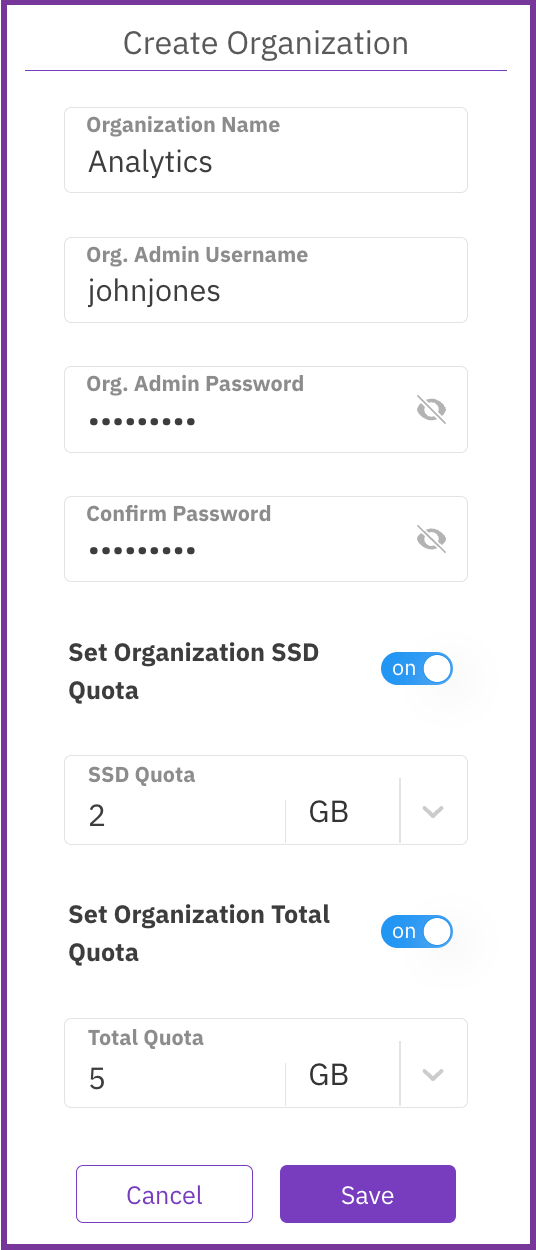
3. In the Create Organization dialog, set the following properties:
* **Organization Name:** A name for the organization.
* **Org. Admin Username**: The user with an Organization Admin role created for the organization.
* **Org. Admin Password**: The password of the user with an Organization Admin role created for the organization.
* **Confirm Password**: The same password as set in the Org. Admin Password.
* **Set Organization SSD Quota**: Turn on the switch and set the SSD capacity limitation for the organization.
* **Set Organization Total Quota**: Turn on the switch and set the total capacity limitation for the organization (SSD and object store bucket).
4. Select **Save**.
## View organizations
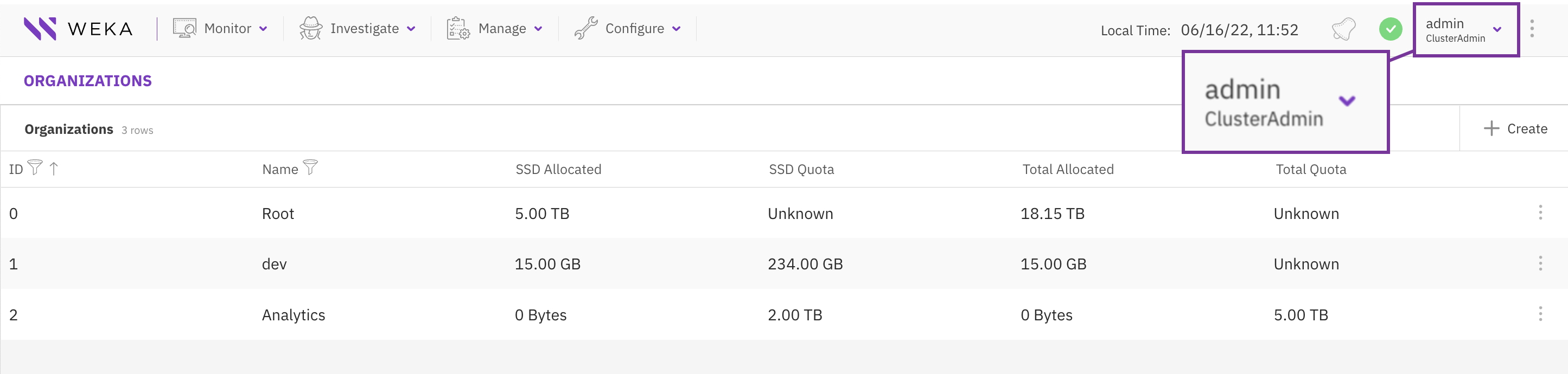
As a Cluster Admin, you can view all organizations in the cluster.
As an Organization Admin, you can view only the organization you are assigned to.
**Procedure**
1. From the menu, select **Configure > Organizations**.
## Edit an organization
You can modify an organization's SSD and total quota to meet the capacity demand changes.
**Procedure**
1. From the menu, select **Configure > Organizations**.
2. On the Organizations tab, select the three dots of the organization to edit and select **Edit**.
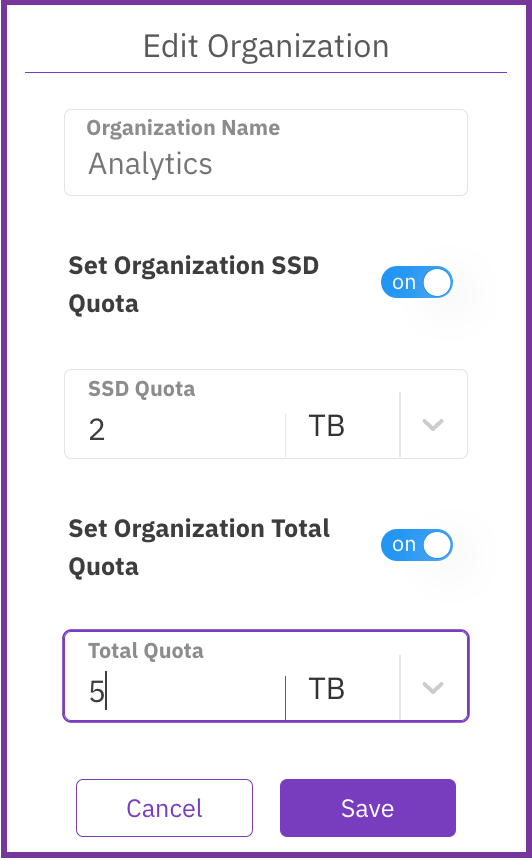
3\. In the Edit Organization dialog, set the following properties:
* **Set Organization SSD Quota**: Turn on the switch and set the SSD capacity limitation for the organization.
* **Set Organization Total Quota**: Turn on the switch and set the total capacity limitation for the organization (SSD and object store bucket).
4\. Select **Save**.
## Delete an organization
If an organization is no longer required, you can remove it. You cannot remove the root organization.
{% hint style="danger" %}
Deleting an organization is irreversible**.** It removes all entities related to the organization, such as filesystems, object stores, and users.
{% endhint %}
**Procedure**
1. From the menu, select **Configure > Organizations**.
2. On the Organizations tab, select the three dots of the organization to edit and select **Remove**.
3\. In the confirmation message, select **Yes**.